Direction HYUNDAI TUCSON 2023 Owner's Manual
[x] Cancel search | Manufacturer: HYUNDAI, Model Year: 2023, Model line: TUCSON, Model: HYUNDAI TUCSON 2023Pages: 638, PDF Size: 26.51 MB
Page 319 of 638
Driving your vehicle
6-34
Anti-lock Brake System (ABS)
WARNING
Anti-Lock Braking System (ABS) or
Electronic Stability Control (ESC)
system will not prevent accidents
due to improper or dangerous driving
maneuvers. Even though vehicle
control is improved during emergency
braking, always maintain a safe
distance between you and objects
ahead of you. Vehicle speeds should
always be reduced during extreme
road conditions. The braking distance
for vehicles equipped with ABS or ESC
may be longer than for those without
these systems in the following road
conditions.
Drive your vehicle at reduced speeds
during the following conditions:
• Rough, gravel or snow-covered
roads.
• On roads where the road surface is
pitted or has different surface height.
• Tire chains are installed on your
vehicle.
The safety features of ABS or ESC
equipped vehicle should not be tested
by high speed driving or cornering. This
could endanger the safety of yourself or
others.
ABS is an electronic braking system that
helps prevent a braking skid. ABS allows
the driver to steer and brake at the same
time.
Using ABS
To obtain the maximum benefit from
your ABS in an emergency situation,
do not attempt to modulate your brake
pressure and do not try to pump your
brakes. Depress your brake pedal as hard
as possible.
When you apply your brakes under
conditions which may lock the wheels,
you may hear sounds from the brakes,
or feel a corresponding sensation in the
brake pedal. This is normal and it means
your ABS is active.
ABS does not reduce the time or distance
it takes to stop the vehicle.
Always maintain a safe distance from the
vehicle in front of you.
ABS will not prevent a skid that results
from sudden changes in direction, such
as trying to take a corner too fast or
making a sudden lane change. Always
drive at a safe speed for the road and
weather conditions.
ABS cannot prevent a loss of stability.
Always steer moderately when braking
hard. Severe or sharp steering wheel
movement can still cause your vehicle to
veer into oncoming traffic or off the road.
On loose or uneven road surfaces,
operation of the anti-lock brake system
may result in a longer stopping distance
than for vehicles equipped with a
conventional brake system.
The ABS (
) warning light will stay
on for several seconds after the Engine
Start/Stop button is in the ON position.
During that time, ABS will go through
self-diagnosis and the light will go off
if everything is normal. If the light stays
on, you may have a problem with your
ABS. We recommend that you contact an
authorized HYUNDAI dealer as soon as
possible.
Page 339 of 638
Driving your vehicle
6-54
WARNING
If AWD warning light () stays on
the instrument cluster, your vehicle
may have a malfunction with the AWD
system. When the AWD warning light
(
) illuminates we recommend that
the vehicle be checked by an authorized
HYUNDAI dealer as soon as possible.
NOTICE
• Maintain AWD Auto mode when
driving on roads in normal
conditions.
• When driving under normal road
conditions (especially when
cornering) in AWD Lock mode, a
driver may find minor mechanical
vibration or noise, which is extremely
normal phenomenon, not a
malfunction. When AWD Lock mode
is released, such noise or vibration
will be immediately gone.
CAUTION
When driving on normal roads,
deactivate the AWD LOCK mode by
pushing the AWD LOCK button (AWD
LOCK indicator light goes off). Driving
on normal roads with the AWD LOCK
mode, especially, when cornering
may cause mechanical noise or
vibration. The noise and vibration will
disappear when the AWD LOCK mode
is deactivated. Prolong driving with the
noise and vibration may damage some
parts of the power train.
NOTICE
When the AWD LOCK mode is
deactivated, a sensation may be felt as
the driving power is delivered entirely
to the front wheels.
For safe AWD operation
Before driving
• Make sure all passengers are wearing
seat belts.
• Sit upright and closer to the steering
wheel than usual. Adjust the steering
wheel to a position comfortable for
you to drive.
Driving on snow-covered or icy roads
• Start off slowly by applying the
accelerator pedal gently.
• Use snow tires or tire chains.
• Keep sufficient distance between your
vehicle and the vehicle in front of you.
• Use engine braking during
deceleration.
• Avoid speeding, rapid acceleration,
sudden brake applications, and sharp
turns to prevent skids.
Driving in sand or mud
• Maintain slow and constant speed.
• Use tire chains driving in mud if
necessary.
• Keep sufficient distance between your
vehicle and the vehicle in front of you.
• Reduce vehicle speed and always
check the road condition.
• Avoid speeding, rapid acceleration,
sudden brake applications, and sharp
turns to prevent getting stuck.
CAUTION
When the vehicle is stuck in snow, sand
or mud, place a non-slip material under
the drive wheels to provide traction
OR Slowly spin the wheels in forward
and reverse directions which causes
a rocking motion that may free the
vehicle. However, avoid running the
engine continuously at high RPM, doing
so may damage the AWD system.
Page 343 of 638
Driving your vehicle
6-58
SPECIAL DRIVING CONDITIONS
Hazardous driving conditions
When hazardous driving elements
are encountered such as water, snow,
ice, mud and sand, take the following
precautions:
• Drive cautiously and maintain a longer
braking distance.
• Avoid abrupt braking or steering.
• When your vehicle is stuck in
snow, mud, or sand, use second
gear. Accelerate slowly to avoid
unnecessary wheel spin.
• Put sand, rock salt, tire chains or other
non-slip materials under the wheels to
provide additional traction while the
vehicle becomes stuck in ice, snow,
or mud.
WARNING
Downshifting with an automatic
transmission while driving on slippery
surfaces can cause an accident. The
sudden change in tire speed could
cause the tires to skid. Be careful when
downshifting on slippery surfaces.
Rocking the vehicle
If it is necessary to rock the vehicle to
free it from snow, sand, or mud, first turn
the steering wheel right and left to clear
the area around your front wheels. Then,
shift back and forth between R (Reverse)
and a forward gear.
Try to avoid spinning the wheels, and do
not race the engine.
To prevent transmission wear, wait until
the wheels stop spinning before shifting
gears. Release the accelerator pedal
while shifting, and press lightly on the
accelerator pedal while the transmission
is in gear. Slowly spinning the wheels in
forward and reverse directions causes a
rocking motion that may free the vehicle.
WARNING
If the vehicle is stuck and excessive
wheel spin occurs, the temperature
in the tires can increase very quickly.
If the tires become damaged, a tire
blow out or tire explosion can occur.
This condition is dangerous - you and
others may be injured. Do not attempt
this procedure if people or objects are
anywhere near the vehicle.
If you attempt to free the vehicle, the
vehicle can overheat quickly, possibly
causing an engine compartment fire
or other damage. Try to avoid spinning
the wheels as much as possible to
prevent overheating of either the tires
or the engine. DO NOT allow the vehicle
to spin the wheels above 35 mph (56
km/h).
Information
The ESC system must be turned OFF
before rocking the vehicle.
Page 357 of 638
Driving your vehicle
6-72
NOTICE
To prevent engine and/or transmission
overheating:
• When towing a trailer on steep
grades (in excess of 6%) pay close
attention to the engine coolant
temperature gauge to ensure the
engine does not overheat. If the
needle of the coolant temperature
gauge moves towards “H” (HOT),
pull over and stop as soon as it is
safe to do so, and allow the engine
to idle until it cools down. You may
proceed once the engine has cooled
sufficiently.
• If you tow a trailer with the maximum
gross vehicle weight and maximum
trailer weight, it can cause the
engine or transmission to overheat.
When driving in such conditions,
allow the engine to idle until it cools
down. You may proceed once the
engine or transmission has cooled
sufficiently.
• When towing a trailer, your vehicle
speed may be much slower than the
general flow of traffic, especially
when climbing an uphill grade. Use
the right hand lane when towing a
trailer on an uphill grade. Choose
your vehicle speed according to the
maximum posted speed limit for
vehicles with trailers, the steepness
of the grade, and your trailer weight.
Parking on hills
Generally, if you have a trailer attached
to your vehicle, you should not park your
vehicle on a hill.
However, if you ever have to park your
trailer on a hill, here’s how to do it:
1. Pull the vehicle into the parking space.
Turn the steering wheel in the
direction of the curb (right if headed
down hill, left if headed up hill).
2. Shift the gear to P (Park).
3. Set the parking brake and shut off the
vehicle.
4. Place wheel chocks under the trailer
wheels on the down hill side of the
wheels.
5. Start the vehicle, hold the brakes, shift
to neutral, release the parking brake
and slowly release the brakes until the
trailer chocks absorb the load.
6. Reapply the brakes and parking
brakes.
7. Shift the gear to P (Park) when the
vehicle is parked on a uphill grade and
in R (Reverse) on a downhill.
8. Shut off the vehicle and release the
vehicle brakes but leave the parking
brake set.
WARNING
To prevent serious or fatal injury:
• Do not get out of the vehicle without
the parking brake firmly set. If you
have left the engine running, the
vehicle can move suddenly. You and
others could be seriously or fatally
injured.
• Do not apply the accelerator pedal to
hold the vehicle on an uphill.
Page 372 of 638
07
7-9
• Driving through steam, smoke or
shadow
• Only part of the vehicle, pedestrian or
cyclist is detected
• The vehicle in front is a bus, heavy
truck, truck with a unusually shaped
luggage, trailer, etc.
• The vehicle in front has no tail lights,
tail lights are located unusually, etc.
• The brightness outside is low, and the
tail lamps are not on or are not bright
• The rear of the front vehicle is small
or the vehicle does not look normal,
such as when the vehicle is tilted,
overturned, or the side of the vehicle
is visible, etc.
•
The front vehicle’s ground clearance is low or high
• A vehicle, pedestrian or cyclist
suddenly cuts in front
• The vehicle in front is detected late
• The vehicle in front is suddenly
blocked by a obstacle
• The vehicle in front suddenly changes
lane or suddenly reduces speed
• The vehicle in front is bent out of
shape
•
The front vehicle’s speed is fast or slow
• The vehicle in front steers in the
opposite direction of your vehicle to
avoid a collision
• With a vehicle in front, your vehicle
changes lane at low speed
• The vehicle in front is covered with
snow •
You are departing or returning to the
lane
• Unstable driving
• You are on a roundabout and the
vehicle in front is not detected
• You are continuously driving in a circle
• The vehicle in front has an unusual
shape
• The vehicle in front is driving uphill or
downhill
• The pedestrian or cyclist is not
fully detected, for example, if the
pedestrian is leaning over or is not
fully walking upright
• The pedestrian or cyclist is wearing
clothing or equipment that makes it
difficult to detect as a pedestrian or
cyclistOADAS044
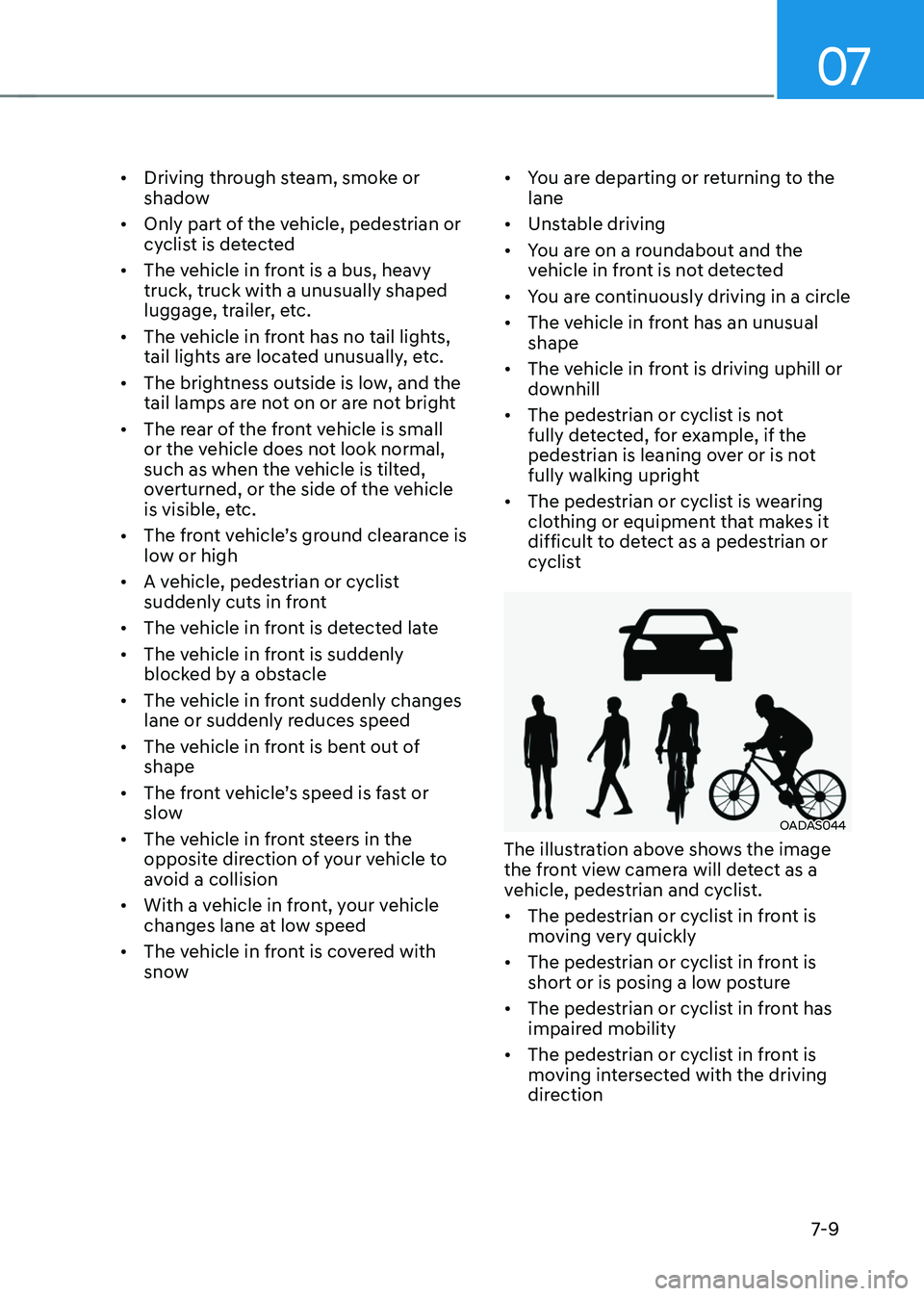
The illustration above shows the image
the front view camera will detect as a
vehicle, pedestrian and cyclist.
• The pedestrian or cyclist in front is
moving very quickly
• The pedestrian or cyclist in front is
short or is posing a low posture
• The pedestrian or cyclist in front has
impaired mobility
• The pedestrian or cyclist in front is
moving intersected with the driving
direction
Page 386 of 638
07
7-23
CAUTION
• Forward Collision-Avoidance
Assist operating speed range may
reduce due to the conditions of
the vehicle or pedestrian in front
or surroundings. Depending on the
speed, Forward Collision-Avoidance
Assist may only warn the driver, or it
may not operate.
• Forward Collision-Avoidance Assist
will operate under certain conditions
by judging the risk level based on
the condition of the oncoming
vehicle, driving direction, speed and
surroundings.
Information
In a situation where collision is imminent,
braking may be assisted by Forward
Collision-Avoidance Assist when braking
is insufficient by the driver.
Forward Collision-Avoidance
Assist Malfunction and
Limitations
Forward Collision-Avoidance Assist
malfunction
„„Type A„„Type B
OTM070094NOTM070094L
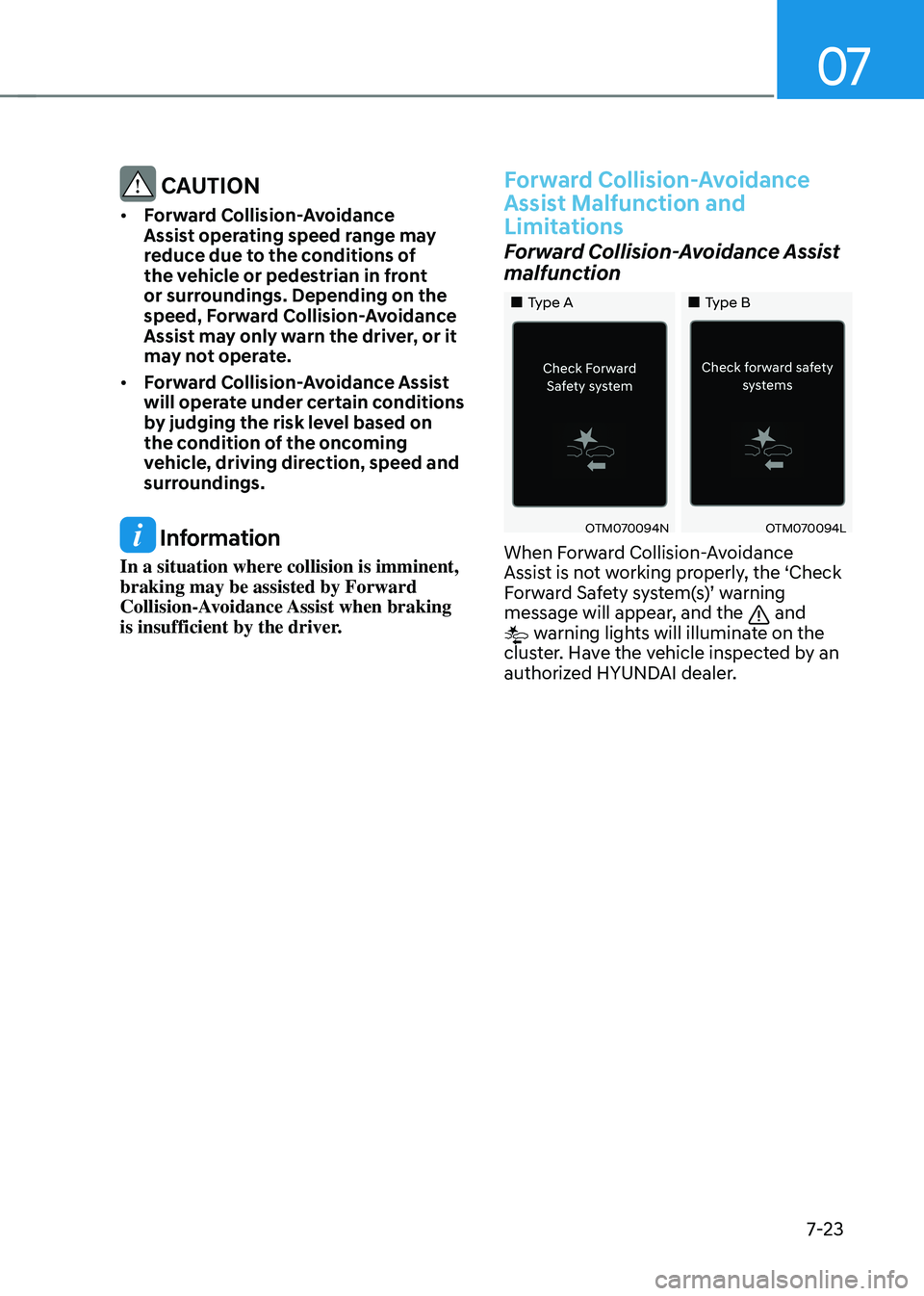
When Forward Collision-Avoidance
Assist is not working properly, the ‘Check
Forward Safety system(s)’ warning message will appear, and the and warning lights will illuminate on the
cluster. Have the vehicle inspected by an
authorized HYUNDAI dealer.
Page 388 of 638
07
7-25
• Your vehicle is being towed
• The surrounding is very bright
• The surrounding is very dark, such as
in a tunnel, etc.
• The brightness changes suddenly, for
example when entering or exiting a
tunnel
• The brightness outside is low, and the
headlamps are not on or are not bright
• Driving through steam, smoke or
shadow
• Only part of the vehicle, pedestrian or
cyclist is detected
• The vehicle in front is a bus, heavy
truck, truck with a unusually shaped
luggage, trailer, etc.
• The vehicle in front has no tail lights,
tail lights are located unusually, etc.
• The brightness outside is low, and the
tail lamps are not on or are not bright
• The rear of the front vehicle is small
or the vehicle does not look normal,
such as when the vehicle is tilted,
overturned, or the side of the vehicle
is visible, etc.
•
The front vehicle’s ground clearance is low or high
• A vehicle, pedestrian or cyclist
suddenly cuts in front
• The bumper around the front radar is
impacted, damaged or the front radar
is out of position
• The temperature around the front
radar is high or low •
Driving through a tunnel or iron bridge
• Driving in large areas where there are
few vehicles or structures (i.e. desert,
meadow, suburb, etc.)
• Driving near areas containing metal
substances, such as a construction
zone, railroad, etc.
• A material is near that reflects very
well on the front radar, such as a
guardrail, nearby vehicle, etc.
• The cyclist in front is on a bicycle
made of material that does not reflect
on the front radar
• The vehicle in front is detected late
• The vehicle in front is suddenly
blocked by a obstacle
• The vehicle in front suddenly changes
lane or suddenly reduces speed
• The vehicle in front is bent out of
shape
•
The front vehicle’s speed is fast or slow
• The vehicle in front steers in the
opposite direction of your vehicle to
avoid a collision
• With a vehicle in front, your vehicle
changes lane at low speed
• The vehicle in front is covered with
snow
• You are departing or returning to the
lane
• Unstable driving
• You are on a roundabout and the
vehicle in front is not detected
• You are continuously driving in a circle
• The vehicle in front has an unusual
shape
• The vehicle in front is driving uphill or
downhill
Page 389 of 638
Driver assistance system
7-26
• The pedestrian or cyclist is not
fully detected, for example, if the
pedestrian is leaning over or is not
fully walking upright
• The pedestrian or cyclist is wearing
clothing or equipment that makes it
difficult to detect as a pedestrian or
cyclist
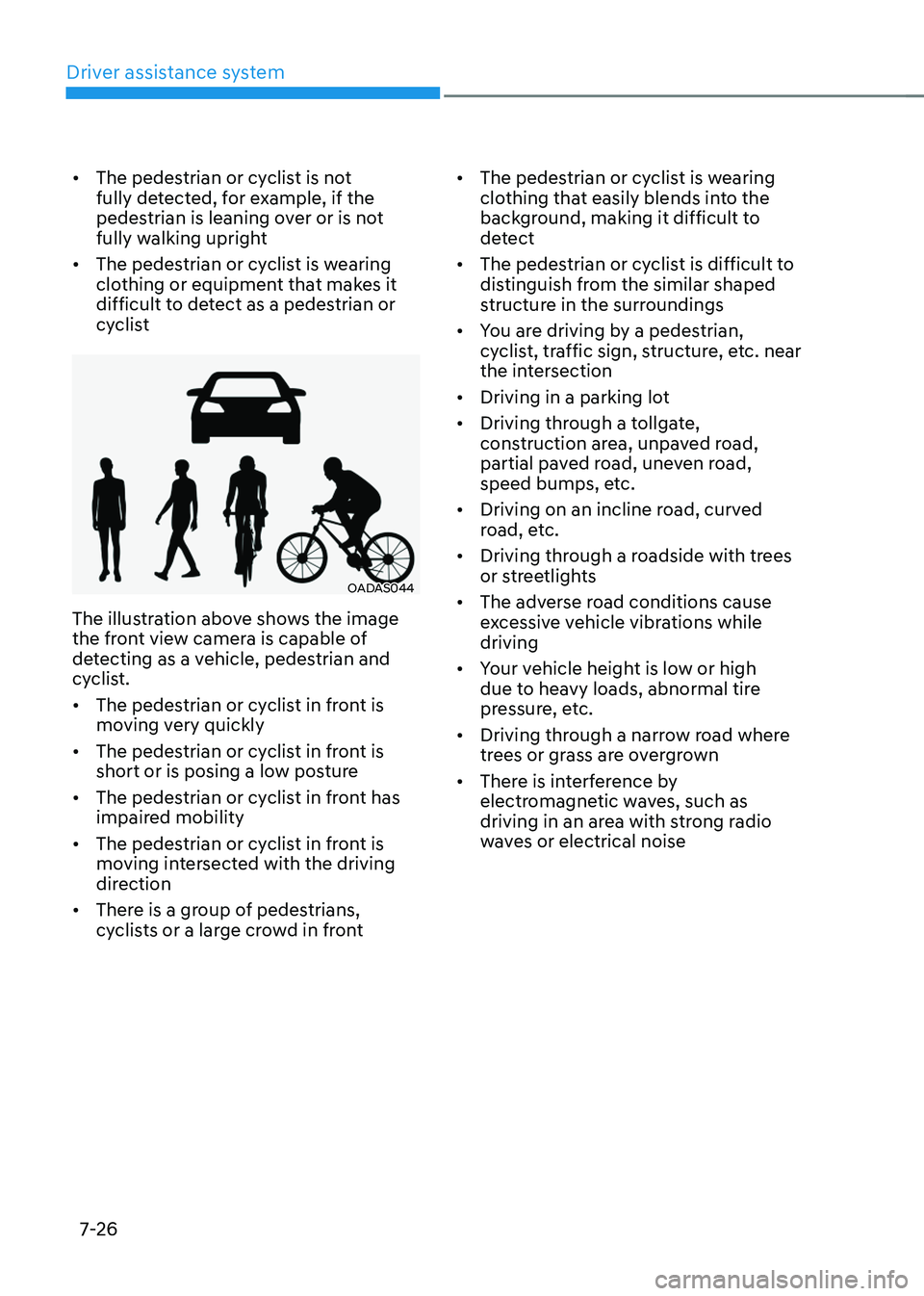
OADAS044
The illustration above shows the image
the front view camera is capable of
detecting as a vehicle, pedestrian and
cyclist.
• The pedestrian or cyclist in front is
moving very quickly
• The pedestrian or cyclist in front is
short or is posing a low posture
• The pedestrian or cyclist in front has
impaired mobility
• The pedestrian or cyclist in front is
moving intersected with the driving
direction
• There is a group of pedestrians,
cyclists or a large crowd in front •
The pedestrian or cyclist is wearing
clothing that easily blends into the
background, making it difficult to
detect
• The pedestrian or cyclist is difficult to
distinguish from the similar shaped
structure in the surroundings
• You are driving by a pedestrian,
cyclist, traffic sign, structure, etc. near
the intersection
• Driving in a parking lot
• Driving through a tollgate,
construction area, unpaved road,
partial paved road, uneven road,
speed bumps, etc.
• Driving on an incline road, curved
road, etc.
• Driving through a roadside with trees
or streetlights
• The adverse road conditions cause
excessive vehicle vibrations while
driving
• Your vehicle height is low or high
due to heavy loads, abnormal tire
pressure, etc.
• Driving through a narrow road where
trees or grass are overgrown
• There is interference by
electromagnetic waves, such as
driving in an area with strong radio
waves or electrical noise
Page 396 of 638
07
7-33
Lane Keeping Assist Operation
Warning and control
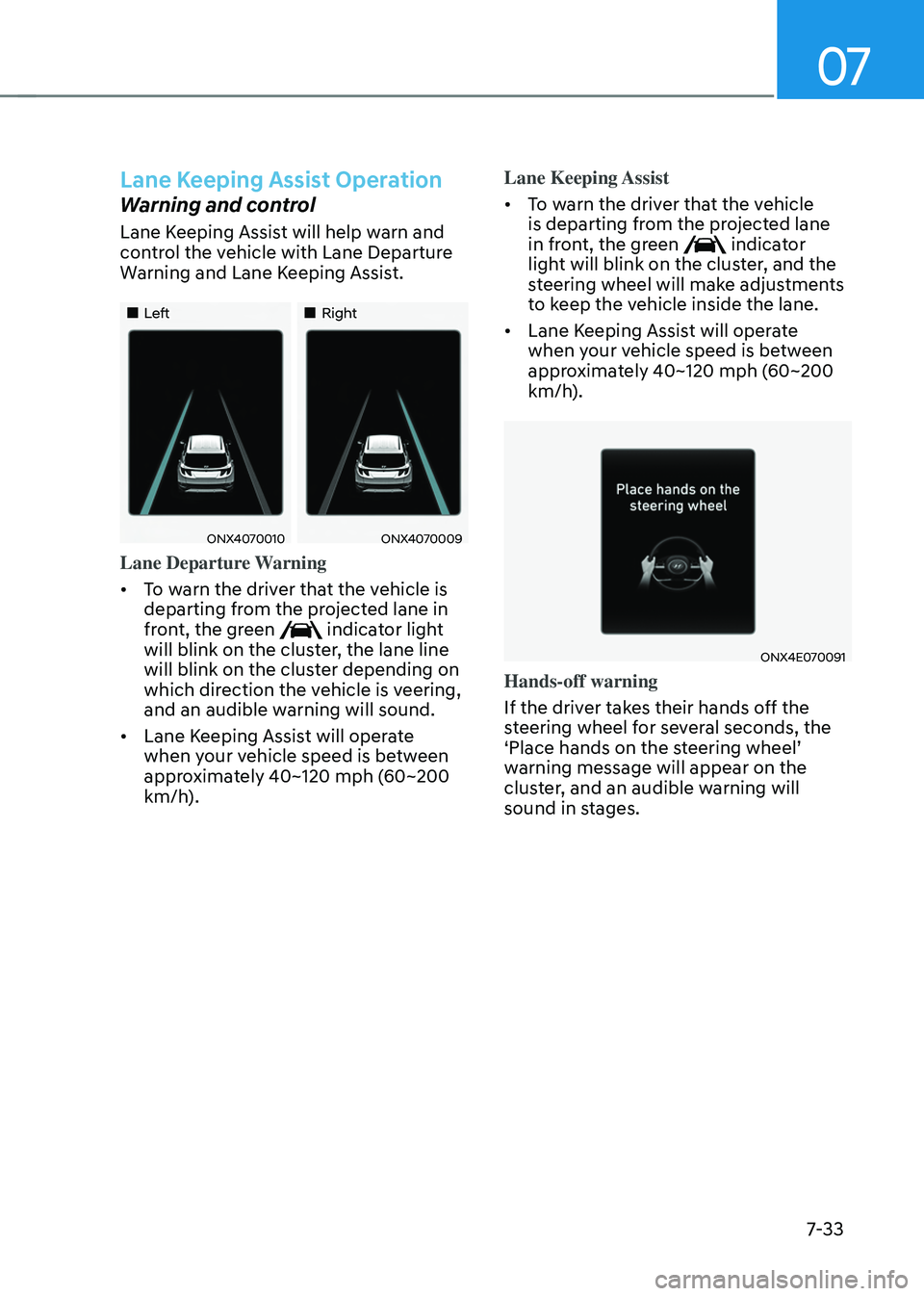
Lane Keeping Assist will help warn and
control the vehicle with Lane Departure
Warning and Lane Keeping Assist.
„„Left„„Right
ONX4070010ONX4070009
Lane Departure Warning
• To warn the driver that the vehicle is
departing from the projected lane in
front, the green
indicator light
will blink on the cluster, the lane line
will blink on the cluster depending on
which direction the vehicle is veering,
and an audible warning will sound.
• Lane Keeping Assist will operate
when your vehicle speed is between
approximately 40~120 mph (60~200
km/h). Lane Keeping Assist
•
To warn the driver that the vehicle
is departing from the projected lane
in front, the green
indicator
light will blink on the cluster, and the
steering wheel will make adjustments
to keep the vehicle inside the lane.
• Lane Keeping Assist will operate
when your vehicle speed is between
approximately 40~120 mph (60~200
km/h).
ONX4E070091
Hands-off warning
If the driver takes their hands off the
steering wheel for several seconds, the
‘Place hands on the steering wheel’ warning message will appear on the
cluster, and an audible warning will
sound in stages.
Page 405 of 638
Driver assistance system
7-42
Collision Warning
• Collision warning will operate when
the turn signal is turned on in the
direction of the detected vehicle.
•
If ‘Warning Only’ is selected from the Settings menu, the collision warning
will operate when your vehicle
approaches the lane the blind spot
vehicle is detected.
• To warn the driver of a collision, the
warning light on the side view mirror
and head-up display (if equipped) will
blink. At the same time, an audible
warning will sound.
• When the turn signal is turned off or
you move away from the lane, the
collision warning will be canceled
and the system will return to vehicle
detection state.
WARNING
• The detecting range of the rear
corner radar is determined by a
standard road width, therefore, on a
narrow road, the system may detect
other vehicles in the next next lane
and warn you. In contrast, on a wide
road, the system may not be able to
detect a vehicle driving in the next
lane and may not warn you.
• When the hazard warning flasher is
on, the collision warning by the turn
signal will not operate.
Information
If the driver's seat is on the left side, the
collision warning may occur when you
turn left. Maintain a proper distance with
the vehicles in the left lane. If the driver's
seat is on the right side, the collision
warning may occur when you turn right.
Maintain a proper distance with the
vehicles in the right lane.