gear shift HYUNDAI TUCSON 2023 Service Manual
[x] Cancel search | Manufacturer: HYUNDAI, Model Year: 2023, Model line: TUCSON, Model: HYUNDAI TUCSON 2023Pages: 638, PDF Size: 26.51 MB
Page 483 of 638
Driver assistance system7-120
Rear view
The rear image is displayed on the screen
when the gear is in R (Revers) or P (Park)
to assist in parking. The rear view has a
top view/rear view/side view/3D view.
Operating conditions
• Shift the gear to R (Reverse), the
image will appear on the screen.
• Press the Parking/View button (1)
while the gear is in P (Park), the image
will appear on the screen.
Off conditions
• The image cannot be turned off when
the gear is in R (Reverse).
• Shift the gear from R (Reverse) to P
(Park), the image will turn off.
• Press the Parking/View button (1)
again while the gear is in P (Park) with
the image on the screen.
Surround View Monitor
Malfunction and Limitations
Surround View Monitor malfunction
When Surround View Monitor is not
working properly, or the screen flickers,
or the camera image does not display
normally, we recommend that the
vehicle be inspected by an authorized
HYUNDAI dealer.
Limitations of Surround View
Monitor
• When the vehicle is stopped for a long
time in winter or when the vehicle is
parked in an indoor parking lot, the
exhaust fumes may temporarily blur
the image.
• The screen may be displayed
abnormally, and an icon will appear at
the top left side of the screen under
the following circumstances:
-The liftgate is opened
-The driver or front passenger door
is opened
-The side view mirror is folded
Page 488 of 638
07
7-125
• Rear Cross-Traffic Safety system
will operate when all the following
conditions are satisfied:
-The gear is shifted to R (Reverse)
-Vehicle speed is below 5 mph (8
km/h)
-The approaching vehicle is within
approximately 82 ft. (25 m) from the
left or right side of your vehicle
-The speed of the vehicle
approaching from the left and right
is above 3 mph (5 km/h)
Information
If the operating conditions are satisfied,
there will be a warning whenever the
vehicle approaches from the left or right
side even though your vehicle speed is 0
mph (0 km/h).
OHY059034ONX4E070057
ONX4E070133
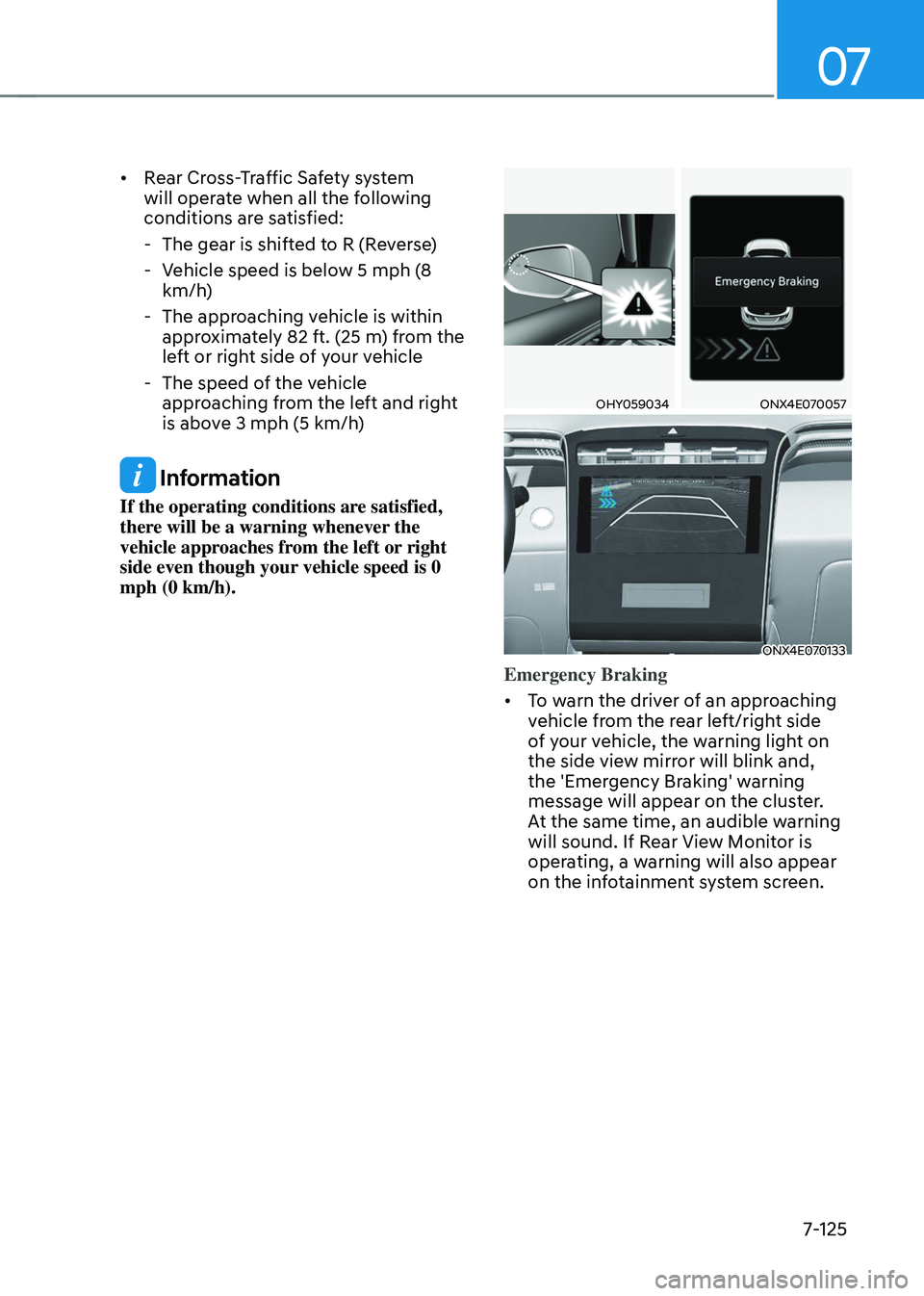
Emergency Braking
• To warn the driver of an approaching
vehicle from the rear left/right side
of your vehicle, the warning light on
the side view mirror will blink and,
the 'Emergency Braking' warning
message will appear on the cluster.
At the same time, an audible warning
will sound. If Rear View Monitor is
operating, a warning will also appear
on the infotainment system screen.
Page 489 of 638
Driver assistance system
7-126
• Rear Cross-Traffic Safety system
will operate when all the following
conditions are satisfied:
-The gear is shifted to R (Reverse)
-Vehicle speed is below 5 mph (8
km/h)
-The approaching vehicle is within
approximately 5 ft. (1.5 m) from the
left or right side of your vehicle
-The speed of the vehicle
approaching from the left and right
is above 3 mph (5 km/h)
• Emergency braking will be assisted
to help prevent collision with
approaching vehicles from the left
and right.
WARNING
Brake control will end when:
-The approaching vehicle is out of the
detecting range
-The approaching vehicle passes
behind your vehicle
-The approaching vehicle does not
drive toward your vehicle
-The approaching vehicle speed slows
down
-The driver depresses the brake pedal
with sufficient power
ONX4E070058
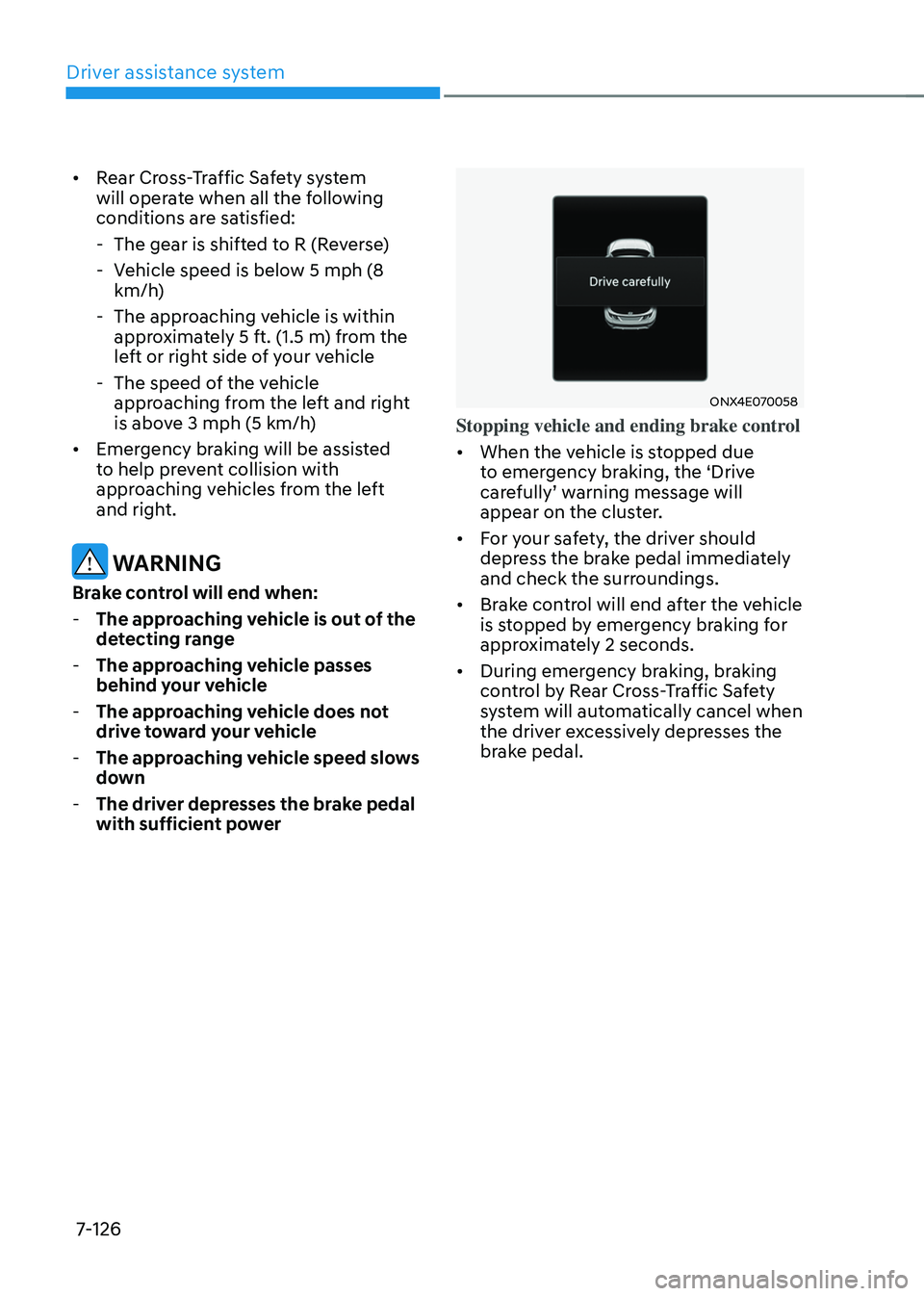
Stopping vehicle and ending brake control
• When the vehicle is stopped due
to emergency braking, the ‘Drive
carefully’ warning message will appear on the cluster.
• For your safety, the driver should
depress the brake pedal immediately
and check the surroundings.
• Brake control will end after the vehicle
is stopped by emergency braking for
approximately 2 seconds.
• During emergency braking, braking
control by Rear Cross-Traffic Safety
system will automatically cancel when
the driver excessively depresses the
brake pedal.
Page 490 of 638
07
7-127
WARNING
Take the following precautions when
using Rear Cross-Traffic Safety system:
• For your safety, change the Settings
after parking the vehicle at a safe
location.
• If any other system’s warning
message is displayed or audible
warning is generated, Rear Cross-
Traffic Safety system’s warning
message may not be displayed
and audible warning may not be
generated.
• You may not hear the warning sound
of Rear Cross-Traffic Safety system if
the surrounding is noisy.
• Rear Cross-Traffic Safety system may
not operate if the driver applies the
brake pedal to avoid collision.
• During Rear Cross-Traffic Safety
system operation, the vehicle may
stop suddenly injuring passengers
and shifting loose objects. Always
have the seat belt on and keep loose
objects secured.
• Even if there is a problem with Rear
Cross-Traffic Safety system, the
vehicle’s basic braking performance
will operate normally.
• When Rear Cross-Traffic Safety
system is operating, braking control
by the system will automatically
cancel when the driver excessively
depresses the accelerator pedal.
• Rear Cross-Traffic Safety system does
not operate in all situations or cannot
avoid all collisions.
• Rear Cross-Traffic Safety system may
warn the driver late or may not warn
the driver depending on the road and
driving conditions. •
The driver is solely responsible to
operate the vehicle in a safe manner.
Do not solely depend on Rear
Cross-Traffic Safety system. Rather,
maintain a safe braking distance, and
if necessary, depress the brake pedal
to reduce driving speed or to stop
the vehicle.
• Never deliberately operate Rear
Cross-Traffic Safety system on
people, animal, objects, etc. It may
cause serious injury or death.
CAUTION
The brake control may not operate
properly depending on the status of
ESC (Electronic Stability Control).
There will only be a warning when:
-The ESC (Electronic Stability Control)
warning light is on
-ESC (Electronic Stability Control) is
engaged in a different function
Information
If the system assists you with braking,
the driver must immediately depress
the brake pedal and check vehicle
surroundings.
-Brake control will end when the driver
depresses the brake pedal with sufficient
power.
-After shifting the gear to R (Reverse),
braking control will operate once for left
and right vehicle approach.
Page 496 of 638
07
7-133
REVERSE PARKING DISTANCE WARNING (PDW)
(IF EQUIPPED)
Reverse Parking Distance Warning will
help warn the driver if an obstacle is
detected within a certain distance when
the vehicle is moving in reverse at low
speeds.
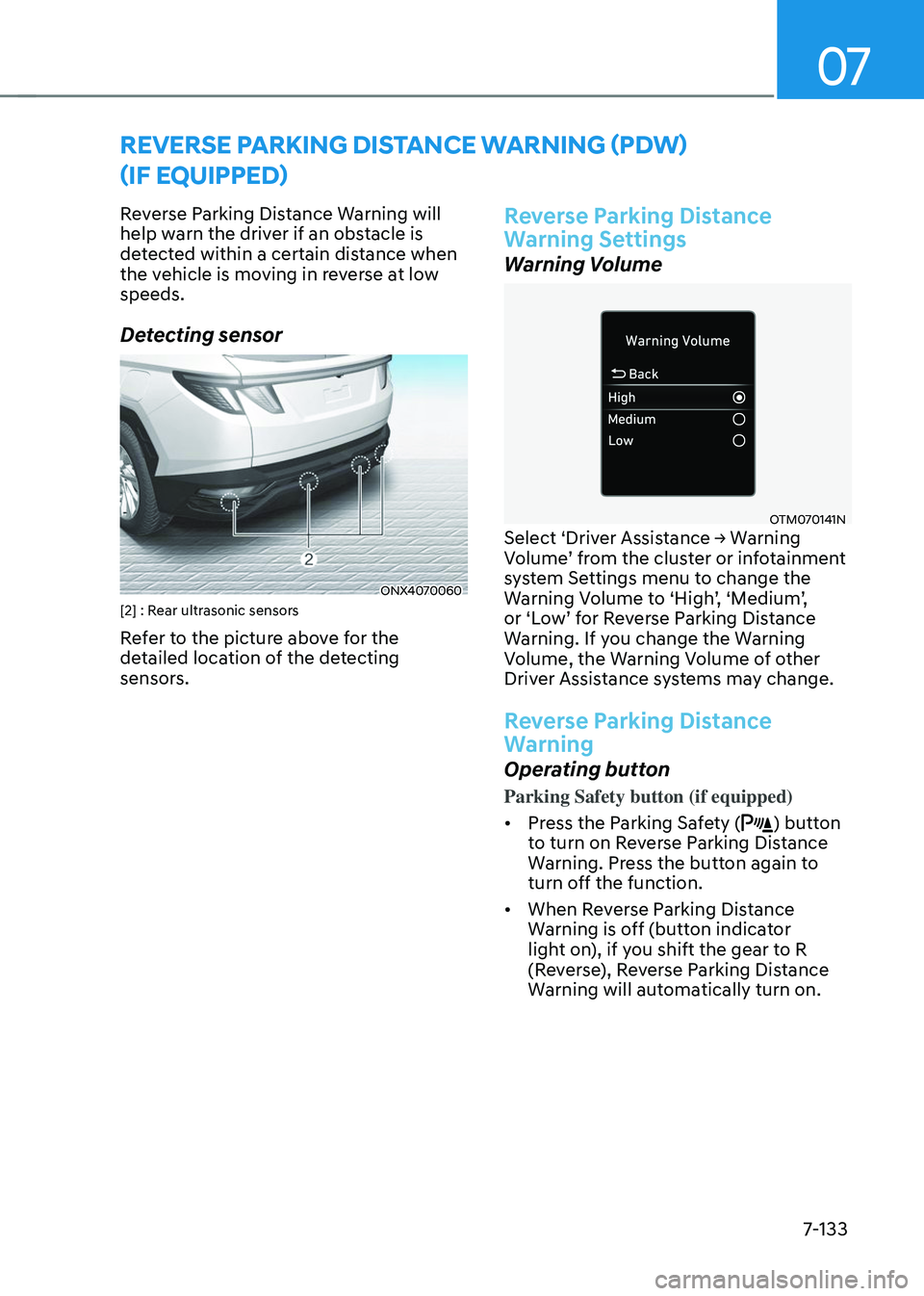
Detecting sensor
ONX4070060[2] : Rear ultrasonic sensors
Refer to the picture above for the
detailed location of the detecting
sensors.
Reverse Parking Distance
Warning Settings
Warning Volume
OTM070141NSelect ‘Driver Assistance → Warning Volume’ from the cluster or infotainment system Settings menu to change the Warning Volume to ‘High’, ‘Medium’, or ‘Low’ for Reverse Parking Distance Warning. If you change the Warning
Volume, the Warning Volume of other
Driver Assistance systems may change.
Reverse Parking Distance
Warning
Operating button
Parking Safety button (if equipped)
• Press the Parking Safety (
) button
to turn on Reverse Parking Distance
Warning. Press the button again to
turn off the function.
• When Reverse Parking Distance
Warning is off (button indicator
light on), if you shift the gear to R
(Reverse), Reverse Parking Distance
Warning will automatically turn on.
Page 497 of 638
Driver assistance system
7-134
Reverse Parking Distance Warning
• Reverse Parking Distance Warning
will operate when the gear is in R
(Reverse).
• Reverse Parking Distance Warning
helps detect a person, animal or
object in the rear when the vehicle’s rearward speed is below 6 mph (10
km/h).
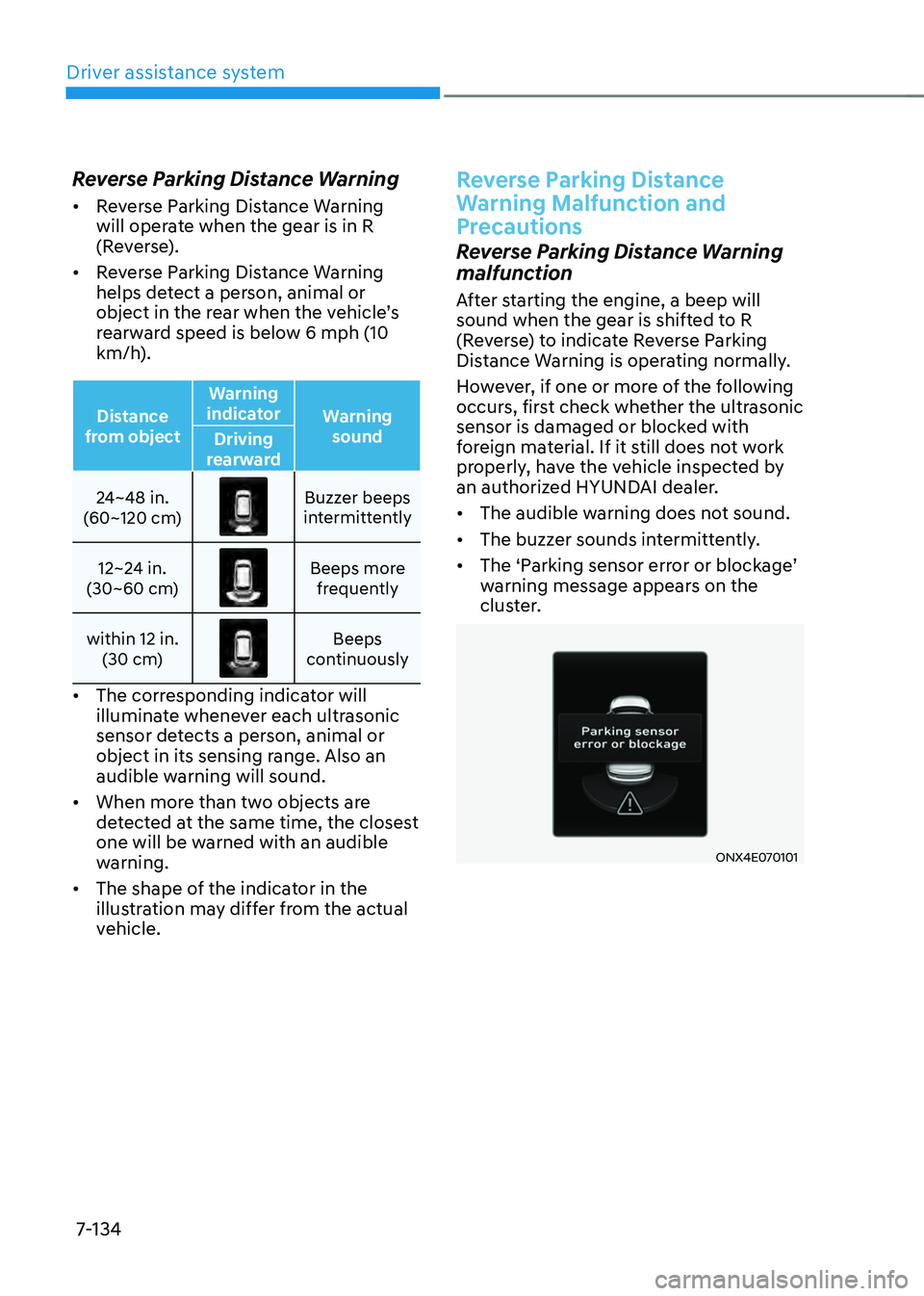
Distance
from object Warning
indicator Warning
sound
Driving
rearward
24~48 in.
(60~120 cm)
Buzzer beeps intermittently
12~24 in.
(30~60 cm)
Beeps more frequently
within 12 in. (30 cm)
Beeps continuously
• The corresponding indicator will
illuminate whenever each ultrasonic
sensor detects a person, animal or
object in its sensing range. Also an
audible warning will sound.
• When more than two objects are
detected at the same time, the closest
one will be warned with an audible
warning.
• The shape of the indicator in the
illustration may differ from the actual
vehicle.
Reverse Parking Distance
Warning Malfunction and
Precautions
Reverse Parking Distance Warning
malfunction
After starting the engine, a beep will
sound when the gear is shifted to R
(Reverse) to indicate Reverse Parking
Distance Warning is operating normally.
However, if one or more of the following
occurs, first check whether the ultrasonic
sensor is damaged or blocked with
foreign material. If it still does not work
properly, have the vehicle inspected by
an authorized HYUNDAI dealer.
• The audible warning does not sound.
• The buzzer sounds intermittently.
•
The ‘Parking sensor error or blockage’ warning message appears on the
cluster.
ONX4E070101
Page 500 of 638
07
7-137
Forward/Reverse Parking
Distance Warning Operation
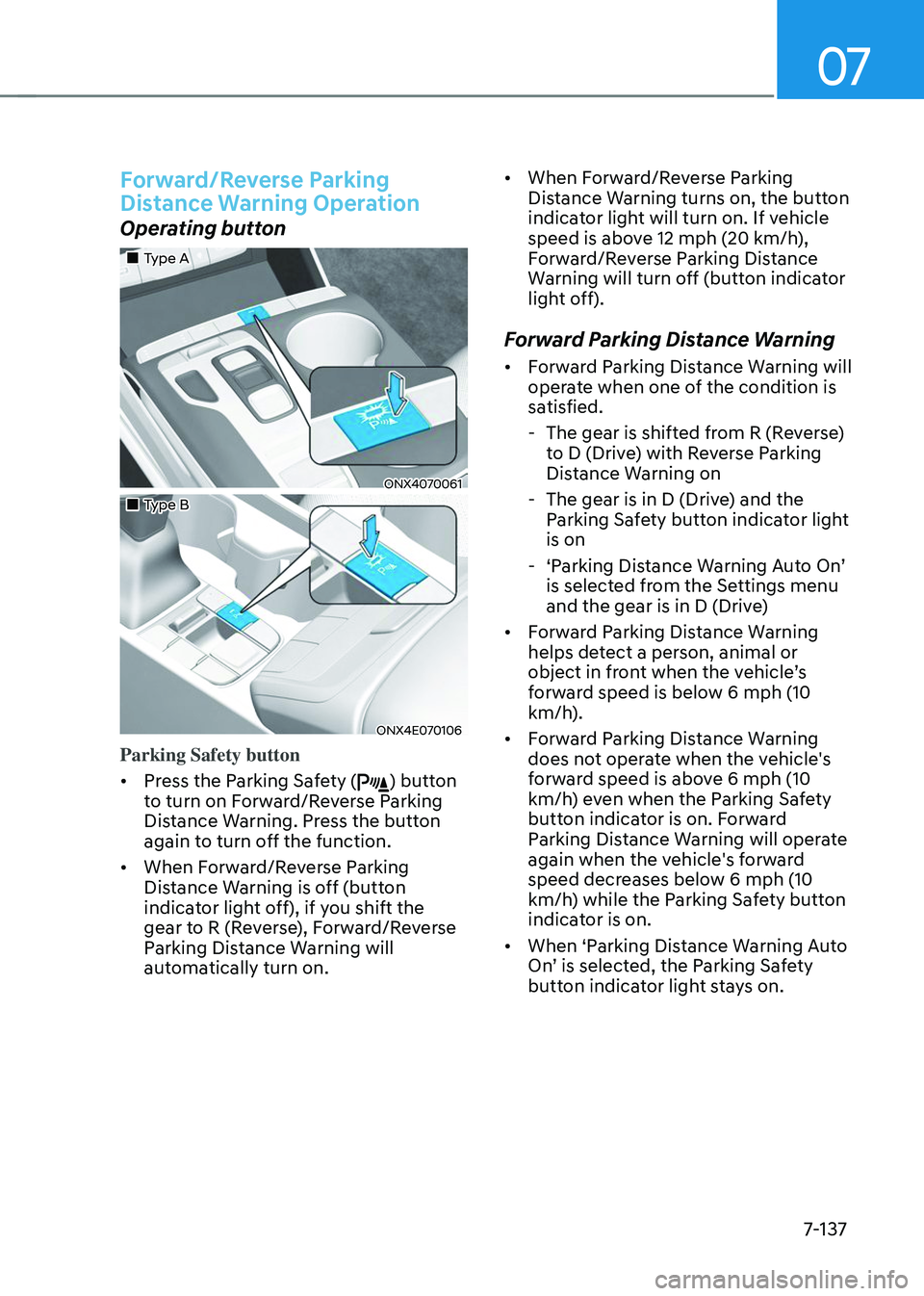
Operating button
„„Type A
ONX4070061
„„Type B
ONX4E070106
Parking Safety button
• Press the Parking Safety (
) button
to turn on Forward/Reverse Parking
Distance Warning. Press the button
again to turn off the function.
• When Forward/Reverse Parking
Distance Warning is off (button
indicator light off), if you shift the
gear to R (Reverse), Forward/Reverse
Parking Distance Warning will
automatically turn on. •
When Forward/Reverse Parking
Distance Warning turns on, the button
indicator light will turn on. If vehicle
speed is above 12 mph (20 km/h),
Forward/Reverse Parking Distance
Warning will turn off (button indicator
light off).
Forward Parking Distance Warning
• Forward Parking Distance Warning will
operate when one of the condition is
satisfied.
-The gear is shifted from R (Reverse)
to D (Drive) with Reverse Parking
Distance Warning on
-The gear is in D (Drive) and the
Parking Safety button indicator light
is on
-‘Parking Distance Warning Auto On’ is selected from the Settings menu
and the gear is in D (Drive)
• Forward Parking Distance Warning
helps detect a person, animal or
object in front when the vehicle’s forward speed is below 6 mph (10
km/h).
• Forward Parking Distance Warning
does not operate when the vehicle's
forward speed is above 6 mph (10
km/h) even when the Parking Safety
button indicator is on. Forward
Parking Distance Warning will operate
again when the vehicle's forward
speed decreases below 6 mph (10
km/h) while the Parking Safety button
indicator is on.
• When ‘Parking Distance Warning Auto
On’ is selected, the Parking Safety button indicator light stays on.
Page 502 of 638
07
7-139
Forward/Reverse Parking
Distance Warning Malfunction
and Precautions
Forward/Reverse Parking Distance
Warning malfunction
After starting the engine, a beep will
sound when the gear is shifted to R
(Reverse) to indicate Forward/Reverse
Parking Distance Warning is operating
normally.
However, if one or more of the following
occurs, first check whether the ultrasonic
sensor is damaged or blocked with
foreign material. If it still does not work
properly, have the vehicle inspected by
an authorized HYUNDAI dealer.
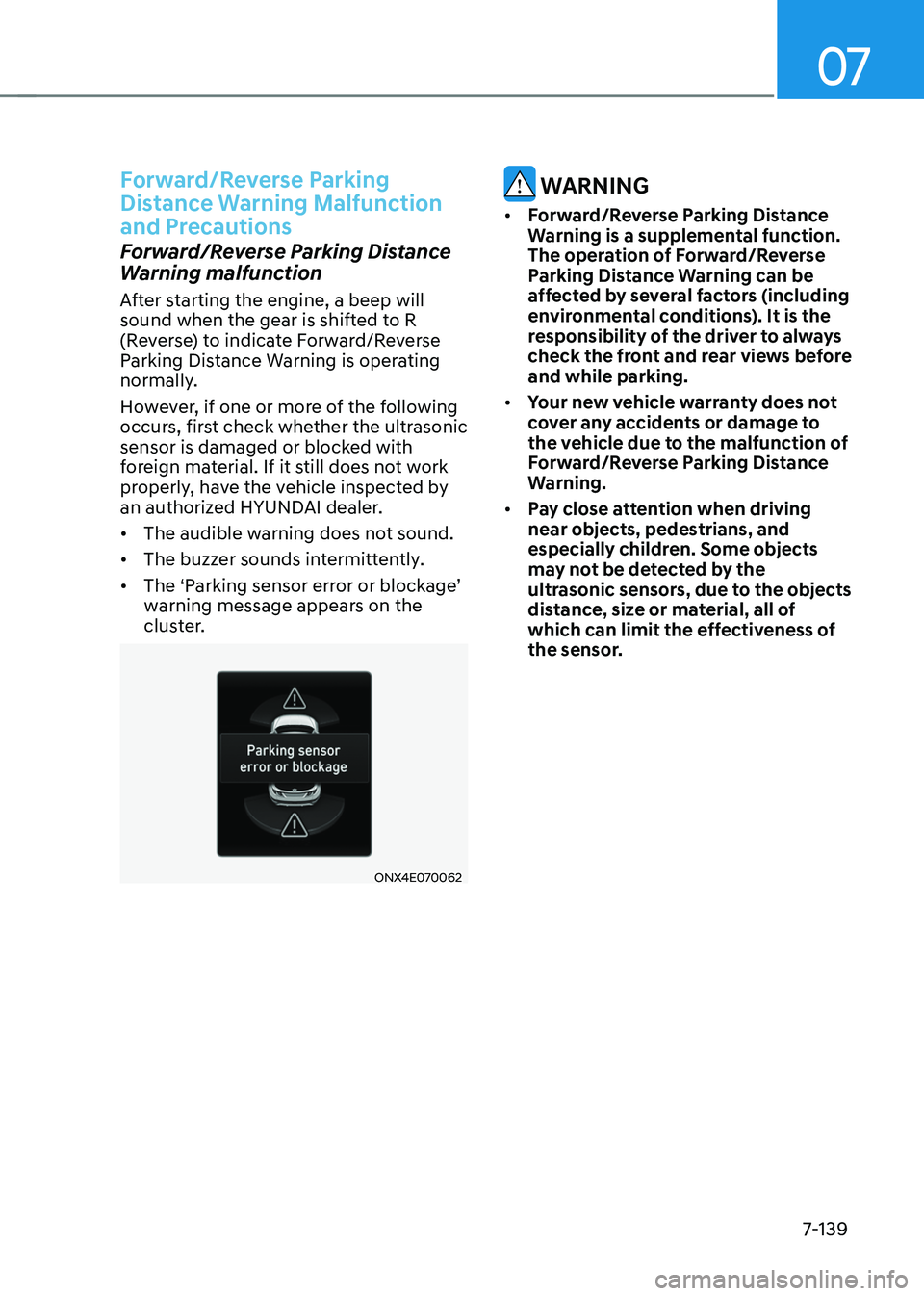
• The audible warning does not sound.
• The buzzer sounds intermittently.
•
The ‘Parking sensor error or blockage’ warning message appears on the
cluster.
ONX4E070062
WARNING
• Forward/Reverse Parking Distance
Warning is a supplemental function.
The operation of Forward/Reverse
Parking Distance Warning can be
affected by several factors (including
environmental conditions). It is the
responsibility of the driver to always
check the front and rear views before
and while parking.
• Your new vehicle warranty does not
cover any accidents or damage to
the vehicle due to the malfunction of
Forward/Reverse Parking Distance
Warning.
• Pay close attention when driving
near objects, pedestrians, and
especially children. Some objects
may not be detected by the
ultrasonic sensors, due to the objects
distance, size or material, all of
which can limit the effectiveness of
the sensor.
Page 506 of 638
07
7-143
Reverse Parking Collision-
Avoidance Assist Operation
Operating conditions
If ‘Rear Active Assist’ or ‘Rear Warning Only’ is set from the Settings menu, Reverse Parking Collision-Avoidance
Assist will be in the ready status when
the following conditions are satisfied:
-The liftgate is closed
-The gear is shifted to R (Reverse)
-Vehicle speed is below 6 mph (10
km/h)
-Reverse Parking Collision-Avoidance
Assist components such as the rear
view camera and the rear ultrasonic
sensors are in normal conditions
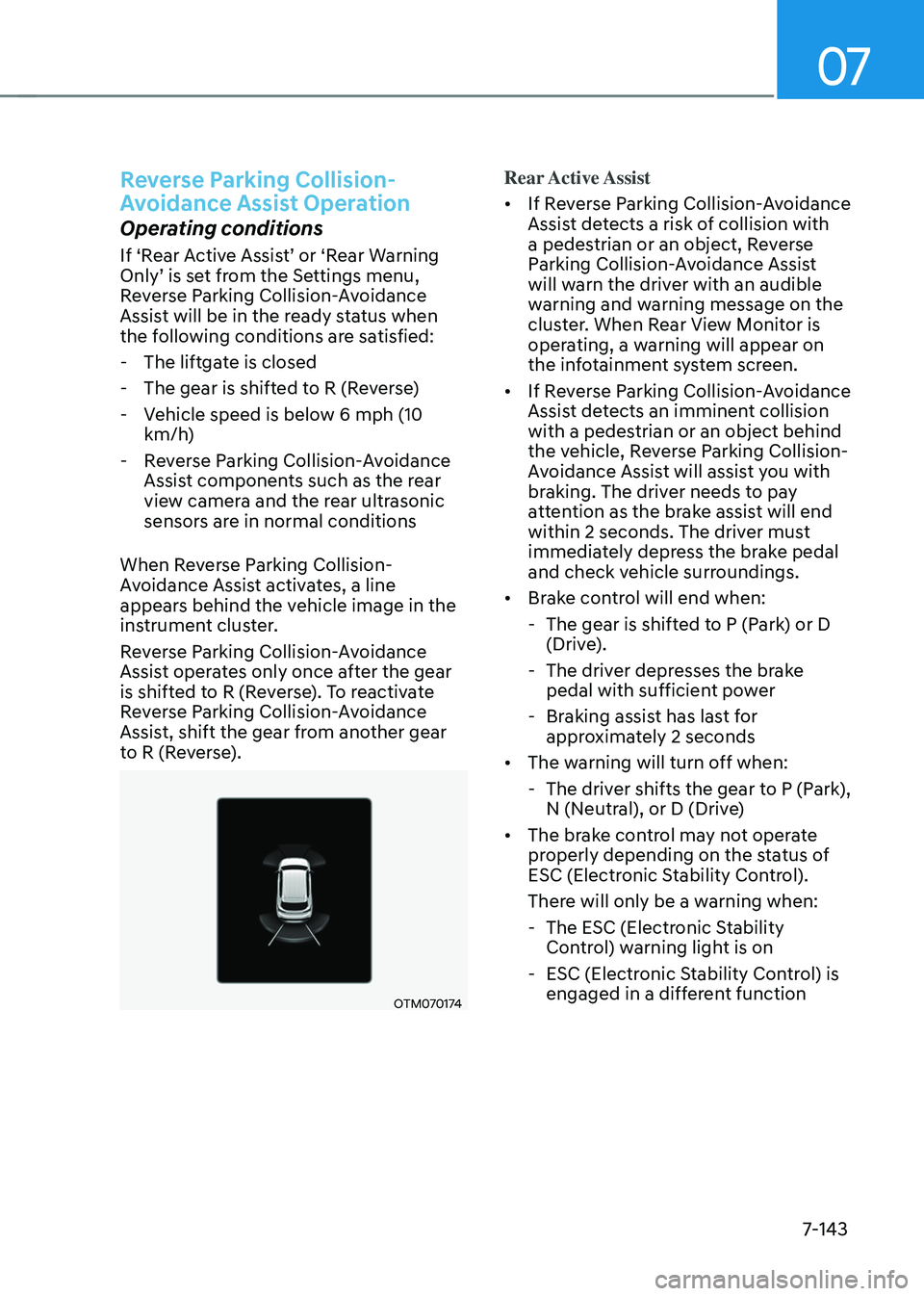
When Reverse Parking Collision-
Avoidance Assist activates, a line
appears behind the vehicle image in the
instrument cluster.
Reverse Parking Collision-Avoidance
Assist operates only once after the gear
is shifted to R (Reverse). To reactivate
Reverse Parking Collision-Avoidance
Assist, shift the gear from another gear
to R (Reverse).
OTM070174
Rear Active Assist
• If Reverse Parking Collision-Avoidance
Assist detects a risk of collision with
a pedestrian or an object, Reverse
Parking Collision-Avoidance Assist
will warn the driver with an audible
warning and warning message on the
cluster. When Rear View Monitor is
operating, a warning will appear on
the infotainment system screen.
• If Reverse Parking Collision-Avoidance
Assist detects an imminent collision
with a pedestrian or an object behind
the vehicle, Reverse Parking Collision-
Avoidance Assist will assist you with
braking. The driver needs to pay
attention as the brake assist will end
within 2 seconds. The driver must
immediately depress the brake pedal
and check vehicle surroundings.
• Brake control will end when:
-The gear is shifted to P (Park) or D
(Drive).
-The driver depresses the brake
pedal with sufficient power
-Braking assist has last for
approximately 2 seconds
• The warning will turn off when:
-The driver shifts the gear to P (Park),
N (Neutral), or D (Drive)
• The brake control may not operate
properly depending on the status of
ESC (Electronic Stability Control).
There will only be a warning when:
-The ESC (Electronic Stability
Control) warning light is on
-ESC (Electronic Stability Control) is
engaged in a different function
Page 507 of 638
Driver assistance system
7-144
Rear Warning Only
• If Reverse Parking Collision-Avoidance
Assist detects a risk of collision with
a pedestrian or an object, Reverse
Parking Collision-Avoidance Assist
will warn the driver with an audible
warning and warning message on the
cluster. When Rear View Monitor is
operating, a warning will appear on
the infotainment system screen.
•
If ‘Rear Warning Only’ is selected, braking will not be assisted.
• The warning will turn off when the
gear is shifted to P (Park), N (Neutral)
or D (Drive).
Reverse Parking Collision-
Avoidance Assist Malfunction
and Limitations
Reverse Parking Collision-
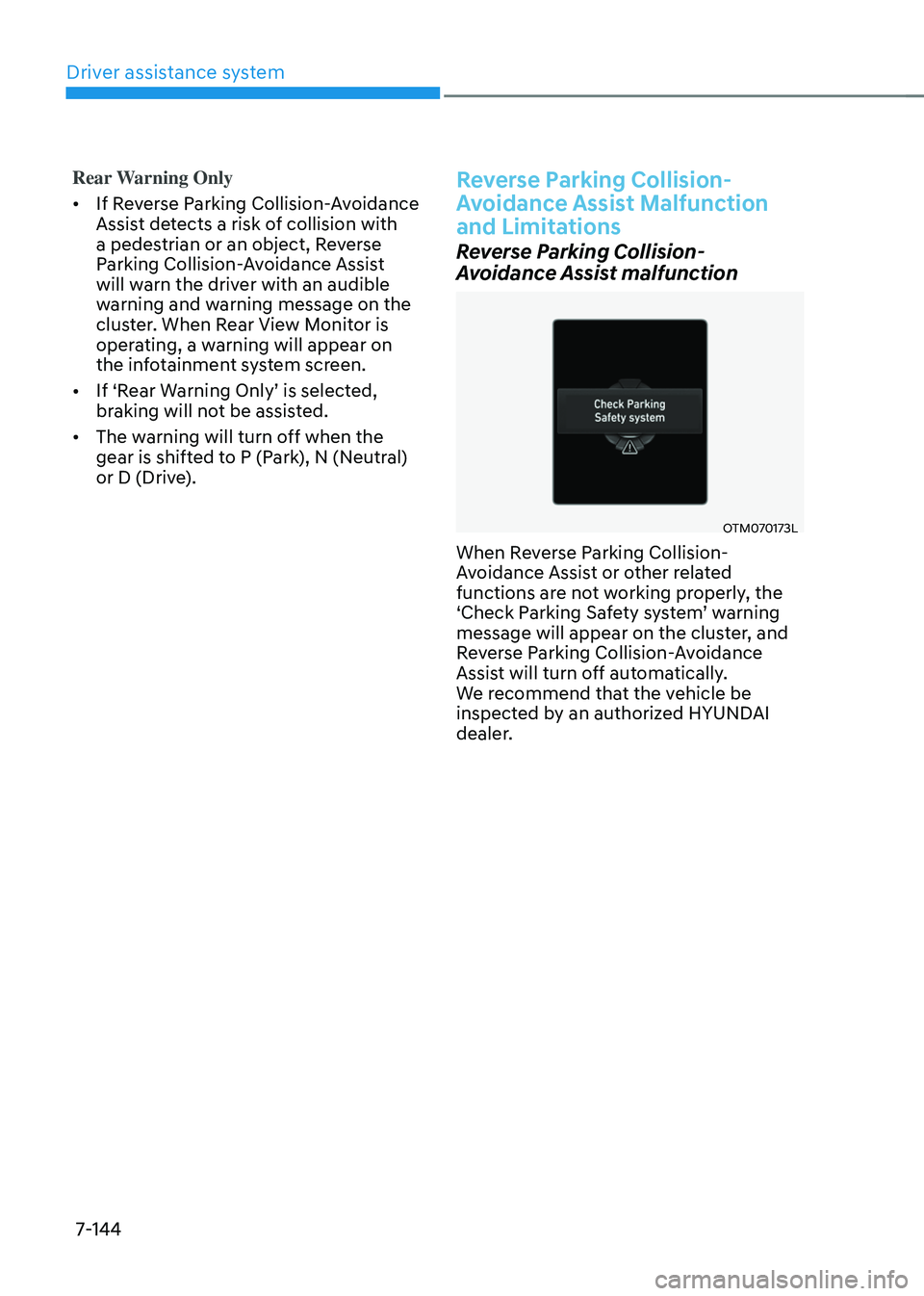
Avoidance Assist malfunction
OTM070173L
When Reverse Parking Collision-
Avoidance Assist or other related
functions are not working properly, the
‘Check Parking Safety system’ warning message will appear on the cluster, and
Reverse Parking Collision-Avoidance
Assist will turn off automatically.
We recommend that the vehicle be
inspected by an authorized HYUNDAI
dealer.