parking brake HYUNDAI TUCSON 2023 Workshop Manual
[x] Cancel search | Manufacturer: HYUNDAI, Model Year: 2023, Model line: TUCSON, Model: HYUNDAI TUCSON 2023Pages: 638, PDF Size: 26.51 MB
Page 494 of 638
07
7-131
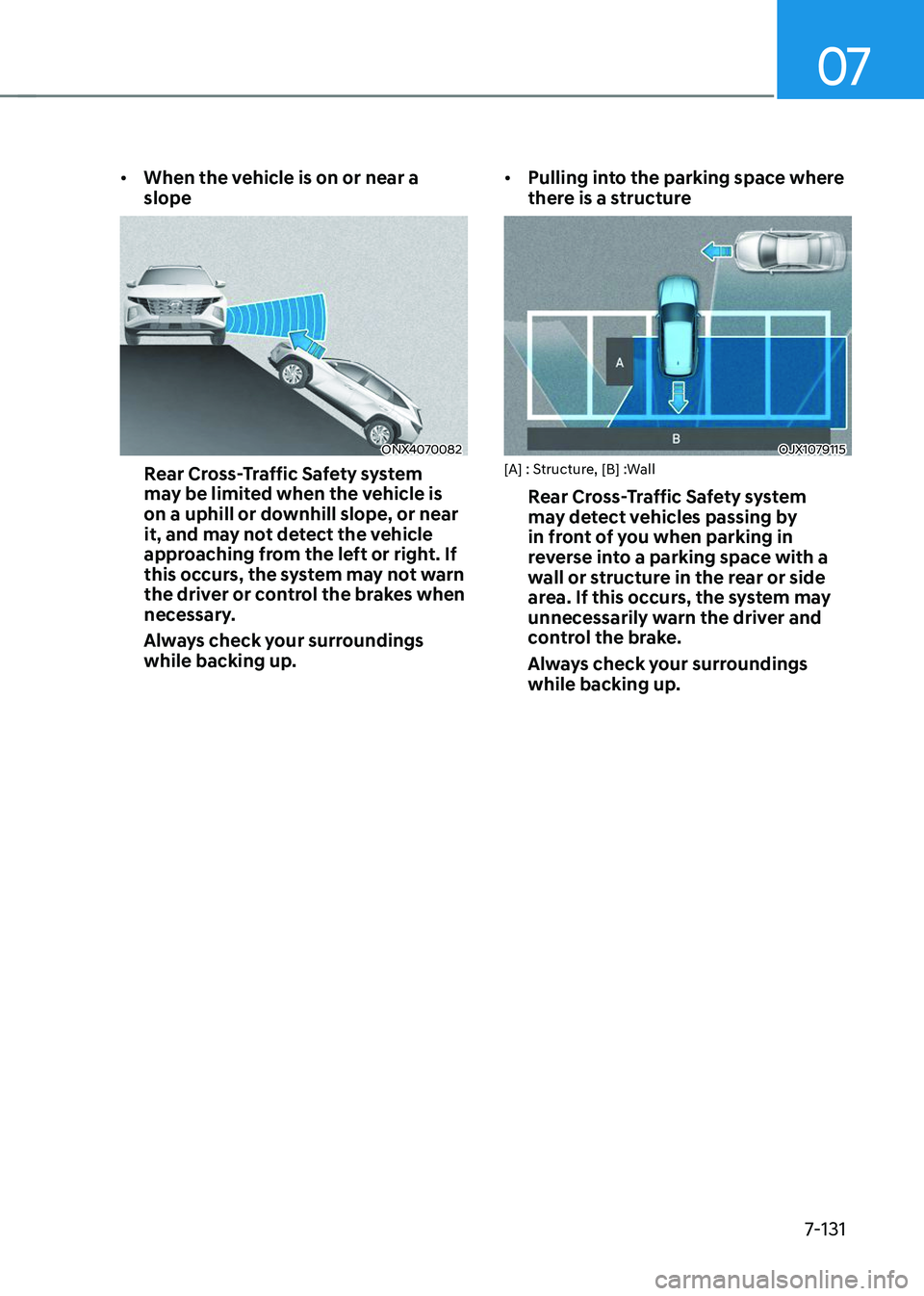
• When the vehicle is on or near a
slope
ONX4070082
Rear Cross-Traffic Safety system
may be limited when the vehicle is
on a uphill or downhill slope, or near
it, and may not detect the vehicle
approaching from the left or right. If
this occurs, the system may not warn
the driver or control the brakes when
necessary.
Always check your surroundings
while backing up. •
Pulling into the parking space where
there is a structure
OJX1079115[A] : Structure, [B] :Wall
Rear Cross-Traffic Safety system
may detect vehicles passing by
in front of you when parking in
reverse into a parking space with a
wall or structure in the rear or side
area. If this occurs, the system may
unnecessarily warn the driver and
control the brake.
Always check your surroundings
while backing up.
Page 495 of 638
Driver assistance system
7-132
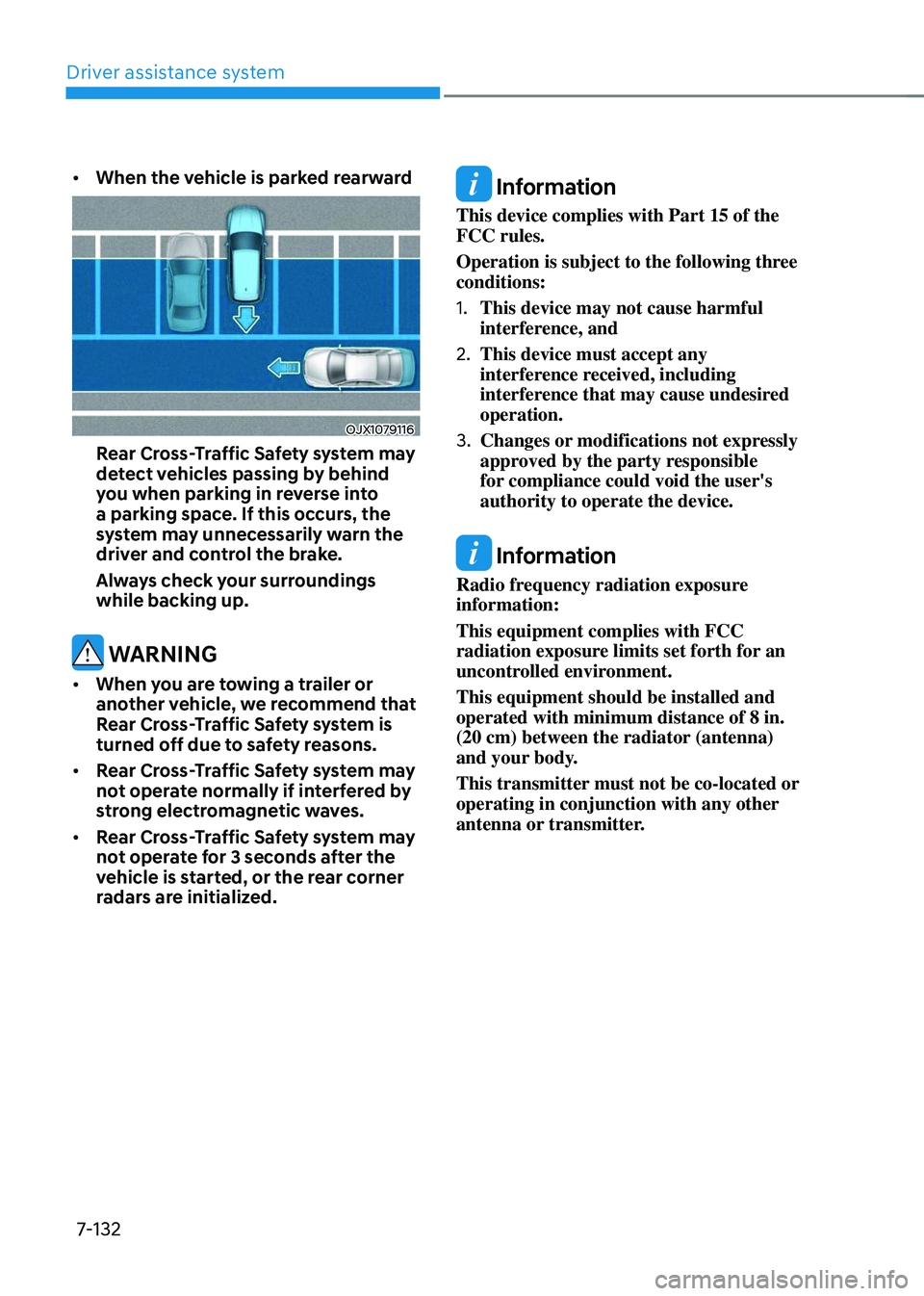
• When the vehicle is parked rearward
OJX1079116
Rear Cross-Traffic Safety system may
detect vehicles passing by behind
you when parking in reverse into
a parking space. If this occurs, the
system may unnecessarily warn the
driver and control the brake.
Always check your surroundings
while backing up.
WARNING
• When you are towing a trailer or
another vehicle, we recommend that
Rear Cross-Traffic Safety system is
turned off due to safety reasons.
• Rear Cross-Traffic Safety system may
not operate normally if interfered by
strong electromagnetic waves.
• Rear Cross-Traffic Safety system may
not operate for 3 seconds after the
vehicle is started, or the rear corner
radars are initialized.
Information
This device complies with Part 15 of the
FCC rules.
Operation is subject to the following three
conditions:
1. This device may not cause harmful
interference, and
2. This device must accept any
interference received, including
interference that may cause undesired
operation.
3. Changes or modifications not expressly
approved by the party responsible
for compliance could void the user's
authority to operate the device.
Information
Radio frequency radiation exposure
information:
This equipment complies with FCC
radiation exposure limits set forth for an
uncontrolled environment.
This equipment should be installed and
operated with minimum distance of 8 in.
(20 cm) between the radiator (antenna)
and your body.
This transmitter must not be co-located or
operating in conjunction with any other
antenna or transmitter.
Page 506 of 638
07
7-143
Reverse Parking Collision-
Avoidance Assist Operation
Operating conditions
If ‘Rear Active Assist’ or ‘Rear Warning Only’ is set from the Settings menu, Reverse Parking Collision-Avoidance
Assist will be in the ready status when
the following conditions are satisfied:
-The liftgate is closed
-The gear is shifted to R (Reverse)
-Vehicle speed is below 6 mph (10
km/h)
-Reverse Parking Collision-Avoidance
Assist components such as the rear
view camera and the rear ultrasonic
sensors are in normal conditions
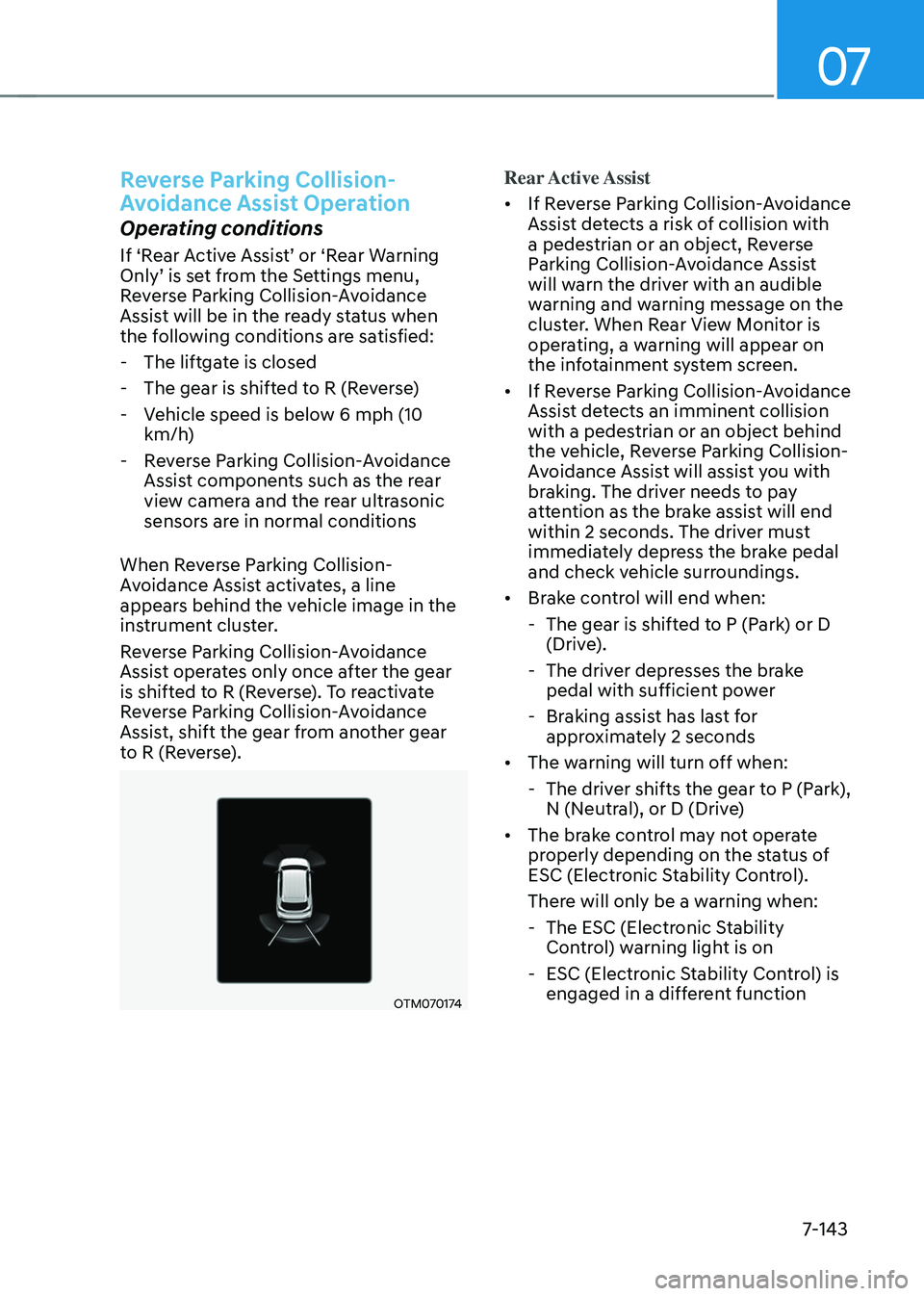
When Reverse Parking Collision-
Avoidance Assist activates, a line
appears behind the vehicle image in the
instrument cluster.
Reverse Parking Collision-Avoidance
Assist operates only once after the gear
is shifted to R (Reverse). To reactivate
Reverse Parking Collision-Avoidance
Assist, shift the gear from another gear
to R (Reverse).
OTM070174
Rear Active Assist
• If Reverse Parking Collision-Avoidance
Assist detects a risk of collision with
a pedestrian or an object, Reverse
Parking Collision-Avoidance Assist
will warn the driver with an audible
warning and warning message on the
cluster. When Rear View Monitor is
operating, a warning will appear on
the infotainment system screen.
• If Reverse Parking Collision-Avoidance
Assist detects an imminent collision
with a pedestrian or an object behind
the vehicle, Reverse Parking Collision-
Avoidance Assist will assist you with
braking. The driver needs to pay
attention as the brake assist will end
within 2 seconds. The driver must
immediately depress the brake pedal
and check vehicle surroundings.
• Brake control will end when:
-The gear is shifted to P (Park) or D
(Drive).
-The driver depresses the brake
pedal with sufficient power
-Braking assist has last for
approximately 2 seconds
• The warning will turn off when:
-The driver shifts the gear to P (Park),
N (Neutral), or D (Drive)
• The brake control may not operate
properly depending on the status of
ESC (Electronic Stability Control).
There will only be a warning when:
-The ESC (Electronic Stability
Control) warning light is on
-ESC (Electronic Stability Control) is
engaged in a different function
Page 509 of 638
Driver assistance system
7-146
Limitations of Reverse Parking
Collision-Avoidance Assist
Reverse Parking Collision-Avoidance
Assist may not assist braking or warn
the driver even if there are pedestrians
or objects under the following
circumstances:
• Any non-factory equipment or
accessory is installed
• Your vehicle is unstable due to an
accident or other causes
• Bumper height or rear ultrasonic
sensor installation has been modified
• Rear view camera or rear ultrasonic
sensor(s) is damaged
• Rear view camera or the rear
ultrasonic sensor(s) is stained with
foreign material, such as snow, dirt,
etc.
• Rear view camera is obscured by a
light source or by inclement weather,
such as heavy rain, fog, snow, etc.
• The surrounding is very bright or very
dark
• Outside temperature is very high or
very low
• The wind is either strong (above
12 mph (20 km/h)) or blowing
perpendicular to the rear bumper
• Objects generating excessive
noise, such as vehicle horns, loud
motorcycle engines or truck air
brakes, are near your vehicle
• An ultrasonic sensor with similar
frequency is near your vehicle
• There is ground height difference
between the vehicle and the
pedestrian
• The image of the pedestrian in the
rear view camera is indistinguishable
from the background •
The pedestrian is near the rear edge of
the vehicle
• The pedestrian is not standing upright
• The pedestrian is either very short or
very tall for Reverse Parking Collision-
Avoidance Assist to detect
• The pedestrian or cyclist is wearing
clothing that easily blends into the
background, making it difficult to
detect
• The pedestrian is wearing clothing
that does not reflect ultrasonic waves
well
• Size, thickness, height, or shape of
the object does not reflect ultrasonic
waves well (e.g., pole, bush, curbs,
carts, edge of a wall, etc.)
• The pedestrian or the object is moving
• The pedestrian or the object is very
close to the rear of the vehicle
• A wall is behind the pedestrian or the
object
• The object is not located at the rear
center of your vehicle
• The object is not parallel to the rear
bumper
• The road is slippery or inclined
• The driver backs up the vehicle
immediately after shifting to R
(Reverse)
• The driver accelerates or circles the
vehicle
Page 510 of 638
07
7-147
Reverse Parking Collision-Avoidance
Assist may unnecessarily warn the driver
or assist with braking even if there are
no pedestrians or objects under the
following circumstances:
• Any non-factory equipment or
accessory is installed
• Your vehicle is unstable due to an
accident or other causes
• Bumper height or rear ultrasonic
sensor installation has been modified
• Your vehicle height is low or high
due to heavy loads, abnormal tire
pressure, etc.
• Rear view camera or the rear
ultrasonic sensor(s) is stained with
foreign material, such as snow, dirt,
etc.
• The pattern on the road is mistaken
for a pedestrian
• There is shadow or light reflecting on
the ground
• Pedestrians or objects are around the
path of the vehicle
• Objects generating excessive
noise, such as vehicle horns, loud
motorcycle engines or truck air
brakes, are near your vehicle
• Your vehicle is backing towards a
narrow passage or parking space
• Your vehicle is backing towards an
uneven road surface, such as an
unpaved road, gravel, bump, gradient,
etc.
• A trailer or carrier is installed on the
rear of your vehicle
• An ultrasonic sensor with similar
frequency is near your vehicle WARNING
Take the following precautions when
using Reverse Parking Collision-
Avoidance Assist:
• Always pay extreme caution while
driving. The driver is responsible for
controlling the brake for safe driving.
• Always pay attention to road and
traffic conditions while driving,
whether or not there is a warning.
• Always look around your vehicle to
make sure there are no pedestrians
or objects before moving the vehicle.
• The performance of Reverse Parking
Collision-Avoidance Assist may
vary under certain conditions. If
vehicle speed is above 2 mph (4
km/h), Reverse Parking Collision-
Avoidance Assist will provide
collision avoidance assist only when
pedestrians are detected. Always
look around and pay attention when
backing up your vehicle.
• Some objects may not be detected
by the rear ultrasonic sensors due
to the objects distance, size or
material, all of which can limit the
effectiveness of the sensor.
• Reverse Parking Collision-Avoidance
Assist may not operate properly
or may operate unnecessarily
depending on the road conditions
and the surroundings.
• Do not solely rely on Reverse Parking
Collision-Avoidance Assist. Doing
so may lead to vehicle damage or
injuries.
Page 518 of 638
07
7-155
• When remotely moving forward
using method (2), it is recognized
as a parking situation, and will
immediately control the steering
wheel according to the condition
ahead to assist with entering the
parking space and aligning the
vehicle. However, performance
may reduce depending on the
pedestrians, animals, shape of
objects, location, etc. around the
vehicle.
• For moving remotely backward,
both method (1) and (2) aligns the
steering wheel first, and then will
only move the vehicle straight.
• When remotely moving Forward/
Backward is completed, the vehicle
will automatically shift to P (Park)
and engage EPB (Electronic Parking
Brake). CAUTION
• When using Remote Remote
Forward/Backward function, make
sure that all passengers have gotten
out of the vehicle.
• If the vehicle’s battery is discharged
or Remote Smart Parking Assist
malfunctions when parked in a
narrow parking space, Remote
Forward/Backward function will not
operate. Always park your vehicle in
a space wide enough for you to get in
or out of your vehicle.
• Please note that depending on the
parking space, you may not be able
to exit from the space you have
entered by using Remote Forward/
Backward function.
• After parking, the surrounding may
change due to the movement of
surrounding vehicles. If this occurs,
Remote Forward/Backward function
may not operate.
• Before leaving the vehicle, close
windows and sunroofs, and make
sure the engine is off before locking
the doors.
Page 521 of 638
Driver assistance system
7-158
• The steering wheel, gearshift, braking,
and drive controls are not working
normally
• There is a problem with the smart key
or the smart key battery is low
• ABS, TCS or ESC system operates due
to slippery road conditions
• The alarm of the Theft Alarm System
sounds
When Remote Forward/Backward
function is canceled, the vehicle will
automatically stop, shift the gear to
P (Park) and engage EPB (Electronic
Parking Brake).Remote Smart Parking Assist
Malfunction and Limitations
Remote Smart Parking Assist
malfunction
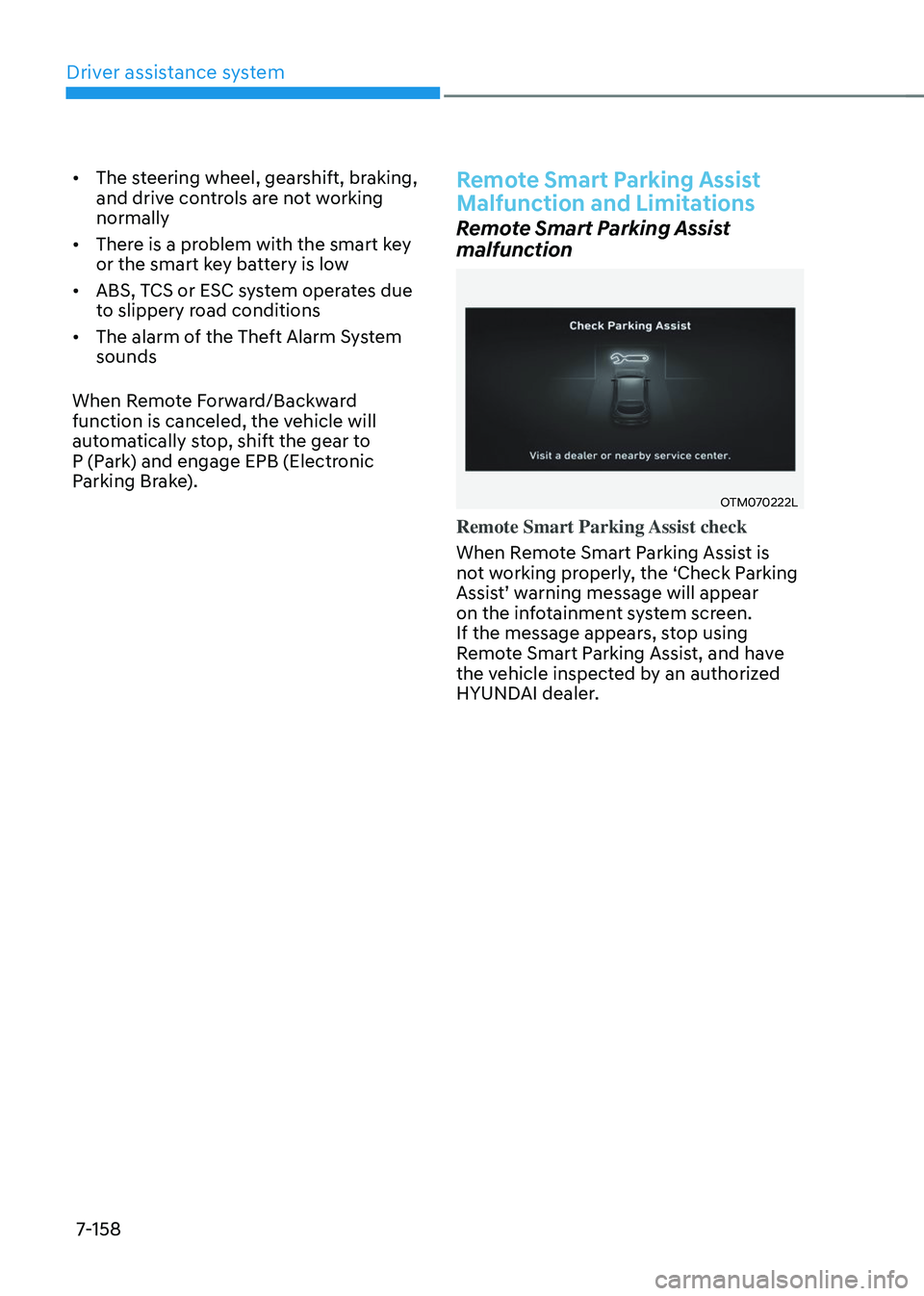
OTM070222L
Remote Smart Parking Assist check
When Remote Smart Parking Assist is
not working properly, the ‘Check Parking
Assist’ warning message will appear on the infotainment system screen.
If the message appears, stop using
Remote Smart Parking Assist, and have
the vehicle inspected by an authorized
HYUNDAI dealer.
Page 525 of 638
Driver assistance system
7-162
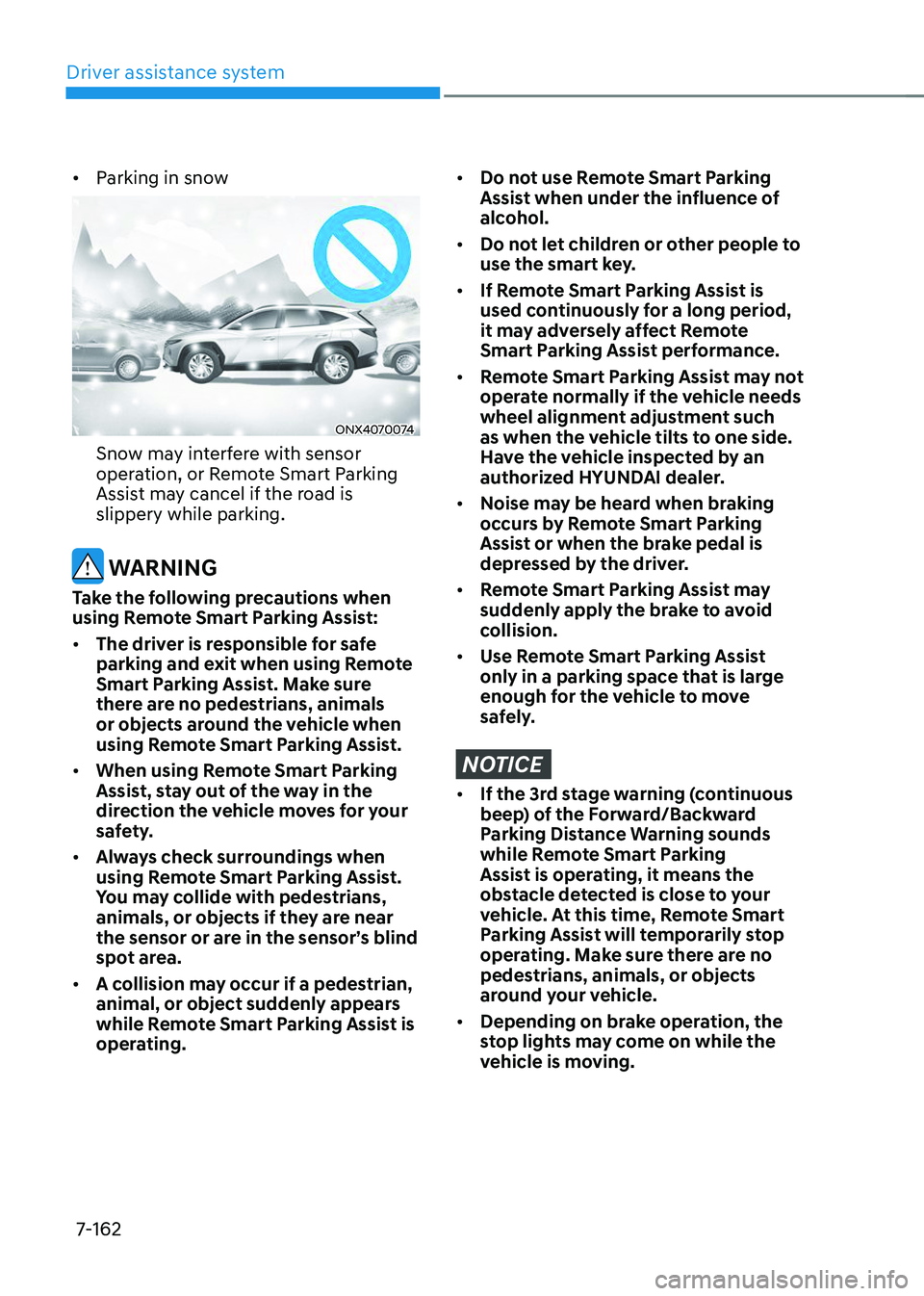
• Parking in snow
ONX4070074
Snow may interfere with sensor
operation, or Remote Smart Parking
Assist may cancel if the road is
slippery while parking.
WARNING
Take the following precautions when
using Remote Smart Parking Assist:
• The driver is responsible for safe
parking and exit when using Remote
Smart Parking Assist. Make sure
there are no pedestrians, animals
or objects around the vehicle when
using Remote Smart Parking Assist.
• When using Remote Smart Parking
Assist, stay out of the way in the
direction the vehicle moves for your
safety.
• Always check surroundings when
using Remote Smart Parking Assist.
You may collide with pedestrians,
animals, or objects if they are near
the sensor or are in the sensor’s blind
spot area.
• A collision may occur if a pedestrian,
animal, or object suddenly appears
while Remote Smart Parking Assist is
operating.
• Do not use Remote Smart Parking
Assist when under the influence of
alcohol.
• Do not let children or other people to
use the smart key.
• If Remote Smart Parking Assist is
used continuously for a long period,
it may adversely affect Remote
Smart Parking Assist performance.
• Remote Smart Parking Assist may not
operate normally if the vehicle needs
wheel alignment adjustment such
as when the vehicle tilts to one side.
Have the vehicle inspected by an
authorized HYUNDAI dealer.
• Noise may be heard when braking
occurs by Remote Smart Parking
Assist or when the brake pedal is
depressed by the driver.
• Remote Smart Parking Assist may
suddenly apply the brake to avoid
collision.
• Use Remote Smart Parking Assist
only in a parking space that is large
enough for the vehicle to move
safely.
NOTICE
• If the 3rd stage warning (continuous
beep) of the Forward/Backward
Parking Distance Warning sounds
while Remote Smart Parking
Assist is operating, it means the
obstacle detected is close to your
vehicle. At this time, Remote Smart
Parking Assist will temporarily stop
operating. Make sure there are no
pedestrians, animals, or objects
around your vehicle.
• Depending on brake operation, the
stop lights may come on while the
vehicle is moving.
Page 529 of 638
08
8-3
If you have a flat tire while
driving
If a tire goes flat while you are driving:
• Take your foot off the accelerator
pedal and let the vehicle slow down
while driving straight ahead. Do not
apply the brakes immediately or
attempt to pull off the road as this
may cause loss of vehicle control
resulting in an accident. When the
vehicle has slowed to such a speed
that it is safe to do so, brake carefully
and pull off the road. Drive off the
road as far as possible and park on
firm, level ground. If you are on a
divided highway, do not park in the
median area between the two traffic
lanes.
• When the vehicle is stopped, press the
hazard warning flasher button, shift
the gear to P (Park), apply the parking
brake, and press the Engine Start/Stop
button to the OFF position.
• Have all passengers get out of the
vehicle. Be sure they all get out on the
side of the vehicle that is away from
traffic.
• When changing a flat tire, follow the
instructions provided later in this
chapter.
IF THE ENGINE WILL NOT
S TA RT
• Be sure to shift the gear to N (Neutral)
or P (Park). The engine starts only
when the gear is in N (Neutral) or P
(Park).
• Turn on the interior light. If the light
dims or goes out when you operate
the starter, the battery is drained.
See instructions for “Jump Starting”
provided in this chapter.
• Check the fuel level and add fuel if
necessary.
If the vehicle still does not start, we
recommend that you call an authorized
HYUNDAI dealer for assistance.
NOTICE
Push or pull starting the vehicle may
cause the catalytic converter to
overload which can lead to damage to
the emission control system.
Page 531 of 638
08
8-5
Jump starting procedure
Information
Your vehicle has a battery in the luggage
compartment, but when you jump start
your vehicle, use the jumper terminal in
the engine compartment.
1. Position the vehicles close enough
that the jumper cables will reach, but
do not allow the vehicles to touch.
2. Avoid fans or any moving parts in the
engine compartment at all times, even
when the vehicles are turned off.
3. Turn off all electrical devices such as
radios, lights, air conditioning, etc.
Put the vehicles in P (Park) and set the
parking brake. Turn both vehicles OFF.
4. Open the engine hood.
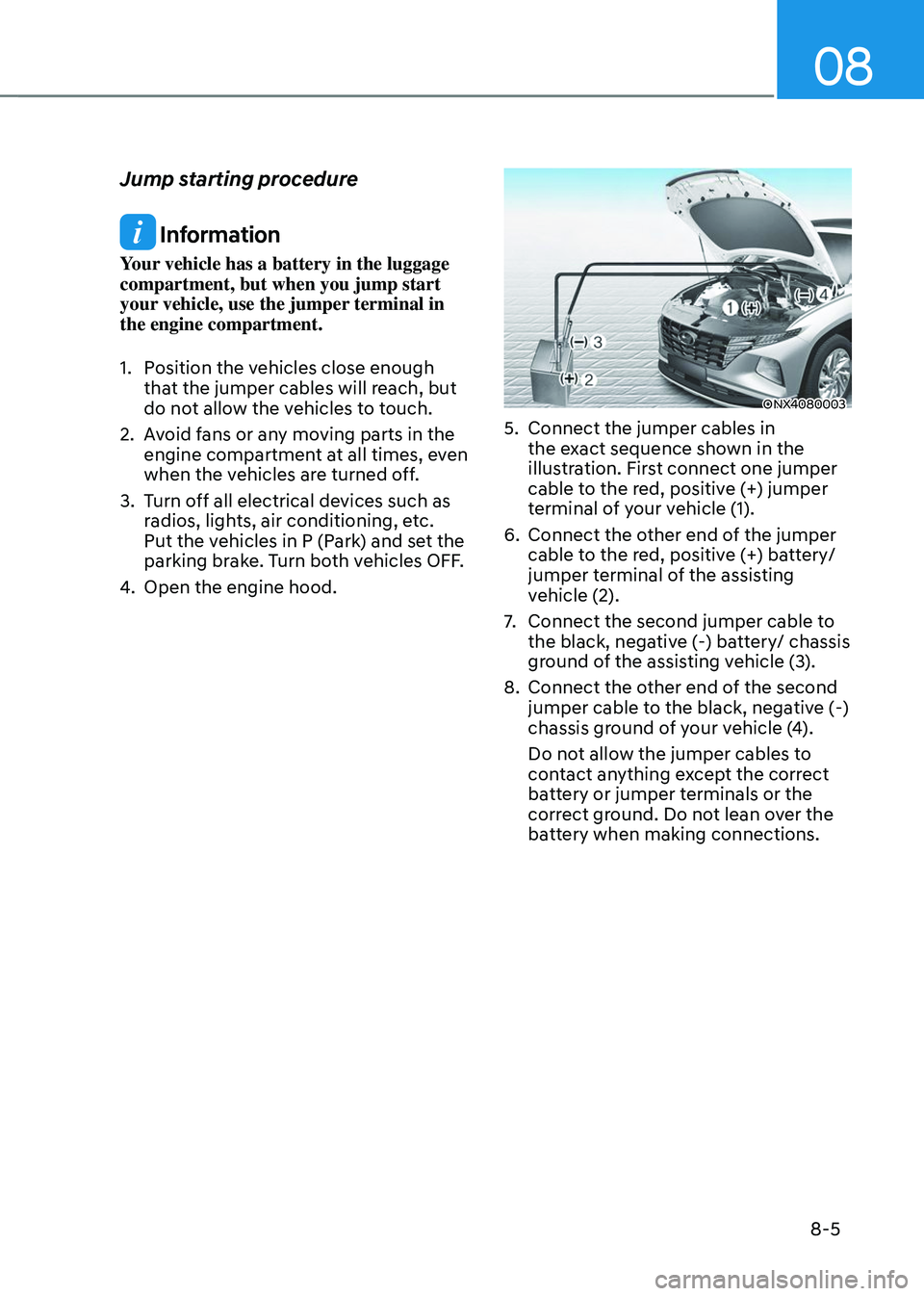
ONX4080003
5. Connect the jumper cables in
the exact sequence shown in the
illustration. First connect one jumper
cable to the red, positive (+) jumper
terminal of your vehicle (1).
6. Connect the other end of the jumper
cable to the red, positive (+) battery/
jumper terminal of the assisting
vehicle (2).
7. Connect the second jumper cable to
the black, negative (-) battery/ chassis
ground of the assisting vehicle (3).
8. Connect the other end of the second
jumper cable to the black, negative (-)
chassis ground of your vehicle (4).
Do not allow the jumper cables to
contact anything except the correct
battery or jumper terminals or the
correct ground. Do not lean over the
battery when making connections.