Ac system HYUNDAI TUCSON 2023 Repair Manual
[x] Cancel search | Manufacturer: HYUNDAI, Model Year: 2023, Model line: TUCSON, Model: HYUNDAI TUCSON 2023Pages: 638, PDF Size: 26.51 MB
Page 95 of 638
Seats & Safety System
3-64
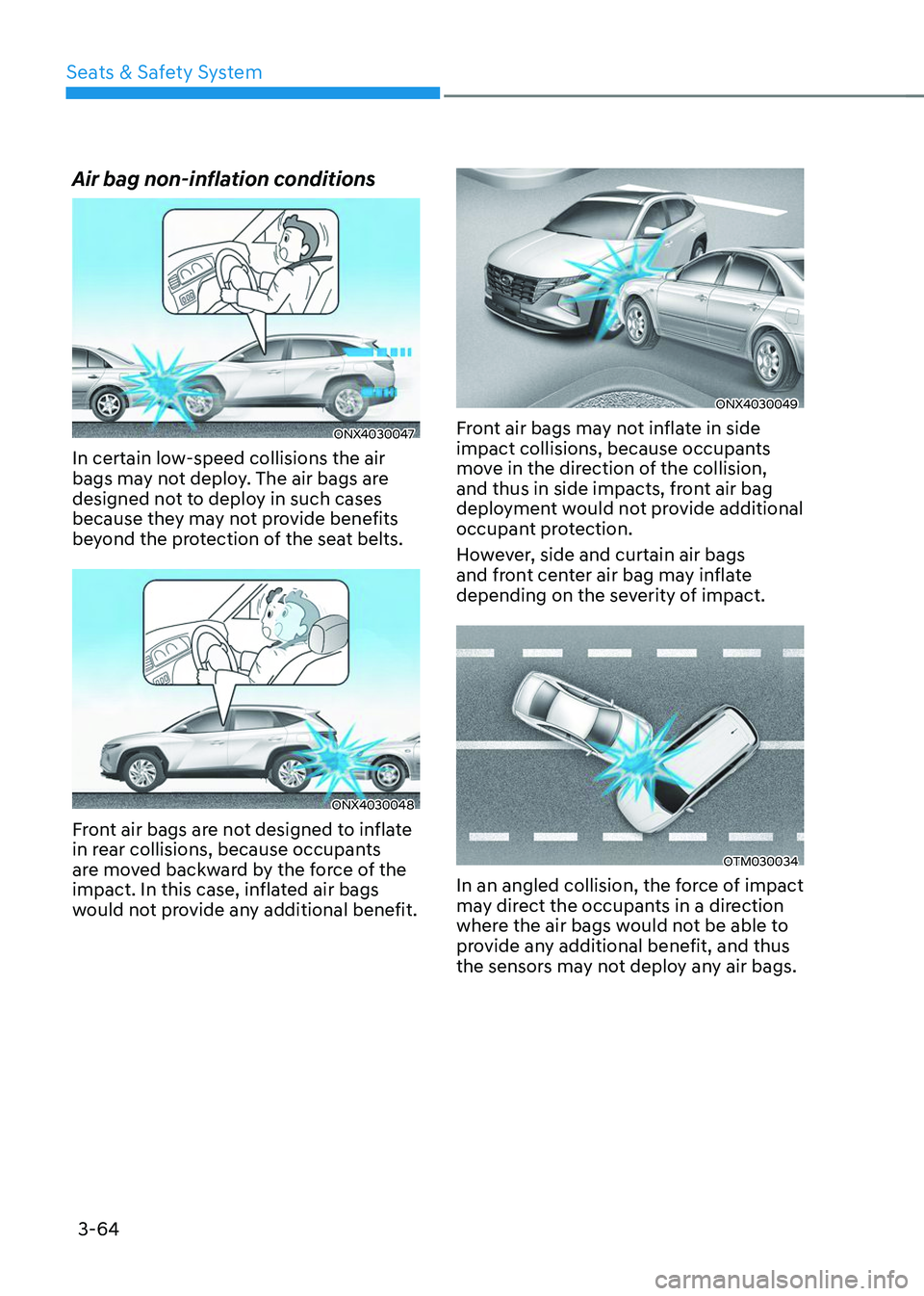
Air bag non-inflation conditions
ONX4030047
In certain low-speed collisions the air
bags may not deploy. The air bags are
designed not to deploy in such cases
because they may not provide benefits
beyond the protection of the seat belts.
ONX4030048
Front air bags are not designed to inflate
in rear collisions, because occupants
are moved backward by the force of the
impact. In this case, inflated air bags
would not provide any additional benefit.
ONX4030049
Front air bags may not inflate in side
impact collisions, because occupants
move in the direction of the collision,
and thus in side impacts, front air bag
deployment would not provide additional
occupant protection.
However, side and curtain air bags
and front center air bag may inflate
depending on the severity of impact.
OTM030034
In an angled collision, the force of impact
may direct the occupants in a direction
where the air bags would not be able to
provide any additional benefit, and thus
the sensors may not deploy any air bags.
Page 97 of 638
Seats & Safety System
3-66
SRS care
The SRS is virtually maintenance-free
and there are no parts you can safely
service by yourself. If the SRS air bag
warning light does not illuminate when
the Engine Start/Stop button is in the
ON position, or continuously remains
on, we recommend that the system be
immediately inspected by an authorized
HYUNDAI dealer.
We recommend any work on the SRS
system, such as removing, installing,
repairing, or any work on the steering
wheel, the front passenger’s panel, front
seats and roof rails be performed by an
authorized HYUNDAI dealer. Improper
handling of the SRS system may result in
serious personal injury. WARNING
To reduce the risk of serious injury or
death take the following precautions:
• Do not attempt to modify or
disconnect the SRS components or
wiring, including the addition of any
kind of badges to the pad covers or
modifications to the body structure.
• Do not place objects over or near
the air bag modules on the steering
wheel, instrument panel, and the
front passenger’s panel above the
glove box.
• Clean the air bag pad covers with
a soft cloth moistened with plain
water. Solvents or cleaners could
adversely affect the air bag covers
and proper deployment of the
system.
• We recommend that inflated air
bags be replaced by an authorized
HYUNDAI dealer.
• If components of the air bag system
must be discarded, or if the vehicle
must be scrapped, certain safety
precautions must be observed.
We recommend that you consult
an authorized HYUNDAI dealer for
the necessary information. Failure
to follow these precautions could
increase the risk of personal injury.
Page 98 of 638
03
3-67
Additional safety precautions
Passengers should not move out of
or change seats while the vehicle is
moving. A passenger who is not wearing
a seat belt during a crash or emergency
stop can be thrown against the inside of
the vehicle, against other occupants, or
be ejected from the vehicle.
Do not use any accessories on seat
belts. Devices claiming to improve
occupant comfort or reposition the seat
belt can reduce the protection provided
by the seat belt and increase the chance
of serious injury in a crash.
Do not modify the front seats.
Modification of the front seats could
interfere with the operation of the
supplemental restraint system sensing
components or side air bags.
Do not place items under the front
seats. Placing items under the front seats
could interfere with the operation of the
supplemental restraint system sensing
components and wiring harnesses.
Do not cause impact to the doors.
Impact to the doors when the Engine
Start/Stop button is in the ON or START
position may cause the air bags to
inflate.
Modifications to accommodate
disabilities. If you require modification
to your vehicle to accommodate
a disability, contact the HYUNDAI
Customer Connect Center at 800-633-
5151.
Adding equipment to or modifying
your air bag equipped vehicle
If you modify your vehicle by changing
your vehicle’s frame, bumper system,
front end or side sheet metal or ride
height, this may affect the operation of
your vehicle’s air bag system.
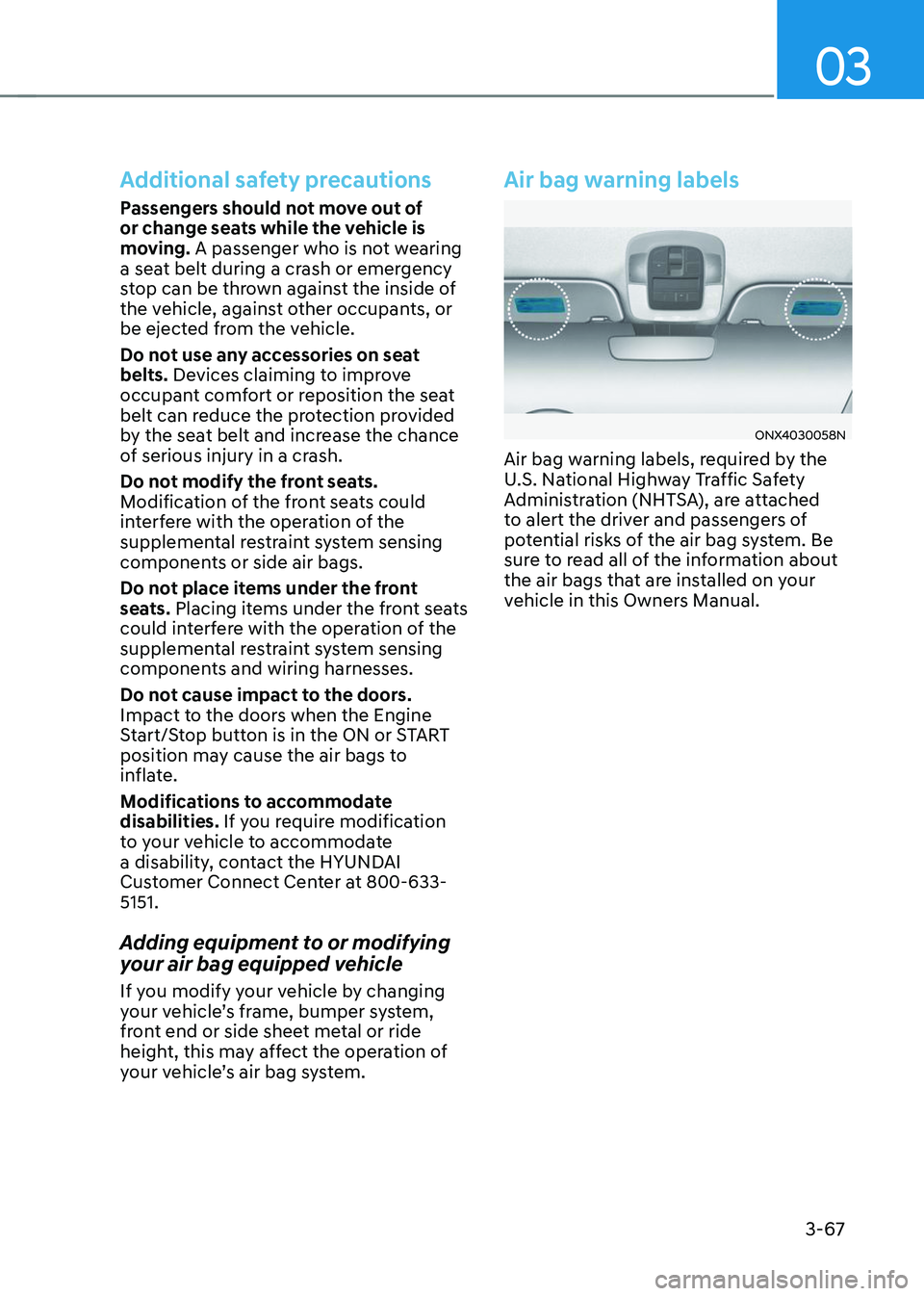
Air bag warning labels
ONX4030058N
Air bag warning labels, required by the
U.S. National Highway Traffic Safety
Administration (NHTSA), are attached
to alert the driver and passengers of
potential risks of the air bag system. Be
sure to read all of the information about
the air bags that are installed on your
vehicle in this Owners Manual.
Page 99 of 638

Instrument cluster
Instrument cluster ........................................................................\
....................4-4Instrument cluster control ........................................................................\
...................4-5
Instrument panel illumination ........................................................................\
...........4-5
Gauges and meters ........................................................................\
..............................4-5
Speedometer ........................................................................\
.....................................4-5
Tachometer ........................................................................\
........................................4-5
Engine coolant temperature gauge ........................................................................\
.4-6
Fuel gauge ........................................................................\
.........................................4-6
Outside temperature gauge ........................................................................\
..............4 -7
Odometer ........................................................................\
...........................................4 -7
Distance to empty ........................................................................\
............................4-8
Fuel economy (for 10.25-inch cluster) ....................................................................4-8
Transmission shift indicator ........................................................................\
................4-9
Automatic transmission ........................................................................\
...................4-9
Warning and indicator lights ........................................................................\
..............4-9
Seat belt warning light ........................................................................\
.....................4-9
Air bag warning light ........................................................................\
........................4-9
Parking brake & Brake fluid warning light ..............................................................4-10
Anti-lock Brake System (ABS) warning light ...........................................................4-11
Electronic Brake Force Distribution (EBD) system warning light ..........................4-11
Electric Power Steering (EPS) warning light ..........................................................4-12
Charging system warning light ........................................................................\
.......4-12
Engine oil pressure warning light ........................................................................\
...4-12
Low fuel level warning light ........................................................................\
............4-13
Malfunction Indicator Lamp (MIL) ........................................................................\
..4-13
Exhaust system (GPF) warning light .......................................................................4-14
Electronic Parking Brake (EPB) warning light ........................................................4-15
AUTO HOLD indicator light ........................................................................\
.............4-15
Low tire pressure warning light ........................................................................\
......4-15
Forward Safety warning light ........................................................................\
..........4-16
Lane Safety indicator light ........................................................................\
..............4-16
4 Wheel Drive (AWD) warning light ........................................................................\
4-16
4 Wheel Drive (AWD) LOCK Indicator Light ............................................................4-17
LED headlight warning light ........................................................................\
.............4-17
Icy road warning light ........................................................................\
......................4-18
Electronic Stability Control (ESC) indicator light ...................................................4-18
Electronic Stability Control (ESC) OFF indicator light ...........................................4-18
Immobilizer Indicator Light (without smart key) ...................................................4-19
Immobilizer Indicator Light (with smart key) ........................................................4-19
Downhill Brake Control (DBC) indicator light ........................................................4-20
4. Instrument cluster
4
Page 100 of 638

AUTO STOP indicator light ........................................................................\
..............4-20
Turn signal indicator light ........................................................................\
.................4-21
High beam indicator light ........................................................................\
................4-21
High Beam Assist indicator light ........................................................................\
......4-21
Cruise Indicator Light ........................................................................\
.......................4-21
SPORT Mode Indicator Light ........................................................................\
...........4-22
SMART Mode Indicator Light ........................................................................\
..........4-22
Master warning light ........................................................................\
........................4-22
LCD display messages for vehicles equipped with Smart Key ...............................4-23
Shift to P ........................................................................\
...........................................4-23
Low key battery ........................................................................\
................................4-23
Press START button while turning wheel ...............................................................4-23
Check steering wheel lock system ........................................................................\
.4-23
Press brake pedal to start engine ........................................................................\
..4-23
Key not in vehicle ........................................................................\
.............................4-23
Key not detected ........................................................................\
..............................4-23
Press START button again ........................................................................\
..............4-23
Press START button with key ........................................................................\
..........4-24
Check BRAKE SWITCH fuse ........................................................................\
...........4-24
Shift to P or N to start engine ........................................................................\
.........4-24
Battery discharging due to external electrical devices .........................................4-24
Door, Hood, Liftgate open indicator
.......................................................................4-25
Sunroof open indicator ........................................................................\
....................4-25
Low tire pressure ........................................................................\
.............................4-25
Lights ........................................................................\
................................................4-26
Wiper ........................................................................\
................................................4-26
Low washer fluid ........................................................................\
..............................4-26
Low fuel ........................................................................\
............................................4-26
Low engine oil ........................................................................\
..................................4-26
Engine overheated / Engine has overheated .........................................................4-27
Check exhaust system ........................................................................\
.....................4-27
Check headlight ........................................................................\
...............................4-27
Check turn signal ........................................................................\
.............................4-27
Check headlamp LED ........................................................................\
......................4-27
Check Forward Collision-Avoidance Assist system ...............................................4-28
Check Lane Keeping Assist system ........................................................................\
4-28
Check Blind-Spot Collision Warning system ..........................................................4-28
Check Driver Attention Warning system
................................................................4-28
Check High Beam Assist system ........................................................................\
.....4-28
Check Smart Cruise Control system .......................................................................4-28
4
Page 101 of 638

4. Instrument cluster
LCD display ........................................................................\
..............................4-29LCD display control ........................................................................\
............................4-29
View modes ........................................................................\
.......................................4-30
Trip computer mode ........................................................................\
........................4-31
Turn By Turn (TBT) mode ........................................................................\
.................4-31
Driving Assist mode ........................................................................\
.........................4-31
Master warning group ........................................................................\
.....................4-32
User settings mode ........................................................................\
............................4-33
Trip computer (Type A) ........................................................................\
...................... 4-40
Trip modes
........................................................................\
.......................................4-40
Trip computer (Type B) ........................................................................\
...................... 4-43
Trip modes
........................................................................\
.......................................4-43
Vehicle settings (infotainment system) ........................................................4-46Setting your vehicle ........................................................................\
.........................4-46
4
Page 103 of 638
04
4-5
Instrument cluster control
Instrument panel illumination
When the vehicle’s parking lights or
headlamps are on, press the illumination
control switch to adjust the brightness of
the instrument panel illumination.
When pressing the illumination control
switch, the interior switch illumination
intensity also adjusted.
You can adjust the brightness of the
instrument panel illumination from the
User Settings Mode on the LCD display
when the ignition switch is on (‘Lights →
Illumination’). When the vehicle’s parking
lights or headlamps are on, interior
switch illumination intensity and mood
lamps are also adjusted.
If your vehicle is equipped with
additional navigation, please refer
to the infotainment system manual
separately supplied.
WARNING
Never adjust the instrument cluster
while driving. This could result in loss
of control and lead to an accident that
may cause vehicle damage, or lead to
serious injury or death.
• The brightness of the instrument
panel illumination is displayed.
• When the brightness setting reaches
either the minimum or maximum
level, a chime will sound.
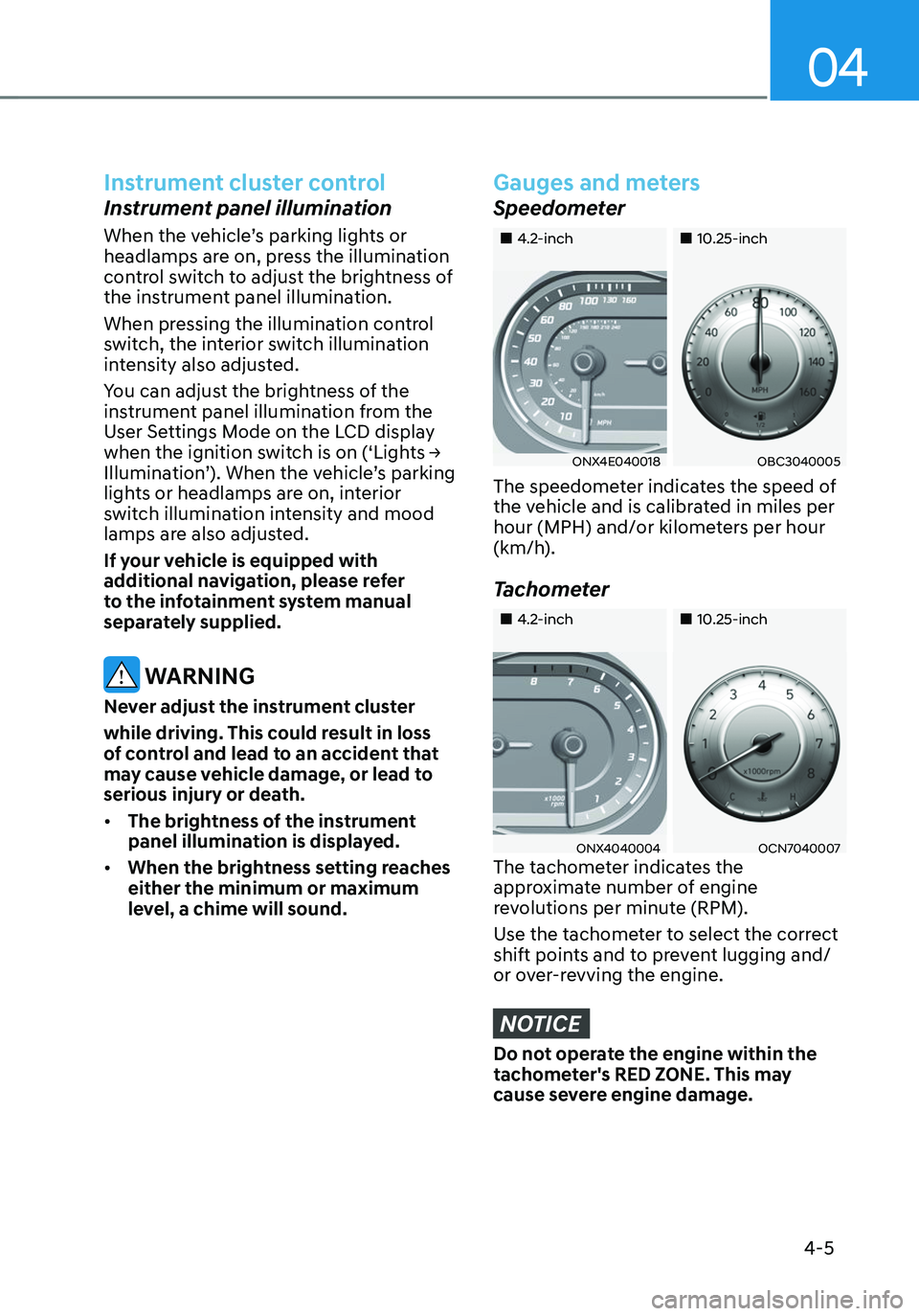
Gauges and meters
Speedometer
„„4.2-inch„„10.25-inch
ONX4E040018OBC3040005
The speedometer indicates the speed of
the vehicle and is calibrated in miles per
hour (MPH) and/or kilometers per hour
(km/h).
Tachometer
„„4.2-inch„„10.25-inch
ONX4040004OCN7040007The tachometer indicates the
approximate number of engine
revolutions per minute (RPM).
Use the tachometer to select the correct
shift points and to prevent lugging and/
or over-revving the engine.
NOTICE
Do not operate the engine within the
tachometer's RED ZONE. This may
cause severe engine damage.
Page 105 of 638
04
4 -7
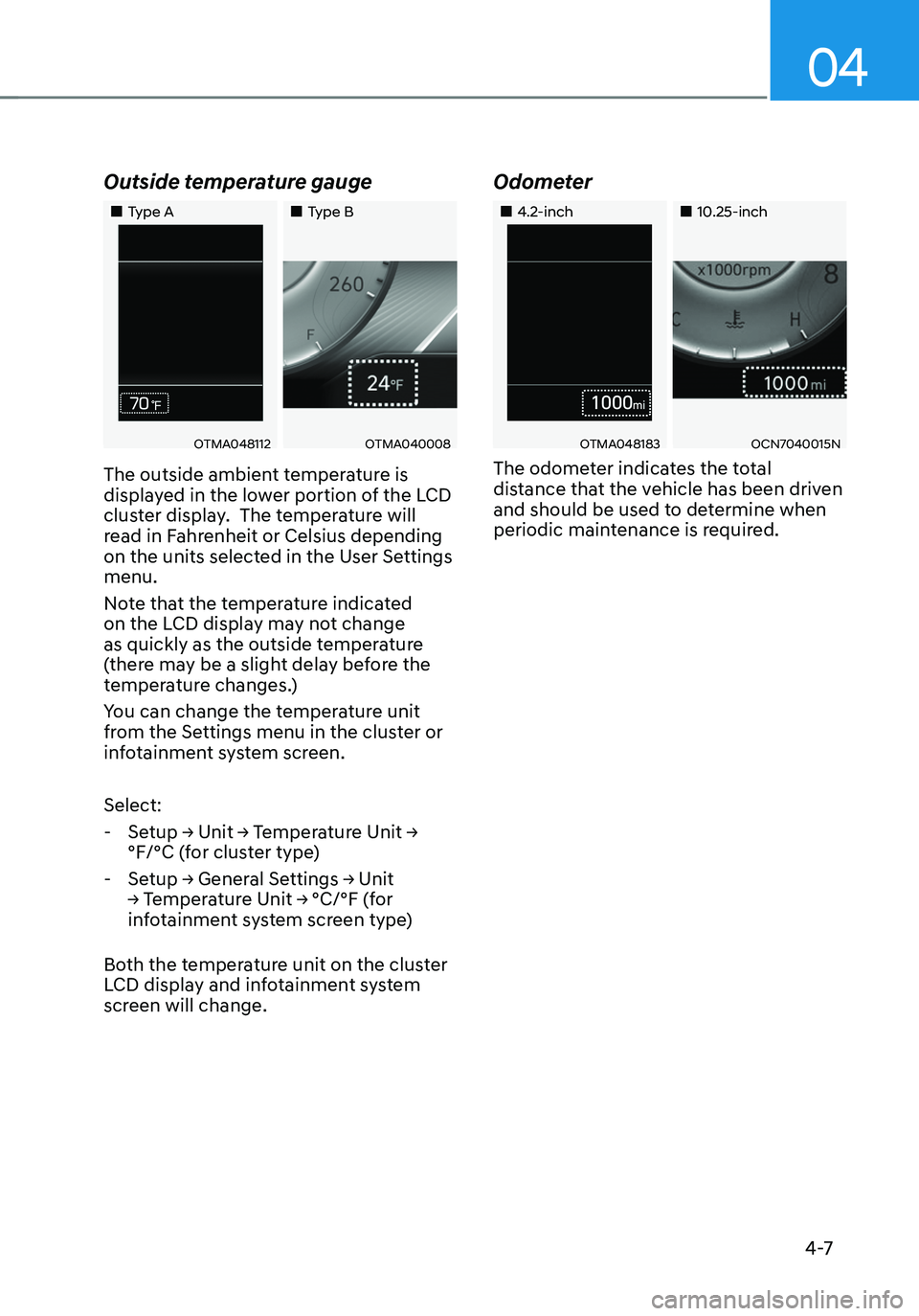
Outside temperature gauge
„„Type A„„Type B
OTMA048112OTMA040008
The outside ambient temperature is
displayed in the lower portion of the LCD
cluster display. The temperature will
read in Fahrenheit or Celsius depending
on the units selected in the User Settings
menu.
Note that the temperature indicated
on the LCD display may not change
as quickly as the outside temperature
(there may be a slight delay before the
temperature changes.)
You can change the temperature unit
from the Settings menu in the cluster or
infotainment system screen.
Select:
-Setup → Unit → Temperature Unit →
°F/°C (for cluster type)
-Setup → General Settings → Unit
→ Temperature Unit → °C/°F (for
infotainment system screen type)
Both the temperature unit on the cluster
LCD display and infotainment system
screen will change.
Odometer
„„4.2-inch„„10.25-inch
OTMA048183OCN7040015N
The odometer indicates the total
distance that the vehicle has been driven
and should be used to determine when
periodic maintenance is required.
Page 106 of 638
Instrument cluster
4-8
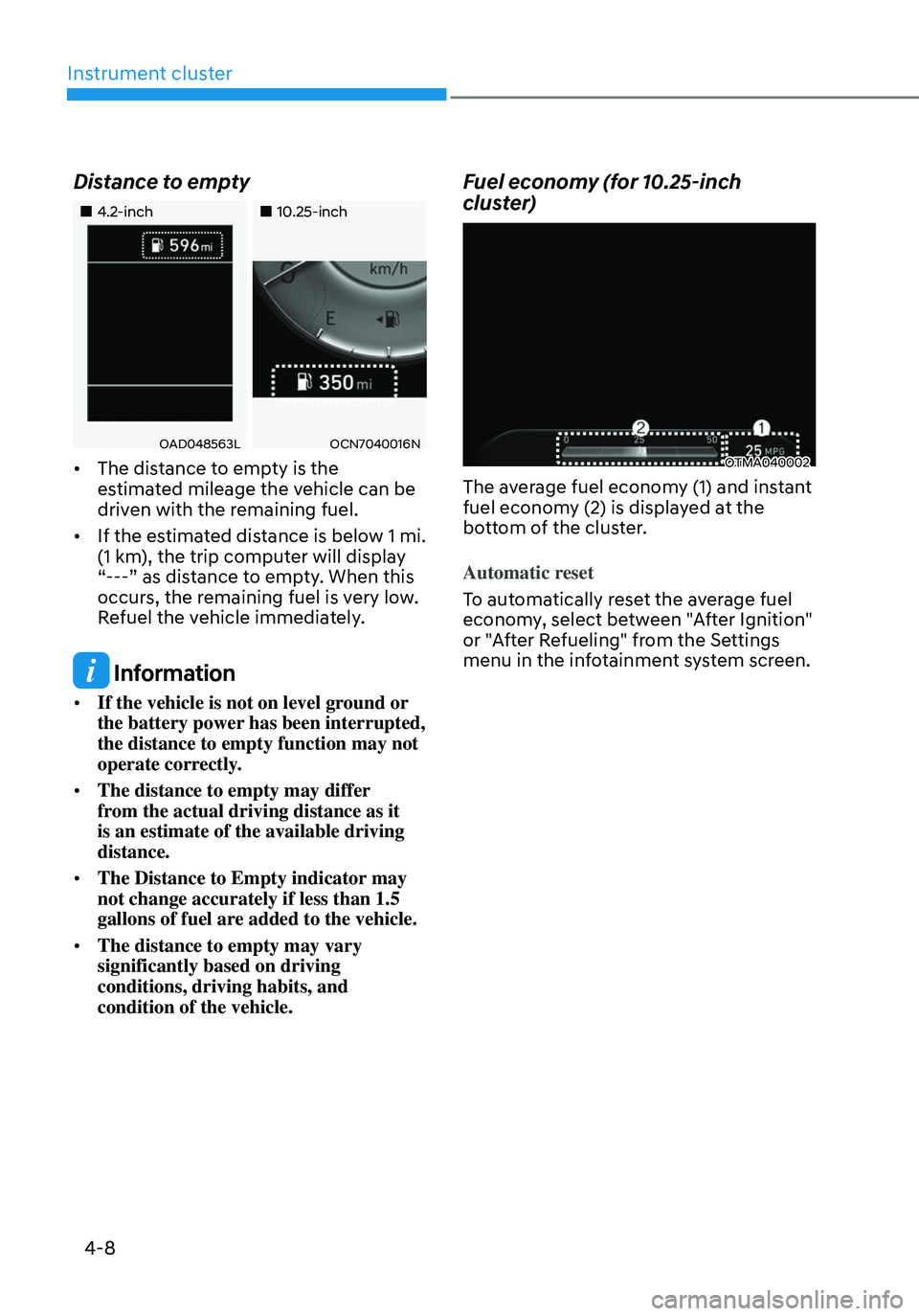
Distance to empty
„„4.2-inch„„10.25-inch
OAD048563LOCN7040016N
• The distance to empty is the
estimated mileage the vehicle can be
driven with the remaining fuel.
• If the estimated distance is below 1 mi.
(1 km), the trip computer will display
“---” as distance to empty. When this
occurs, the remaining fuel is very low.
Refuel the vehicle immediately.
Information
• If the vehicle is not on level ground or
the battery power has been interrupted,
the distance to empty function may not
operate correctly.
• The distance to empty may differ
from the actual driving distance as it
is an estimate of the available driving
distance.
• The Distance to Empty indicator may
not change accurately if less than 1.5
gallons of fuel are added to the vehicle.
• The distance to empty may vary
significantly based on driving
conditions, driving habits, and
condition of the vehicle.
Fuel economy (for 10.25-inch
cluster)
OTMA040002
The average fuel economy (1) and instant
fuel economy (2) is displayed at the
bottom of the cluster.
Automatic reset
To automatically reset the average fuel
economy, select between "After Ignition"
or "After Refueling" from the Settings
menu in the infotainment system screen.
Page 108 of 638
Instrument cluster
4-10
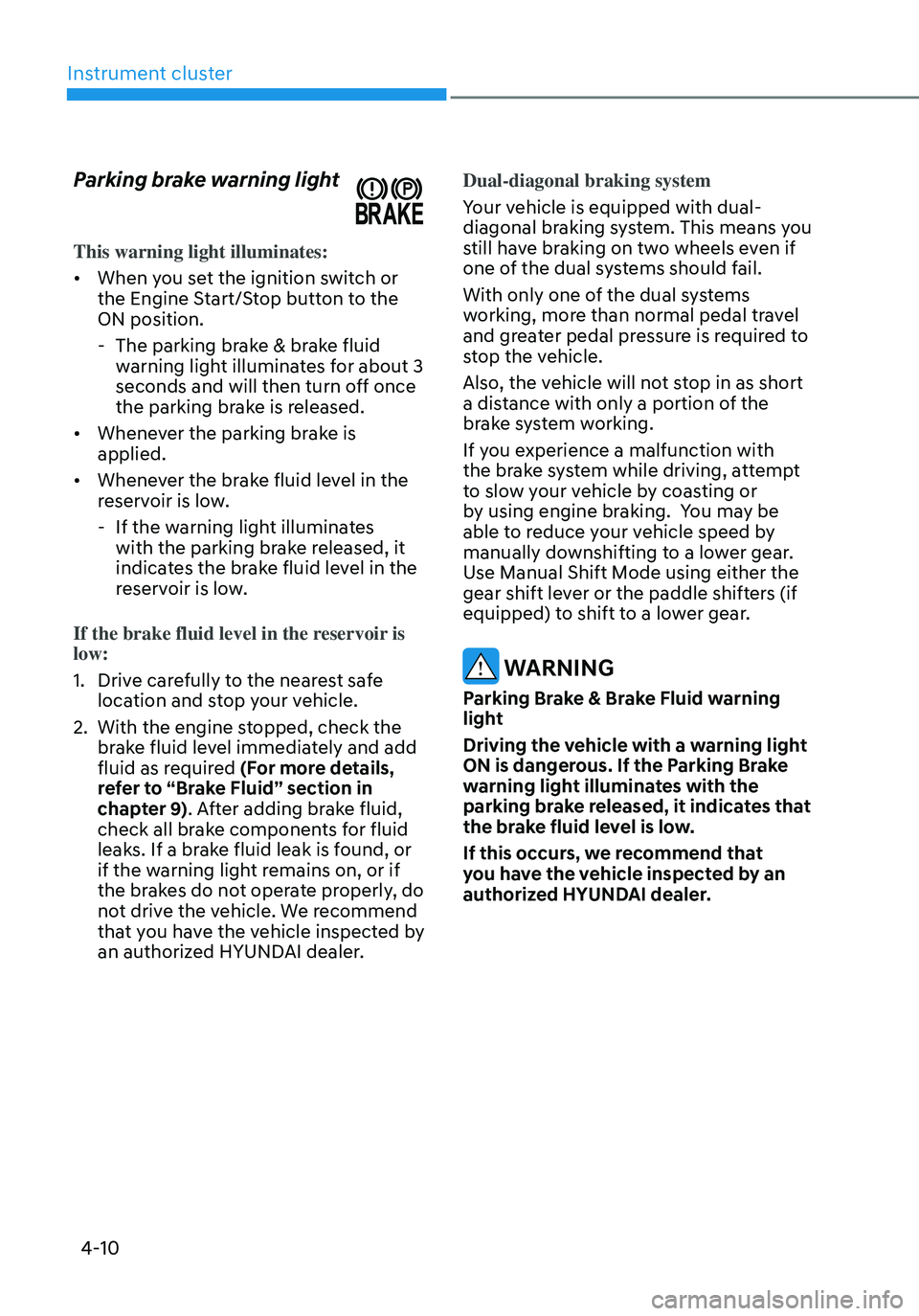
Parking brake warning light
This warning light illuminates:
• When you set the ignition switch or
the Engine Start/Stop button to the
ON position.
-The parking brake & brake fluid
warning light illuminates for about 3
seconds and will then turn off once
the parking brake is released.
• Whenever the parking brake is
applied.
• Whenever the brake fluid level in the
reservoir is low.
-If the warning light illuminates
with the parking brake released, it
indicates the brake fluid level in the
reservoir is low.
If the brake fluid level in the reservoir is
low:
1. Drive carefully to the nearest safe
location and stop your vehicle.
2. With the engine stopped, check the
brake fluid level immediately and add
fluid as required (For more details,
refer to “Brake Fluid” section in
chapter 9). After adding brake fluid,
check all brake components for fluid
leaks. If a brake fluid leak is found, or
if the warning light remains on, or if
the brakes do not operate properly, do
not drive the vehicle. We recommend
that you have the vehicle inspected by
an authorized HYUNDAI dealer. Dual-diagonal braking system
Your vehicle is equipped with dual-
diagonal braking system. This means you
still have braking on two wheels even if
one of the dual systems should fail.
With only one of the dual systems
working, more than normal pedal travel
and greater pedal pressure is required to
stop the vehicle.
Also, the vehicle will not stop in as short
a distance with only a portion of the
brake system working.
If you experience a malfunction with
the brake system while driving, attempt
to slow your vehicle by coasting or
by using engine braking. You may be
able to reduce your vehicle speed by
manually downshifting to a lower gear.
Use Manual Shift Mode using either the
gear shift lever or the paddle shifters (if
equipped) to shift to a lower gear.
WARNING
Parking Brake & Brake Fluid warning
light
Driving the vehicle with a warning light
ON is dangerous. If the Parking Brake
warning light illuminates with the
parking brake released, it indicates that
the brake fluid level is low.
If this occurs, we recommend that
you have the vehicle inspected by an
authorized HYUNDAI dealer.