fuse HYUNDAI TUCSON HYBRID 2021 Owners Manual
[x] Cancel search | Manufacturer: HYUNDAI, Model Year: 2021, Model line: TUCSON HYBRID, Model: HYUNDAI TUCSON HYBRID 2021Pages: 630, PDF Size: 77.98 MB
Page 25 of 630
01
1-21
SAFETY PRECAUTIONS FOR HYBRID SYSTEM
Hybrid vehicle components
High voltage battery system
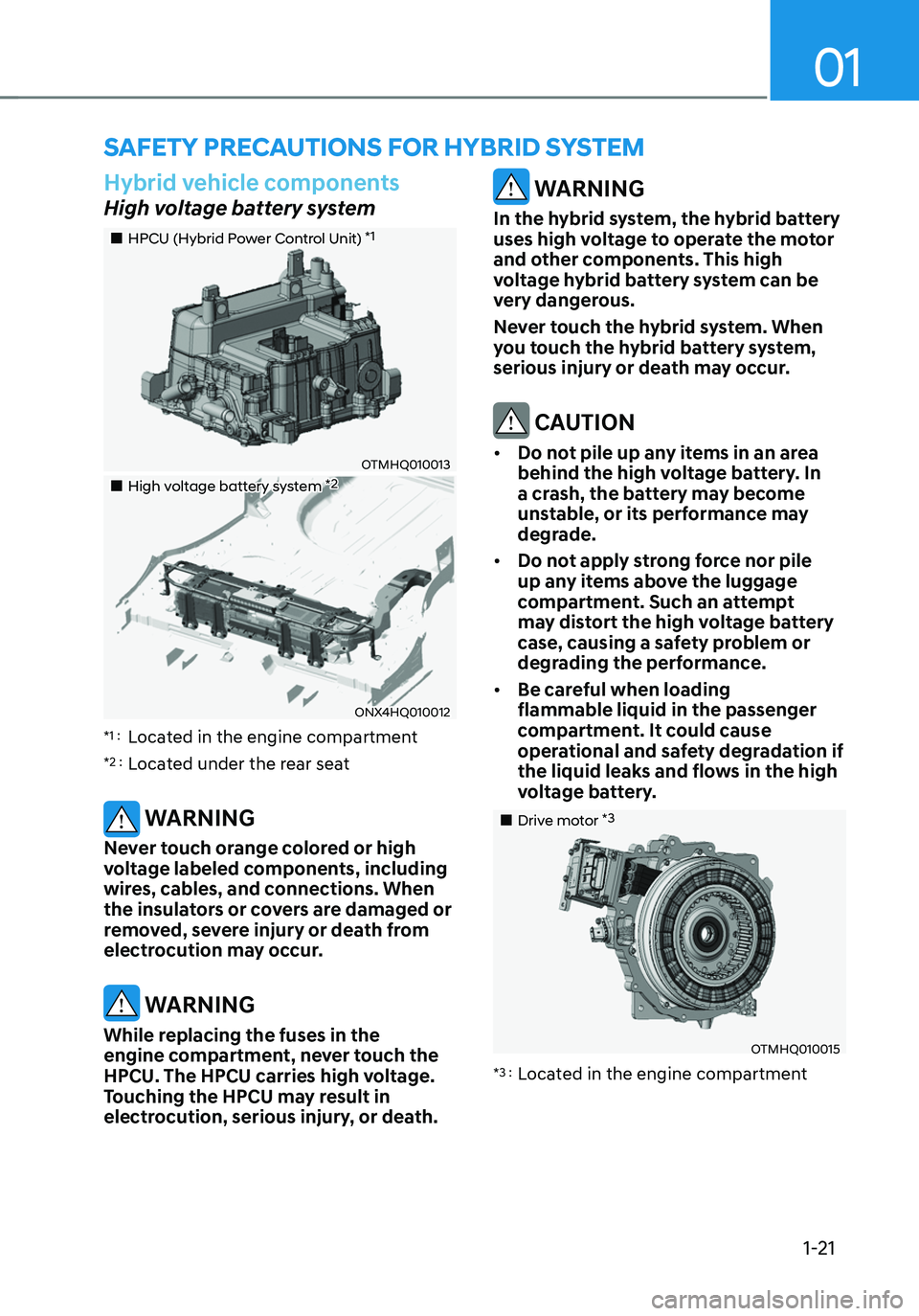
„„HPCU (Hybrid Power Control Unit) *1
OTMHQ010013
„„High voltage battery system *2
ONX4HQ010012
*1 : Located in the engine compartment
*2 : Located under the rear seat
WARNING
Never touch orange colored or high
voltage labeled components, including
wires, cables, and connections. When
the insulators or covers are damaged or
removed, severe injury or death from
electrocution may occur.
WARNING
While replacing the fuses in the
engine compartment, never touch the
HPCU. The HPCU carries high voltage.
Touching the HPCU may result in
electrocution, serious injury, or death.
WARNING
In the hybrid system, the hybrid battery
uses high voltage to operate the motor
and other components. This high
voltage hybrid battery system can be
very dangerous.
Never touch the hybrid system. When
you touch the hybrid battery system,
serious injury or death may occur.
CAUTION
• Do not pile up any items in an area
behind the high voltage battery. In
a crash, the battery may become
unstable, or its performance may
degrade.
• Do not apply strong force nor pile
up any items above the luggage
compartment. Such an attempt
may distort the high voltage battery
case, causing a safety problem or
degrading the performance.
• Be careful when loading
flammable liquid in the passenger
compartment. It could cause
operational and safety degradation if
the liquid leaks and flows in the high
voltage battery.
„„Drive motor *3
OTMHQ010015
*3 : Located in the engine compartment
Page 27 of 630
01
1-23
NOTICE
• When the vehicle is paint baked, do
not bake over 30 minutes in 158°F
(70°C) or 20 minutes in 176°F (80°C)
degree.
• Do not wash the engine
compartment, using water. Water
may cause an electric shock and
damage the electronic components.
WARNING
This hybrid vehicle uses the hybrid
battery system inverter and converter
to generate high voltage. High voltage
in the hybrid battery system is very
dangerous and may cause severe burns
and electric shock. This may result in
serious injury or death.
• For your safety, never touch,
replace, disassemble or remove the
hybrid battery system including
components, cables and connectors.
Severe burns or electric shock may
result in serious injury or death when
you fail to follow this warning.
• When the hybrid battery system
operates, the hybrid battery system
can be hot. Always be careful
because burns or electric shock may
be caused by high voltage.
• Do not spill liquid on the HPCU, HSG,
motor and fuses. If the hybrid system
components come in contact with
liquid, it may result in electric shock.
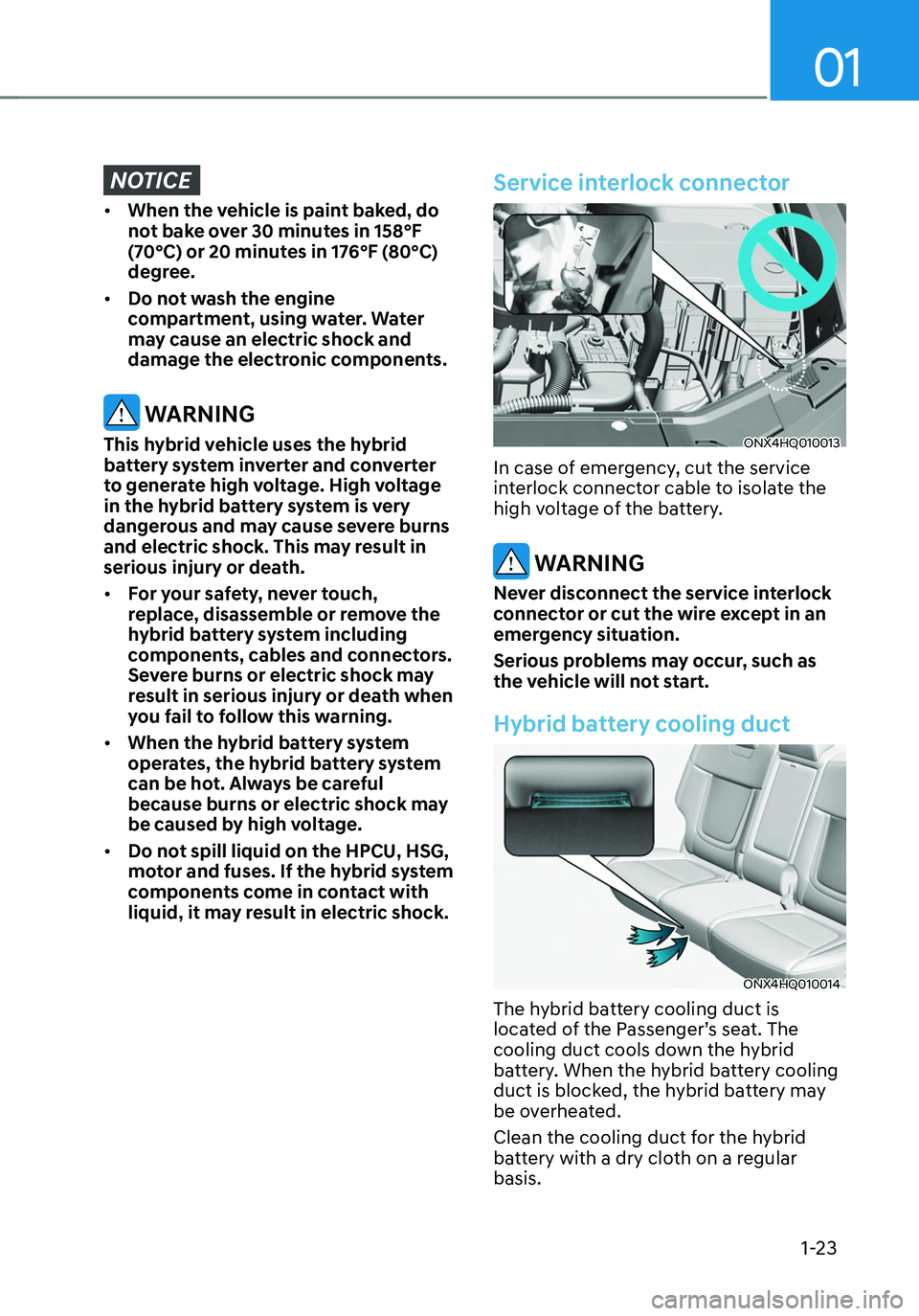
Service interlock connector
ONX4HQ010013
In case of emergency, cut the service
interlock connector cable to isolate the
high voltage of the battery.
WARNING
Never disconnect the service interlock
connector or cut the wire except in an
emergency situation.
Serious problems may occur, such as
the vehicle will not start.
Hybrid battery cooling duct
ONX4HQ010014
The hybrid battery cooling duct is
located of the Passenger’s seat. The
cooling duct cools down the hybrid
battery. When the hybrid battery cooling
duct is blocked, the hybrid battery may
be overheated.
Clean the cooling duct for the hybrid
battery with a dry cloth on a regular
basis.
Page 33 of 630
2-4
Vehicle Information, Consumer Information and Reporting Safety Defects
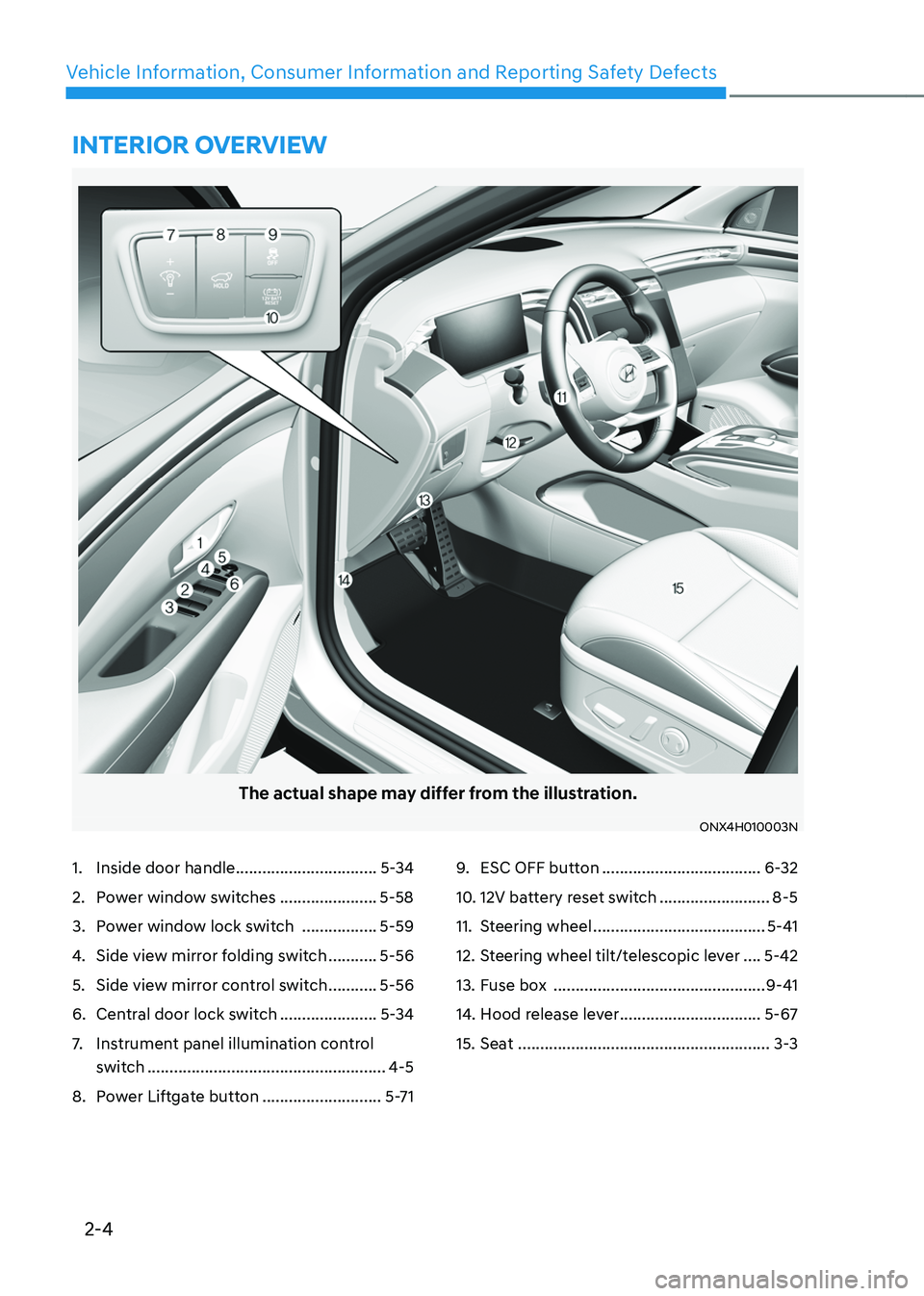
The actual shape may differ from the illustration.
ONX4H010003N
1. Inside door handle ................................5-34
2. Power window switches ......................5-58
3. Power window lock switch .................5-59
4. Side view mirror folding switch ...........5-56
5. Side view mirror control switch ...........5-56
6. Central door lock switch ......................5-34
7. Instrument panel illumination control
switch
......................................................4-5
8. Power Liftgate button ...........................5-71
9. ESC OFF button ....................................6-32
10. 12V battery reset switch .........................8-5
11. Steering wheel .......................................5-41
12. Steering wheel tilt/telescopic lever ....5-42
13. Fuse box ................................................9-41
14. Hood release lever ................................5-67
15. Seat .........................................................3-3
INTERIOR OVERVIEW
Page 36 of 630
2-7
02
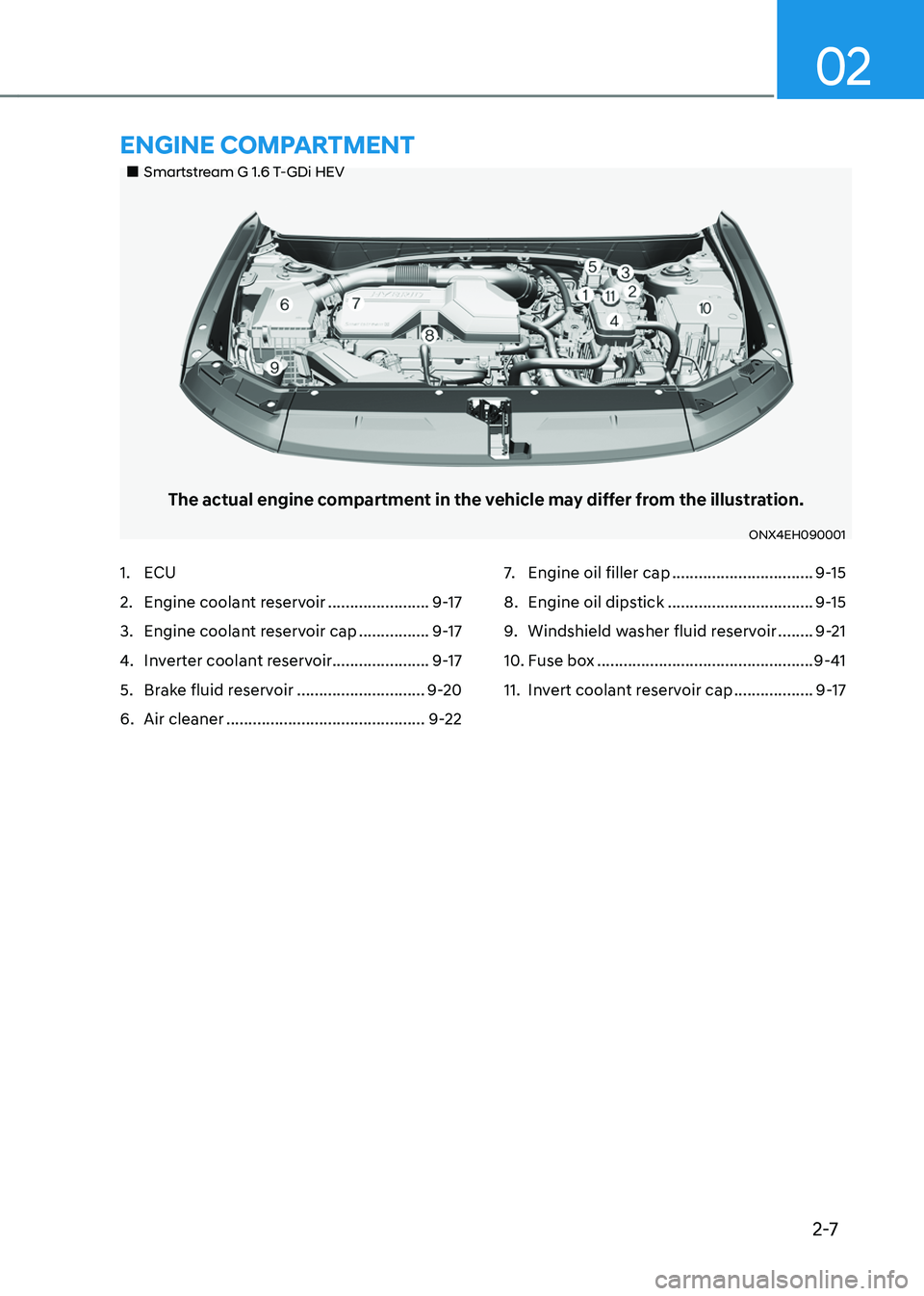
„„Smartstream G 1.6 T-GDi HEV
The actual engine compartment in the vehicle may differ from the illustration.
ONX4EH090001
1. ECU
2. Engine coolant reservoir .......................9-17
3. Engine coolant reservoir cap ................9-17
4. Inverter coolant reservoir......................9-17
5. Brake fluid reservoir .............................9-20
6. Air cleaner .............................................9-22
7. Engine oil filler cap ................................9-15
8. Engine oil dipstick .................................9-15
9. Windshield washer fluid reservoir ........9-21
10. Fuse box .................................................9-41
11. Invert coolant reservoir cap ..................9-17
ENGINE COMPARTMENT
Page 114 of 630
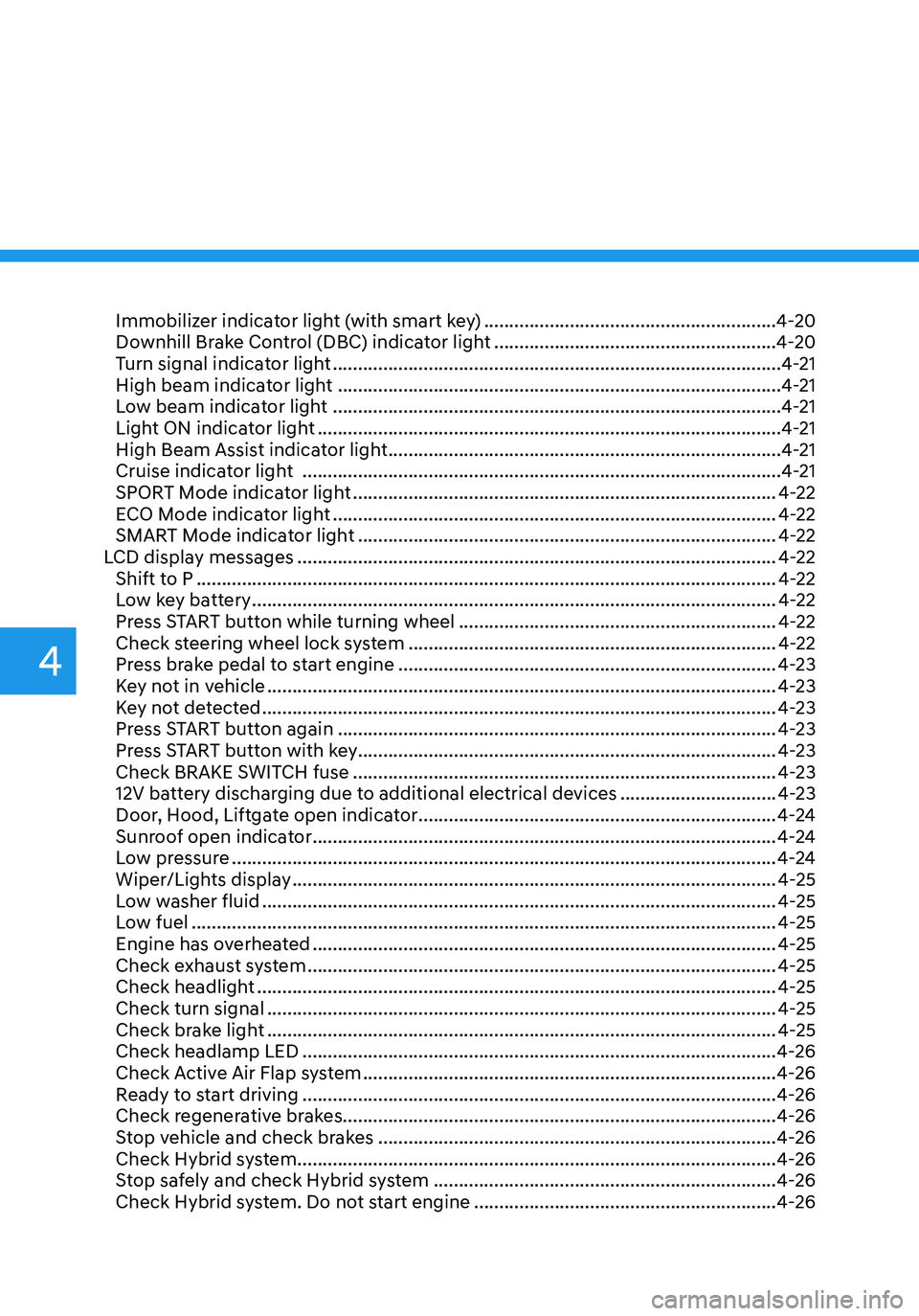
Immobilizer indicator light (with smart key) ..........................................................4-20
Downhill Brake Control (DBC) indicator light ........................................................4-20
Turn signal indicator light ........................................................................\
.................4-21
High beam indicator light ........................................................................\
................4-21
Low beam indicator light ........................................................................\
.................4-21
Light ON indicator light ........................................................................\
....................4-21
High Beam Assist indicator light ........................................................................\
......4-21
Cruise indicator light ........................................................................\
.......................4-21
SPORT Mode indicator light ........................................................................\
............4-22
ECO Mode indicator light ........................................................................\
................4-22
SMART Mode indicator light ........................................................................\
...........4-22
LCD display messages ........................................................................\
.......................4-22
Shift to P ........................................................................\
...........................................4-22
Low key battery ........................................................................\
................................4-22
Press START button while turning wheel ...............................................................4-22
Check steering wheel lock system ........................................................................\
.4-22
Press brake pedal to start engine ........................................................................\
...4-23
Key not in vehicle ........................................................................\
.............................4-23
Key not detected ........................................................................\
..............................4-23
Press START button again ........................................................................\
...............4-23
Press START button with key ........................................................................\
...........4-23
Check BRAKE SWITCH fuse
........................................................................\
............4-23
12V battery discharging due to additional electrical devices ...............................4-23
Door, Hood, Liftgate open indicator .......................................................................4-24
Sunroof open indicator ........................................................................\
....................4-24
Low pressure ........................................................................\
....................................4-24
Wiper/Lights display ........................................................................\
........................4-25
Low washer fluid ........................................................................\
..............................4-25
Low fuel ........................................................................\
............................................4-25
Engine has overheated ........................................................................\
....................4-25
Check exhaust system ........................................................................\
.....................4-25
Check headlight ........................................................................\
...............................4-25
Check turn signal ........................................................................\
.............................4-25
Check brake light ........................................................................\
.............................4-25
Check headlamp LED ........................................................................\
......................4-26
Check Active Air Flap system ........................................................................\
..........4-26
Ready to start driving ........................................................................\
......................4-26
Check regenerative brakes ........................................................................\
.............. 4-26
Stop vehicle and check brakes
........................................................................\
.......4-26
Check Hybrid system ........................................................................\
.......................4-26
Stop safely and check Hybrid system ....................................................................4-26
Check Hybrid system. Do not start engine ............................................................4-26
4
Page 135 of 630
04
4-23
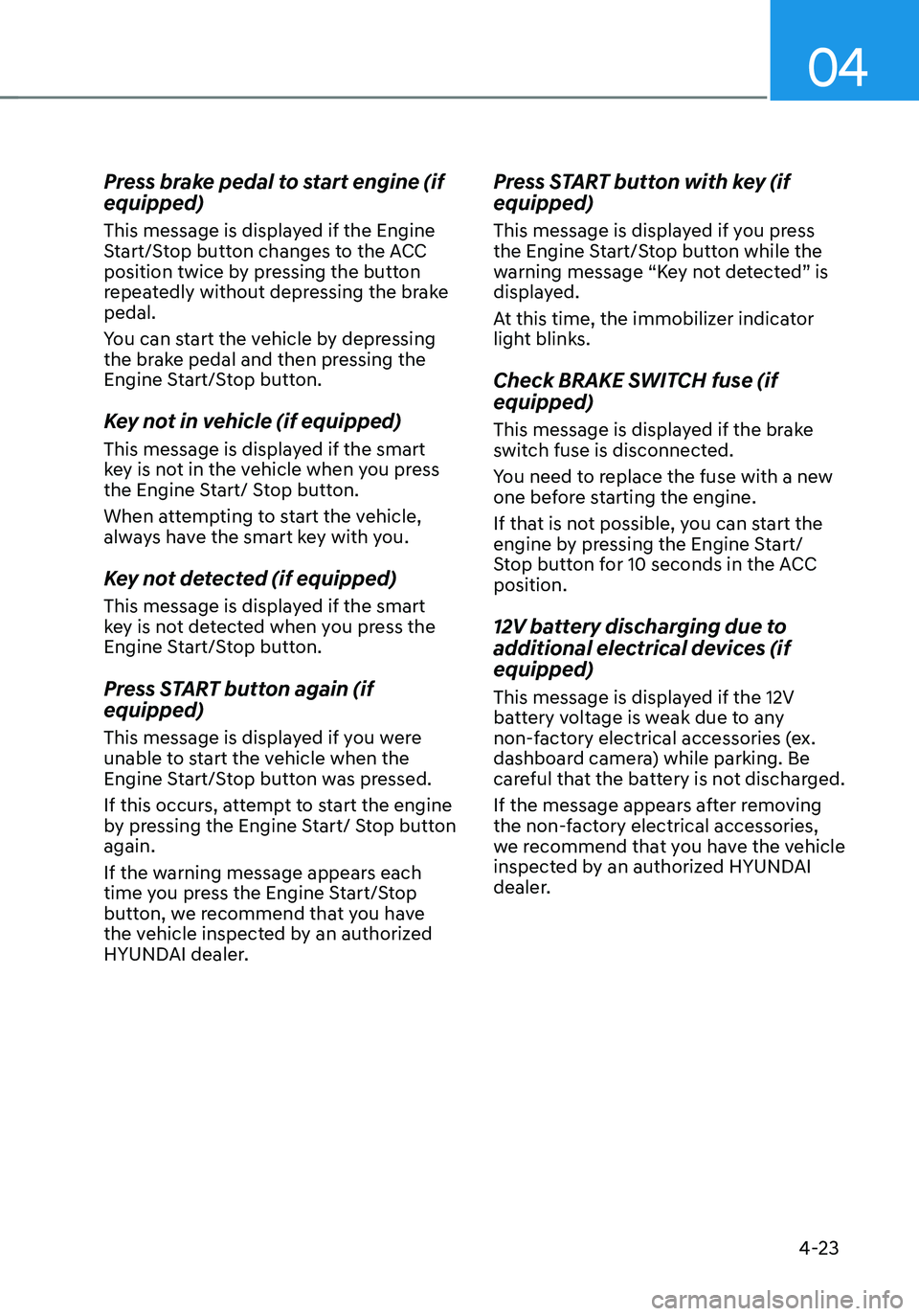
Press brake pedal to start engine (if
equipped)
This message is displayed if the Engine
Start/Stop button changes to the ACC
position twice by pressing the button
repeatedly without depressing the brake
pedal.
You can start the vehicle by depressing
the brake pedal and then pressing the
Engine Start/Stop button.
Key not in vehicle (if equipped)
This message is displayed if the smart
key is not in the vehicle when you press
the Engine Start/ Stop button.
When attempting to start the vehicle,
always have the smart key with you.
Key not detected (if equipped)
This message is displayed if the smart
key is not detected when you press the
Engine Start/Stop button.
Press START button again (if
equipped)
This message is displayed if you were
unable to start the vehicle when the
Engine Start/Stop button was pressed.
If this occurs, attempt to start the engine
by pressing the Engine Start/ Stop button
again.
If the warning message appears each
time you press the Engine Start/Stop
button, we recommend that you have
the vehicle inspected by an authorized
HYUNDAI dealer.
Press START button with key (if
equipped)
This message is displayed if you press
the Engine Start/Stop button while the
warning message “Key not detected” is
displayed.
At this time, the immobilizer indicator
light blinks.
Check BRAKE SWITCH fuse (if
equipped)
This message is displayed if the brake
switch fuse is disconnected.
You need to replace the fuse with a new
one before starting the engine.
If that is not possible, you can start the
engine by pressing the Engine Start/
Stop button for 10 seconds in the ACC
position.
12V battery discharging due to
additional electrical devices (if
equipped)
This message is displayed if the 12V
battery voltage is weak due to any
non-factory electrical accessories (ex.
dashboard camera) while parking. Be
careful that the battery is not discharged.
If the message appears after removing
the non-factory electrical accessories,
we recommend that you have the vehicle
inspected by an authorized HYUNDAI
dealer.
Page 217 of 630
Convenient features
5-60
WARNING
Do not allow children to play with the
power windows. Keep the driver’s
door power window lock button in the
LOCK position. Serious injury or death
can result from unintentional window
operation by a child.
NOTICE
• To prevent possible damage to the
power window system, do not open
or close two windows or more at the
same time. This will also ensure the
longevity of the fuse.
• Never try to operate the main
switch on the driver’s door and the
individual door window switch in
opposite directions at the same time.
If this is done, the window will stop
and cannot be opened or closed.
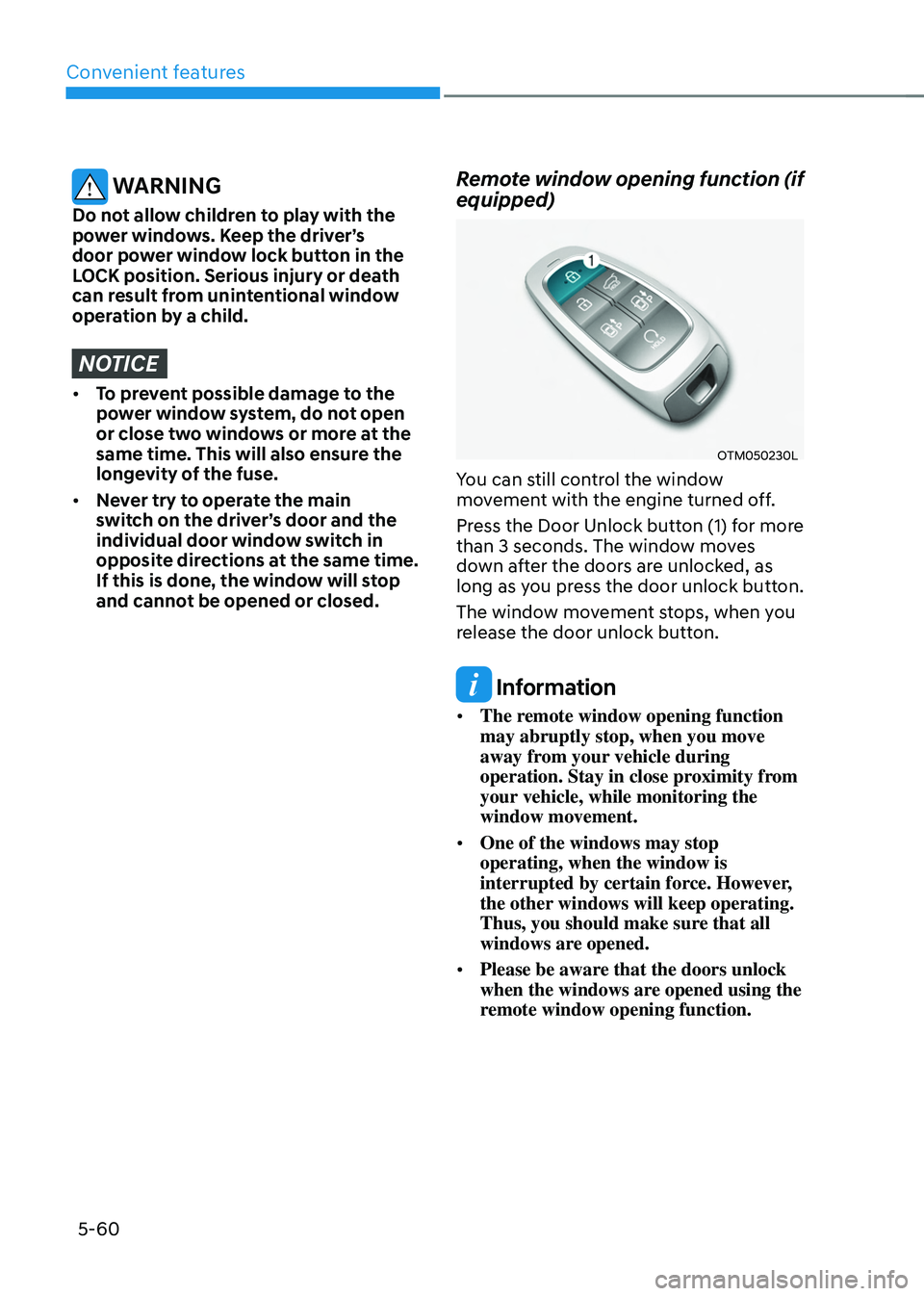
Remote window opening function (if
equipped)
OTM050230L
You can still control the window
movement with the engine turned off.
Press the Door Unlock button (1) for more
than 3 seconds. The window moves
down after the doors are unlocked, as
long as you press the door unlock button.
The window movement stops, when you
release the door unlock button.
Information
• The remote window opening function
may abruptly stop, when you move
away from your vehicle during
operation. Stay in close proximity from
your vehicle, while monitoring the
window movement.
• One of the windows may stop
operating, when the window is
interrupted by certain force. However,
the other windows will keep operating.
Thus, you should make sure that all
windows are opened.
• Please be aware that the doors unlock
when the windows are opened using the
remote window opening function.
Page 222 of 630
05
5-65
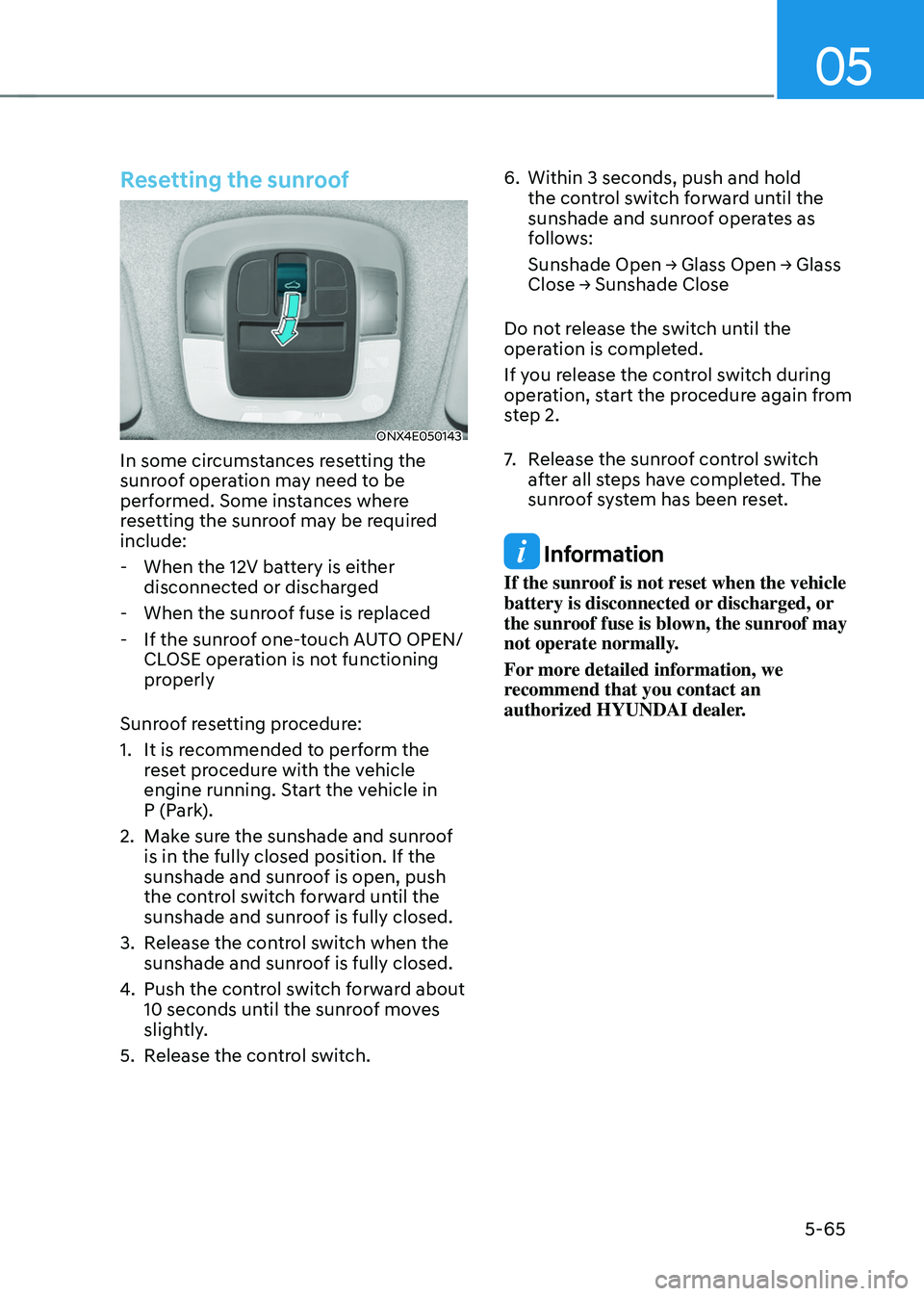
Resetting the sunroof
ONX4E050143
In some circumstances resetting the
sunroof operation may need to be
performed. Some instances where
resetting the sunroof may be required
include:
- When the 12V batt
ery is either
disconnected or discharged
- When the sunroo
f fuse is replaced
- If the sunroo
f one-touch AUTO OPEN/
CLOSE operation is not functioning
properly
Sunroof resetting procedure:
1.
It is recommended t
o perform the
reset procedure with the vehicle
engine running. Start the vehicle in
P (Park).
2.
Make sur
e the sunshade and sunroof
is in the fully closed position. If the
sunshade and sunroof is open, push
the control switch forward until the
sunshade and sunroof is fully closed.
3.
Release the con
trol switch when the
sunshade and sunroof is fully closed.
4.
Push the contr
ol switch forward about
10 seconds until the sunroof moves
slightly.
5.
Release the con
trol switch. 6.
Within 3 seconds, push and hold
the contr
ol switch forward until the
sunshade and sunroof operates as
follows:
Sunshade
Open → Glass Open → Glass Close → Sunshade Close
Do no
t release the switch until the
operation is completed.
If you release the control switch during
operation, start the procedure again from
step 2.
7. Release the sunr oof control switch
after all steps have completed. The
sunroof system has been reset.
Information
If the sunroof is not reset when the vehicle
battery is disconnected or discharged, or
the sunroof fuse is blown, the sunroof may
not operate normally.
For more detailed information, we
recommend that you contact an
authorized HYUNDAI dealer.
Page 231 of 630
Convenient features
5 -74
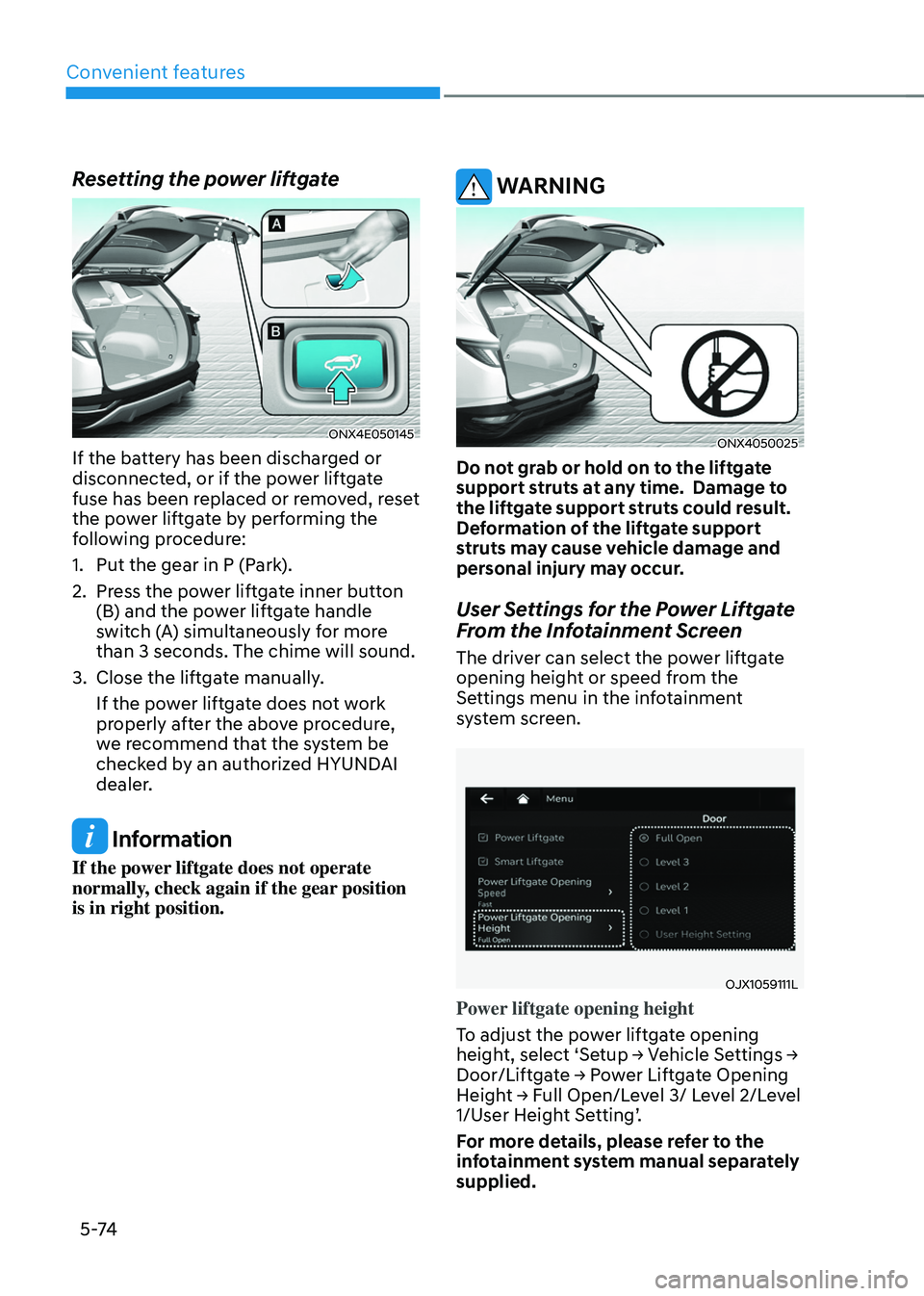
Resetting the power liftgate
ONX4E050145
If the battery has been discharged or
disconnected, or if the power liftgate
fuse has been replaced or removed, reset
the power liftgate by performing the
following procedure:
1.
Put the gear in P (Park
).
2.
Press the po
wer liftgate inner button
(B) and the power liftgate handle
switch (A) simultaneously for more
than 3 seconds. The chime will sound.
3.
Close the liftga
te manually.
If the power liftgate does not work
properly after the above procedure,
we recommend that the system be
checked by an authorized HYUNDAI
dealer.
Information
If the power liftgate does not operate
normally, check again if the gear position
is in right position.
WARNING
ONX4050025
Do not grab or hold on to the liftgate
support struts at any time. Damage to
the liftgate support struts could result.
Deformation of the liftgate support
struts may cause vehicle damage and
personal injury may occur.
User Settings for the Power Liftgate
From the Infotainment Screen
The driver can select the power liftgate
opening height or speed from the
Settings menu in the infotainment
system screen.
OJX1059111L
Power liftgate opening height
To adjust the power liftgate opening
height,
select ‘Se
tup
→ V
ehicle
Se
ttings
→ Door/Liftga
te
→ P
ower
Lift
gate
Opening Heigh
t
→ F
ull
Open/L
evel
3/ L
evel
2/L
evel
1/User H
eight Setting’.
For more details, please refer to the
infotainment system manual separately
supplied.
Page 276 of 630

05
5-119
CAUTION
To prevent damage to the power
outlets:
• Use the power outlet only when the
engine is running and remove the
accessory plug after use. Using the
accessory plug for prolonged periods
of time with the engine off could
cause the battery to discharge.
• Only use 12 volts electric accessories
which are less than 180 watts in
electric capacity.
• Adjust the air-conditioner or heater
to the lowest operating level when
using the power outlet.
• Close the cover when not in use.
• Some electronic devices can
cause electronic interference
when plugged into a vehicle’s
power outlet. These devices may
cause excessive audio static and
malfunctions in other electronic
systems or devices used in your
vehicle.
• Push the plug in as far as it will go. If
good contact is not made, the plug
may overheat and the fuse may open.
• Plug in battery equipped electrical/
electronic devices with reverse
current protection. The current
from the battery may flow into the
vehicle’s electrical/electronic system
and cause system malfunction.
USB charger
„„Front
ONX4050053
„„Rear
ONX4050054
The USB charger is designed to recharge
batteries of small size electrical devices
using a USB cable.
The electrical devices can be recharged
when the Engine Start/Stop button is in
the ACC or ON (or START) position.
The battery charging state may be
monitored on the electrical device.