cruise control HYUNDAI TUCSON HYBRID 2022 User Guide
[x] Cancel search | Manufacturer: HYUNDAI, Model Year: 2022, Model line: TUCSON HYBRID, Model: HYUNDAI TUCSON HYBRID 2022Pages: 630, PDF Size: 77.98 MB
Page 339 of 630
Driving your vehicle
6-52
Information
The ESC system must be turned OFF
before rocking the vehicle.
NOTICE
If you are still stuck after rocking the
vehicle a few times, have the vehicle
pulled out by a tow vehicle to avoid
engine overheating, possible damage to
the transmission, and tire damage. See
“Towing” section in chapter 8.
Smooth cornering
Avoid braking or gear changing in
corners, especially when roads are wet.
Ideally, corners should always be taken
under gentle acceleration.
Driving at night
Night driving presents more hazards than
driving in the daylight. Here are some
important tips to remember:
• Slow down and keep more distance
between you and other vehicles, as it
may be more difficult to see at night,
especially in areas where there may
not be any street lights.
• Adjust your mirrors to reduce the glare
from other drivers’ headlamps.
• Keep your headlamps clean and
properly aimed. Dirty or improperly
aimed headlamps will make it much
more difficult to see at night.
• Avoid staring directly at the
headlamps of oncoming vehicles. You
could be temporarily blinded, and it
will take several seconds for your eyes
to readjust to the darkness.
Driving in the rain
Rain and wet roads can make driving
dangerous. Here are a few things to
consider when driving in the rain or on
slick pavement:
• Slow down and allow extra following
distance. A heavy rainfall makes
it harder to see and increases the
distance needed to stop your vehicle.
• Turn OFF your Cruise Control. (if
equipped)
• Replace your windshield wiper blades
when they show signs of streaking or
missing areas on the windshield.
• Be sure your tires have enough tread.
If your tires do not have enough tread,
making a quick stop on wet pavement
can cause a skid and possibly lead to
an accident. See “Tire Tread” section
in chapter 9.
• Turn on your headlamps to make it
easier for others to see you.
• Driving too fast through large puddles
can affect your brakes. If you must go
through puddles, try to drive through
them slowly.
• If you believe your brakes may be wet,
apply them lightly while driving until
normal braking operation returns.
Hydroplaning
If the road is wet enough and you are
going fast enough, your vehicle may
have little or no contact with the road
surface and actually ride on the water.
The best advice is SLOW DOWN when
the road is wet.
The risk of hydroplaning increases as
the depth of tire tread decreases, refer
to “Tire Tread” section in chapter 9.
Page 360 of 630
Driving SafetyForward Collision–Avoidance Assist (FCA) (Front view camera only) ...................7-2
F orward Collision–Avoidance Assist (FCA) (Sensor fusion) .................................. 7
-14
Lane Keeping Assist (LKA)
........................................................................\
.............. 7
-30
Blind-Spot Collision-Avoidance Assist (BCA)
......................................................... 7
-36
Safe Exit Warning (SEW)
........................................................................\
................. 7
-50
Manual Speed Limit Assist (MSLA)
........................................................................\
. 7-56
In
telligent Speed Limit Assist (ISLA)
...................................................................... 7
-59
Driver Attention Warning (DAW)
........................................................................\
.... 7
-64
Blind-Spot View Monitor (BVM)
........................................................................\
...... 7
-7 0
Driving ConvenienceCruise Control (CC) ........................................................................\
..........................7-7 2
Smart Cruise Control (SCC) ........................................................................\
............ 7
-76
Navigation-Based Smart Cruise Control (NSCC)
.................................................. 7
-93
Lane Following Assist (LFA)
........................................................................\
.......... 7
-100
Highway Driving Assist (HDA)
........................................................................\
....... 7
-104
Parking SafetyRear View Monitor (RVM) ........................................................................\
................7- 111
Surround View Monitor (SVM) ........................................................................\
....... 7
-115
Rear Cross-Traffic Collision-Avoidance Assist (RCCA)
.......................................... 7
-121
Reverse Parking Distance Warning (PDW)
............................................................ 7
-132
Forward/Reverse Parking Distance Warning (PDW)
............................................ 7
-135
Reverse Parking Collision-Avoidance Assist (PCA)
............................................. 7
-140
Remote Smart Parking Assist (RSPA) ....................................................................7-148
Declaration of conformity ........................................................................\
...... 7- 161
7. Driver assistance system
Driver assistance system
7
Page 418 of 630
07
7-59
intelligent speed limit assist (isla) (iF equipped)
Intelligent Speed Limit Assist uses
information from the detected road sign
and navigation system to inform the
driver of the speed limit and additional
information of the current road. Also,
Intelligent Speed Limit Assist helps the
driver to maintain within the speed limit
of the road.
CAUTION
Intelligent Speed Limit Assist may not
operate properly if the function is used
in other countries.
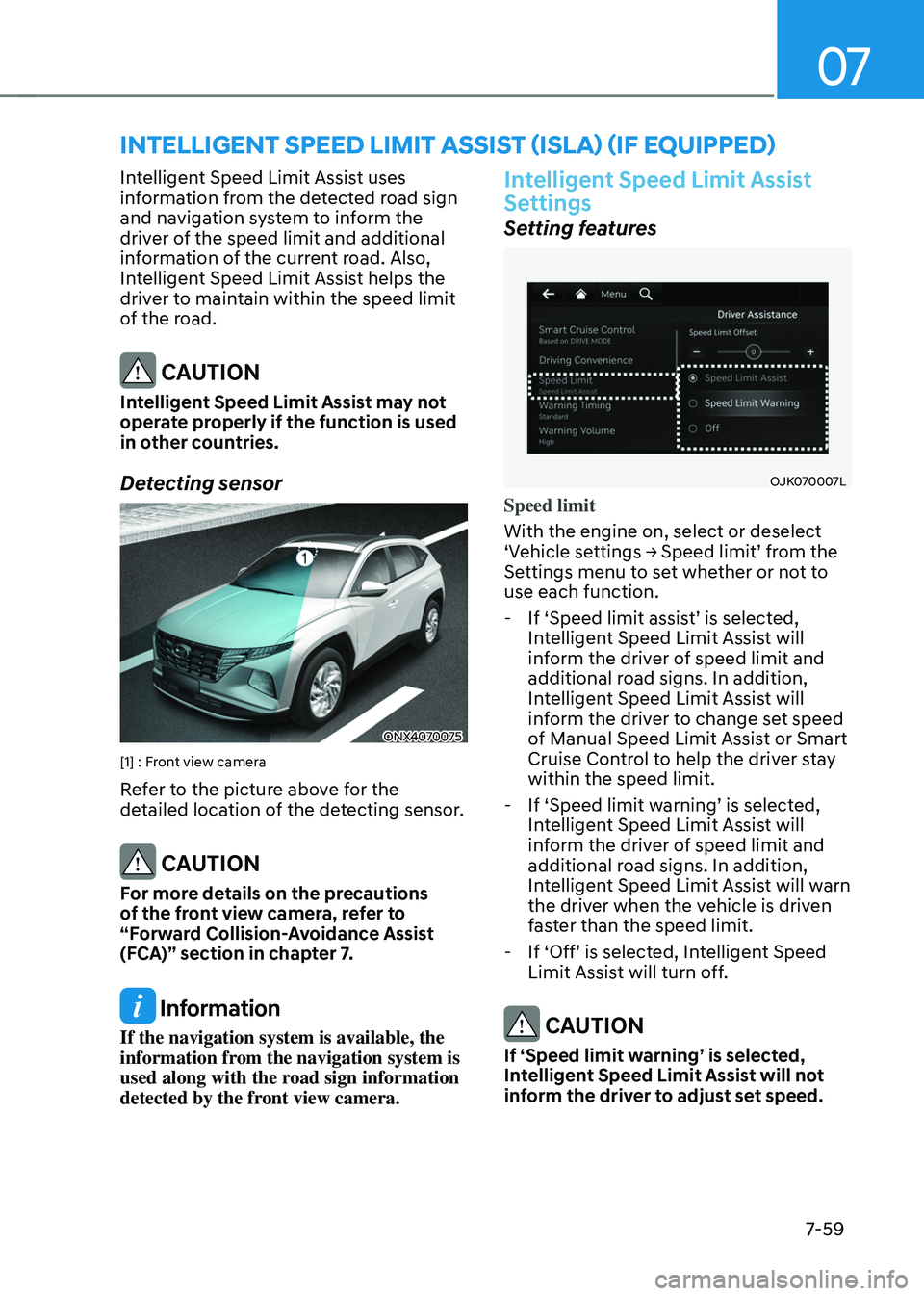
Detecting sensor
ONX4070075
[1] : Front view camera
Refer to the picture above for the
detailed location of the detecting sensor.
CAUTION
For more details on the precautions
of the front view camera, refer to
“Forward Collision-Avoidance Assist
(FCA)” section in chapter 7.
Information
If the navigation system is available, the
information from the navigation system is
used along with the road sign information
detected by the front view camera.
Intelligent Speed Limit Assist
Settings
Setting features
OJK070007L
Speed limit
With the engine on, select or deselect
‘Vehicle
se
ttings
→ Speed limit’ fr
om
the Settings menu t
o set whether or not to
use each function.
- If ‘Speed limit assis
t’
is select
ed,
Int
elligent Speed Limit Assist will
inform the driver of speed limit and
additional road signs. In addition,
Intelligent Speed Limit Assist will
inform the driver to change set speed
of Manual Speed Limit Assist or Smart
Cruise Control to help the driver stay
within the speed limit.
- If ‘Speed limit w
arning’
is select
ed,
Int
elligent Speed Limit Assist will
inform the driver of speed limit and
additional road signs. In addition,
Intelligent Speed Limit Assist will warn
the driver when the vehicle is driven
faster than the speed limit.
- If ‘Off’ is select
ed,
In
telligent
Speed Limit Assist will turn o
ff.
CAUTION
If ‘Speed limit warning’ is selected,
Intelligent Speed Limit Assist will not
inform the driver to adjust set speed.
Page 419 of 630
Driver assistance system
7-60
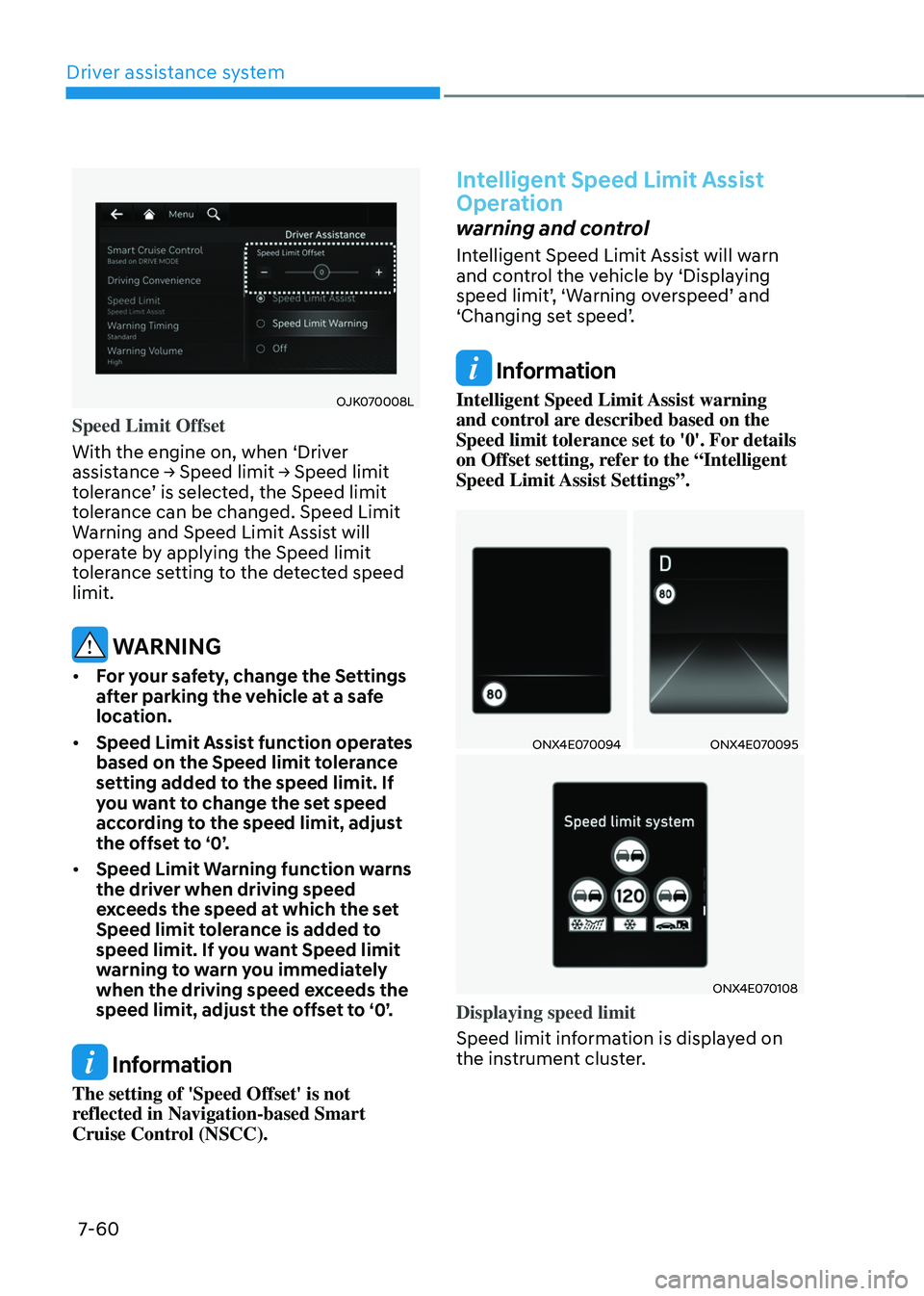
OJK070008L
Speed Limit Offset
With the engine on, when ‘Driver
assistance
→ Speed limit → Speed limit toler
ance’
is select
ed,
the Speed limit toler
ance can be changed. Speed Limit
Warning and Speed Limit Assist will
operate by applying the Speed limit
tolerance setting to the detected speed
limit.
WARNING
• For your safety, change the Settings
after parking the vehicle at a safe
location.
• Speed Limit Assist function operates
based on the Speed limit tolerance
setting added to the speed limit. If
you want to change the set speed
according to the speed limit, adjust
the offset to ‘0’.
• Speed Limit Warning function warns
the driver when driving speed
exceeds the speed at which the set
Speed limit tolerance is added to
speed limit. If you want Speed limit
warning to warn you immediately
when the driving speed exceeds the
speed limit, adjust the offset to ‘0’.
Information
The setting of 'Speed Offset' is not
reflected in Navigation-based Smart
Cruise Control (NSCC).
Intelligent Speed Limit Assist
Operation
warning and control
Intelligent Speed Limit Assist will warn
and control the vehicle by ‘Displaying
speed
limit’
,
‘W
arning
o
verspeed’
and ‘Changing se
t
speed’
.
Information
Intelligent Speed Limit Assist warning
and control are described based on the
Speed limit tolerance set to '0'. For details
on Offset setting, refer to the “Intelligent
Speed Limit Assist Settings”.
ONX4E070094ONX4E070095
ONX4E070108
Displaying speed limit
Speed limit information is displayed on
the instrument cluster.
Page 420 of 630
07
7-61
Information
• If speed limit information of the road
cannot be recognized, '---' sign will be
displayed. Please refer to "Limitations
of Intelligent Speed Limit Assist " if the
road signs are difficult to recognize.
• Intelligent Speed Limit Assist provides
additional road sign information in
addition to speed limit. The additional
road sign information provided may
vary according to your country.
• Supplementary sign displayed under
the speed limit or overtaking restriction
sign means the conditions under
which the signs must be followed. If
supplementary sign is not recognized, it
will be displayed as blank.
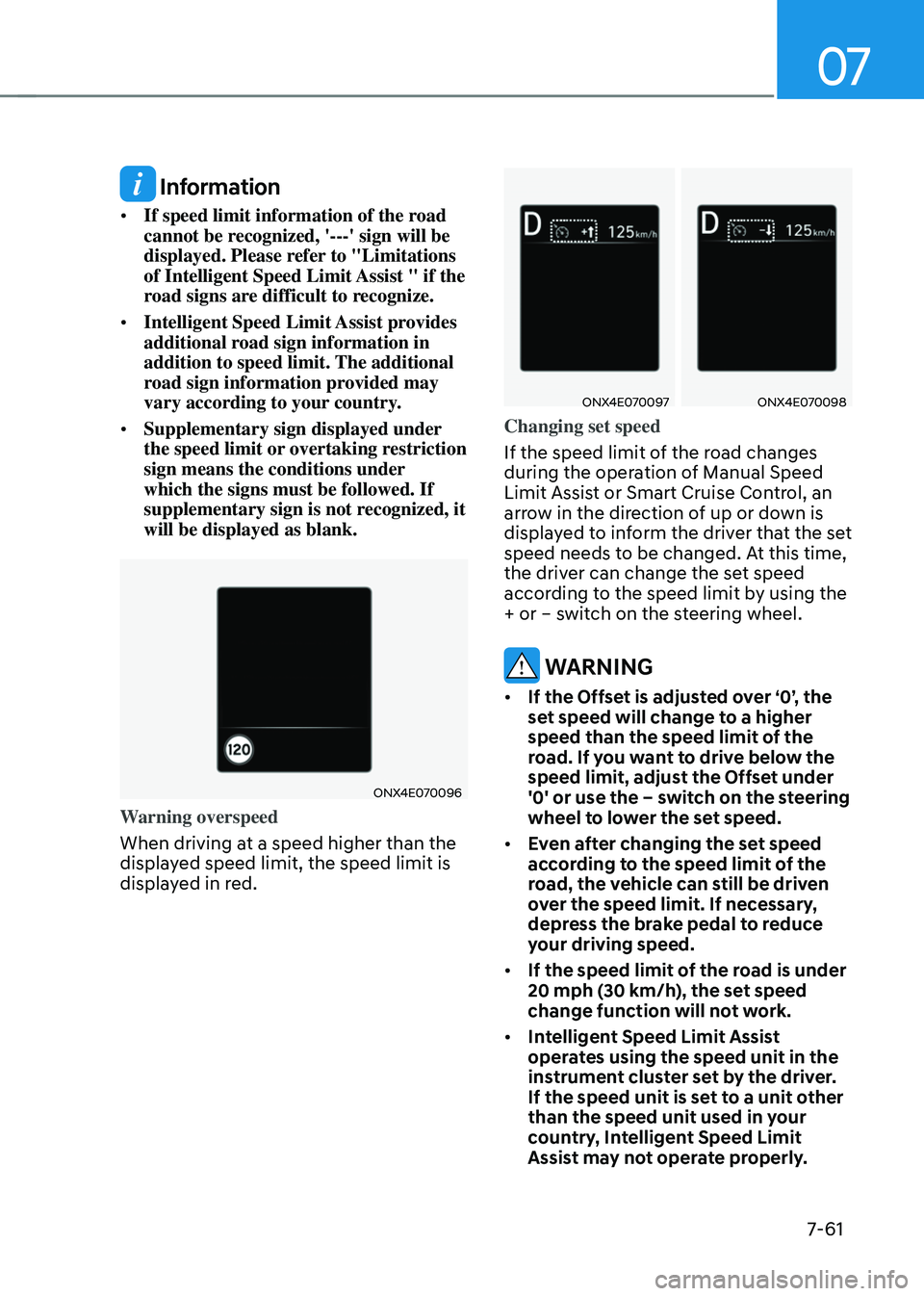
ONX4E070096
Warning overspeed
When driving at a speed higher than the
displayed speed limit, the speed limit is
displayed in red.
ONX4E070097ONX4E070098
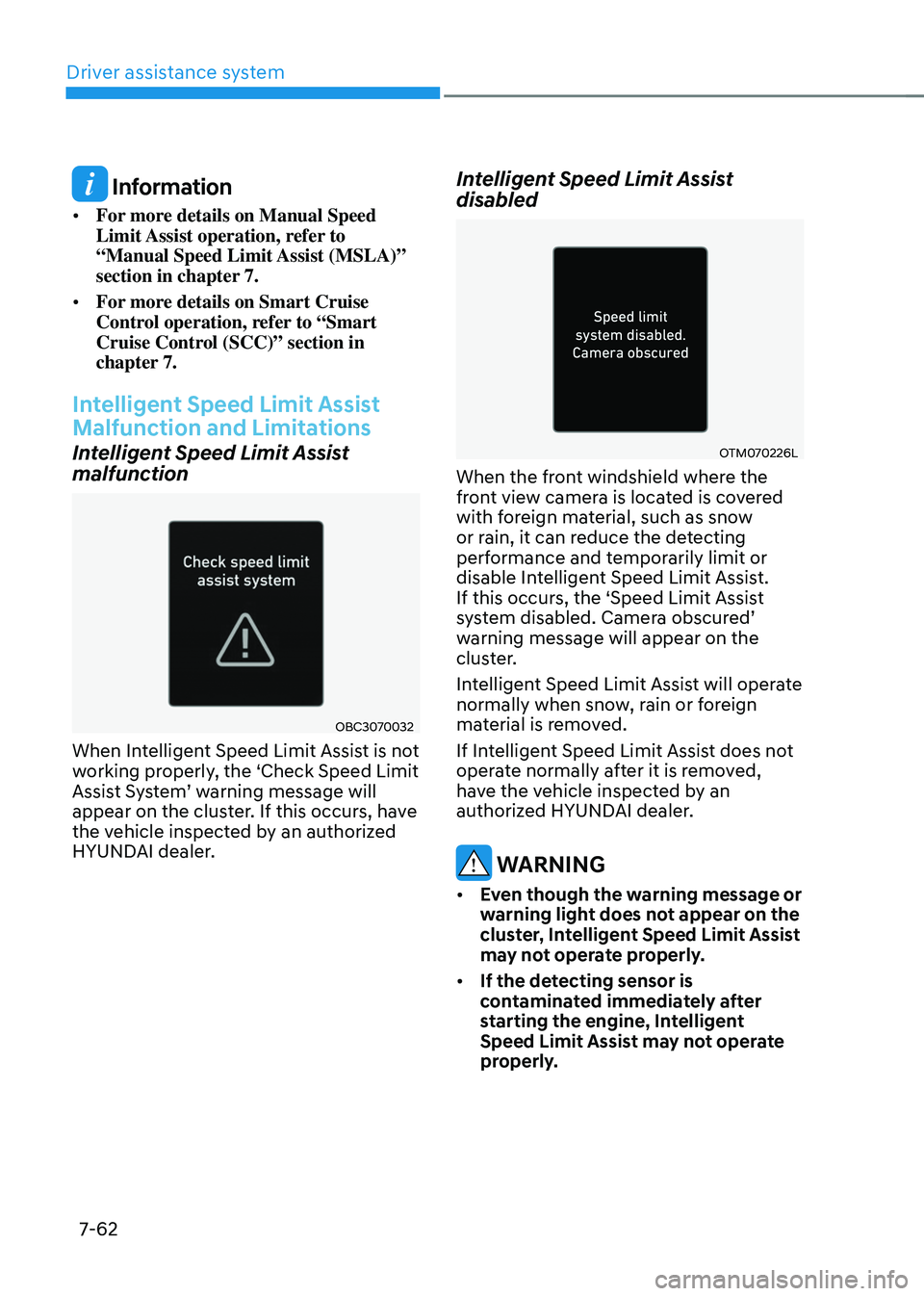
Changing set speed
If the speed limit of the road changes
during the operation of Manual Speed
Limit Assist or Smart Cruise Control, an
arrow in the direction of up or down is
displayed to inform the driver that the set
speed needs to be changed. At this time,
the driver can change the set speed
according to the speed limit by using the
+ or – switch on the steering wheel.
WARNING
• If the Offset is adjusted over ‘0’, the
set speed will change to a higher
speed than the speed limit of the
road. If you want to drive below the
speed limit, adjust the Offset under
'0' or use the – switch on the steering
wheel to lower the set speed.
• Even after changing the set speed
according to the speed limit of the
road, the vehicle can still be driven
over the speed limit. If necessary,
depress the brake pedal to reduce
your driving speed.
• If the speed limit of the road is under
20 mph (30 km/h), the set speed
change function will not work.
• Intelligent Speed Limit Assist
operates using the speed unit in the
instrument cluster set by the driver.
If the speed unit is set to a unit other
than the speed unit used in your
country, Intelligent Speed Limit
Assist may not operate properly.
Page 421 of 630
Driver assistance system
7-62
Information
• For more details on Manual Speed
Limit Assist operation, refer to
“Manual Speed Limit Assist (MSLA)”
section in chapter 7.
• For more details on Smart Cruise
Control operation, refer to “Smart
Cruise Control (SCC)” section in
chapter 7.
Intelligent Speed Limit Assist
Malfunction and Limitations
Intelligent Speed Limit Assist
malfunction
OBC3070032
When Intelligent Speed Limit Assist is not
working properly, the ‘Check Speed Limit
Assist
S
ystem’
w
arning
message will appear on the clust
er. If this occurs, have
the vehicle inspected by an authorized
HYUNDAI dealer.
Intelligent Speed Limit Assist
disabled
OTM070226L
When the front windshield where the
front view camera is located is covered
with foreign material, such as snow
or rain, it can reduce the detecting
performance and temporarily limit or
disable Intelligent Speed Limit Assist.
If this occurs, the ‘Speed Limit Assist
system
disabled. Camer
a
obscur
ed’
warning message will appear on the
clus
ter.
Intelligent Speed Limit Assist will operate
normally when snow, rain or foreign
material is removed.
If Intelligent Speed Limit Assist does not
operate normally after it is removed,
have the vehicle inspected by an
authorized HYUNDAI dealer.
WARNING
• Even though the warning message or
warning light does not appear on the
cluster, Intelligent Speed Limit Assist
may not operate properly.
• If the detecting sensor is
contaminated immediately after
starting the engine, Intelligent
Speed Limit Assist may not operate
properly.
Page 431 of 630
Driver assistance system
7-7 2
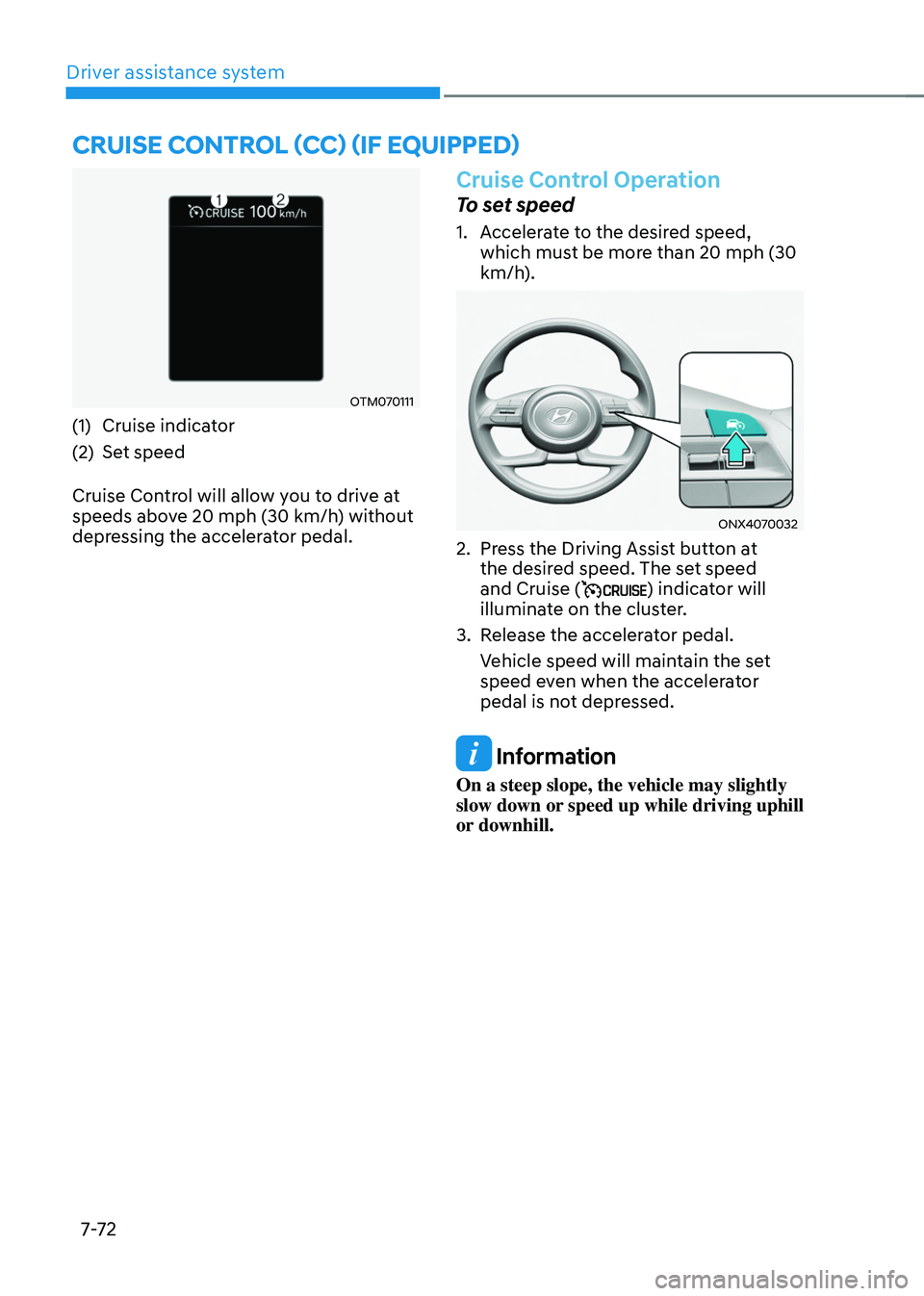
OTM070111
(1) Cruise indicator
(2)
Set speed
Cruise Con
trol will allow you to drive at
speeds above 20 mph (30 km/h) without
depressing the accelerator pedal.
Cruise Control Operation
To set speed
1. Accelerate to the desired speed,
which mus t be more than 20 mph (30
km/h).
ONX4070032
2. Press the Driving Assist button at
the desir ed speed. The set speed
and Cruise (
) indicator will
illuminate on the cluster.
3.
Release the acceler
ator pedal.
Vehicle speed will maintain the set
speed even when the accelerator
pedal is not depressed.
Information
On a steep slope, the vehicle may slightly
slow down or speed up while driving uphill
or downhill.
Cruise Control (CC) (iF equipped)
Page 432 of 630
07
7-7 3
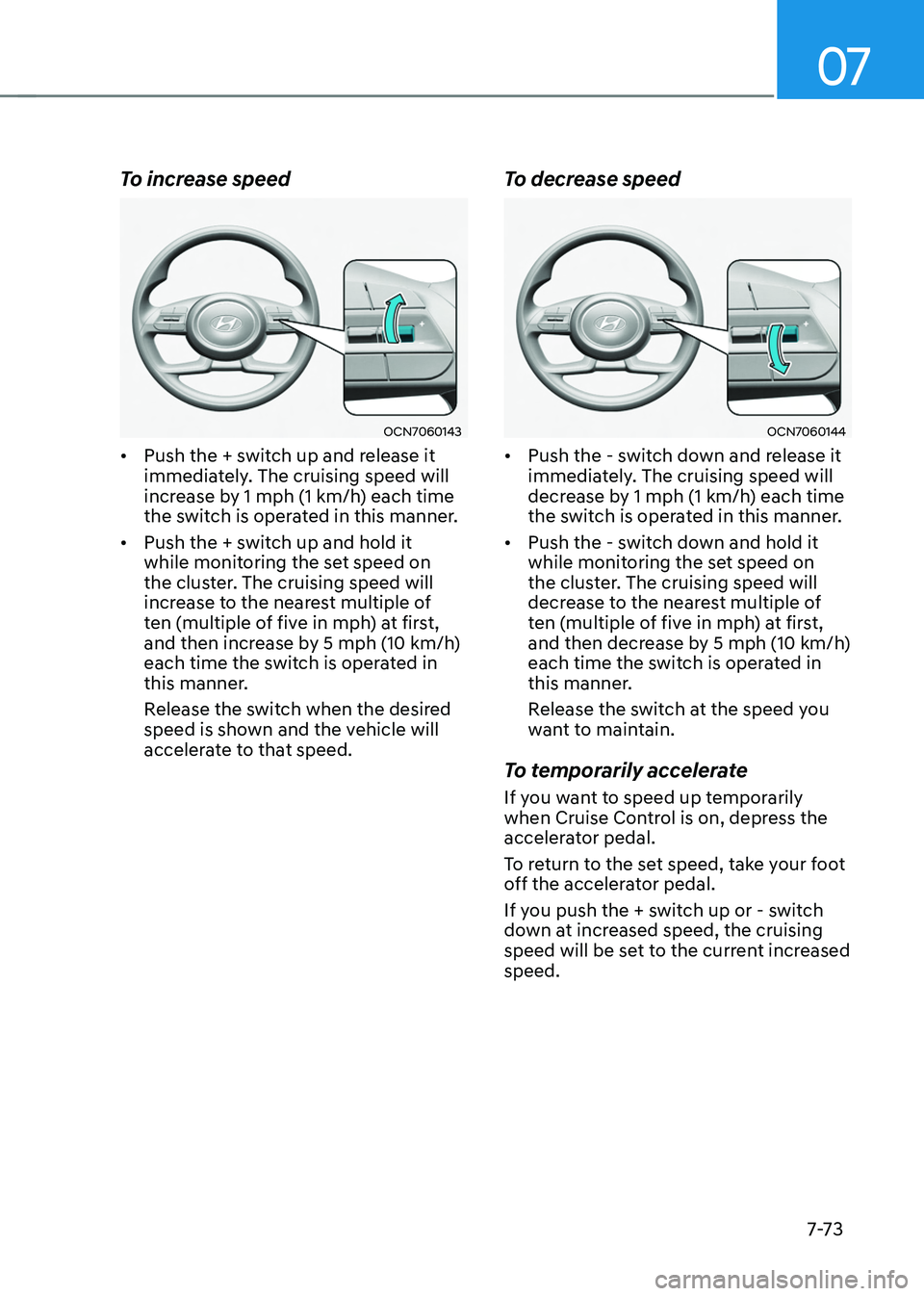
To increase speed
OCN7060143
• Push the + switch up and release it
immediately. The cruising speed will
increase by 1 mph (1 km/h) each time
the switch is operated in this manner.
• Push the + switch up and hold it
while monitoring the set speed on
the cluster. The cruising speed will
increase to the nearest multiple of
ten (multiple of five in mph) at first,
and then increase by 5 mph (10 km/h)
each time the switch is operated in
this manner.
Release the switch when the desired
speed is shown and the vehicle will
accelerate to that speed.
To decrease speed
OCN7060144
• Push the - switch down and release it
immediately. The cruising speed will
decrease by 1 mph (1 km/h) each time
the switch is operated in this manner.
• Push the - switch down and hold it
while monitoring the set speed on
the cluster. The cruising speed will
decrease to the nearest multiple of
ten (multiple of five in mph) at first,
and then decrease by 5 mph (10 km/h)
each time the switch is operated in
this manner.
Release the switch at the speed you
want to maintain.
To temporarily accelerate
If you want to speed up temporarily
when Cruise Control is on, depress the
accelerator pedal.
To return to the set speed, take your foot
off the accelerator pedal.
If you push the + switch up or - switch
down at increased speed, the cruising
speed will be set to the current increased
speed.
Page 433 of 630
Driver assistance system
7-74
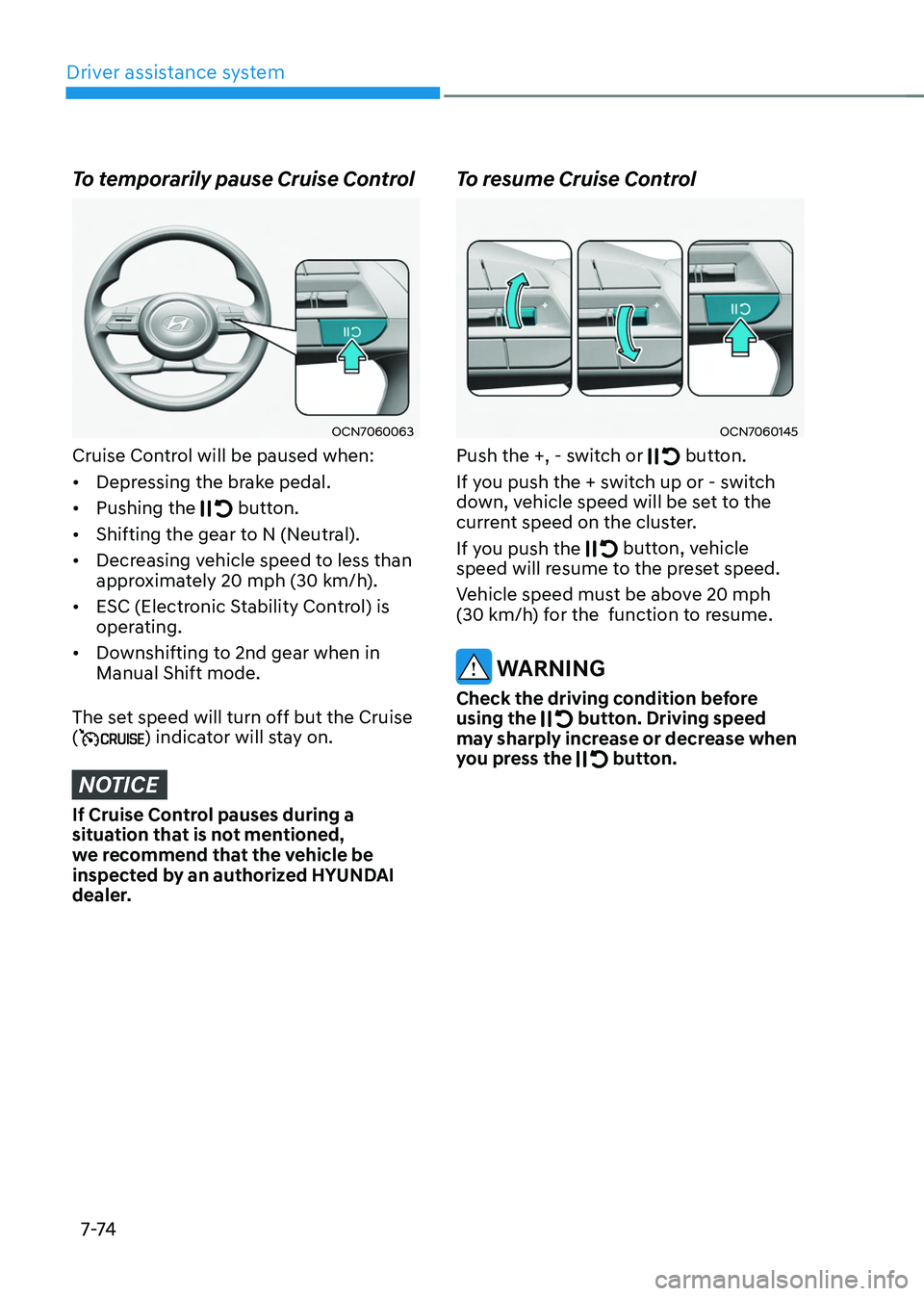
To temporarily pause Cruise Control
OCN7060063
Cruise Control will be paused when:
• Depressing the brake pedal.
• Pushing the
button.
• Shifting the gear to N (Neutral).
• Decreasing vehicle speed to less than
approximately 20
mph (30 km/h
).
• ESC (Electronic Stability Control) is
operating.
• Downshifting to 2nd gear when in
Manual Shift mode.
The set speed will turn off but the Cruise
(
) indicator will stay on.
NOTICE
If Cruise Control pauses during a
situation that is not mentioned,
we recommend that the vehicle be
inspected by an authorized HYUNDAI
dealer.
To resume Cruise Control
OCN7060145
Push the +, - switch or button.
If you push the + switch up or - switch
down, vehicle speed will be set to the
current speed on the cluster.
If you push the
button, vehicle
speed will resume to the preset speed.
Vehicle speed must be above 20
mph
(30 km/h
) for the function to resume.
WARNING
Check the driving condition before
using the button. Driving speed
may sharply increase or decrease when
you press the
button.
Page 434 of 630
07
7-7 5
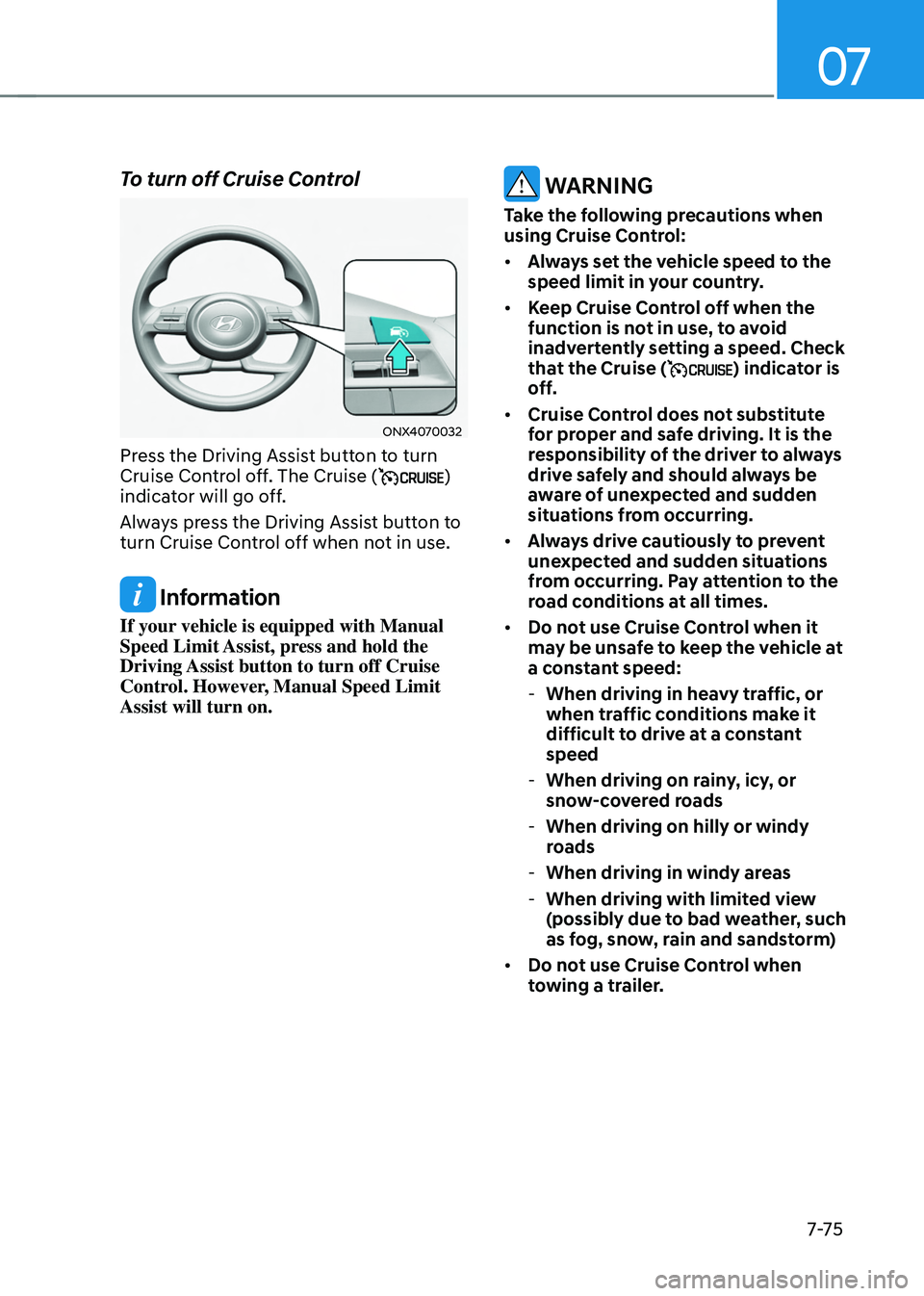
To turn off Cruise Control
ONX4070032
Press the Driving Assist button to turn
Cruise Control off. The Cruise ()
indicator will go off.
Always press the Driving Assist button to
turn Cruise Control off when not in use.
Information
If your vehicle is equipped with Manual
Speed Limit Assist, press and hold the
Driving Assist button to turn off Cruise
Control. However, Manual Speed Limit
Assist will turn on.
WARNING
Take the following precautions when
using Cruise Control:
• Always set the vehicle speed to the
speed limit in your country.
• Keep Cruise Control off when the
function is not in use, to avoid
inadvertently setting a speed. Check
that the Cruise (
) indicator is
off.
• Cruise Control does not substitute
for proper and safe driving. It is the
responsibility of the driver to always
drive safely and should always be
aware of unexpected and sudden
situations from occurring.
• Always drive cautiously to prevent
unexpected and sudden situations
from occurring. Pay attention to the
road conditions at all times.
• Do not use Cruise Control when it
may be unsafe to keep the vehicle at
a constant speed:
-When driving in heavy tr
affic, or
when traffic conditions make it
difficult to drive at a constant
speed
- When driving on rain
y, icy, or
snow-covered roads
- When driving on hilly or windy
roads
-When driving in windy areas
-When driving with limited vie
w
(possibly due to bad weather, such
as fog, snow, rain and sandstorm)
• Do not use Cruise Control when
towing a trailer.