check engine HYUNDAI TUCSON HYBRID 2022 Repair Manual
[x] Cancel search | Manufacturer: HYUNDAI, Model Year: 2022, Model line: TUCSON HYBRID, Model: HYUNDAI TUCSON HYBRID 2022Pages: 630, PDF Size: 77.98 MB
Page 412 of 630
07
7-53
WARNING
Take the following precautions when
using Safe Exit Warning:
• For your safety, change the Settings
after parking the vehicle at a safe
location.
• If any other function’s warning
message is displayed or audible
warning is generated, Safe Exit
Warning's warning message may not
be displayed and audible warning
may not be generated.
• You may not hear the warning
sound of Safe Exit Warning if the
surrounding is noisy.
• Safe Exit Warning does not operate
in all situations or cannot prevent all
collisions.
• Safe Exit Warning may warn the
driver late or may not warn the driver
depending on the road and driving
conditions. Always check vehicle
surroundings.
• The driver and passengers are
responsible for accidents that occurs
while exiting the vehicle. Always
check the surroundings before you
exit the vehicle.
• Never deliberately operate Safe
Exit Warning. Doing so may lead to
serious injury or death.
• Safe Exit Warning does not operate
if there is a problem with Blind-Spot
Safety system. The warning message
of Blind-Spot Safety system will
appear when:
-Blind-Spo
t Safety system sensor or
the sensor surrounding is polluted
or covered
- Blind-Spo
t Safety system fails to
warn passengers or falsely warn
passengers
Information
After the engine is turned off, Safe Exit
Warning operates approximately for 3
minutes, but turns off immediately if the
doors are locked.
Safe Exit Warning Malfunction
and Limitations
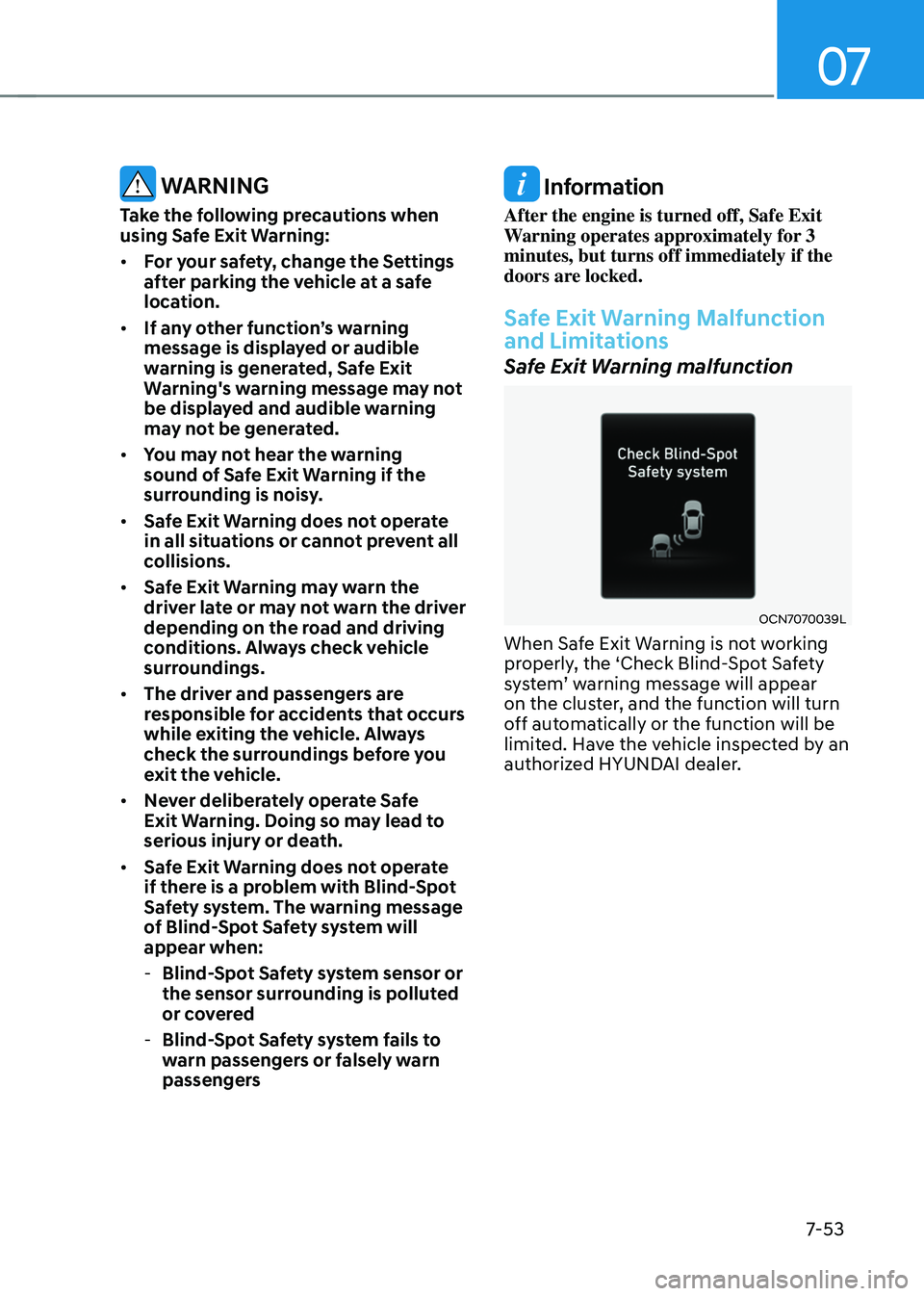
Safe Exit Warning malfunction
OCN7070039L
When Safe Exit Warning is not working
properly, the ‘Check Blind-Spot Safety
system’
w
arning
message will appear on the clust
er, and the function will turn
off automatically or the function will be
limited. Have the vehicle inspected by an
authorized HYUNDAI dealer.
Page 421 of 630
Driver assistance system
7-62
Information
• For more details on Manual Speed
Limit Assist operation, refer to
“Manual Speed Limit Assist (MSLA)”
section in chapter 7.
• For more details on Smart Cruise
Control operation, refer to “Smart
Cruise Control (SCC)” section in
chapter 7.
Intelligent Speed Limit Assist
Malfunction and Limitations
Intelligent Speed Limit Assist
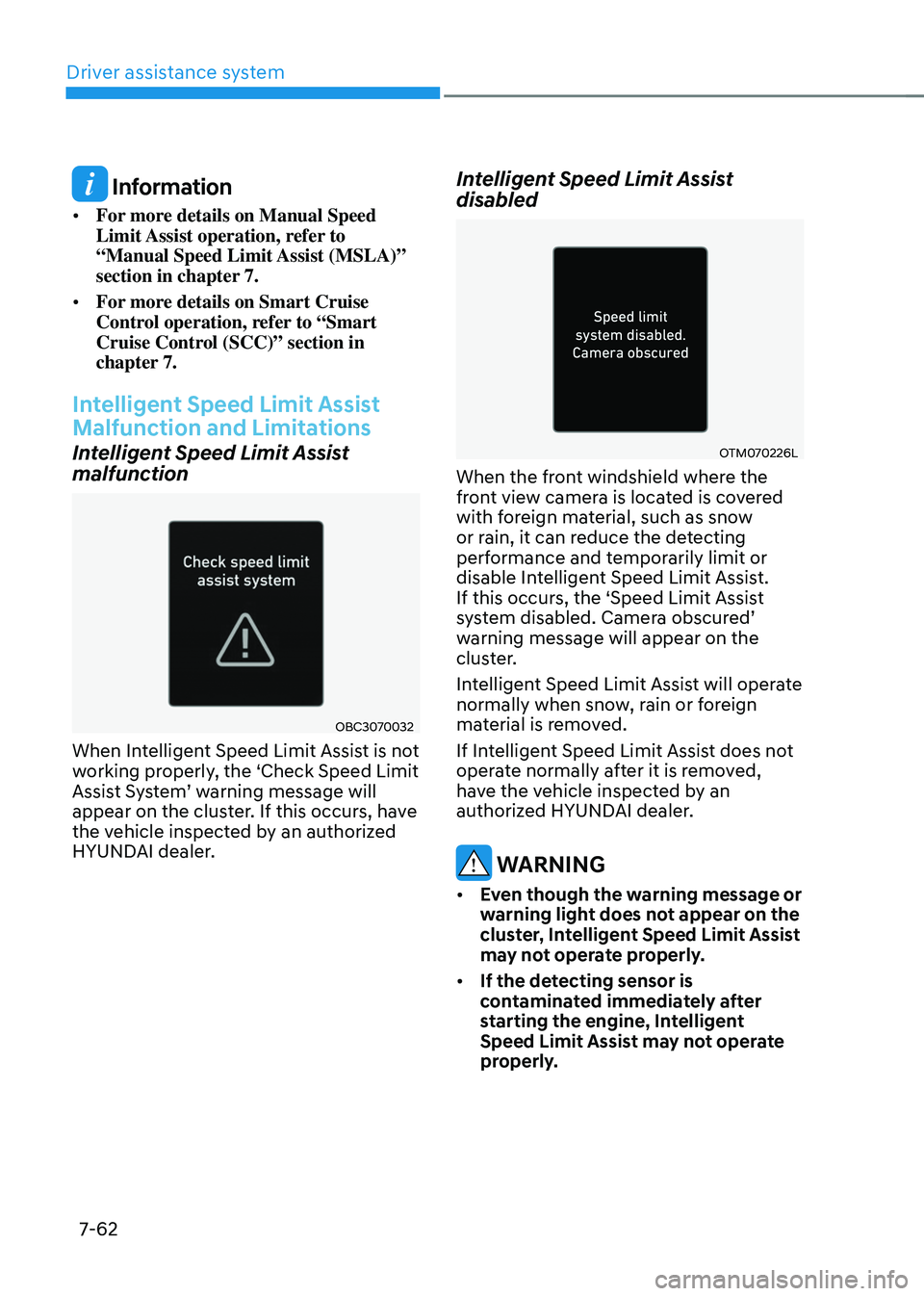
malfunction
OBC3070032
When Intelligent Speed Limit Assist is not
working properly, the ‘Check Speed Limit
Assist
S
ystem’
w
arning
message will appear on the clust
er. If this occurs, have
the vehicle inspected by an authorized
HYUNDAI dealer.
Intelligent Speed Limit Assist
disabled
OTM070226L
When the front windshield where the
front view camera is located is covered
with foreign material, such as snow
or rain, it can reduce the detecting
performance and temporarily limit or
disable Intelligent Speed Limit Assist.
If this occurs, the ‘Speed Limit Assist
system
disabled. Camer
a
obscur
ed’
warning message will appear on the
clus
ter.
Intelligent Speed Limit Assist will operate
normally when snow, rain or foreign
material is removed.
If Intelligent Speed Limit Assist does not
operate normally after it is removed,
have the vehicle inspected by an
authorized HYUNDAI dealer.
WARNING
• Even though the warning message or
warning light does not appear on the
cluster, Intelligent Speed Limit Assist
may not operate properly.
• If the detecting sensor is
contaminated immediately after
starting the engine, Intelligent
Speed Limit Assist may not operate
properly.
Page 440 of 630
07
7-81
Smart Cruise Control Operation
Operating conditions
Smart Cruise Control will operate when
the following conditions are satisfied.
Basic function
• The gear is in D (Drive)
• The
driv
er’s
door is closed
• EPB (Electr
onic Parking Brake) is not
applied
• Your vehicle speed is within the
operating speed range
- 5~110 mph (10~180 km/h): when
ther
e is no vehicle in front
- 0~110 mph (0~180 km/h
): when
there is a vehicle in front
• ESC (Electronic Stability Control) or
ABS is on
• ESC (Electronic Stability Control) or
ABS is not controlling the vehicle
• Engine rpm is not in the red zone
• Forward Collision-Avoidance Assist
brake control is not operating
• Remote Smart Parking Assist brake
control is not operating (if equipped)
Information
At a stop, if there is no vehicle in front of
your vehicle, Smart Cruise Control will
turn on when the brake pedal is depressed. Overtaking Acceleration Assist
Overtaking Acceleration Assist will
operate when the turn signal indicator
is turned on to the left (left-hand drive)
or turned on to the right (right-hand
drive) while Smart Cruise Control is
operating, and the following conditions
are satisfied:
•
Your vehicle speed is above 40 mph
(60 km/h)
• The hazard warning flasher is off
• A vehicle is detected in front of your
vehicle
• Deceleration is not needed to
maintain distance with the vehicle in
front
WARNING
• When the turn signal indicator is
turned on to the left while there is
a vehicle ahead, the vehicle may
accelerate temporarily. Pay attention
to the road conditions at all times.
• Regardless of your countries driving
direction, Overtaking Acceleration
Assist will operate when the
conditions are satisfied. When
using the function in countries with
different driving direction, always
check the road conditions at all
times.
Page 446 of 630
07
7-87
Information
• Smart Cruise Control may not operate
for 15 seconds after the vehicle is
started or the front view camera or
front radar is initialized.
• You may hear a sound when the brake
is controlled by Smart Cruise Control.
Smart Cruise Control
Malfunction and Limitations
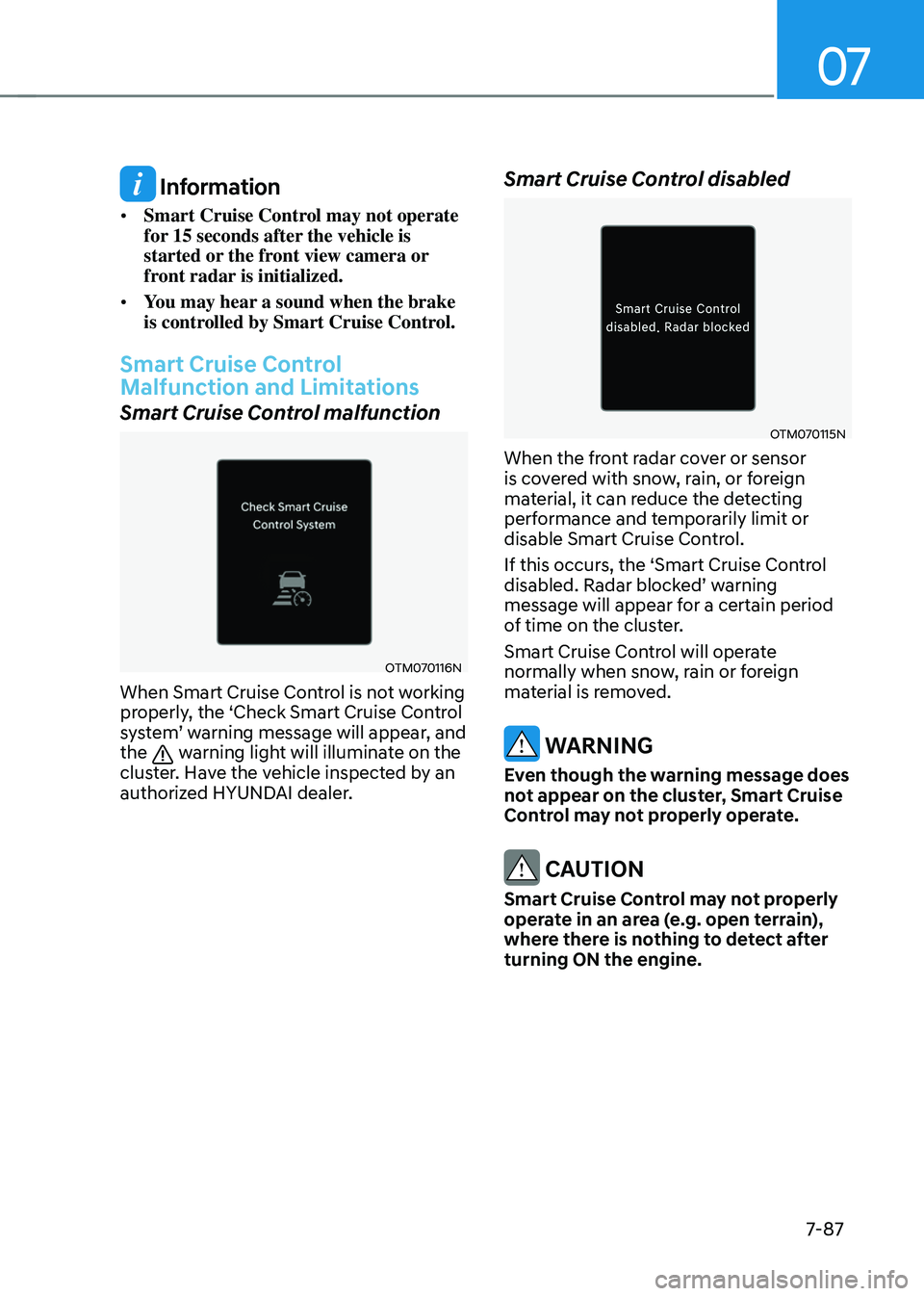
Smart Cruise Control malfunction
OTM070116N
When Smart Cruise Control is not working
properly, the ‘Check Smart Cruise Control
system’
w
arning
message will appear
,
and the warning light will illuminate on the
cluster. Have the vehicle inspected by an
authorized HYUNDAI dealer.
Smart Cruise Control disabled
OTM070115N
When the front radar cover or sensor
is covered with snow, rain, or foreign
material, it can reduce the detecting
performance and temporarily limit or
disable Smart Cruise Control.
If this occurs, the ‘Smart Cruise Control
disabled.
Radar block
ed’
w
arning
message will appear for a certain period
of time on the cluster.
Smart Cruise Control will operate
normally when snow, rain or foreign
material is removed.
WARNING
Even though the warning message does
not appear on the cluster, Smart Cruise
Control may not properly operate.
CAUTION
Smart Cruise Control may not properly
operate in an area (e.g. open terrain),
where there is nothing to detect after
turning ON the engine.
Page 487 of 630
Driver assistance system
7-128
WARNING
• Even though the warning message
does not appear on the cluster, Rear
Cross-Traffic Safety system may not
operate properly.
• Rear Cross-Traffic Safety system may
not operate properly in an area (for
example: open terrain), where any
substance are not detected after
turning ON the engine.
CAUTION
Turn off Rear Cross-Traffic Safety
system to install a trailer, carrier, etc.,
or remove the trailer, carrier, etc. to use
Rear Cross-Traffic Safety system.
Limitations of Rear Cross-Traffic
Safety system
Rear Cross-Traffic Safety system may
not operate normally, or the function
may operate unexpectedly under the
following circumstances:
• Departing from where trees or grass
are overgrown
• Departing from where roads are wet
• Speed of the approaching vehicle is
fast or slow
Braking
con
trol
ma
y
no
t
w
ork,
driv
er’s
att
ention is required in the following
circumstances:
• The vehicle severely vibrates while
driving over a bumpy road, uneven
road or concrete patch
• Driving on a slippery surface due to
snow, water puddle, ice, etc.
• The tire pressure is low or a tire is
damaged
• The brake is reworked
• Remote Smart Parking Assist is
operating (if equipped)
Information
For more details on the limitations of the
rear corner radar, refer to “Blind-Spot
Collision-Avoidance Assist (BCA)” section
in chapter 7.
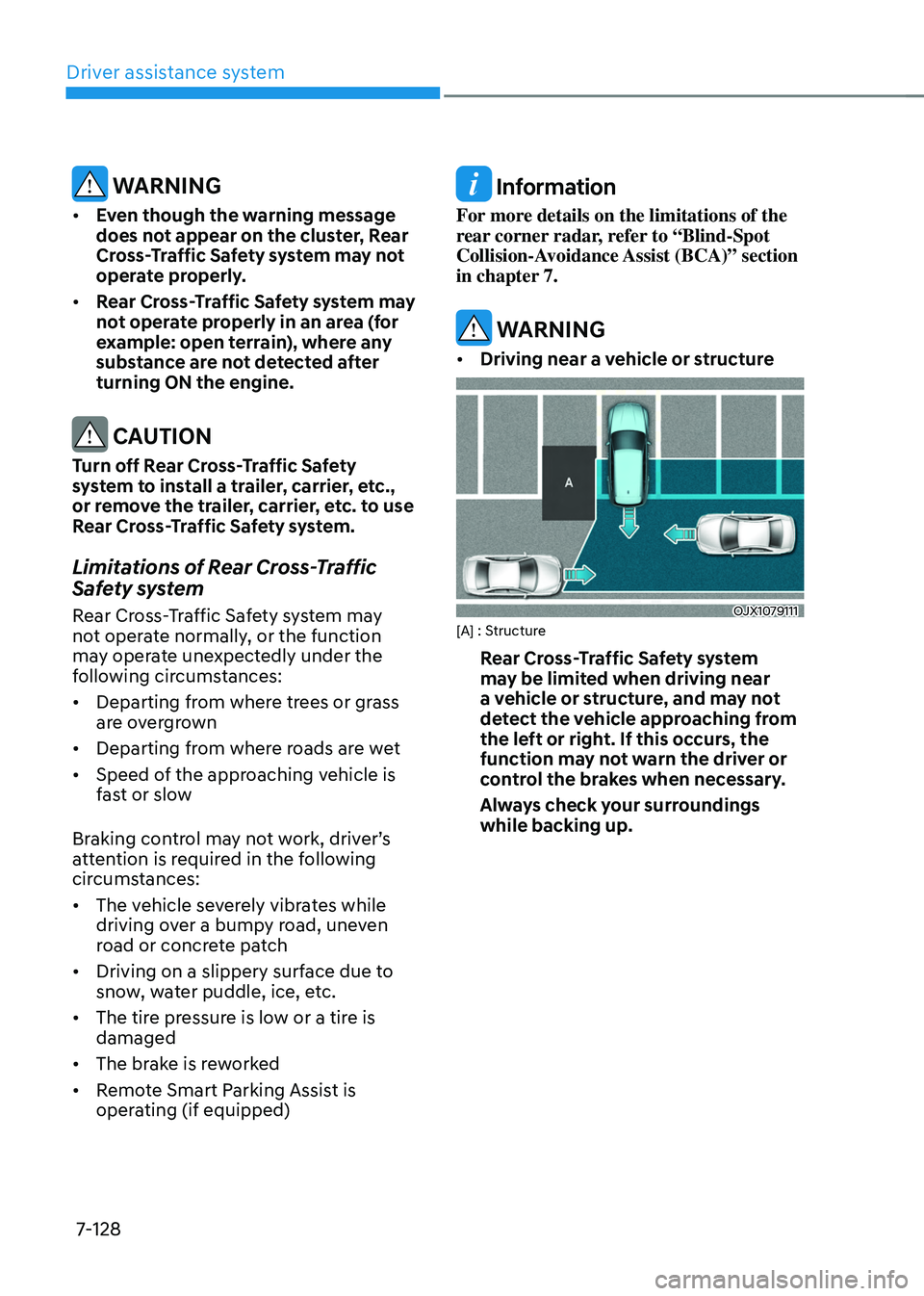
WARNING
• Driving near a vehicle or structure
OJX1079111[A] : Structure
Rear Cross-Traffic Safety system
may be limited when driving near
a vehicle or structure, and may not
detect the vehicle approaching from
the left or right. If this occurs, the
function may not warn the driver or
control the brakes when necessary.
Always check your surroundings
while backing up.
Page 492 of 630
07
7-133
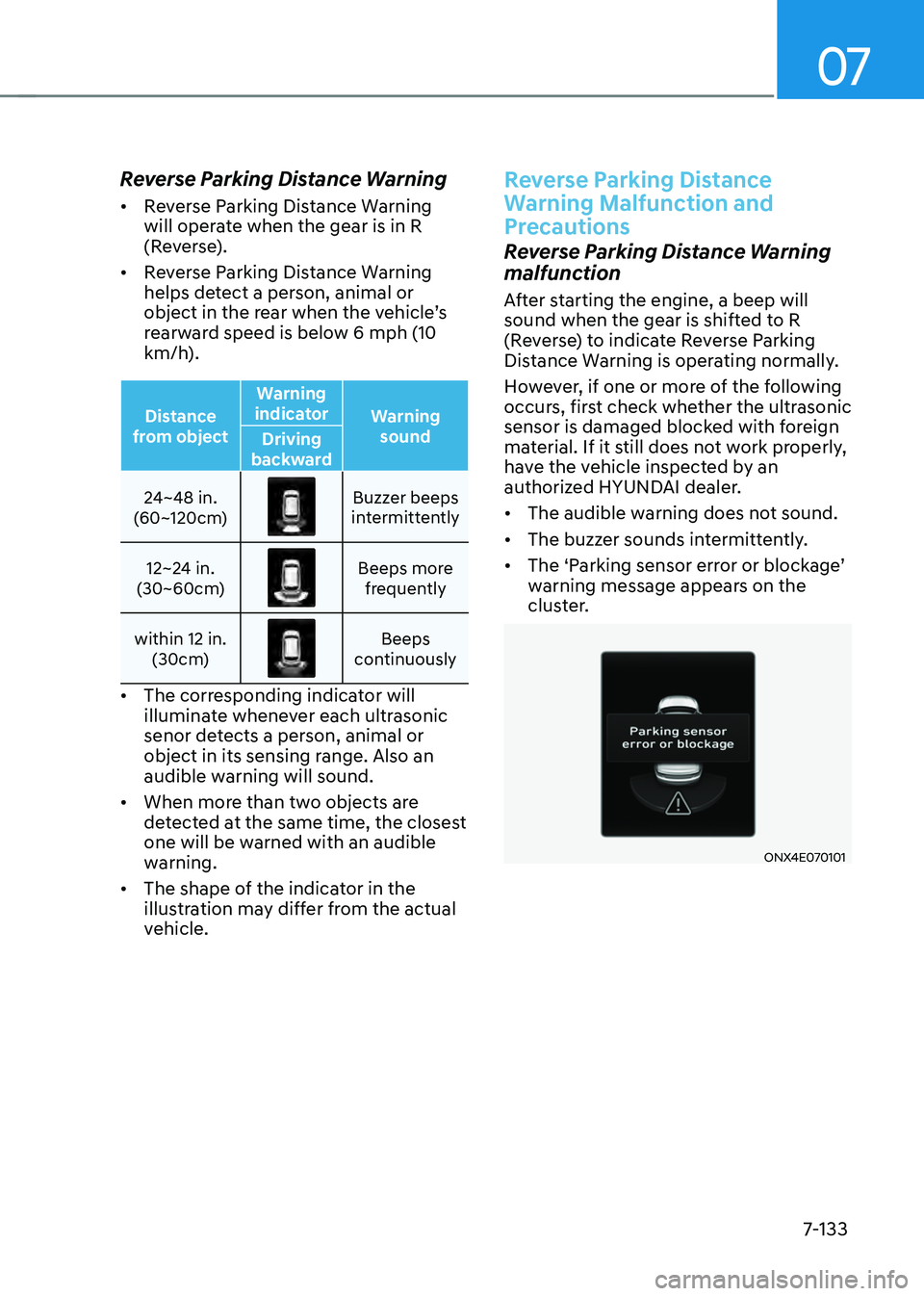
Reverse Parking Distance Warning
• Reverse Parking Distance Warning
will operate when the gear is in R
(Reverse).
• Reverse Parking Distance Warning
helps detect a person, animal or
object
in the r
ear
when the v
ehicle’s
rearw
ard speed is below 6 mph (10
km/h).
Distance
from object Warning
indicator Warning
sound
Driving
backward
24~48 in.
(60~120cm)
Buzzer beeps
intermittently
12~24 in.
(30~60cm)
Beeps more frequently
within 12 in. (30cm)
Beeps
continuously
• The corresponding indicator will
illuminate whenever each ultrasonic
senor detects a person, animal or
object in its sensing range. Also an
audible warning will sound.
• When more than two objects are
detected at the same time, the closest
one will be warned with an audible
warning.
• The shape of the indicator in the
illustration may differ from the actual
vehicle.
Reverse Parking Distance
Warning Malfunction and
Precautions
Reverse Parking Distance Warning
malfunction
After starting the engine, a beep will
sound when the gear is shifted to R
(Reverse) to indicate Reverse Parking
Distance Warning is operating normally.
However, if one or more of the following
occurs, first check whether the ultrasonic
sensor is damaged blocked with foreign
material. If it still does not work properly,
have the vehicle inspected by an
authorized HYUNDAI dealer.
• The audible warning does not sound.
• The buzzer sounds intermittently.
• The
‘P
arking
sensor err
or
or block
age’
warning message appear
s on the
cluster.
ONX4E070101
Page 497 of 630
Driver assistance system
7-138
Forward/Reverse Parking
Distance Warning Malfunction
and Precautions
Forward/Reverse Parking Distance
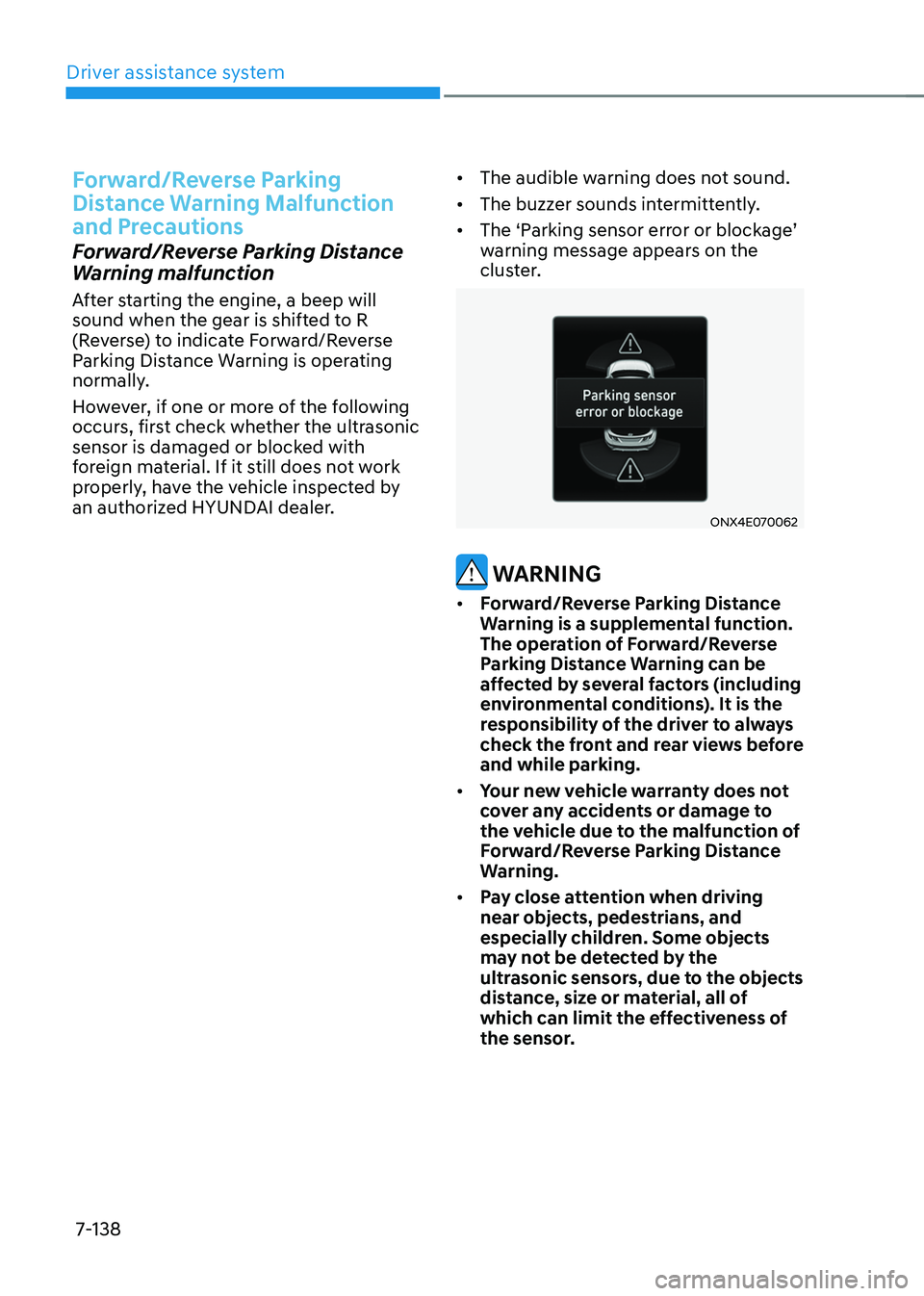
Warning malfunction
After starting the engine, a beep will
sound when the gear is shifted to R
(Reverse) to indicate Forward/Reverse
Parking Distance Warning is operating
normally.
However, if one or more of the following
occurs, first check whether the ultrasonic
sensor is damaged or blocked with
foreign material. If it still does not work
properly, have the vehicle inspected by
an authorized HYUNDAI dealer. •
The audible warning does not sound.
• The buzzer sounds intermittently.
• The
‘P
arking
sensor err
or
or block
age’
warning message appear
s on the
cluster.
ONX4E070062
WARNING
• Forward/Reverse Parking Distance
Warning is a supplemental function.
The operation of Forward/Reverse
Parking Distance Warning can be
affected by several factors (including
environmental conditions). It is the
responsibility of the driver to always
check the front and rear views before
and while parking.
• Your new vehicle warranty does not
cover any accidents or damage to
the vehicle due to the malfunction of
Forward/Reverse Parking Distance
Warning.
• Pay close attention when driving
near objects, pedestrians, and
especially children. Some objects
may not be detected by the
ultrasonic sensors, due to the objects
distance, size or material, all of
which can limit the effectiveness of
the sensor.
Page 503 of 630
Driver assistance system
7-144
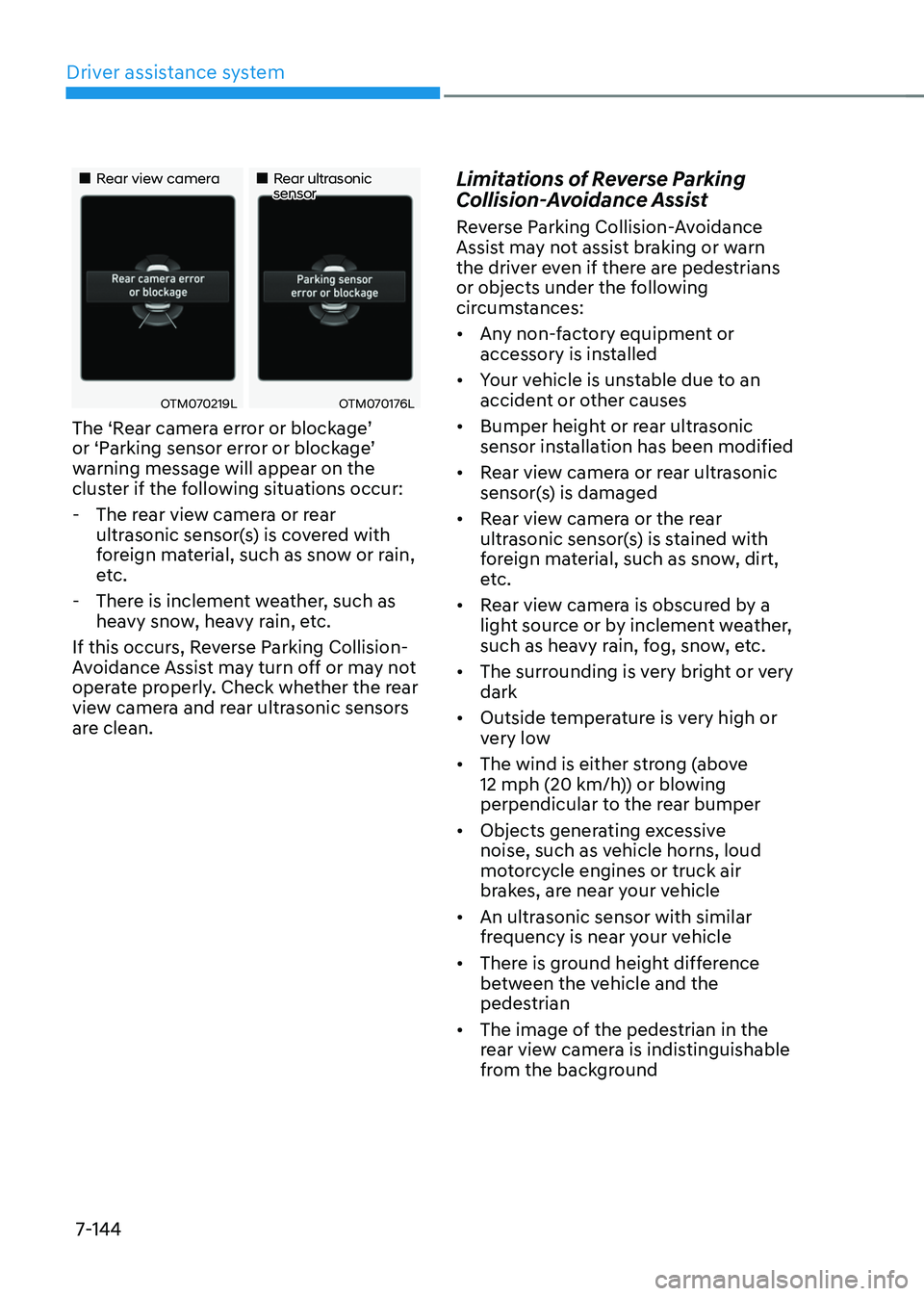
„„Rear view camera„„Rear ultrasonic sensor
OTM070219LOTM070176L
The ‘Rear camera error or blockage’ or ‘P
arking sensor err or or block age’ warning message will appear on the
clus
ter if the following situations occur:
- The rear vie
w camera or rear
ultrasonic sensor(s) is covered with
foreign material, such as snow or rain,
etc.
- There is inclemen
t weather, such as
heavy snow, heavy rain, etc.
If this occurs, Reverse Parking Collision-
Avoidance Assist may turn off or may not
operate properly. Check whether the rear
view camera and rear ultrasonic sensors
are clean.
Limitations of Reverse Parking
Collision-Avoidance Assist
Reverse Parking Collision-Avoidance
Assist may not assist braking or warn
the driver even if there are pedestrians
or objects under the following
circumstances:
• Any non-factory equipment or
accessory is installed
• Your vehicle is unstable due to an
accident or other causes
• Bumper height or rear ultrasonic
sensor installation has been modified
• Rear view camera or rear ultrasonic
sensor(s) is damaged
• Rear view camera or the rear
ultrasonic sensor(s) is stained with
foreign material, such as snow, dirt,
etc.
• Rear view camera is obscured by a
light source or by inclement weather,
such as heavy rain, fog, snow, etc.
• The surrounding is very bright or very
dark
• Outside temperature is very high or
very low
• The wind is either strong (above
12 mph (20 km/h)) or blowing
perpendicular to the rear bumper
• Objects generating excessive
noise, such as vehicle horns, loud
motorcycle engines or truck air
brakes, are near your vehicle
• An ultrasonic sensor with similar
frequency is near your vehicle
• There is ground height difference
between the vehicle and the
pedestrian
• The image of the pedestrian in the
rear view camera is indistinguishable
from the background
Page 511 of 630
Driver assistance system
7-152
• 'Agree' must be selected on the
infotainment system screen and the
infotainment system has to operate
properly to use Remote Forward/
Backward function.
• Method (2) can be used after the
vehicle has been driven above 3
mph (5 km/h).
• If the function is turned on again
after parallel parking is completed
by Remote Smart Parking Assist,
Remote Forward/Backward function
can be used with Method (2).
• Check that all smart keys are
outside the vehicle when using
Remote Forward/Backward
function.
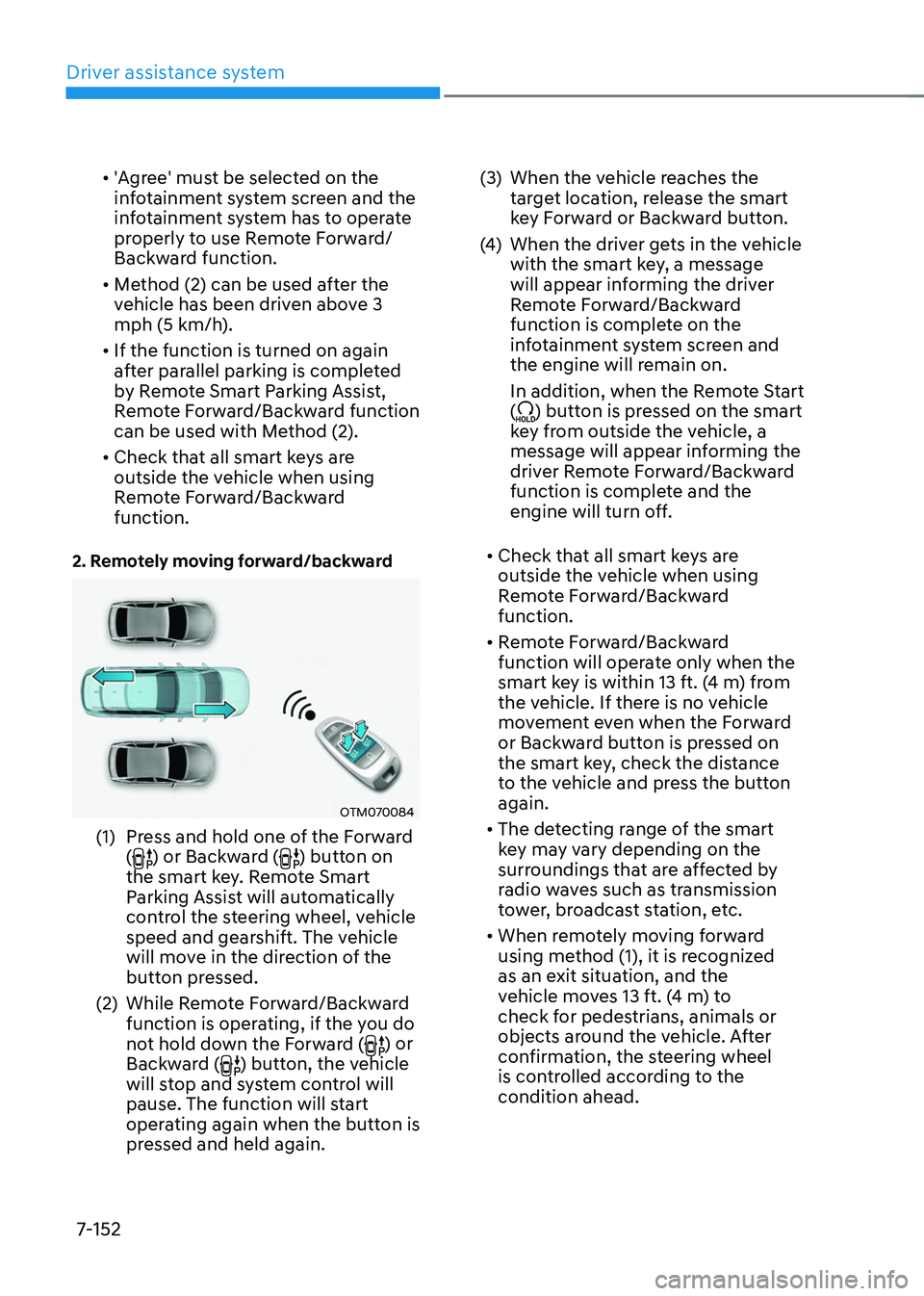
2. Remotely moving forward/backward
OTM070084
(1) Press and hold one of the Forward
() or Backward () button on
the smart key. Remote Smart
Parking Assist will automatically
control the steering wheel, vehicle
speed and gearshift. The vehicle
will move in the direction of the
button pressed.
(2)
While Remo
te Forward/Backward
function is operating, if the you do
not hold down the Forward (
) or
Backward () button, the vehicle
will stop and system control will
pause. The function will start
operating again when the button is
pressed and held again. (3)
When the vehicle r
eaches the
target location, release the smart
key Forward or Backward button.
(4)
When the driver ge
ts in the vehicle
with the smart key, a message
will appear informing the driver
Remote Forward/Backward
function is complete on the
infotainment system screen and
the engine will remain on.
In addition, when the Remote Start
(
) button is pressed on the smart
key from outside the vehicle, a
message will appear informing the
driver Remote Forward/Backward
function is complete and the
engine will turn off.
• Check that all smart keys are
outside the vehicle when using
Remote Forward/Backward
function.
• Remote Forward/Backward
function will operate only when the
smart key is within 13 ft. (4 m) from
the vehicle. If there is no vehicle
movement even when the Forward
or Backward button is pressed on
the smart key, check the distance
to the vehicle and press the button
again.
• The detecting range of the smart
key may vary depending on the
surroundings that are affected by
radio waves such as transmission
tower, broadcast station, etc.
• When remotely moving forward
using method (1), it is recognized
as an exit situation, and the
vehicle moves 13 ft. (4 m) to
check for pedestrians, animals or
objects around the vehicle. After
confirmation, the steering wheel
is controlled according to the
condition ahead.
Page 521 of 630

8. Emergency situations
Hazard warning flasher........................................................................\
.............8-2
In case of an emergency while driving
............................................................ 8
-3
If the engine stalls while driving ........................................................................\
.........8-3
If the engine s talls at a crossroad or crossing ............................................................ 8
-3
If you have a flat tire while driving
........................................................................\
...... 8
-3
If the engine will not start ........................................................................\
........8-4
If the 12 Volt Ba ttery Is Discharged
.................................................................. 8-5
Before Jump Starting ........................................................................\
........................... 8-5
Jump Starting ........................................................................\
...................................... 8-6
If the Engine Overheats ........................................................................\
............8-8
Tire Pr essure Monitoring System (TPMS)
....................................................... 8-
10
Check tire pressure ........................................................................\
............................8-10
Tir e pressure monitoring system ........................................................................\
........ 8-11
L
ow tire pressure warning light
........................................................................\
......... 8-
12
Low tire pressure position and tire pressure indicator
............................................ 8-
12
TPMS (Tire Pressure Monitoring System) malfunction indicator
............................ 8-
13
Changing a tire with TPMS
........................................................................\
................ 8-
13
If you have a flat tire (with Tire Mobility Kit) ..................................................8-15Introduction ........................................................................\
........................................ 8-15
N otes on the safe use of the Tire Mobility Kit .......................................................... 8-
16
Components of the Tire Mobility Kit
........................................................................\
.. 8-
17
Using the Tire Mobility Kit
........................................................................\
................. 8-
18
Checking the tire inflation pressure
........................................................................\
.. 8-
21
Towing ........................................................................\
.....................................8-23Towing service ........................................................................\
....................................8-23
R emovable towing hook ........................................................................\
.................... 8
-24
Emergency towing
........................................................................\
............................. 8-
25
Emergency / Roadside assistance accessories ............................................8-27Fire extinguisher ........................................................................\
................................. 8-27
Fir st aid kit ........................................................................\
..................................... .....8-27
Triangle reflector
........................................................................\
................................ 8-
27
Tire pressure gauge
........................................................................\
........................... 8-
27
Emergency situations
8