warning HYUNDAI VELOSTER 2011 Owners Manual
[x] Cancel search | Manufacturer: HYUNDAI, Model Year: 2011, Model line: VELOSTER, Model: HYUNDAI VELOSTER 2011Pages: 386, PDF Size: 7.79 MB
Page 137 of 386
463
Features of your vehicle
Sunroof open warning chime
(if equipped)
If the driver turns off the engine and
opens the driver-side door when the sun-
roof is not fully closed, the warning chime
will sound for approximately 7 seconds.
Close the sunroof securely when leaving
your vehicle.
Overspeed warning
(if equipped)
Overspeed warning light
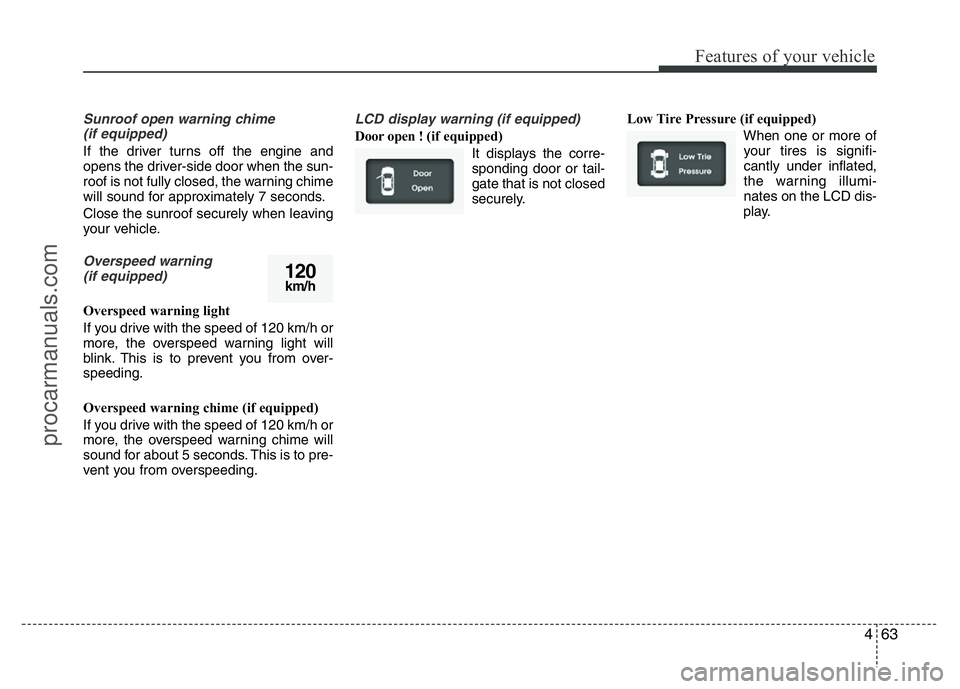
If you drive with the speed of 120 km/h or
more, the overspeed warning light will
blink. This is to prevent you from over-
speeding.
Overspeed warning chime (if equipped)
If you drive with the speed of 120 km/h or
more, the overspeed warning chime will
sound for about 5 seconds. This is to pre-
vent you from overspeeding.
LCD display warning (if equipped)
Door open ! (if equipped)
It displays the corre-
sponding door or tail-
gate that is not closed
securely.Low Tire Pressure (if equipped)
When one or more of
your tires is signifi-
cantly under inflated,
the warning illumi-
nates on the LCD dis-
play.
120km/h
procarmanuals.com
Page 138 of 386
Features of your vehicle
64 4
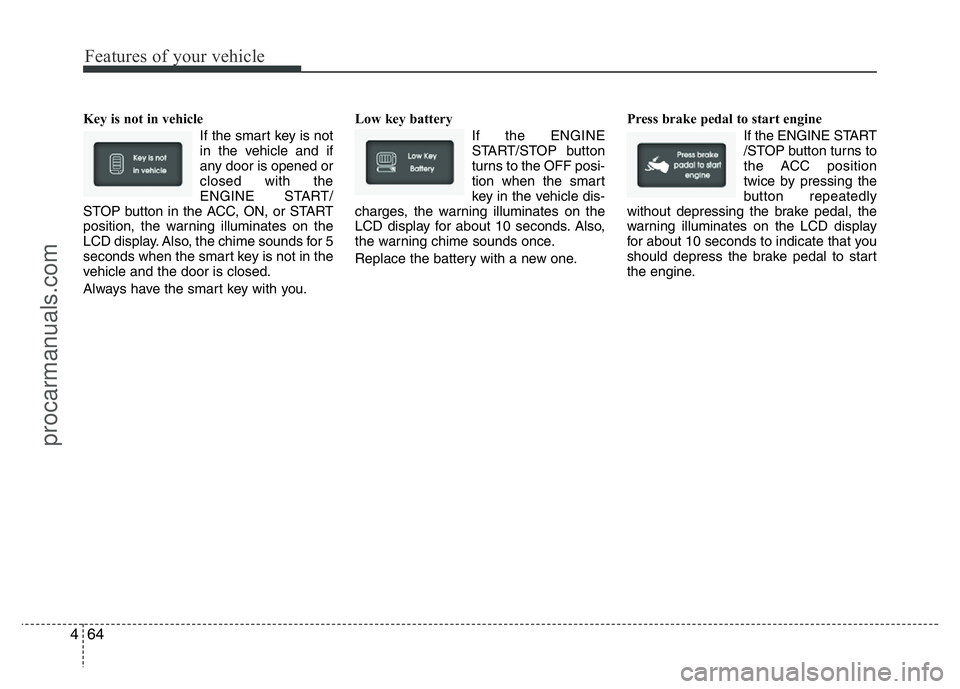
Key is not in vehicle
If the smart key is not
in the vehicle and if
any door is opened or
closed with the
ENGINE START/
STOP button in the ACC, ON, or START
position, the warning illuminates on the
LCD display. Also, the chime sounds for 5
seconds when the smart key is not in the
vehicle and the door is closed.
Always have the smart key with you.Low key battery
If the ENGINE
START/STOP button
turns to the OFF posi-
tion when the smart
key in the vehicle dis-
charges, the warning illuminates on the
LCD display for about 10 seconds. Also,
the warning chime sounds once.
Replace the battery with a new one.Press brake pedal to start engine
If the ENGINE START
/STOP button turns to
the ACC position
twice by pressing the
button repeatedly
without depressing the brake pedal, the
warning illuminates on the LCD display
for about 10 seconds to indicate that you
should depress the brake pedal to start
the engine.
procarmanuals.com
Page 139 of 386
465
Features of your vehicle
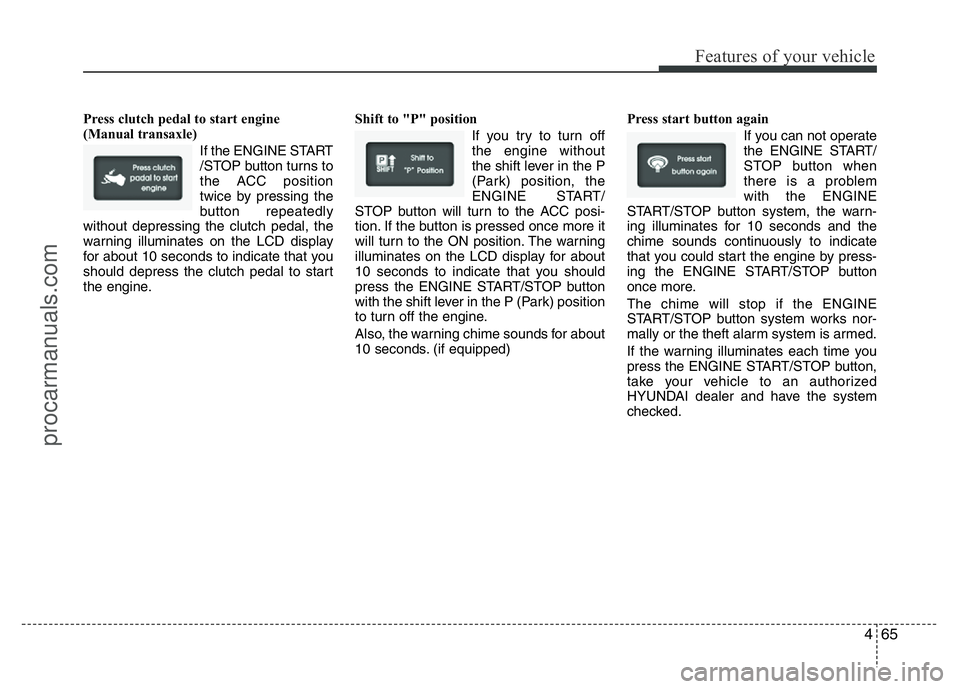
Press clutch pedal to start engine
(Manual transaxle)
If the ENGINE START
/STOP button turns to
the ACC position
twice by pressing the
button repeatedly
without depressing the clutch pedal, the
warning illuminates on the LCD display
for about 10 seconds to indicate that you
should depress the clutch pedal to start
the engine.Shift to "P" position
If you try to turn off
the engine without
the shift lever in the P
(Park) position, the
ENGINE START/
STOP button will turn to the ACC posi-
tion. If the button is pressed once more it
will turn to the ON position. The warning
illuminates on the LCD display for about
10 seconds to indicate that you should
press the ENGINE START/STOP button
with the shift lever in the P (Park) position
to turn off the engine.
Also, the warning chime sounds for about
10 seconds. (if equipped)Press start button again
If you can not operate
the ENGINE START/
STOP button when
there is a problem
with the ENGINE
START/STOP button system, the warn-
ing illuminates for 10 seconds and the
chime sounds continuously to indicate
that you could start the engine by press-
ing the ENGINE START/STOP button
once more.
The chime will stop if the ENGINE
START/STOP button system works nor-
mally or the theft alarm system is armed.
If the warning illuminates each time you
press the ENGINE START/STOP button,
take your vehicle to an authorized
HYUNDAI dealer and have the system
checked.
procarmanuals.com
Page 140 of 386
Features of your vehicle
66 4
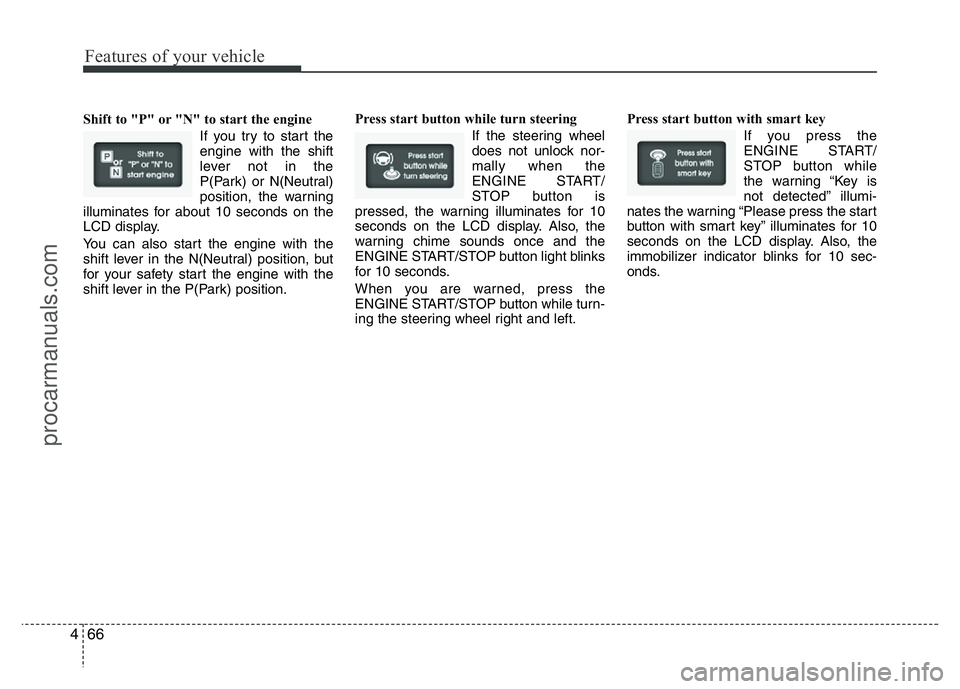
Shift to "P" or "N" to start the engine
If you try to start the
engine with the shift
lever not in the
P(Park) or N(Neutral)
position, the warning
illuminates for about 10 seconds on the
LCD display.
You can also start the engine with the
shift lever in the N(Neutral) position, but
for your safety start the engine with the
shift lever in the P(Park) position.Press start button while turn steering
If the steering wheel
does not unlock nor-
mally when the
ENGINE START/
STOP button is
pressed, the warning illuminates for 10
seconds on the LCD display. Also, the
warning chime sounds once and the
ENGINE START/STOP button light blinks
for 10 seconds.
When you are warned, press the
ENGINE START/STOP button while turn-
ing the steering wheel right and left.Press start button with smart key
If you press the
ENGINE START/
STOP button while
the warning “Key is
not detected” illumi-
nates the warning “Please press the start
button with smart key” illuminates for 10
seconds on the LCD display. Also, the
immobilizer indicator blinks for 10 sec-
onds.
procarmanuals.com
Page 141 of 386
467
Features of your vehicle
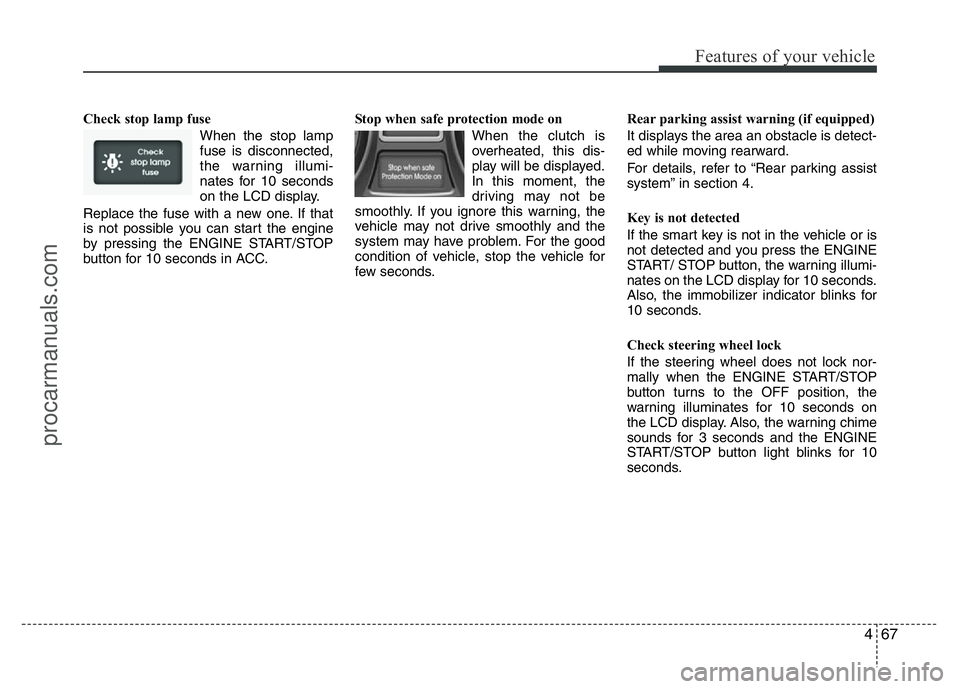
Check stop lamp fuse
When the stop lamp
fuse is disconnected,
the warning illumi-
nates for 10 seconds
on the LCD display.
Replace the fuse with a new one. If that
is not possible you can start the engine
by pressing the ENGINE START/STOP
button for 10 seconds in ACC.Stop when safe protection mode on
When the clutch is
overheated, this dis-
play will be displayed.
In this moment, the
driving may not be
smoothly. If you ignore this warning, the
vehicle may not drive smoothly and the
system may have problem. For the good
condition of vehicle, stop the vehicle for
few seconds.Rear parking assist warning (if equipped)
It displays the area an obstacle is detect-
ed while moving rearward.
For details, refer to “Rear parking assist
system” in section 4.
Key is not detected
If the smart key is not in the vehicle or is
not detected and you press the ENGINE
START/ STOP button, the warning illumi-
nates on the LCD display for 10 seconds.
Also, the immobilizer indicator blinks for
10 seconds.
Check steering wheel lock
If the steering wheel does not lock nor-
mally when the ENGINE START/STOP
button turns to the OFF position, the
warning illuminates for 10 seconds on
the LCD display. Also, the warning chime
sounds for 3 seconds and the ENGINE
START/STOP button light blinks for 10
seconds.
procarmanuals.com
Page 142 of 386
Features of your vehicle
68 4
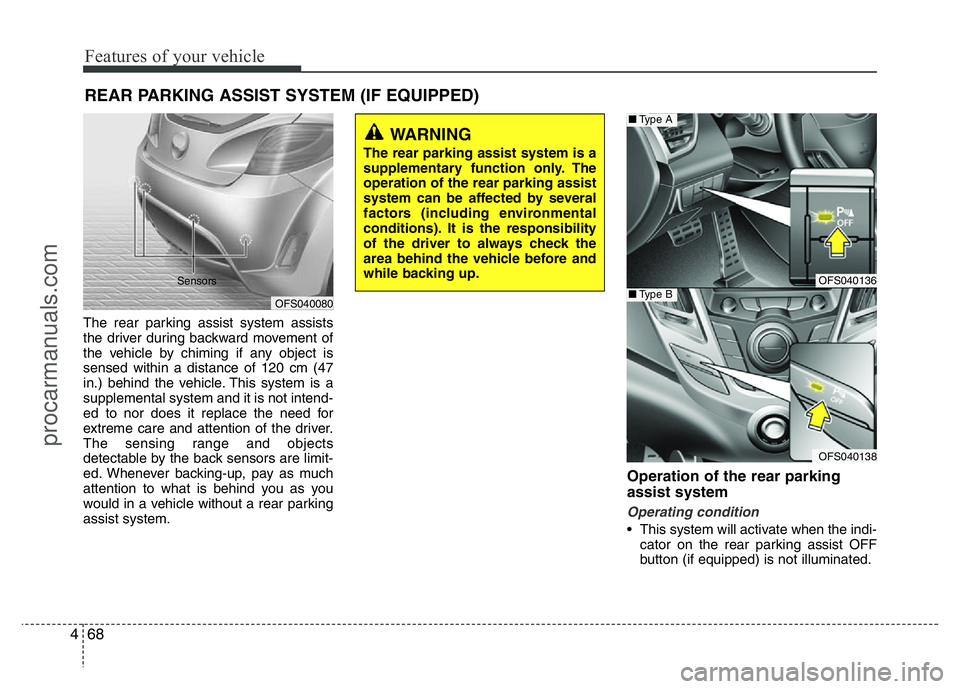
The rear parking assist system assists
the driver during backward movement of
the vehicle by chiming if any object is
sensed within a distance of 120 cm (47
in.) behind the vehicle. This system is a
supplemental system and it is not intend-
ed to nor does it replace the need for
extreme care and attention of the driver.
The sensing range and objects
detectable by the back sensors are limit-
ed. Whenever backing-up, pay as much
attention to what is behind you as you
would in a vehicle without a rear parking
assist system.
Operation of the rear parking
assist system
Operating condition
• This system will activate when the indi-
cator on the rear parking assist OFF
button (if equipped) is not illuminated.
REAR PARKING ASSIST SYSTEM (IF EQUIPPED)
WARNING
The rear parking assist system is a
supplementary function only. The
operation of the rear parking assist
system can be affected by several
factors (including environmental
conditions). It is the responsibility
of the driver to always check the
area behind the vehicle before and
while backing up.
OFS040080 Sensors
OFS040136
OFS040138
■Type A
■Type B
procarmanuals.com
Page 143 of 386
469
Features of your vehicle
If you desire to deactivate the rear
parking assist system, press the rear
parking assist OFF button again. (The
indicator on the button will illuminate.)
To turn the system on, press the button
again. (The indicator on the button will
go off.)
• This system will activate when backing
up with the ignition switch ON.
If the vehicle is moving at a speed over
10 km/h (6 mph), the system may not
be activated correctly.
• The sensing distance while the rear
parking assist system is in operation is
approximately 120 cm (47 in.).
• When more than two objects are
sensed at the same time, the closest
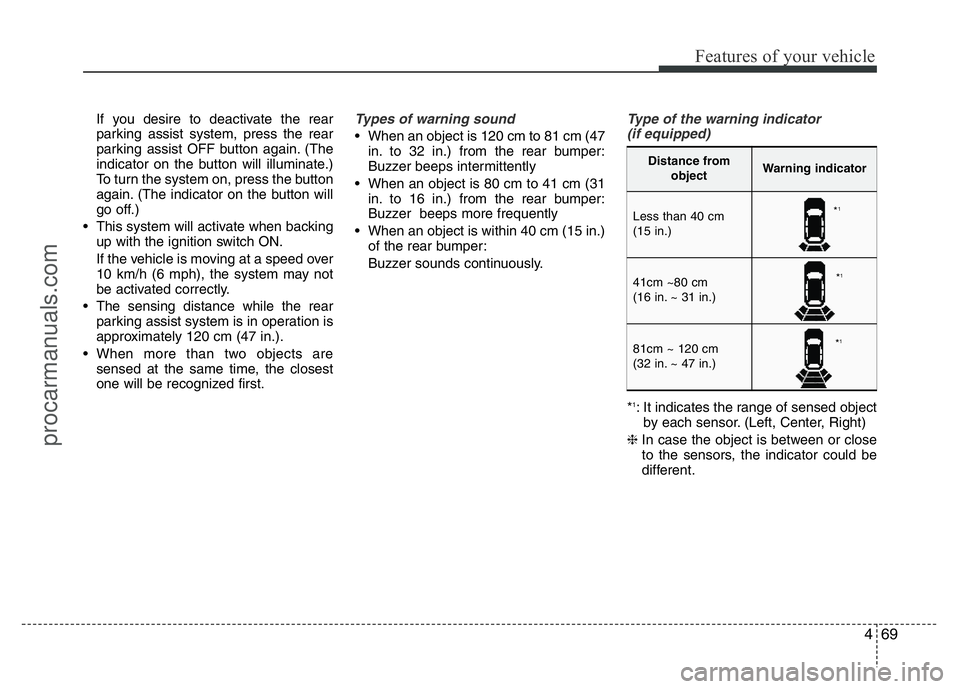
one will be recognized first.Types of warning sound
• When an object is 120 cm to 81 cm (47
in. to 32 in.) from the rear bumper:
Buzzer beeps intermittently
• When an object is 80 cm to 41 cm (31
in. to 16 in.) from the rear bumper:
Buzzer beeps more frequently
• When an object is within 40 cm (15 in.)
of the rear bumper:
Buzzer sounds continuously.
Type of the warning indicator
(if equipped)
*1: It indicates the range of sensed object
by each sensor. (Left, Center, Right)
❈In case the object is between or close
to the sensors, the indicator could be
different.
Distance from
objectWarning indicator
Less than 40 cm
(15 in.)
41cm ~80 cm
(16 in. ~ 31 in.)
81cm ~ 120 cm
(32 in. ~ 47 in.)
*1
*1
*1
procarmanuals.com
Page 145 of 386
471
Features of your vehicle
✽NOTICE
This system can only sense objects with-
in the range and location of the sensors;
it can not detect objects in other areas
where sensors are not installed. Also,
small or slim objects, such as poles or
objects located between sensors may not
be detected by the sensors.
Always visually check behind the vehi-
cle when backing up.
Be sure to inform any drivers of the
vehicle that may be unfamiliar with the
system regarding the systems capabili-
ties and limitations.
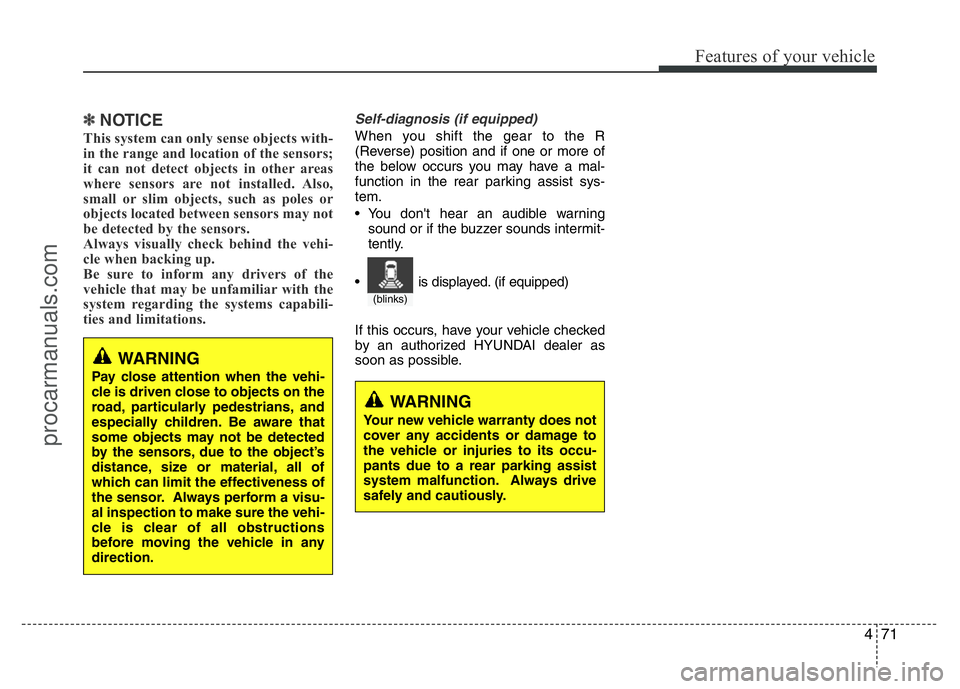
Self-diagnosis (if equipped)
When you shift the gear to the R
(Reverse) position and if one or more of
the below occurs you may have a mal-
function in the rear parking assist sys-
tem.
• You don't hear an audible warning
sound or if the buzzer sounds intermit-
tently.
If this occurs, have your vehicle checked
by an authorized HYUNDAI dealer as
soon as possible.
WARNING
Pay close attention when the vehi-
cle is driven close to objects on the
road, particularly pedestrians, and
especially children. Be aware that
some objects may not be detected
by the sensors, due to the object’s
distance, size or material, all of
which can limit the effectiveness of
the sensor. Always perform a visu-
al inspection to make sure the vehi-
cle is clear of all obstructions
before moving the vehicle in any
direction.
WARNING
Your new vehicle warranty does not
cover any accidents or damage to
the vehicle or injuries to its occu-
pants due to a rear parking assist
system malfunction. Always drive
safely and cautiously.
(blinks)
• is displayed. (if equipped)
procarmanuals.com
Page 146 of 386
Features of your vehicle
72 4
REARVIEW CAMERA (IF EQUIPPED)
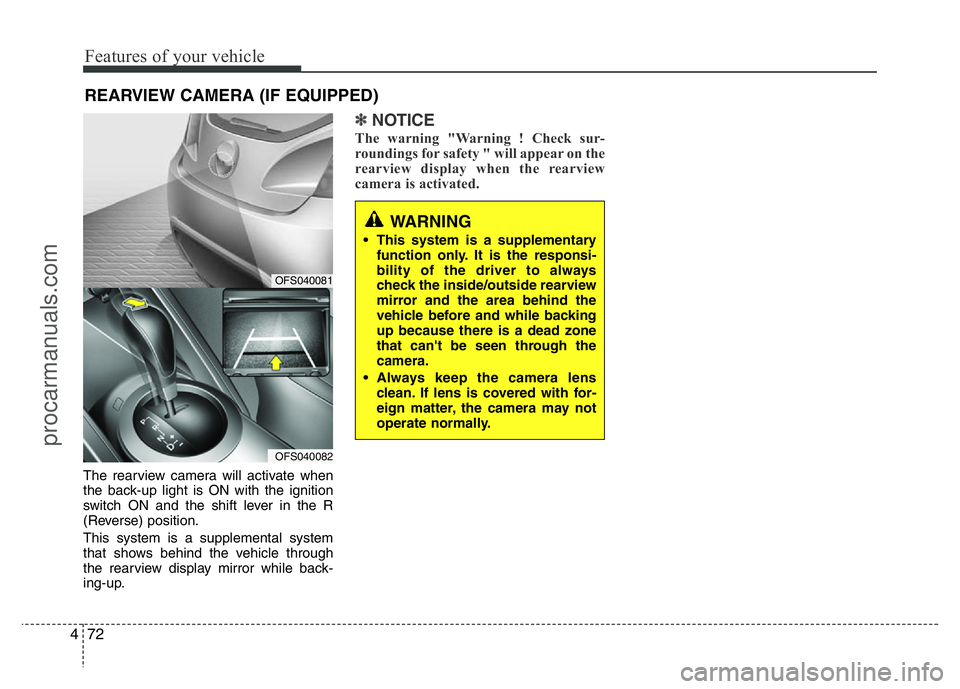
The rearview camera will activate when
the back-up light is ON with the ignition
switch ON and the shift lever in the R
(Reverse) position.
This system is a supplemental system
that shows behind the vehicle through
the rearview display mirror while back-
ing-up.
✽NOTICE
The warning "Warning ! Check sur-
roundings for safety " will appear on the
rearview display when the rearview
camera is activated.
WARNING
• This system is a supplementary
function only. It is the responsi-
bility of the driver to always
check the inside/outside rearview
mirror and the area behind the
vehicle before and while backing
up because there is a dead zone
that can't be seen through the
camera.
• Always keep the camera lens
clean. If lens is covered with for-
eign matter, the camera may not
operate normally.
OFS040081
OFS040082
procarmanuals.com
Page 147 of 386
473
Features of your vehicle
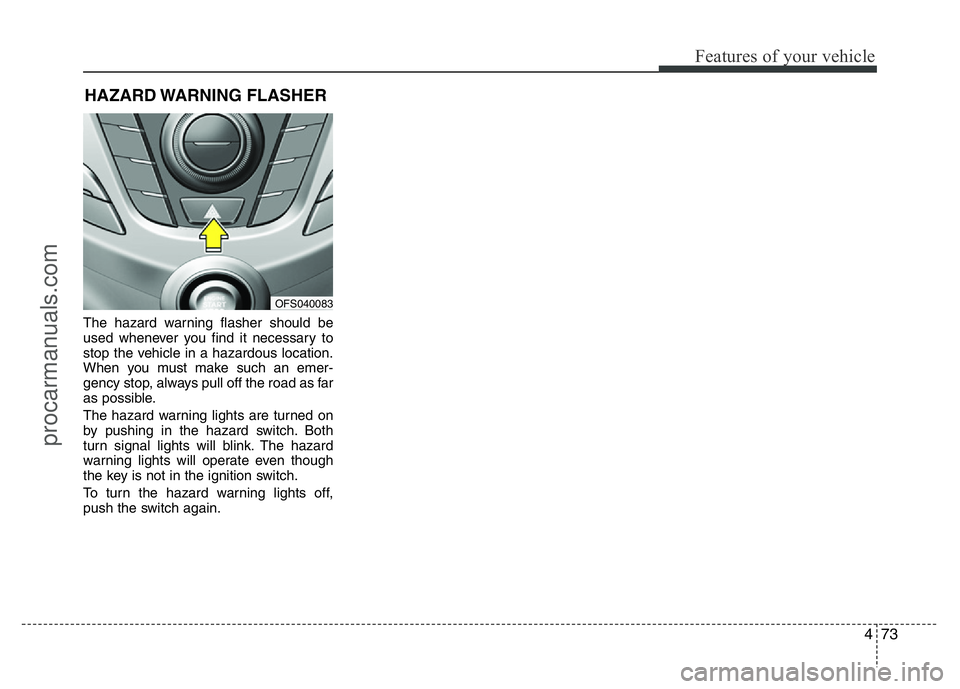
The hazard warning flasher should be
used whenever you find it necessary to
stop the vehicle in a hazardous location.
When you must make such an emer-
gency stop, always pull off the road as far
as possible.
The hazard warning lights are turned on
by pushing in the hazard switch. Both
turn signal lights will blink. The hazard
warning lights will operate even though
the key is not in the ignition switch.
To turn the hazard warning lights off,
push the switch again.
HAZARD WARNING FLASHER
OFS040083
procarmanuals.com