air condition HYUNDAI VELOSTER 2011 Owner's Manual
[x] Cancel search | Manufacturer: HYUNDAI, Model Year: 2011, Model line: VELOSTER, Model: HYUNDAI VELOSTER 2011Pages: 386, PDF Size: 7.79 MB
Page 177 of 386
4103
Features of your vehicle
✽NOTICE
It should be noted that prolonged oper-
ation of the heating in recirculated air
position will cause fogging of the wind-
shield and side windows and the air
within the passenger compartment will
become stale.
In addition, prolonged use of the air
conditioning with the recirculated air
position selected, will result in excessive-
ly dry air in the passenger compart-
ment.
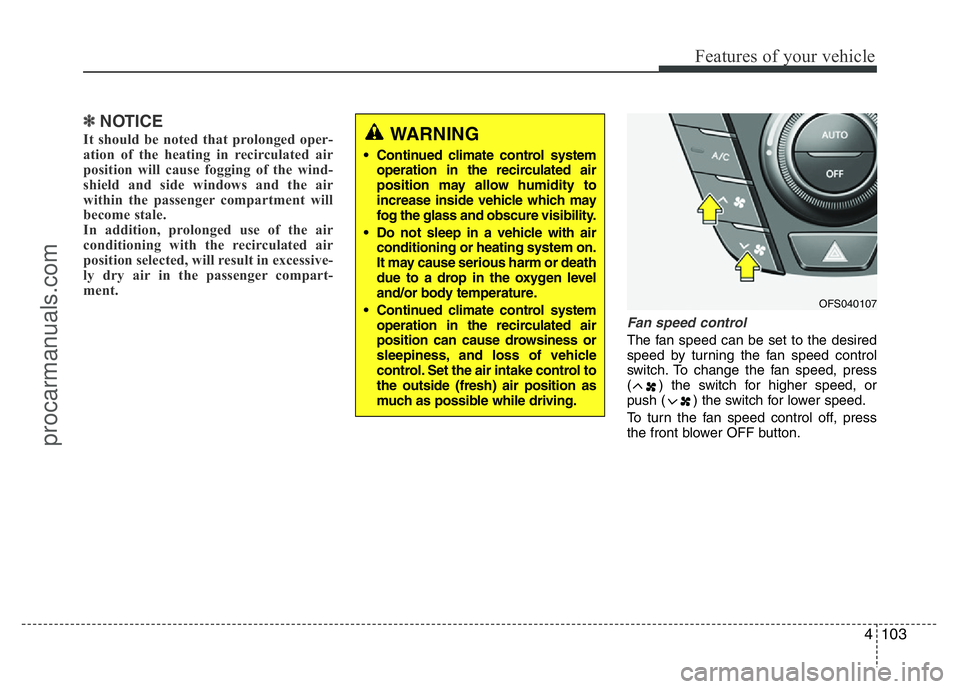
Fan speed control
The fan speed can be set to the desired
speed by turning the fan speed control
switch. To change the fan speed, press
( ) the switch for higher speed, or
push ( ) the switch for lower speed.
To turn the fan speed control off, press
the front blower OFF button.
WARNING
• Continued climate control system
operation in the recirculated air
position may allow humidity to
increase inside vehicle which may
fog the glass and obscure visibility.
• Do not sleep in a vehicle with air
conditioning or heating system on.
It may cause serious harm or death
due to a drop in the oxygen level
and/or body temperature.
• Continued climate control system
operation in the recirculated air
position can cause drowsiness or
sleepiness, and loss of vehicle
control. Set the air intake control to
the outside (fresh) air position as
much as possible while driving.
OFS040107
procarmanuals.com
Page 178 of 386
Features of your vehicle
104 4
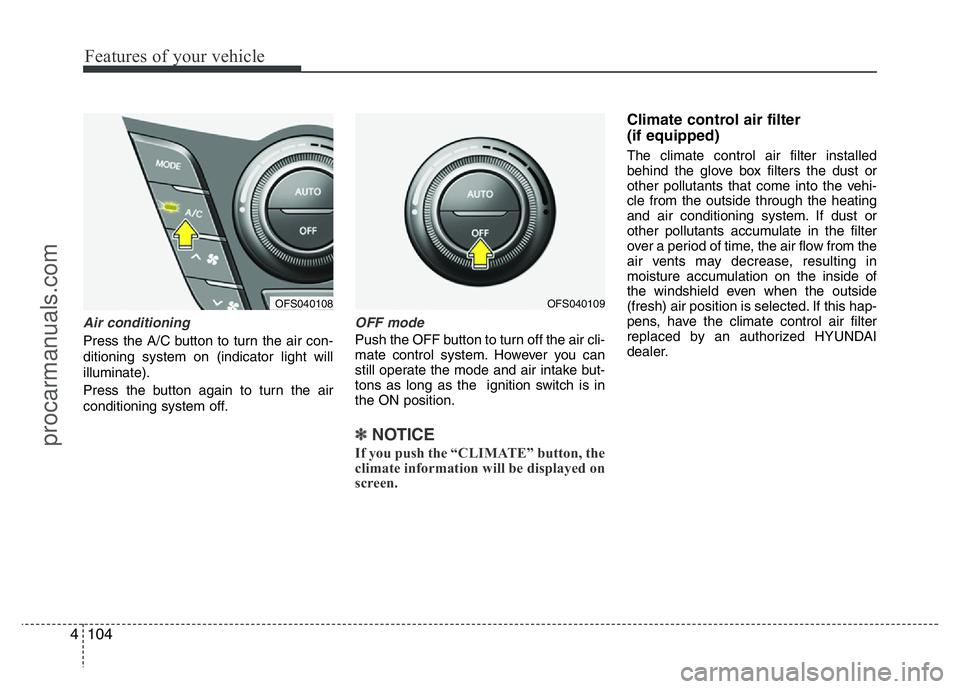
Air conditioning
Press the A/C button to turn the air con-
ditioning system on (indicator light will
illuminate).
Press the button again to turn the air
conditioning system off.
OFF mode
Push the OFF button to turn off the air cli-
mate control system. However you can
still operate the mode and air intake but-
tons as long as the ignition switch is in
the ON position.
✽NOTICE
If you push the “CLIMATE” button, the
climate information will be displayed on
screen.
Climate control air filter
(if equipped)
The climate control air filter installed
behind the glove box filters the dust or
other pollutants that come into the vehi-
cle from the outside through the heating
and air conditioning system. If dust or
other pollutants accumulate in the filter
over a period of time, the air flow from the
air vents may decrease, resulting in
moisture accumulation on the inside of
the windshield even when the outside
(fresh) air position is selected. If this hap-
pens, have the climate control air filter
replaced by an authorized HYUNDAI
dealer.
OFS040109OFS040108
procarmanuals.com
Page 179 of 386
4105
Features of your vehicle
✽NOTICE
• Replace the filter according to the
Maintenance Schedule.
If the vehicle is being driven in severe
conditions such as dusty, rough roads,
more frequent climate control air fil-
ter inspections and changes are
required.
• When the air flow rate suddenly
decreases, the system should be
checked by an authorized HYUNDAI
dealer.
Checking the amount of air con-
ditioner refrigerant and compres-
sor lubricant
When the amount of refrigerant is low,
the performance of the air conditioning is
reduced. Overfilling also has a negative
influence on the air conditioning system.
Therefore, if abnormal operation is
found, have the system inspected by an
authorized HYUNDAI dealer.
✽NOTICE
It is important that the correct type and
amount of oil and refrigerant is used.
Otherwise, damage to the compressor
and abnormal system operation may
occur.
WARNING
The air conditioning system should
be serviced by an authorized
HYUNDAI dealer. Improper service
may cause serious injury to the
person performing the service.
procarmanuals.com
Page 180 of 386
Features of your vehicle
106 4
• For maximum defrosting, set the tem-
perature control to the extreme
right/hot position and the fan speed
control to the highest speed.
• If warm air to the floor is desired while
defrosting or defogging, set the mode
to the floor-defrost position.
• Before driving, clear all snow and ice
from the windshield, rear window, out-
side rear view mirrors, and all side win-
dows.
• Clear all snow and ice from the hood
and air inlet in the cowl grill to improve
heater and defroster efficiency and to
reduce the probability of fogging up
inside of the windshield.
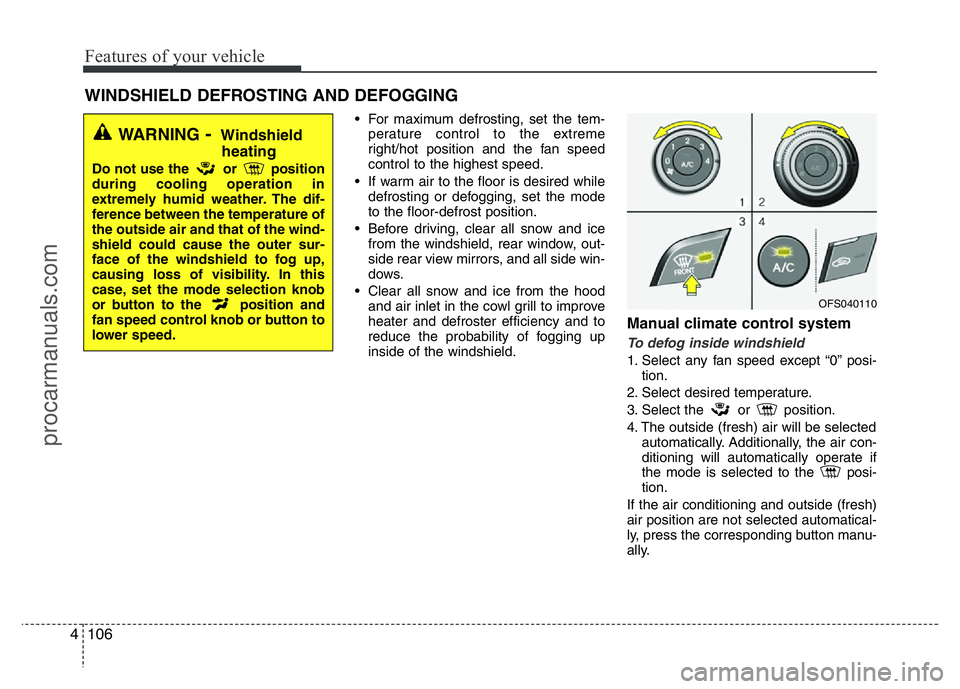
Manual climate control system
To defog inside windshield
1. Select any fan speed except “0” posi-
tion.
2. Select desired temperature.
3. Select the or position.
4. The outside (fresh) air will be selected
automatically. Additionally, the air con-
ditioning will automatically operate if
the mode is selected to the posi-
tion.
If the air conditioning and outside (fresh)
air position are not selected automatical-
ly, press the corresponding button manu-
ally.
WINDSHIELD DEFROSTING AND DEFOGGING
WARNING- Windshield
heating
Do not use the or position
during cooling operation in
extremely humid weather. The dif-
ference between the temperature of
the outside air and that of the wind-
shield could cause the outer sur-
face of the windshield to fog up,
causing loss of visibility. In this
case, set the mode selection knob
or button to the position and
fan speed control knob or button to
lower speed.
OFS040110
procarmanuals.com
Page 181 of 386
4107
Features of your vehicle
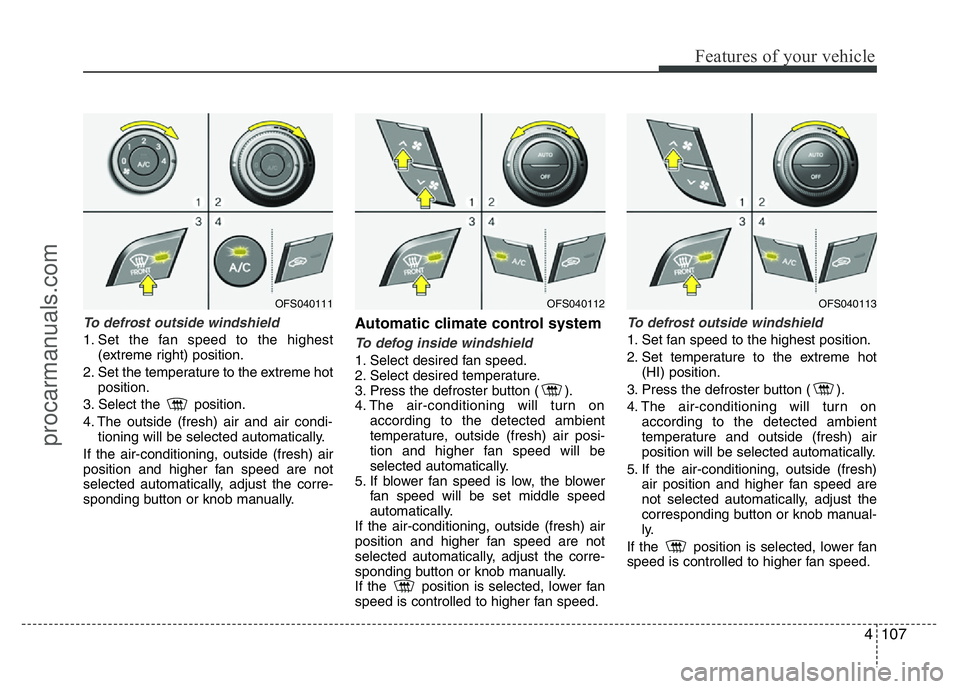
To defrost outside windshield
1. Set the fan speed to the highest
(extreme right) position.
2. Set the temperature to the extreme hot
position.
3. Select the position.
4. The outside (fresh) air and air condi-
tioning will be selected automatically.
If the air-conditioning, outside (fresh) air
position and higher fan speed are not
selected automatically, adjust the corre-
sponding button or knob manually.
Automatic climate control system
To defog inside windshield
1. Select desired fan speed.
2. Select desired temperature.
3. Press the defroster button ( ).
4. The air-conditioning will turn on
according to the detected ambient
temperature, outside (fresh) air posi-
tion and higher fan speed will be
selected automatically.
5. If blower fan speed is low, the blower
fan speed will be set middle speed
automatically.
If the air-conditioning, outside (fresh) air
position and higher fan speed are not
selected automatically, adjust the corre-
sponding button or knob manually.
If the position is selected, lower fan
speed is controlled to higher fan speed.
To defrost outside windshield
1. Set fan speed to the highest position.
2. Set temperature to the extreme hot
(HI) position.
3. Press the defroster button ( ).
4. The air-conditioning will turn on
according to the detected ambient
temperature and outside (fresh) air
position will be selected automatically.
5. If the air-conditioning, outside (fresh)
air position and higher fan speed are
not selected automatically, adjust the
corresponding button or knob manual-
ly.
If the position is selected, lower fan
speed is controlled to higher fan speed.
OFS040111OFS040112OFS040113
procarmanuals.com
Page 182 of 386
Features of your vehicle
108 4
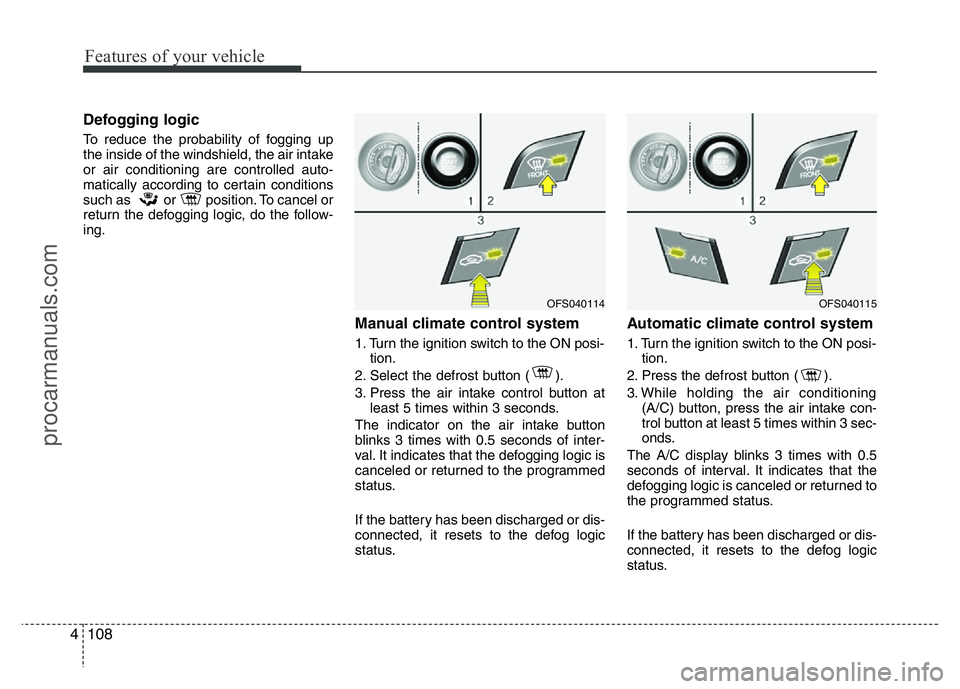
Defogging logic
To reduce the probability of fogging up
the inside of the windshield, the air intake
or air conditioning are controlled auto-
matically according to certain conditions
such as or position. To cancel or
return the defogging logic, do the follow-
ing.
Manual climate control system
1. Turn the ignition switch to the ON posi-
tion.
2. Select the defrost button ( ).
3. Press the air intake control button at
least 5 times within 3 seconds.
The indicator on the air intake button
blinks 3 times with 0.5 seconds of inter-
val. It indicates that the defogging logic is
canceled or returned to the programmed
status.
If the battery has been discharged or dis-
connected, it resets to the defog logic
status.
Automatic climate control system
1. Turn the ignition switch to the ON posi-
tion.
2. Press the defrost button ( ).
3. While holding the air conditioning
(A/C) button, press the air intake con-
trol button at least 5 times within 3 sec-
onds.
The A/C display blinks 3 times with 0.5
seconds of interval. It indicates that the
defogging logic is canceled or returned to
the programmed status.
If the battery has been discharged or dis-
connected, it resets to the defog logic
status.
OFS040114OFS040115
procarmanuals.com
Page 188 of 386
Features of your vehicle
114 4
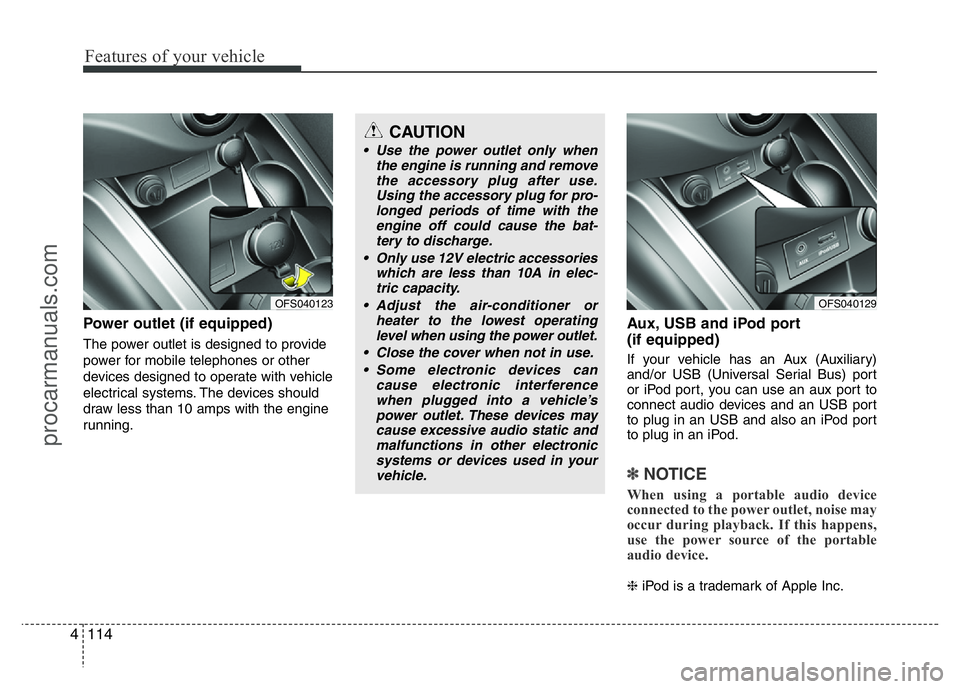
Power outlet (if equipped)
The power outlet is designed to provide
power for mobile telephones or other
devices designed to operate with vehicle
electrical systems. The devices should
draw less than 10 amps with the engine
running.
Aux, USB and iPod port
(if equipped)
If your vehicle has an Aux (Auxiliary)
and/or USB (Universal Serial Bus) port
or iPod port, you can use an aux port to
connect audio devices and an USB port
to plug in an USB and also an iPod port
to plug in an iPod.
✽NOTICE
When using a portable audio device
connected to the power outlet, noise may
occur during playback. If this happens,
use the power source of the portable
audio device.
❈iPod is a trademark of Apple Inc.
OFS040123
CAUTION
• Use the power outlet only when
the engine is running and remove
the accessory plug after use.
Using the accessory plug for pro-
longed periods of time with the
engine off could cause the bat-
tery to discharge.
• Only use 12V electric accessories
which are less than 10A in elec-
tric capacity.
• Adjust the air-conditioner or
heater to the lowest operating
level when using the power outlet.
• Close the cover when not in use.
• Some electronic devices can
cause electronic interference
when plugged into a vehicle’s
power outlet. These devices may
cause excessive audio static and
malfunctions in other electronic
systems or devices used in your
vehicle.
OFS040129
procarmanuals.com
Page 221 of 386
Driving your vehicle
14 5
✽NOTICE
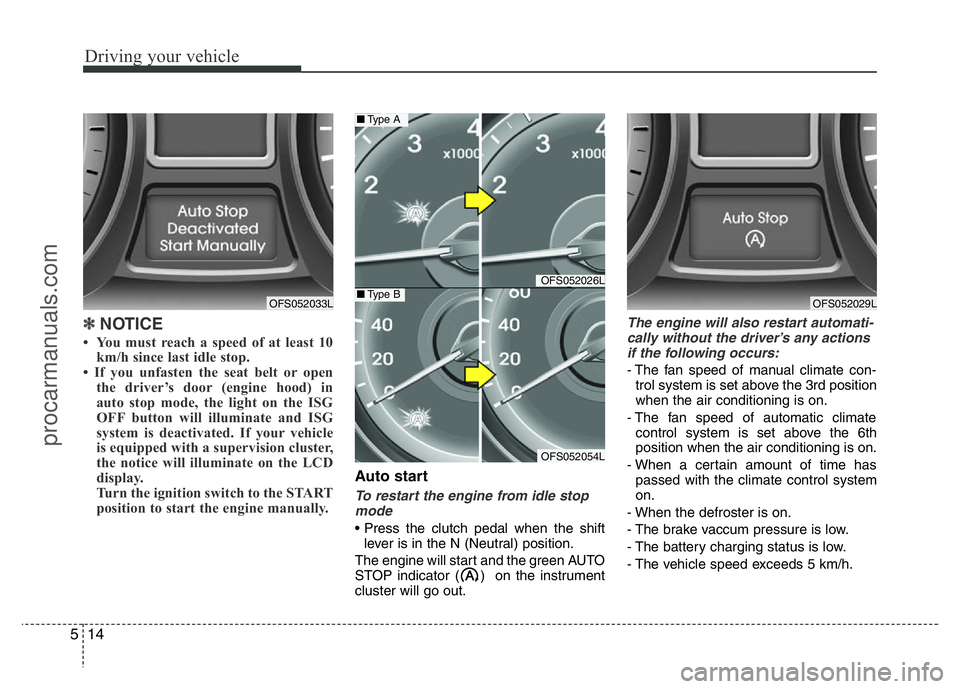
• You must reach a speed of at least 10
km/h since last idle stop.
• If you unfasten the seat belt or open
the driver’s door (engine hood) in
auto stop mode, the light on the ISG
OFF button will illuminate and ISG
system is deactivated. If your vehicle
is equipped with a supervision cluster,
the notice will illuminate on the LCD
display.
Turn the ignition switch to the START
position to start the engine manually.
Auto start
To restart the engine from idle stop
mode
• Press the clutch pedal when the shift
lever is in the N (Neutral) position.
The engine will start and the green AUTO
STOP indicator ( ) on the instrument
cluster will go out.
The engine will also restart automati-
cally without the driver’s any actions
if the following occurs:
- The fan speed of manual climate con-
trol system is set above the 3rd position
when the air conditioning is on.
- The fan speed of automatic climate
control system is set above the 6th
position when the air conditioning is on.
- When a certain amount of time has
passed with the climate control system
on.
- When the defroster is on.
- The brake vaccum pressure is low.
- The battery charging status is low.
- The vehicle speed exceeds 5 km/h.
OFS052033L
OFS052026L
OFS052054L
■Type A
■Type BOFS052029L
procarmanuals.com
Page 249 of 386
Driving your vehicle
42 5
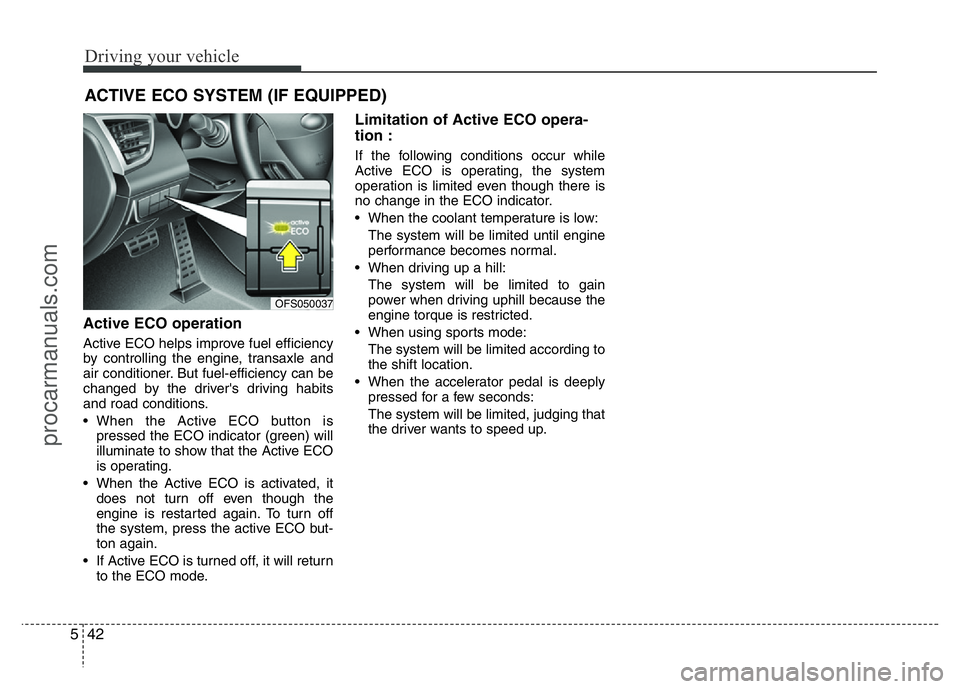
Active ECO operation
Active ECO helps improve fuel efficiency
by controlling the engine, transaxle and
air conditioner. But fuel-efficiency can be
changed by the driver's driving habits
and road conditions.
• When the Active ECO button is
pressed the ECO indicator (green) will
illuminate to show that the Active ECO
is operating.
• When the Active ECO is activated, it
does not turn off even though the
engine is restarted again. To turn off
the system, press the active ECO but-
ton again.
• If Active ECO is turned off, it will return
to the ECO mode.
Limitation of Active ECO opera-
tion :
If the following conditions occur while
Active ECO is operating, the system
operation is limited even though there is
no change in the ECO indicator.
• When the coolant temperature is low:
The system will be limited until engine
performance becomes normal.
• When driving up a hill:
The system will be limited to gain
power when driving uphill because the
engine torque is restricted.
• When using sports mode:
The system will be limited according to
the shift location.
• When the accelerator pedal is deeply
pressed for a few seconds:
The system will be limited, judging that
the driver wants to speed up.
ACTIVE ECO SYSTEM (IF EQUIPPED)
OFS050037
procarmanuals.com
Page 250 of 386
543
Driving your vehicle
Your vehicle's fuel economy depends
mainly on your style of driving, where you
drive and when you drive.
Each of these factors affects how many
kilometers (miles) you can get from a
liter (gallon) of fuel. To operate your vehi-
cle as economically as possible, use the
following driving suggestions to help
save money in both fuel and repairs:
• Drive smoothly. Accelerate at a moder-
ate rate. Don't make "jack-rabbit" starts
or full-throttle shifts and maintain a
steady cruising speed. Don't race
between stoplights. Try to adjust your
speed to the traffic so you don't have to
change speeds unnecessarily. Avoid
heavy traffic whenever possible.
Always maintain a safe distance from
other vehicles so you can avoid unnec-
essary braking. This also reduces
brake wear.
• Drive at a moderate speed. The faster
you drive, the more fuel your vehicle
uses. Driving at a moderate speed,
especially on the highway, is one of the
most effective ways to reduce fuel con-
sumption.• Don't "ride" the brake or clutch pedal.
This can increase fuel consumption
and also increase wear on these com-
ponents. In addition, driving with your
foot resting on the brake pedal may
cause the brakes to overheat, which
reduces their effectiveness and may
lead to more serious consequences.
• Take care of your tires. Keep them
inflated to the recommended pressure.
Incorrect inflation, either too much or
too little, results in unnecessary tire
wear. Check the tire pressures at least
once a month.
• Be sure that the wheels are aligned
correctly. Improper alignment can
result from hitting curbs or driving too
fast over irregular surfaces. Poor align-
ment causes faster tire wear and may
also result in other problems as well as
greater fuel consumption.• Keep your vehicle in good condition.
For better fuel economy and reduced
maintenance costs, maintain your vehi-
cle in accordance with the mainte-
nance schedule in section 7. If you
drive your vehicle in severe conditions,
more frequent maintenance is required
(see section 7 for details).
• Keep your vehicle clean. For maximum
service, your vehicle should be kept
clean and free of corrosive materials. It
is especially important that mud, dirt,
ice, etc. not be allowed to accumulate
on the underside of the vehicle. This
extra weight can result in increased
fuel consumption and also contribute
to corrosion.
• Travel lightly. Don't carry unnecessary
weight in your vehicle. Weight reduces
fuel economy.
• Don't let the engine idle longer than
necessary. If you are waiting (and not
in traffic), turn off your engine and
restart only when you're ready to go.
ECONOMICAL OPERATION
procarmanuals.com