reset HYUNDAI VELOSTER 2012 User Guide
[x] Cancel search | Manufacturer: HYUNDAI, Model Year: 2012, Model line: VELOSTER, Model: HYUNDAI VELOSTER 2012Pages: 385, PDF Size: 24.4 MB
Page 203 of 385
Features of your vehicle
124 4
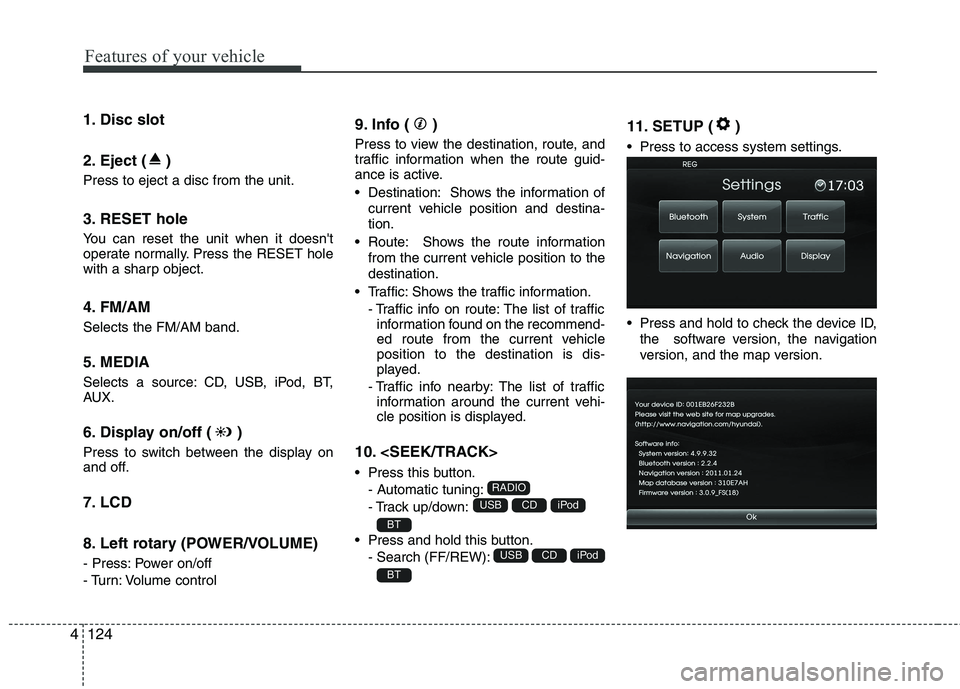
1. Disc slot
2. Eject ( )
Press to eject a disc from the unit.
3. RESET hole
You can reset the unit when it doesn't
operate normally. Press the RESET hole
with a sharp object.
4. FM/AM
Selects the FM/AM band.
5. MEDIA
Selects a source: CD, USB, iPod, BT,
AUX.
6. Display on/off ( )
Press to switch between the display on
and off.
7. LCD
8. Left rotary (POWER/VOLUME)
- Press: Power on/off
- Turn: Volume control
9. Info ( )
Press to view the destination, route, and
traffic information when the route guid-
ance is active.
• Destination: Shows the information of
current vehicle position and destina-
tion.
Route: Shows the route information
from the current vehicle position to the
destination.
Traffic: Shows the traffic information.
- Traffic info on route: The list of traffic
information found on the recommend-
ed route from the current vehicle
position to the destination is dis-
played.
- Traffic info nearby: The list of traffic
information around the current vehi-
cle position is displayed.
10.
Press this button.
- Automatic tuning:
- Track up/down:
Press and hold this button.
- Search (FF/REW):
11. SETUP ( )
Press to access system settings.
Press and hold to check the device ID,
the software version, the navigation
version, and the map version.
BT
iPodCDUSB
BT
iPodCDUSB
RADIO
Page 211 of 385
Features of your vehicle
132 4
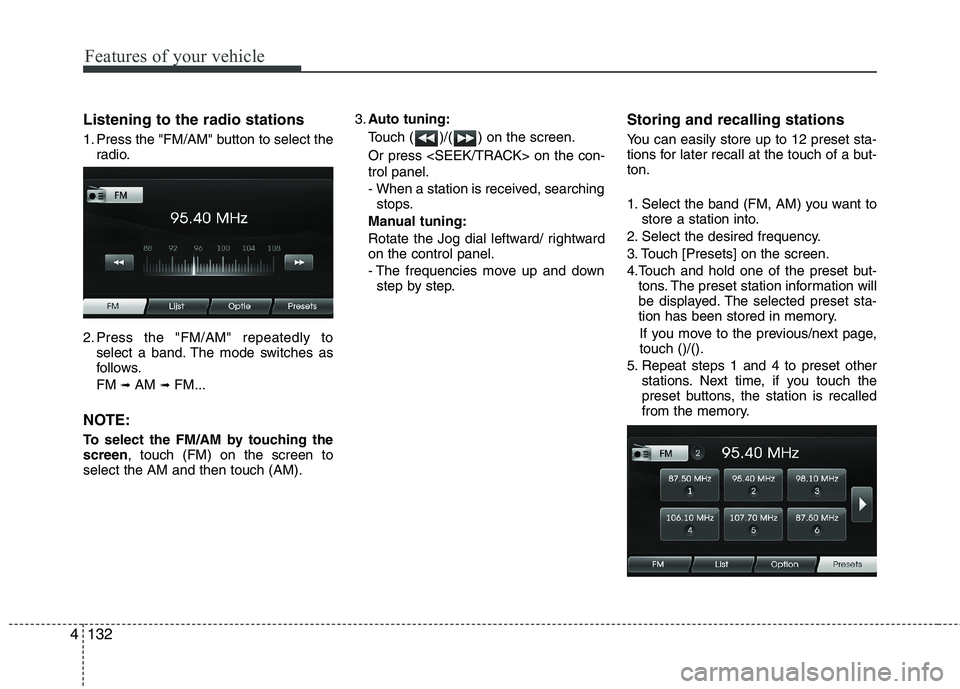
Listening to the radio stations
1. Press the "FM/AM" button to select the
radio.
2. Press the "FM/AM" repeatedly to
select a band. The mode switches as
follows.
FM
➟AM ➟FM...
NOTE:
To select the FM/AM by touching the
screen, touch (FM) on the screen to
select the AM and then touch (AM).3.Auto tuning:
Touch ( )/( ) on the screen.
Or press
trol panel.
- When a station is received, searching
stops.
Manual tuning:
Rotate the Jog dial leftward/ rightward
on the control panel.
- The frequencies move up and down
step by step.
Storing and recalling stations
You can easily store up to 12 preset sta-
tions for later recall at the touch of a but-
ton.
1. Select the band (FM, AM) you want to
store a station into.
2. Select the desired frequency.
3. Touch [Presets] on the screen.
4.Touch and hold one of the preset but-
tons. The preset station information will
be displayed. The selected preset sta-
tion has been stored in memory.
If you move to the previous/next page,
touch ()/().
5. Repeat steps 1 and 4 to preset other
stations. Next time, if you touch the
preset buttons, the station is recalled
from the memory.
Page 212 of 385
4133
Features of your vehicle
NOTE:
When a station is preset on the preset
station button number on which
another station of the same band has
already been preset, the previously
preset station is automatically erased.
Voice recognition
Voice recognition allows hands-free
operation of the AV system (RADIO, CD,
USB, iPod), navigation and other sys-
tems equipped on this vehicle, such as
the phone.
NOTE:
To get the best recognition perform-
ance out of voice recognition, observe
the following:
Keep the interior of the vehicle as
quiet as possible. Close the win-
dows to eliminate the surrounding
noises (traffic noises, vibration
sounds, etc.), which may prevent
the system from recognizing the
voice commands correctly.
Wait until a beep sounds before
speaking a command. Otherwise,
the command will not be recognized
properly.
Speak in a natural voice without
pausing between words.
Giving voice commands
1. Press ( ) on the steering wheel
remote control.
2. After the beep sounds, say "Help". All
commands shall be listed which are
presented in active fields.
NOTE:
If the command is not recognized,
the system announces, 1st time
"Pardon?", 2nd time "Please,
repeat", and 3rd time "Command is
not recognized".
If you want to cancel the voice
recognition, press () one more time
or press the any button or touch
screen say "Cancel".
If you want to adjust the volume of
the system feedback, press VOL+ or
VOL-on the steering wheel remote
control or use the volume knob
(VOLUME) on the control while the
voice recognition is active.
Page 248 of 385
535
Driving your vehicle
Each of these actions will cancel cruise
control operation (the SET indicator light
in the instrument cluster will go off), but it
will not turn the system off. If you wish to
resume cruise control operation, move
up the lever (to RES+) located on your
steering wheel. You will return to your
previously preset speed.
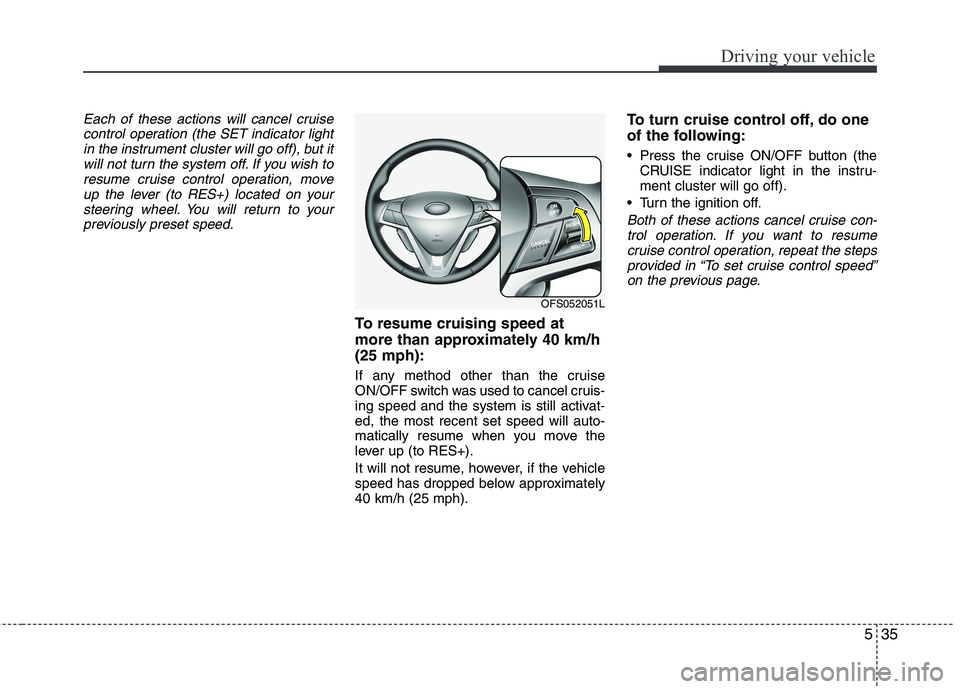
To resume cruising speed at
more than approximately 40 km/h
(25 mph):
If any method other than the cruise
ON/OFF switch was used to cancel cruis-
ing speed and the system is still activat-
ed, the most recent set speed will auto-
matically resume when you move the
lever up (to RES+).
It will not resume, however, if the vehicle
speed has dropped below approximately
40 km/h (25 mph).
To turn cruise control off, do one
of the following:
Press the cruise ON/OFF button (the
CRUISE indicator light in the instru-
ment cluster will go off).
Turn the ignition off.
Both of these actions cancel cruise con-
trol operation. If you want to resume
cruise control operation, repeat the steps
provided in “To set cruise control speed”
on the previous page.
OFS052051L
Page 328 of 385
Maintenance
34 7
Reset items
Items should be reset after the battery
has been discharged or the battery has
been disconnected.
Auto up/down window (See section 4)
Sunroof (See section 4)
Trip computer (See section 4)
Climate control system
(See section 4)
Clock (See section 4)
Audio (See section 4)WARNING
Before performing maintenance
or recharging the battery, turn off
all accessories and stop the
engine.
The negative battery cable must
be removed first and installed
last when the battery is discon-
nected.
Operation related to the battery
should be done in an authorized
HYUNDAI dealer.
WARNING- Recharging
battery
When recharging the battery,
observe the following precautions:
The battery must be removed
from the vehicle and placed in an
area with good ventilation.
Do not allow cigarettes, sparks,
or flame near the battery.
Watch the battery during charg-
ing, and stop or reduce the charg-
ing rate if the battery cells begin
gassing (boiling) violently or if
the temperature of the electrolyte
of any cell exceeds 120°F (49°C).
Wear eye protection when check-
ing the battery during charging.
Disconnect the battery charger in
the following order.
1. Turn off the battery charger main
switch.
2. Unhook the negative clamp from
the negative battery terminal.
3. Unhook the positive clamp from
the positive battery terminal.
Page 332 of 385
Maintenance
38 7
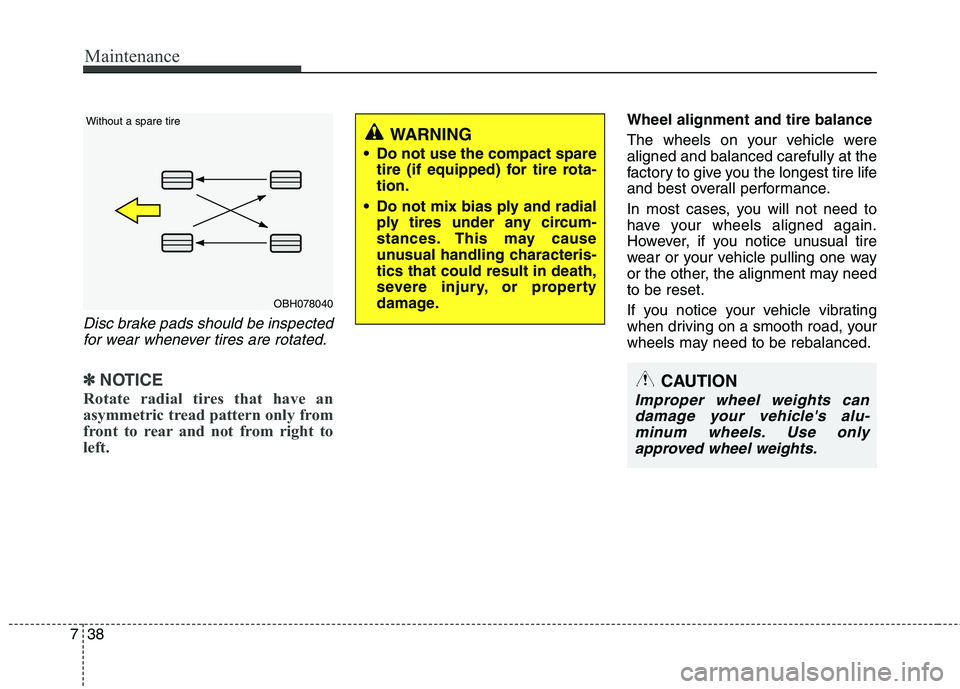
Disc brake pads should be inspected
for wear whenever tires are rotated.
✽ ✽
NOTICE
Rotate radial tires that have an
asymmetric tread pattern only from
front to rear and not from right to
left.
Wheel alignment and tire balance
The wheels on your vehicle were
aligned and balanced carefully at the
factory to give you the longest tire life
and best overall performance.
In most cases, you will not need to
have your wheels aligned again.
However, if you notice unusual tire
wear or your vehicle pulling one way
or the other, the alignment may need
to be reset.
If you notice your vehicle vibrating
when driving on a smooth road, your
wheels may need to be rebalanced.
OBH078040 Without a spare tire
WARNING
Do not use the compact spare
tire (if equipped) for tire rota-
tion.
Do not mix bias ply and radial
ply tires under any circum-
stances. This may cause
unusual handling characteris-
tics that could result in death,
severe injury, or property
damage.
CAUTION
Improper wheel weights can
damage your vehicle's alu-
minum wheels. Use only
approved wheel weights.
Page 344 of 385
Maintenance
50 7
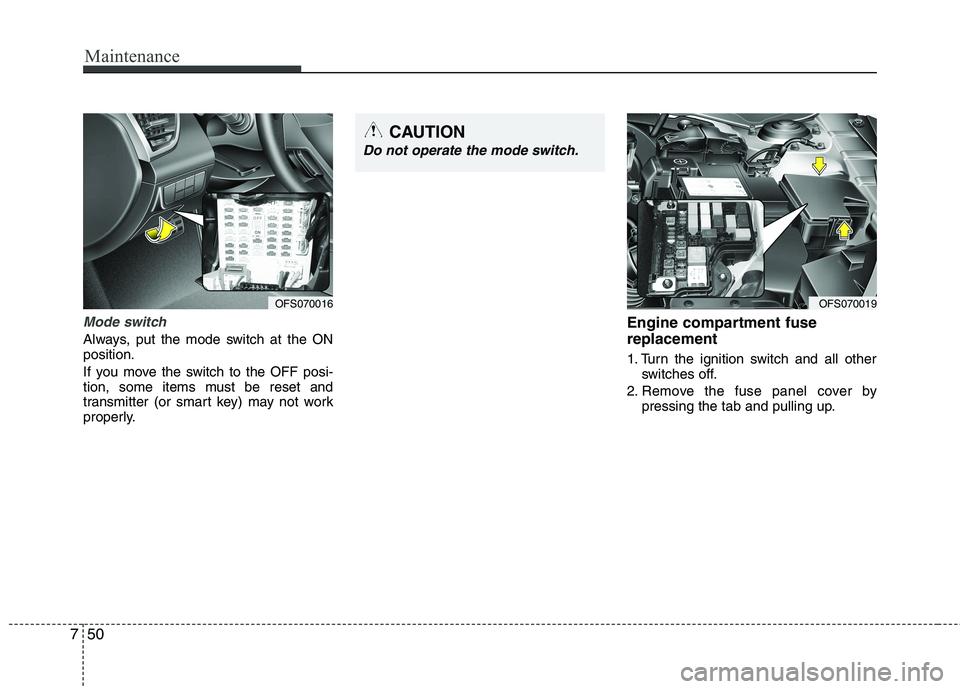
Mode switch
Always, put the mode switch at the ON
position.
If you move the switch to the OFF posi-
tion, some items must be reset and
transmitter (or smart key) may not work
properly.
Engine compartment fuse
replacement
1. Turn the ignition switch and all other
switches off.
2. Remove the fuse panel cover by
pressing the tab and pulling up.
OFS070016OFS070019
CAUTION
Do not operate the mode switch.