start HYUNDAI VELOSTER 2012 User Guide
[x] Cancel search | Manufacturer: HYUNDAI, Model Year: 2012, Model line: VELOSTER, Model: HYUNDAI VELOSTER 2012Pages: 385, PDF Size: 24.4 MB
Page 87 of 385
Features of your vehicle
8 4
Trunk unlocking
Using the trunk handle button
1. Carry the smart key.
2. Press the trunk handle button.
3. When all doors are locked, the hazard
warning lights will blink two times.
Once the trunk is opened and then
closed, the trunk will lock automatical-
ly.
✽ ✽
NOTICE
The button will only operate when the
smart key is within 28~40in. (0.7~1m)
from the trunk handle.
Using the button on the smart key
1. Press the trunk unlock button(3) for
more than 1 second.
2. When all doors are locked, the hazard
warning lights will blink two times.
Panic
1. Press the panic button(4) for more than
1.5 second.
2. The horn sounds and hazard warning
light flash for about 30 seconds.
✽ ✽
NOTICE
To stop the horn and lights, press any
button on the smart key.
Start-up
You can start the engine without inserting
the key. For detailed information refer to
the “Engine start/stop button” in section 5.
Loss of the smart key
A maximum of 2 smart keys can be reg-
istered to a single vehicle.
If you happen to lose your smart key, you
will not be able to start the engine. You
should immediately take the vehicle and
remaining key to your authorized
HYUNDAI dealer(tow the vehicle, if nec-
essary) to protect it from potential theft.
Smart key precautions
The smart key will not work if any of
the following occur:
- The smart key is close to a radio
transmitter such as a radio station or
an airport which can interfere with
normal operation of the smart key.
- The smart key is near a mobile two
way radio system or a cellular phone.
- Another vehicle’s smart key is being
operated close to your vehicle.
When the smart key does not work cor-
rectly, open and close the door with the
mechanical key and contact an author-
ized HYUNDAI dealer.
CAUTION
Keep the smart key away from
water or any liquid. If the keyless
entry system is inoperative due to
exposure to water or other liquids,
it will not be covered by your manu-
facturer’s vehicle warranty.
Page 88 of 385
49
Features of your vehicle
Immobilizer system
Your vehicle is equipped with an electron-
ic engine immobilizer system to reduce
the risk of unauthorized vehicle use.
Your immobilizer system is comprised of
a small transponder in the smart key and
electronic devices inside the vehicle.
With the immobilizer system, whenever
you turn the engine start/stop button to
the ON position by pressing the button
while carrying the smart key, it checks
and determines and verifies if the smart
key is valid or not.
If the key is determined to be valid, the
engine will start.
If the key is determined to be invalid, the
engine will not start.
To deactivate the immobilizer sys-
tem:
Turn the engine start/stop button to the
ON position by pressing the button while
carrying the smart key.
To activate the immobilizer system:
Turn the engine start/stop button to the
OFF position. The immobilizer system
activates automatically. Without a valid
smart key for your vehicle, the engine will
not start.
✽ ✽
NOTICE
When starting the engine, do not use the
key with other immobilizer keys around.
Otherwise the engine may not start or
may stop soon after it starts. Keep each
key separate in order to avoid a starting
malfunction.
✽ ✽
NOTICE
If you need additional keys or lose your
keys, consult an authorized HYUNDAI
dealer.
CAUTION
Do not put metal accessories near
the smart key.
The engine may not start because
the metal accessories may interrupt
the transponder signal from trans-
mitting normally.
WARNING
In order to prevent theft of your
vehicle, do not leave spare keys
anywhere in your vehicle. Your
Immobilizer password is a cus-
tomer unique password and should
be kept confidential. Do not leave
this number anywhere in your vehi-
cle.
Page 97 of 385
Features of your vehicle
18 4
Using the mechanical key
The system will be disarmed when the
doors are unlocked with the mechanical
key.
✽ ✽
NOTICE
If you lock or unlock the doors by using
the mechanical key, the hazard warning
light and chime sound won't operate.
✽ ✽
NOTICE
• Avoid trying to start the engine while
the alarm is activated. The vehicle
starting motor is disabled during the
theft-alarm stage.
If the system is not disarmed with the
transmitter, insert the key into the
ignition switch, turn the ignition
switch to the ON position and wait for
30 seconds. Then the system will be
disarmed.
• If you lose your keys, consult your
authorized HYUNDAI dealer.CAUTION
Do not change, alter or adjust the
theft-alarm system because it could
cause the theft-alarm system to
malfunction and should only be
serviced by an authorized HYUNDAI
dealer.
Malfunctions caused by improper
alterations, adjustments or modifi-
cations to the theft-alarm system
are not covered by your vehicle
manufacturer warranty.
Page 113 of 385
Features of your vehicle
34 4
(Continued)
Use only approved portable plas-
tic fuel containers designed to
carry and store gasoline.
Do not use cellular phones while
refueling. Electric current and/or
electronic interference from cel-
lular phones can potentially
ignite fuel vapors causing a fire.
When refueling, always shut the
engine off. Sparks produced by
electrical components related to
the engine can ignite fuel vapors
causing a fire. Once refueling is
complete, check to make sure the
filler cap and filler door are
securely closed, before starting
the engine.
DO NOT use matches or a lighter
and DO NOT SMOKE or leave a lit
cigarette in your vehicle while at
a gas station especially during
refueling. Automotive fuel is
highly flammable and can, when
ignited, result in fire.
(Continued)(Continued)
Do not get back into a vehicle
once you have begun refueling
since you can generate static
electricity by touching, rubbing
or sliding against any item or fab-
ric (polyester, satin, nylon, etc.)
capable of producing static elec-
tricity. Static electricity discharge
can ignite fuel vapors resulting in
rapid burning. If you must re-
enter the vehicle, you should
once again eliminate potentially
dangerous static electricity dis-
charge by touching a metal part
of the vehicle, away from the fuel
filler neck, nozzle or other gaso-
line source.
When using an approved
portable fuel container, be sure to
place the container on the
ground prior to refueling. Static
electricity discharge from the
container can ignite fuel vapors
causing a fire. Once refueling has
begun, contact with the vehicle
should be maintained until the
filling is complete.
(Continued)WARNING - Refueling dan-
gers
Automotive fuels are flammable
materials. When refueling, please
note the following guidelines care-
fully. Failure to follow these guide-
lines may result in severe personal
injury, severe burns or death by fire
or explosion.
Read and follow all warnings
posted at the gas station facility.
Before refueling, note the loca-
tion of the Emergency Gasoline
Shut-Off, if available, at the gas
station facility.
Before touching the fuel nozzle,
you should eliminate potentially
dangerous static electricity dis-
charge by touching another metal
part of the vehicle, a safe dis-
tance away from the fuel filler
neck, nozzle, or other gas source.
(Continued)
Page 122 of 385
443
Features of your vehicle
MIRRORS
Inside rearview mirror
Adjust the rearview mirror so that the
center view through the rear window is
seen. Make this adjustment before you
start driving.
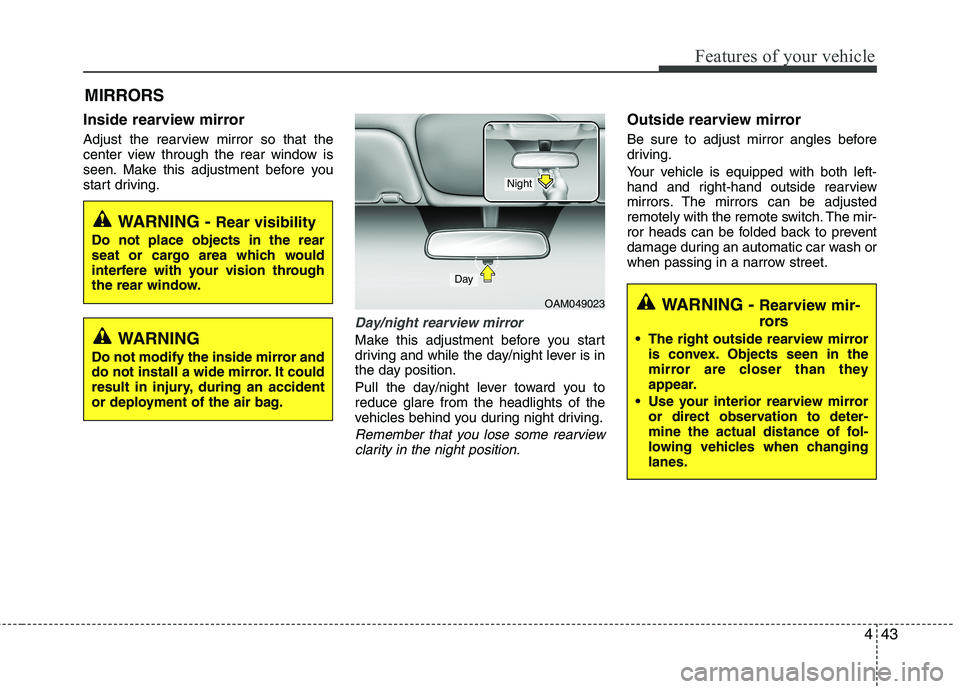
Day/night rearview mirror
Make this adjustment before you start
driving and while the day/night lever is in
the day position.
Pull the day/night lever toward you to
reduce glare from the headlights of the
vehicles behind you during night driving.
Remember that you lose some rearview
clarity in the night position.
Outside rearview mirror
Be sure to adjust mirror angles before
driving.
Your vehicle is equipped with both left-
hand and right-hand outside rearview
mirrors. The mirrors can be adjusted
remotely with the remote switch. The mir-
ror heads can be folded back to prevent
damage during an automatic car wash or
when passing in a narrow street.
WARNING - Rear visibility
Do not place objects in the rear
seat or cargo area which would
interfere with your vision through
the rear window.
WARNING
Do not modify the inside mirror and
do not install a wide mirror. It could
result in injury, during an accident
or deployment of the air bag.
OAM049023
Day
Night
WARNING - Rearview mir-
rors
The right outside rearview mirror
is convex. Objects seen in the
mirror are closer than they
appear.
Use your interior rearview mirror
or direct observation to deter-
mine the actual distance of fol-
lowing vehicles when changing
lanes.
Page 127 of 385
Features of your vehicle
48 4
When the door is open, or if the engine is
not started within 1 minute, the tachometer
pointer may move slightly in ON position
with the engine OFF. This movement is
normal and will not affect the accuracy of
the tachometer once the engine is running.
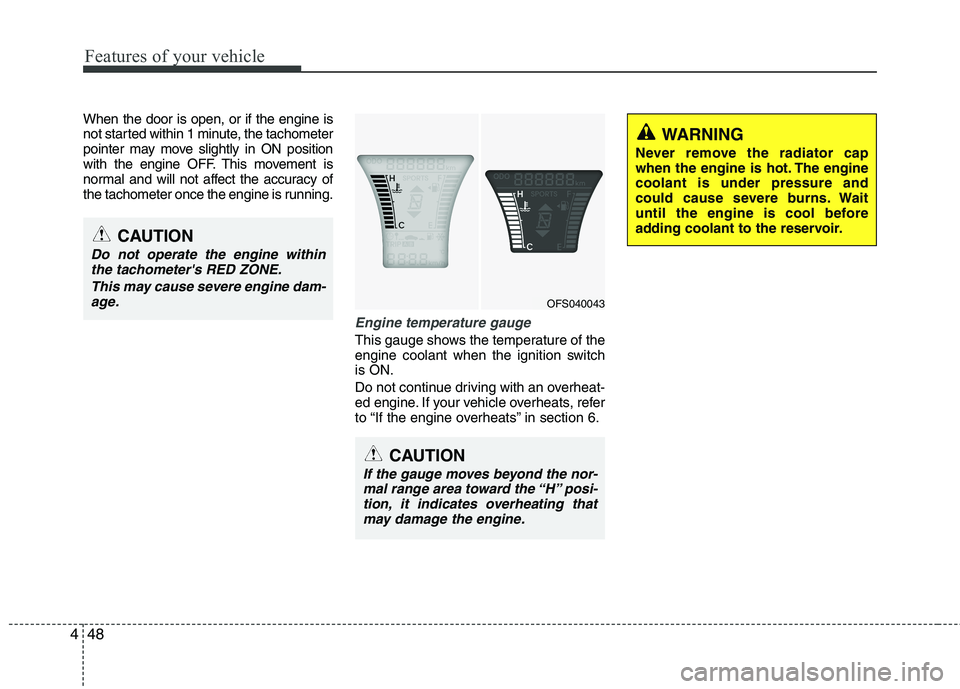
Engine temperature gauge
This gauge shows the temperature of the
engine coolant when the ignition switch
is ON.
Do not continue driving with an overheat-
ed engine. If your vehicle overheats, refer
to “If the engine overheats” in section 6.
OFS040043
CAUTION
If the gauge moves beyond the nor-
mal range area toward the “H” posi-
tion, it indicates overheating that
may damage the engine.
CAUTION
Do not operate the engine within
the tachometer's RED ZONE.
This may cause severe engine dam-
age.
WARNING
Never remove the radiator cap
when the engine is hot. The engine
coolant is under pressure and
could cause severe burns. Wait
until the engine is cool before
adding coolant to the reservoir.
Page 132 of 385
453
Features of your vehicle
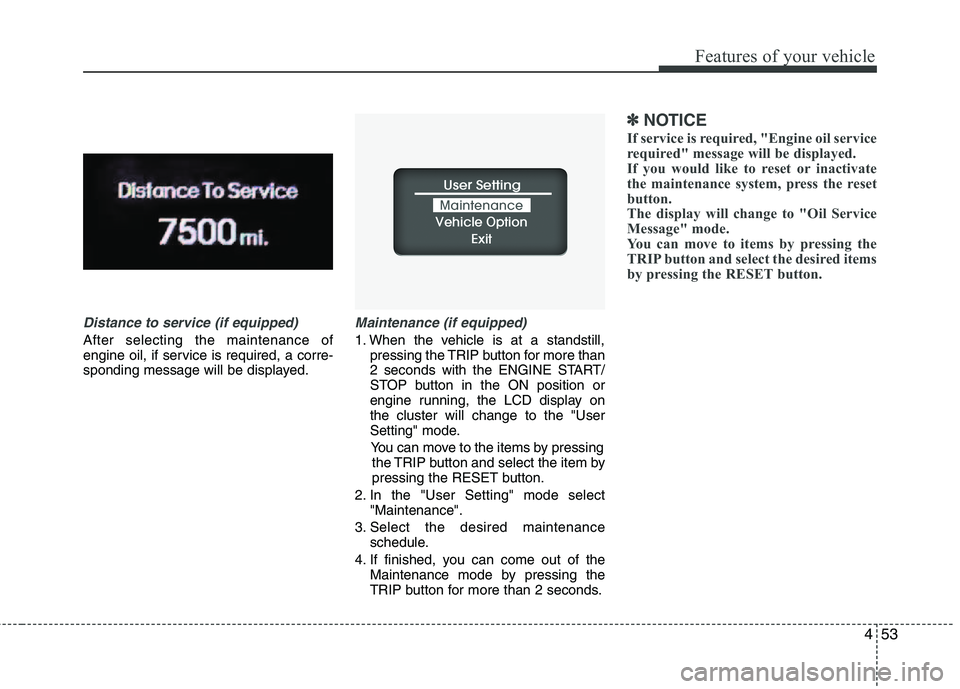
Distance to service (if equipped)
After selecting the maintenance of
engine oil, if service is required, a corre-
sponding message will be displayed.
Maintenance (if equipped)
1. When the vehicle is at a standstill,
pressing the TRIP button for more than
2 seconds with the ENGINE START/
STOP button in the ON position or
engine running, the LCD display on
the cluster will change to the "User
Setting" mode.
You can move to the items by pressing
the TRIP button and select the item by
pressing the RESET button.
2. In the "User Setting" mode select
"Maintenance".
3. Select the desired maintenance
schedule.
4. If finished, you can come out of the
Maintenance mode by pressing the
TRIP button for more than 2 seconds.
✽ ✽
NOTICE
If service is required, "Engine oil service
required" message will be displayed.
If you would like to reset or inactivate
the maintenance system, press the reset
button.
The display will change to "Oil Service
Message" mode.
You can move to items by pressing the
TRIP button and select the desired items
by pressing the RESET button.
Page 133 of 385
Features of your vehicle
54 4
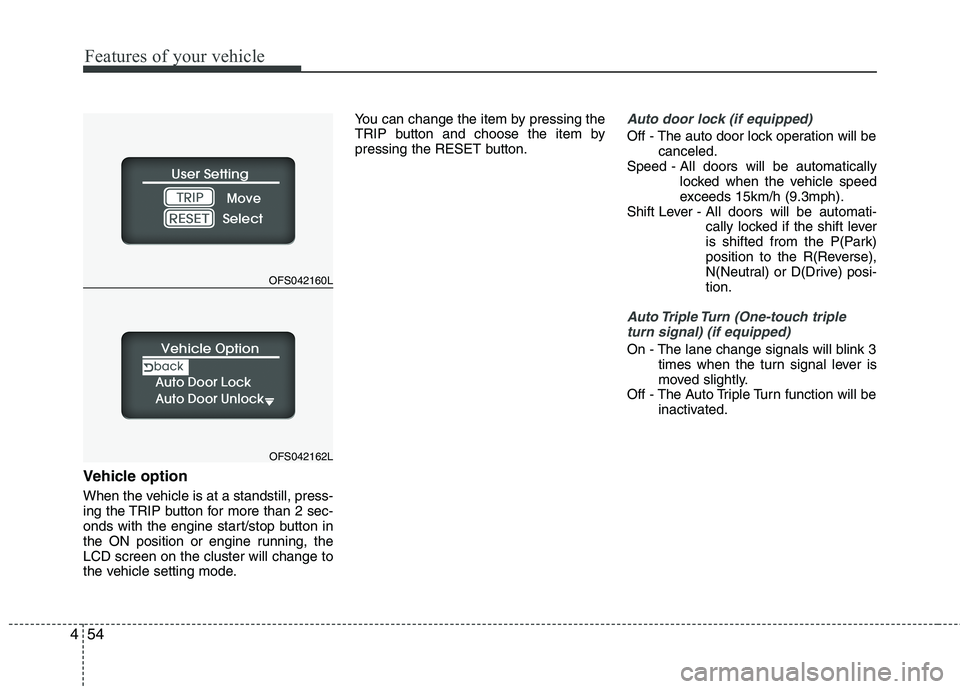
Vehicle option
When the vehicle is at a standstill, press-
ing the TRIP button for more than 2 sec-
onds with the engine start/stop button in
the ON position or engine running, the
LCD screen on the cluster will change to
the vehicle setting mode.You can change the item by pressing the
TRIP button and choose the item by
pressing the RESET button.
Auto door lock (if equipped)
Off - The auto door lock operation will be
canceled.
Speed - All doors will be automatically
locked when the vehicle speed
exceeds 15km/h (9.3mph).
Shift Lever - All doors will be automati-
cally locked if the shift lever
is shifted from the P(Park)
position to the R(Reverse),
N(Neutral) or D(Drive) posi-
tion.
Auto Triple Turn (One-touch triple
turn signal) (if equipped)
On - The lane change signals will blink 3
times when the turn signal lever is
moved slightly.
Off - The Auto Triple Turn function will be
inactivated.
OFS042160L
OFS042162L
Page 135 of 385
Features of your vehicle
56 4
Warnings and indicators
All warning lights are checked by turning
the ignition switch ON (do not start the
engine). Any light that does not illuminate
should be checked by an authorized
HYUNDAI dealer.
After starting the engine, check to make
sure that all warning lights are off. If any
are still on, this indicates a situation that
needs attention. When releasing the
parking brake, the brake system warning
light should go off. The fuel warning light
will stay on if the fuel level is low.
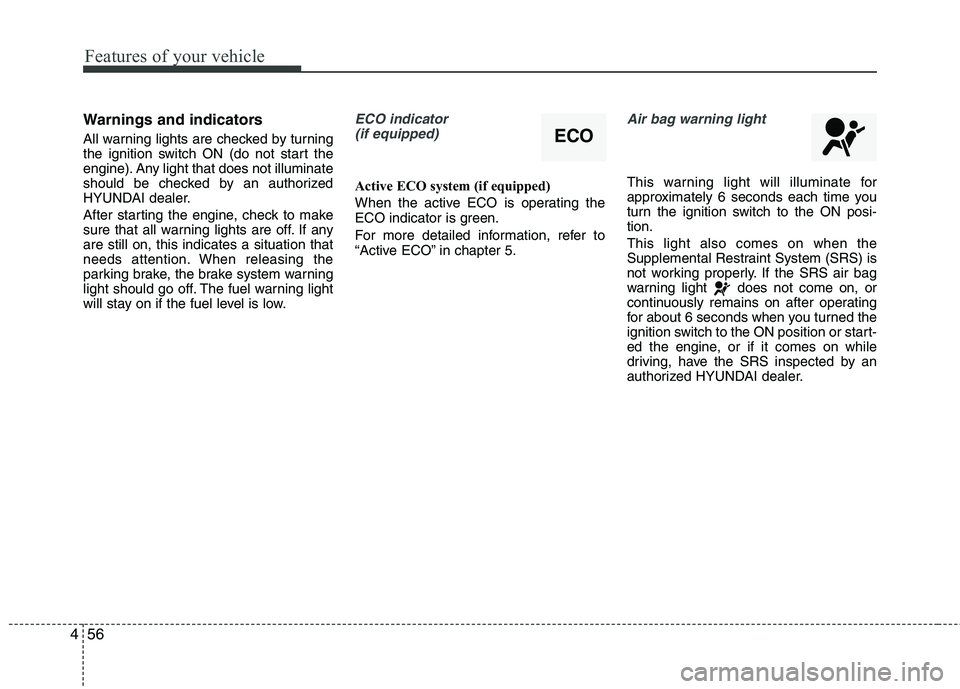
ECO indicator
(if equipped)
Active ECO system (if equipped)
When the active ECO is operating the
ECO indicator is green.
For more detailed information, refer to
“Active ECO” in chapter 5.
Air bag warning light
This warning light will illuminate for
approximately 6 seconds each time you
turn the ignition switch to the ON posi-
tion.
This light also comes on when the
Supplemental Restraint System (SRS) is
not working properly. If the SRS air bag
warning light does not come on, or
continuously remains on after operating
for about 6 seconds when you turned the
ignition switch to the ON position or start-
ed the engine, or if it comes on while
driving, have the SRS inspected by an
authorized HYUNDAI dealer.
ECO
Page 138 of 385
459
Features of your vehicle
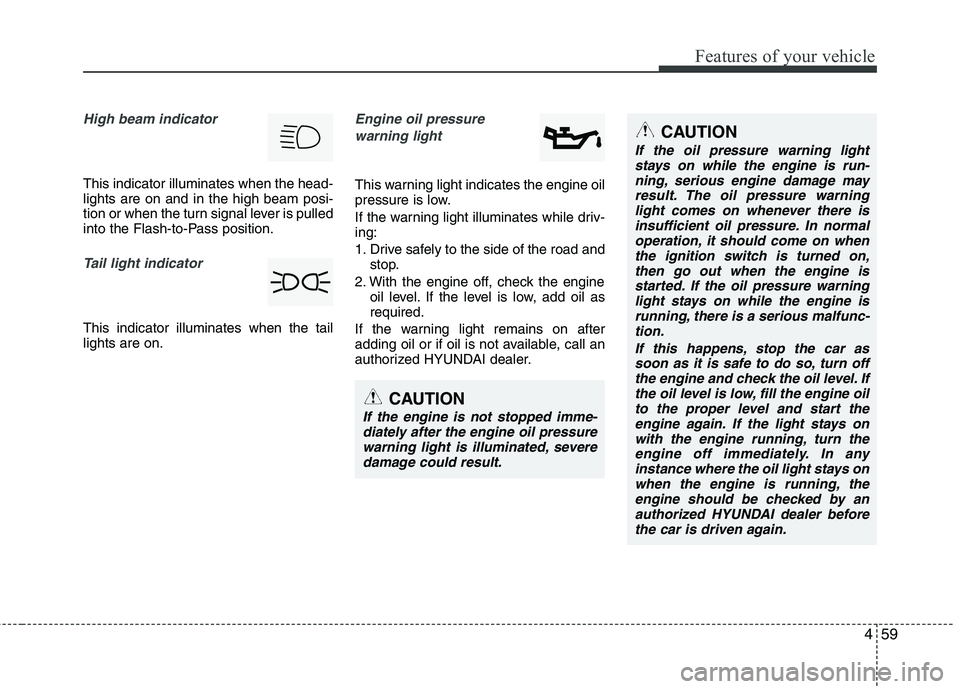
High beam indicator
This indicator illuminates when the head-
lights are on and in the high beam posi-
tion or when the turn signal lever is pulled
into the Flash-to-Pass position.
Tail light indicator
This indicator illuminates when the tail
lights are on.
Engine oil pressure
warning light
This warning light indicates the engine oil
pressure is low.
If the warning light illuminates while driv-
ing:
1. Drive safely to the side of the road and
stop.
2. With the engine off, check the engine
oil level. If the level is low, add oil as
required.
If the warning light remains on after
adding oil or if oil is not available, call an
authorized HYUNDAI dealer.
CAUTION
If the engine is not stopped imme-
diately after the engine oil pressure
warning light is illuminated, severe
damage could result.
CAUTION
If the oil pressure warning light
stays on while the engine is run-
ning, serious engine damage may
result. The oil pressure warning
light comes on whenever there is
insufficient oil pressure. In normal
operation, it should come on when
the ignition switch is turned on,
then go out when the engine is
started. If the oil pressure warning
light stays on while the engine is
running, there is a serious malfunc-
tion.
If this happens, stop the car as
soon as it is safe to do so, turn off
the engine and check the oil level. If
the oil level is low, fill the engine oil
to the proper level and start the
engine again. If the light stays on
with the engine running, turn the
engine off immediately. In any
instance where the oil light stays on
when the engine is running, the
engine should be checked by an
authorized HYUNDAI dealer before
the car is driven again.