steering wheel HYUNDAI VELOSTER 2012 User Guide
[x] Cancel search | Manufacturer: HYUNDAI, Model Year: 2012, Model line: VELOSTER, Model: HYUNDAI VELOSTER 2012Pages: 385, PDF Size: 24.4 MB
Page 80 of 385
4
Keys / 4-3
Smart key / 4-6
Remote keyless entry / 4-12
Theft-alarm system / 4-15
Door locks / 4-19
Trunk / 4-23
Windows / 4-25
Hood / 4-29
Fuel filler lid / 4-31
Sunroof / 4-34
Steering wheel / 4-38
Mirrors / 4-40
Instrument cluster / 4-43
Rear view camera / 4-60
Hazard warning flasher / 4-60
Lighting / 4-61
Wipers and washers / 4-66
Interior light / 4-68
Defroster / 4-70
Manual climate control system / 4-71
Automatic climate control system / 4-80
Features of your vehicle
Page 119 of 385
Features of your vehicle
40 4
Electric power steering (EPS)
The power steering uses a motor to
assist you in steering the vehicle. If the
engine is off or if the power steering sys-
tem becomes inoperative, the vehicle
may still be steered, but it will require
increased steering effort.
The motor driven power steering is con-
trolled by a power steering control unit
which senses the steering wheel torque
and vehicle speed to command the
motor.
The steering becomes heavier as the
vehicle’s speed increases and becomes
lighter as the vehicle’s speed decreases
for optimum steering control.
Should you notice any change in the
effort required to steer during normal
vehicle operation, have the power steer-
ing checked by an authorized HYUNDAI
dealer.
✽ ✽
NOTICE
The following symptoms may occur dur-
ing normal vehicle operation:
• The EPS warning light does not illu-
minate.
• The steering gets heavy immediately
after turning the ignition switch on.
This happens as the system performs
the EPS system diagnostics. When the
diagnostics is completed, the steering
wheel will return to its normal condi-
tion.
• A click noise may be heard from the
EPS relay after the ignition switch is
turned to the ON or LOCK (OFF)
position.
• A motor noise may be heard when the
vehicle is at a stop or at a low driving
speed.
• If the Electric Power Steering System
does not operate normally, the warning
light will illuminate on the instrument
cluster. The steering wheel may
become difficult to control or operate
abnormally. Take your vehicle to an
authorized HYUNDAI dealer and have
the vehicle checked as soon as possible.
• When you operate the steering wheel in
low temperature, abnormal noise could
occur. If temperature rises, the noise will
disappear. This is a normal condition.
(Continued)
STEERING WHEEL
CAUTION
If the Electric Power Steering
System does not operate normal-
ly, the warning light will illuminate
on the instrument cluster. The
steering wheel may become diffi-
cult to control or operate abnor-
mally. Take your vehicle to an
authorized HYUNDAI dealer and
have the vehicle checked as soon
as possible.
When you operate the steering
wheel in low temperature, abnor-
mal noise could occur. If tempera-
ture rises, the noise will disap-
pear. This is a normal condition.
When the vehicle is stationary, if
you turn the steering wheel all the
way to the left or right continu-
ously, the steering wheel
becomes heavier from the end.
But this is for your safety, not sys-
tem malfunction. As time passes,
the steering wheel return to its
normal condition.
Page 120 of 385
441
Features of your vehicle
(Continued)
• When the charging system warning
light comes on or the voltage is low
(When the alternator (or battery) does
not operate normally or it malfunc-
tions), the steering wheel may get
heavy and become difficult to control
operate abnormally.Tilt steering / Tilt and telescope
steering (if equipped)
Tilt steering allows you to adjust the
steering wheel before you drive. You can
also raise it to give your legs more room
when you exit and enter the vehicle.
The steering wheel should be positioned
so that it is comfortable for you to drive,
while permitting you to see the instru-
ment panel warning lights and gauges.
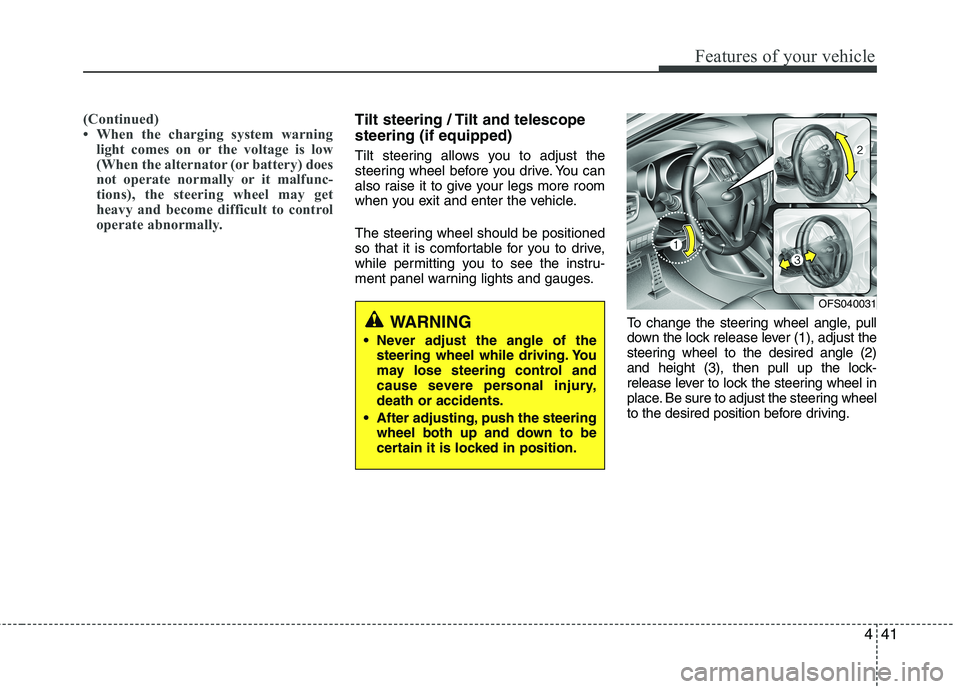
To change the steering wheel angle, pull
down the lock release lever (1), adjust the
steering wheel to the desired angle (2)
and height (3), then pull up the lock-
release lever to lock the steering wheel in
place. Be sure to adjust the steering wheel
to the desired position before driving.
WARNING
Never adjust the angle of the
steering wheel while driving. You
may lose steering control and
cause severe personal injury,
death or accidents.
After adjusting, push the steering
wheel both up and down to be
certain it is locked in position.
OFS040031
Page 121 of 385
Features of your vehicle
42 4
Horn
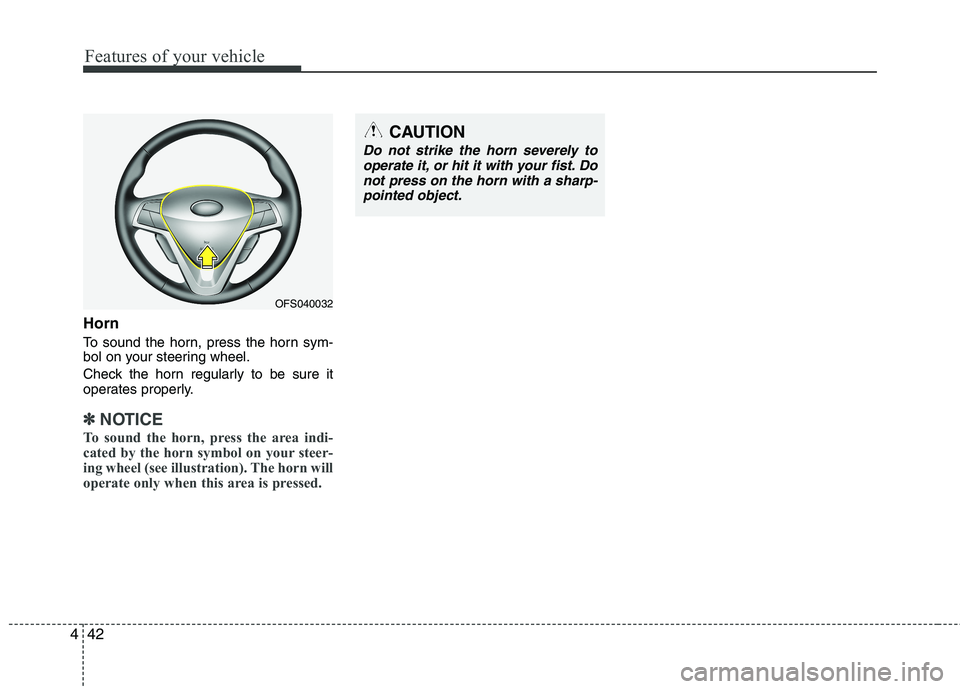
To sound the horn, press the horn sym-
bol on your steering wheel.
Check the horn regularly to be sure it
operates properly.
✽ ✽
NOTICE
To sound the horn, press the area indi-
cated by the horn symbol on your steer-
ing wheel (see illustration). The horn will
operate only when this area is pressed.
CAUTION
Do not strike the horn severely to
operate it, or hit it with your fist. Do
not press on the horn with a sharp-
pointed object.
OFS040032
Page 143 of 385
Features of your vehicle
64 4
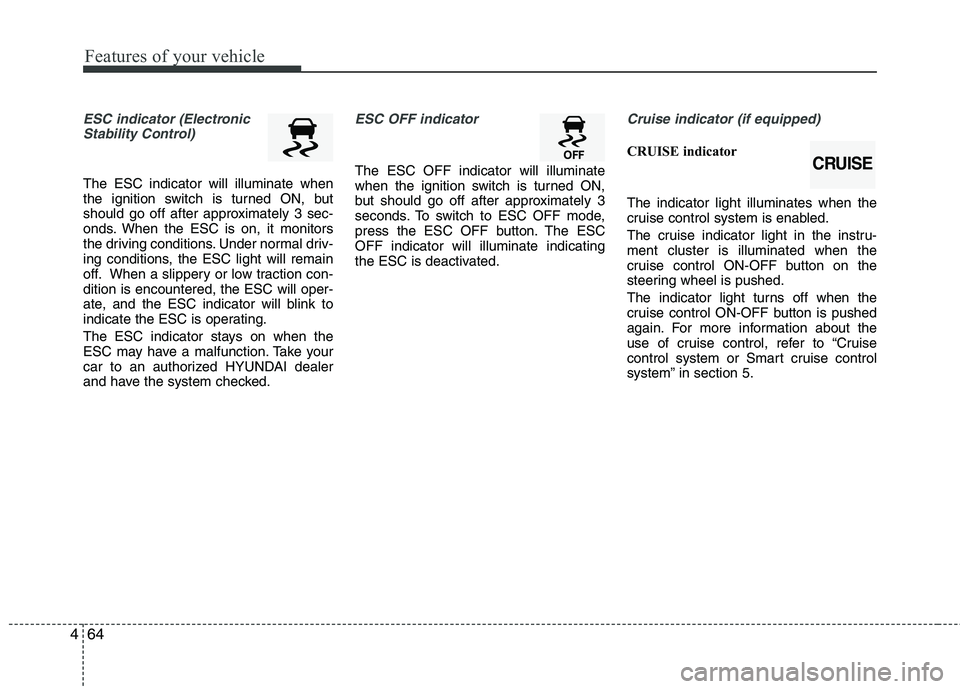
ESC indicator (Electronic
Stability Control)
The ESC indicator will illuminate when
the ignition switch is turned ON, but
should go off after approximately 3 sec-
onds. When the ESC is on, it monitors
the driving conditions. Under normal driv-
ing conditions, the ESC light will remain
off. When a slippery or low traction con-
dition is encountered, the ESC will oper-
ate, and the ESC indicator will blink to
indicate the ESC is operating.
The ESC indicator stays on when the
ESC may have a malfunction. Take your
car to an authorized HYUNDAI dealer
and have the system checked.
ESC OFF indicator
The ESC OFF indicator will illuminate
when the ignition switch is turned ON,
but should go off after approximately 3
seconds. To switch to ESC OFF mode,
press the ESC OFF button. The ESC
OFF indicator will illuminate indicating
the ESC is deactivated.
Cruise indicator (if equipped)
CRUISE indicator
The indicator light illuminates when the
cruise control system is enabled.
The cruise indicator light in the instru-
ment cluster is illuminated when the
cruise control ON-OFF button on the
steering wheel is pushed.
The indicator light turns off when the
cruise control ON-OFF button is pushed
again. For more information about the
use of cruise control, refer to “Cruise
control system or Smart cruise control
system” in section 5.CRUISE
Page 149 of 385
Features of your vehicle
70 4
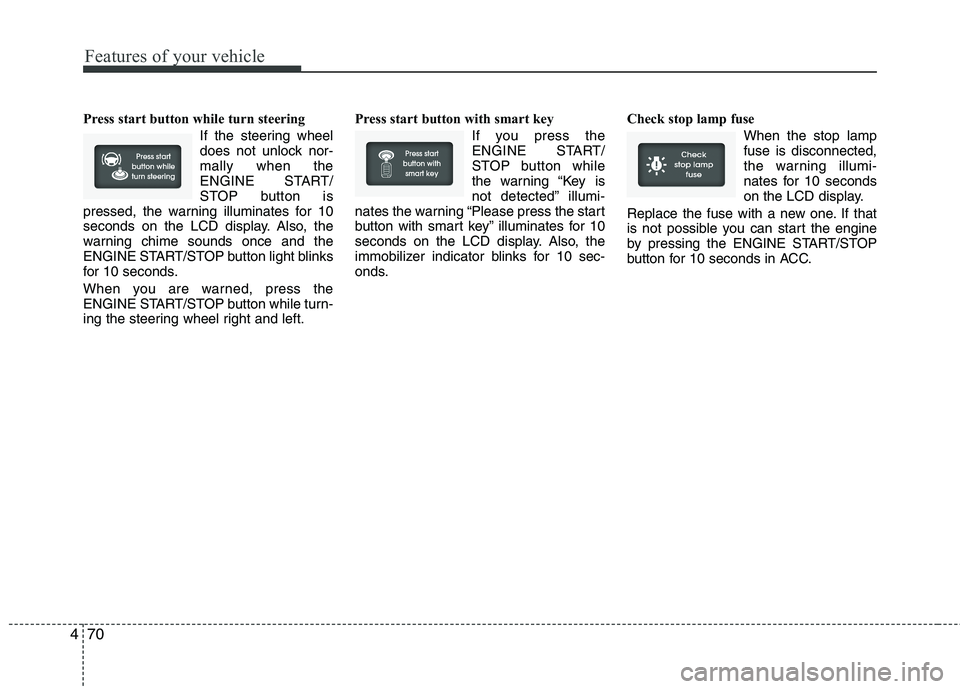
Press start button while turn steering
If the steering wheel
does not unlock nor-
mally when the
ENGINE START/
STOP button is
pressed, the warning illuminates for 10
seconds on the LCD display. Also, the
warning chime sounds once and the
ENGINE START/STOP button light blinks
for 10 seconds.
When you are warned, press the
ENGINE START/STOP button while turn-
ing the steering wheel right and left.Press start button with smart key
If you press the
ENGINE START/
STOP button while
the warning “Key is
not detected” illumi-
nates the warning “Please press the start
button with smart key” illuminates for 10
seconds on the LCD display. Also, the
immobilizer indicator blinks for 10 sec-
onds.Check stop lamp fuse
When the stop lamp
fuse is disconnected,
the warning illumi-
nates for 10 seconds
on the LCD display.
Replace the fuse with a new one. If that
is not possible you can start the engine
by pressing the ENGINE START/STOP
button for 10 seconds in ACC.
Page 150 of 385
471
Features of your vehicle
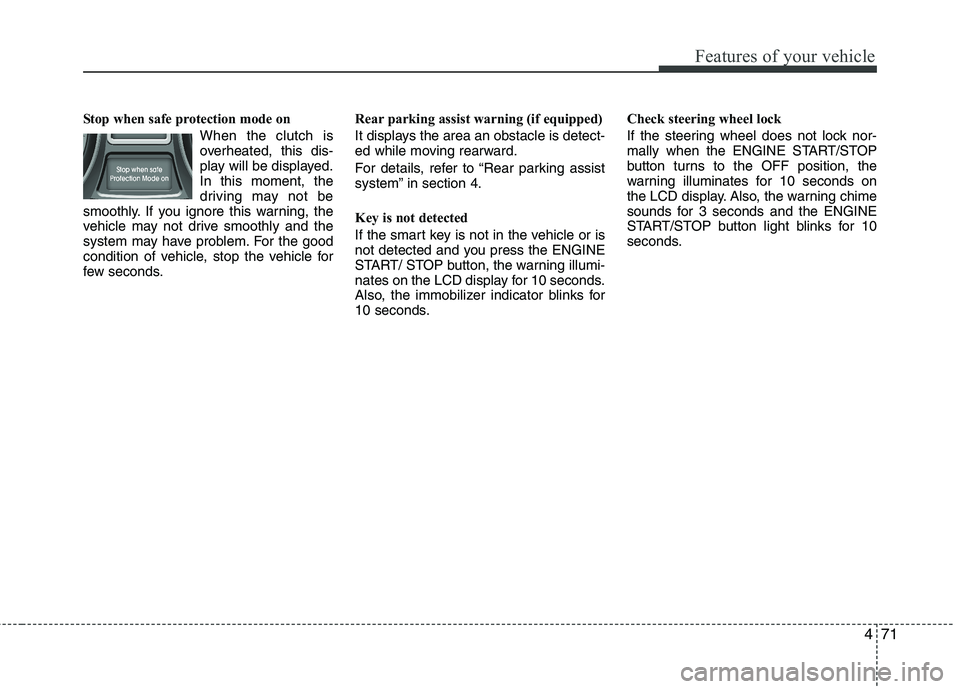
Stop when safe protection mode on
When the clutch is
overheated, this dis-
play will be displayed.
In this moment, the
driving may not be
smoothly. If you ignore this warning, the
vehicle may not drive smoothly and the
system may have problem. For the good
condition of vehicle, stop the vehicle for
few seconds.Rear parking assist warning (if equipped)
It displays the area an obstacle is detect-
ed while moving rearward.
For details, refer to “Rear parking assist
system” in section 4.
Key is not detected
If the smart key is not in the vehicle or is
not detected and you press the ENGINE
START/ STOP button, the warning illumi-
nates on the LCD display for 10 seconds.
Also, the immobilizer indicator blinks for
10 seconds.Check steering wheel lock
If the steering wheel does not lock nor-
mally when the ENGINE START/STOP
button turns to the OFF position, the
warning illuminates for 10 seconds on
the LCD display. Also, the warning chime
sounds for 3 seconds and the ENGINE
START/STOP button light blinks for 10
seconds.
Page 197 of 385
Features of your vehicle
118 4
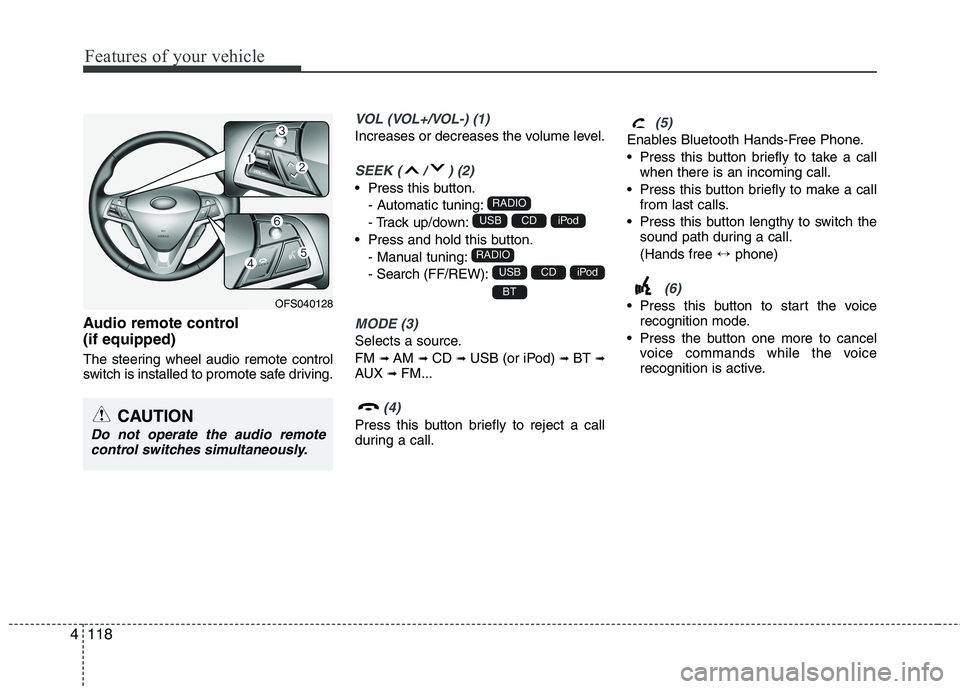
Audio remote control
(if equipped)
The steering wheel audio remote control
switch is installed to promote safe driving.
VOL (VOL+/VOL-) (1)
Increases or decreases the volume level.
SEEK ( / ) (2)
Press this button.
- Automatic tuning:
- Track up/down:
Press and hold this button.
- Manual tuning:
- Search (FF/REW):
MODE (3)
Selects a source.
FM
➟AM ➟CD ➟USB (or iPod) ➟BT ➟AUX ➟FM...
(4)
Press this button briefly to reject a call
during a call.
(5)
Enables Bluetooth Hands-Free Phone.
Press this button briefly to take a call
when there is an incoming call.
Press this button briefly to make a call
from last calls.
Press this button lengthy to switch the
sound path during a call.
(Hands free ↔phone)
(6)
Press this button to start the voice
recognition mode.
Press the button one more to cancel
voice commands while the voice
recognition is active.BT
iPodCDUSB
RADIO
iPodCDUSB
RADIO
CAUTION
Do not operate the audio remote
control switches simultaneously.
OFS040128
Page 212 of 385
4133
Features of your vehicle
NOTE:
When a station is preset on the preset
station button number on which
another station of the same band has
already been preset, the previously
preset station is automatically erased.
Voice recognition
Voice recognition allows hands-free
operation of the AV system (RADIO, CD,
USB, iPod), navigation and other sys-
tems equipped on this vehicle, such as
the phone.
NOTE:
To get the best recognition perform-
ance out of voice recognition, observe
the following:
Keep the interior of the vehicle as
quiet as possible. Close the win-
dows to eliminate the surrounding
noises (traffic noises, vibration
sounds, etc.), which may prevent
the system from recognizing the
voice commands correctly.
Wait until a beep sounds before
speaking a command. Otherwise,
the command will not be recognized
properly.
Speak in a natural voice without
pausing between words.
Giving voice commands
1. Press ( ) on the steering wheel
remote control.
2. After the beep sounds, say "Help". All
commands shall be listed which are
presented in active fields.
NOTE:
If the command is not recognized,
the system announces, 1st time
"Pardon?", 2nd time "Please,
repeat", and 3rd time "Command is
not recognized".
If you want to cancel the voice
recognition, press () one more time
or press the any button or touch
screen say "Cancel".
If you want to adjust the volume of
the system feedback, press VOL+ or
VOL-on the steering wheel remote
control or use the volume knob
(VOLUME) on the control while the
voice recognition is active.
Page 217 of 385
Driving your vehicle
4 5
Before starting
Close and lock all doors.
Position the seat so that all controls are
easily reached.
Adjust the inside and outside rearview
mirrors.
Be sure that all lights work.
Check all gauges.
Check the operation of warning lights
when the ignition switch is turned to
the ON position.
Release the parking brake and make
sure the brake warning light goes out.
For safe operation, be sure you are famil-
iar with your vehicle and its equipment.WARNING
Always check the surrounding
areas near your vehicle for people,
especially children, before putting a
car into D (Drive) or R (Reverse).
WARNING- Driving under
the influence of alcohol or
drugs
Drinking and driving is dangerous.
Drunk driving is the number one
contributor to the highway death
toll each year. Even a small amount
of alcohol will affect your reflexes,
perceptions and judgment. Driving
while under the influence of drugs
is as dangerous or more dangerous
than driving drunk.
You are much more likely to have a
serious accident if you drink or
take drugs and drive.
If you are drinking or taking drugs,
don’t drive. Do not ride with a driv-
er who has been drinking or taking
drugs. Choose a designated driver
or call a cab.
WARNING
When you intend to park or stop
the vehicle with the engine on, be
careful not to depress the accel-
erator pedal for a long period of
time. It may overheat the engine
or exhaust system and cause fire.
When you make a sudden stop or
turn the steering wheel rapidly,
loose objects may drop on the
floor and it could interfere with
the operation of the foot pedals,
possibly causing an accident.
Keep all things in the vehicle
safely stored.
If you do not focus on driving, it
may cause an accident. Be care-
ful when operating what may dis-
turb driving such as audio or
heater. It is the responsibility of
the driver to always drive safely.
WARNING
All passengers must be properly
belted whenever the vehicle is mov-
ing. Refer to “Seat belts” in section
3 for more information on their
proper use.