smart key HYUNDAI VELOSTER 2012 Owner's Manual
[x] Cancel search | Manufacturer: HYUNDAI, Model Year: 2012, Model line: VELOSTER, Model: HYUNDAI VELOSTER 2012Pages: 385, PDF Size: 24.4 MB
Page 147 of 385
Features of your vehicle
68 4
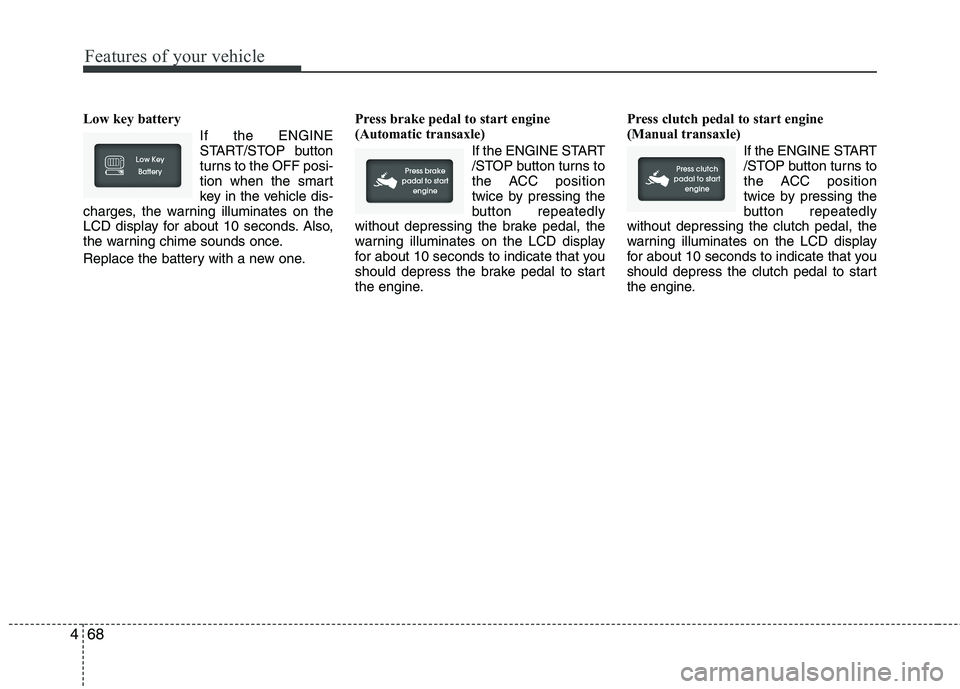
Low key battery
If the ENGINE
START/STOP button
turns to the OFF posi-
tion when the smart
key in the vehicle dis-
charges, the warning illuminates on the
LCD display for about 10 seconds. Also,
the warning chime sounds once.
Replace the battery with a new one.Press brake pedal to start engine
(Automatic transaxle)
If the ENGINE START
/STOP button turns to
the ACC position
twice by pressing the
button repeatedly
without depressing the brake pedal, the
warning illuminates on the LCD display
for about 10 seconds to indicate that you
should depress the brake pedal to start
the engine.Press clutch pedal to start engine
(Manual transaxle)
If the ENGINE START
/STOP button turns to
the ACC position
twice by pressing the
button repeatedly
without depressing the clutch pedal, the
warning illuminates on the LCD display
for about 10 seconds to indicate that you
should depress the clutch pedal to start
the engine.
Page 149 of 385
Features of your vehicle
70 4
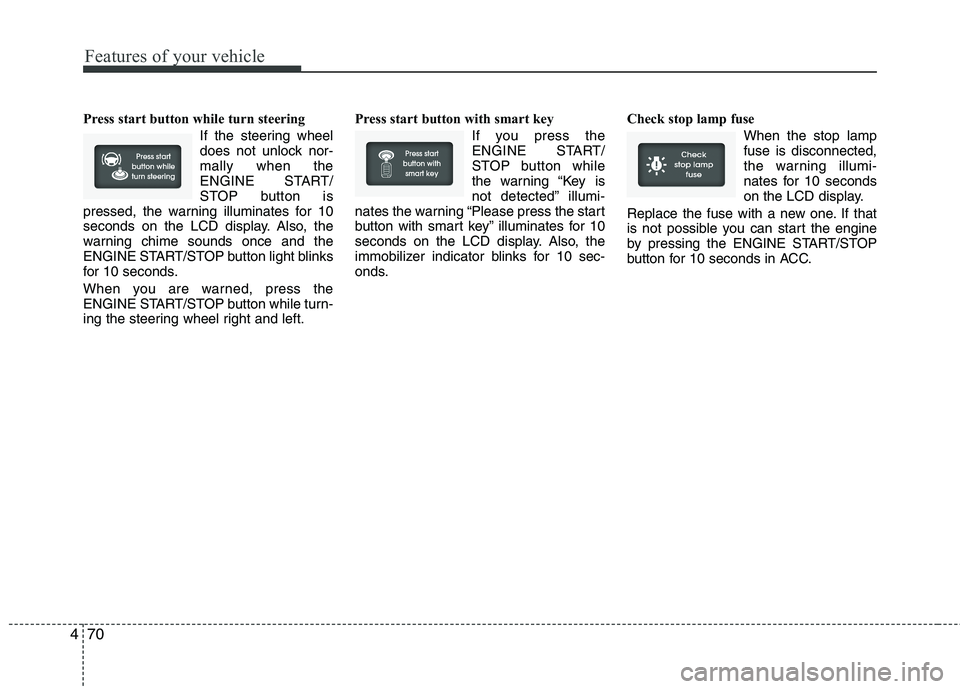
Press start button while turn steering
If the steering wheel
does not unlock nor-
mally when the
ENGINE START/
STOP button is
pressed, the warning illuminates for 10
seconds on the LCD display. Also, the
warning chime sounds once and the
ENGINE START/STOP button light blinks
for 10 seconds.
When you are warned, press the
ENGINE START/STOP button while turn-
ing the steering wheel right and left.Press start button with smart key
If you press the
ENGINE START/
STOP button while
the warning “Key is
not detected” illumi-
nates the warning “Please press the start
button with smart key” illuminates for 10
seconds on the LCD display. Also, the
immobilizer indicator blinks for 10 sec-
onds.Check stop lamp fuse
When the stop lamp
fuse is disconnected,
the warning illumi-
nates for 10 seconds
on the LCD display.
Replace the fuse with a new one. If that
is not possible you can start the engine
by pressing the ENGINE START/STOP
button for 10 seconds in ACC.
Page 150 of 385
471
Features of your vehicle
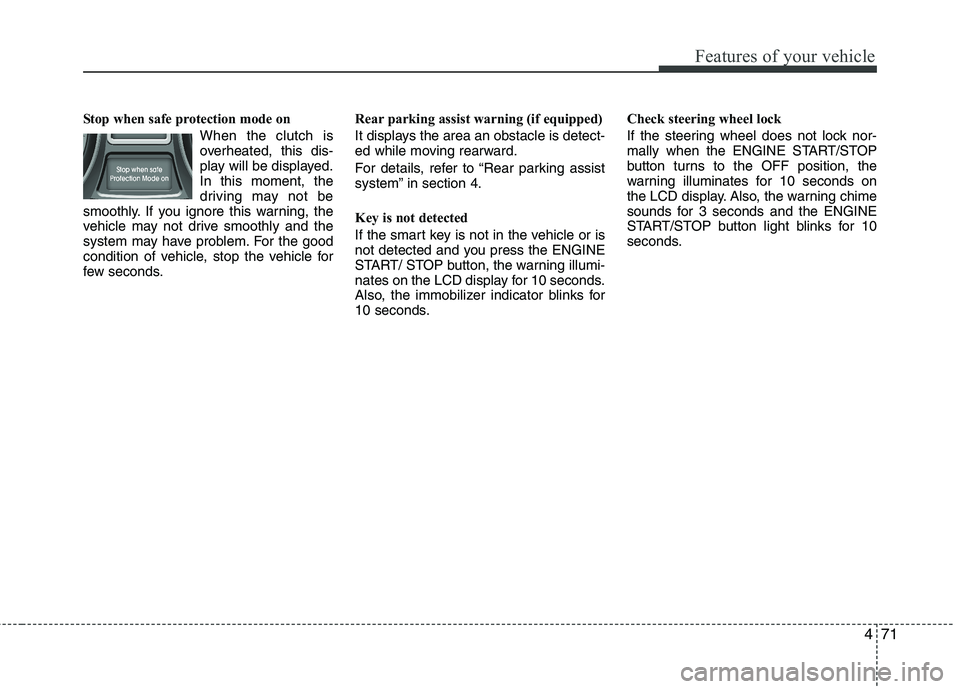
Stop when safe protection mode on
When the clutch is
overheated, this dis-
play will be displayed.
In this moment, the
driving may not be
smoothly. If you ignore this warning, the
vehicle may not drive smoothly and the
system may have problem. For the good
condition of vehicle, stop the vehicle for
few seconds.Rear parking assist warning (if equipped)
It displays the area an obstacle is detect-
ed while moving rearward.
For details, refer to “Rear parking assist
system” in section 4.
Key is not detected
If the smart key is not in the vehicle or is
not detected and you press the ENGINE
START/ STOP button, the warning illumi-
nates on the LCD display for 10 seconds.
Also, the immobilizer indicator blinks for
10 seconds.Check steering wheel lock
If the steering wheel does not lock nor-
mally when the ENGINE START/STOP
button turns to the OFF position, the
warning illuminates for 10 seconds on
the LCD display. Also, the warning chime
sounds for 3 seconds and the ENGINE
START/STOP button light blinks for 10
seconds.
Page 156 of 385
477
Features of your vehicle
LIGHTING
Battery saver function
The purpose of this feature is to pre-
vent the battery from being dis-
charged. The system automatically
turns off the parking lights when the
driver removes the ignition key (smart
key : turns off the engine) and opens
the driver-side door.
With this feature, the parking lights will
be turned off automatically if the driver
parks on the side of road at night.
If necessary, to keep the lights on
when the ignition key is removed
(smart key : turns off the engine), per-
form the following:
1) Open the driver-side door.
2) Turn the parking lights OFF and ON
again using the light switch on the
steering column.
Headlamp delay (if equipped)
If you turn the ignition switch to the ACC
or OFF position with the headlights ON,
the headlights remain on for about 20
minutes. However, if the driver’s door is
opened and closed, the headlights are
turned off after 30 seconds.
The headlights can be turned off by
pressing the lock button on the transmit-
ter (or smart key) twice or turning the
light switch to the OFF or Auto position.
However, if you turn the light switch to the
Auto position when it is dark outside, the
headlights will not be turned off.
Headlamp welcome function
(if equipped)
When the headlight switch is in the ON or
AUTO position and all doors (and tail-
gate) are closed and locked, if you press
the door unlock button on the transmitter
(or smart key), the headlights will come
on for about 15 seconds.
If the headlight switch is in the AUTO
position, the function can only operate at
night.
At this time, if you press the door unlock
button again or door lock button on the
transmitter (or smart key), the headlights
will turn off immediately.
Daytime running light (if equipped)
Daytime Running Lights (DRL) can make
it easier for others to see the front of your
vehicle during the day. DRL can be help-
ful in many different driving conditions,
and it is especially helpful after dawn and
before sunset.
The DRL system turns OFF when:
1. The headlight are ON.
2. The parking brake is applied.
3. Engine stops.
CAUTION
If the driver gets out of the vehicle
through other doors (other than the
driver's door), the battery saver
function does not operate and the
headlamp delay does not turn off
automatically. This will cause the
battery to be discharged. In this
case, make sure to turn off the lamp
before getting out of the vehicle.
Page 165 of 385
Features of your vehicle
86 4
Automatic turn off function
(if equipped)
The interior lights automatically turn off
approximately 20 minutes after the igni-
tion switch is turned off.
If your vehicle is equipped with the theft
alarm system, the interior lights automat-
ically turn off approximately 5 seconds
after the system is in the armed stage.
Map lamp
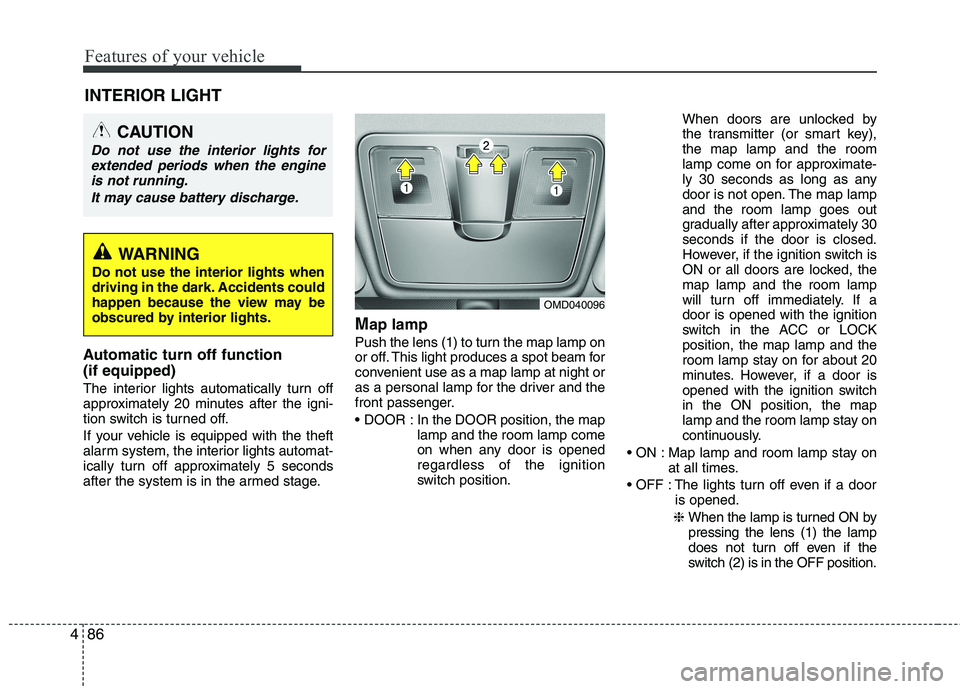
Push the lens (1) to turn the map lamp on
or off. This light produces a spot beam for
convenient use as a map lamp at night or
as a personal lamp for the driver and the
front passenger.
In the DOOR position, the map
lamp and the room lamp come
on when any door is opened
regardless of the ignition
switch position.When doors are unlocked by
the transmitter (or smart key),
the map lamp and the room
lamp come on for approximate-
ly 30 seconds as long as any
door is not open. The map lamp
and the room lamp goes out
gradually after approximately 30
seconds if the door is closed.
However, if the ignition switch is
ON or all doors are locked, the
map lamp and the room lamp
will turn off immediately. If a
door is opened with the ignition
switch in the ACC or LOCK
position, the map lamp and the
room lamp stay on for about 20
minutes. However, if a door is
opened with the ignition switch
in the ON position, the map
lamp and the room lamp stay on
continuously.
Map lamp and room lamp stay on
at all times.
The lights turn off even if a door
is opened.
❈ When the lamp is turned ON by
pressing the lens (1) the lamp
does not turn off even if the
switch (2) is in the OFF position.
OMD040096
INTERIOR LIGHT
CAUTION
Do not use the interior lights for
extended periods when the engine
is not running.
It may cause battery discharge.
WARNING
Do not use the interior lights when
driving in the dark. Accidents could
happen because the view may be
obscured by interior lights.
Page 166 of 385
487
Features of your vehicle
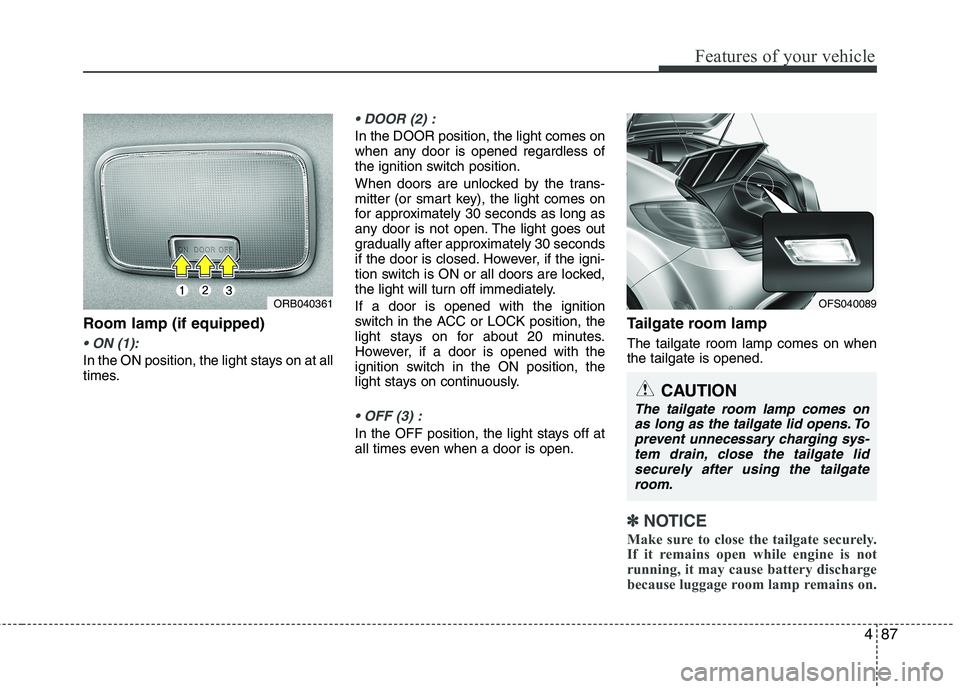
Room lamp (if equipped)
In the ON position, the light stays on at all
times.
In the DOOR position, the light comes on
when any door is opened regardless of
the ignition switch position.
When doors are unlocked by the trans-
mitter (or smart key), the light comes on
for approximately 30 seconds as long as
any door is not open. The light goes out
gradually after approximately 30 seconds
if the door is closed. However, if the igni-
tion switch is ON or all doors are locked,
the light will turn off immediately.
If a door is opened with the ignition
switch in the ACC or LOCK position, the
light stays on for about 20 minutes.
However, if a door is opened with the
ignition switch in the ON position, the
light stays on continuously.
In the OFF position, the light stays off at
all times even when a door is open.
Tailgate room lamp
The tailgate room lamp comes on when
the tailgate is opened.
✽ ✽
NOTICE
Make sure to close the tailgate securely.
If it remains open while engine is not
running, it may cause battery discharge
because luggage room lamp remains on.
ORB040361OFS040089
CAUTION
The tailgate room lamp comes on
as long as the tailgate lid opens. To
prevent unnecessary charging sys-
tem drain, close the tailgate lid
securely after using the tailgate
room.
Page 223 of 385
Driving your vehicle
10 5
E030205ABHStarting the engine
E040000ABHE040100ABK1. Carry the smart key or leave it inside
the vehicle.
2. Make sure the parking brake is firmly
applied.
3.Manual Transaxle- Depress the
clutch pedal fully and shift the
transaxle into Neutral. Depress the
brake and clutch pedal fully.
DCT- Place the transaxle shift lever in
P (Park). Depress the brake pedal fully.
You can also start the engine when the
shift lever is in the N (Neutral) position.
4. Press the engine start/stop button.
5. In extremely cold weather (below -
18°C / 0°F) or after the vehicle has not
been operated for several days, let the
engine warm up without depressing
the accelerator.
Whether the engine is cold or warm, it
should be started without depressing
the accelerator.
* DCT : Double clutch transmission
WARNING
Never press the engine start/stop
button while the vehicle is in
motion. This would result in loss
of directional control and braking
function, which could cause an
accident.
Before leaving the driver’s seat,
always make sure the shift lever
is engaged in 1st gear for the
manual transaxle or P
(Park) for
the automatic transaxle,set the
parking brake fully and shut the
engine off. Unexpected and sud-
den vehicle movement may occur
if these precautions are not taken.
Never reach for the engine
start/stop button, or any other con-
trols through the steering wheel
while the vehicle is in motion. The
presence of your hand or arm in
this area could cause a loss of
vehicle control, an accident and
serious bodily injury or death.
Do not place any movable objects
around the driver’s seat as they
may move while driving, interfere
with the driver and lead to an
accident.
WARNING
Always wear appropriate shoes
when operating your vehicle.
Unsuitable shoes (high heels, ski
boots, etc.) may interfere with your
ability to use the brake, accelerator
and clutch pedal (if equipped).
Page 224 of 385
511
Driving your vehicle
Even if the smart key is in the vehicle,
but it is not close to the driver’s seat
area, then the engine may not start.
When the engine start/stop button is in the
ACC or ON position, if any door is open,
the system checks for the smart key. If the
smart key is not in the vehicle, and if all
doors are closed, the chime will sound for
about 5 seconds. Keep the smart key in
the vehicle, when using the ACC position
or if the vehicle engine is on.
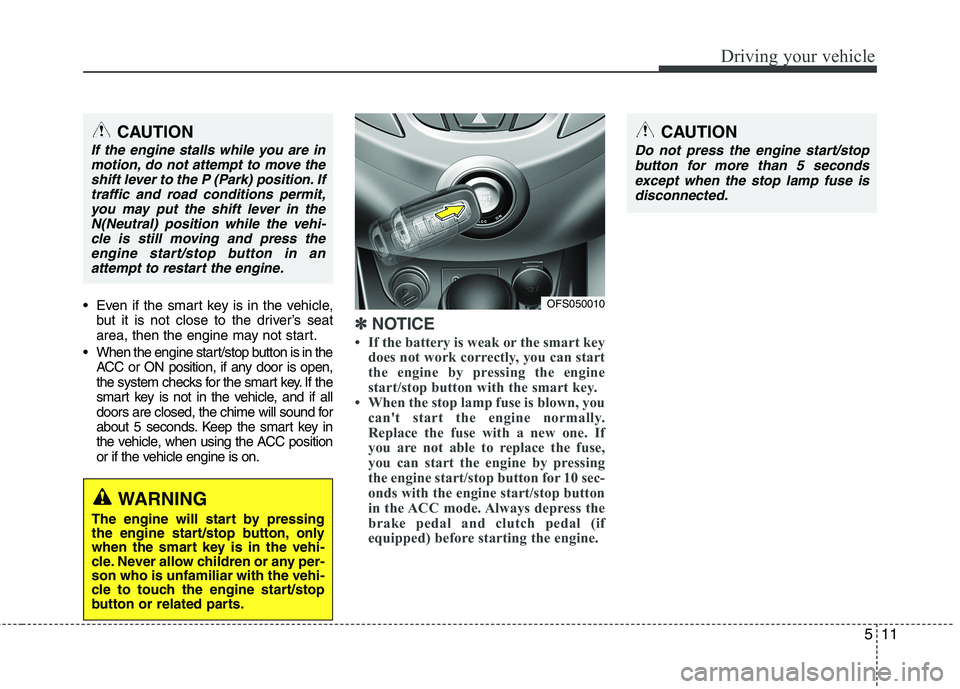
✽ ✽
NOTICE
• If the battery is weak or the smart key
does not work correctly, you can start
the engine by pressing the engine
start/stop button with the smart key.
• When the stop lamp fuse is blown, you
can't start the engine normally.
Replace the fuse with a new one. If
you are not able to replace the fuse,
you can start the engine by pressing
the engine start/stop button for 10 sec-
onds with the engine start/stop button
in the ACC mode. Always depress the
brake pedal and clutch pedal (if
equipped) before starting the engine.
WARNING
The engine will start by pressing
the engine start/stop button, only
when the smart key is in the vehi-
cle. Never allow children or any per-
son who is unfamiliar with the vehi-
cle to touch the engine start/stop
button or related parts.
CAUTION
If the engine stalls while you are in
motion, do not attempt to move the
shift lever to the P (Park) position. If
traffic and road conditions permit,
you may put the shift lever in the
N(Neutral) position while the vehi-
cle is still moving and press the
engine start/stop button in an
attempt to restart the engine.
OFS050010
CAUTION
Do not press the engine start/stop
button for more than 5 seconds
except when the stop lamp fuse is
disconnected.
Page 344 of 385
Maintenance
50 7
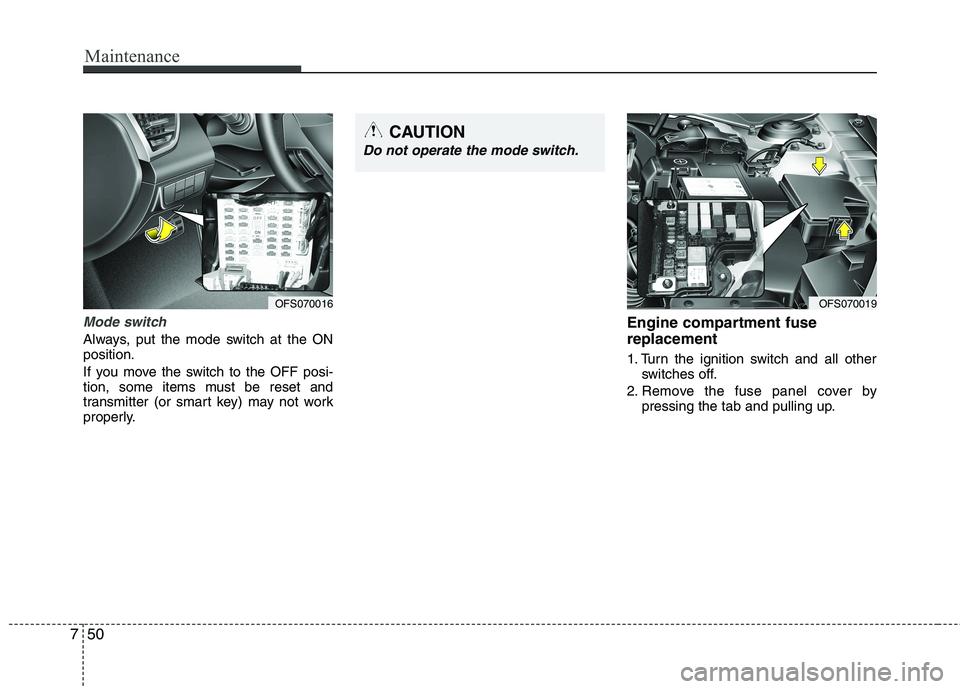
Mode switch
Always, put the mode switch at the ON
position.
If you move the switch to the OFF posi-
tion, some items must be reset and
transmitter (or smart key) may not work
properly.
Engine compartment fuse
replacement
1. Turn the ignition switch and all other
switches off.
2. Remove the fuse panel cover by
pressing the tab and pulling up.
OFS070016OFS070019
CAUTION
Do not operate the mode switch.
Page 347 of 385
753
Maintenance
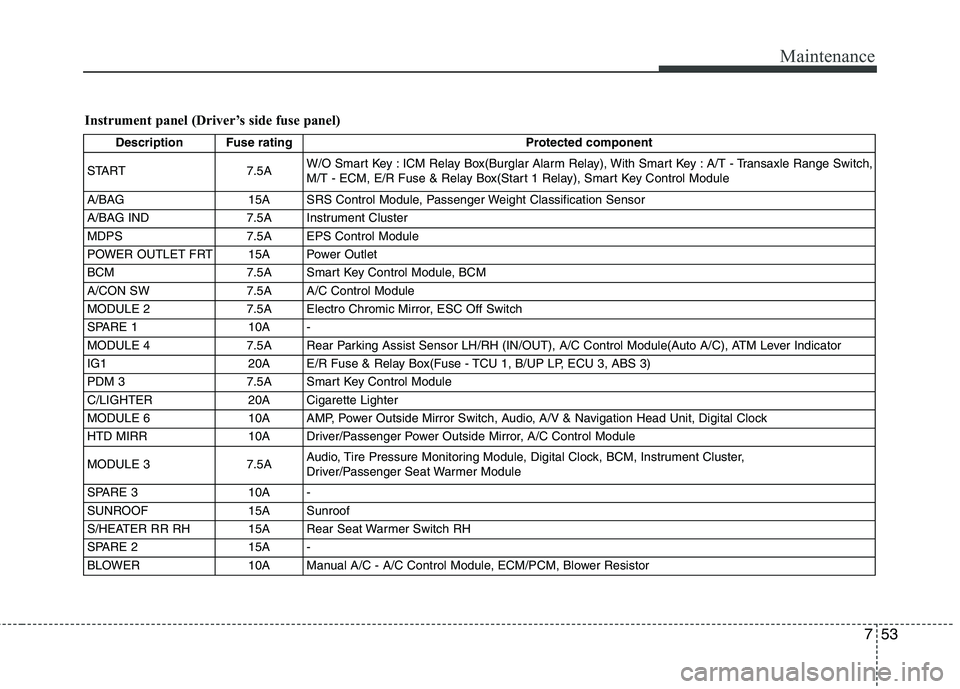
Instrument panel (Driver’s side fuse panel)
Description Fuse rating Protected component
START 7.5AW/O Smart Key : ICM Relay Box(Burglar Alarm Relay), With Smart Key : A/T - Transaxle Range Switch,
M/T - ECM, E/R Fuse & Relay Box(Start 1 Relay), Smart Key Control Module
A/BAG 15A SRS Control Module, Passenger Weight Classification Sensor
A/BAG IND 7.5A Instrument Cluster
MDPS 7.5A EPS Control Module
POWER OUTLET FRT 15A Power Outlet
BCM 7.5A Smart Key Control Module, BCM
A/CON SW 7.5A A/C Control Module
MODULE 2 7.5A Electro Chromic Mirror, ESC Off Switch
SPARE 1 10A -
MODULE 4 7.5A Rear Parking Assist Sensor LH/RH (IN/OUT), A/C Control Module(Auto A/C), ATM Lever Indicator
IG1 20A E/R Fuse & Relay Box(Fuse - TCU 1, B/UP LP, ECU 3, ABS 3)
PDM 3 7.5A Smart Key Control Module
C/LIGHTER 20A Cigarette Lighter
MODULE 6 10A AMP, Power Outside Mirror Switch, Audio, A/V & Navigation Head Unit, Digital Clock
HTD MIRR 10A Driver/Passenger Power Outside Mirror, A/C Control Module
MODULE 3 7.5AAudio, Tire Pressure Monitoring Module, Digital Clock, BCM, Instrument Cluster,
Driver/Passenger Seat Warmer Module
SPARE 3 10A -
SUNROOF 15A Sunroof
S/HEATER RR RH 15A Rear Seat Warmer Switch RH
SPARE 2 15A -
BLOWER 10A Manual A/C - A/C Control Module, ECM/PCM, Blower Resistor