clutch HYUNDAI VELOSTER 2019 User Guide
[x] Cancel search | Manufacturer: HYUNDAI, Model Year: 2019, Model line: VELOSTER, Model: HYUNDAI VELOSTER 2019Pages: 491, PDF Size: 15.17 MB
Page 156 of 491
3-76
Convenient features of your vehicle
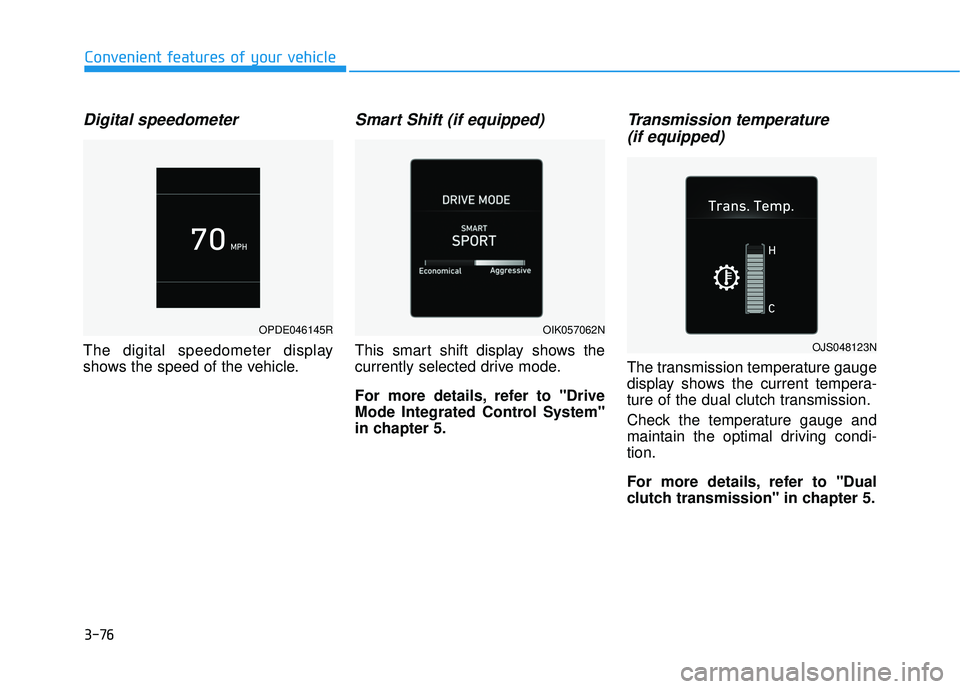
Digital speedometer
The digital speedometer display
shows the speed of the vehicle.
Smart Shift (if equipped)
This smart shift display shows the
currently selected drive mode.
For more details, refer to "Drive
Mode Integrated Control System''
in chapter 5.
Transmission temperature (if equipped)
The transmission temperature gauge
display shows the current tempera-
ture of the dual clutch transmission.
Check the temperature gauge and
maintain the optimal driving condi-
tion.
For more details, refer to "Dual
clutch transmission" in chapter 5.
OPDE046145ROIK057062N
OJS048123N
Page 213 of 491
Driving your vehicle
5
Before Driving ........................................................5-4
Before Entering the Vehicle ...........................................5-4
Before Starting ..................................................................5-4
Ignition Switch ........................................................5-6
Key Ignition Switch ...........................................................5-6
Engine Start/Stop Button................................................5-9
Manual Transmission ...........................................5-18
Manual Transmission Operation ..................................5-18
Good Driving Practices ..................................................5-20
Automatic Transmission ......................................5-22
Automatic Transmission Operation .............................5-22
Good Driving Practices ..................................................5-27
Dual clutch Transmission ....................................5-29
Dual Clutch Transmission Operation ..........................5-29
LCD display for transmission temperature and
warning message.............................................................5-31
Good Driving Practices ..................................................5-38
Braking System ....................................................5-40
Power Brakes ...................................................................5-40
Disc Brakes Wear Indicator ..........................................5-41
Parking Brake .................................................................5-41
Anti-lock Brake System (ABS) ....................................5-43
Electronic Stability Control (ESC)................................5-45
Vehicle Stability Management (VSM).........................5-47 Hill-Start Assist Control (HAC) ....................................5-48
Good Braking Practices .................................................5-49
Drive Mode Integrated Control System ............5-51
DRIVE MODE (with Automatic Transmission/
Dual Clutch Transmission) .............................................5-51
SPORT MODE (with Manual Transmission) ..............5-53
Blind-Spot Collision Warning (BCW) System...5-55
BCW (Blind-Spot Collision Warning) ..........................5-56
RCCW (Rear Cross-Traffic Collision Warning) .........5-58
Blind Spot Collision Warning - Sensor Location .....5-60
Limitations of the System .............................................5-61
Forward Collision-Avoidance Assist (FCA)
System (Camera) ..................................................5-63
System Setting and Activation.....................................5-63
FCA Warning Message and System Control ............5-65
FCA Sensor .......................................................................5\
-67
System Malfunction .......................................................5-68
Limitations of the System .............................................5-70
Forward Collision-Avoidance Assist (FCA)
System (Fusion Sensor) ......................................5-75
System Setting and Activation.....................................5-75
FCA Warning Message and System Control ............5-77
FCA Sensor .......................................................................5\
-79
System Malfunction .......................................................5-80
Limitations of the System .............................................5-82
Page 218 of 491
5-6
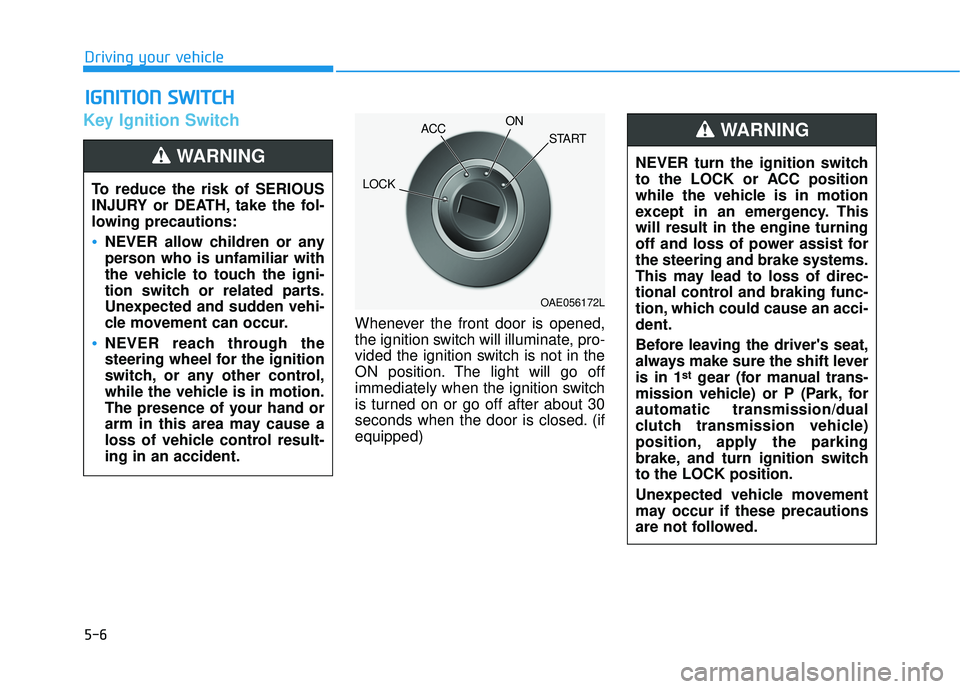
Key Ignition Switch
Whenever the front door is opened,
the ignition switch will illuminate, pro-
vided the ignition switch is not in the
ON position. The light will go off
immediately when the ignition switch
is turned on or go off after about 30
seconds when the door is closed. (if
equipped)
I IG
G N
N I
IT
T I
IO
O N
N
S
S W
W I
IT
T C
CH
H
Driving your vehicle
To reduce the risk of SERIOUS
INJURY or DEATH, take the fol-
lowing precautions:
NEVER allow children or any
person who is unfamiliar with
the vehicle to touch the igni-
tion switch or related parts.
Unexpected and sudden vehi-
cle movement can occur.
NEVER reach through the
steering wheel for the ignition
switch, or any other control,
while the vehicle is in motion.
The presence of your hand or
arm in this area may cause a
loss of vehicle control result-
ing in an accident.
WARNING NEVER turn the ignition switch
to the LOCK or ACC position
while the vehicle is in motion
except in an emergency. This
will result in the engine turning
off and loss of power assist for
the steering and brake systems.
This may lead to loss of direc-
tional control and braking func-
tion, which could cause an acci-
dent.
Before leaving the driver's seat,
always make sure the shift lever
is in 1
stgear (for manual trans-
mission vehicle) or P (Park, for
automatic transmission/dual
clutch transmission vehicle)
position, apply the parking
brake, and turn ignition switch
to the LOCK position.
Unexpected vehicle movement
may occur if these precautions
are not followed.
WARNING
OAE056172L
LOCK ACC
ON
START
Page 219 of 491
5-7
Driving your vehicle
5
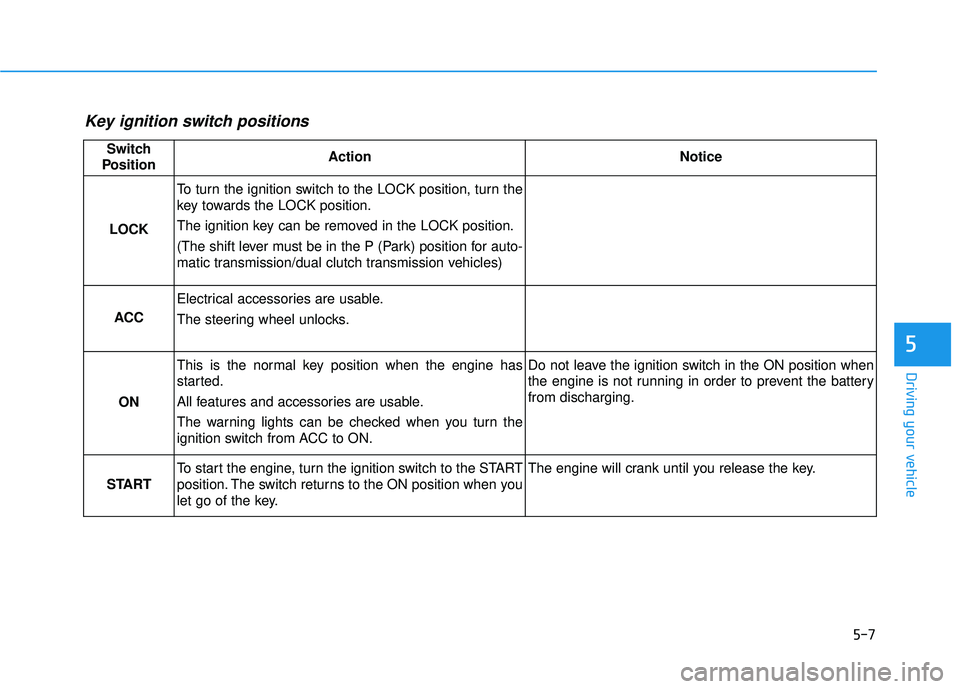
Key ignition switch positions
Switch
PositionActionNotice
LOCK
To turn the ignition switch to the LOCK position, turn the
key towards the LOCK position.
The ignition key can be removed in the LOCK position.
(The shift lever must be in the P (Park) position for auto-
matic transmission/dual clutch transmission vehicles)
ACC
Electrical accessories are usable.
The steering wheel unlocks.
ON
This is the normal key position when the engine has
started.
All features and accessories are usable.
The warning lights can be checked when you turn the
ignition switch from ACC to ON.Do not leave the ignition switch in the ON position when
the engine is not running in order to prevent the battery
from discharging.
START
To start the engine, turn the ignition switch to the START
position. The switch returns to the ON position when you
let go of the key.The engine will crank until you release the key.
Page 220 of 491
5-8
Starting the engine Vehicle with manual transmission:
1. Make sure the parking brake isapplied.
2. Make sure the shift lever is in neu- tral.
3. Depress the clutch and brake ped- als.
4. Turn the ignition switch to the START position. Hold the key
(maximum of 10 seconds) until the
engine starts and release it.
Information
Depress the brake pedal and clutch
pedal until the engine starts.
Vehicle with automatic transmission/
dual clutch transmission:
1. Make sure the parking brake isapplied.
2. Make sure the shift lever is in P (Park).
3. Depress the brake pedal.
4. Turn the ignition switch to the START position. Hold the key
(maximum of 10 seconds) until the
engine starts and release it.
Information
• It is best to maintain a moderateengine speed until the vehicle engine
comes up to normal operating tem-
perature. Avoid harsh or abrupt
acceleration or deceleration while
the engine is still cold.
• Whether the engine is cold or warm, always start the vehicle with your
foot on the brake pedal. Do not
depress the accelerator while start-
ing the vehicle. Do not rev the
engine while warming it up.
To prevent damage to the vehicle:
Do not hold the ignition key in the START position for more
than 10 seconds. Wait 5 to 10
seconds before trying again.
Do not push or tow your vehicle to start the engine.
NOTICE
i
i
Driving your vehicle
Always wear appropriate shoes
when operating your vehicle.
Unsuitable shoes, such as high
heels, ski boots, sandals, flip-
flops, etc., may interfere with
your ability to use the brake and
accelerator pedals.
WARNING
Page 223 of 491
5-11
Driving your vehicle
5
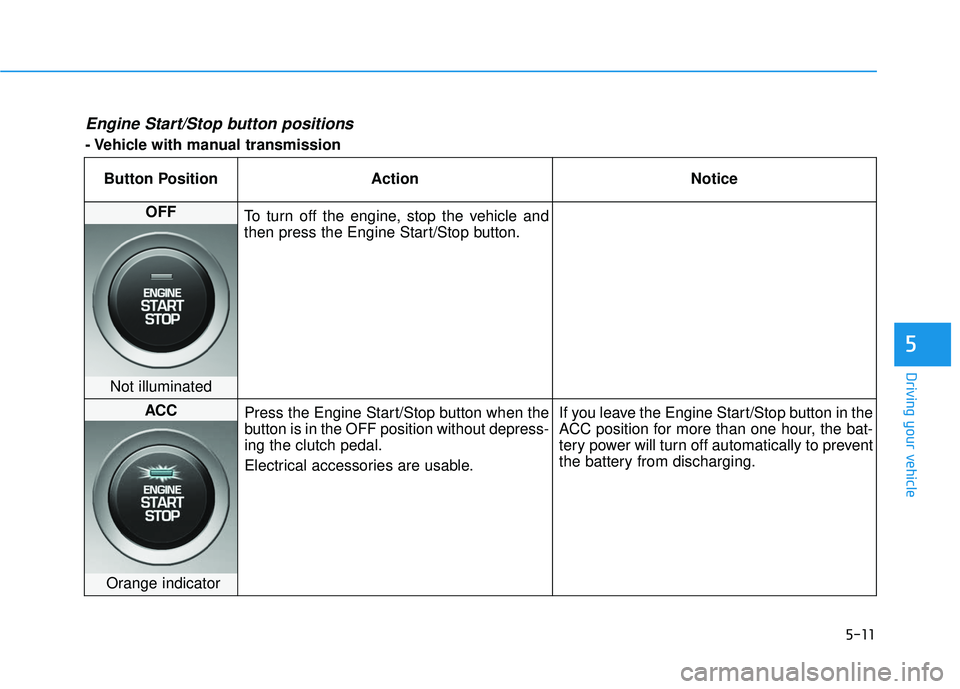
Engine Start/Stop button positions
- Vehicle with manual transmissionButton Position Action Notice
OFF To turn off the engine, stop the vehicle and
then press the Engine Start/Stop button.
Not illuminated
ACC Press the Engine Start/Stop button when the
button is in the OFF position without depress-
ing the clutch pedal.
Electrical accessories are usable. If you leave the Engine Start/Stop button in the
ACC position for more than one hour, the bat-
tery power will turn off automatically to prevent
the battery from discharging.
Orange indicator
Page 224 of 491
5-12
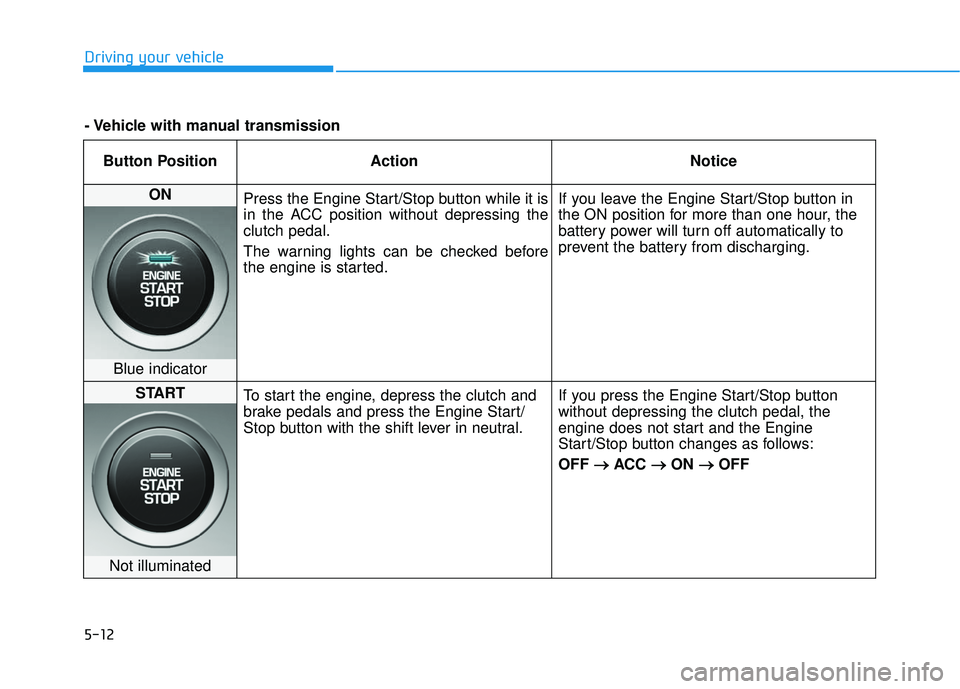
Driving your vehicleButton Position Action Notice
ON Press the Engine Start/Stop button while it is
in the ACC position without depressing the
clutch pedal.
The warning lights can be checked before
the engine is started. If you leave the Engine Start/Stop button in
the ON position for more than one hour, the
battery power will turn off automatically to
prevent the battery from discharging.
Blue indicator
START
To start the engine, depress the clutch and
brake pedals and press the Engine Start/
Stop button with the shift lever in neutral. If you press the Engine Start/Stop button
without depressing the clutch pedal, the
engine does not start and the Engine
Start/Stop button changes as follows:
OFF
→ →
ACC →
→
ON →
→
OFF
Not illuminated
- Vehicle with manual transmission
Page 225 of 491
5-13
Driving your vehicle
5
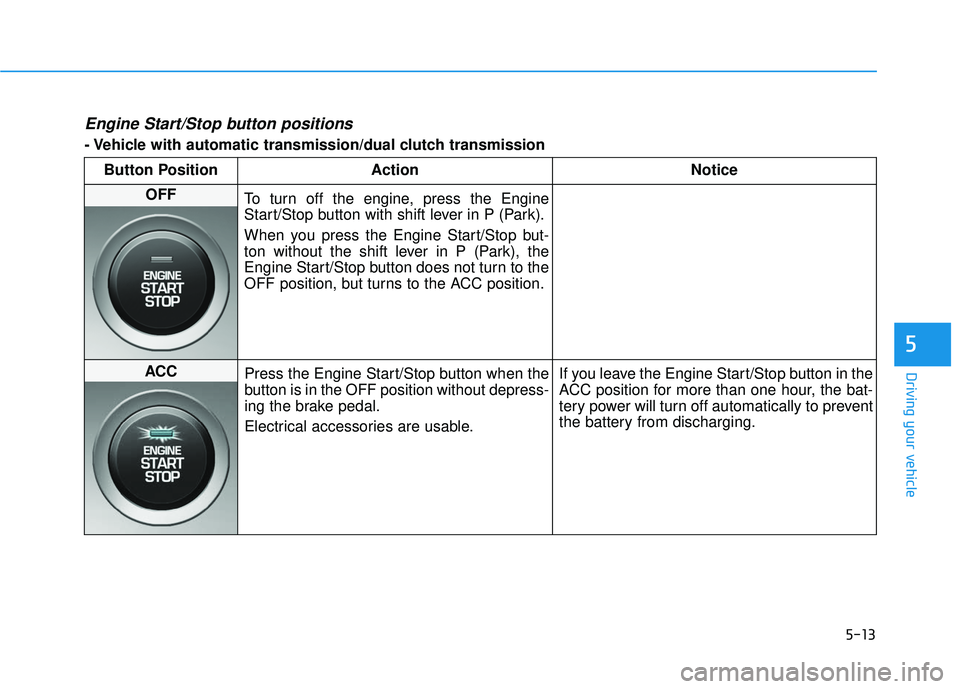
Engine Start/Stop button positions
- Vehicle with automatic transmission/dual clutch transmissionButton Position Action Notice
OFF To turn off the engine, press the Engine
Start/Stop button with shift lever in P (Park).
When you press the Engine Start/Stop but-
ton without the shift lever in P (Park), the
Engine Start/Stop button does not turn to the
OFF position, but turns to the ACC position.
ACC Press the Engine Start/Stop button when the
button is in the OFF position without depress-
ing the brake pedal.
Electrical accessories are usable. If you leave the Engine Start/Stop button in the
ACC position for more than one hour, the bat-
tery power will turn off automatically to prevent
the battery from discharging.
Page 226 of 491
5-14
Driving your vehicleButton Position Action Notice
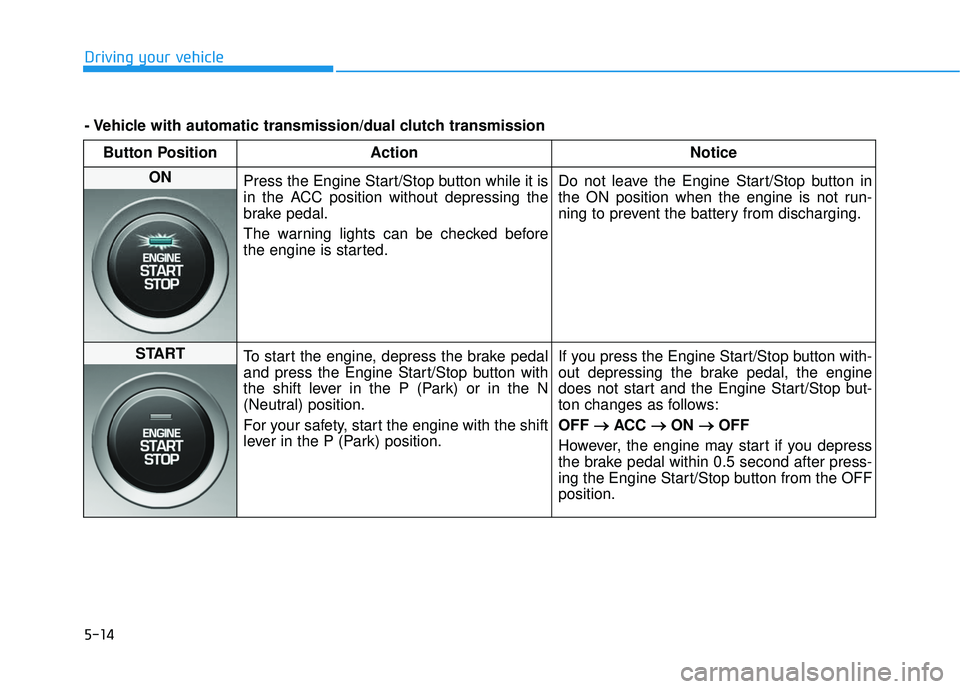
ON Press the Engine Start/Stop button while it is
in the ACC position without depressing the
brake pedal.
The warning lights can be checked before
the engine is started. Do not leave the Engine Start/Stop button in
the ON position when the engine is not run-
ning to prevent the battery from discharging.
START
To start the engine, depress the brake pedal
and press the Engine Start/Stop button with
the shift lever in the P (Park) or in the N
(Neutral) position.
For your safety, start the engine with the shift
lever in the P (Park) position. If you press the Engine Start/Stop button with-
out depressing the brake pedal, the engine
does not start and the Engine Start/Stop but-
ton changes as follows:
OFF
→ →
ACC →
→
ON →
→
OFF
However, the engine may start if you depress
the brake pedal within 0.5 second after press-
ing the Engine Start/Stop button from the OFF
position.
- Vehicle with automatic transmission/dual clutch transmission
Page 227 of 491
5-15
Driving your vehicle
5
Starting the engine Information
• The engine will start by pressing theEngine Start/Stop button, only when
the smart key is in the vehicle.
• Even if the smart key is in the vehi- cle, if it is far away from the driver,
the engine may not start.
• When the Engine Start/Stop button is in the ACC or ON position, if any
door is open, the system checks for
the smart key. If the smart key is not
in the vehicle, the " " indicator
will blink and the warning "Key not
in vehicle" will come on and if all
doors are closed, the chime will also
sound for about 5 seconds. Keep the
smart key in the vehicle when using
the ACC position or if the vehicle
engine is ON. Vehicle with manual transmission:
1. Always carry the smart key with
you.
2. Make sure the parking brake is applied.
3. Make sure the shift lever is in neu- tral.
4. Depress the clutch and brake ped- als.
5. Press the Engine Start/Stop but- ton.
Information
Depress the brake pedal and clutch
pedal until the engine starts.
Vehicle with automatic transmission/
dual clutch transmission:
1. Always carry the smart key withyou.
2. Make sure the parking brake is applied.
3. Make sure the shift lever is in P (Park).
4. Depress the brake pedal.
5. Press the Engine Start/Stop but- ton.
i
i
Always wear appropriate shoes
when operating your vehicle.
Unsuitable shoes, such as
high heels, ski boots, sandals,
flip-flops, etc., may interfere
with your ability to use the
brake and accelerator pedals.
Do not start the vehicle with the
accelerator pedal depressed.
The vehicle can move and lead
to an accident.
Wait until the engine rpm is
normal. The vehicle may sud-
denly move if the brake pedal
is released when the rpm is
high.
WARNING