eco HYUNDAI VELOSTER 2019 Workshop Manual
[x] Cancel search | Manufacturer: HYUNDAI, Model Year: 2019, Model line: VELOSTER, Model: HYUNDAI VELOSTER 2019Pages: 491, PDF Size: 15.17 MB
Page 128 of 491
3-48
Convenient features of your vehicle
Electric Power Steering(EPS) Warning Light
This warning light illuminates:
When you place the ignition switch
to the ON position.
- The Electric Power SteeringWarning light illuminates for
about 3 seconds and then goes
off.
Whenever there is a malfunction with the EPS.
If this occurs, have the vehicle
inspected by an authorized
HYUNDAI dealer.
Malfunction IndicatorLamp (MIL)
This indicator light illuminates:
When you place the ignition switch
to the ON position.
- The malfunction indicator lightilluminates for about 3 seconds
and then goes off.
Whenever there is a malfunction with either the emission control
system or the engine or the vehicle
powertrain.
If this occurs, have the vehicle
inspected by an authorized
HYUNDAI dealer.
Driving with the Malfunction
Indicator Lamp (MIL) on may
cause damage to the emission
control system which could affect
drivability and/or fuel economy. If the Malfunction Indicator Lamp
(MIL) illuminates, potential catalyt-
ic converter damage is possible
which could result in loss of
engine power.
In this case, have the vehicle
inspected by an authorized
HYUNDAI dealer as soon as possi-
ble.
NOTICE
NOTICE
Page 130 of 491
3-50
Convenient features of your vehicle
Low Fuel LevelWarning Light
This warning light illuminates:
• When the fuel tank is nearly empty.
Add fuel as soon as possible.
Driving with the Low Fuel Level
warning light on or with the fuel
level below "E" can cause the
engine to misfire and damage the
catalytic converter.
Master Warning Light
This warning light illuminates:
When there is a malfunction in operation in any of the following
systems:
- Low washer fluid
- Exterior lamp malfunction(if equipped)
- Blind-Spot Collision Warning (BCW) malfunction (if equipped)
- Tire Pressure Monitoring System (TPMS)
To identify the details of the warn-
ing, look at the LCD display.
Low Tire Pressure Warning Light
This warning light illuminates:
When you place the ignition switch
ON position.
- It illuminates for approximately 3seconds and then goes off.
When one or more of your tires are significantly underinflated. (The
location of the underinflated tires
are displayed on the LCD display.)
For more details, refer to "Tire
Pressure Monitoring System
(TPMS)" in chapter 6.
NOTICE
Page 131 of 491
3-51
Convenient features of your vehicle
3
This warning light remains ON
after blinking for approximately 60
seconds, or repeatedly blinks ON
and OFF in 3 second intervals:
When there is a malfunction withthe TPMS.
In this case, have the vehicle inspect-
ed by an authorized HYUNDAI deal-
er as soon as possible.
For more details, refer to "Tire
Pressure Monitoring System
(TPMS)" in chapter 6.
Electronic Stability Control (ESC) IndicatorLight
This indicator light illuminates:
When you place the ignition switch
to the ON position.
- The Electronic Stability Controlindicator light illuminates for
about 3 seconds and then goes
off.
Whenever there is a malfunction with the ESC system.
If this occurs, have the vehicle
inspected by an authorized
HYUNDAI dealer.
This indicator light blinks:
While the ESC is operating.
For more details, refer to
"Electronic Stability Control (ESC)"
in chapter 5.
Electronic StabilityControl (ESC) OFFIndicator Light
This indicator light illuminates:
When you place the ignition switch
to the ON position.
- It illuminates for approximately 3 seconds and then goes off.
When you deactivate the ESC sys- tem by pressing the ESC OFF but-
ton.
For more details, refer to
"Electronic Stability Control (ESC)"
in chapter 5.
Safe Stopping
•The TPMS cannot alert you to
severe and sudden tire dam-
age caused by external fac-
tors.
If you notice any vehicle insta-
bility, immediately take your
foot off the accelerator pedal,
apply the brakes gradually
with light force, and slowly
move to a safe position off the
road.
WARNING
Page 132 of 491
3-52
Convenient features of your vehicle
Immobilizer IndicatorLight (without smartkey) (if equipped)
This indicator light illuminates:
When the vehicle detects the
immobilizer in the key with the igni-
tion switch in the ON position.
- At this time, you can start theengine.
- The indicator light goes off after starting the engine.
This indicator light blinks:
When there is a malfunction with the immobilizer system.
In this case, have the vehicle
inspected by an authorized
HYUNDAI dealer.
Immobilizer IndicatorLight (with smart key(if equipped)
This indicator light illuminates for
up to 30 seconds:
When the vehicle detects the
smart key in the vehicle with the
Engine Start/Stop button in the
ACC or ON position.
- Once the smart key is detected,you can start the engine.
- The indicator light goes off after starting the engine.
This indicator light blinks for a few
seconds:
When the smart key is not in the vehicle.
- If the smart key is not detected,you cannot start the engine.
This indicator light illuminates for
2 seconds and goes off:
If the smart key is in the vehicle and the Engine Start/Stop button is
ON, but the vehicle cannot detect
the smart key.
In this case, have the vehicle inspect-
ed by an authorized HYUNDAI deal-
er.
This indicator light blinks:
When the battery voltage of thesmart key is low.
- If this occurs, you will not be ableto start the engine by simply
pressing the Start/Stop button.
However, you can still start the
engine by pressing the Start/Stop
button directly with the smart key.
(Refer to "Starting the Engine"
in chapter 5.)
When there is a malfunction with the immobilizer system.
In this case, have the vehicle
inspected by an authorized
HYUNDAI dealer.
Page 136 of 491
3-56
Convenient features of your vehicle
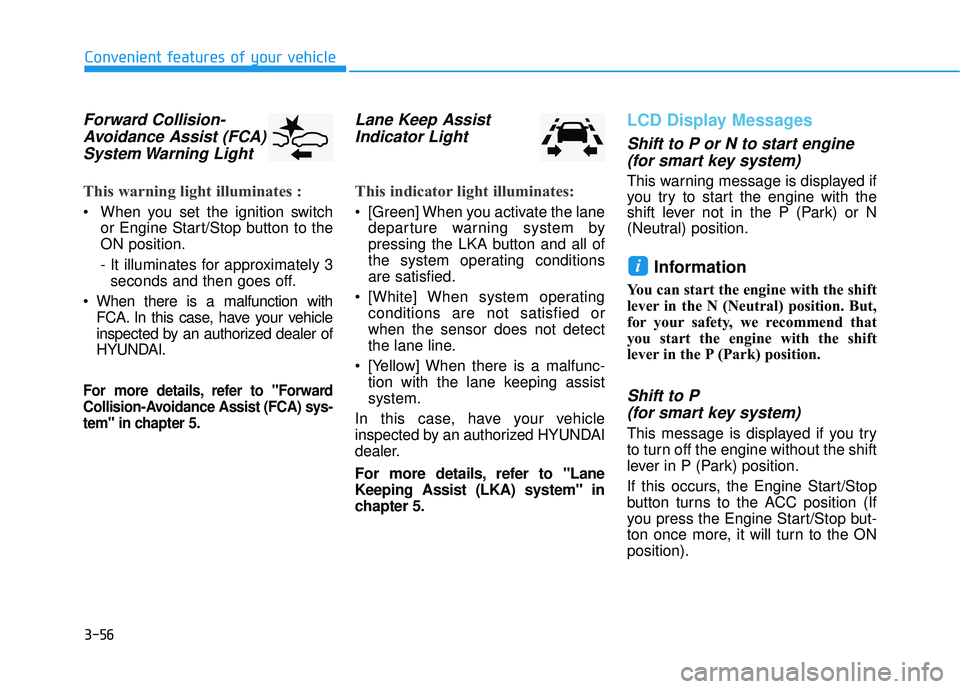
Forward Collision-Avoidance Assist (FCA)System Warning Light
This warning light illuminates :
When you set the ignition switch
or Engine Start/Stop button to the
ON position.
- It illuminates for approximately 3seconds and then goes off.
When there is a malfunction with FCA. In this case, have your vehicle
inspected by an authorized dealer of
HYUNDAI.
For more details, refer to "Forward
Collision-Avoidance Assist (FCA) sys-
tem" in chapter 5.
Lane Keep AssistIndicator Light
This indicator light illuminates:
[Green] When you activate the lane
departure warning system by
pressing the LKA button and all of
the system operating conditions
are satisfied.
[White] When system operating conditions are not satisfied or
when the sensor does not detect
the lane line.
[Yellow] When there is a malfunc- tion with the lane keeping assist
system.
In this case, have your vehicle
inspected by an authorized HYUNDAI
dealer.
For more details, refer to "Lane
Keeping Assist (LKA) system" in
chapter 5.
LCD Display Messages
Shift to P or N to start engine (for smart key system)
This warning message is displayed if
you try to start the engine with the
shift lever not in the P (Park) or N
(Neutral) position.
Information
You can start the engine with the shift
lever in the N (Neutral) position. But,
for your safety, we recommend that
you start the engine with the shift
lever in the P (Park) position.
Shift to P (for smart key system)
This message is displayed if you try
to turn off the engine without the shift
lever in P (Park) position.
If this occurs, the Engine Start/Stop
button turns to the ACC position (If
you press the Engine Start/Stop but-
ton once more, it will turn to the ON
position).
i
Page 138 of 491
3-58
Convenient features of your vehicle
Battery discharging due toexternal electrical devices
This message is displayed if the bat-
tery voltage is weak due to any non-
factory electrical accessories (ex.
dashboard camera) while parking.
Be careful that the battery is not dis-
charged.
If the warning message appears
after removing the non-factory elec-
trical accessories, we recommend
that you have the vehicle inspected
by an authorized HYUNDAI dealer.
Press START button with key(for smart key system)
This warning message is displayed if
you press the Engine Start/Stop but-
ton while the warning message "Key
not detected" is displayed.
At this time, the immobilizer indicator
light blinks.
Check BRAKE SWITCH fuse (for smart key system)
This warning message is displayed if
the brake switch fuse is disconnected.
You need to replace the fuse with a
new one before starting the engine.
If that is not possible, you can start
the engine by pressing the Engine
Start/Stop button for 10 seconds in
the ACC position.
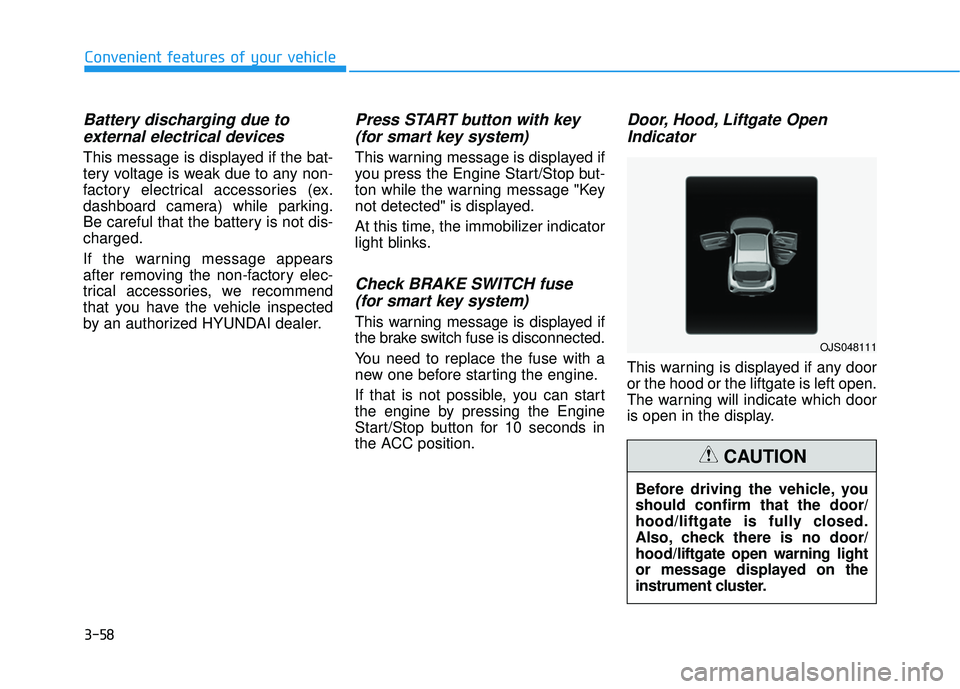
Door, Hood, Liftgate OpenIndicator
This warning is displayed if any door
or the hood or the liftgate is left open.
The warning will indicate which door
is open in the display.
Before driving the vehicle, you
should confirm that the door/
hood/liftgate is fully closed.
Also, check there is no door/
hood/liftgate open warning light
or message displayed on the
instrument cluster.
CAUTION
OJS048111
Page 140 of 491
3-60
Convenient features of your vehicle
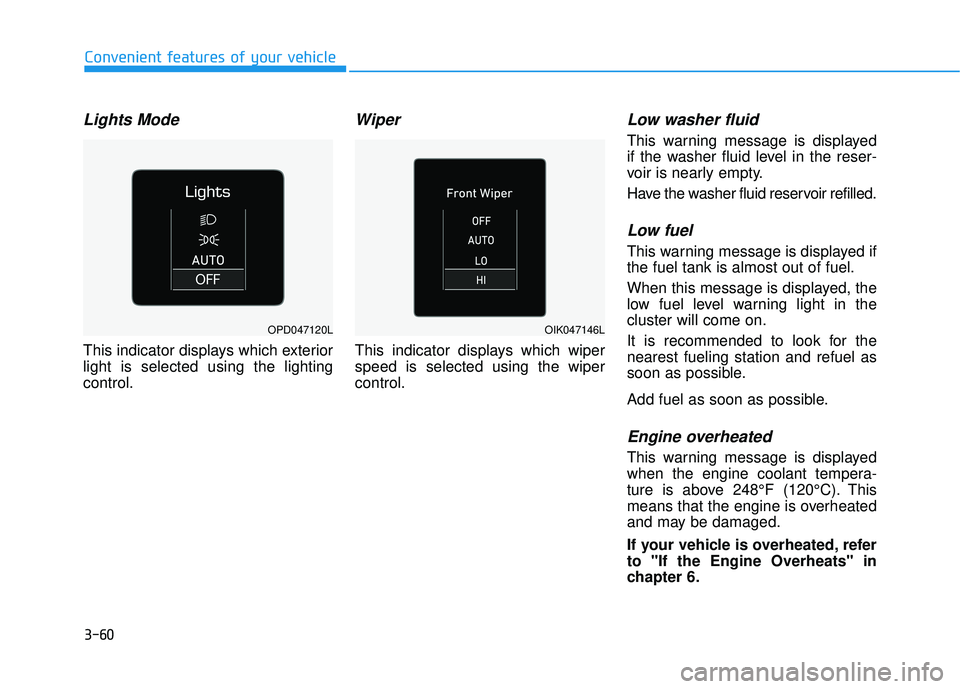
Lights Mode
This indicator displays which exterior
light is selected using the lighting
control.
Wiper
This indicator displays which wiper
speed is selected using the wiper
control.
Low washer fluid
This warning message is displayed
if the washer fluid level in the reser-
voir is nearly empty.
Have the washer fluid reservoir refilled.
Low fuel
This warning message is displayed if
the fuel tank is almost out of fuel.
When this message is displayed, the
low fuel level warning light in the
cluster will come on.
It is recommended to look for the
nearest fueling station and refuel as
soon as possible.
Add fuel as soon as possible.
Engine overheated
This warning message is displayed
when the engine coolant tempera-
ture is above 248°F (120°C). This
means that the engine is overheated
and may be damaged.
If your vehicle is overheated, refer
to "If the Engine Overheats" in
chapter 6.
OPD047120LOIK047146L
Page 143 of 491
3-63
Convenient features of your vehicle
3
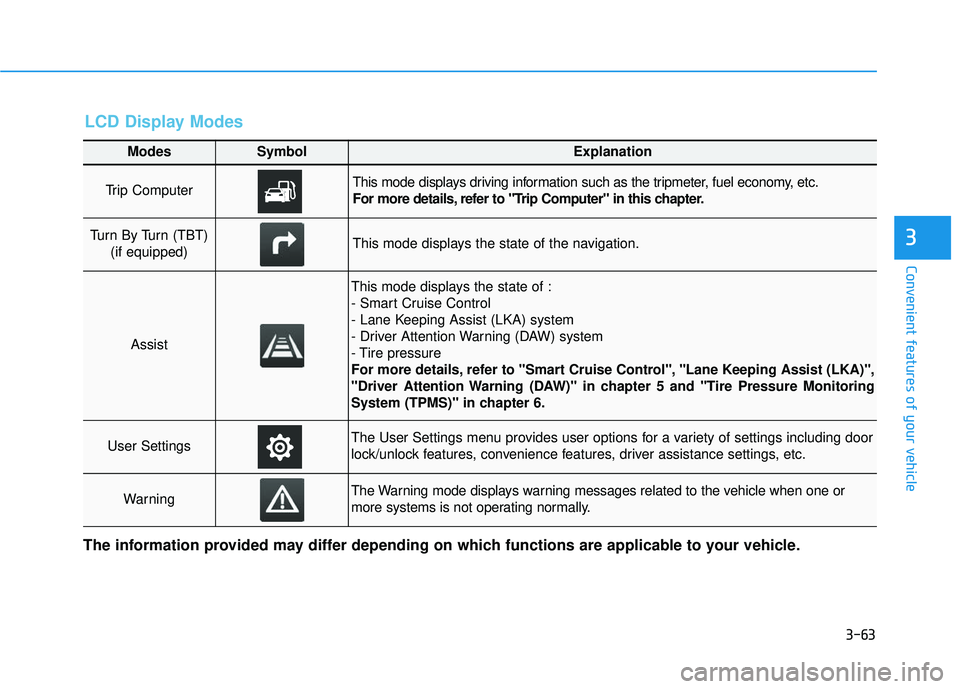
Modes SymbolExplanation
Trip Computer This mode displays driving information such as the tripmeter, fuel economy, etc.
For more details, refer to "Trip Computer" in this chapter.
Turn By Turn (TBT) (if equipped)This mode displays the state of the navigation.
Assist
This mode displays the state of :
- Smart Cruise Control
- Lane Keeping Assist (LKA) system
- Driver Attention Warning (DAW) system
- Tire pressure
For more details, refer to "Smart Cruise Control", "Lane Keeping Assist (LKA)",
"Driver Attention Warning (DAW)" in chapter 5 and "Tire Pressure Monitoring
System (TPMS)" in chapter 6.
User SettingsThe User Settings menu provides user options for a variety of settings including door
lock/unlock features, convenience features, driver assistance settings, etc.
WarningThe Warning mode displays warning messages related to the vehicle when one or
more systems is not operating normally.
The information provided may differ depending on which functions are applicable to your vehicle.
LCD Display Modes
Page 144 of 491
3-64
Convenient features of your vehicle
Shift to P to edit settings
This warning message appears if
you try to adjust the User Settings
while driving.
- Manual transmission
For your safety, change the User
Settings after parking the vehicle,
applying the parking brake and mov-
ing the shift lever to neutral.
- Automatic transmission / dual clutch transmission
For your safety, change the User
Settings after parking the vehicle,
applying the parking brake and mov-
ing the shift lever to P (Park).
Quick guide help
This mode provides quick guides for
the systems in the User Settings
mode.
Select an item, press and hold the OK
button.
For more details about each sys-
tem, refer to this Owner's Manual.
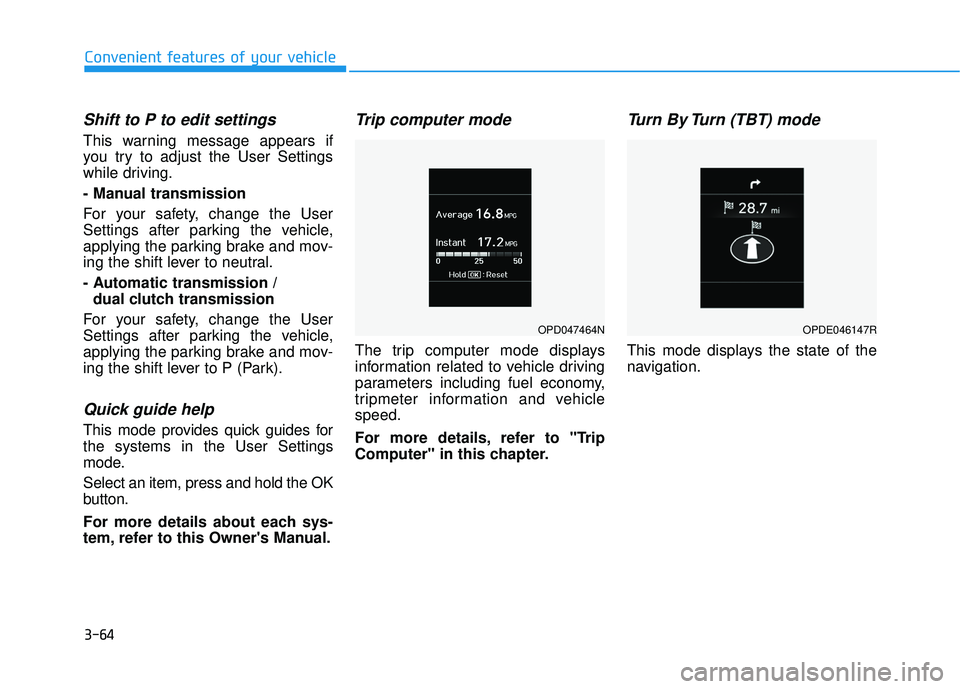
Trip computer mode
The trip computer mode displays
information related to vehicle driving
parameters including fuel economy,
tripmeter information and vehicle
speed.
For more details, refer to "Trip
Computer" in this chapter.
Turn By Turn (TBT) mode
This mode displays the state of the
navigation.
OPD047464NOPDE046147R
Page 145 of 491
3-65
Convenient features of your vehicle
3
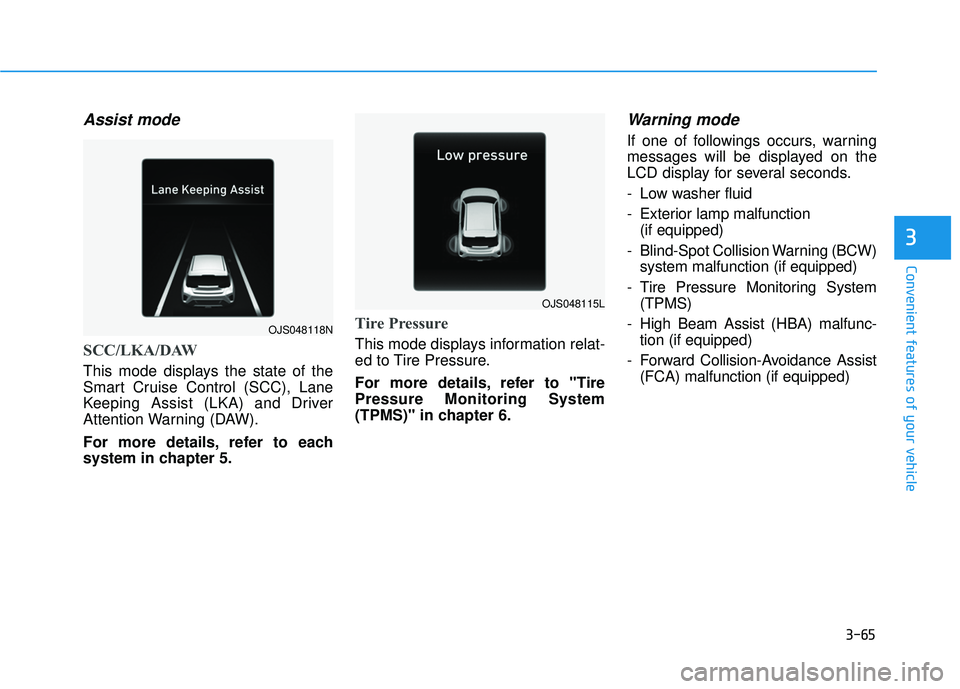
Assist mode
SCC/LKA/DAW
This mode displays the state of the
Smart Cruise Control (SCC), Lane
Keeping Assist (LKA) and Driver
Attention Warning (DAW).
For more details, refer to each
system in chapter 5.
Tire Pressure
This mode displays information relat-
ed to Tire Pressure.
For more details, refer to "Tire
Pressure Monitoring System
(TPMS)" in chapter 6.
Warning mode
If one of followings occurs, warning
messages will be displayed on the
LCD display for several seconds.
- Low washer fluid
- Exterior lamp malfunction(if equipped)
- Blind-Spot Collision Warning (BCW) system malfunction (if equipped)
- Tire Pressure Monitoring System (TPMS)
- High Beam Assist (HBA) malfunc- tion (if equipped)
- Forward Collision-Avoidance Assist (FCA) malfunction (if equipped)
OJS048118N
OJS048115L