height HYUNDAI VELOSTER 2022 User Guide
[x] Cancel search | Manufacturer: HYUNDAI, Model Year: 2022, Model line: VELOSTER, Model: HYUNDAI VELOSTER 2022Pages: 446, PDF Size: 7.37 MB
Page 46 of 446
2-29
Safety system of your vehicle
2
Child restraint system types
There are three main types of child
restraint systems: rear-facing seats,
forward-facing seats, and booster
seats. They are classified according
to the child's age, height and weight.
Rear-facing child seats
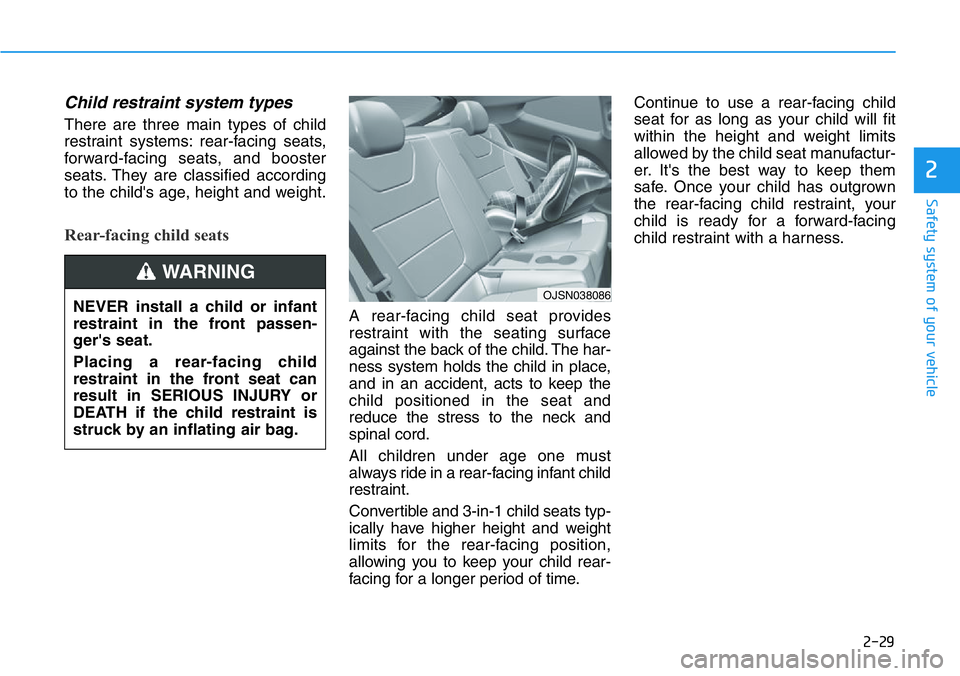
A rear-facing child seat provides
restraint with the seating surface
against the back of the child. The har-
ness system holds the child in place,
and in an accident, acts to keep the
child positioned in the seat and
reduce the stress to the neck and
spinal cord.
All children under age one must
always ride in a rear-facing infant child
restraint.
Convertible and 3-in-1 child seats typ-
ically have higher height and weight
limits for the rear-facing position,
allowing you to keep your child rear-
facing for a longer period of time.Continue to use a rear-facing child
seat for as long as your child will fit
within the height and weight limits
allowed by the child seat manufactur-
er. It's the best way to keep them
safe. Once your child has outgrown
the rear-facing child restraint, your
child is ready for a forward-facing
child restraint with a harness.
OJSN038086 NEVER install a child or infant
restraint in the front passen-
ger's seat.
Placing a rear-facing child
restraint in the front seat can
result in SERIOUS INJURY or
DEATH if the child restraint is
struck by an inflating air bag.
WARNING
Page 47 of 446
2-30
Safety system of your vehicle
Forward-facing child restraints
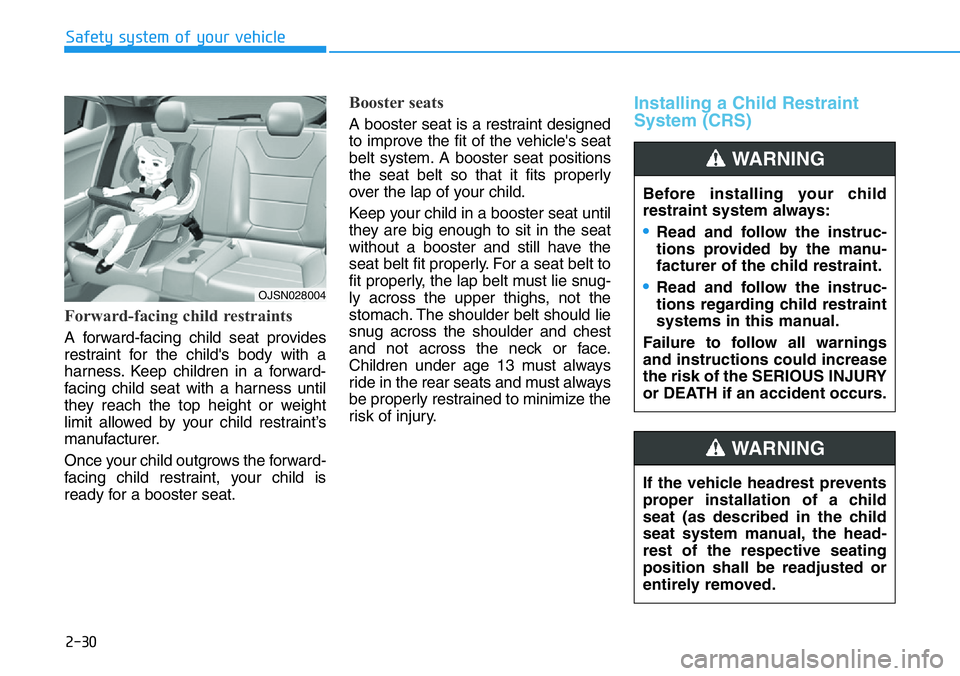
A forward-facing child seat provides
restraint for the child's body with a
harness. Keep children in a forward-
facing child seat with a harness until
they reach the top height or weight
limit allowed by your child restraint’s
manufacturer.
Once your child outgrows the forward-
facing child restraint, your child is
ready for a booster seat.
Booster seats
A booster seat is a restraint designed
to improve the fit of the vehicle's seat
belt system. A booster seat positions
the seat belt so that it fits properly
over the lap of your child.
Keep your child in a booster seat until
they are big enough to sit in the seat
without a booster and still have the
seat belt fit properly. For a seat belt to
fit properly, the lap belt must lie snug-
ly across the upper thighs, not the
stomach. The shoulder belt should lie
snug across the shoulder and chest
and not across the neck or face.
Children under age 13 must always
ride in the rear seats and must always
be properly restrained to minimize the
risk of injury.
Installing a Child Restraint
System (CRS)
Before installing your child
restraint system always:
•Read and follow the instruc-
tions provided by the manu-
facturer of the child restraint.
•Read and follow the instruc-
tions regarding child restraint
systems in this manual.
Failure to follow all warnings
and instructions could increase
the risk of the SERIOUS INJURY
or DEATH if an accident occurs.
WARNING
If the vehicle headrest prevents
proper installation of a child
seat (as described in the child
seat system manual, the head-
rest of the respective seating
position shall be readjusted or
entirely removed.
WARNING
OJSN028004
Page 77 of 446
2-60
Safety system of your vehicle
Additional Safety Precautions
Passengers should not move out
of or change seats while the vehi-
cle is moving.A passenger who is
not wearing a seat belt during a
crash or emergency stop can be
thrown against the inside of the vehi-
cle, against other occupants, or be
ejected from the vehicle.
Do not use any accessories on
seat belts.Devices claiming to
improve occupant comfort or reposi-
tion the seat belt can reduce the pro-
tection provided by the seat belt and
increase the chance of serious injury
in a crash.
Do not modify the front seats.
Modification of the front seats could
interfere with the operation of the
supplemental restraint system sens-
ing components or side air bags.
Do not place items under the front
seats.Placing items under the front
seats could interfere with the opera-
tion of the supplemental restraint
system sensing components and
wiring harnesses.Do not cause impact to the doors.
Impact to the doors when the Engine
Start/Stop button is in the ON posi-
tion may cause the air bags to inflate.
Modifications to accommodate
disabilities.If you require modifica-
tion to your vehicle to accommodate
a disability, contact the HYUNDAI
Customer Connect Center at 800-
633-5151.
Adding equipment to or modify-
ing your air bag equipped vehicle
If you modify your vehicle by chang-
ing your vehicle's frame, bumper sys-
tem, front end or side sheet metal or
ride height, this may affect the opera-
tion of your vehicle's air bag system.
•If components of the air bag
system must be discarded, or if
the vehicle must be scrapped,
certain safety precautions
must be observed. Consult an
authorized HYUNDAI dealer for
the necessary information.
Failure to follow these precau-
tions could increase the risk of
personal injury.
Page 94 of 446
3-16
Convenient features of your vehicle
Tilt Steering / Telescope
Steering
When adjusting the steering wheel to
a comfortable position, adjust the
steering wheel so that it points
toward your chest, not toward your
face. Make sure you can see the
instrument cluster warning lights and
gauges. After adjusting, push the
steering wheel both up and down to
be certain it is locked in position.
Always adjust the position of the
steering wheel before driving.
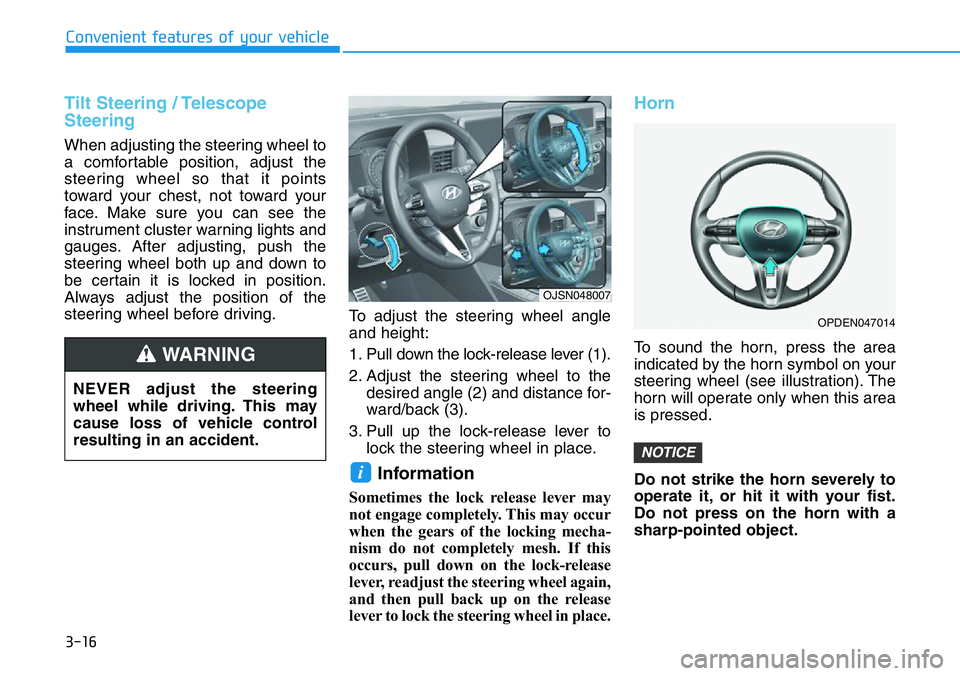
To adjust the steering wheel angle
and height:
1. Pull down the lock-release lever (1).
2. Adjust the steering wheel to the
desired angle (2) and distance for-
ward/back (3).
3. Pull up the lock-release lever to
lock the steering wheel in place.
Information
Sometimes the lock release lever may
not engage completely. This may occur
when the gears of the locking mecha-
nism do not completely mesh. If this
occurs, pull down on the lock-release
lever, readjust the steering wheel again,
and then pull back up on the release
lever to lock the steering wheel in place.
Horn
To sound the horn, press the area
indicated by the horn symbol on your
steering wheel (see illustration). The
horn will operate only when this area
is pressed.
Do not strike the horn severely to
operate it, or hit it with your fist.
Do not press on the horn with a
sharp-pointed object.
NOTICE
i
NEVER adjust the steering
wheel while driving. This may
cause loss of vehicle control
resulting in an accident.
WARNING
OJSN048007
OPDEN047014
Page 228 of 446
5-34
Driving your vehicle
• Do not apply the accelerator
pedal while the parking brake is
engaged. If you depress the
accelerator pedal with the park-
ing brake engaged, warning will
sound. Damage to the parking
brake may occur.
• Driving with the parking brake
on can overheat the braking sys-
tem and cause premature wear
or damage to brake parts. Make
sure the parking brake is
released and the Brake Warning
Light is off before driving.Check the Parking
Brake Warning Light
by placing the ignition
switch to the ON posi-
tion (do not start the
engine).
This light will be illuminated when the
parking brake is applied with the igni-
tion switch in the START or ON posi-
tion.
Before driving, be sure the parking
brake is released and the Brake
Warning Light is OFF.
If the Parking Brake Warning Light
remains on after the parking brake is
released while engine is running,
there may be a malfunction in the
brake system. Immediate attention is
necessary.
If at all possible, cease driving the
vehicle immediately. If that is not pos-
sible, use extreme caution while
operating the vehicle and only con-
tinue to drive the vehicle until you
can reach a safe location.
Anti-lock Brake System (ABS)
NOTICE
•Only release the parking
brake when you are seated
inside the vehicle with your
foot firmly on the brake pedal.
An Anti-Lock Braking System
(ABS) or an Electronic Stability
Control (ESC) system will not
prevent accidents due to
improper or dangerous driving
maneuvers. Even though vehi-
cle control is improved during
emergency braking, always
maintain a safe distance
between you and objects ahead
of you. Vehicle speeds should
always be reduced during
extreme road conditions. The
braking distance for cars
equipped with ABS or ESC may
be longer than for those without
these systems in the following
road conditions.
Drive your vehicle at reduced
speeds during the following
conditions:
•Rough, gravel or snow-cov-
ered roads.
•On roads where the road sur-
face is pitted or has different
surface height.
WARNING
Page 266 of 446
5-72
Driving your vehicle
• You are departing or returning to
the lane
• Unstable driving
• You are on a roundabout and the
vehicle in front is not detected
• You are continuously driving in a
circle
• The vehicle in front has an unusu-
al shape
• The vehicle in front is driving uphill
or downhill
• The pedestrian is not fully detect-
ed, for example, if the pedestrian is
leaning over or is not fully walking
upright
• The pedestrian is wearing clothing
or equipment that makes it difficult
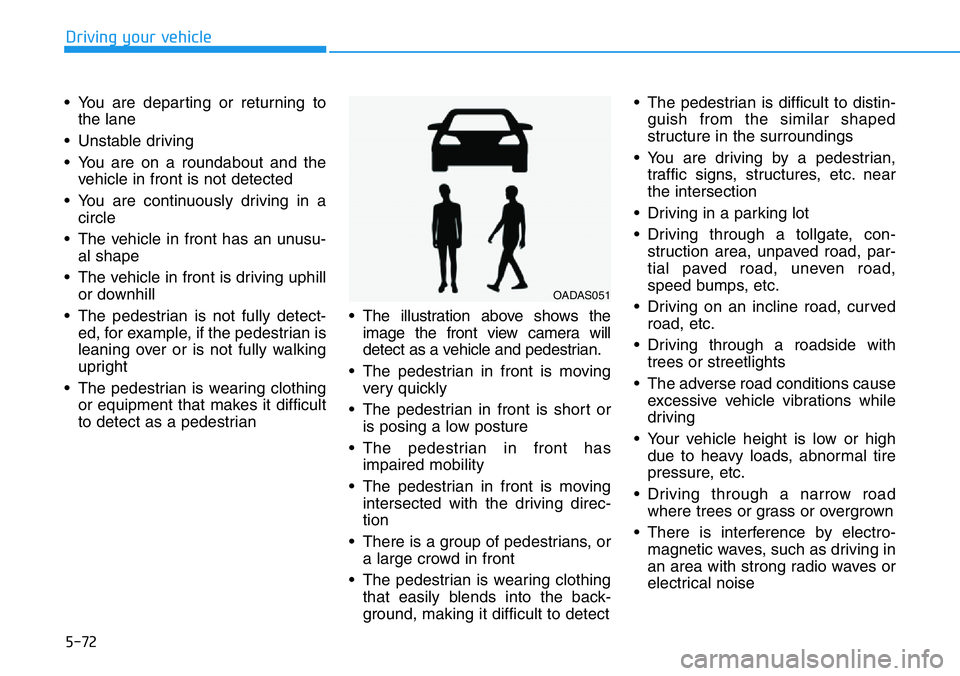
to detect as a pedestrian• The illustration above shows the
image the front view camera will
detect as a vehicle and pedestrian.
• The pedestrian in front is moving
very quickly
• The pedestrian in front is short or
is posing a low posture
• The pedestrian in front has
impaired mobility
• The pedestrian in front is moving
intersected with the driving direc-
tion
• There is a group of pedestrians, or
a large crowd in front
• The pedestrian is wearing clothing
that easily blends into the back-
ground, making it difficult to detect• The pedestrian is difficult to distin-
guish from the similar shaped
structure in the surroundings
• You are driving by a pedestrian,
traffic signs, structures, etc. near
the intersection
• Driving in a parking lot
• Driving through a tollgate, con-
struction area, unpaved road, par-
tial paved road, uneven road,
speed bumps, etc.
• Driving on an incline road, curved
road, etc.
• Driving through a roadside with
trees or streetlights
• The adverse road conditions cause
excessive vehicle vibrations while
driving
• Your vehicle height is low or high
due to heavy loads, abnormal tire
pressure, etc.
• Driving through a narrow road
where trees or grass or overgrown
• There is interference by electro-
magnetic waves, such as driving in
an area with strong radio waves or
electrical noise
OADAS051
Page 285 of 446
5-91
Driving your vehicle
5
• Driving on a wet road surface, such
as a puddle on the road
• The other vehicle drives very close
behind your vehicle, or the other
vehicle passes by your vehicle in
close proximity
• The speed of the other vehicle is
very fast that it passes by your vehi-
cle in a short time
• Your vehicle passes by the other
vehicle
• Your vehicle changes lane
• Your vehicle has started at the same
time as the vehicle next to you and
has accelerated
• The vehicle in the next lane moves
two lanes away from you, or when
the vehicle two lanes away moves to
the next lane from you
• A trailer or carrier is installed around
the rear corner radar
• The bumper around the rear corner
radar is covered with objects, such
as a bumper sticker, bumper guard,
bike rack, etc.
• The bumper around the rear corner
radar is impacted, damaged or the
radar is out of position• The bumper around the rear corner
radar is blocked by a vehicle, pillar or
wall
• Your vehicle height is low or high
due to heavy loads, abnormal tire
pressure, etc.
Blind-Spot Safety system may not
operate normally, or the system may
operate unexpectedly when the follow-
ing objects are detected:
• A motorcycle or bicycle is detected
• A vehicle such as a flat trailer is
detected
• A big vehicle such as a bus or truck
is detected
• A moving obstacle such as a pedes-
trian, animal, shopping cart or a
baby stroller is detected
• A vehicle with low height such as a
sports car is detected
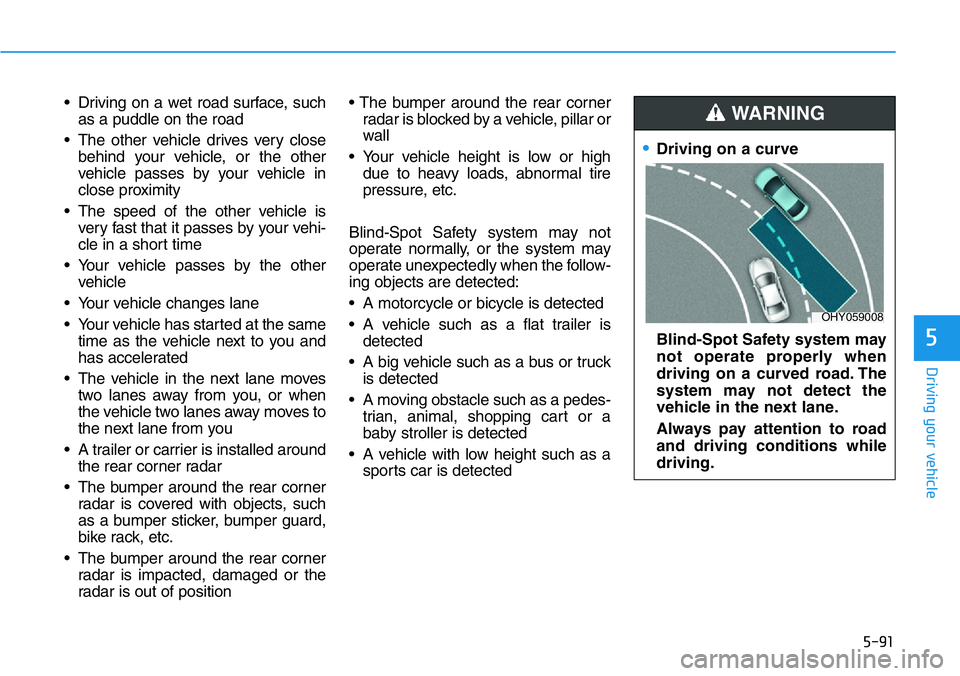
•Driving on a curve
Blind-Spot Safety system may
not operate properly when
driving on a curved road. The
system may not detect the
vehicle in the next lane.
Always pay attention to road
and driving conditions while
driving.
WARNING
OHY059008
Page 287 of 446
5-93
Driving your vehicle
5
Information
This device complies with Part 15 of
the FCC rules.
Operation is subject to the following
two conditions:
1. This device may not cause harmful
interference.
2. This device must accept any inter-
ference received, including interfer-
ence that may cause undesired
operation.
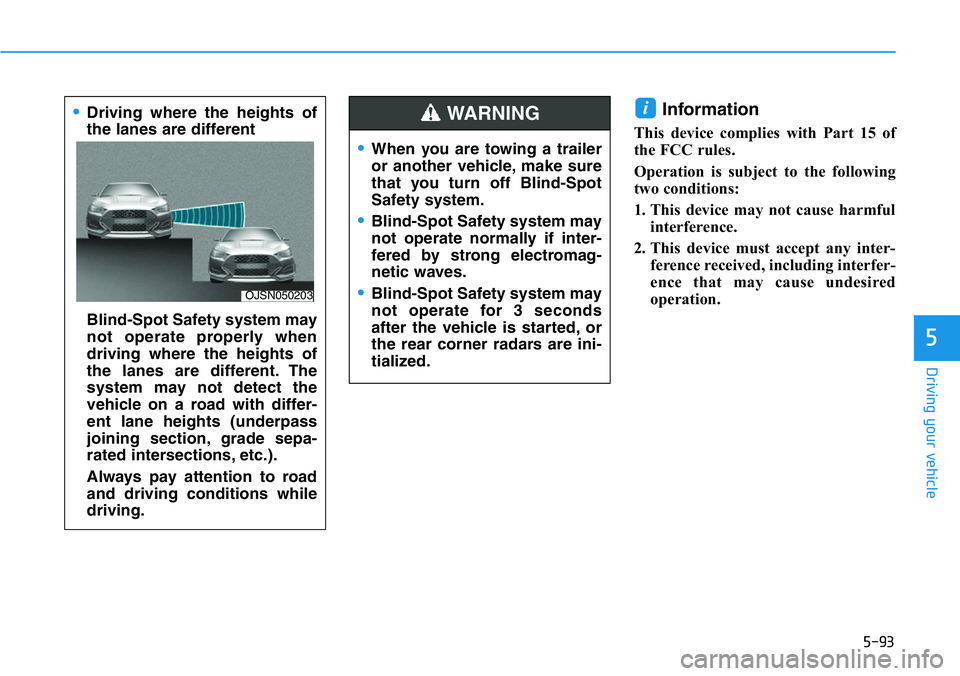
i•Driving where the heights of
the lanes are different
Blind-Spot Safety system may
not operate properly when
driving where the heights of
the lanes are different. The
system may not detect the
vehicle on a road with differ-
ent lane heights (underpass
joining section, grade sepa-
rated intersections, etc.).
Always pay attention to road
and driving conditions while
driving.
OJSN050203
•When you are towing a trailer
or another vehicle, make sure
that you turn off Blind-Spot
Safety system.
•Blind-Spot Safety system may
not operate normally if inter-
fered by strong electromag-
netic waves.
•Blind-Spot Safety system may
not operate for 3 seconds
after the vehicle is started, or
the rear corner radars are ini-
tialized.
WARNING
Page 390 of 446
7-38
Maintenance
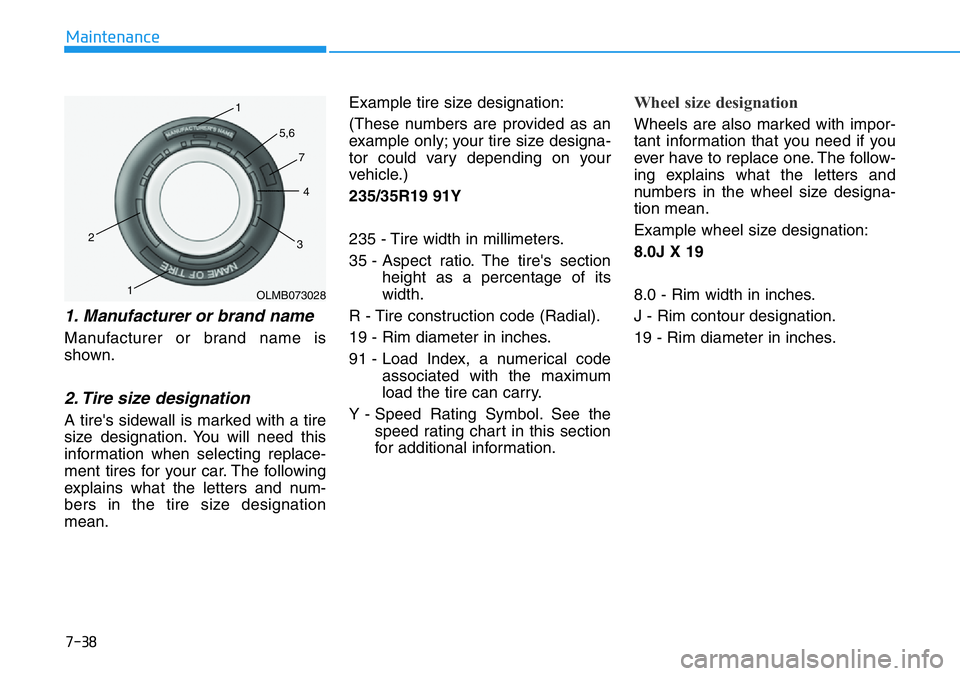
1. Manufacturer or brand name
Manufacturer or brand name is
shown.
2. Tire size designation
A tire's sidewall is marked with a tire
size designation. You will need this
information when selecting replace-
ment tires for your car. The following
explains what the letters and num-
bers in the tire size designation
mean.Example tire size designation:
(These numbers are provided as an
example only; your tire size designa-
tor could vary depending on your
vehicle.)
235/35R19 91Y
235 - Tire width in millimeters.
35 - Aspect ratio. The tire's section
height as a percentage of its
width.
R - Tire construction code (Radial).
19 - Rim diameter in inches.
91 - Load Index, a numerical code
associated with the maximum
load the tire can carry.
Y - Speed Rating Symbol. See the
speed rating chart in this section
for additional information.
Wheel size designation
Wheels are also marked with impor-
tant information that you need if you
ever have to replace one. The follow-
ing explains what the letters and
numbers in the wheel size designa-
tion mean.
Example wheel size designation:
8.0J X 19
8.0 - Rim width in inches.
J - Rim contour designation.
19 - Rim diameter in inches.
OLMB073028 1
1 2
34 5,6
7
Page 393 of 446
7-41
7
Maintenance
Temperature - A, B & C
The temperature grades are A (the
highest), B and C representing the
tire’s resistance to the generation of
heat and its ability to dissipate heat
when tested under controlled condi-
tions on a specified indoor laboratory
test wheel.
Sustained high temperature can
cause the material of the tire to
degenerate and reduce tire life, and
excessive temperature can lead to
sudden tire failure. Grade C
responds to a level of performance
which all passenger car tires must
meet under the Federal Motor
Vehicle Safety Standard No. 109.
Grades B and A represent higher
levels of performance on the labora-
tory test wheel than the minimum
required by law.
Tire Terminology and
Definitions
Air Pressure
The amount of air inside the tire
pressing outward on the tire. Air
pressure is expressed in pounds per
square inch (psi) or kilopascal (kPa).
Accessory Weight
This means the combined weight of
optional accessories. Some exam-
ples of optional accessories are
power seats and air conditioning.
Aspect Ratio
The relationship of a tire's height to
its width.
Belt
A rubber coated layer of cords that is
located between the plies and the
tread. Cords may be made from steel
or other reinforcing materials. The temperature grade for this
tire is established for a tire that
is properly inflated and not
overloaded. Excessive speed,
under-inflation, over-inflation,
or excessive loading, either
separately or in combination,
can cause heat build-up and
possible sudden tire failure.
This may cause loss of vehicle
control resulting in an accident.
WARNING