change time HYUNDAI VELOSTER 2022 Owner's Manual
[x] Cancel search | Manufacturer: HYUNDAI, Model Year: 2022, Model line: VELOSTER, Model: HYUNDAI VELOSTER 2022Pages: 446, PDF Size: 7.37 MB
Page 260 of 446
5-66
Driving your vehicle
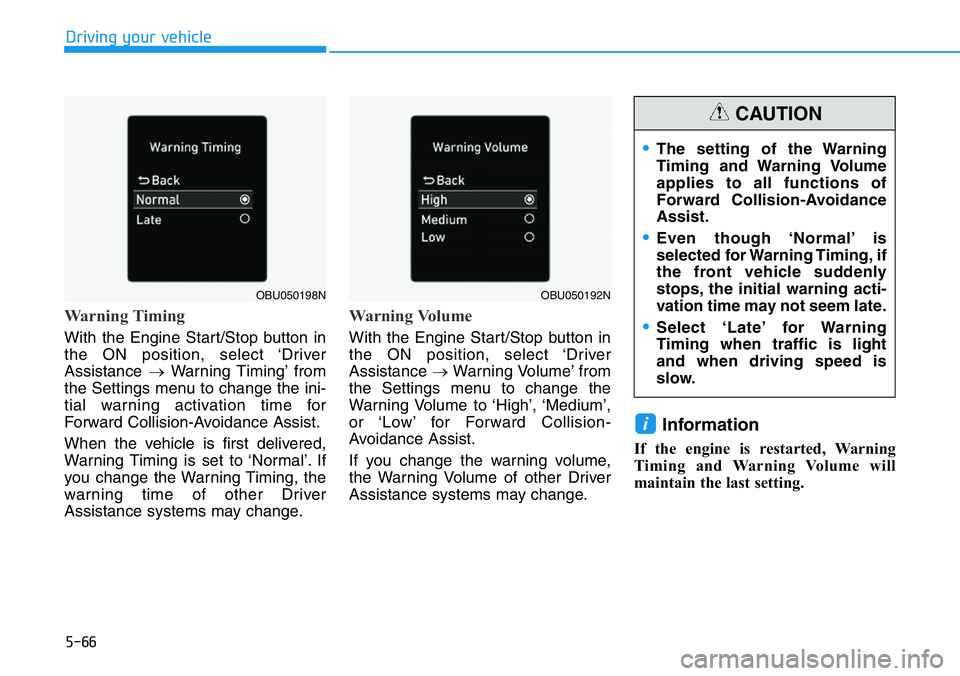
Warning Timing
With the Engine Start/Stop button in
the ON position, select ‘Driver
Assistance →Warning Timing’ from
the Settings menu to change the ini-
tial warning activation time for
Forward Collision-Avoidance Assist.
When the vehicle is first delivered,
Warning Timing is set to ‘Normal’. If
you change the Warning Timing, the
warning time of other Driver
Assistance systems may change.
Warning Volume
With the Engine Start/Stop button in
the ON position, select ‘Driver
Assistance →Warning Volume’ from
the Settings menu to change the
Warning Volume to ‘High’, ‘Medium’,
or ‘Low’ for Forward Collision-
Avoidance Assist.
If you change the warning volume,
the Warning Volume of other Driver
Assistance systems may change.
Information
If the engine is restarted, Warning
Timing and Warning Volume will
maintain the last setting.
i
OBU050198NOBU050192N
•The setting of the Warning
Timing and Warning Volume
applies to all functions of
Forward Collision-Avoidance
Assist.
•Even though ‘Normal’ is
selected for Warning Timing, if
the front vehicle suddenly
stops, the initial warning acti-
vation time may not seem late.
•Select ‘Late’ for Warning
Timing when traffic is light
and when driving speed is
slow.
CAUTION
Page 273 of 446
5-79
Driving your vehicle
5
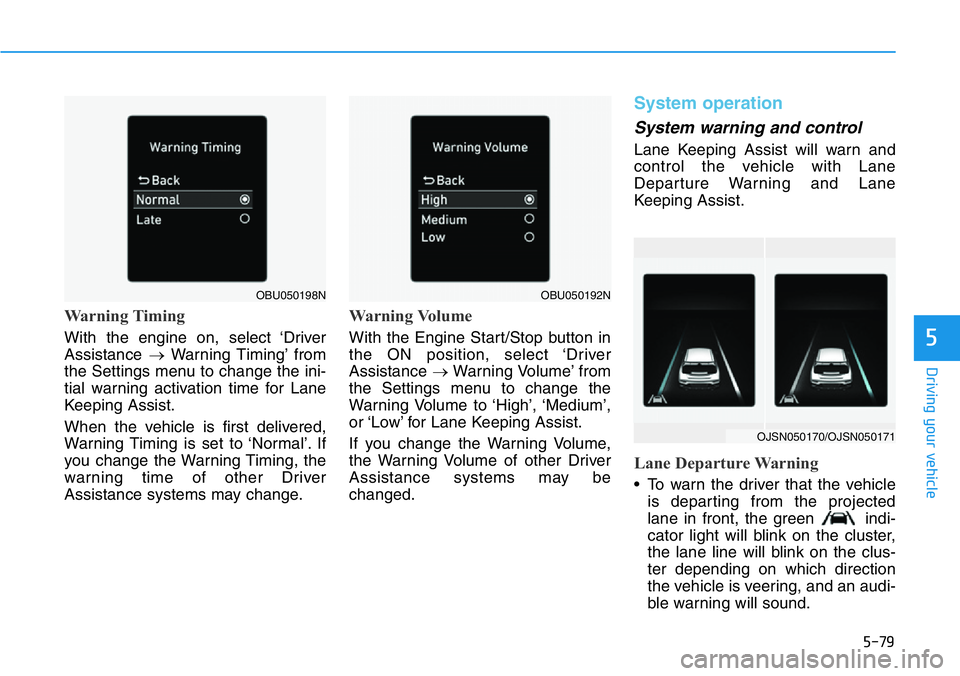
Warning Timing
With the engine on, select ‘Driver
Assistance →Warning Timing’ from
the Settings menu to change the ini-
tial warning activation time for Lane
Keeping Assist.
When the vehicle is first delivered,
Warning Timing is set to ‘Normal’. If
you change the Warning Timing, the
warning time of other Driver
Assistance systems may change.
Warning Volume
With the Engine Start/Stop button in
the ON position, select ‘Driver
Assistance →Warning Volume’ from
the Settings menu to change the
Warning Volume to ‘High’, ‘Medium’,
or ‘Low’ for Lane Keeping Assist.
If you change the Warning Volume,
the Warning Volume of other Driver
Assistance systems may be
changed.
System operation
System warning and control
Lane Keeping Assist will warn and
control the vehicle with Lane
Departure Warning and Lane
Keeping Assist.
Lane Departure Warning
• To warn the driver that the vehicle
is departing from the projected
lane in front, the green indi-
cator light will blink on the cluster,
the lane line will blink on the clus-
ter depending on which direction
the vehicle is veering, and an audi-
ble warning will sound.
OBU050192NOBU050198N
OJSN050170/OJSN050171
Page 280 of 446
5-86
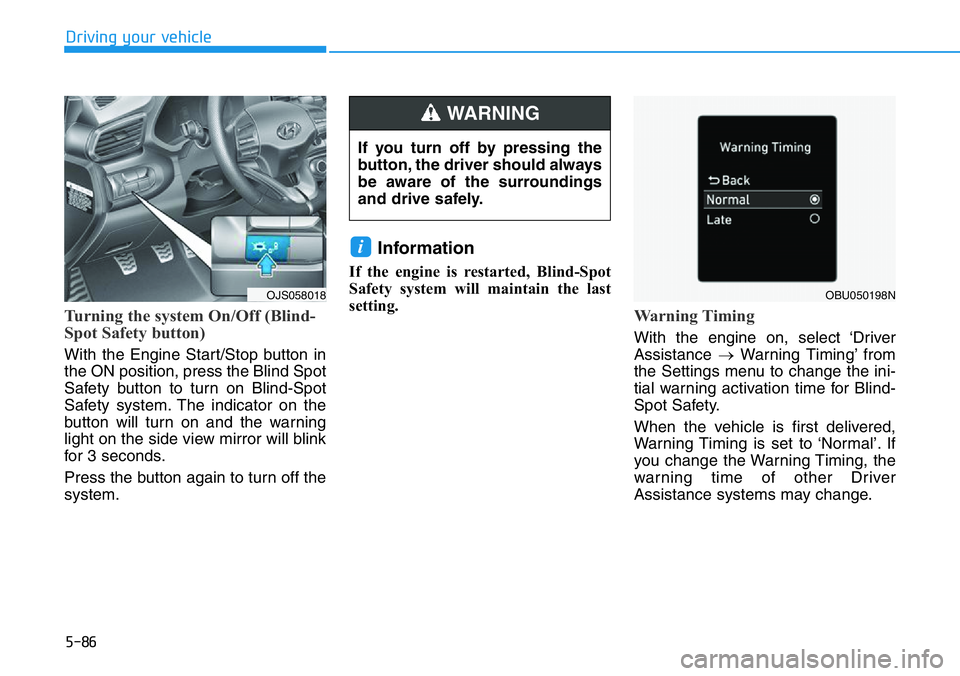
Turning the system On/Off (Blind-
Spot Safety button)
With the Engine Start/Stop button in
the ON position, press the Blind Spot
Safety button to turn on Blind-Spot
Safety system. The indicator on the
button will turn on and the warning
light on the side view mirror will blink
for 3 seconds.
Press the button again to turn off the
system.
Information
If the engine is restarted, Blind-Spot
Safety system will maintain the last
setting.
Warning Timing
With the engine on, select ‘Driver
Assistance →Warning Timing’ from
the Settings menu to change the ini-
tial warning activation time for Blind-
Spot Safety.
When the vehicle is first delivered,
Warning Timing is set to ‘Normal’. If
you change the Warning Timing, the
warning time of other Driver
Assistance systems may change.
i
Driving your vehicle
OJS058018
If you turn off by pressing the
button, the driver should always
be aware of the surroundings
and drive safely.
WARNING
OBU050198N
Page 281 of 446
5-87
Driving your vehicle
5
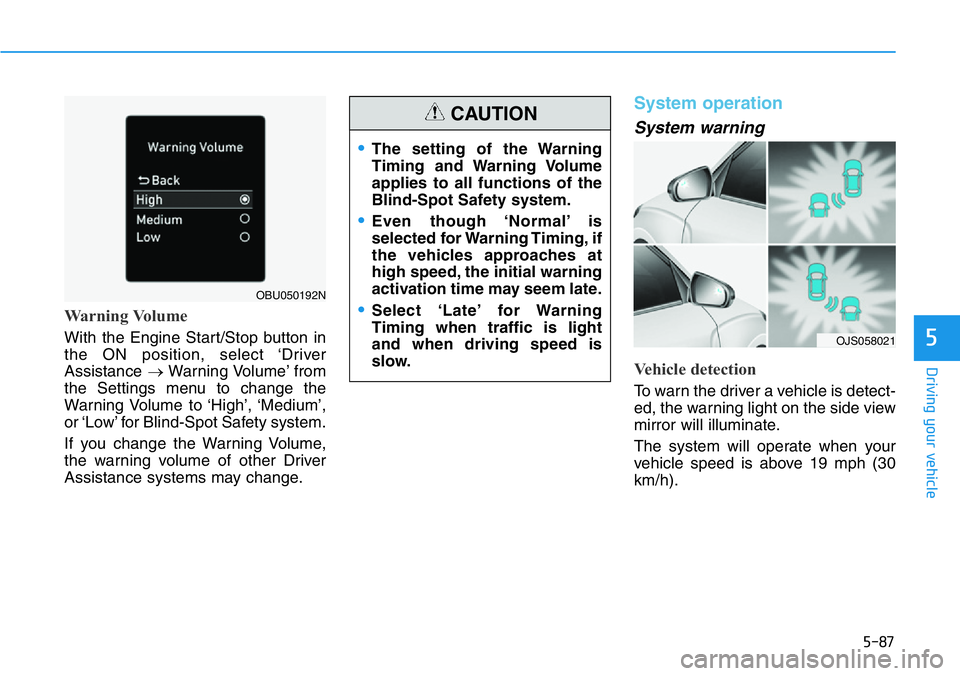
Warning Volume
With the Engine Start/Stop button in
the ON position, select ‘Driver
Assistance →Warning Volume’ from
the Settings menu to change the
Warning Volume to ‘High’, ‘Medium’,
or ‘Low’ for Blind-Spot Safety system.
If you change the Warning Volume,
the warning volume of other Driver
Assistance systems may change.
System operation
System warning
Vehicle detection
To warn the driver a vehicle is detect-
ed, the warning light on the side view
mirror will illuminate.
The system will operate when your
vehicle speed is above 19 mph (30
km/h).
OBU050192N
•The setting of the Warning
Timing and Warning Volume
applies to all functions of the
Blind-Spot Safety system.
•Even though ‘Normal’ is
selected for Warning Timing, if
the vehicles approaches at
high speed, the initial warning
activation time may seem late.
•Select ‘Late’ for Warning
Timing when traffic is light
and when driving speed is
slow.
CAUTION
OJS058021
Page 282 of 446
5-88
Driving your vehicle
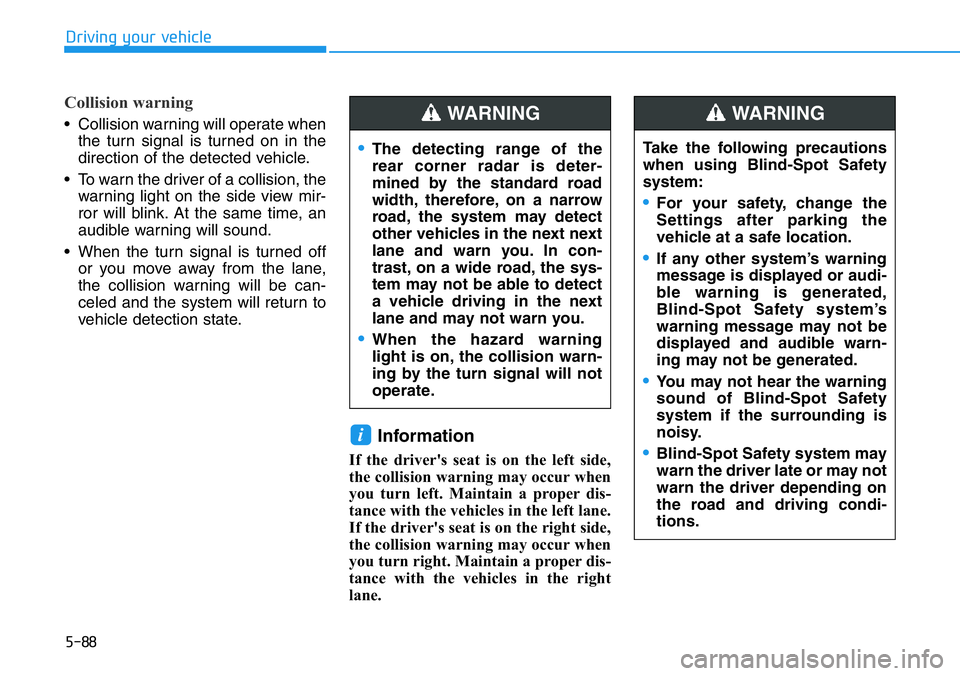
Collision warning
• Collision warning will operate when
the turn signal is turned on in the
direction of the detected vehicle.
• To warn the driver of a collision, the
warning light on the side view mir-
ror will blink. At the same time, an
audible warning will sound.
• When the turn signal is turned off
or you move away from the lane,
the collision warning will be can-
celed and the system will return to
vehicle detection state.
Information
If the driver's seat is on the left side,
the collision warning may occur when
you turn left. Maintain a proper dis-
tance with the vehicles in the left lane.
If the driver's seat is on the right side,
the collision warning may occur when
you turn right. Maintain a proper dis-
tance with the vehicles in the right
lane.
i
•The detecting range of the
rear corner radar is deter-
mined by the standard road
width, therefore, on a narrow
road, the system may detect
other vehicles in the next next
lane and warn you. In con-
trast, on a wide road, the sys-
tem may not be able to detect
a vehicle driving in the next
lane and may not warn you.
•When the hazard warning
light is on, the collision warn-
ing by the turn signal will not
operate.
WARNING
Take the following precautions
when using Blind-Spot Safety
system:
•For your safety, change the
Settings after parking the
vehicle at a safe location.
•If any other system’s warning
message is displayed or audi-
ble warning is generated,
Blind-Spot Safety system’s
warning message may not be
displayed and audible warn-
ing may not be generated.
•You may not hear the warning
sound of Blind-Spot Safety
system if the surrounding is
noisy.
•Blind-Spot Safety system may
warn the driver late or may not
warn the driver depending on
the road and driving condi-
tions.
WARNING
Page 285 of 446
5-91
Driving your vehicle
5
• Driving on a wet road surface, such
as a puddle on the road
• The other vehicle drives very close
behind your vehicle, or the other
vehicle passes by your vehicle in
close proximity
• The speed of the other vehicle is
very fast that it passes by your vehi-
cle in a short time
• Your vehicle passes by the other
vehicle
• Your vehicle changes lane
• Your vehicle has started at the same
time as the vehicle next to you and
has accelerated
• The vehicle in the next lane moves
two lanes away from you, or when
the vehicle two lanes away moves to
the next lane from you
• A trailer or carrier is installed around
the rear corner radar
• The bumper around the rear corner
radar is covered with objects, such
as a bumper sticker, bumper guard,
bike rack, etc.
• The bumper around the rear corner
radar is impacted, damaged or the
radar is out of position• The bumper around the rear corner
radar is blocked by a vehicle, pillar or
wall
• Your vehicle height is low or high
due to heavy loads, abnormal tire
pressure, etc.
Blind-Spot Safety system may not
operate normally, or the system may
operate unexpectedly when the follow-
ing objects are detected:
• A motorcycle or bicycle is detected
• A vehicle such as a flat trailer is
detected
• A big vehicle such as a bus or truck
is detected
• A moving obstacle such as a pedes-
trian, animal, shopping cart or a
baby stroller is detected
• A vehicle with low height such as a
sports car is detected
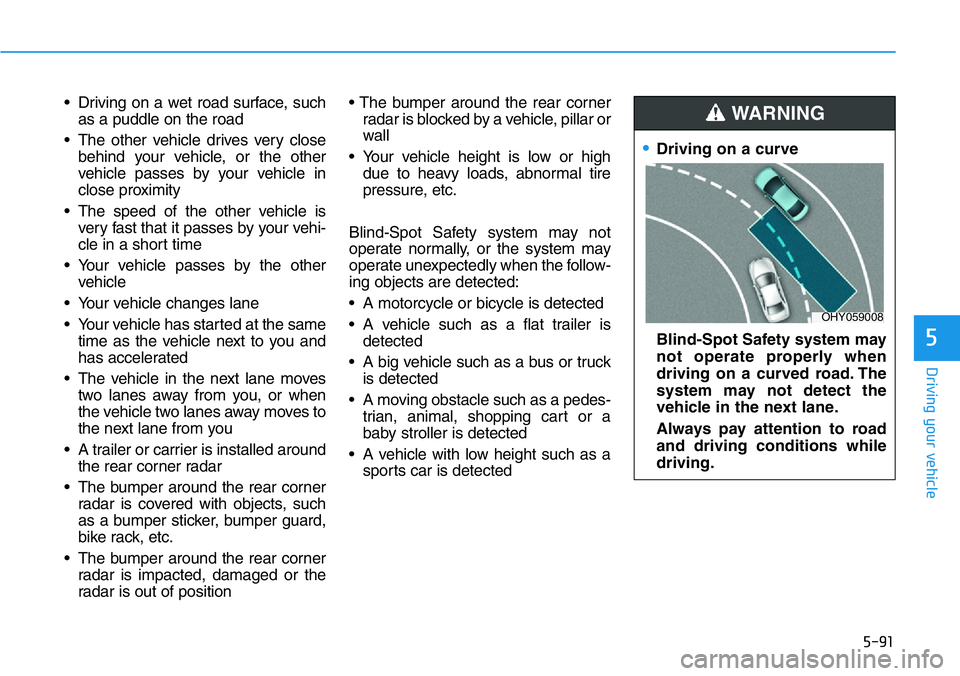
•Driving on a curve
Blind-Spot Safety system may
not operate properly when
driving on a curved road. The
system may not detect the
vehicle in the next lane.
Always pay attention to road
and driving conditions while
driving.
WARNING
OHY059008
Page 289 of 446
5-95
Driving your vehicle
5
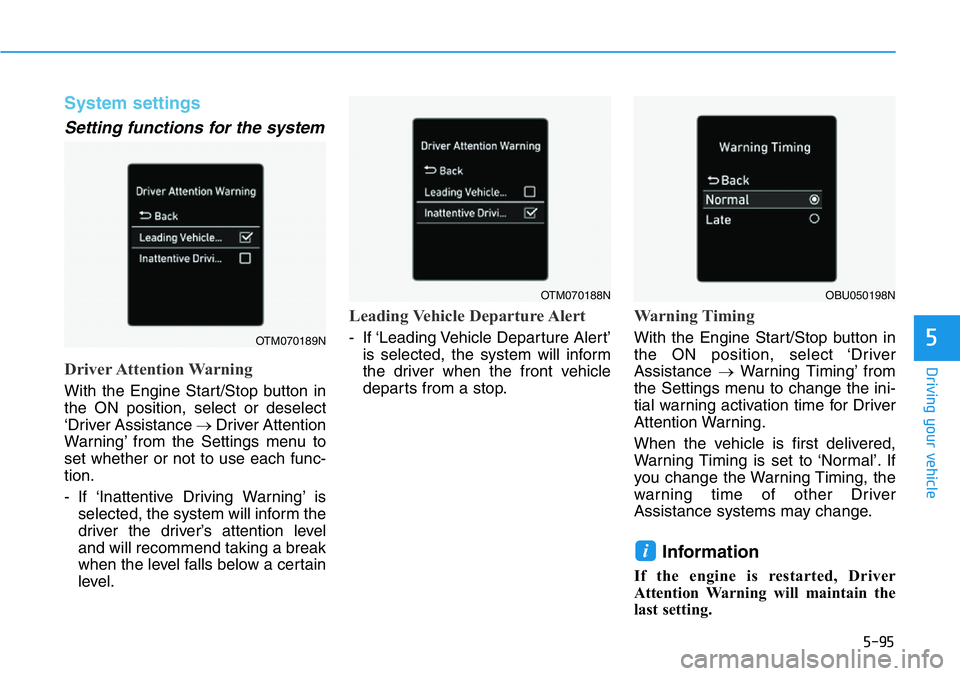
System settings
Setting functions for the system
Driver Attention Warning
With the Engine Start/Stop button in
the ON position, select or deselect
‘Driver Assistance →Driver Attention
Warning’ from the Settings menu to
set whether or not to use each func-
tion.
- If ‘Inattentive Driving Warning’ is
selected, the system will inform the
driver the driver’s attention level
and will recommend taking a break
when the level falls below a certain
level.
Leading Vehicle Departure Alert
- If ‘Leading Vehicle Departure Alert’
is selected, the system will inform
the driver when the front vehicle
departs from a stop.
Warning Timing
With the Engine Start/Stop button in
the ON position, select ‘Driver
Assistance →Warning Timing’ from
the Settings menu to change the ini-
tial warning activation time for Driver
Attention Warning.
When the vehicle is first delivered,
Warning Timing is set to ‘Normal’. If
you change the Warning Timing, the
warning time of other Driver
Assistance systems may change.
Information
If the engine is restarted, Driver
Attention Warning will maintain the
last setting.
i
OTM070189N
OTM070188NOBU050198N
Page 291 of 446
5-97
Driving your vehicle
5
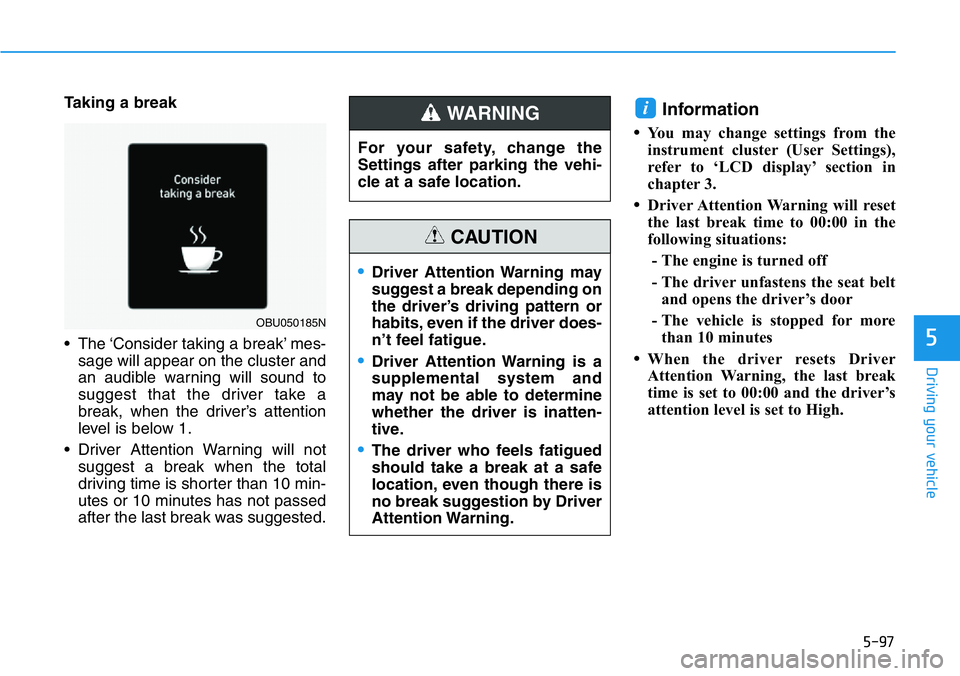
Taking a break
• The ‘Consider taking a break’ mes-
sage will appear on the cluster and
an audible warning will sound to
suggest that the driver take a
break, when the driver’s attention
level is below 1.
• Driver Attention Warning will not
suggest a break when the total
driving time is shorter than 10 min-
utes or 10 minutes has not passed
after the last break was suggested.Information
•You may change settings from the
instrument cluster (User Settings),
refer to ‘LCD display’ section in
chapter 3.
•Driver Attention Warning will reset
the last break time to 00:00 in the
following situations:
- The engine is turned off
- The driver unfastens the seat belt
and opens the driver’s door
- The vehicle is stopped for more
than 10 minutes
•When the driver resets Driver
Attention Warning, the last break
time is set to 00:00 and the driver’s
attention level is set to High.
i
OBU050185N
For your safety, change the
Settings after parking the vehi-
cle at a safe location.
WARNING
•Driver Attention Warning may
suggest a break depending on
the driver’s driving pattern or
habits, even if the driver does-
n’t feel fatigue.
•Driver Attention Warning is a
supplemental system and
may not be able to determine
whether the driver is inatten-
tive.
•The driver who feels fatigued
should take a break at a safe
location, even though there is
no break suggestion by Driver
Attention Warning.
CAUTION
Page 302 of 446
5-108
Driving your vehicle
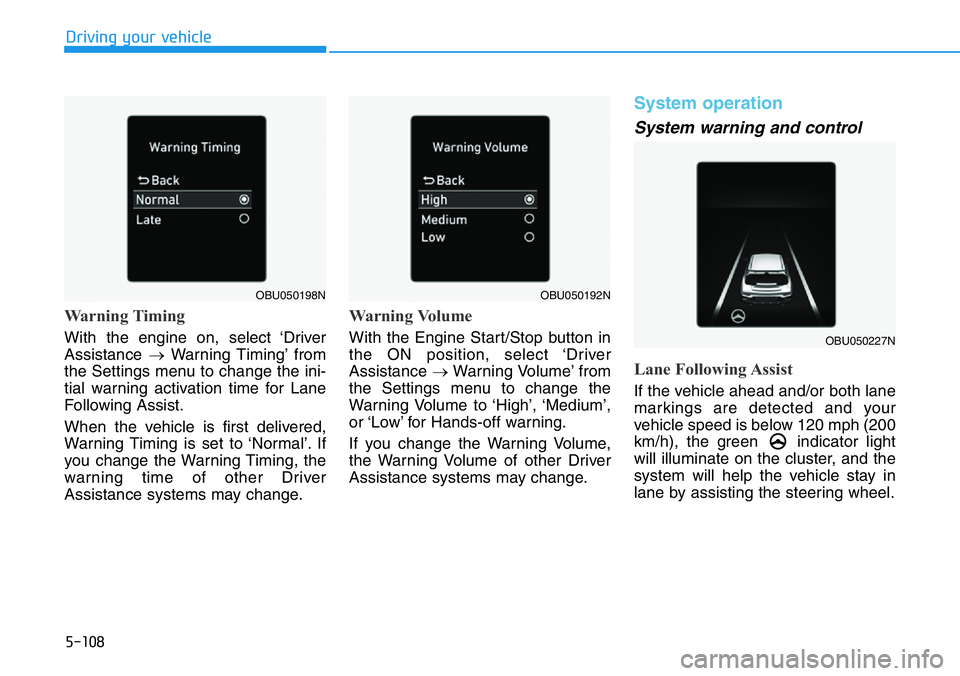
Warning Timing
With the engine on, select ‘Driver
Assistance →Warning Timing’ from
the Settings menu to change the ini-
tial warning activation time for Lane
Following Assist.
When the vehicle is first delivered,
Warning Timing is set to ‘Normal’. If
you change the Warning Timing, the
warning time of other Driver
Assistance systems may change.
Warning Volume
With the Engine Start/Stop button in
the ON position, select ‘Driver
Assistance →Warning Volume’ from
the Settings menu to change the
Warning Volume to ‘High’, ‘Medium’,
or ‘Low’ for Hands-off warning.
If you change the Warning Volume,
the Warning Volume of other Driver
Assistance systems may change.
System operation
System warning and control
Lane Following Assist
If the vehicle ahead and/or both lane
markings are detected and your
vehicle speed is below 120 mph (200
km/h), the green indicator light
will illuminate on the cluster, and the
system will help the vehicle stay in
lane by assisting the steering wheel.
OBU050192N
OBU050227N
OBU050198N
Page 304 of 446
5-110
Driving your vehicle
Information
• You may change settings from the
instrument cluster (User Settings),
refer to ‘LCD display’ section in
chapter 3.
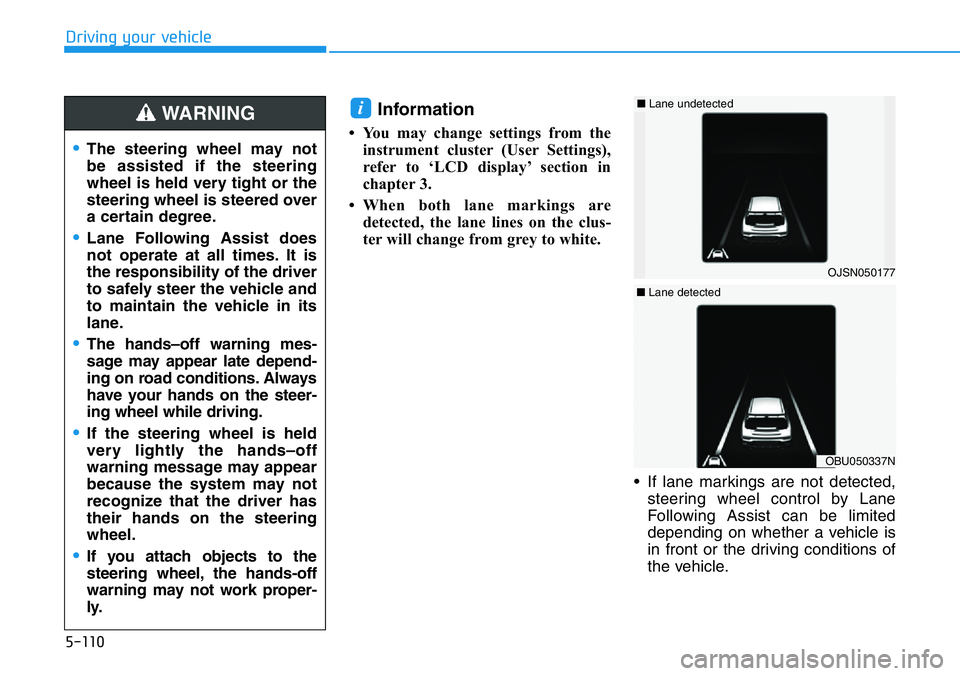
• When both lane markings are
detected, the lane lines on the clus-
ter will change from grey to white.
• If lane markings are not detected,
steering wheel control by Lane
Following Assist can be limited
depending on whether a vehicle is
in front or the driving conditions of
the vehicle.
i
OJSN050177
■Lane undetected
OBU050337N
■Lane detected
•The steering wheel may not
be assisted if the steering
wheel is held very tight or the
steering wheel is steered over
a certain degree.
•Lane Following Assist does
not operate at all times. It is
the responsibility of the driver
to safely steer the vehicle and
to maintain the vehicle in its
lane.
•The hands–off warning mes-
sage may appear late depend-
ing on road conditions. Always
have your hands on the steer-
ing wheel while driving.
•If the steering wheel is held
very lightly the hands–off
warning message may appear
because the system may not
recognize that the driver has
their hands on the steering
wheel.
•If you attach objects to the
steering wheel, the hands-off
warning may not work proper-
ly.
WARNING