TPMS HYUNDAI VELOSTER 2022 Owners Manual
[x] Cancel search | Manufacturer: HYUNDAI, Model Year: 2022, Model line: VELOSTER, Model: HYUNDAI VELOSTER 2022Pages: 446, PDF Size: 7.37 MB
Page 120 of 446
3-42
Convenient features of your vehicle
• If the engine does not stop
immediately after the Engine Oil
Pressure Warning Light is illumi-
nated, severe damage could
result.
• If the warning light stays on
while the engine is running, it
indicates that there may be seri-
ous engine damage or malfunc-
tion. In this case:
1. Stop the vehicle as soon as it
is safe to do so.
2. Turn off the engine and check
the oil level. If the oil level is
low, fill the engine oil to the
proper level.
3. Start the engine again. If the
warning light stays on after
the engine is started, turn the
engine off immediately. In this
case, have the vehicle
inspected by an authorized
HYUNDAI dealer.
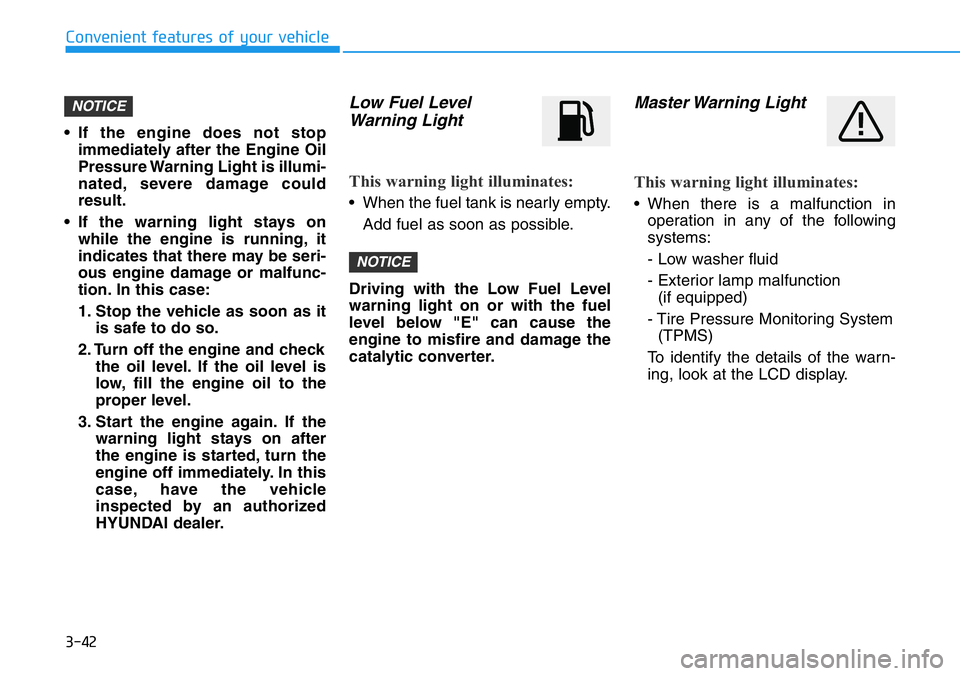
Low Fuel Level
Warning Light
This warning light illuminates:
• When the fuel tank is nearly empty.
Add fuel as soon as possible.
Driving with the Low Fuel Level
warning light on or with the fuel
level below "E" can cause the
engine to misfire and damage the
catalytic converter.
Master Warning Light
This warning light illuminates:
• When there is a malfunction in
operation in any of the following
systems:
- Low washer fluid
- Exterior lamp malfunction
(if equipped)
- Tire Pressure Monitoring System
(TPMS)
To identify the details of the warn-
ing, look at the LCD display.
NOTICE
NOTICE
Page 121 of 446
3-43
Convenient features of your vehicle
3
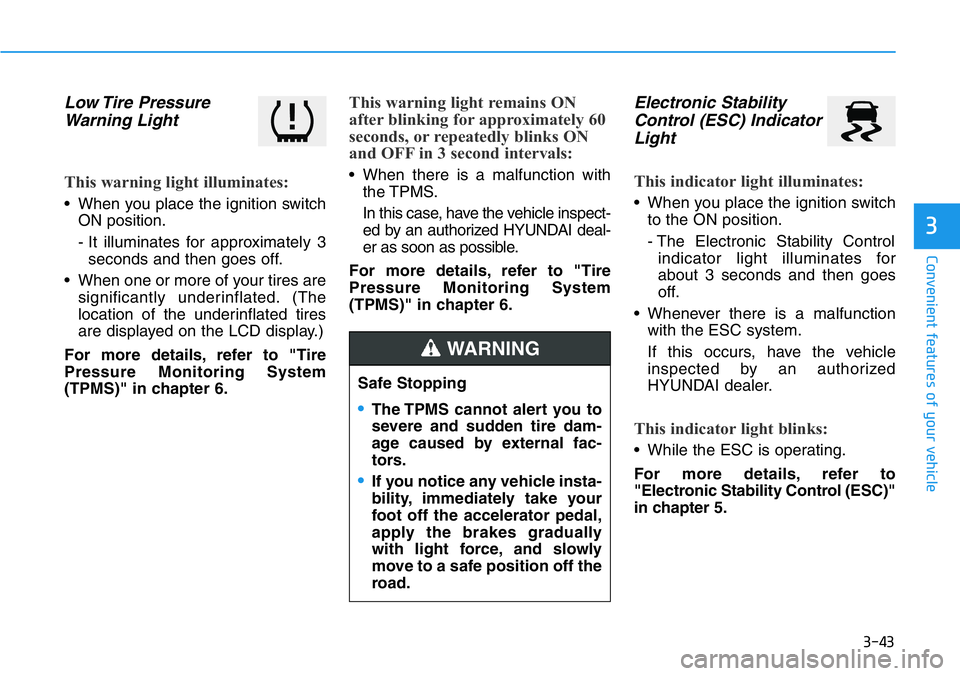
Low Tire Pressure
Warning Light
This warning light illuminates:
• When you place the ignition switch
ON position.
- It illuminates for approximately 3
seconds and then goes off.
• When one or more of your tires are
significantly underinflated. (The
location of the underinflated tires
are displayed on the LCD display.)
For more details, refer to "Tire
Pressure Monitoring System
(TPMS)" in chapter 6.
This warning light remains ON
after blinking for approximately 60
seconds, or repeatedly blinks ON
and OFF in 3 second intervals:
• When there is a malfunction with
the TPMS.
In this case, have the vehicle inspect-
ed by an authorized HYUNDAI deal-
er as soon as possible.
For more details, refer to "Tire
Pressure Monitoring System
(TPMS)" in chapter 6.
Electronic Stability
Control (ESC) Indicator
Light
This indicator light illuminates:
• When you place the ignition switch
to the ON position.
- The Electronic Stability Control
indicator light illuminates for
about 3 seconds and then goes
off.
• Whenever there is a malfunction
with the ESC system.
If this occurs, have the vehicle
inspected by an authorized
HYUNDAI dealer.
This indicator light blinks:
• While the ESC is operating.
For more details, refer to
"Electronic Stability Control (ESC)"
in chapter 5. Safe Stopping
•The TPMS cannot alert you to
severe and sudden tire dam-
age caused by external fac-
tors.
•If you notice any vehicle insta-
bility, immediately take your
foot off the accelerator pedal,
apply the brakes gradually
with light force, and slowly
move to a safe position off the
road.
WARNING
Page 128 of 446
3-50
Convenient features of your vehicle
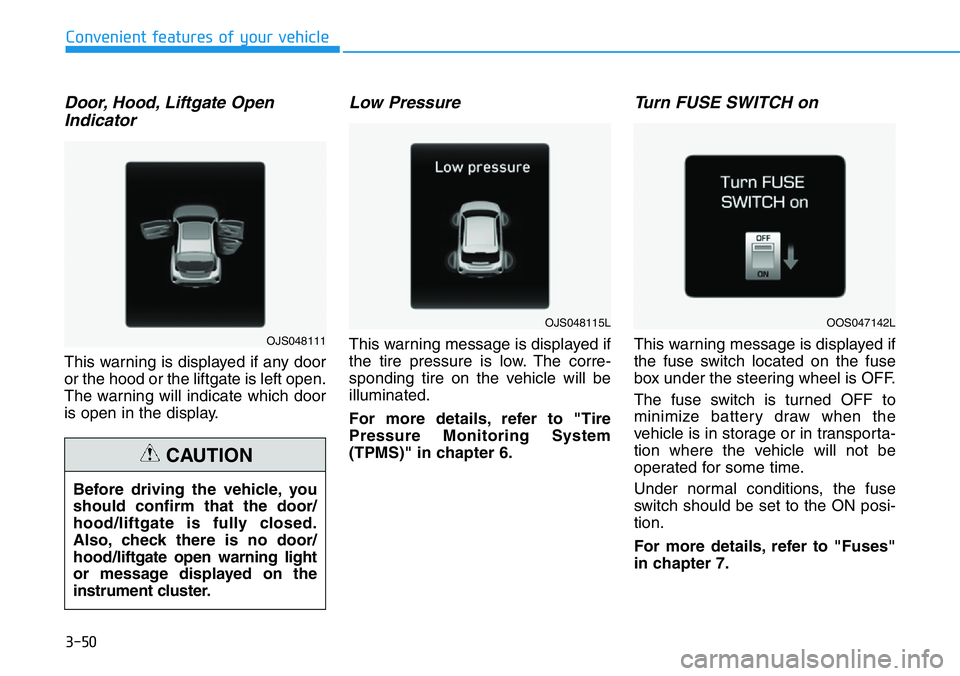
Door, Hood, Liftgate Open
Indicator
This warning is displayed if any door
or the hood or the liftgate is left open.
The warning will indicate which door
is open in the display.
Low Pressure
This warning message is displayed if
the tire pressure is low. The corre-
sponding tire on the vehicle will be
illuminated.
For more details, refer to "Tire
Pressure Monitoring System
(TPMS)" in chapter 6.
Turn FUSE SWITCH on
This warning message is displayed if
the fuse switch located on the fuse
box under the steering wheel is OFF.
The fuse switch is turned OFF to
minimize battery draw when the
vehicle is in storage or in transporta-
tion where the vehicle will not be
operated for some time.
Under normal conditions, the fuse
switch should be set to the ON posi-
tion.
For more details, refer to "Fuses"
in chapter 7. Before driving the vehicle, you
should confirm that the door/
hood/liftgate is fully closed.
Also, check there is no door/
hood/liftgate open warning light
or message displayed on the
instrument cluster.
CAUTION
OJS048111
OJS048115LOOS047142L
Page 133 of 446
3-55
Convenient features of your vehicle
3
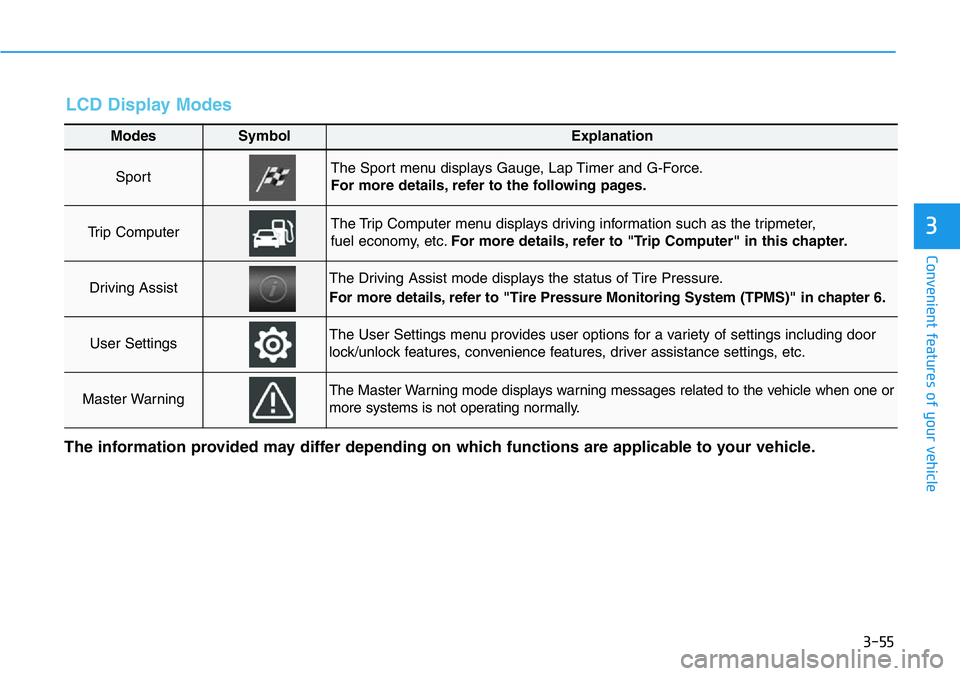
LCD Display Modes
Modes SymbolExplanation
Sport The Sport menu displays Gauge, Lap Timer and G-Force.
For more details, refer to the following pages.
Trip Computer The Trip Computer menu displays driving information such as the tripmeter,
fuel economy, etc.For more details, refer to "Trip Computer" in this chapter.
Driving AssistThe Driving Assist mode displays the status of Tire Pressure.
For more details, refer to "Tire Pressure Monitoring System (TPMS)" in chapter 6.
User SettingsThe User Settings menu provides user options for a variety of settings including door
lock/unlock features, convenience features, driver assistance settings, etc.
Master WarningThe Master Warning mode displays warning messages related to the vehicle when one or
more systems is not operating normally.
The information provided may differ depending on which functions are applicable to your vehicle.
Page 135 of 446
3-57
Convenient features of your vehicle
3
The saved laps can be reset when
the current lap is reset.
To start a new lap press the OK but-
ton when the current lap is reset.
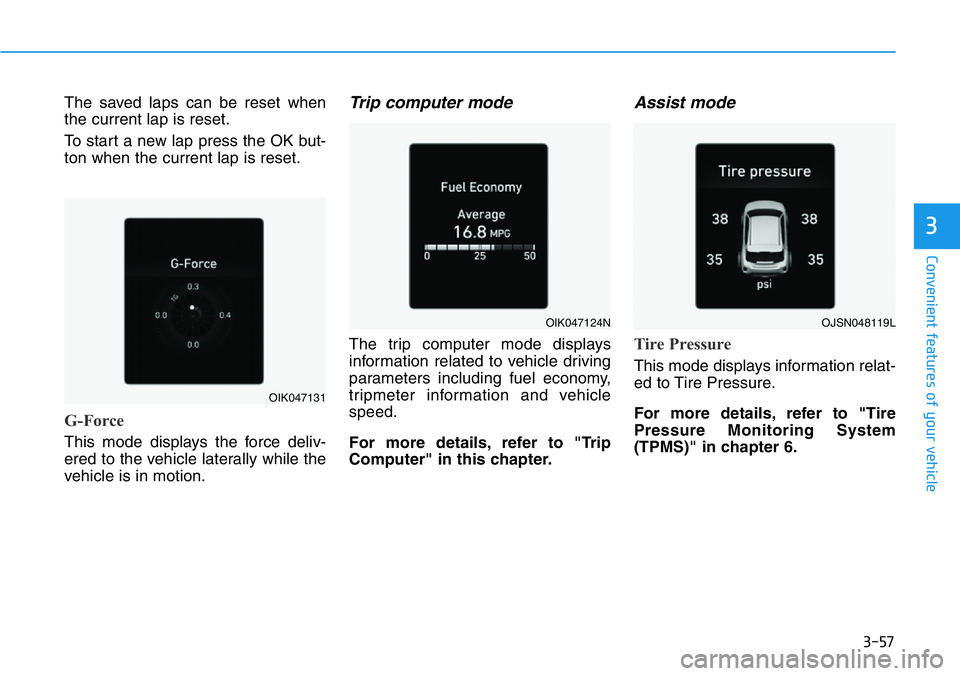
G-Force
This mode displays the force deliv-
ered to the vehicle laterally while the
vehicle is in motion.
Trip computer mode
The trip computer mode displays
information related to vehicle driving
parameters including fuel economy,
tripmeter information and vehicle
speed.
For more details, refer to "Trip
Computer" in this chapter.
Assist mode
Tire Pressure
This mode displays information relat-
ed to Tire Pressure.
For more details, refer to "Tire
Pressure Monitoring System
(TPMS)" in chapter 6.
OIK047131
OIK047124NOJSN048119L
Page 136 of 446
3-58
Master warning mode
This warning light informs the driver
the following situations.
- Lamp malfunction
- Tire Pressure Monitoring System
(TPMS) malfunction
The Master Warning Light illumi-
nates if one or more of the above
warning situations occur. At this time,
the LCD Modes Icon will change
from ( ) to ( ).
If the warning situation is solved, the
master warning light will be turned
off and the LCD Modes Icon will be
changed back to its previous icon
().
User settings mode
In this mode, you can change the
settings of the instrument cluster,
doors, lamps, etc.
1. Driver Assistance
2. Door
3. Lights
4. Sound
5. Convenience
6. Service interval
7. Other
8. Language
9. Reset
The information provided may dif-
fer depending on which functions
are applicable to your vehicle.Information
Settings only available with parking
brake engaged and gear in neutral.
This warning message illuminates if you
try to select an item from the User
Settings mode while driving.
For your safety, change the User
Settings after engaging the parking
brake and shifting the gear to neutral.
i
Convenient features of your vehicle
Page 328 of 446
What to do in an emergency
6
Hazard Warning Flasher .......................................6-2
In Case of an Emergency While Driving.............6-2
If the Engine Stalls While Driving .................................6-2
If the Engine Stalls at a Crossroad or Crossing ........6-2
If you Have a Flat Tire While Driving ..........................6-3
If the Engine Will Not Start..................................6-3
If the Engine Doesn't Turn Over
or Turns Over Slowly........................................................6-3
If the Engine Turns Over Normally but
Doesn't Start ......................................................................6-3
Jump Starting ..........................................................6-4
If the Engine Overheats........................................6-6
Tire Pressure Monitoring System (TPMS).........6-8
Check Tire Pressure .........................................................6-8
Tire Pressure Monitoring System .................................6-9
Low Tire Pressure Telltale ............................................6-10
Low Tire Pressure LCD Display with
Position Indicator ............................................................6-10
TPMS Malfunction Indicator ........................................6-11
Changing a Tire with TPMS..........................................6-12
If You Have a Flat Tire........................................6-14
With Tire Mobility Kit (TMK) ........................................6-14
Towing ...................................................................6-21
Towing Service .................................................................6-21
Dinghy towing ..................................................................6-22
Removable Towing Hook ...............................................6-22
Emergency Towing..........................................................6-23
Tie-down Hook ................................................................6-25
Page 335 of 446
6-8
What to do in an emergency
TIRE PRESSURE MONITORING SYSTEM (TPMS)
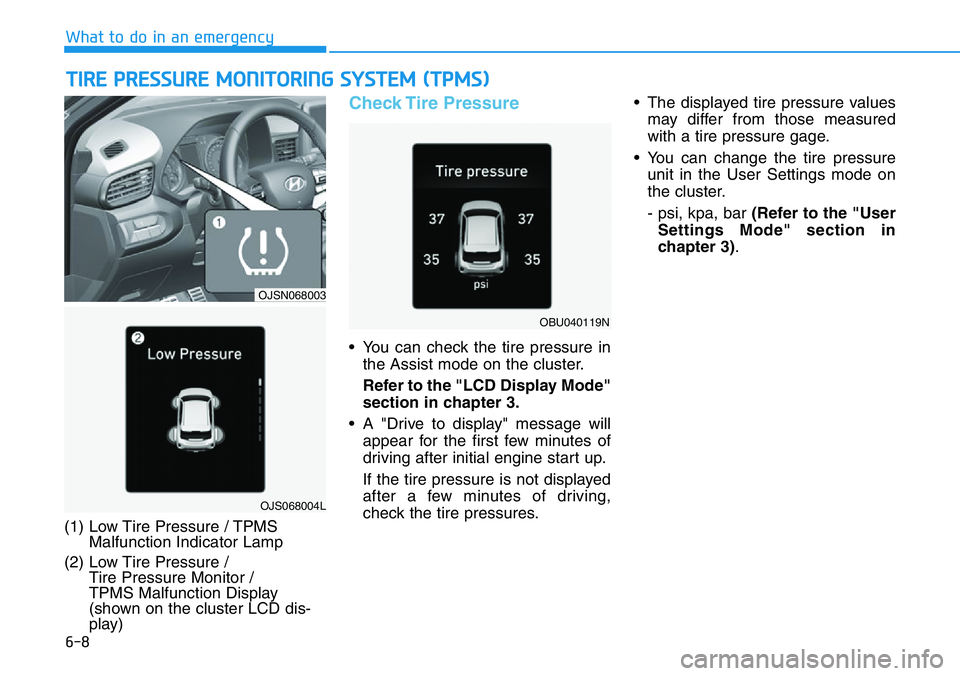
(1) Low Tire Pressure / TPMS
Malfunction Indicator Lamp
(2) Low Tire Pressure /
Tire Pressure Monitor /
TPMS Malfunction Display
(shown on the cluster LCD dis-
play)
Check Tire Pressure
• You can check the tire pressure in
the Assist mode on the cluster.
Refer to the "LCD Display Mode"
section in chapter 3.
• A "Drive to display" message will
appear for the first few minutes of
driving after initial engine start up.
If the tire pressure is not displayed
after a few minutes of driving,
check the tire pressures.• The displayed tire pressure values
may differ from those measured
with a tire pressure gage.
• You can change the tire pressure
unit in the User Settings mode on
the cluster.
- psi, kpa, bar (Refer to the "User
Settings Mode" section in
chapter 3).
OJS068004L
OJSN068003
OBU040119N
Page 336 of 446
6-9
What to do in an emergency
6
Tire Pressure Monitoring
System
Each tire, including the spare (if pro-
vided), should be checked monthly
when cold and inflated to the inflation
pressure recommended by the vehicle
manufacturer on the vehicle placard or
tire inflation pressure label. A cold tire
means the vehicle has been sitting for
3 hours and driven for less than 1 mile
(1.6 km) in that 3 hour period.
Allow the tire to cool before measur-
ing the inflation pressure. Always be
sure the tire is cold before inflating to
the recommended pressure. If your
vehicle has tires of a different size
than the size indicated on the vehicle
placard or tire inflation pressure
label, you should determine the
proper tire inflation pressure for
those tires.As an added safety feature, your
vehicle has been equipped with a tire
pressure monitoring system (TPMS)
that illuminates a low tire pressure
telltale when one or more of your
tires is significantly under-inflated.
Accordingly, when the low tire pres-
sure telltale illuminates, you should
stop and check your tires as soon as
possible, and inflate them to the
proper pressure. Driving on a signifi-
cantly under-inflated tire causes the
tire to overheat and can lead to tire
failure.
Under-inflation also reduces fuel effi-
ciency and tire tread life, and may
affect the vehicle's handling and
stopping ability.
Please note that the TPMS is not a
substitute for proper tire mainte-
nance, and it is the driver's responsi-
bility to maintain correct tire pres-
sure, even if under-inflation has not
reached the level to trigger illumina-
tion of the TPMS low tire pressure
telltale.Your vehicle has also been equipped
with a TPMS malfunction indicator to
indicate when the system is not
operating properly. The TPMS mal-
function indicator is combined with
the low tire pressure telltale. When
the system detects a malfunction,
the telltale will flash for approximate-
ly one minute and then remain con-
tinuously illuminated. This sequence
will continue upon subsequent vehi-
cle start-ups as long as the malfunc-
tion exists.
When the malfunction indicator is
illuminated, the system may not be
able to detect or signal low tire pres-
sure as intended. TPMS malfunc-
tions may occur for a variety of rea-
sons, including the installation of
replacement or alternate tires or
wheels on the vehicle that prevent
the TPMS from functioning properly.
Always check the TPMS malfunction
telltale after replacing one or more
tires or wheels on your vehicle to
ensure that the replacement or alter-
nate tires and wheels allow the TPMS
to continue to function properly. Over-inflation or under-inflation
can reduce tire life, adversely
affect vehicle handling, and
lead to sudden tire failure that
may cause loss of vehicle con-
trol resulting in an accident.
WARNING
Page 337 of 446
6-10
What to do in an emergency
If any of the below happens, have
the system checked by an author-
ized HYUNDAI dealer.
1. The Low Tire Pressure TPMS
Malfunction Indicator does not
illuminate for 3 seconds when
the ignition switch is placed to
the ON position or engine is
running.
2. The TPMS Malfunction Indicator
remains illuminated after blink-
ing for approximately 1 minute.
3. The Low Tire Pressure LCD dis-
play remains illuminated
Low Tire Pressure
Telltale
Low Tire Pressure
LCD Display with
Position Indicator
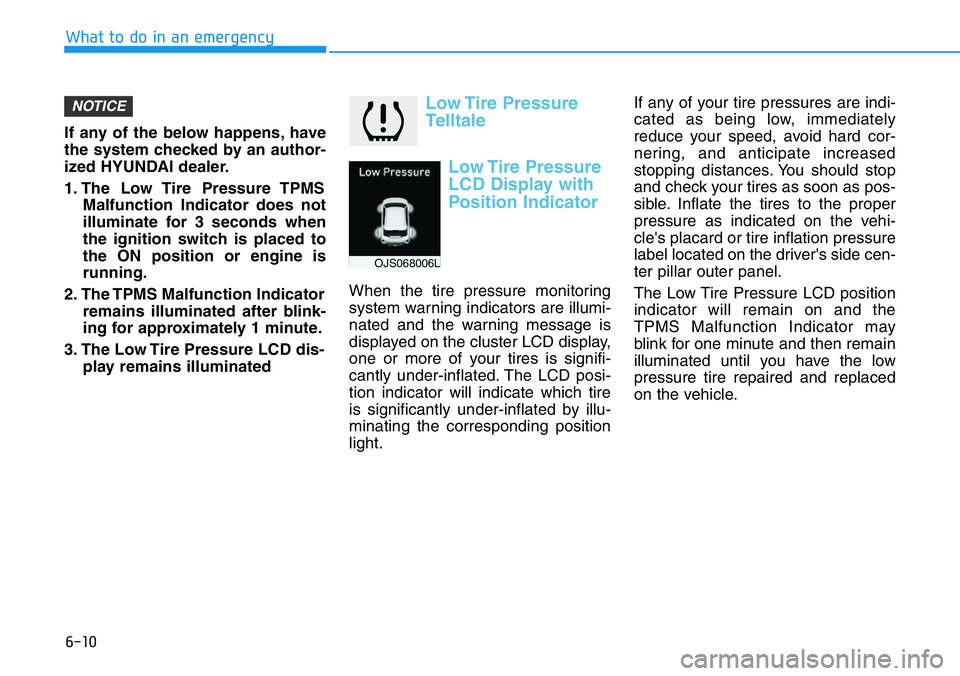
When the tire pressure monitoring
system warning indicators are illumi-
nated and the warning message is
displayed on the cluster LCD display,
one or more of your tires is signifi-
cantly under-inflated. The LCD posi-
tion indicator will indicate which tire
is significantly under-inflated by illu-
minating the corresponding position
light.If any of your tire pressures are indi-
cated as being low, immediately
reduce your speed, avoid hard cor-
nering, and anticipate increased
stopping distances. You should stop
and check your tires as soon as pos-
sible. Inflate the tires to the proper
pressure as indicated on the vehi-
cle's placard or tire inflation pressure
label located on the driver's side cen-
ter pillar outer panel.
The Low Tire Pressure LCD position
indicator will remain on and the
TPMS Malfunction Indicator may
blink for one minute and then remain
illuminated until you have the low
pressure tire repaired and replaced
on the vehicle.
NOTICE
OJS068006L