camera HYUNDAI VELOSTER N 2022 User Guide
[x] Cancel search | Manufacturer: HYUNDAI, Model Year: 2022, Model line: VELOSTER N, Model: HYUNDAI VELOSTER N 2022Pages: 446, PDF Size: 9.71 MB
Page 271 of 446
5-77
Driving your vehicle
5
Lane Keeping Assist is designed to
help detect lane markings while driv-
ing over a certain speed. The system
will warn the driver if the vehicle
leaves the lane without using the turn
signal, or will automatically assist the
driver’s steering to help prevent the
vehicle from departing the lane.Detecting sensor
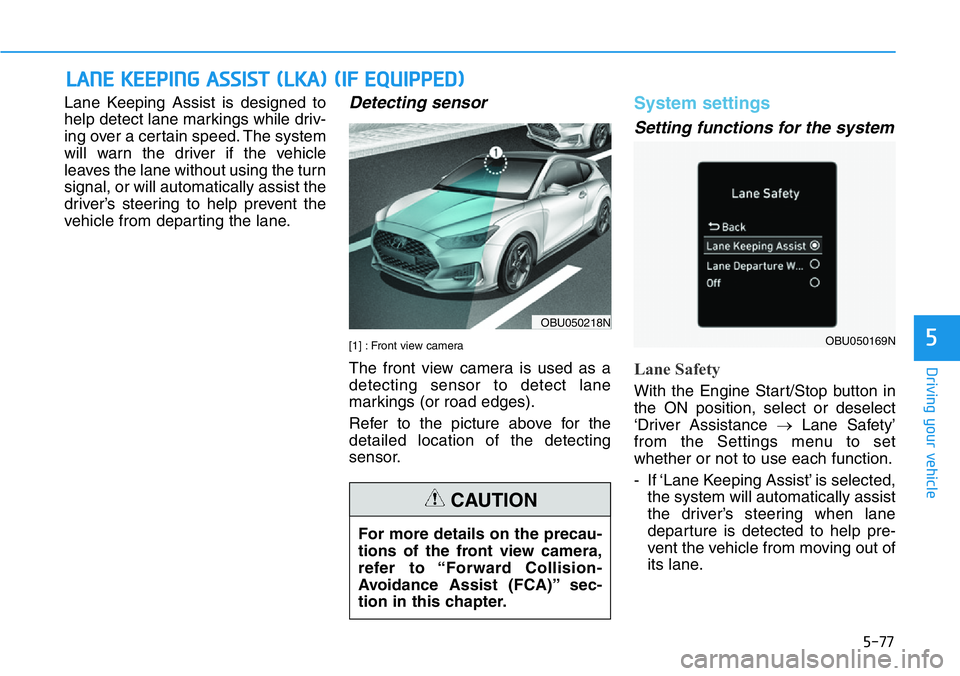
[1] : Front view camera
The front view camera is used as a
detecting sensor to detect lane
markings (or road edges).
Refer to the picture above for the
detailed location of the detecting
sensor.
System settings
Setting functions for the system
Lane Safety
With the Engine Start/Stop button in
the ON position, select or deselect
‘Driver Assistance →Lane Safety’
from the Settings menu to set
whether or not to use each function.
- If ‘Lane Keeping Assist’ is selected,
the system will automatically assist
the driver’s steering when lane
departure is detected to help pre-
vent the vehicle from moving out of
its lane.
LANE KEEPING ASSIST (LKA) (IF EQUIPPED)
OBU050218N
OBU050169N
For more details on the precau-
tions of the front view camera,
refer to “Forward Collision-
Avoidance Assist (FCA)” sec-
tion in this chapter.
CAUTION
Page 276 of 446
5-82
Driving your vehicle
•If the vehicle is driven at high
speed, the steering wheel will
not be controlled. The driver
must always follow the speed
limit when using the system.
•If any other system’s warning
message is displayed or audi-
ble warning is generated,
Lane Keeping Assist warning
message may not be dis-
played and audible warning
may not be generated.
•You may not hear the warning
sound of Lane Keeping Assist
if the surrounding is noisy.
•If you attach objects to the
steering wheel, steering may
not be assisted properly.
•Lane Keeping Assist may not
operate for 15 seconds after
the vehicle is started, or the
front view camera is initial-
ized.
•Lane Keeping Assist will not
operate when:
- The turn signal or hazard
warning flasher is turned on
- The vehicle is not driven in
the center of the lane when
the system is turned on or
right after changing a lane
- ESC (Electronic Stability
Control) or VSM (Vehicle
Stability Management) is
activated
- The vehicle is driven on a
sharp curve
- Vehicle speed is below 35
mph (55 km/h) or above 130
mph (210 km/h)
- The vehicle makes sharp
lane changes
- The vehicle brakes suddenly
Take the following precautions
when using Lane Keeping
Assist:
•The driver should hold the
responsibility to safely drive
and control the vehicle. Do
not solely rely on the system
and drive dangerously.
•The operation of Lane
Keeping Assist can be can-
celled or not work properly
depending on road conditions
and surroundings. Always be
cautious while driving.
•Refer to “Limitations of the
System” if the lane is not
detected properly.
•When you are towing a trailer
or another vehicle, we recom-
mend that Lane Keeping
Assist is turned off due to
safety reasons.
WARNING
Page 277 of 446
5-83
Driving your vehicle
5
Limitations of the system
Lane Keeping Assist may not oper-
ate normally or may operate unex-
pectedly under the following circum-
stances:
• The lane is contaminated or diffi-
cult to distinguish because,
- The lane markings is covered
with rain, snow, dirt, oil, etc.
- The color of the lane marking is
not distinguishable from the road
- There are markings on the road
near the lane or the markings on
the road looks similar to the lane
markings
- The lane marking is indistinct or
damaged
- The shadow is on the lane mark-
ing by a median strip, trees,
guardrail, noise barriers, etc.• There are more than two lane
markings on the road
• The lane number increases or
decreases, or the lane markings
are crossing
• The lane markings are complicat-
ed or a structure substitutes for the
lines, such as a construction area
• There are road markings, such as
zigzag lanes, crosswalk markings
and road signs
• The lane suddenly disappears,
such as at the intersection
• The lane is very wide or narrow
• There is a road edge without a lane
• There is a boundary structure in
the roadway, such as a tollgate,
sidewalk, curb, etc.
• The distance to the front vehicle is
extremely short or the vehicle in
front is covering the lane marking For more details on the limita-
tions of the front view camera,
refer to “Forward Collision-
Avoidance Assist (FCA)” sec-
tion in this chapter.CAUTION
Page 279 of 446
5-85
Driving your vehicle
5
System settings
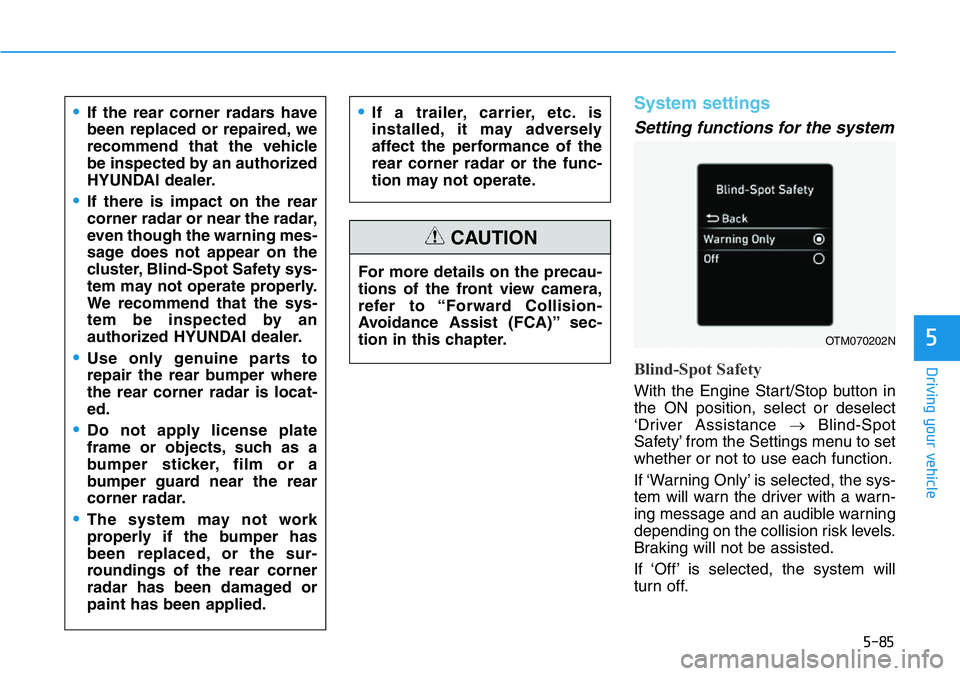
Setting functions for the system
Blind-Spot Safety
With the Engine Start/Stop button in
the ON position, select or deselect
‘Driver Assistance →Blind-Spot
Safety’ from the Settings menu to set
whether or not to use each function.
If ‘Warning Only’ is selected, the sys-
tem will warn the driver with a warn-
ing message and an audible warning
depending on the collision risk levels.
Braking will not be assisted.
If ‘Off’ is selected, the system will
turn off. For more details on the precau-
tions of the front view camera,
refer to “Forward Collision-
Avoidance Assist (FCA)” sec-
tion in this chapter.
CAUTION
•If the rear corner radars have
been replaced or repaired, we
recommend that the vehicle
be inspected by an authorized
HYUNDAI dealer.
•If there is impact on the rear
corner radar or near the radar,
even though the warning mes-
sage does not appear on the
cluster, Blind-Spot Safety sys-
tem may not operate properly.
We recommend that the sys-
tem be inspected by an
authorized HYUNDAI dealer.
•Use only genuine parts to
repair the rear bumper where
the rear corner radar is locat-
ed.
•Do not apply license plate
frame or objects, such as a
bumper sticker, film or a
bumper guard near the rear
corner radar.
•The system may not work
properly if the bumper has
been replaced, or the sur-
roundings of the rear corner
radar has been damaged or
paint has been applied.
•If a trailer, carrier, etc. is
installed, it may adversely
affect the performance of the
rear corner radar or the func-
tion may not operate.
OTM070202N
Page 288 of 446
5-94
Driving your vehicle
Basic function
Driver Attention Warning will help
determine the driver's attention level
by analyzing driving pattern, driving
time, etc. while vehicle is being driv-
en. The system will recommend a
break when the driver’s attention
level falls below a certain level.
Leading Vehicle Departure Alert
function
Leading Vehicle Departure Alert
function will inform the driver when
the front vehicle departs from a stop.
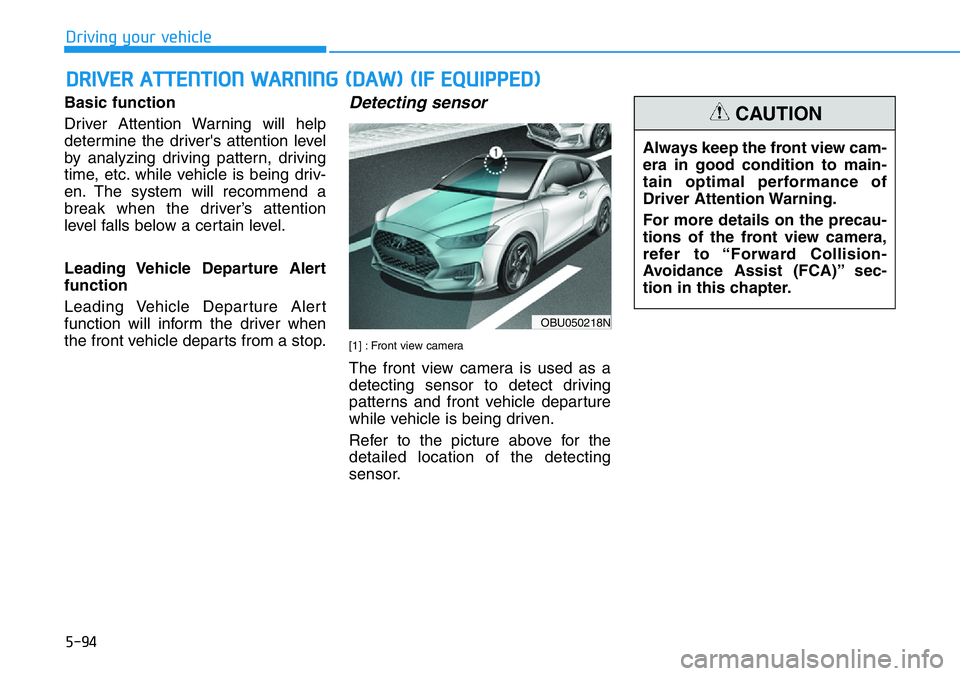
Detecting sensor
[1] : Front view camera
The front view camera is used as a
detecting sensor to detect driving
patterns and front vehicle departure
while vehicle is being driven.
Refer to the picture above for the
detailed location of the detecting
sensor.
DRIVER ATTENTION WARNING (DAW) (IF EQUIPPED)
OBU050218N
Always keep the front view cam-
era in good condition to main-
tain optimal performance of
Driver Attention Warning.
For more details on the precau-
tions of the front view camera,
refer to “Forward Collision-
Avoidance Assist (FCA)” sec-
tion in this chapter.
CAUTION
Page 295 of 446
5-101
Driving your vehicle
5
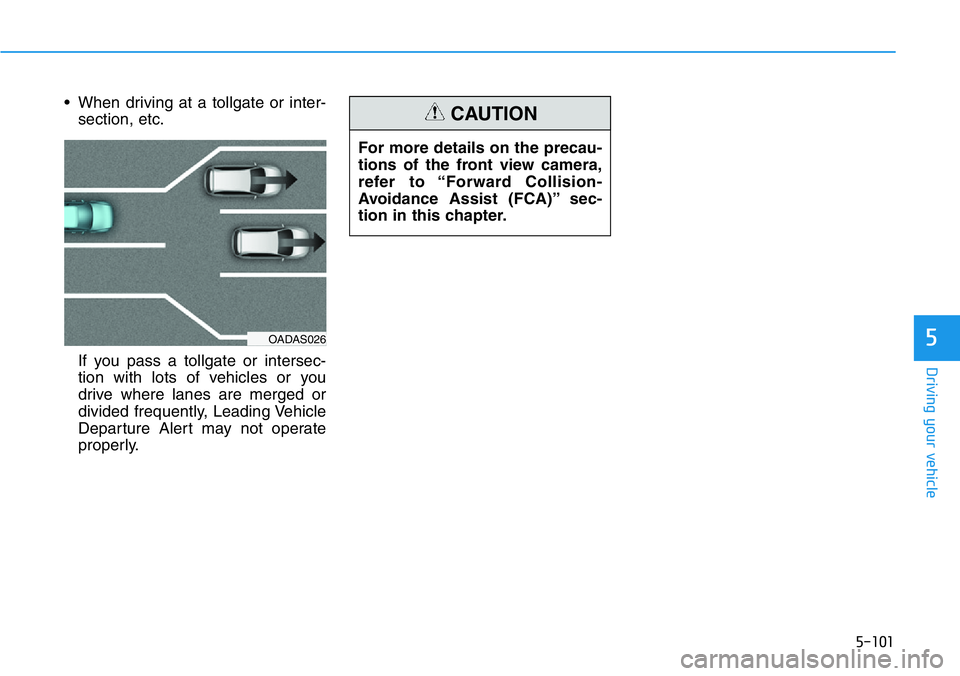
• When driving at a tollgate or inter-
section, etc.
If you pass a tollgate or intersec-
tion with lots of vehicles or you
drive where lanes are merged or
divided frequently, Leading Vehicle
Departure Alert may not operate
properly.
OADAS026
For more details on the precau-
tions of the front view camera,
refer to “Forward Collision-
Avoidance Assist (FCA)” sec-
tion in this chapter.
CAUTION
Page 301 of 446
5-107
Driving your vehicle
5
Lane Following Assist is designed to
help detect lane markings and/or
vehicles on the road, and assist the
driver’s steering to help keep the
vehicle between lanes.
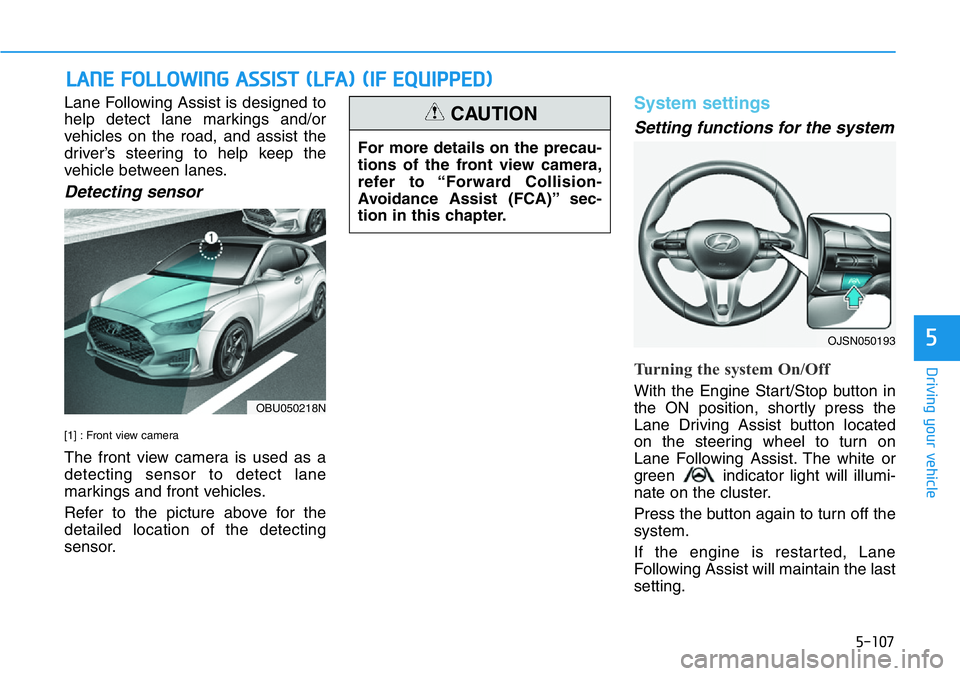
Detecting sensor
[1] : Front view camera
The front view camera is used as a
detecting sensor to detect lane
markings and front vehicles.
Refer to the picture above for the
detailed location of the detecting
sensor.
System settings
Setting functions for the system
Turning the system On/Off
With the Engine Start/Stop button in
the ON position, shortly press the
Lane Driving Assist button located
on the steering wheel to turn on
Lane Following Assist. The white or
green indicator light will illumi-
nate on the cluster.
Press the button again to turn off the
system.
If the engine is restarted, Lane
Following Assist will maintain the last
setting.
LANE FOLLOWING ASSIST (LFA) (IF EQUIPPED)
For more details on the precau-
tions of the front view camera,
refer to “Forward Collision-
Avoidance Assist (FCA)” sec-
tion in this chapter.
CAUTION
OBU050218N
OJSN050193
Page 423 of 446
7-71
7
Maintenance
High-pressure washing
• When using high-pressure wash-
ers, make sure to maintain suffi-
cient distance from the vehicle.
Insufficient clearance or excessive
pressure can lead to component
damage or water penetration.
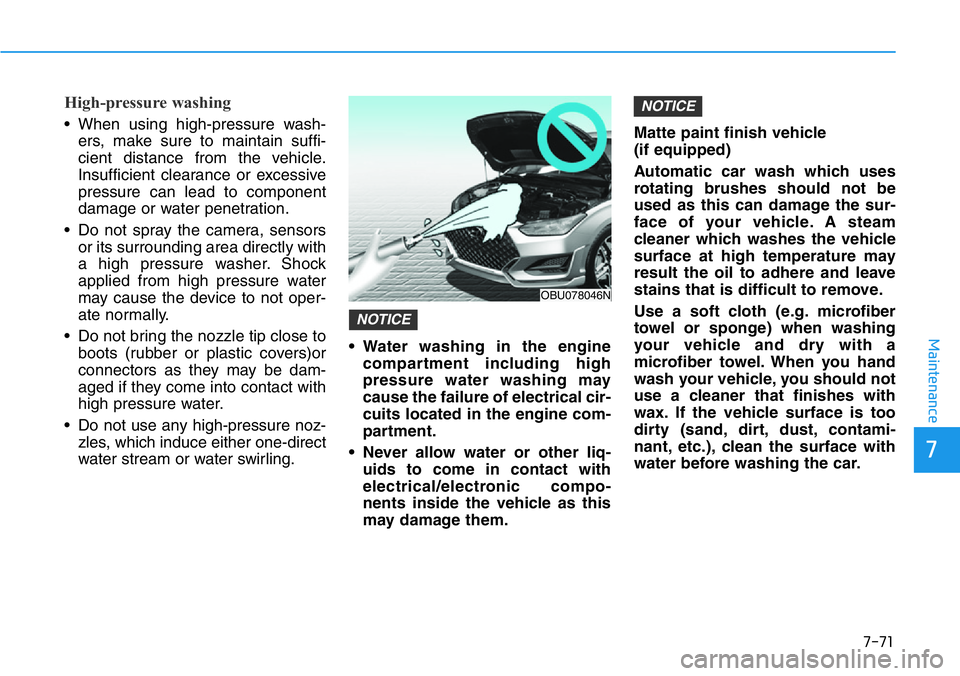
• Do not spray the camera, sensors
or its surrounding area directly with
a high pressure washer. Shock
applied from high pressure water
may cause the device to not oper-
ate normally.
• Do not bring the nozzle tip close to
boots (rubber or plastic covers)or
connectors as they may be dam-
aged if they come into contact with
high pressure water.
• Do not use any high-pressure noz-
zles, which induce either one-direct
water stream or water swirling.• Water washing in the engine
compartment including high
pressure water washing may
cause the failure of electrical cir-
cuits located in the engine com-
partment.
• Never allow water or other liq-
uids to come in contact with
electrical/electronic compo-
nents inside the vehicle as this
may damage them.Matte paint finish vehicle
(if equipped)
Automatic car wash which uses
rotating brushes should not be
used as this can damage the sur-
face of your vehicle. A steam
cleaner which washes the vehicle
surface at high temperature may
result the oil to adhere and leave
stains that is difficult to remove.
Use a soft cloth (e.g. microfiber
towel or sponge) when washing
your vehicle and dry with a
microfiber towel. When you hand
wash your vehicle, you should not
use a cleaner that finishes with
wax. If the vehicle surface is too
dirty (sand, dirt, dust, contami-
nant, etc.), clean the surface with
water before washing the car.
NOTICE
NOTICE
OBU078046N