warning HYUNDAI VELOSTER TURBO 2016 Owners Manual
[x] Cancel search | Manufacturer: HYUNDAI, Model Year: 2016, Model line: VELOSTER TURBO, Model: HYUNDAI VELOSTER TURBO 2016Pages: 406, PDF Size: 7.83 MB
Page 193 of 406
Features of your vehicle
116 4
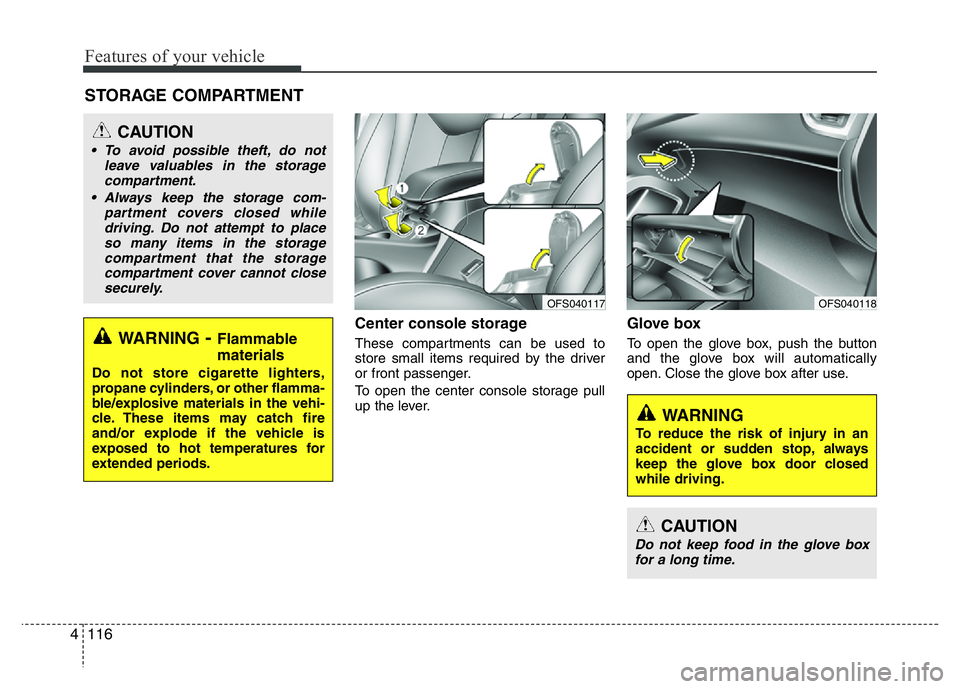
Center console storage
These compartments can be used to
store small items required by the driver
or front passenger.
To open the center console storage pull
up the lever.
Glove box
To open the glove box, push the button
and the glove box will automatically
open. Close the glove box after use.
STORAGE COMPARTMENT
WARNING
To reduce the risk of injury in an
accident or sudden stop, always
keep the glove box door closed
while driving.
WARNING- Flammable
materials
Do not store cigarette lighters,
propane cylinders, or other flamma-
ble/explosive materials in the vehi-
cle. These items may catch fire
and/or explode if the vehicle is
exposed to hot temperatures for
extended periods.
CAUTION
• To avoid possible theft, do not
leave valuables in the storage
compartment.
• Always keep the storage com-
partment covers closed while
driving. Do not attempt to place
so many items in the storage
compartment that the storage
compartment cover cannot close
securely.
OFS040118OFS040117
CAUTION
Do not keep food in the glove box
for a long time.
Page 194 of 406
4117
Features of your vehicle
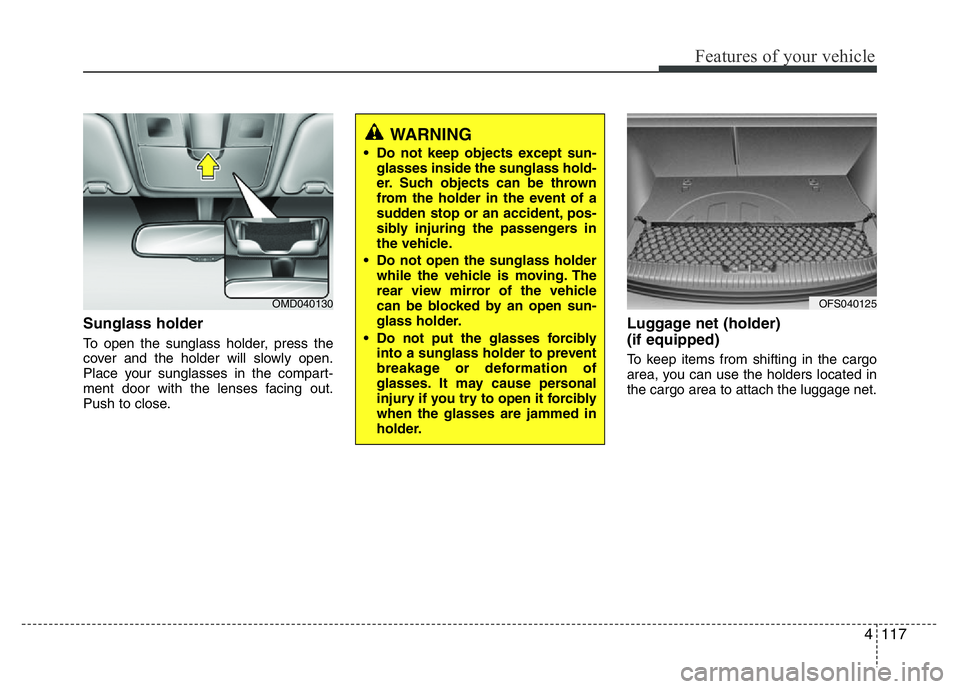
Sunglass holder
To open the sunglass holder, press the
cover and the holder will slowly open.
Place your sunglasses in the compart-
ment door with the lenses facing out.
Push to close.
Luggage net (holder)
(if equipped)
To keep items from shifting in the cargo
area, you can use the holders located in
the cargo area to attach the luggage net.
OMD040130
WARNING
• Do not keep objects except sun-
glasses inside the sunglass hold-
er. Such objects can be thrown
from the holder in the event of a
sudden stop or an accident, pos-
sibly injuring the passengers in
the vehicle.
• Do not open the sunglass holder
while the vehicle is moving. The
rear view mirror of the vehicle
can be blocked by an open sun-
glass holder.
• Do not put the glasses forcibly
into a sunglass holder to prevent
breakage or deformation of
glasses. It may cause personal
injury if you try to open it forcibly
when the glasses are jammed in
holder.
OFS040125
Page 195 of 406
Features of your vehicle
118 4
CAUTION
To prevent damage to the goods or
the vehicle, care should be taken
when carrying fragile or bulky
objects in the luggage compart-
ment.
WARNING
To avoid eye injury, DO NOT over-
stretch the luggage net, ALWAYS
keep your face and body out of the
luggage net’s recoil path. DO NOT
use when the strap has visible
signs of wear or damage.
Page 196 of 406
4119
Features of your vehicle
INTERIOR FEATURES
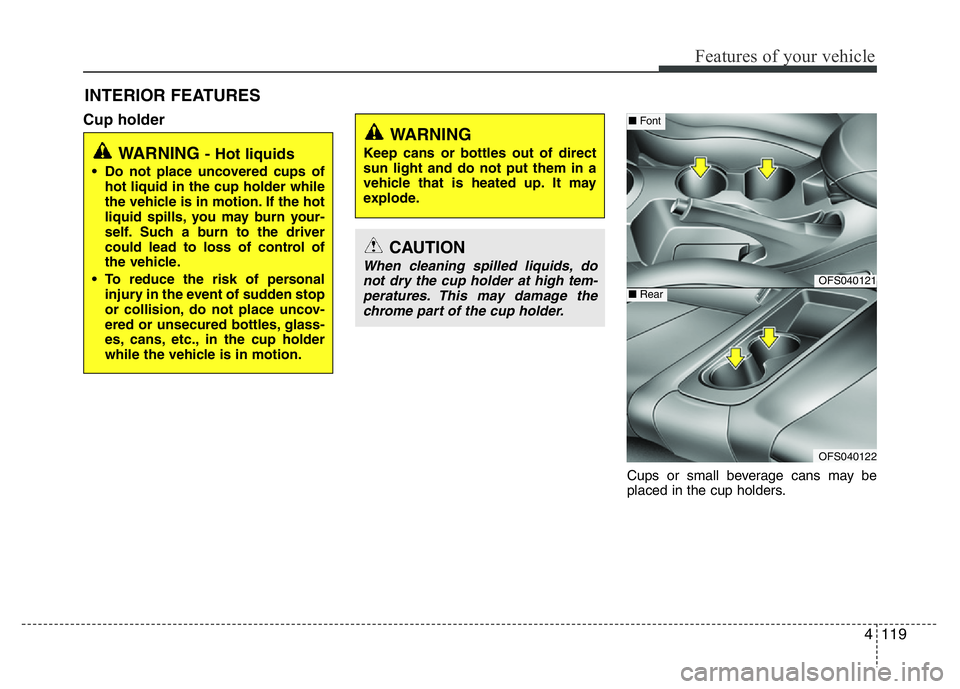
Cup holder
Cups or small beverage cans may be
placed in the cup holders.
WARNING - Hot liquids
• Do not place uncovered cups of
hot liquid in the cup holder while
the vehicle is in motion. If the hot
liquid spills, you may burn your-
self. Such a burn to the driver
could lead to loss of control of
the vehicle.
• To reduce the risk of personal
injury in the event of sudden stop
or collision, do not place uncov-
ered or unsecured bottles, glass-
es, cans, etc., in the cup holder
while the vehicle is in motion.
WARNING
Keep cans or bottles out of direct
sun light and do not put them in a
vehicle that is heated up. It may
explode.
CAUTION
When cleaning spilled liquids, do
not dry the cup holder at high tem-
peratures. This may damage the
chrome part of the cup holder.OFS040121
OFS040122
■Font
■Rear
Page 197 of 406
Features of your vehicle
120 4
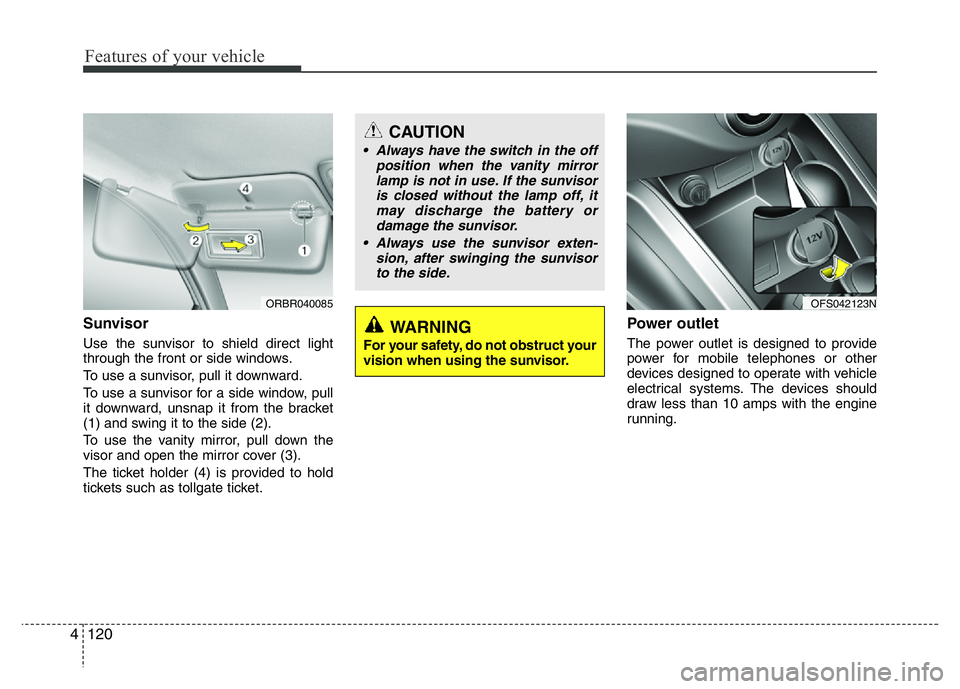
Sunvisor
Use the sunvisor to shield direct light
through the front or side windows.
To use a sunvisor, pull it downward.
To use a sunvisor for a side window, pull
it downward, unsnap it from the bracket
(1) and swing it to the side (2).
To use the vanity mirror, pull down the
visor and open the mirror cover (3).
The ticket holder (4) is provided to hold
tickets such as tollgate ticket.
Power outlet
The power outlet is designed to provide
power for mobile telephones or other
devices designed to operate with vehicle
electrical systems. The devices should
draw less than 10 amps with the engine
running.
CAUTION
• Always have the switch in the off
position when the vanity mirror
lamp is not in use. If the sunvisor
is closed without the lamp off, it
may discharge the battery or
damage the sunvisor.
• Always use the sunvisor exten-
sion, after swinging the sunvisor
to the side.
WARNING
For your safety, do not obstruct your
vision when using the sunvisor.
ORBR040085OFS042123N
Page 198 of 406
4121
Features of your vehicle
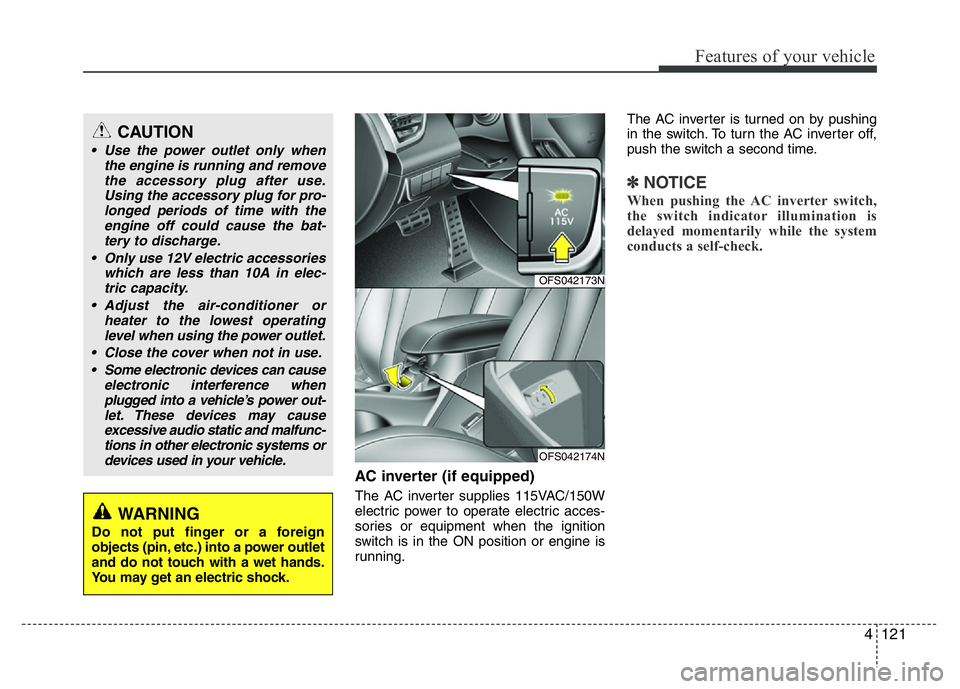
AC inverter (if equipped)
The AC inverter supplies 115VAC/150W
electric power to operate electric acces-
sories or equipment when the ignition
switch is in the ON position or engine is
running.The AC inverter is turned on by pushing
in the switch. To turn the AC inverter off,
push the switch a second time.
✽NOTICE
When pushing the AC inverter switch,
the switch indicator illumination is
delayed momentarily while the system
conducts a self-check.
CAUTION
• Use the power outlet only when
the engine is running and remove
the accessory plug after use.
Using the accessory plug for pro-
longed periods of time with the
engine off could cause the bat-
tery to discharge.
• Only use 12V electric accessories
which are less than 10A in elec-
tric capacity.
• Adjust the air-conditioner or
heater to the lowest operating
level when using the power outlet.
• Close the cover when not in use.
• Some electronic devices can cause
electronic interference when
plugged into a vehicle’s power out-
let. These devices may cause
excessive audio static and malfunc-
tions in other electronic systems or
devices used in your vehicle.
WARNING
Do not put finger or a foreign
objects (pin, etc.) into a power outlet
and do not touch with a wet hands.
You may get an electric shock.
OFS042173N
OFS042174N
Page 199 of 406
Features of your vehicle
122 4
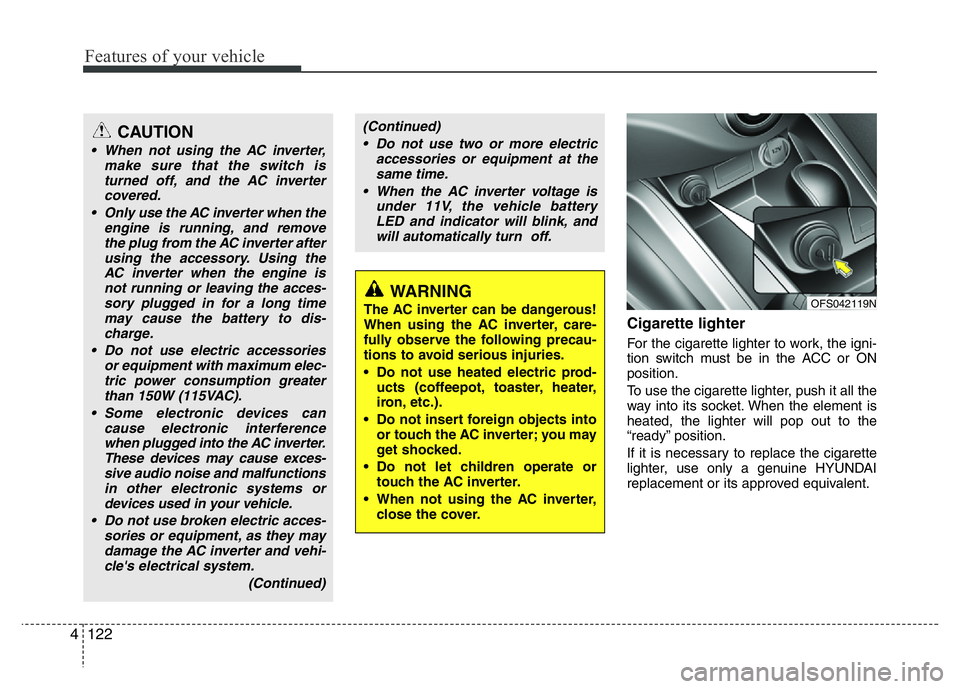
Cigarette lighter
For the cigarette lighter to work, the igni-
tion switch must be in the ACC or ON
position.
To use the cigarette lighter, push it all the
way into its socket. When the element is
heated, the lighter will pop out to the
“ready” position.
If it is necessary to replace the cigarette
lighter, use only a genuine HYUNDAI
replacement or its approved equivalent.
WARNING
The AC inverter can be dangerous!
When using the AC inverter, care-
fully observe the following precau-
tions to avoid serious injuries.
• Do not use heated electric prod-
ucts (coffeepot, toaster, heater,
iron, etc.).
• Do not insert foreign objects into
or touch the AC inverter; you may
get shocked.
• Do not let children operate or
touch the AC inverter.
• When not using the AC inverter,
close the cover.
(Continued)
• Do not use two or more electric
accessories or equipment at the
same time.
• When the AC inverter voltage is
under 11V, the vehicle battery
LED and indicator will blink, and
will automatically turn off.CAUTION
• When not using the AC inverter,
make sure that the switch is
turned off, and the AC inverter
covered.
• Only use the AC inverter when the
engine is running, and remove
the plug from the AC inverter after
using the accessory. Using the
AC inverter when the engine is
not running or leaving the acces-
sory plugged in for a long time
may cause the battery to dis-
charge.
• Do not use electric accessories
or equipment with maximum elec-
tric power consumption greater
than 150W (115VAC).
• Some electronic devices can
cause electronic interference
when plugged into the AC inverter.
These devices may cause exces-
sive audio noise and malfunctions
in other electronic systems or
devices used in your vehicle.
• Do not use broken electric acces-
sories or equipment, as they may
damage the AC inverter and vehi-
cle's electrical system.
(Continued)
OFS042119N
Page 200 of 406
4123
Features of your vehicle
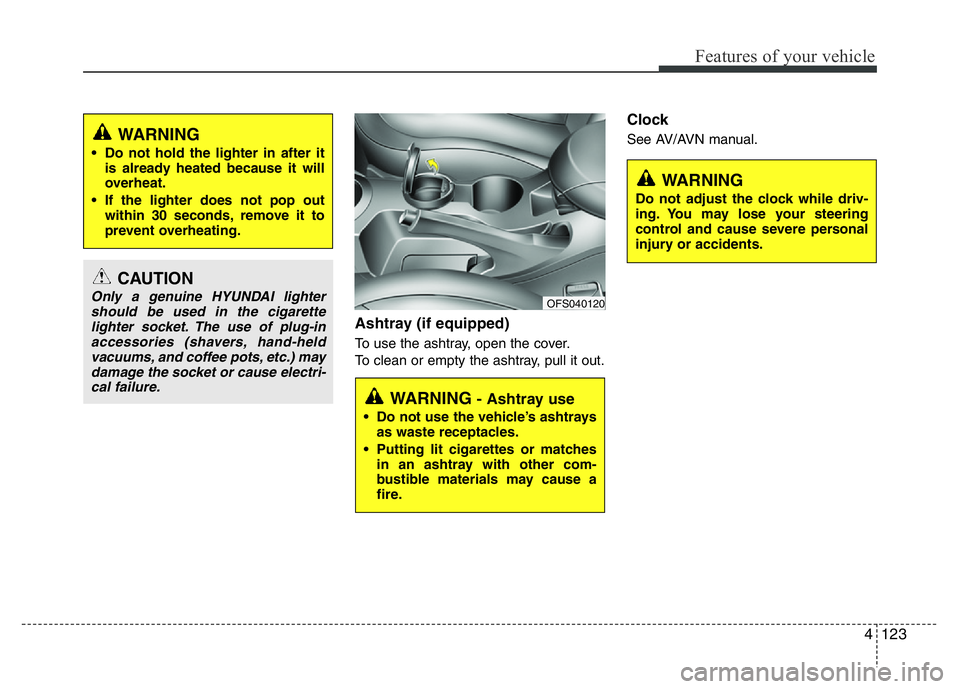
Ashtray (if equipped)
To use the ashtray, open the cover.
To clean or empty the ashtray, pull it out.
Clock
See AV/AVN manual.
CAUTION
Only a genuine HYUNDAI lighter
should be used in the cigarette
lighter socket. The use of plug-in
accessories (shavers, hand-held
vacuums, and coffee pots, etc.) may
damage the socket or cause electri-
cal failure.
WARNING
• Do not hold the lighter in after it
is already heated because it will
overheat.
• If the lighter does not pop out
within 30 seconds, remove it to
prevent overheating.
WARNING - Ashtray use
• Do not use the vehicle’s ashtrays
as waste receptacles.
• Putting lit cigarettes or matches
in an ashtray with other com-
bustible materials may cause a
fire.
OFS040120
WARNING
Do not adjust the clock while driv-
ing. You may lose your steering
control and cause severe personal
injury or accidents.
Page 201 of 406
Features of your vehicle
124 4
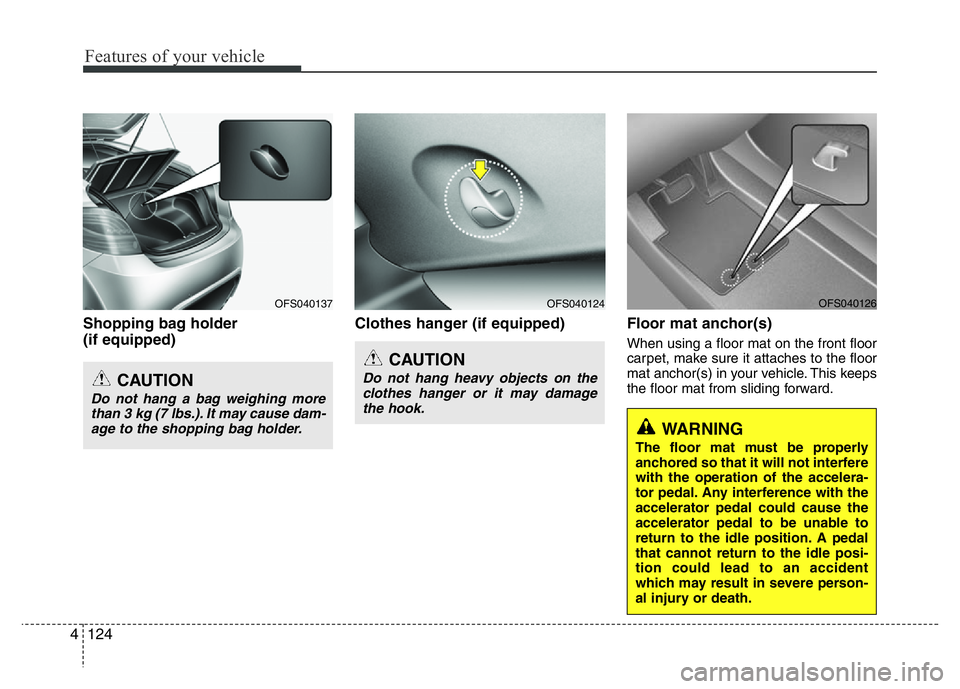
Shopping bag holder
(if equipped)Clothes hanger (if equipped) Floor mat anchor(s)
When using a floor mat on the front floor
carpet, make sure it attaches to the floor
mat anchor(s) in your vehicle. This keeps
the floor mat from sliding forward.
OFS040124OFS040137
CAUTION
Do not hang a bag weighing more
than 3 kg (7 lbs.). It may cause dam-
age to the shopping bag holder.
CAUTION
Do not hang heavy objects on the
clothes hanger or it may damage
the hook.
WARNING
The floor mat must be properly
anchored so that it will not interfere
with the operation of the accelera-
tor pedal. Any interference with the
accelerator pedal could cause the
accelerator pedal to be unable to
return to the idle position. A pedal
that cannot return to the idle posi-
tion could lead to an accident
which may result in severe person-
al injury or death.
OFS040126
Page 202 of 406
4125
Features of your vehicle
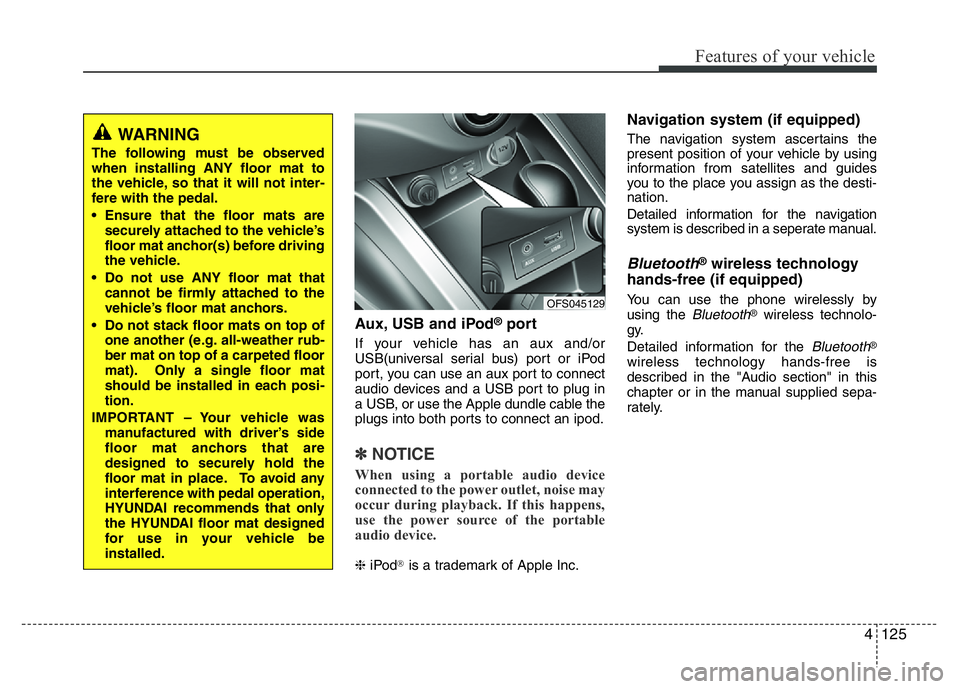
Aux, USB and iPod®port
If your vehicle has an aux and/or
USB(universal serial bus) port or iPod
port, you can use an aux port to connect
audio devices and a USB port to plug in
a USB, or use the Apple dundle cable the
plugs into both ports to connect an ipod.
✽NOTICE
When using a portable audio device
connected to the power outlet, noise may
occur during playback. If this happens,
use the power source of the portable
audio device.
❈iPod®is a trademark of Apple Inc.
Navigation system (if equipped)
The navigation system ascertains the
present position of your vehicle by using
information from satellites and guides
you to the place you assign as the desti-
nation.
Detailed information for the navigation
system is described in a seperate manual.
Bluetooth®wireless technology
hands-free (if equipped)
You can use the phone wirelessly by
using the Bluetooth®wireless technolo-
gy.
Detailed information for the
Bluetooth®
wireless technology hands-free is
described in the "Audio section" in this
chapter or in the manual supplied sepa-
rately.
OFS045129
WARNING
The following must be observed
when installing ANY floor mat to
the vehicle, so that it will not inter-
fere with the pedal.
• Ensure that the floor mats are
securely attached to the vehicle’s
floor mat anchor(s) before driving
the vehicle.
• Do not use ANY floor mat that
cannot be firmly attached to the
vehicle’s floor mat anchors.
• Do not stack floor mats on top of
one another (e.g. all-weather rub-
ber mat on top of a carpeted floor
mat). Only a single floor mat
should be installed in each posi-
tion.
IMPORTANT – Your vehicle was
manufactured with driver’s side
floor mat anchors that are
designed to securely hold the
floor mat in place. To avoid any
interference with pedal operation,
HYUNDAI recommends that only
the HYUNDAI floor mat designed
for use in your vehicle be
installed.