battery HYUNDAI VERACRUZ 2007 Owner's Manual
[x] Cancel search | Manufacturer: HYUNDAI, Model Year: 2007, Model line: VERACRUZ, Model: HYUNDAI VERACRUZ 2007Pages: 441, PDF Size: 7.99 MB
Page 199 of 441
4 117
Features of your vehicle
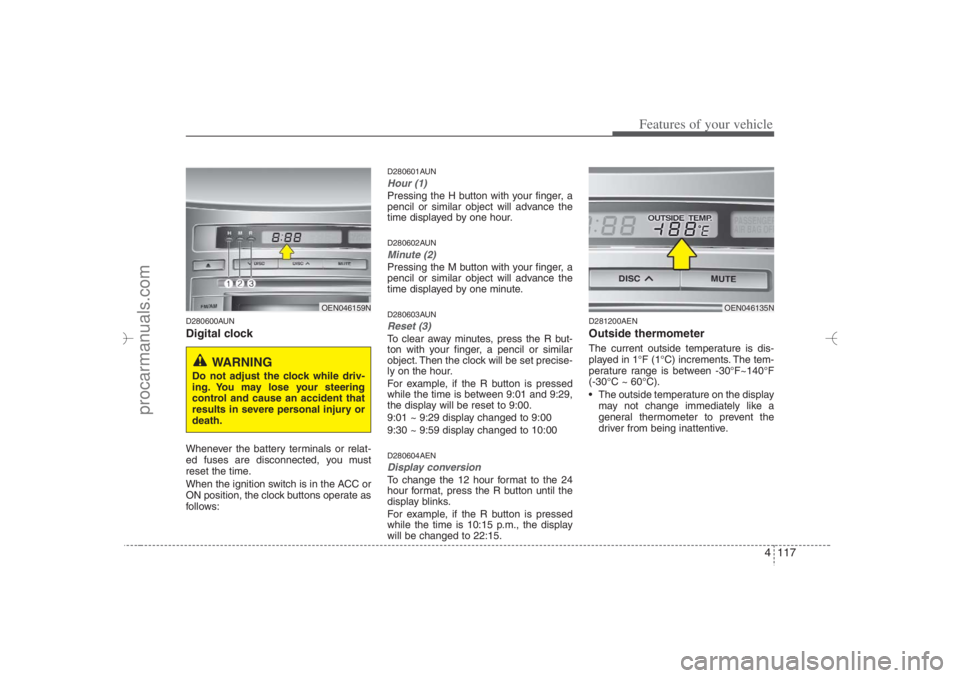
D280600AUNDigital clockWhenever the battery terminals or relat-
ed fuses are disconnected, you must
reset the time.
When the ignition switch is in the ACC or
ON position, the clock buttons operate as
follows:
D280601AUNHour (1)Pressing the H button with your finger, a
pencil or similar object will advance the
time displayed by one hour.D280602AUNMinute (2)Pressing the M button with your finger, a
pencil or similar object will advance the
time displayed by one minute.D280603AUNReset (3)To clear away minutes, press the R but-
ton with your finger, a pencil or similar
object. Then the clock will be set precise-
ly on the hour.
For example, if the R button is pressed
while the time is between 9:01 and 9:29,
the display will be reset to 9:00.
9:01 ~ 9:29 display changed to 9:00
9:30 ~ 9:59 display changed to 10:00D280604AENDisplay conversionTo change the 12 hour format to the 24
hour format, press the R button until the
display blinks.
For example, if the R button is pressed
while the time is 10:15 p.m., the display
will be changed to 22:15.
D281200AENOutside thermometerThe current outside temperature is dis-
played in 1°F (1°C) increments. The tem-
perature range is between -30°F~140°F
(-30°C ~ 60°C).
The outside temperature on the display
may not change immediately like a
general thermometer to prevent the
driver from being inattentive.
OEN046159N
WARNING
Do not adjust the clock while driv-
ing. You may lose your steering
control and cause an accident that
results in severe personal injury or
death.
OEN046135N
EN hma 4-84~120.qxd 11/27/2006 5:38 PM Page 117
procarmanuals.com
Page 200 of 441
Features of your vehicle118 4• Temperature conversion
If the battery has been discharged or
disconnected, the temperature mode
display will reset to Fahrenheit.
This is a normal condition. You can
switch the temperature mode between
Fahrenheit to Centigrade as follows;
While depressing the R button,
depress the H or M button. The display
will change from Fahrenheit to
Centigrade, or from Centigrade to
Fahrenheit.
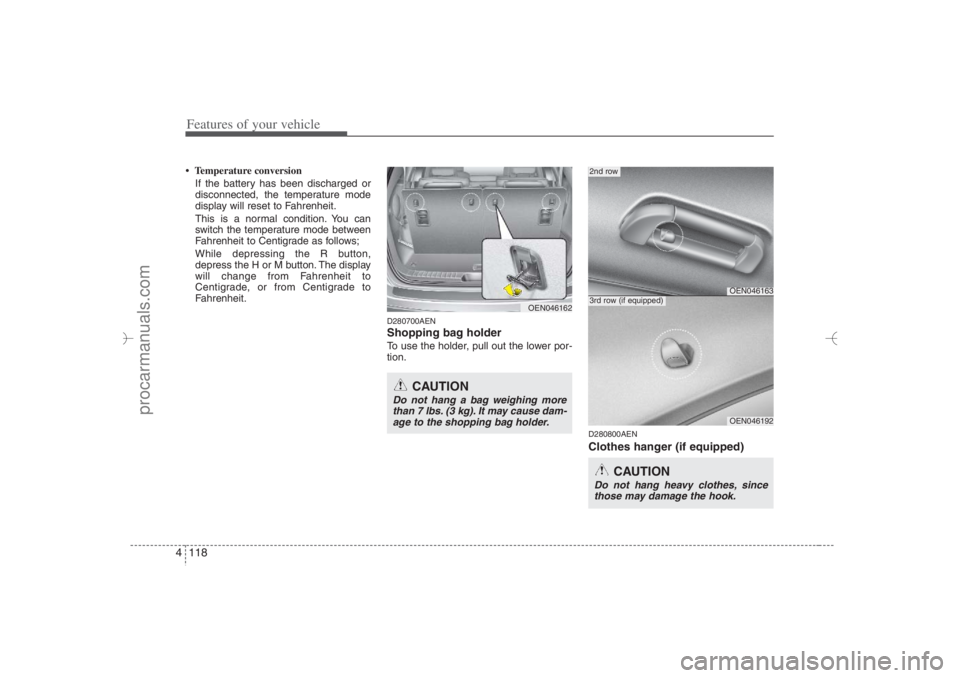
D280700AENShopping bag holderTo use the holder, pull out the lower por-
tion.
D280800AENClothes hanger (if equipped)
OEN046163
2nd row
OEN046192
3rd row (if equipped)
CAUTION
Do not hang heavy clothes, since
those may damage the hook.
OEN046162
CAUTION
Do not hang a bag weighing more
than 7 lbs. (3 kg). It may cause dam-
age to the shopping bag holder.
EN hma 4-84~120.qxd 11/27/2006 5:38 PM Page 118
procarmanuals.com
Page 249 of 441
4167
Features of your vehicle
✽ ✽
NOTICEThe RSE requires a few seconds of set
up time after the ignition switch is
turned ON or to ACC mode.
Your RSE system is already set up and
ready for use, and can be turned on by
pushing the POWER/VOLUMEknob on
the RSE control panel or the POWER
ON/OFFbutton on the remote
controller. The vehicle's ignition must be
turned on or in accessory power mode.
The RSE system can also be turned OFF
by the Audio Unit.
ComponentsYour RSE consists of several compo-
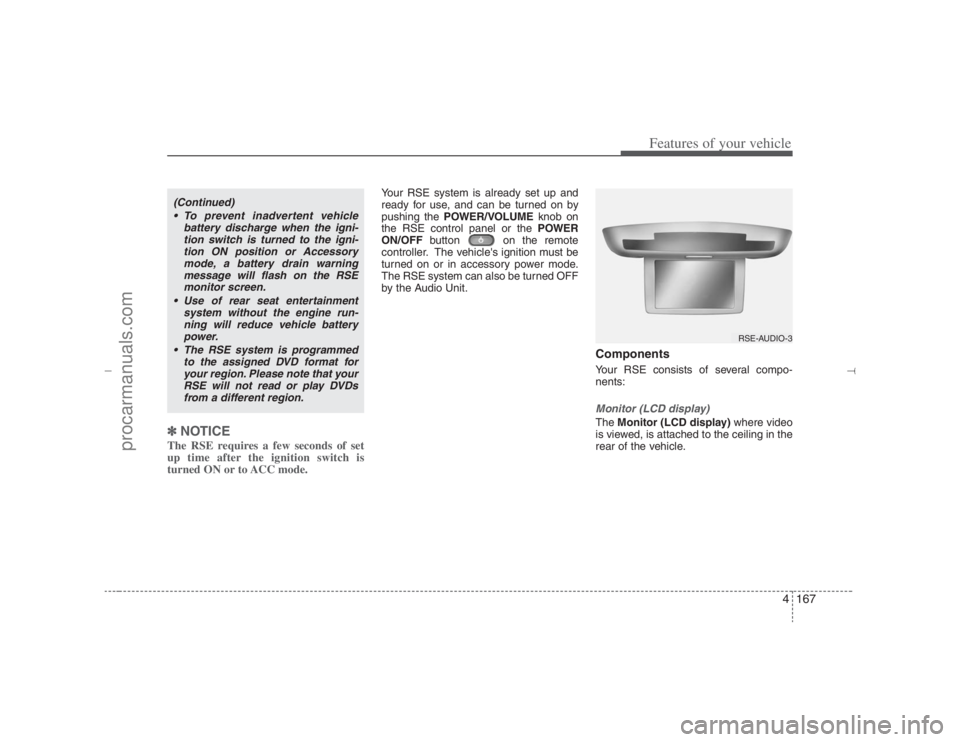
nents:Monitor (LCD display)The Monitor (LCD display)where video
is viewed, is attached to the ceiling in the
rear of the vehicle.
(Continued)
To prevent inadvertent vehicle
battery discharge when the igni-
tion switch is turned to the igni-
tion ON position or Accessory
mode, a battery drain warning
message will flash on the RSE
monitor screen.
Use of rear seat entertainment
system without the engine run-
ning will reduce vehicle battery
power.
The RSE system is programmed
to the assigned DVD format for
your region. Please note that your
RSE will not read or play DVDs
from a different region.
RSE-AUDIO-3
EN hma 4-121~(Audio).qxd 11/28/2006 3:10 PM Page 167
procarmanuals.com
Page 252 of 441
Features of your vehicle170 4Cleaning the DisplayIf the LCD display becomes dusty or
dirty, clean it by wiping gently with a soft,
dry, clean cloth. Do not use chemical
cleanser to clean the screen.Loading a DiscTo load a disc in the player, insert it part
way into the loading slot. The player will
automatically grip the disc and pull it the
rest of the way in.Disc ProtectionThe player has an Auto-Reload Disc
Protection feature to protect discs from
accidental damage. If a disc is not
removed within 12 seconds after being
ejected, it will be pulled back into the
player.
Audio via Vehicle SpeakersTo hear the audio from the RSE through
the vehicle's speakers, the RSE button
(located in the front radio control) must
be selected. Regardless of whether RSE
audio is selected for the vehicle speakers
or not, when the RSE audio is playing it
can be heard in the headphones.Volume ControlYou can adjust the volume of the audio
heard in the vehicle speakers from the
RSE control panel or the remote control.
From the RSE control panel, rotate the
POWER/VOLUMEknob. From the
remote control, press "VOL +" to
increase the volume and "VOL -" to
decrease the volume.
Adjusting the volume in this way will not
affect the wireless headphone volume. To
adjust the headphones, turn the VOL
control wheel on the headphones.
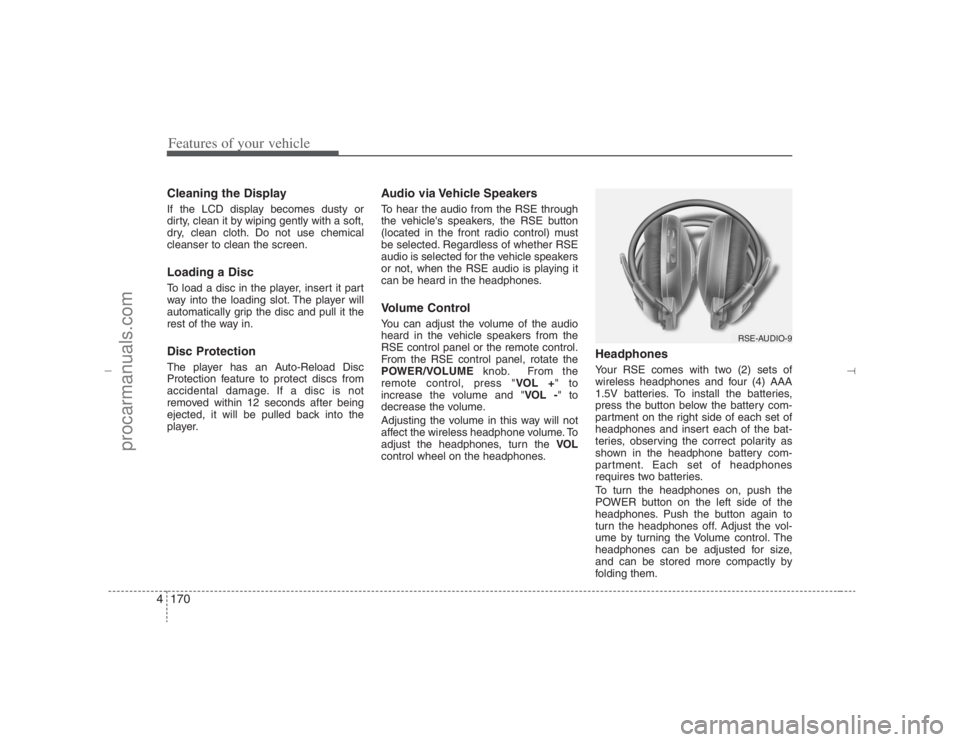
HeadphonesYour RSE comes with two (2) sets of
wireless headphones and four (4) AAA
1.5V batteries. To install the batteries,
press the button below the battery com-
partment on the right side of each set of
headphones and insert each of the bat-
teries, observing the correct polarity as
shown in the headphone battery com-
partment. Each set of headphones
requires two batteries.
To turn the headphones on, push the
POWER button on the left side of the
headphones. Push the button again to
turn the headphones off. Adjust the vol-
ume by turning the Volume control. The
headphones can be adjusted for size,
and can be stored more compactly by
folding them.
RSE-AUDIO-9
EN hma 4-121~(Audio).qxd 11/28/2006 3:10 PM Page 170
procarmanuals.com
Page 253 of 441
4171
Features of your vehicle
✽ ✽
NOTICE• Conserve the energy of your batteries
by turning the headphones off when
they are not in use. Headphone bat-
teries will typically work for 48 hours,
depending on the volume setting.
• The headphone has an automatic
shutoff feature to extend battery life.
The headphones will automatically
turn off after 20 seconds if they don't
detect a signal from the RSE.
• In case of poor headphone reception
performance, please check the battery
condition.
The headphones perform best when
used within 2 - 8 feet (0.6-2 m) of the
RSE LCD display. Getting too close or
too far away will cause poor reception.
• Audio from the vehicle's CD/radio
cannot be heard through the head-
phones.
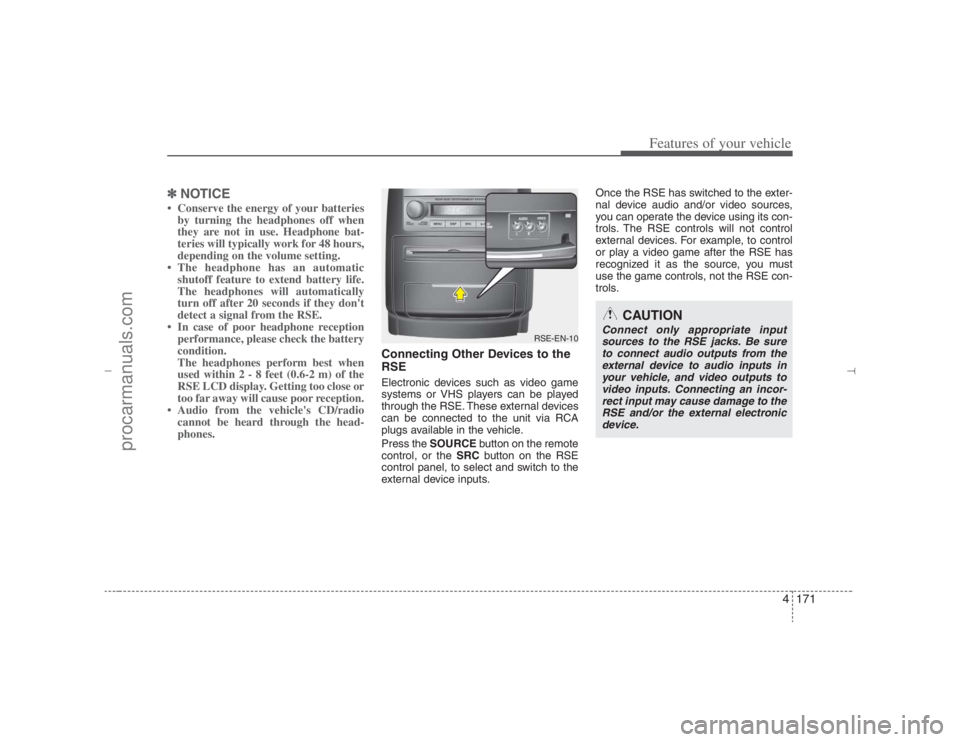
Connecting Other Devices to the
RSEElectronic devices such as video game
systems or VHS players can be played
through the RSE. These external devices
can be connected to the unit via RCA
plugs available in the vehicle.
Press the SOURCEbutton on the remote
control, or the SRCbutton on the RSE
control panel, to select and switch to the
external device inputs.Once the RSE has switched to the exter-
nal device audio and/or video sources,
you can operate the device using its con-
trols. The RSE controls will not control
external devices. For example, to control
or play a video game after the RSE has
recognized it as the source, you must
use the game controls, not the RSE con-
trols.
RSE-EN-10
CAUTION
Connect only appropriate input
sources to the RSE jacks. Be sure
to connect audio outputs from the
external device to audio inputs in
your vehicle, and video outputs to
video inputs. Connecting an incor-
rect input may cause damage to the
RSE and/or the external electronic
device.
EN hma 4-121~(Audio).qxd 11/28/2006 3:10 PM Page 171
procarmanuals.com
Page 254 of 441
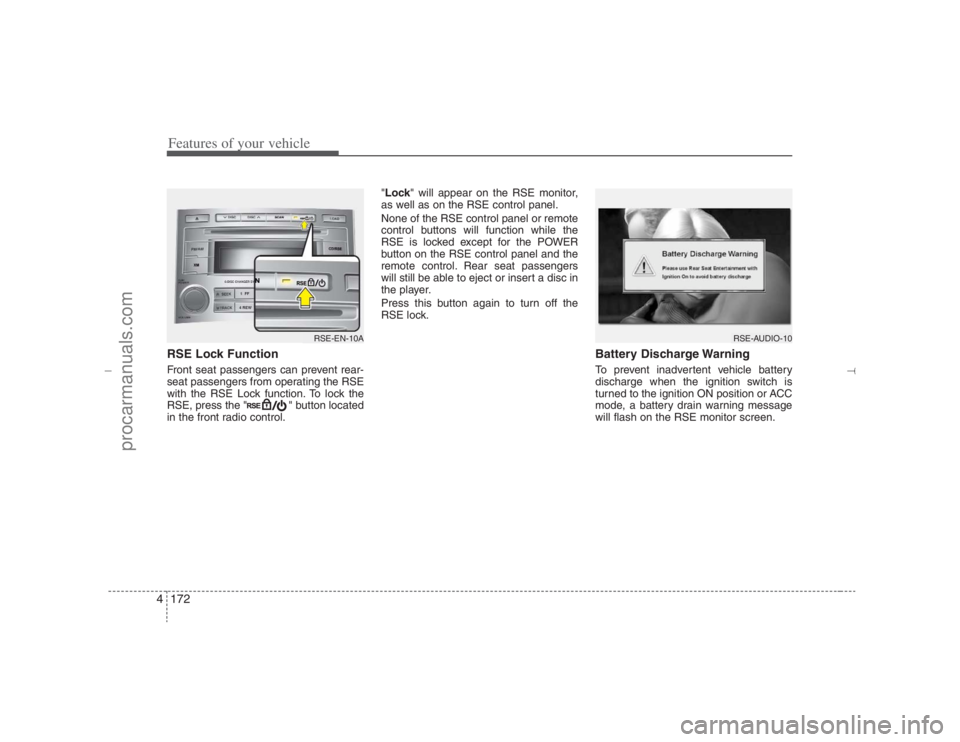
Features of your vehicle172 4RSE Lock Function Front seat passengers can prevent rear-
seat passengers from operating the RSE
with the RSE Lock function. To lock the
RSE, press the " " button located
in the front radio control."Lock" will appear on the RSE monitor,
as well as on the RSE control panel.
None of the RSE control panel or remote
control buttons will function while the
RSE is locked except for the POWER
button on the RSE control panel and the
remote control. Rear seat passengers
will still be able to eject or insert a disc in
the player.
Press this button again to turn off the
RSE lock.
Battery Discharge WarningTo prevent inadvertent vehicle battery
discharge when the ignition switch is
turned to the ignition ON position or ACC
mode, a battery drain warning message
will flash on the RSE monitor screen.
RSE-AUDIO-10
RSE-EN-10A
EN hma 4-121~(Audio).qxd 11/28/2006 3:11 PM Page 172
procarmanuals.com
Page 270 of 441
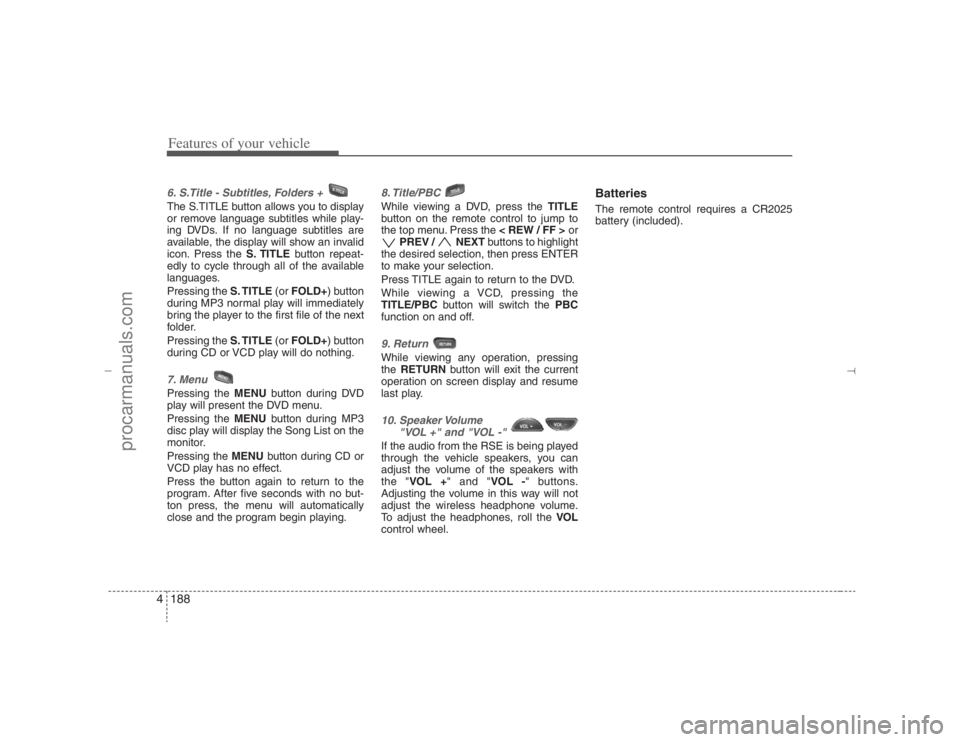
Features of your vehicle188 46. S.Title - Subtitles, Folders + The S.TITLE button allows you to display
or remove language subtitles while play-
ing DVDs. If no language subtitles are
available, the display will show an invalid
icon. Press the S. TITLEbutton repeat-
edly to cycle through all of the available
languages.
Pressing the S. TITLE(or FOLD+) button
during MP3 normal play will immediately
bring the player to the first file of the next
folder.
Pressing the S. TITLE(or FOLD+) button
during CD or VCD play will do nothing.7. MenuPressing the MENUbutton during DVD
play will present the DVD menu.
Pressing the MENUbutton during MP3
disc play will display the Song List on the
monitor.
Pressing the MENUbutton during CD or
VCD play has no effect.
Press the button again to return to the
program. After five seconds with no but-
ton press, the menu will automatically
close and the program begin playing.
8. Title/PBC While viewing a DVD, press the TITLE
button on the remote control to jump to
the top menu. Press the < REW / FF >or
PREV / NEXTbuttons to highlight
the desired selection, then press ENTER
to make your selection.
Press TITLE again to return to the DVD.
While viewing a VCD, pressing the
TITLE/PBCbutton will switch the PBC
function on and off.9. Return While viewing any operation, pressing
the RETURNbutton will exit the current
operation on screen display and resume
last play.10. Speaker Volume
"VOL +" and "VOL -" If the audio from the RSE is being played
through the vehicle speakers, you can
adjust the volume of the speakers with
the "VOL +" and "VOL -" buttons.
Adjusting the volume in this way will not
adjust the wireless headphone volume.
To adjust the headphones, roll the VOL
control wheel.
BatteriesThe remote control requires a CR2025
battery (included).
EN hma 4-121~(Audio).qxd 11/28/2006 3:11 PM Page 188
procarmanuals.com
Page 271 of 441
4189
Features of your vehicle
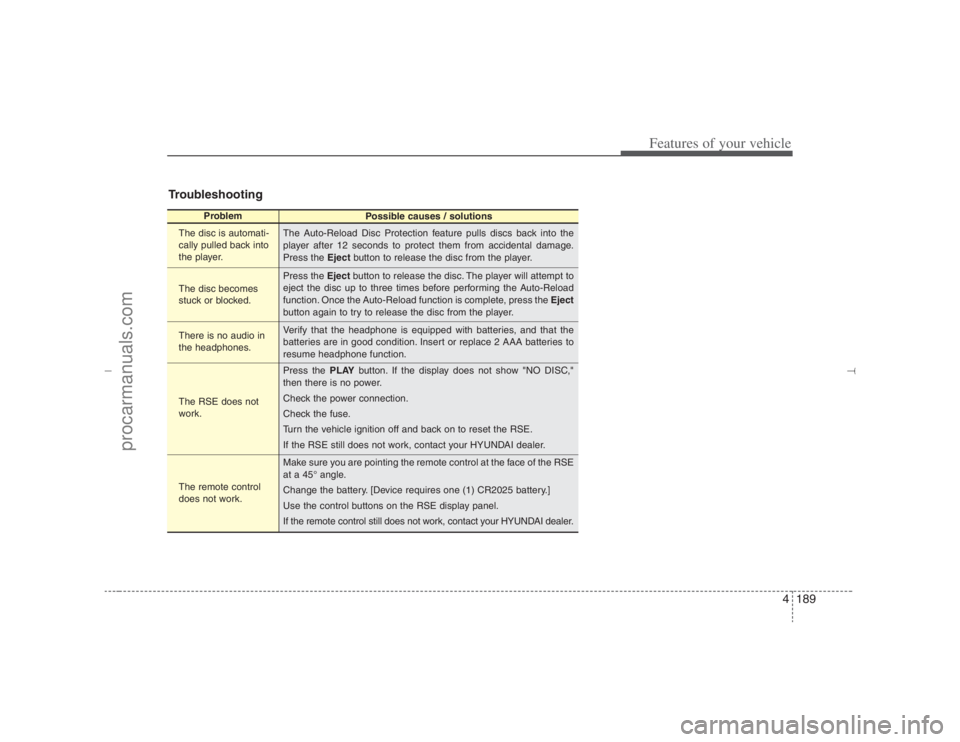
Troubleshooting
Problem
Possible causes / solutions
The disc is automati-
cally pulled back into
the player.
The disc becomes
stuck or blocked.
There is no audio in
the headphones.
The RSE does not
work.
The remote control
does not work.The Auto-Reload Disc Protection feature pulls discs back into the
player after 12 seconds to protect them from accidental damage.
Press the Ejectbutton to release the disc from the player.
Press the Ejectbutton to release the disc. The player will attempt to
eject the disc up to three times before performing the Auto-Reload
function. Once the Auto-Reload function is complete, press the Eject
button again to try to release the disc from the player.
Verify that the headphone is equipped with batteries, and that the
batteries are in good condition. Insert or replace 2 AAA batteries to
resume headphone function.
Press the PLAYbutton. If the display does not show "NO DISC,"
then there is no power.
Check the power connection.
Check the fuse.
Turn the vehicle ignition off and back on to reset the RSE.
If the RSE still does not work, contact your HYUNDAI dealer.
Make sure you are pointing the remote control at the face of the RSE
at a 45° angle.
Change the battery. [Device requires one (1) CR2025 battery.]
Use the control buttons on the RSE display panel.
If the remote control still does not work, contact your HYUNDAI dealer.
EN hma 4-121~(Audio).qxd 11/28/2006 3:11 PM Page 189
procarmanuals.com
Page 276 of 441
55
Driving your vehicle
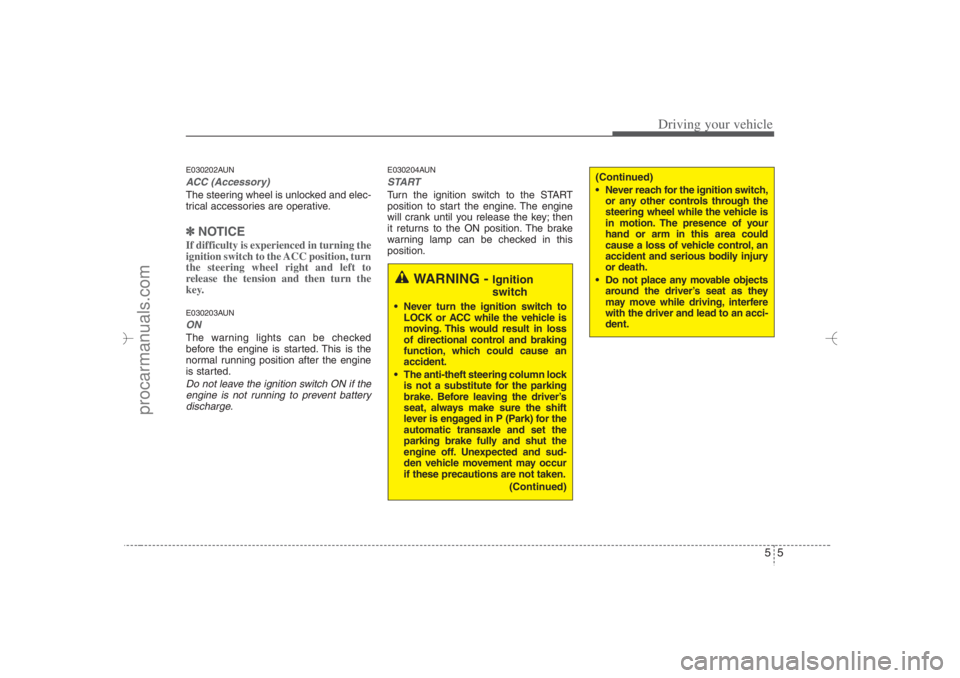
E030202AUNACC (Accessory)The steering wheel is unlocked and elec-
trical accessories are operative.✽ ✽
NOTICEIf difficulty is experienced in turning the
ignition switch to the ACC position, turn
the steering wheel right and left to
release the tension and then turn the
key.E030203AUNONThe warning lights can be checked
before the engine is started. This is the
normal running position after the engine
is started.Do not leave the ignition switch ON if the
engine is not running to prevent battery
discharge.
E030204AUNSTARTTurn the ignition switch to the START
position to start the engine. The engine
will crank until you release the key; then
it returns to the ON position. The brake
warning lamp can be checked in this
position.
WARNING -
Ignition
switch
Never turn the ignition switch to
LOCK or ACC while the vehicle is
moving. This would result in loss
of directional control and braking
function, which could cause an
accident.
The anti-theft steering column lock
is not a substitute for the parking
brake. Before leaving the driver’s
seat, always make sure the shift
lever is engaged in P (Park) for the
automatic transaxle and set the
parking brake fully and shut the
engine off. Unexpected and sud-
den vehicle movement may occur
if these precautions are not taken.
(Continued)
(Continued)
Never reach for the ignition switch,
or any other controls through the
steering wheel while the vehicle is
in motion. The presence of your
hand or arm in this area could
cause a loss of vehicle control, an
accident and serious bodily injury
or death.
Do not place any movable objects
around the driver’s seat as they
may move while driving, interfere
with the driver and lead to an acci-
dent.
EN hma 5.qxd 11/28/2006 2:57 PM Page 5
procarmanuals.com
Page 278 of 441
57
Driving your vehicle
WARNING
The ignition switch will turn, and
the engine will start, only when the
smart key is in the vehicle and the
brake has been depressed.
Never allow children or any person
who is unfamiliar with the vehicle
to touch the ignition switch or relat-
ed parts.
3. Leave the smart key inside the vehicle.
4. Depress the brake pedal.
5. Depress and hold the ignition switch.
The immobilizer indicator ( ) illu-
minates on the instrument panel for
approximately 10 seconds.
6. With the ignition switch depressed and
held, start the engine by turning the
ignition switch on.
If the ignition switch is released, the
ignition switch will be locked. If this
occurs, repeat the above steps.
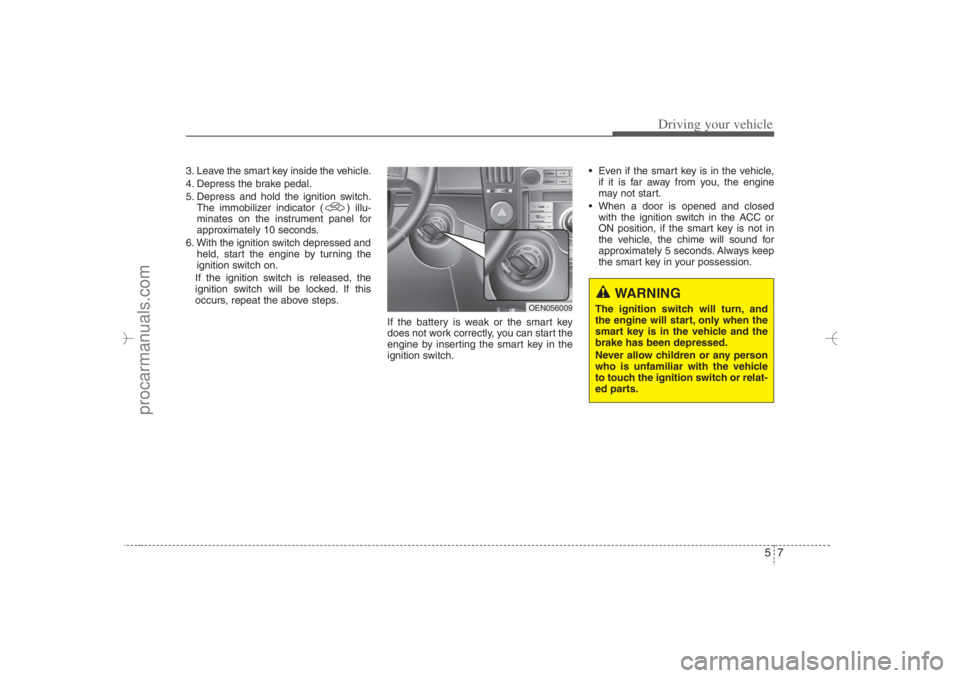
If the battery is weak or the smart key
does not work correctly, you can start the
engine by inserting the smart key in the
ignition switch. Even if the smart key is in the vehicle,
if it is far away from you, the engine
may not start.
When a door is opened and closed
with the ignition switch in the ACC or
ON position, if the smart key is not in
the vehicle, the chime will sound for
approximately 5 seconds. Always keep
the smart key in your possession.
OEN056009
EN hma 5.qxd 11/28/2006 2:58 PM Page 7
procarmanuals.com