warning HYUNDAI VERACRUZ 2008 Owners Manual
[x] Cancel search | Manufacturer: HYUNDAI, Model Year: 2008, Model line: VERACRUZ, Model: HYUNDAI VERACRUZ 2008Pages: 440, PDF Size: 8.08 MB
Page 199 of 440
4 117
Features of your vehicle
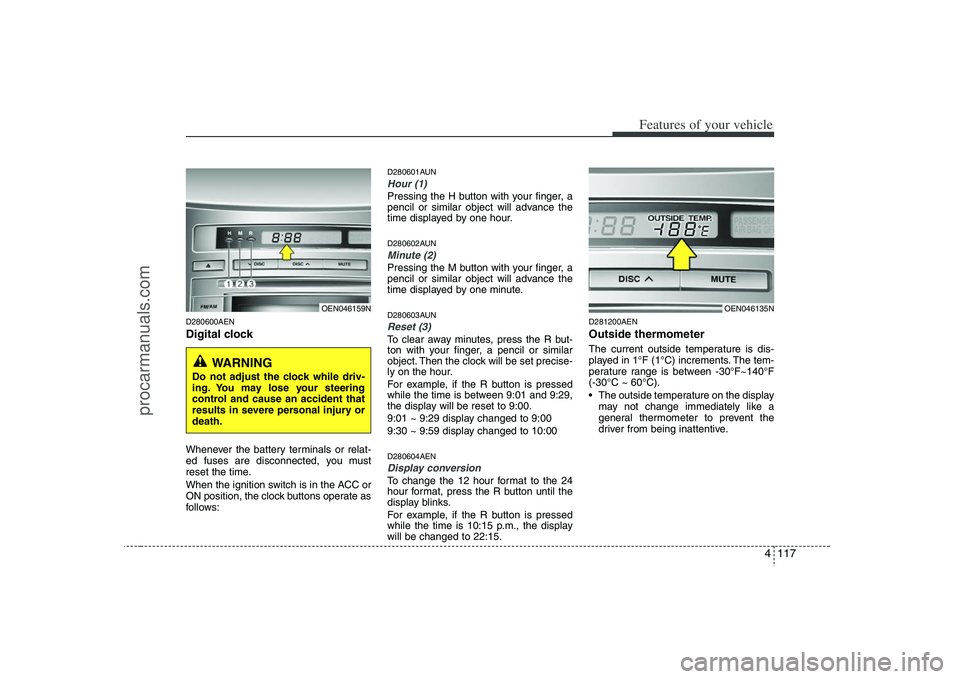
D280600AENDigital clockWhenever the battery terminals or relat-
ed fuses are disconnected, you must
reset the time.
When the ignition switch is in the ACC or
ON position, the clock buttons operate as
follows:
D280601AUNHour (1)Pressing the H button with your finger, a
pencil or similar object will advance the
time displayed by one hour.D280602AUNMinute (2)Pressing the M button with your finger, a
pencil or similar object will advance the
time displayed by one minute.D280603AUNReset (3)To clear away minutes, press the R but-
ton with your finger, a pencil or similar
object. Then the clock will be set precise-
ly on the hour.
For example, if the R button is pressed
while the time is between 9:01 and 9:29,
the display will be reset to 9:00.
9:01 ~ 9:29 display changed to 9:00
9:30 ~ 9:59 display changed to 10:00D280604AENDisplay conversionTo change the 12 hour format to the 24
hour format, press the R button until the
display blinks.
For example, if the R button is pressed
while the time is 10:15 p.m., the display
will be changed to 22:15.
D281200AENOutside thermometerThe current outside temperature is dis-
played in 1°F (1°C) increments. The tem-
perature range is between -30°F~140°F
(-30°C ~ 60°C).
The outside temperature on the display
may not change immediately like a
general thermometer to prevent the
driver from being inattentive.
OEN046159N
WARNING
Do not adjust the clock while driv-
ing. You may lose your steering
control and cause an accident that
results in severe personal injury or
death.
OEN046135N
procarmanuals.com
Page 201 of 440

4 119
Features of your vehicle
D281000AENLuggage net (holder)
(if equipped)To keep items from shifting in the cargo
area, you can use the 6 holders located
in the cargo area to attach the luggage
net.If necessary, contact your authorized
HYUNDAI dealer to obtain a luggage net.
D290100AENRoof rack (if equipped)If the vehicle has a roof rack, you can
load cargo on top of your vehicle.
The two crossbars on the roof rack can
be repositioned forward or rearward for
conveniently loading cargo or a roof car-
rier. To move the crossbar, pull the lever
and move the crossbar to the desired
position. Release the lever and lock the
crossbar by moving the crossbar slightly
forward or rearward.
For your convenience and to prevent
damage, with an assistant on the oppo-
site side of the vehicle, pull and hold the
lever on each side, then move the cross
bar to the desired position.
OEN047164
OEN047165L-1
Type AType B
CAUTION
To prevent damage to the goods or
the vehicle, care should be taken
when carrying fragile or bulky
objects in the luggage compart-
ment.
WARNING
Avoid eye injury. DO NOT over-
stretch the luggage net, ALWAYS
keep your face and body out of the
luggage net’s recoil path. DO NOT
use when the strap has visible
signs of wear or damage.
OUN026355
EXTERIOR FEATURES
procarmanuals.com
Page 202 of 440
Features of your vehicle120 4
(Continued)
Always drive slowly and turn cor-
ners carefully when carrying
items on the roof rack. Severe
wind updrafts, caused by passing
vehicles or natural causes, can
cause sudden upward pressure
on items loaded on the roof rack.
This is especially true when car-
rying large, flat items such as
wood panels or mattresses. This
could cause the items to fall off
the roof rack and cause damage
to your vehicle or others around
you.
To prevent damage or loss of
cargo while driving, check fre-
quently before or while driving to
make sure the items on the roof
rack are securely fastened.
✽ ✽
NOTICE• The crossbars should be placed in the
proper load carrying positions prior
to placing items onto the roof rack.
• If the vehicle is equipped with a sun-
roof, be sure not to position cargo onto
the roof rack in such a way that it
could interfere with sunroof opera-
tion.
CAUTION
When carrying cargo on the roof
rack, take the necessary precau-
tions to make sure the cargo does
not damage the roof of the vehicle.
When carrying large objects on
the roof rack, make sure they do
not exceed the overall roof length
or width.
WARNING
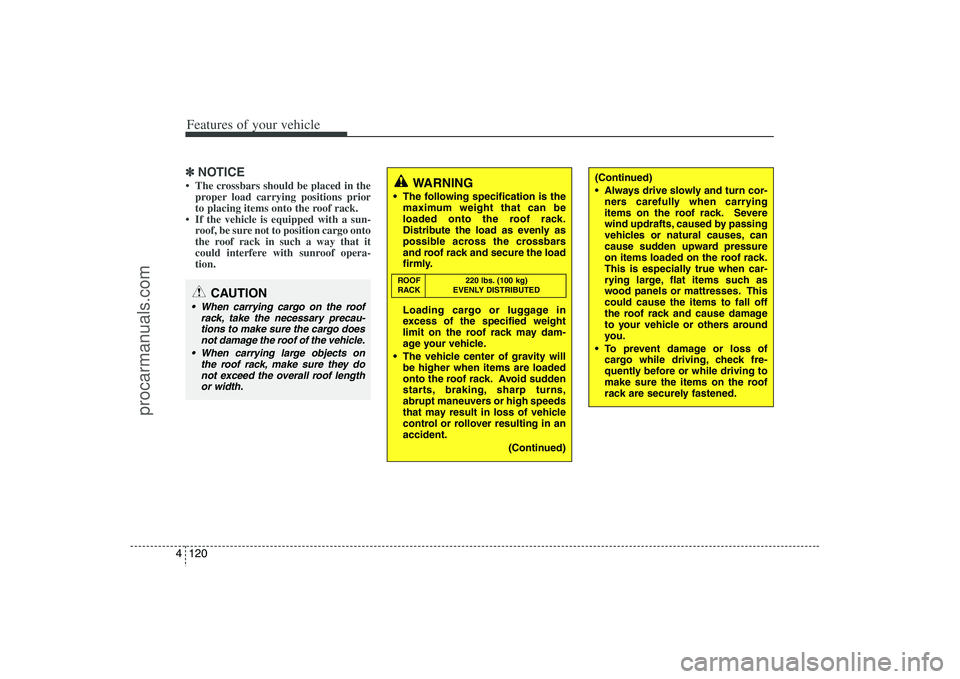
The following specification is the
maximum weight that can be
loaded onto the roof rack.
Distribute the load as evenly as
possible across the crossbars
and roof rack and secure the load
firmly.
Loading cargo or luggage in
excess of the specified weight
limit on the roof rack may dam-
age your vehicle.
The vehicle center of gravity will
be higher when items are loaded
onto the roof rack. Avoid sudden
starts, braking, sharp turns,
abrupt maneuvers or high speeds
that may result in loss of vehicle
control or rollover resulting in an
accident.
(Continued)ROOF 220 lbs. (100 kg)
RACK EVENLY DISTRIBUTED
procarmanuals.com
Page 206 of 440
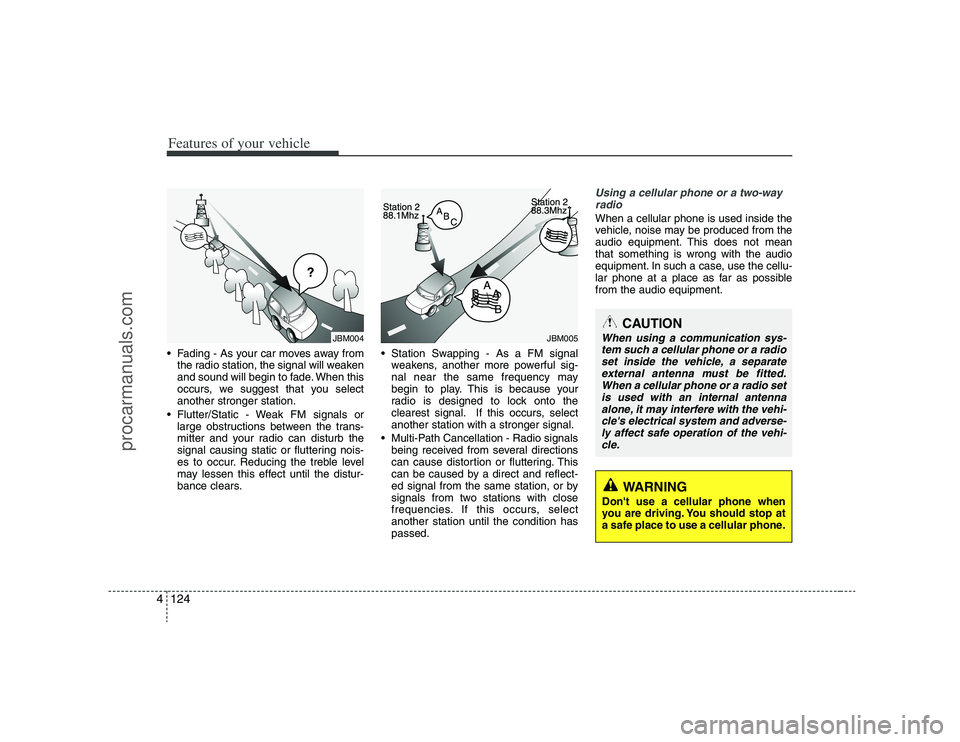
Features of your vehicle124 4 Fading - As your car moves away from
the radio station, the signal will weaken
and sound will begin to fade. When this
occurs, we suggest that you select
another stronger station.
Flutter/Static - Weak FM signals or
large obstructions between the trans-
mitter and your radio can disturb the
signal causing static or fluttering nois-
es to occur. Reducing the treble level
may lessen this effect until the distur-
bance clears. Station Swapping - As a FM signal
weakens, another more powerful sig-
nal near the same frequency may
begin to play. This is because your
radio is designed to lock onto the
clearest signal. If this occurs, select
another station with a stronger signal.
Multi-Path Cancellation - Radio signals
being received from several directions
can cause distortion or fluttering. This
can be caused by a direct and reflect-
ed signal from the same station, or by
signals from two stations with close
frequencies. If this occurs, select
another station until the condition has
passed.
Using a cellular phone or a two-way
radio When a cellular phone is used inside the
vehicle, noise may be produced from the
audio equipment. This does not mean
that something is wrong with the audio
equipment. In such a case, use the cellu-
lar phone at a place as far as possible
from the audio equipment.
JBM005
CAUTION
When using a communication sys-
tem such a cellular phone or a radio
set inside the vehicle, a separate
external antenna must be fitted.
When a cellular phone or a radio set
is used with an internal antenna
alone, it may interfere with the vehi-
cle's electrical system and adverse-
ly affect safe operation of the vehi-
cle.
WARNING
Don't use a cellular phone when
you are driving. You should stop at
a safe place to use a cellular phone.
¢¢¢
JBM004
procarmanuals.com
Page 248 of 440
Features of your vehicle166 4D320000AENImportant Safety InformationIt is always important to operate your
vehicle in a safe manner and to avoid dis-
traction while driving. This manual pro-
vides information that will help you safely
operate your Rear Seat Entertainment
System (RSE). Please read it completely
before using the system.
This device complies with part 15 of
the FCC rules.
Operation is subject to the following two
conditions:
1. This device may not cause harmful
interference, and
2. This device must accept any interfer-
ence received, including interference
that may cause undesired operation.
WelcomeThe Rear Seat Entertainment System is
a compact, built-in, easy-to-use enter-
tainment system designed to provide
family fun while you are on the road.
Enjoy great quality sound from the vehi-
cle speakers, or have a private, quiet lis-
tening with the wireless headphones.
The overhead display unit is mounted to
the ceiling in the rear passenger area of
the vehicle, allowing rear-seat passen-
gers to play DVD movies, video CDs or
music CDs. Users may also plug in a
game platform or VHS player into an aux-
iliary input to show the programs through
the RSE display. The RSE can also
access to the vehicle's front radio pro-
grams.
System OverviewConnections / SetupYour Rear Seat Entertainment system
will play DVD movies, video CDs, music
CDs or music MP3 discs and Mix CD
(Regarding Mix CD, only the CD track
can be played by system.), and is
designed to make your time on the road
more enjoyable. Please follow these
instructions carefully to get the most out
of your RSE.
REAR SEAT ENTERTAINMENT SYSTEM (RSE) (IF EQUIPPED)
CAUTION
Avoid having food or drinks near,
in or on the RSE, the wireless
headphones or the remote con-
troller.
Direct sunlight may interfere with
the headphone's operation and
performance.
Normal RSE operation cannot be
guaranteed with unofficially
duplicated discs.
(Continued)
WARNING
Changes or modifications not
expressly approved by the party
responsible for compliance could
void the user's authority to operate
the equipment.
procarmanuals.com
Page 249 of 440
4167
Features of your vehicle
✽ ✽
NOTICEThe RSE requires a few seconds of set
up time after the ignition switch is
turned ON or to ACC mode.Your RSE system is already set up and
ready for use, and can be turned on by
pushing the POWER/VOLUMEknob on
the RSE control panel or the POWER
ON/OFFbutton on the remote
controller. The vehicle's ignition must be
turned on or in accessory power mode.
The RSE system can also be turned OFF
by the Audio Unit.
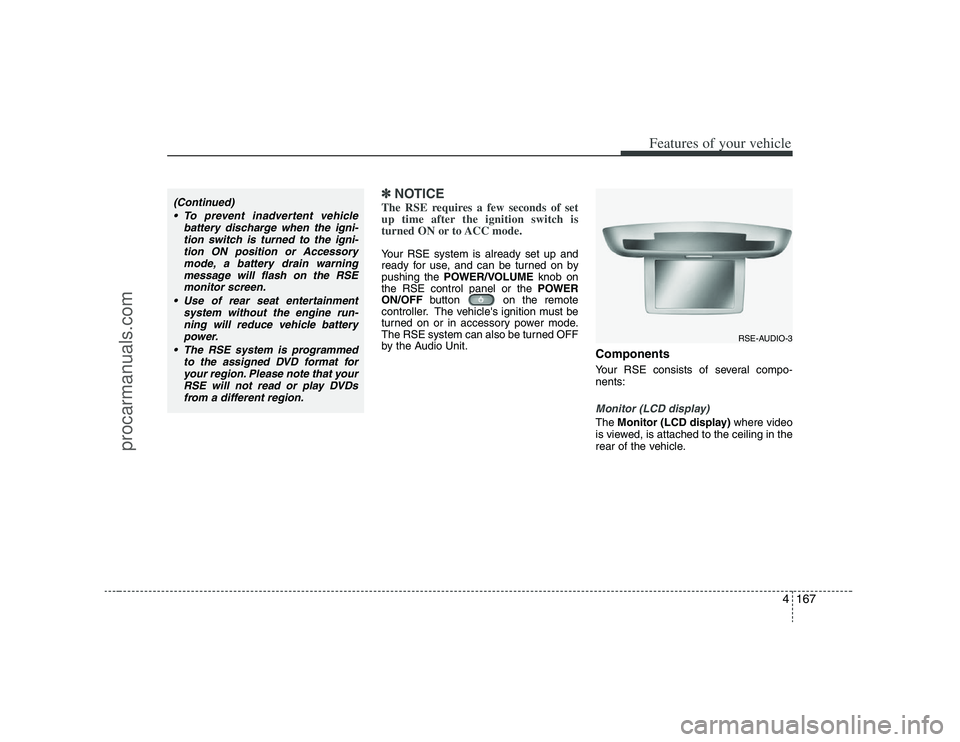
ComponentsYour RSE consists of several compo-
nents:Monitor (LCD display)The Monitor (LCD display)where video
is viewed, is attached to the ceiling in the
rear of the vehicle.
(Continued)
To prevent inadvertent vehicle
battery discharge when the igni-
tion switch is turned to the igni-
tion ON position or Accessory
mode, a battery drain warning
message will flash on the RSE
monitor screen.
Use of rear seat entertainment
system without the engine run-
ning will reduce vehicle battery
power.
The RSE system is programmed
to the assigned DVD format for
your region. Please note that your
RSE will not read or play DVDs
from a different region.
RSE-AUDIO-3
procarmanuals.com
Page 254 of 440
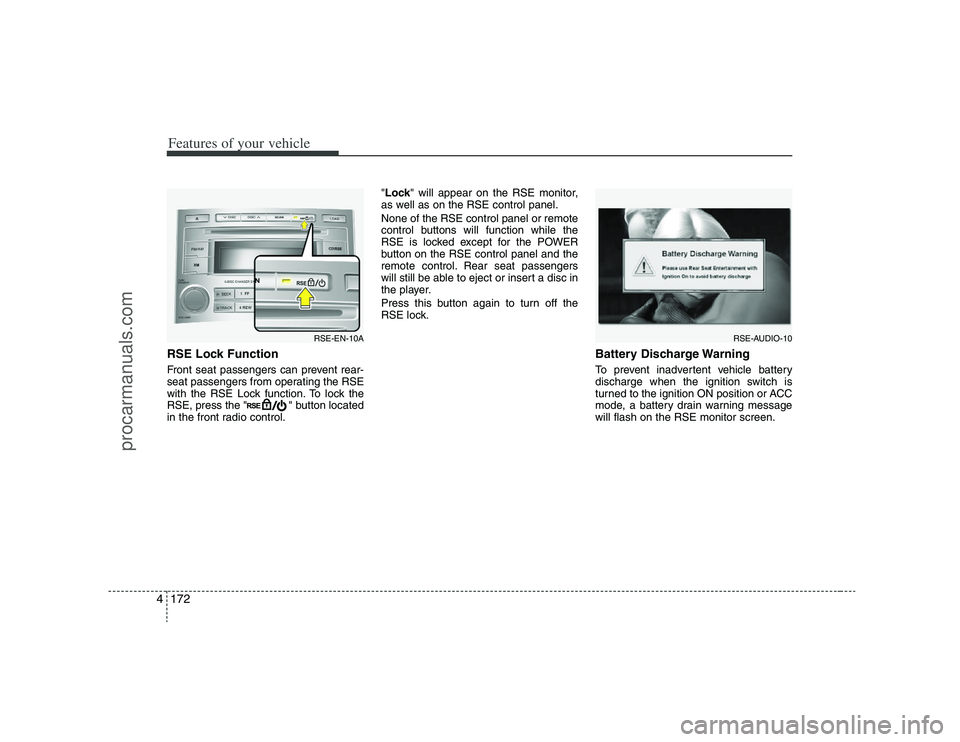
Features of your vehicle172 4RSE Lock Function Front seat passengers can prevent rear-
seat passengers from operating the RSE
with the RSE Lock function. To lock the
RSE, press the " " button located
in the front radio control."Lock" will appear on the RSE monitor,
as well as on the RSE control panel.
None of the RSE control panel or remote
control buttons will function while the
RSE is locked except for the POWER
button on the RSE control panel and the
remote control. Rear seat passengers
will still be able to eject or insert a disc in
the player.
Press this button again to turn off the
RSE lock.
Battery Discharge WarningTo prevent inadvertent vehicle battery
discharge when the ignition switch is
turned to the ignition ON position or ACC
mode, a battery drain warning message
will flash on the RSE monitor screen.
RSE-AUDIO-10
RSE-EN-10A
procarmanuals.com
Page 258 of 440
Features of your vehicle176 47 - 11 Next / Prev (Next/Previous)
and < REW/FF > (Rewind/Fast
Forward) and ENTER ButtonsThe NEXT/ PREVand
buttons provide a variety of functions,
depending on the media currently being
played in the RSE or the source selected.
For some of the functions, you will use
these buttons to navigate to the desired
location or option, then press the ENTER
button in the center to confirm your
selection.
For specific information about using
these buttons, see the appropriate sec-
tion for the various media types in this
manual.
DVD/VCD Player OperationDisc/Format CompatibilityYour RSE player accepts and plays all
DVDs in 4:3 (normal) and 16:9
(widescreen) video formats. With DVDs
that offer multiple formats, the default for-
mat is 16:9 and will stay that way unless
changed by the user. See "Adjusting the
Monitor" to learn how to adjust the for-
mat.
The DVD player has the capability to play
DVD-Video, DVD-R, DVD-RW, CD-DA,
CD-R, CD-RW, VCD and Video-CD.
The DVD player was factory programmed
with a region code for the assigned mar-
ket or country. If a DVD is inserted for a
region code that doesn't match with the
player, an error message will be shown
on the overhead monitor and the RSE
control panel display.
✽ ✽
NOTICEBecause there is no universal standard
for DVD/VCD programming, your disc
may behave differently. Some DVDs
may present warning messages about
unauthorized duplication, some will go
directly to a menu, some may have dif-
ferent on-disc menu and start playing
the movie immediately, and some may
be unreadable or damaged and an error
message will be shown on the monitor.✽ ✽
NOTICEWhile the player will accept DVD ROM
and CD ROM discs, the RSE cannot
play discs in these formats.
procarmanuals.com
Page 259 of 440
4177
Features of your vehicle
The player is only capable of reading the
bottom side of a disc. When inserting a
single-sided disc, the label side should
be up. When inserting a two-sided disc,
the desired play side should be down.
Press DISP on the RSE control panel or
the remote controller, then press the
NEXTor PREVbuttons to cycle
through monitor adjustments (SCREEN
SIZE, BRIGHTNESS, CONTRAST,
CHROMA, HUE). When the adjustment
for the SCREEN SIZE, use the < REWor
FF >buttons to select the preferred
screen size.
MenuDVDs can be controlled, and any special
programming or features accessed, by
using the menu. To access the menu
while playing a DVD, press the MENU
button. Press the button a second time to
exit the menu and return to the DVD pro-
gram at the point it was being viewed.
The menu is not available during disc ini-
tialization, the beginning credits or any
copyright and FBI warnings.
While viewing the menu, press the
NEXTbutton to move the cursor up and
the PREVbutton to move the cursor
down the menu. Press the FF >button
to move the cursor to the right, and the
< REWbutton to move the cursor to the
left.✽ ✽
NOTICEYou must repeatedly push any button to
move through several items. Pressing
and holding a button will not advance
the cursor beyond the first item.
Press ENTER or Play/Pause to select the
desired menu choice.
Playing a DVD/VCD You can control your DVD or VCD by
using the buttons on the RSE control
panel or by using the remote control.
Instructions for the controls listed below
are the same whether using the RSE
control panel or the remote control.
However, there are some additional func-
tions that are only available from the
remote control. These buttons and their
functions are discussed in the "Remote
Control" section of this manual.
procarmanuals.com
Page 273 of 440
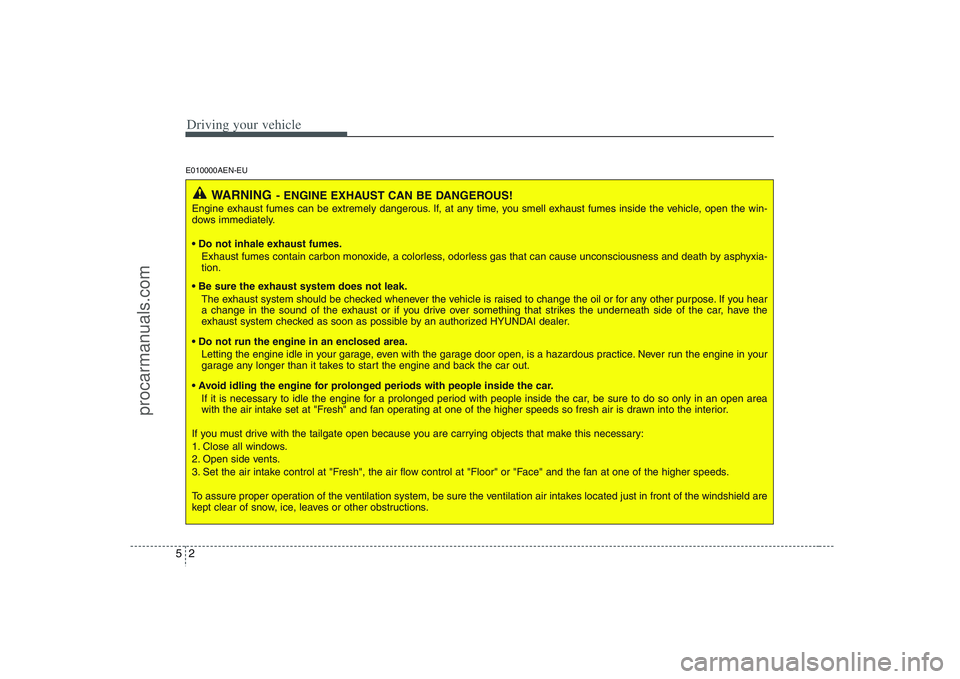
Driving your vehicle2 5E010000AEN-EU
WARNING
- ENGINE EXHAUST CAN BE DANGEROUS!
Engine exhaust fumes can be extremely dangerous. If, at any time, you smell exhaust fumes inside the vehicle, open the win-
dows immediately.
• Do not inhale exhaust fumes.
Exhaust fumes contain carbon monoxide, a colorless, odorless gas that can cause unconsciousness and death by asphyxia-
tion.
The exhaust system should be checked whenever the vehicle is raised to change the oil or for any other purpose. If you hear
a change in the sound of the exhaust or if you drive over something that strikes the underneath side of the car, have the
exhaust system checked as soon as possible by an authorized HYUNDAI dealer.
Letting the engine idle in your garage, even with the garage door open, is a hazardous practice. Never run the engine in your
garage any longer than it takes to start the engine and back the car out.
If it is necessary to idle the engine for a prolonged period with people inside the car, be sure to do so only in an open area
with the air intake set at "Fresh" and fan operating at one of the higher speeds so fresh air is drawn into the interior.
If you must drive with the tailgate open because you are carrying objects that make this necessary:
1. Close all windows.
2. Open side vents.
3. Set the air intake control at "Fresh", the air flow control at "Floor" or "Face" and the fan at one of the higher speeds.
To assure proper operation of the ventilation system, be sure the ventilation air intakes located just in front of the windshield are
kept clear of snow, ice, leaves or other obstructions.
procarmanuals.com