Position light HYUNDAI VERACRUZ 2009 Service Manual
[x] Cancel search | Manufacturer: HYUNDAI, Model Year: 2009, Model line: VERACRUZ, Model: HYUNDAI VERACRUZ 2009Pages: 425, PDF Size: 7.96 MB
Page 159 of 425
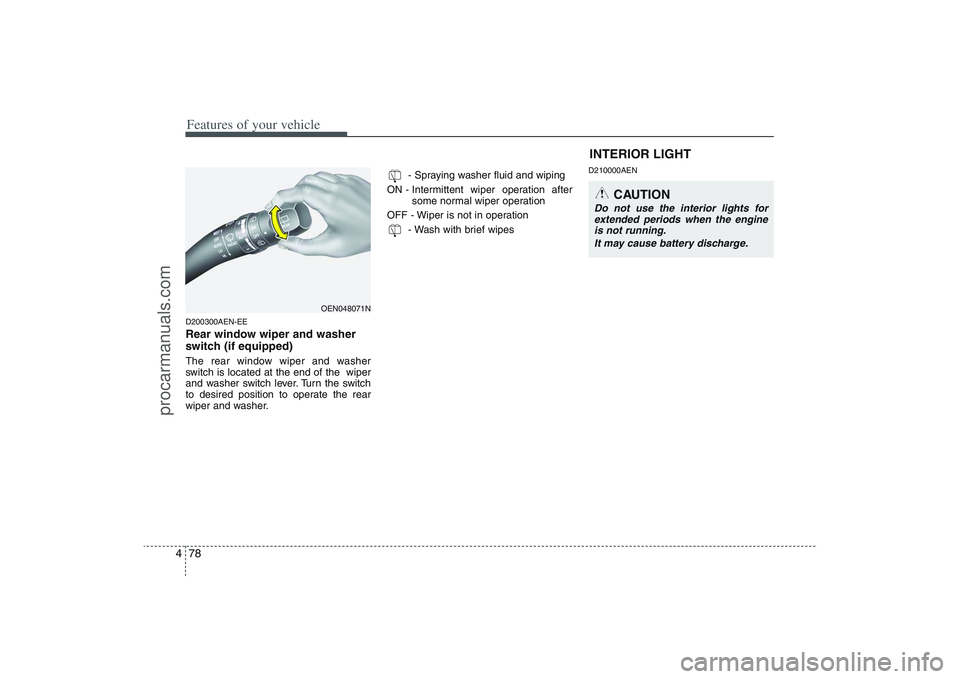
Features of your vehicle78 4D200300AEN-EERear window wiper and washer
switch (if equipped)The rear window wiper and washer
switch is located at the end of the wiper
and washer switch lever. Turn the switch
to desired position to operate the rear
wiper and washer.- Spraying washer fluid and wiping
ON - Intermittent wiper operation after
some normal wiper operation
OFF - Wiper is not in operation
- Wash with brief wipes
D210000AENINTERIOR LIGHT
CAUTION
Do not use the interior lights for
extended periods when the engine
is not running.
It may cause battery discharge.
OEN048071N
procarmanuals.com
Page 160 of 425
479
Features of your vehicle
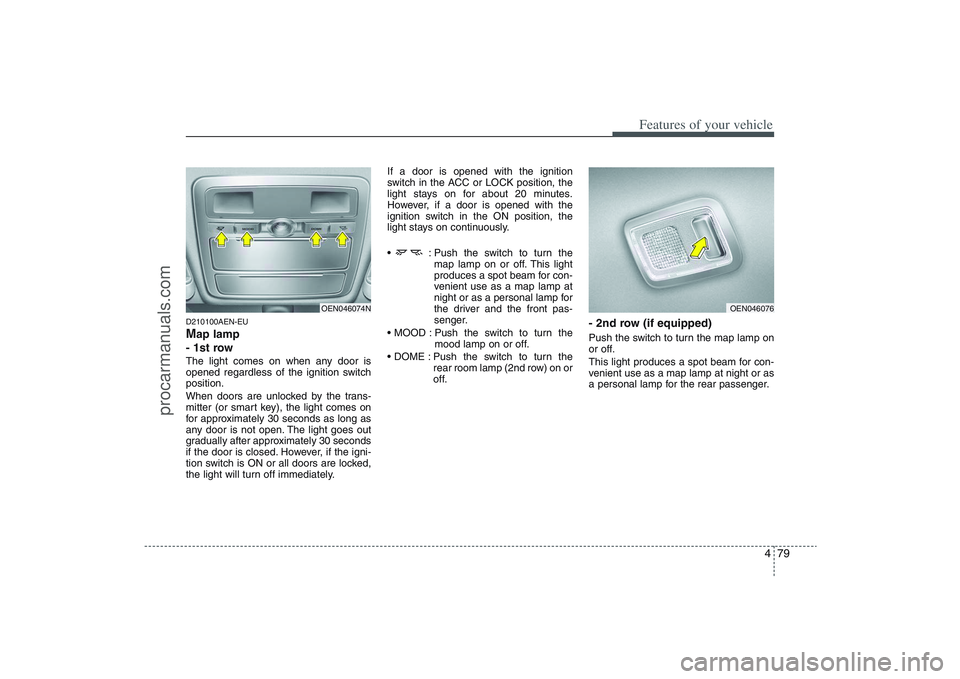
D210100AEN-EUMap lamp
- 1st rowThe light comes on when any door is
opened regardless of the ignition switch
position.
When doors are unlocked by the trans-
mitter (or smart key), the light comes on
for approximately 30 seconds as long as
any door is not open. The light goes out
gradually after approximately 30 seconds
if the door is closed. However, if the igni-
tion switch is ON or all doors are locked,
the light will turn off immediately.If a door is opened with the ignition
switch in the ACC or LOCK position, the
light stays on for about 20 minutes.
However, if a door is opened with the
ignition switch in the ON position, the
light stays on continuously.
: Push the switch to turn the
map lamp on or off. This light
produces a spot beam for con-
venient use as a map lamp at
night or as a personal lamp for
the driver and the front pas-
senger.
Push the switch to turn the
mood lamp on or off.
Push the switch to turn the
rear room lamp (2nd row) on or
off.
- 2nd row (if equipped)Push the switch to turn the map lamp on
or off.
This light produces a spot beam for con-
venient use as a map lamp at night or as
a personal lamp for the rear passenger.
OEN046076
OEN046074N
procarmanuals.com
Page 161 of 425
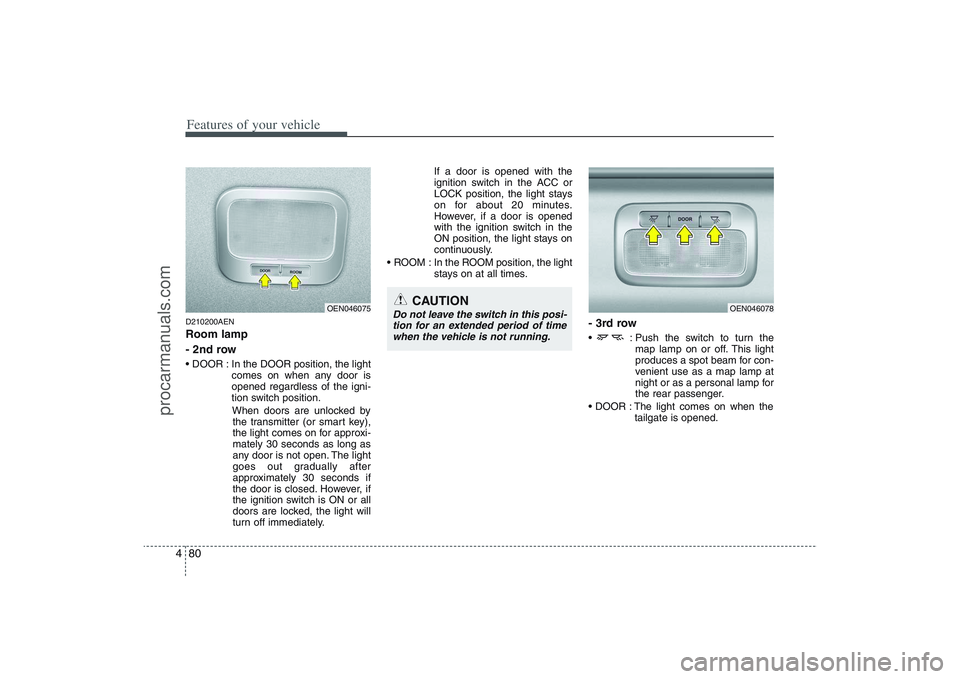
Features of your vehicle80 4D210200AENRoom lamp
- 2nd row In the DOOR position, the light
comes on when any door is
opened regardless of the igni-
tion switch position.
When doors are unlocked by
the transmitter (or smart key),
the light comes on for approxi-
mately 30 seconds as long as
any door is not open. The light
goes out gradually after
approximately 30 seconds if
the door is closed. However, if
the ignition switch is ON or all
doors are locked, the light will
turn off immediately.If a door is opened with the
ignition switch in the ACC or
LOCK position, the light stays
on for about 20 minutes.
However, if a door is opened
with the ignition switch in the
ON position, the light stays on
continuously.
ROOM : In the ROOM position, the light
stays on at all times.
- 3rd row : Push the switch to turn the
map lamp on or off. This light
produces a spot beam for con-
venient use as a map lamp at
night or as a personal lamp for
the rear passenger.
The light comes on when the
tailgate is opened.
OEN046078
OEN046075
CAUTION
Do not leave the switch in this posi-
tion for an extended period of time
when the vehicle is not running.
procarmanuals.com
Page 162 of 425
481
Features of your vehicle
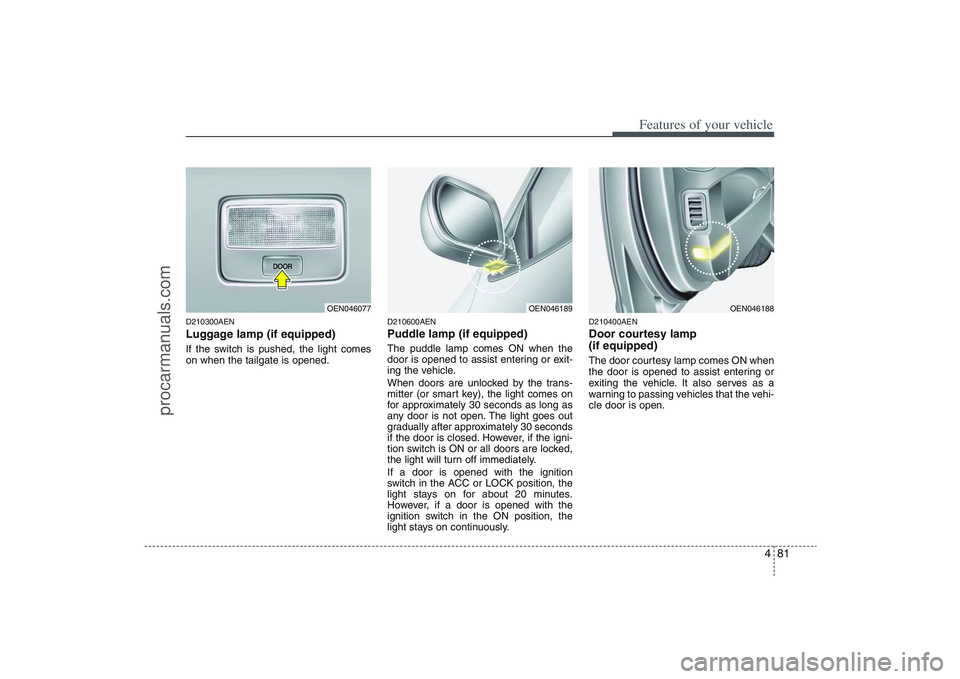
D210300AENLuggage lamp (if equipped)If the switch is pushed, the light comes
on when the tailgate is opened.
D210600AENPuddle lamp (if equipped)The puddle lamp comes ON when the
door is opened to assist entering or exit-
ing the vehicle.
When doors are unlocked by the trans-
mitter (or smart key), the light comes on
for approximately 30 seconds as long as
any door is not open. The light goes out
gradually after approximately 30 seconds
if the door is closed. However, if the igni-
tion switch is ON or all doors are locked,
the light will turn off immediately.
If a door is opened with the ignition
switch in the ACC or LOCK position, the
light stays on for about 20 minutes.
However, if a door is opened with the
ignition switch in the ON position, the
light stays on continuously.
D210400AENDoor courtesy lamp
(if equipped)The door courtesy lamp comes ON when
the door is opened to assist entering or
exiting the vehicle. It also serves as a
warning to passing vehicles that the vehi-
cle door is open.
OEN046077
OEN046189
OEN046188
procarmanuals.com
Page 169 of 425
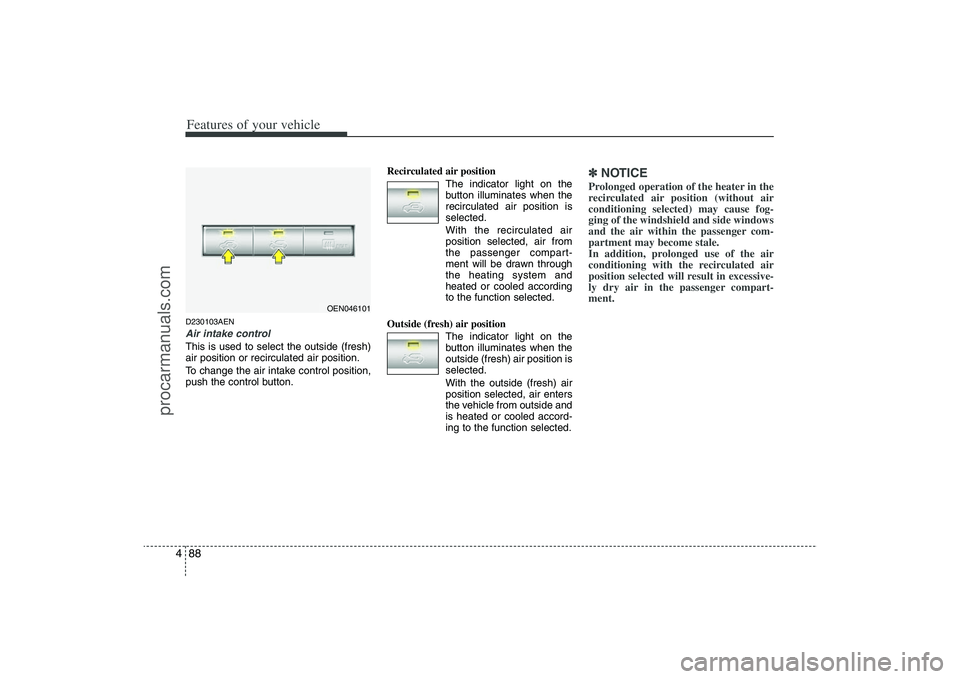
Features of your vehicle88 4D230103AENAir intake control This is used to select the outside (fresh)
air position or recirculated air position.
To change the air intake control position,
push the control button.Recirculated air position
The indicator light on the
button illuminates when the
recirculated air position is
selected.
With the recirculated air
position selected, air from
the passenger compart-
ment will be drawn through
the heating system and
heated or cooled according
to the function selected.
Outside (fresh) air position
The indicator light on the
button illuminates when the
outside (fresh) air position is
selected.
With the outside (fresh) air
position selected, air enters
the vehicle from outside and
is heated or cooled accord-
ing to the function selected.
✽ ✽
NOTICEProlonged operation of the heater in the
recirculated air position (without air
conditioning selected) may cause fog-
ging of the windshield and side windows
and the air within the passenger com-
partment may become stale.
In addition, prolonged use of the air
conditioning with the recirculated air
position selected will result in excessive-
ly dry air in the passenger compart-
ment.
OEN046101
procarmanuals.com
Page 170 of 425
489
Features of your vehicle
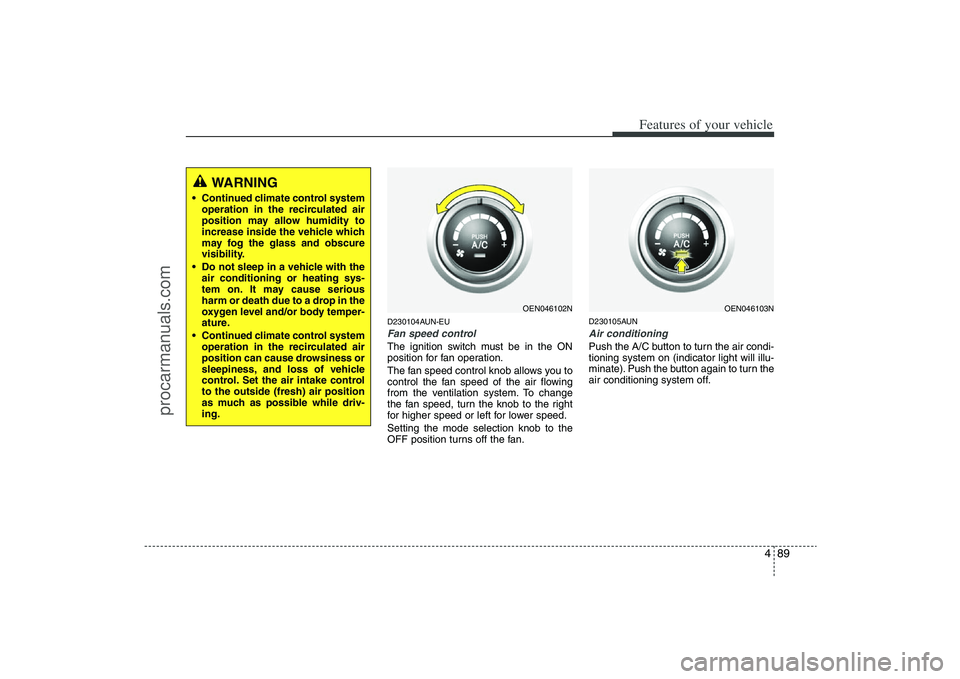
D230104AUN-EUFan speed controlThe ignition switch must be in the ON
position for fan operation.
The fan speed control knob allows you to
control the fan speed of the air flowing
from the ventilation system. To change
the fan speed, turn the knob to the right
for higher speed or left for lower speed.
Setting the mode selection knob to the
OFF position turns off the fan.
D230105AUNAir conditioning Push the A/C button to turn the air condi-
tioning system on (indicator light will illu-
minate). Push the button again to turn the
air conditioning system off.
WARNING
• Continued climate control system
operation in the recirculated air
position may allow humidity to
increase inside the vehicle which
may fog the glass and obscure
visibility.
Do not sleep in a vehicle with the
air conditioning or heating sys-
tem on. It may cause serious
harm or death due to a drop in the
oxygen level and/or body temper-
ature.
Continued climate control system
operation in the recirculated air
position can cause drowsiness or
sleepiness, and loss of vehicle
control. Set the air intake control
to the outside (fresh) air position
as much as possible while driv-
ing.
OEN046102N
OEN046103N
procarmanuals.com
Page 171 of 425
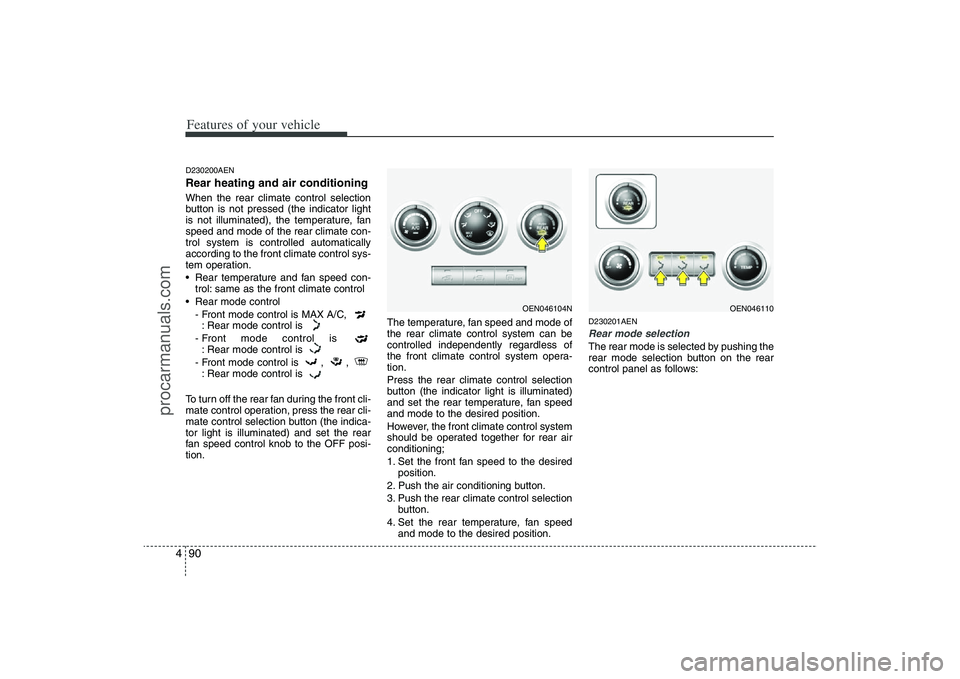
Features of your vehicle90 4D230200AENRear heating and air conditioningWhen the rear climate control selection
button is not pressed (the indicator light
is not illuminated), the temperature, fan
speed and mode of the rear climate con-
trol system is controlled automatically
according to the front climate control sys-
tem operation.
Rear temperature and fan speed con-
trol: same as the front climate control
Rear mode control
- Front mode control is MAX A/C,
: Rear mode control is
- Front mode control is
: Rear mode control is
- Front mode control is , ,
: Rear mode control is
To turn off the rear fan during the front cli-
mate control operation, press the rear cli-
mate control selection button (the indica-
tor light is illuminated) and set the rear
fan speed control knob to the OFF posi-
tion.The temperature, fan speed and mode of
the rear climate control system can be
controlled independently regardless of
the front climate control system opera-
tion.
Press the rear climate control selection
button (the indicator light is illuminated)
and set the rear temperature, fan speed
and mode to the desired position.
However, the front climate control system
should be operated together for rear air
conditioning;
1. Set the front fan speed to the desired
position.
2. Push the air conditioning button.
3. Push the rear climate control selection
button.
4. Set the rear temperature, fan speed
and mode to the desired position.
D230201AENRear mode selectionThe rear mode is selected by pushing the
rear mode selection button on the rear
control panel as follows:
OEN046104N
OEN046110
procarmanuals.com
Page 175 of 425
Features of your vehicle94 4✽
✽
NOTICE• When using the air conditioning sys-
tem, monitor the temperature gauge
closely while driving up hills or in
heavy traffic when outside tempera-
tures are high. Air conditioning sys-
tem operation may cause engine over-
heating. Continue to use the blower
fan but turn the air conditioning sys-
tem off if the temperature gauge indi-
cates engine overheating.
• When opening the windows in humid
weather air conditioning may create
water droplets inside the vehicle.
Since excessive water droplets may
cause damage to electrical equipment,
air conditioning should only be run
with the windows closed.
Air conditioning system operation tips
If the vehicle has been parked in direct
sunlight during hot weather, open the
windows for a short time to let the hot
air inside the vehicle escape.
To help reduce moisture inside of the
windows on rainy or humid days,
decrease the humidity inside the vehi-
cle by operating the air conditioning
system.
During air conditioning system opera-
tion, you may occasionally notice a
slight change in engine speed as the
air conditioning compressor cycles.
This is a normal system operation
characteristic.
Use the air conditioning system every
month only for a few minutes to ensure
maximum system performance. When using the air conditioning sys-
tem, you may notice clear water drip-
ping (or even puddling) on the ground
under the passenger side of the vehi-
cle. This is a normal system operation
characteristic.
Operating the air conditioning system
in the recirculated air position provides
maximum cooling, however, continual
operation in this mode may cause the
air inside the vehicle to become stale.
During cooling operation, you may
occasionally notice a misty air flow
because of rapid cooling and humid air
intake. This is a normal system opera-
tion characteristics.
procarmanuals.com
Page 183 of 425
Features of your vehicle102 4Exhaust gas cutoff mode :
Air enters the vehicle from the outside.
If exhaust gas enters the vehicle from the
outside, the exhaust gas cutoff mode is
automatically converted from the outside
air position to the recirculated air position
to prevent exhaust gas from entering the
vehicle.✽ ✽
NOTICEIt should be noted that prolonged oper-
ation of the heating system in recircula-
tion mode will give rise to misting of the
windshield and side windows and the air
within the passenger compartment will
become stale. In addition, prolonged use
of the air conditioning with the recircu-
lation mode selected may result in the
air within the passenger compartment
becoming excessively dry.
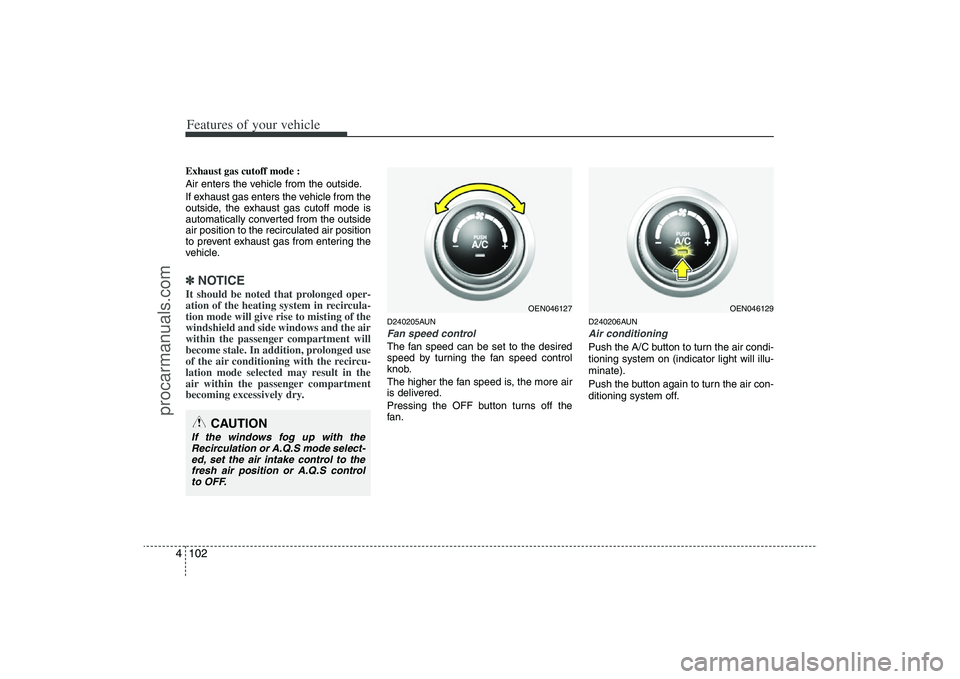
D240205AUNFan speed controlThe fan speed can be set to the desired
speed by turning the fan speed control
knob.
The higher the fan speed is, the more air
is delivered.
Pressing the OFF button turns off the
fan.
D240206AUNAir conditioningPush the A/C button to turn the air condi-
tioning system on (indicator light will illu-
minate).
Push the button again to turn the air con-
ditioning system off.
CAUTION
If the windows fog up with the
Recirculation or A.Q.S mode select-
ed, set the air intake control to the
fresh air position or A.Q.S control
to OFF.
OEN046127
OEN046129
procarmanuals.com
Page 184 of 425
4 103
Features of your vehicle
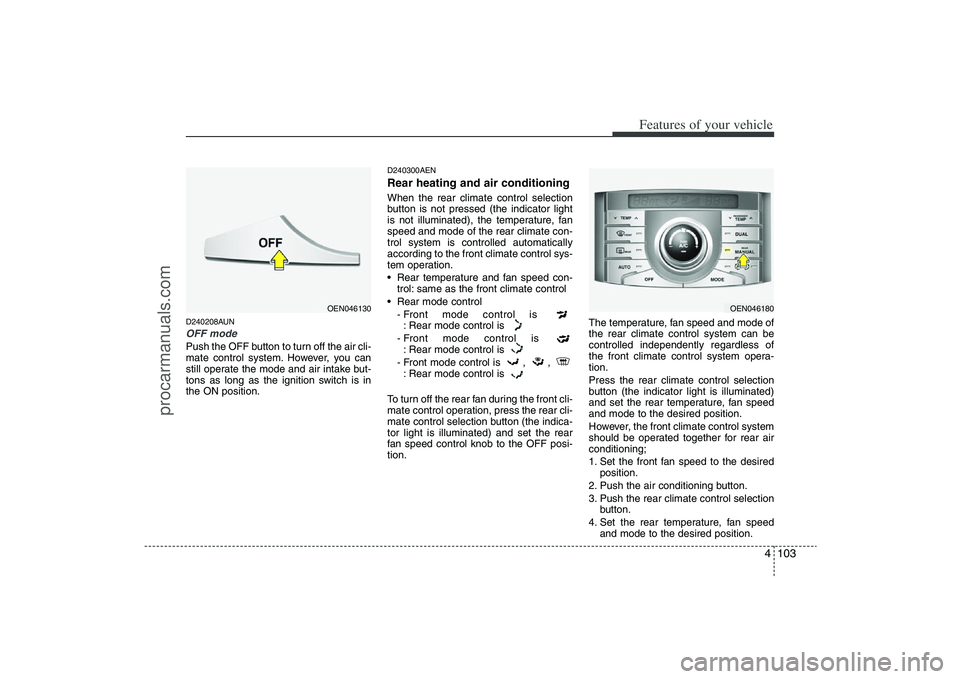
D240208AUNOFF modePush the OFF button to turn off the air cli-
mate control system. However, you can
still operate the mode and air intake but-
tons as long as the ignition switch is in
the ON position.
D240300AENRear heating and air conditioningWhen the rear climate control selection
button is not pressed (the indicator light
is not illuminated), the temperature, fan
speed and mode of the rear climate con-
trol system is controlled automatically
according to the front climate control sys-
tem operation.
Rear temperature and fan speed con-
trol: same as the front climate control
Rear mode control
- Front mode control is
: Rear mode control is
- Front mode control is
: Rear mode control is
- Front mode control is , ,
: Rear mode control is
To turn off the rear fan during the front cli-
mate control operation, press the rear cli-
mate control selection button (the indica-
tor light is illuminated) and set the rear
fan speed control knob to the OFF posi-
tion.The temperature, fan speed and mode of
the rear climate control system can be
controlled independently regardless of
the front climate control system opera-
tion.
Press the rear climate control selection
button (the indicator light is illuminated)
and set the rear temperature, fan speed
and mode to the desired position.
However, the front climate control system
should be operated together for rear air
conditioning;
1. Set the front fan speed to the desired
position.
2. Push the air conditioning button.
3. Push the rear climate control selection
button.
4. Set the rear temperature, fan speed
and mode to the desired position.
OEN046180
OEN046130
procarmanuals.com