ignition HYUNDAI VERACRUZ 2010 Workshop Manual
[x] Cancel search | Manufacturer: HYUNDAI, Model Year: 2010, Model line: VERACRUZ, Model: HYUNDAI VERACRUZ 2010Pages: 425, PDF Size: 8.65 MB
Page 158 of 425
Features of your vehicle
76 4
D200101AEN
Auto control (if equipped)
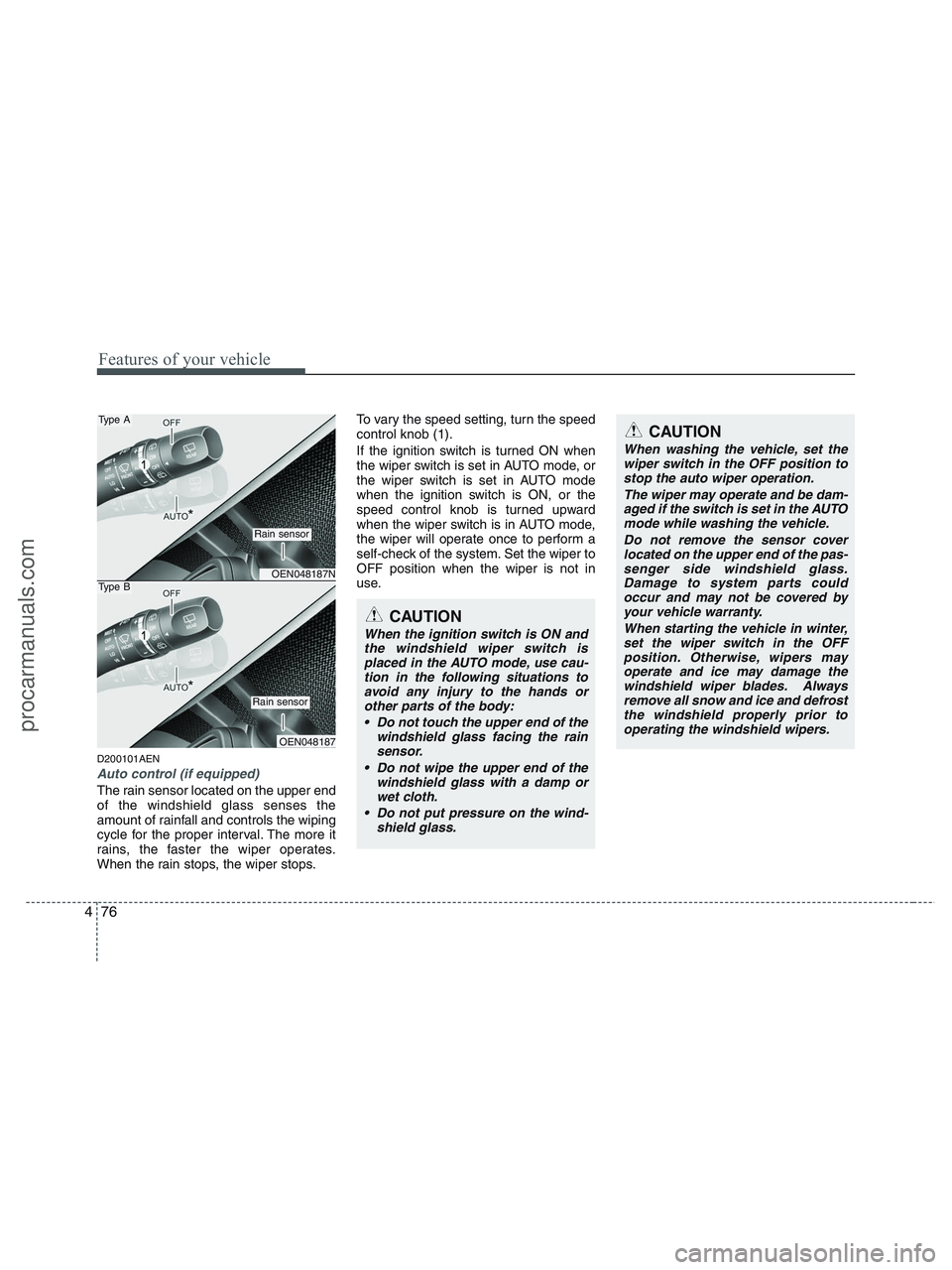
The rain sensor located on the upper end
of the windshield glass senses the
amount of rainfall and controls the wiping
cycle for the proper interval. The more it
rains, the faster the wiper operates.
When the rain stops, the wiper stops.To vary the speed setting, turn the speed
control knob (1).
If the ignition switch is turned ON when
the wiper switch is set in AUTO mode, or
the wiper switch is set in AUTO mode
when the ignition switch is ON, or the
speed control knob is turned upward
when the wiper switch is in AUTO mode,
the wiper will operate once to perform a
self-check of the system. Set the wiper to
OFF position when the wiper is not in
use.
CAUTION
When the ignition switch is ON and
the windshield wiper switch is
placed in the AUTO mode, use cau-
tion in the following situations to
avoid any injury to the hands or
other parts of the body:
Do not touch the upper end of the
windshield glass facing the rain
sensor.
Do not wipe the upper end of the
windshield glass with a damp or
wet cloth.
Do not put pressure on the wind-
shield glass.
CAUTION
When washing the vehicle, set the
wiper switch in the OFF position to
stop the auto wiper operation.
The wiper may operate and be dam-
aged if the switch is set in the AUTO
mode while washing the vehicle.
Do not remove the sensor cover
located on the upper end of the pas-
senger side windshield glass.
Damage to system parts could
occur and may not be covered by
your vehicle warranty.
When starting the vehicle in winter,
set the wiper switch in the OFF
position. Otherwise, wipers may
operate and ice may damage the
windshield wiper blades. Always
remove all snow and ice and defrost
the windshield properly prior to
operating the windshield wipers.
OEN048187N
OEN048187
Type A
Rain sensor
Rain sensor
Type B
procarmanuals.com
Page 161 of 425
479
Features of your vehicle
D210100AEN-EU
Map lamp
- 1st row
The light comes on when any door is
opened regardless of the ignition switch
position.
When doors are unlocked by the trans-
mitter (or smart key), the light comes on
for approximately 30 seconds as long as
any door is not open. The light goes out
gradually after approximately 30 seconds
if the door is closed. However, if the igni-
tion switch is ON or all doors are locked,
the light will turn off immediately.If a door is opened with the ignition
switch in the ACC or LOCK position, the
light stays on for about 20 minutes.
However, if a door is opened with the
ignition switch in the ON position, the
light stays on continuously.
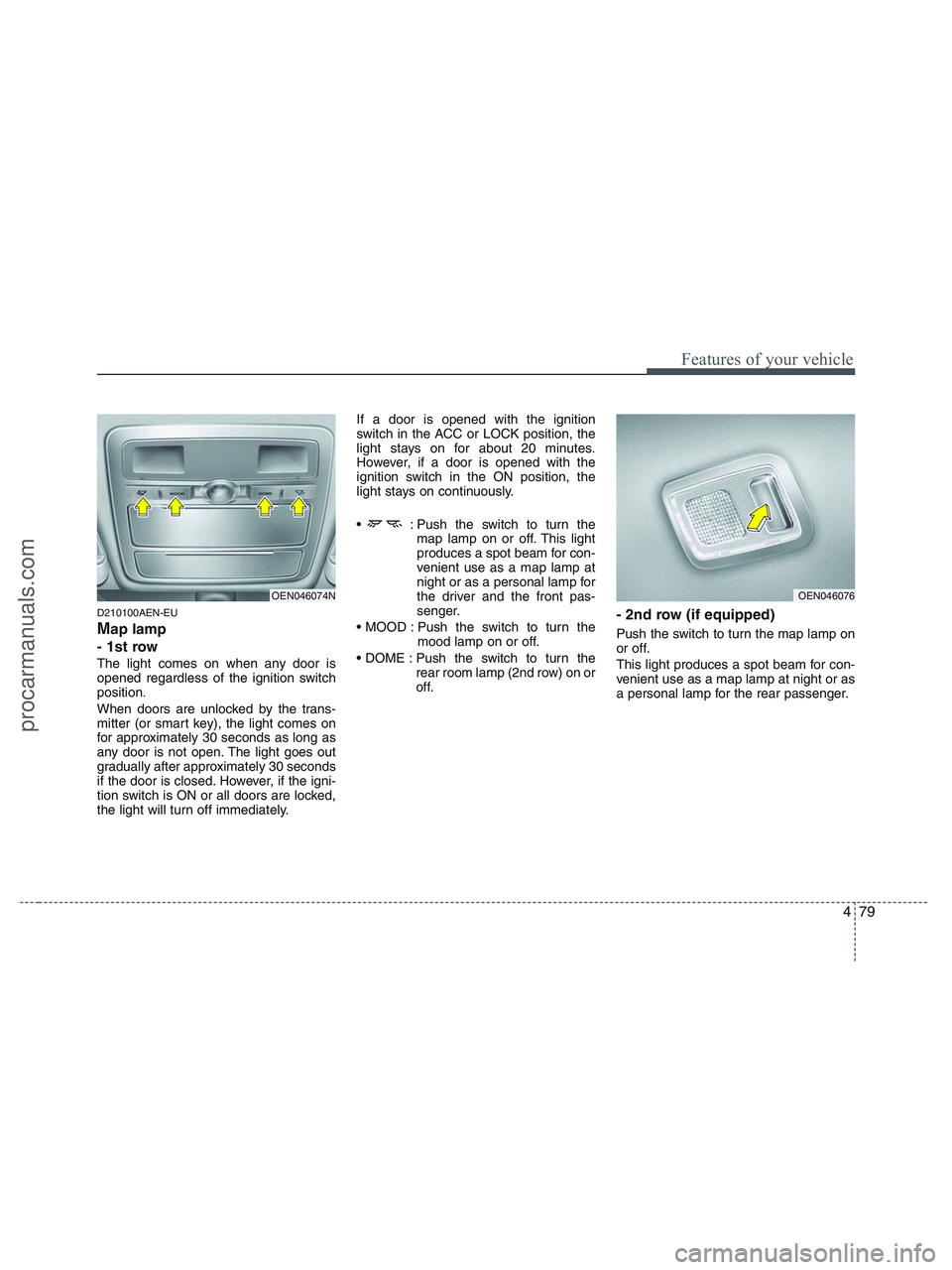
: Push the switch to turn the
map lamp on or off. This light
produces a spot beam for con-
venient use as a map lamp at
night or as a personal lamp for
the driver and the front pas-
senger.
Push the switch to turn the
mood lamp on or off.
Push the switch to turn the
rear room lamp (2nd row) on or
off.
- 2nd row (if equipped)
Push the switch to turn the map lamp on
or off.
This light produces a spot beam for con-
venient use as a map lamp at night or as
a personal lamp for the rear passenger.
OEN046076OEN046074N
procarmanuals.com
Page 162 of 425
Features of your vehicle
80 4
D210200AEN
Room lamp
- 2nd row
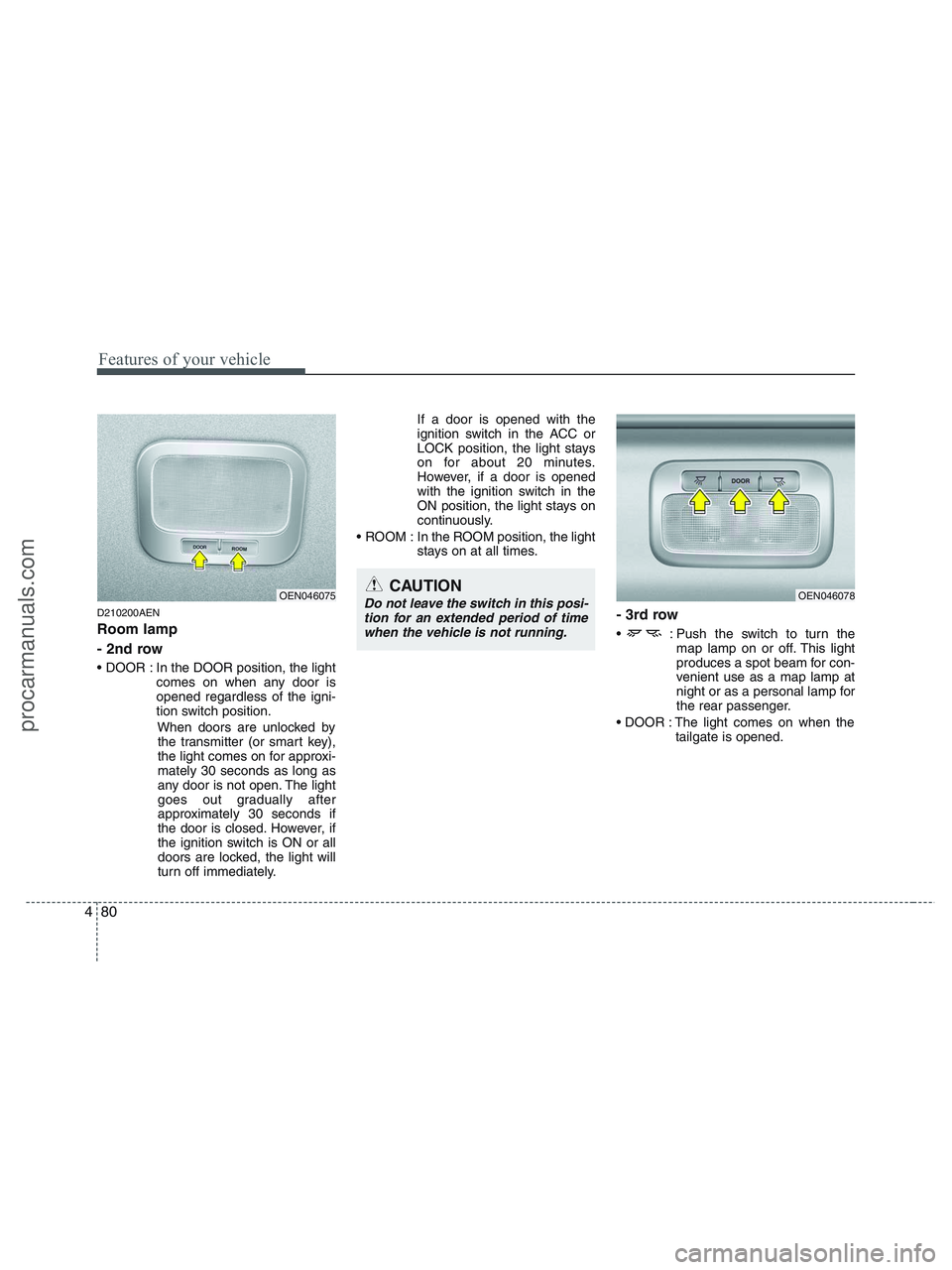
In the DOOR position, the light
comes on when any door is
opened regardless of the igni-
tion switch position.
When doors are unlocked by
the transmitter (or smart key),
the light comes on for approxi-
mately 30 seconds as long as
any door is not open. The light
goes out gradually after
approximately 30 seconds if
the door is closed. However, if
the ignition switch is ON or all
doors are locked, the light will
turn off immediately.If a door is opened with the
ignition switch in the ACC or
LOCK position, the light stays
on for about 20 minutes.
However, if a door is opened
with the ignition switch in the
ON position, the light stays on
continuously.
ROOM : In the ROOM position, the light
stays on at all times.
- 3rd row
: Push the switch to turn the
map lamp on or off. This light
produces a spot beam for con-
venient use as a map lamp at
night or as a personal lamp for
the rear passenger.
The light comes on when the
tailgate is opened.
OEN046078OEN046075CAUTION
Do not leave the switch in this posi-
tion for an extended period of time
when the vehicle is not running.
procarmanuals.com
Page 163 of 425
481
Features of your vehicle
D210300AEN
Luggage lamp (if equipped)
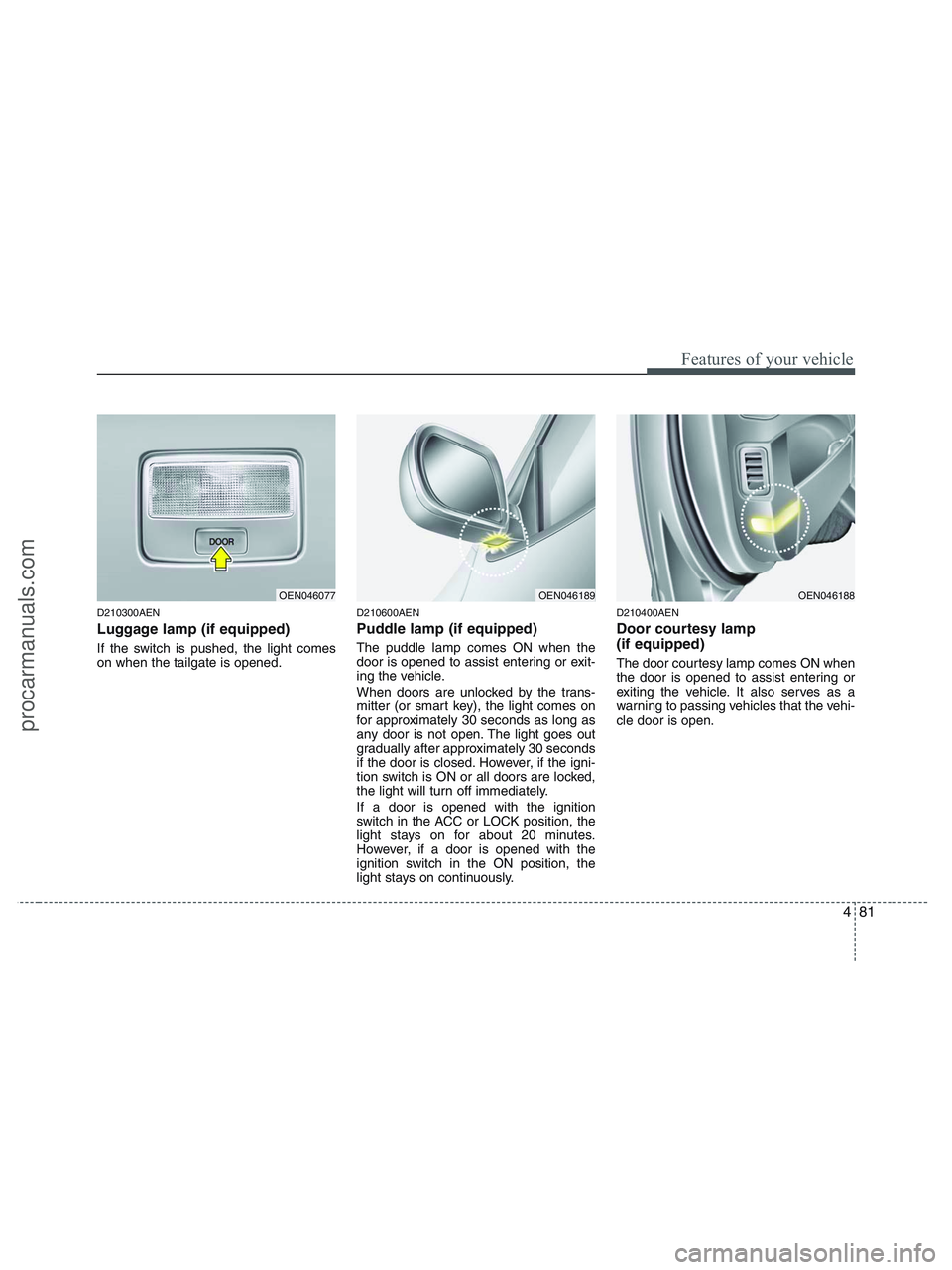
If the switch is pushed, the light comes
on when the tailgate is opened.
D210600AEN
Puddle lamp (if equipped)
The puddle lamp comes ON when the
door is opened to assist entering or exit-
ing the vehicle.
When doors are unlocked by the trans-
mitter (or smart key), the light comes on
for approximately 30 seconds as long as
any door is not open. The light goes out
gradually after approximately 30 seconds
if the door is closed. However, if the igni-
tion switch is ON or all doors are locked,
the light will turn off immediately.
If a door is opened with the ignition
switch in the ACC or LOCK position, the
light stays on for about 20 minutes.
However, if a door is opened with the
ignition switch in the ON position, the
light stays on continuously.
D210400AEN
Door courtesy lamp
(if equipped)
The door courtesy lamp comes ON when
the door is opened to assist entering or
exiting the vehicle. It also serves as a
warning to passing vehicles that the vehi-
cle door is open.
OEN046077OEN046189OEN046188
procarmanuals.com
Page 165 of 425
483
Features of your vehicle
D220000AUN
✽ ✽
NOTICE
If you want to defrost and defog the
front windshield, refer to “Windshield
defrosting and defogging” in this sec-
tion.
D220100AEN
Rear window defroster
The defroster heats the window to
remove frost, fog and thin ice from the
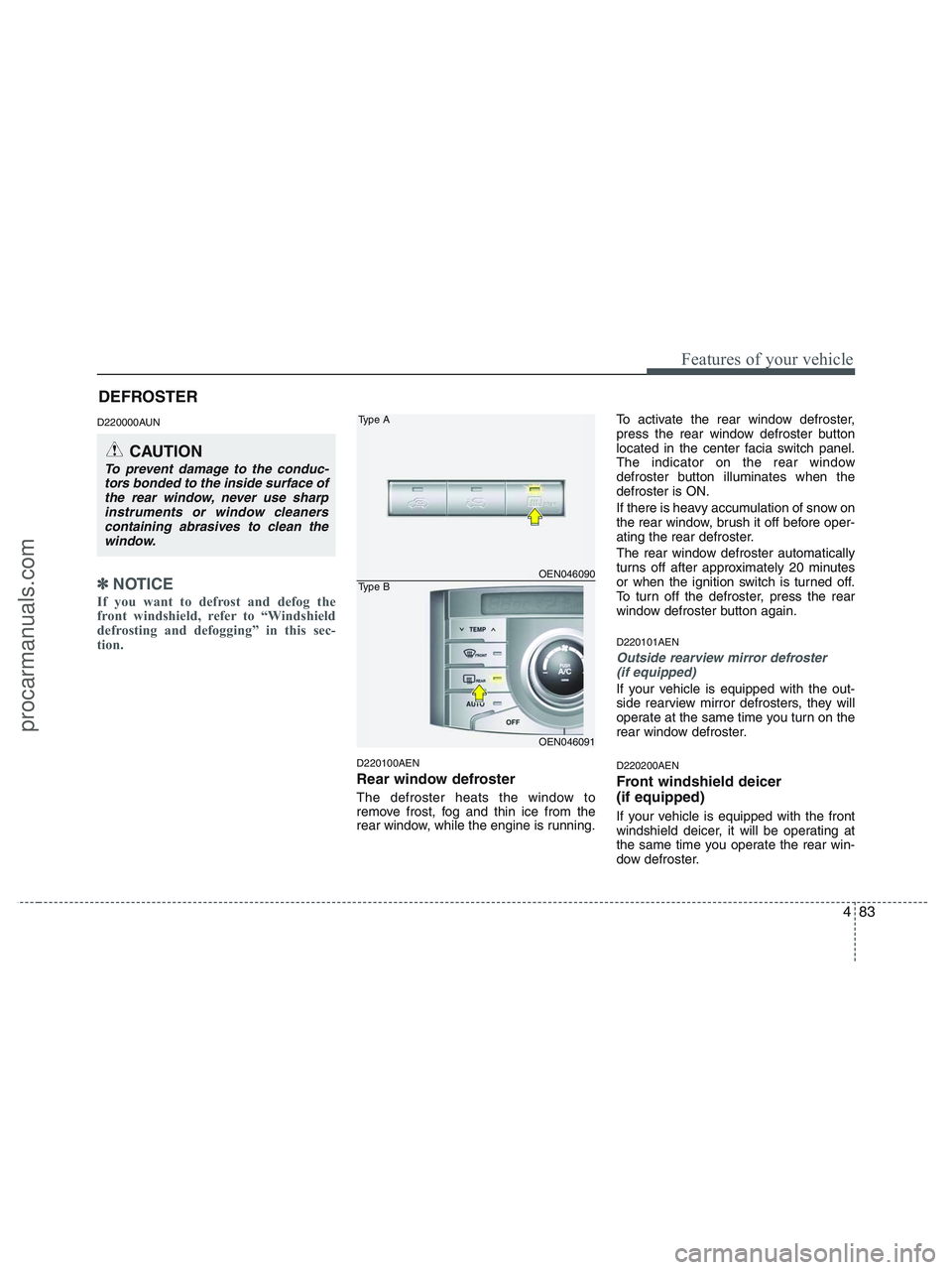
rear window, while the engine is running.To activate the rear window defroster,
press the rear window defroster button
located in the center facia switch panel.
The indicator on the rear window
defroster button illuminates when the
defroster is ON.
If there is heavy accumulation of snow on
the rear window, brush it off before oper-
ating the rear defroster.
The rear window defroster automatically
turns off after approximately 20 minutes
or when the ignition switch is turned off.
To turn off the defroster, press the rear
window defroster button again.
D220101AEN
Outside rearview mirror defroster
(if equipped)
If your vehicle is equipped with the out-
side rearview mirror defrosters, they will
operate at the same time you turn on the
rear window defroster.
D220200AEN
Front windshield deicer
(if equipped)
If your vehicle is equipped with the front
windshield deicer, it will be operating at
the same time you operate the rear win-
dow defroster.
CAUTION
To prevent damage to the conduc-
tors bonded to the inside surface of
the rear window, never use sharp
instruments or window cleaners
containing abrasives to clean the
window.
OEN046090
OEN046091
Type A
Type B
DEFROSTER
procarmanuals.com
Page 171 of 425
489
Features of your vehicle
D230104AUN-EU
Fan speed control
The ignition switch must be in the ON
position for fan operation.
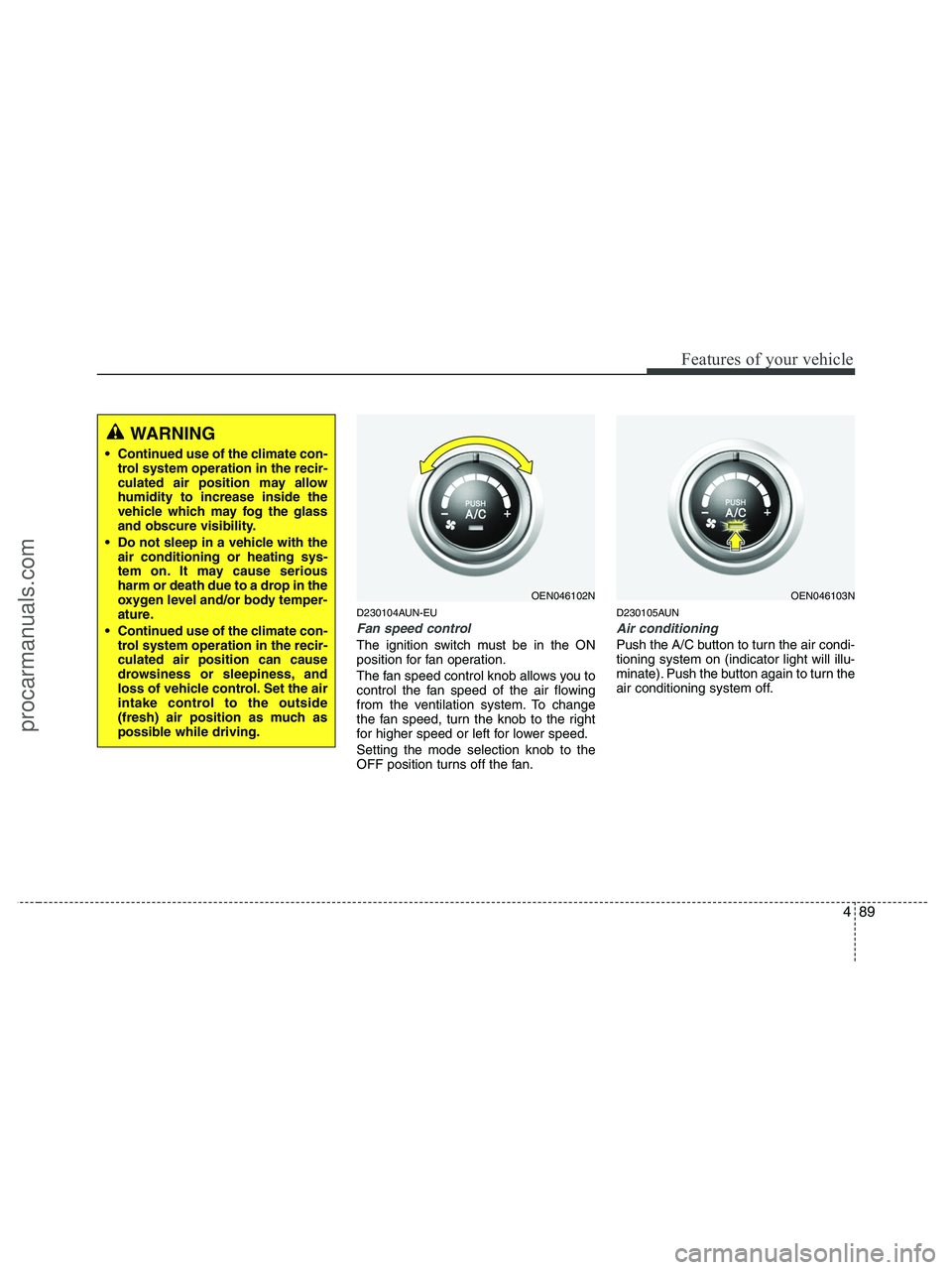
The fan speed control knob allows you to
control the fan speed of the air flowing
from the ventilation system. To change
the fan speed, turn the knob to the right
for higher speed or left for lower speed.
Setting the mode selection knob to the
OFF position turns off the fan.
D230105AUN
Air conditioning
Push the A/C button to turn the air condi-
tioning system on (indicator light will illu-
minate). Push the button again to turn the
air conditioning system off.
WARNING
• Continued use of the climate con-
trol system operation in the recir-
culated air position may allow
humidity to increase inside the
vehicle which may fog the glass
and obscure visibility.
Do not sleep in a vehicle with the
air conditioning or heating sys-
tem on. It may cause serious
harm or death due to a drop in the
oxygen level and/or body temper-
ature.
Continued use of the climate con-
trol system operation in the recir-
culated air position can cause
drowsiness or sleepiness, and
loss of vehicle control. Set the air
intake control to the outside
(fresh) air position as much as
possible while driving.
OEN046102NOEN046103N
procarmanuals.com
Page 185 of 425
4103
Features of your vehicle
D240208AUN
OFF mode
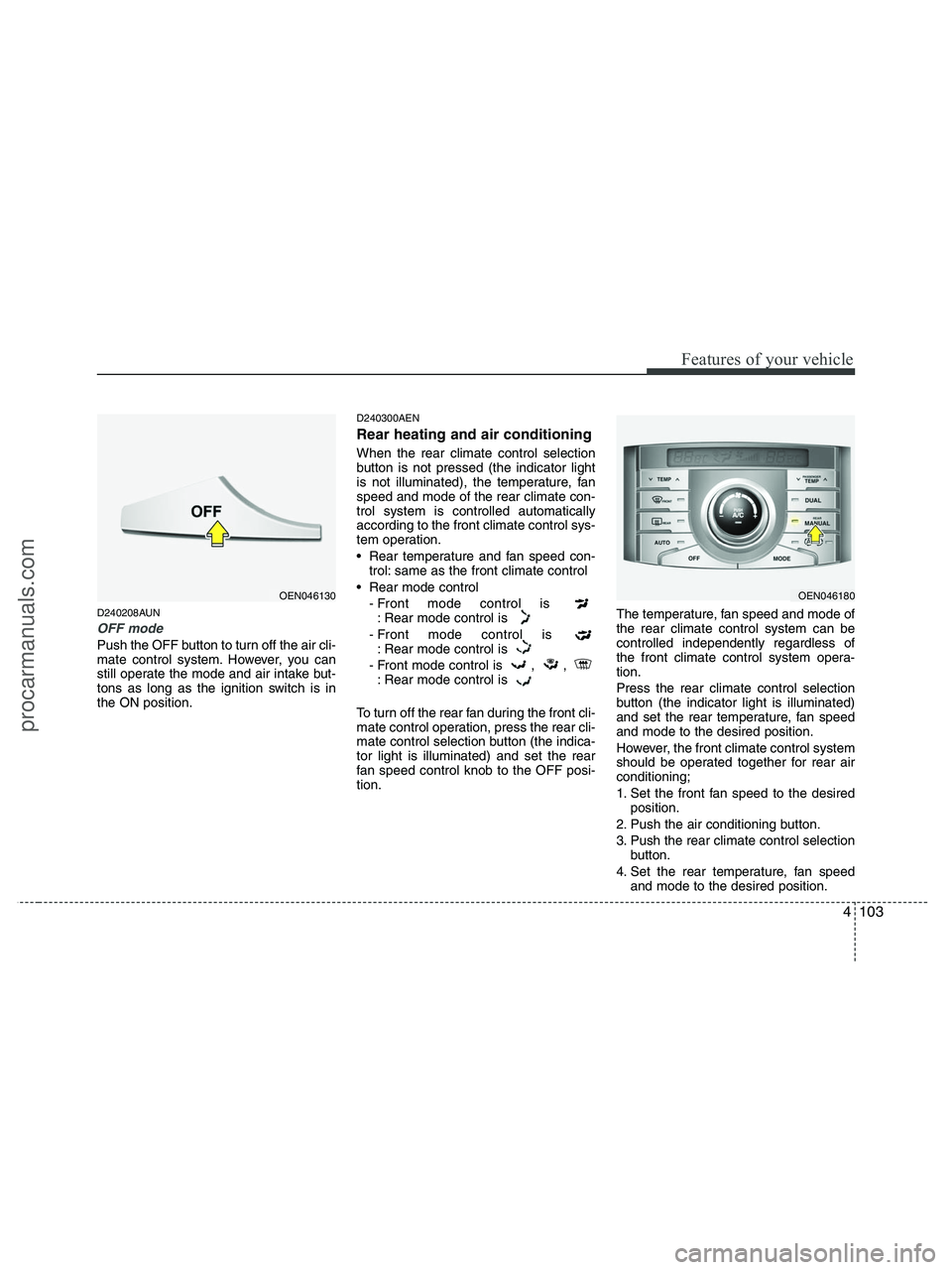
Push the OFF button to turn off the air cli-
mate control system. However, you can
still operate the mode and air intake but-
tons as long as the ignition switch is in
the ON position.
D240300AEN
Rear heating and air conditioning
When the rear climate control selection
button is not pressed (the indicator light
is not illuminated), the temperature, fan
speed and mode of the rear climate con-
trol system is controlled automatically
according to the front climate control sys-
tem operation.
Rear temperature and fan speed con-
trol: same as the front climate control
Rear mode control
- Front mode control is
: Rear mode control is
- Front mode control is
: Rear mode control is
- Front mode control is , ,
: Rear mode control is
To turn off the rear fan during the front cli-
mate control operation, press the rear cli-
mate control selection button (the indica-
tor light is illuminated) and set the rear
fan speed control knob to the OFF posi-
tion.The temperature, fan speed and mode of
the rear climate control system can be
controlled independently regardless of
the front climate control system opera-
tion.
Press the rear climate control selection
button (the indicator light is illuminated)
and set the rear temperature, fan speed
and mode to the desired position.
However, the front climate control system
should be operated together for rear air
conditioning;
1. Set the front fan speed to the desired
position.
2. Push the air conditioning button.
3. Push the rear climate control selection
button.
4. Set the rear temperature, fan speed
and mode to the desired position.
OEN046180OEN046130
procarmanuals.com
Page 190 of 425
Features of your vehicle
108 4
D250300AUN-EU
Defogging logic
To reduce the possibility of fogging up
the inside of the windshield, the air intake
is controlled automatically according to
certain conditions such as or
position. To cancel or return the defog-
ging logic, do the following.
D250301AUN
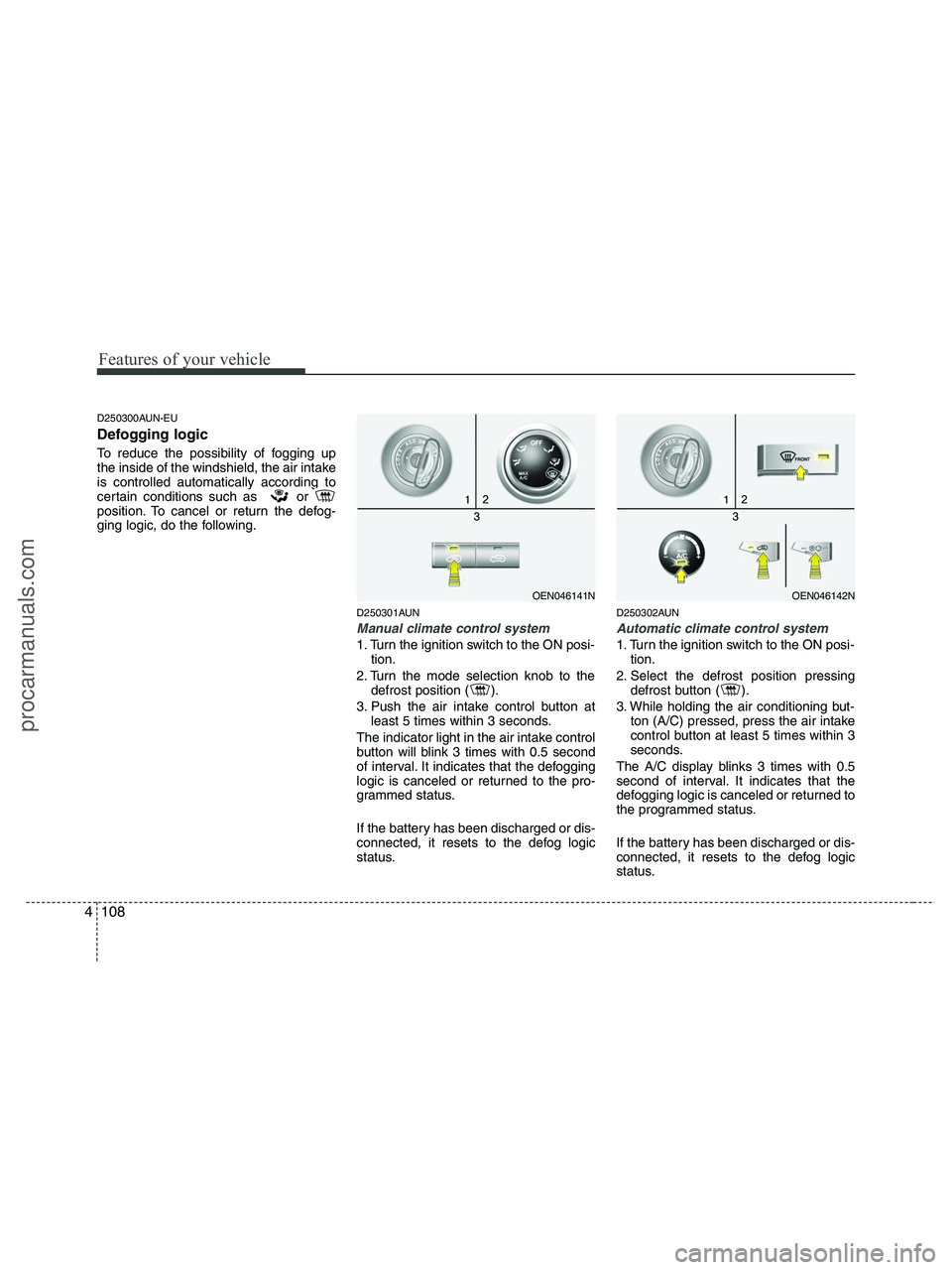
Manual climate control system
1. Turn the ignition switch to the ON posi-
tion.
2. Turn the mode selection knob to the
defrost position ( ).
3. Push the air intake control button at
least 5 times within 3 seconds.
The indicator light in the air intake control
button will blink 3 times with 0.5 second
of interval. It indicates that the defogging
logic is canceled or returned to the pro-
grammed status.
If the battery has been discharged or dis-
connected, it resets to the defog logic
status.
D250302AUN
Automatic climate control system
1. Turn the ignition switch to the ON posi-
tion.
2. Select the defrost position pressing
defrost button ( ).
3. While holding the air conditioning but-
ton (A/C) pressed, press the air intake
control button at least 5 times within 3
seconds.
The A/C display blinks 3 times with 0.5
second of interval. It indicates that the
defogging logic is canceled or returned to
the programmed status.
If the battery has been discharged or dis-
connected, it resets to the defog logic
status.
OEN046141NOEN046142N
procarmanuals.com
Page 197 of 425
4115
Features of your vehicle
D281300AEN
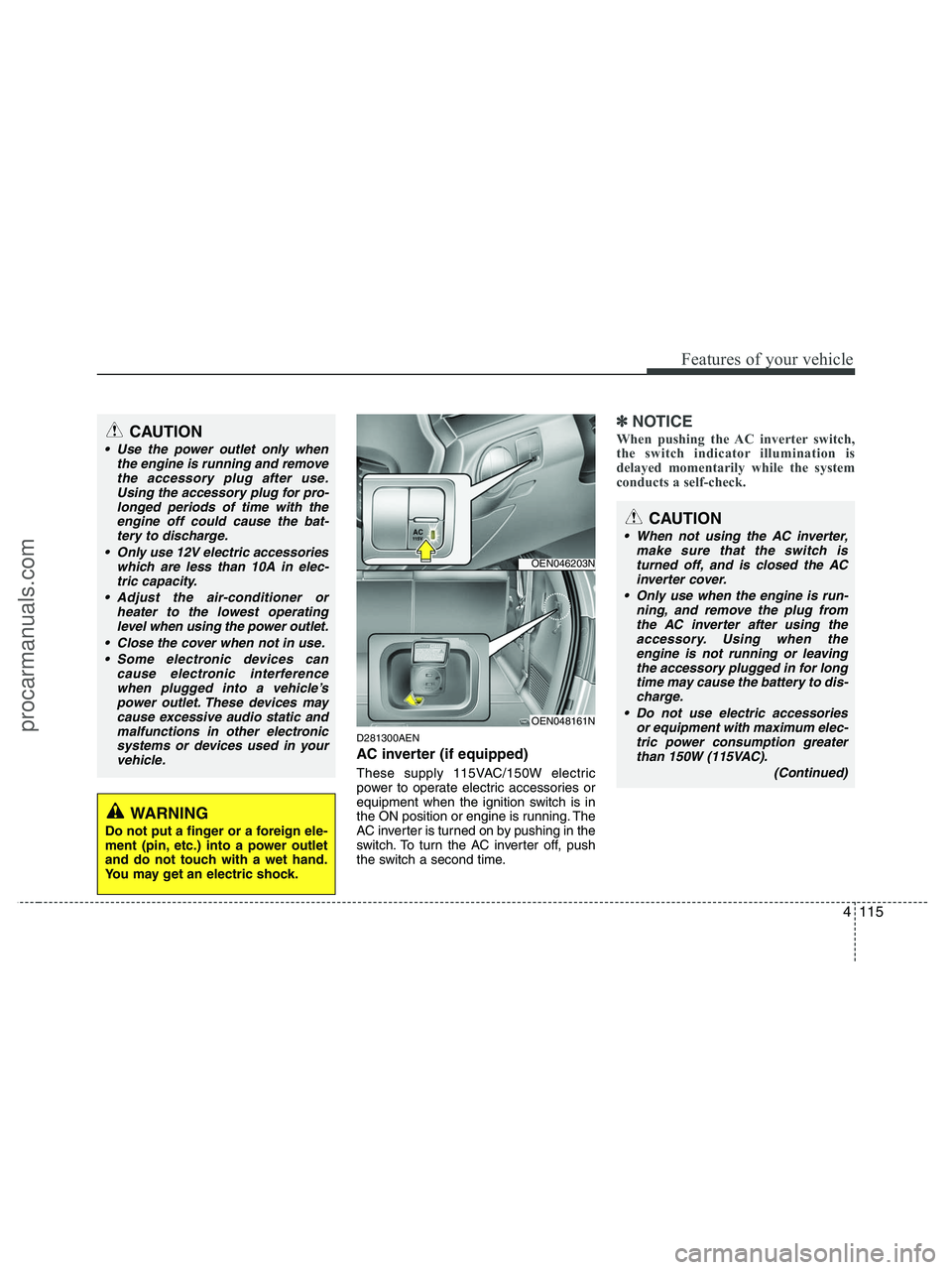
AC inverter (if equipped)
These supply 115VAC/150W electric
power to operate electric accessories or
equipment when the ignition switch is in
the ON position or engine is running. The
AC inverter is turned on by pushing in the
switch. To turn the AC inverter off, push
the switch a second time.
✽ ✽
NOTICE
When pushing the AC inverter switch,
the switch indicator illumination is
delayed momentarily while the system
conducts a self-check.CAUTION
Use the power outlet only when
the engine is running and remove
the accessory plug after use.
Using the accessory plug for pro-
longed periods of time with the
engine off could cause the bat-
tery to discharge.
Only use 12V electric accessories
which are less than 10A in elec-
tric capacity.
Adjust the air-conditioner or
heater to the lowest operating
level when using the power outlet.
Close the cover when not in use.
Some electronic devices can
cause electronic interference
when plugged into a vehicle’s
power outlet. These devices may
cause excessive audio static and
malfunctions in other electronic
systems or devices used in your
vehicle.
WARNING
Do not put a finger or a foreign ele-
ment (pin, etc.) into a power outlet
and do not touch with a wet hand.
You may get an electric shock.
OEN046203N
OEN048161N
CAUTION
When not using the AC inverter,
make sure that the switch is
turned off, and is closed the AC
inverter cover.
Only use when the engine is run-
ning, and remove the plug from
the AC inverter after using the
accessory. Using when the
engine is not running or leaving
the accessory plugged in for long
time may cause the battery to dis-
charge.
Do not use electric accessories
or equipment with maximum elec-
tric power consumption greater
than 150W (115VAC).
(Continued)
procarmanuals.com
Page 198 of 425
Features of your vehicle
116 4
D280600AEN
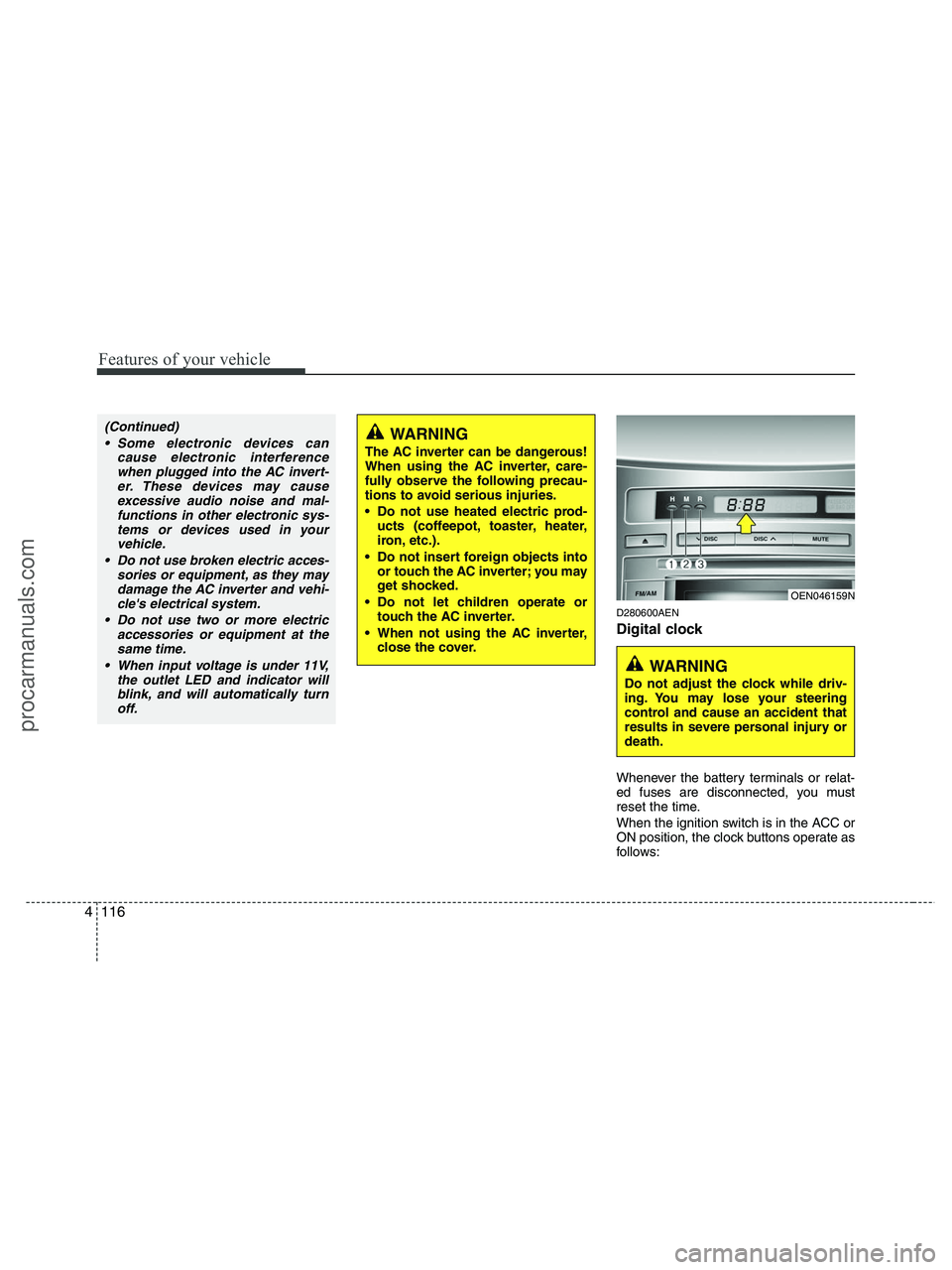
Digital clock
Whenever the battery terminals or relat-
ed fuses are disconnected, you must
reset the time.
When the ignition switch is in the ACC or
ON position, the clock buttons operate as
follows:
WARNING
The AC inverter can be dangerous!
When using the AC inverter, care-
fully observe the following precau-
tions to avoid serious injuries.
Do not use heated electric prod-
ucts (coffeepot, toaster, heater,
iron, etc.).
Do not insert foreign objects into
or touch the AC inverter; you may
get shocked.
Do not let children operate or
touch the AC inverter.
When not using the AC inverter,
close the cover.
(Continued)
Some electronic devices can
cause electronic interference
when plugged into the AC invert-
er. These devices may cause
excessive audio noise and mal-
functions in other electronic sys-
tems or devices used in your
vehicle.
Do not use broken electric acces-
sories or equipment, as they may
damage the AC inverter and vehi-
cle's electrical system.
Do not use two or more electric
accessories or equipment at the
same time.
When input voltage is under 11V,
the outlet LED and indicator will
blink, and will automatically turn
off.
OEN046159N
WARNING
Do not adjust the clock while driv-
ing. You may lose your steering
control and cause an accident that
results in severe personal injury or
death.
procarmanuals.com