ignition HYUNDAI VERACRUZ 2011 Workshop Manual
[x] Cancel search | Manufacturer: HYUNDAI, Model Year: 2011, Model line: VERACRUZ, Model: HYUNDAI VERACRUZ 2011Pages: 419, PDF Size: 47.93 MB
Page 147 of 419

469
Features of your vehicle
D170000AEN
The rear parking assist system assists
the driver during backward movement of
the vehicle by chiming if any object issensed within a distance of 120 cm (47
in.) behind the vehicle. This system is asupplemental system and it is not intend-
ed to nor does it replace the need for
extreme care and attention of the driver.
The sensing range and objects
detectable by the back sensors are limit-
ed. Whenever backing-up, pay as much
attention to what is behind you as you
would in a vehicle without a rear parkingassist system.Operation of the rear parking assist system D170101AEN
Operating condition
This system will activate when backing
up with the ignition switch ON.
If the vehicle is moving at a speed over
5 km/h (3 mph), the system may not be
activated correctly.
The sensing distance while the rear parking assist system is in operation is
approximately 120 cm (47 in.).
When more than two objects are sensed at the same time, the closest
one will be recognized first.
D170102AEN
Types of warning sound
When an object is 120 cm to 81 cm (47 in. to 32 in.) from the rear bumper:
Buzzer beeps intermittently.
When an object is 80 cm to 41 cm (31 in. to 16 in.) from the rear bumper:
Buzzer beeps more frequently.
When an object is within 40 cm (15 in.) of the rear bumper:
Buzzer sounds continuously.
REAR PARKING ASSIST SYSTEM (IF EQUIPPED)
OEN046058
WARNING
The rear parking assist system is a
supplementary function only. Theoperation of the rear parking assist
system can be affected by several
factors (including environmental
conditions). It is the responsibility
of the driver to always check the
area behind the vehicle before and
while backing up.
Sensors
procarmanuals.com
Page 150 of 419
Features of your vehicle
72
4
REARVIEW CAMERA (IF EQUIPPED)
D330000AEN
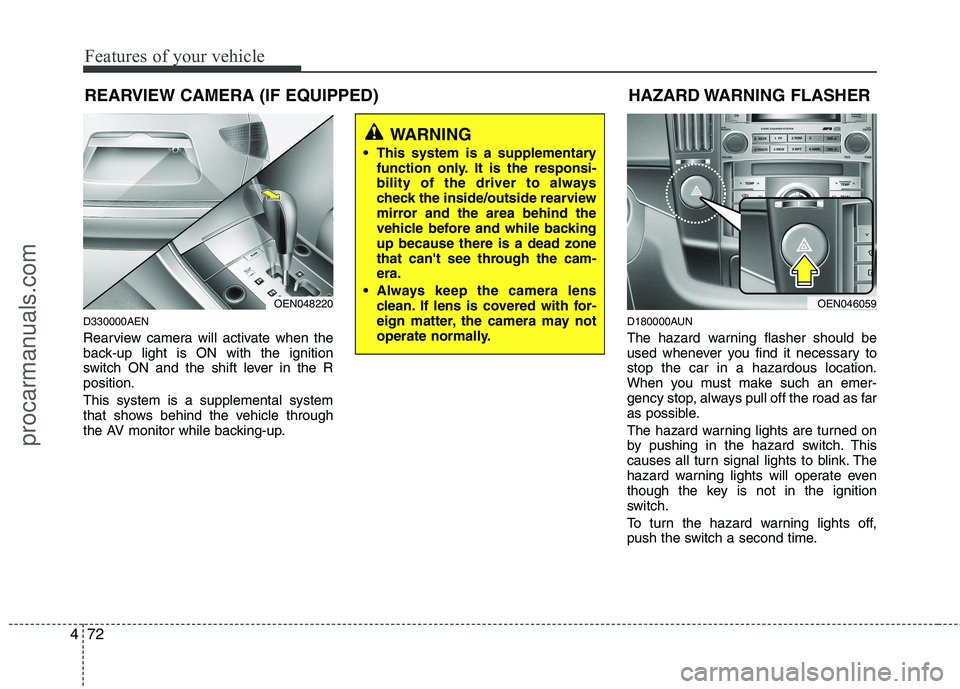
Rearview camera will activate when the
back-up light is ON with the ignition
switch ON and the shift lever in the Rposition. This system is a supplemental system
that shows behind the vehicle through
the AV monitor while backing-up. D180000AUN
The hazard warning flasher should be
used whenever you find it necessary tostop the car in a hazardous location.
When you must make such an emer-
gency stop, always pull off the road as far
as possible.
The hazard warning lights are turned on
by pushing in the hazard switch. This
causes all turn signal lights to blink. The
hazard warning lights will operate even
though the key is not in the ignition
switch.
To turn the hazard warning lights off,
push the switch a second time.
WARNING
This system is a supplementary function only. It is the responsi-
bility of the driver to always
check the inside/outside rearview
mirror and the area behind the
vehicle before and while backingup because there is a dead zone
that can't see through the cam-era.
Always keep the camera lens clean. If lens is covered with for-
eign matter, the camera may not
operate normally.
HAZARD WARNING FLASHER
OEN046059OEN048220
procarmanuals.com
Page 151 of 419
473
Features of your vehicle
D190100AUN
Battery saver function
The purpose of this feature is to pre-vent the battery from being dis-
charged. The system automatically
turns off the parking lights when the
driver removes the ignition key and
opens the driver-side door.
With this feature, the parking lights will be turned off automatically if the driver
parks on the side of road at night.
If necessary, to keep the lights on
when the ignition key is removed, per-
form the following:
1) Open the driver-side door.
2) Turn the parking lights OFF and ON again using the light switch on the
steering column. D190300AEN Rescue mode function (if equipped)
If your vehicle has any problem on the
vehicle network system, the headlights
(low beam) turn on automatically with the
ignition switch in the ON position even
though the headlight switch is not turned
on. At this time, the emergency lighting is
not turned off when the headlight switch
is turned off.
D190400AUN
Lighting control
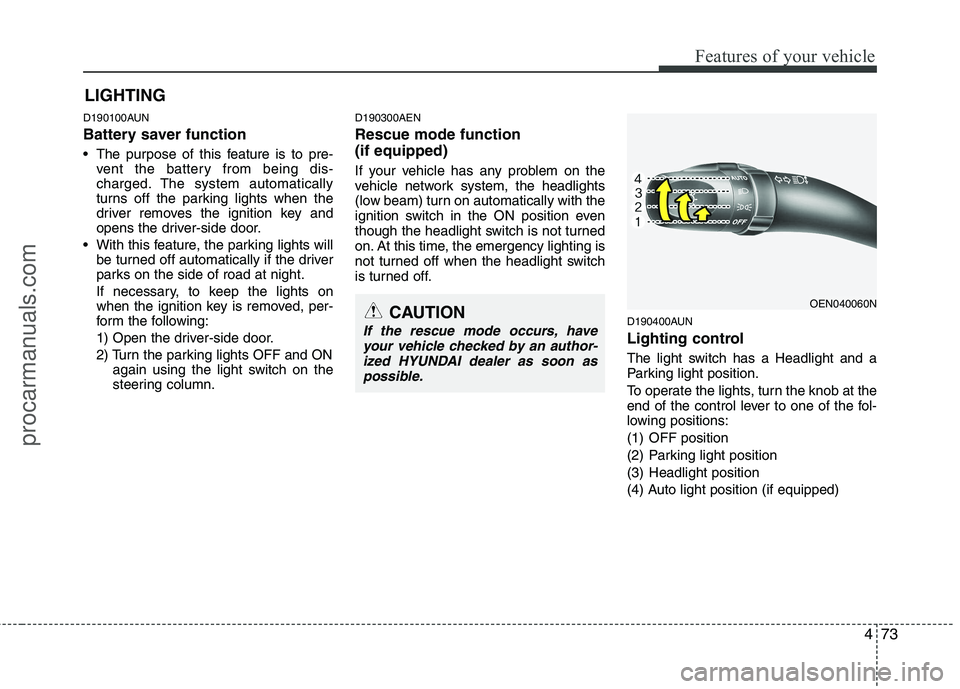
The light switch has a Headlight and a
Parking light position.
To operate the lights, turn the knob at the
end of the control lever to one of the fol-
lowing positions:
(1) OFF position
(2) Parking light position
(3) Headlight position
(4) Auto light position (if equipped)
LIGHTING
CAUTION
If the rescue mode occurs, have
your vehicle checked by an author-
ized HYUNDAI dealer as soon as possible.
OEN040060N
procarmanuals.com
Page 152 of 419
Features of your vehicle
74
4
D190401AUN
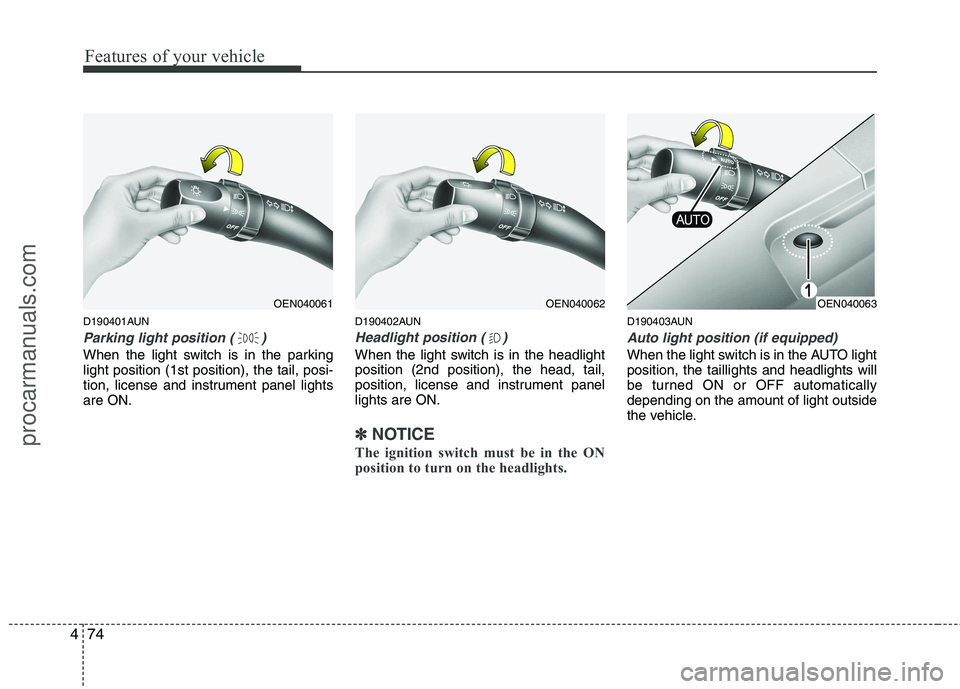
Parking light position ( )
When the light switch is in the parking light position (1st position), the tail, posi-
tion, license and instrument panel lightsare ON. D190402AUN
Headlight position ( )
When the light switch is in the headlight position (2nd position), the head, tail,
position, license and instrument panellights are ON.
✽✽
NOTICE
The ignition switch must be in the ON
position to turn on the headlights.
D190403AUN
Auto light position (if equipped)
When the light switch is in the AUTO light position, the taillights and headlights will
be turned ON or OFF automaticallydepending on the amount of light outside
the vehicle.
OEN040062OEN040061OEN040063
procarmanuals.com
Page 154 of 419
Features of your vehicle
76
4
D190600AUN
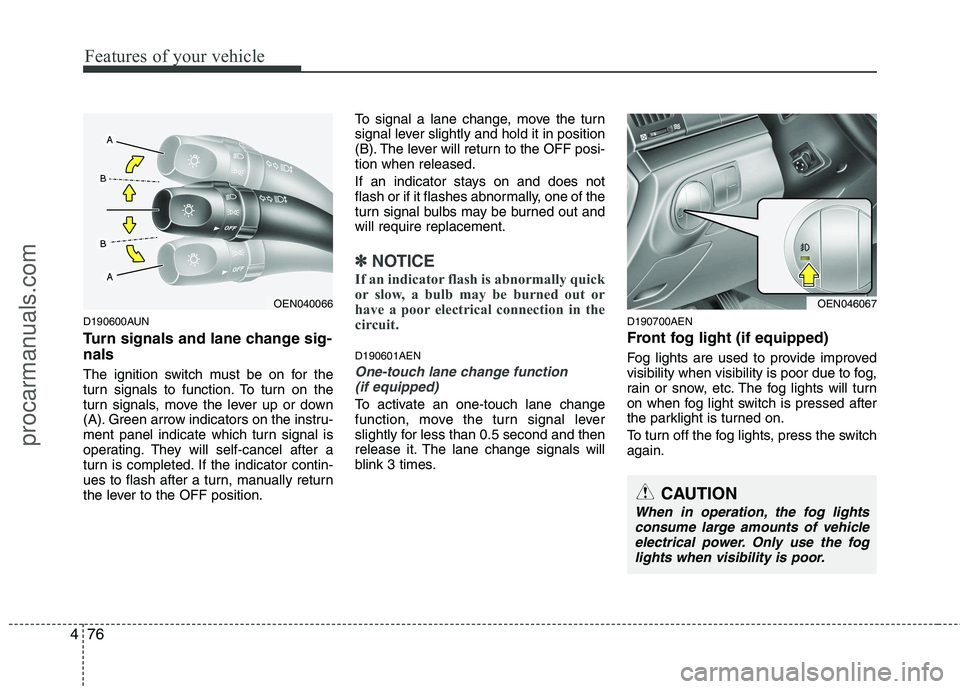
Turn signals and lane change sig- nals
The ignition switch must be on for the
turn signals to function. To turn on the
turn signals, move the lever up or down
(A). Green arrow indicators on the instru-
ment panel indicate which turn signal is
operating. They will self-cancel after a
turn is completed. If the indicator contin-
ues to flash after a turn, manually return
the lever to the OFF position. To signal a lane change, move the turn
signal lever slightly and hold it in position
(B). The lever will return to the OFF posi-tion when released.
If an indicator stays on and does not
flash or if it flashes abnormally, one of the
turn signal bulbs may be burned out andwill require replacement.
✽✽
NOTICE
If an indicator flash is abnormally quick
or slow, a bulb may be burned out or
have a poor electrical connection in the
circuit.
D190601AEN
One-touch lane change function (if equipped)
To activate an one-touch lane change
function, move the turn signal lever
slightly for less than 0.5 second and then
release it. The lane change signals will
blink 3 times. D190700AEN
Front fog light (if equipped)
Fog lights are used to provide improved
visibility when visibility is poor due to fog,
rain or snow, etc. The fog lights will turn
on when fog light switch is pressed after
the parklight is turned on.
To turn off the fog lights, press the switch again.
OEN040066OEN046067
CAUTION
When in operation, the fog lights
consume large amounts of vehicleelectrical power. Only use the fog lights when visibility is poor.
procarmanuals.com
Page 156 of 419
Features of your vehicle
78
4
Listed below are the examples of proper
switch settings. For loading conditions
other than those listed below, adjust the
switch position so that the beam level
may be the nearest as the conditionobtained according to the list. D191002AENAutomatic type
It is automatically adjusted the headlight
beam level according to the number of
the passengers and the loading weight inthe luggage area.
And it offers the proper headlight beam
under the various conditions.
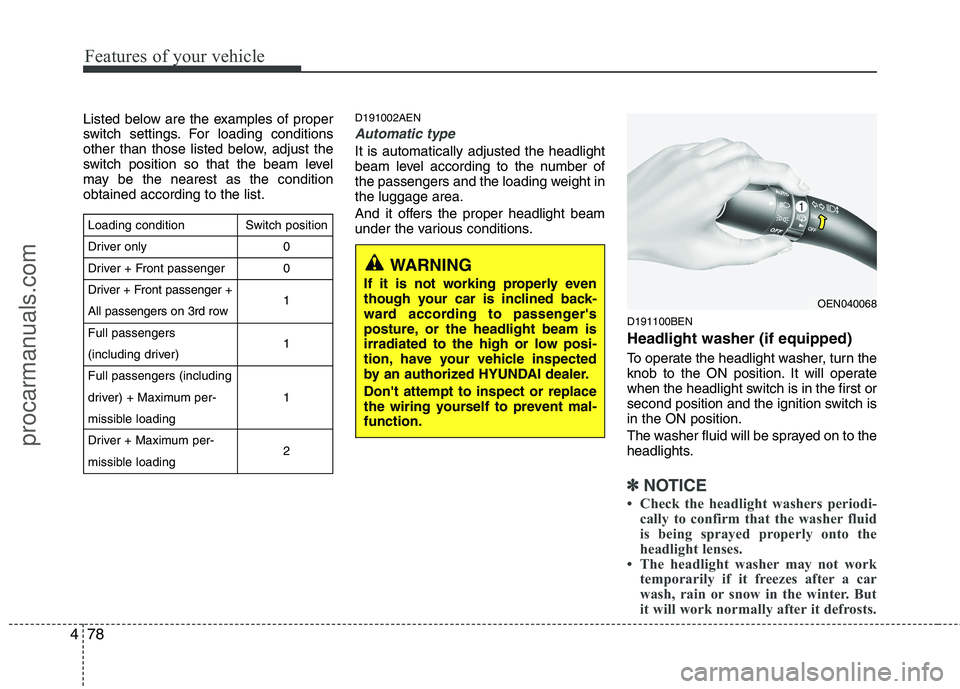
D191100BEN Headlight washer (if equipped)
To operate the headlight washer, turn the
knob to the ON position. It will operate
when the headlight switch is in the first or
second position and the ignition switch isin the ON position.
The washer fluid will be sprayed on to the
headlights.
✽✽NOTICE
Check the headlight washers periodi- cally to confirm that the washer fluid
is being sprayed properly onto the
headlight lenses.
The headlight washer may not work
temporarily if it freezes after a car
wash, rain or snow in the winter. But
it will work normally after it defrosts.
OEN040068
WARNING
If it is not working properly even
though your car is inclined back-
ward according to passenger's
posture, or the headlight beam is
irradiated to the high or low posi-
tion, have your vehicle inspected
by an authorized HYUNDAI dealer. Don't attempt to inspect or replace
the wiring yourself to prevent mal-function.
Loading condition
Driver only
Driver + Front passenger
Driver + Front passenger +
All passengers on 3rd rowFull passengers
(including driver)Full passengers (including
driver) + Maximum per-
missible loading
Driver + Maximum per-
missible loading Switch position
00 1 1 1 2
procarmanuals.com
Page 158 of 419
Features of your vehicle
80
4
D200100CEN
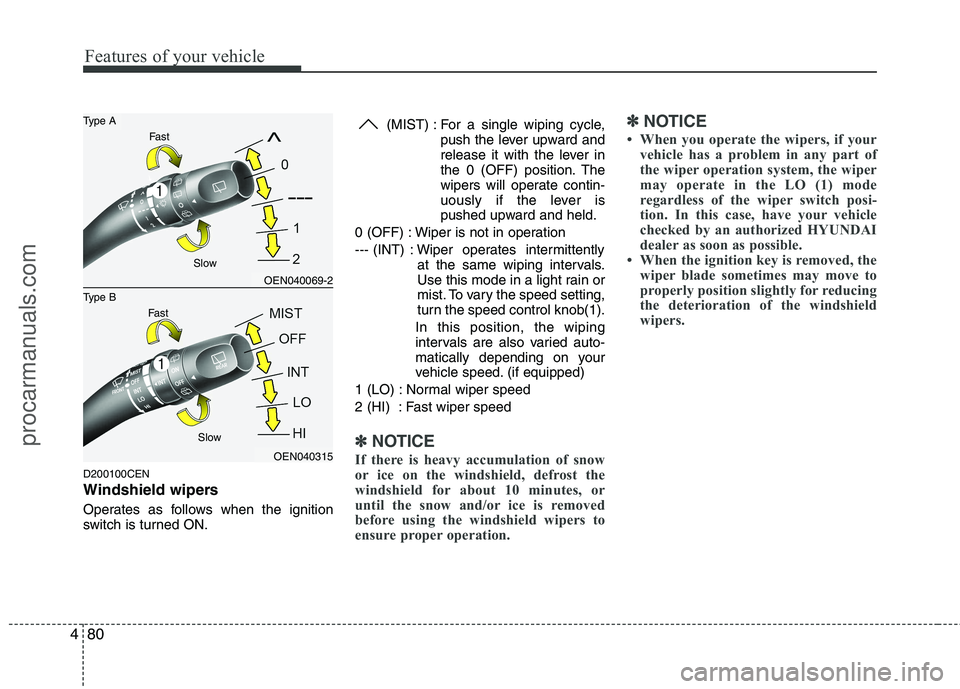
Windshield wipers
Operates as follows when the ignition
switch is turned ON. (MIST) : For a single wiping cycle,
push the lever upward and
release it with the lever in
the 0 (OFF) position. The
wipers will operate contin-
uously if the lever is
pushed upward and held.
0 (OFF) : Wiper is not in operation
--- (INT) : Wiper operates intermittently at the same wiping intervals.
Use this mode in a light rain or
mist. To vary the speed setting,
turn the speed control knob(1).
In this position, the wiping
intervals are also varied auto-
matically depending on your
vehicle speed. (if equipped)
1 (LO) : Normal wiper speed
2 (HI) : Fast wiper speed
✽✽ NOTICE
If there is heavy accumulation of snow
or ice on the windshield, defrost the
windshield for about 10 minutes, or
until the snow and/or ice is removed
before using the windshield wipers to
ensure proper operation. ✽
✽
NOTICE
When you operate the wipers, if your vehicle has a problem in any part of
the wiper operation system, the wiper
may operate in the LO (1) mode
regardless of the wiper switch posi-
tion. In this case, have your vehicle
checked by an authorized HYUNDAI
dealer as soon as possible.
When the ignition key is removed, the wiper blade sometimes may move to
properly position slightly for reducing
the deterioration of the windshield
wipers.
OEN040069-2
OEN040315
Type B
Type A
Fast
Fast Slow
Slow
procarmanuals.com
Page 159 of 419

481
Features of your vehicle
D200101BEN
Auto control (if equipped)
The rain sensor located on the upper end of the windshield glass senses the
amount of rainfall and controls the wiping
cycle for the proper interval.The more it rains, the faster the wiper
operates. When the rain stops, the wiper
stops.
To vary the speed setting, turn the speed control knob (1).
If the ignition switch is turned ON when
the wiper switch is set in AUTO mode, or
the wiper switch is set in AUTO mode
when the ignition switch is ON, or the
speed control knob is turned upward
when the wiper switch is in AUTO mode,
the wiper will operate once to perform a
self-check of the system. Set the wiper to0 (OFF) position when the wiper is not in
use.
CAUTION
When the ignition switch is ON and
the windshield wiper switch is
placed in the AUTO mode, use cau- tion in the following situations toavoid any injury to the hands orother parts of the body:
Do not touch the upper end of the windshield glass facing the rainsensor.
Do not wipe the upper end of the windshield glass with a damp or
wet cloth.
Do not put pressure on the wind- shield glass.
OEN040187L
OEN040187
Type B Type A
Rain sensor
Rain sensor
procarmanuals.com
Page 162 of 419
Features of your vehicle
84
4
D210000AEN
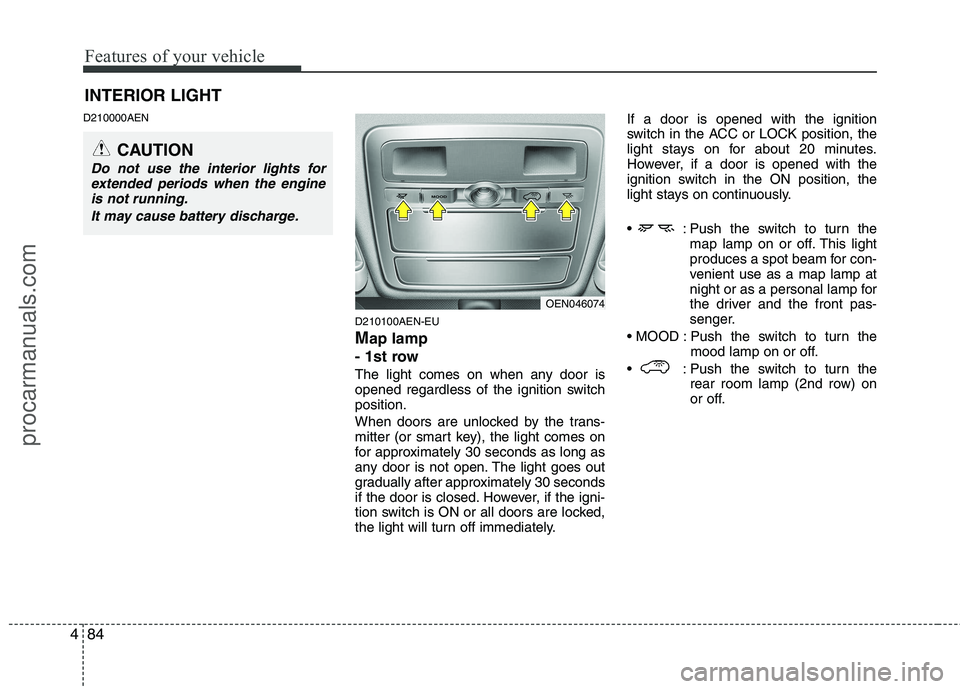
D210100AEN-EU Map lamp
- 1st row
The light comes on when any door is
opened regardless of the ignition switchposition.
When doors are unlocked by the trans-
mitter (or smart key), the light comes on
for approximately 30 seconds as long as
any door is not open. The light goes out
gradually after approximately 30 seconds
if the door is closed. However, if the igni-
tion switch is ON or all doors are locked,
the light will turn off immediately. If a door is opened with the ignition
switch in the ACC or LOCK position, the
light stays on for about 20 minutes.
However, if a door is opened with the
ignition switch in the ON position, the
light stays on continuously.
: Push the switch to turn the
map lamp on or off. This light
produces a spot beam for con-
venient use as a map lamp at
night or as a personal lamp for
the driver and the front pas-
senger.
Push the switch to turn the mood lamp on or off.
: Push the switch to turn the rear room lamp (2nd row) on
or off.
INTERIOR LIGHT
CAUTION
Do not use the interior lights for
extended periods when the engineis not running.
It may cause battery discharge.
OEN046074
procarmanuals.com
Page 163 of 419
485
Features of your vehicle
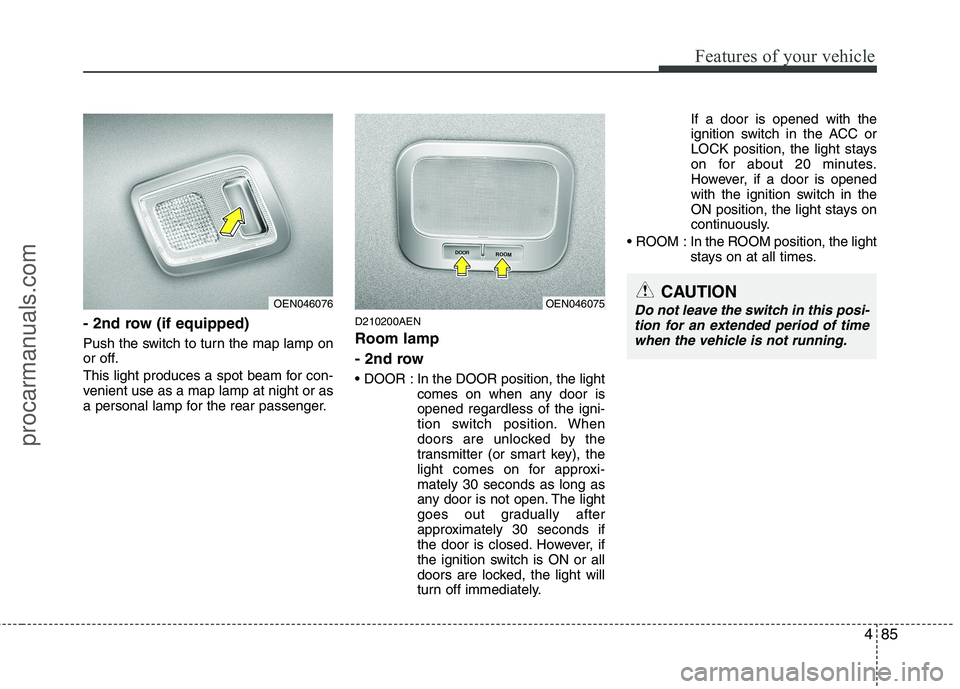
- 2nd row (if equipped)
Push the switch to turn the map lamp on
or off.
This light produces a spot beam for con-
venient use as a map lamp at night or as
a personal lamp for the rear passenger.D210200AEN Room lamp
- 2nd row
In the DOOR position, the light
comes on when any door is opened regardless of the igni-
tion switch position. When
doors are unlocked by the
transmitter (or smart key), the
light comes on for approxi-mately 30 seconds as long as
any door is not open. The light
goes out gradually after
approximately 30 seconds if
the door is closed. However, if
the ignition switch is ON or all
doors are locked, the light will
turn off immediately. If a door is opened with the
ignition switch in the ACC or
LOCK position, the light stays
on for about 20 minutes.
However, if a door is opened
with the ignition switch in the
ON position, the light stays on
continuously.
ROOM : In the ROOM position, the light stays on at all times.
OEN046075CAUTION
Do not leave the switch in this posi-
tion for an extended period of time
when the vehicle is not running.OEN046076
procarmanuals.com