power steering HYUNDAI VERACRUZ 2011 Owners Manual
[x] Cancel search | Manufacturer: HYUNDAI, Model Year: 2011, Model line: VERACRUZ, Model: HYUNDAI VERACRUZ 2011Pages: 419, PDF Size: 47.93 MB
Page 15 of 419
Your vehicle at a glance
2
2
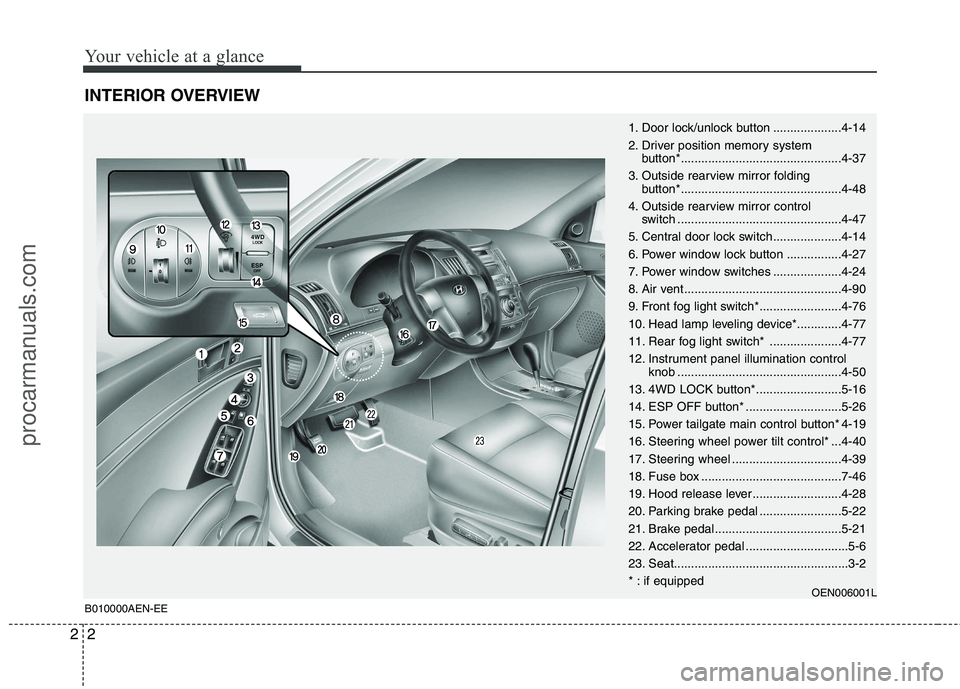
INTERIOR OVERVIEW
1. Door lock/unlock button ....................4-14
2. Driver position memory system
button*...............................................4-37
3. Outside rearview mirror folding button*...............................................4-48
4. Outside rearview mirror control switch ................................................4-47
5. Central door lock switch....................4-14
6. Power window lock button ................4-27
7. Power window switches ....................4-24
8. Air vent ..............................................4-90
9. Front fog light switch*........................4-76
10. Head lamp leveling device*.............4-77
11. Rear fog light switch* .....................4-77
12. Instrument panel illumination control knob ................................................4-50
13. 4WD LOCK button*.........................5-16
14. ESP OFF button* ............................5-26
15. Power tailgate main control button* 4-19
16. Steering wheel power tilt control* ...4-40
17. Steering wheel ................................4-39
18. Fuse box .........................................7-46
19. Hood release lever ..........................4-28
20. Parking brake pedal ........................5-22
21. Brake pedal .....................................5-21
22. Accelerator pedal ..............................5-6
23. Seat...................................................3-2
* : if equipped OEN006001L
B010000AEN-EE
procarmanuals.com
Page 17 of 419
Your vehicle at a glance
4
2
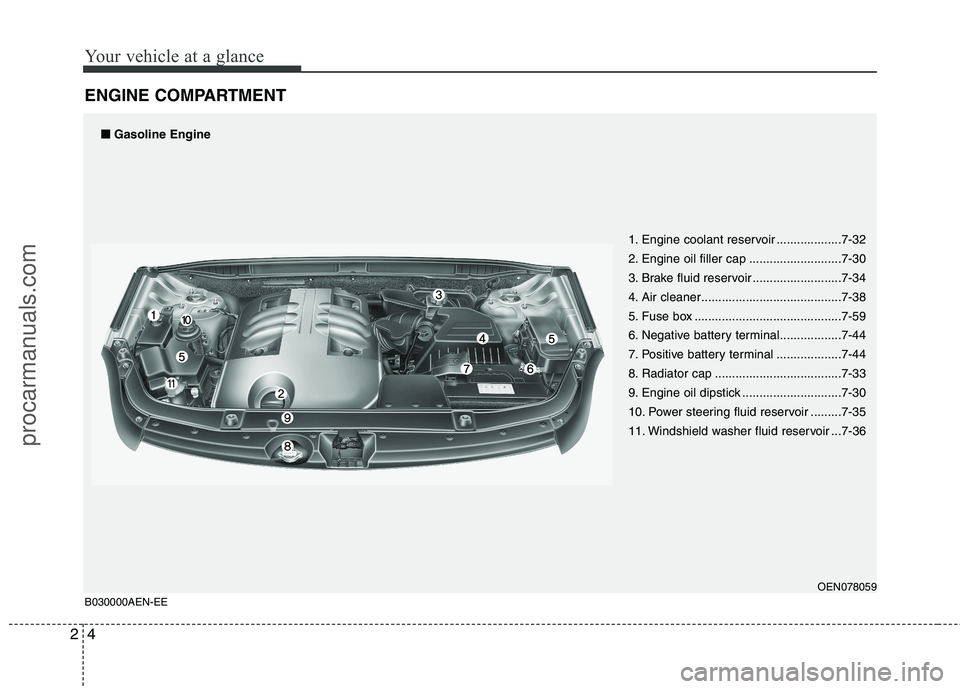
ENGINE COMPARTMENT
1. Engine coolant reservoir ...................7-32
2. Engine oil filler cap ...........................7-30
3. Brake fluid reservoir ..........................7-34
4. Air cleaner.........................................7-38
5. Fuse box ...........................................7-59
6. Negative battery terminal..................7-44
7. Positive battery terminal ...................7-44
8. Radiator cap .....................................7-33
9. Engine oil dipstick .............................7-30
10. Power steering fluid reservoir .........7-35
11. Windshield washer fluid reservoir ...7-36
OEN078059
B030000AEN-EE■
■
Gasoline Engine
procarmanuals.com
Page 18 of 419
25
Your vehicle at a glance
OEN079001
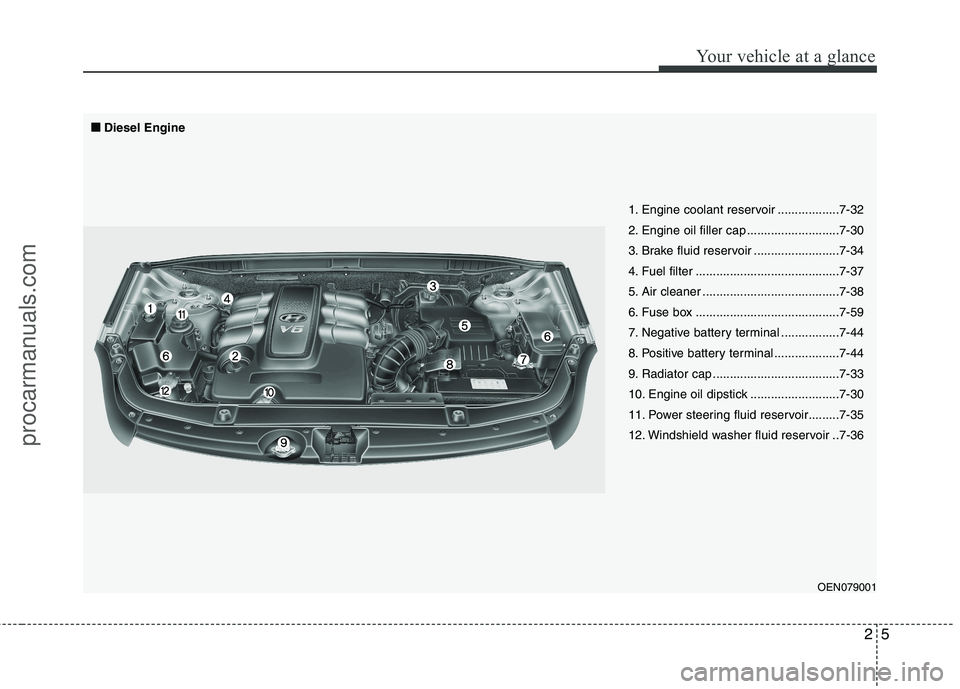
1. Engine coolant reservoir ..................7-32
2. Engine oil filler cap ...........................7-30
3. Brake fluid reservoir .........................7-34
4. Fuel filter ..........................................7-37
5. Air cleaner ........................................7-38
6. Fuse box ..........................................7-59
7. Negative battery terminal .................7-44
8. Positive battery terminal ...................7-44
9. Radiator cap .....................................7-33
10. Engine oil dipstick ..........................7-30
11. Power steering fluid reservoir.........7-35
12. Windshield washer fluid reservoir ..7-36
■■
Diesel Engine
procarmanuals.com
Page 27 of 419
39
Safety features of your vehicle
C010108AUN
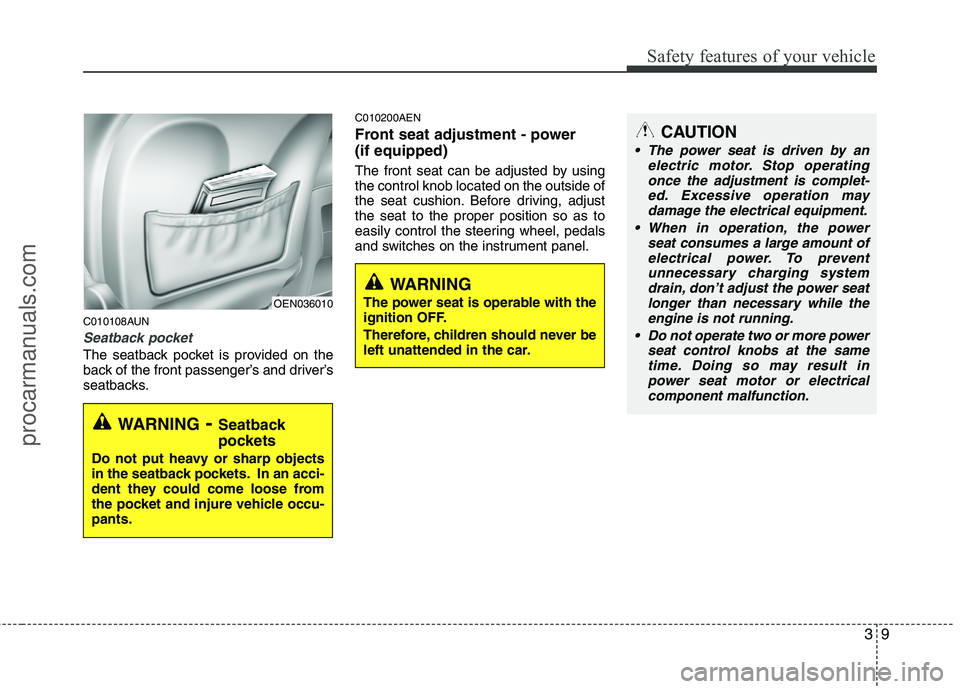
Seatback pocket
The seatback pocket is provided on the
back of the front passenger’s and driver’s
seatbacks.C010200AEN
Front seat adjustment - power (if equipped)
The front seat can be adjusted by using the control knob located on the outside of
the seat cushion. Before driving, adjustthe seat to the proper position so as to
easily control the steering wheel, pedals
and switches on the instrument panel.
WARNING
- Seatback
pockets
Do not put heavy or sharp objects
in the seatback pockets. In an acci-
dent they could come loose from
the pocket and injure vehicle occu-pants.
OEN036010
WARNING
The power seat is operable with the
ignition OFF.
Therefore, children should never be
left unattended in the car.
CAUTION
The power seat is driven by an electric motor. Stop operating
once the adjustment is complet- ed. Excessive operation maydamage the electrical equipment.
When in operation, the power seat consumes a large amount ofelectrical power. To preventunnecessary charging system drain, don’t adjust the power seat
longer than necessary while the engine is not running.
Do not operate two or more power seat control knobs at the sametime. Doing so may result in
power seat motor or electricalcomponent malfunction.
procarmanuals.com
Page 116 of 419
Features of your vehicle
38
4
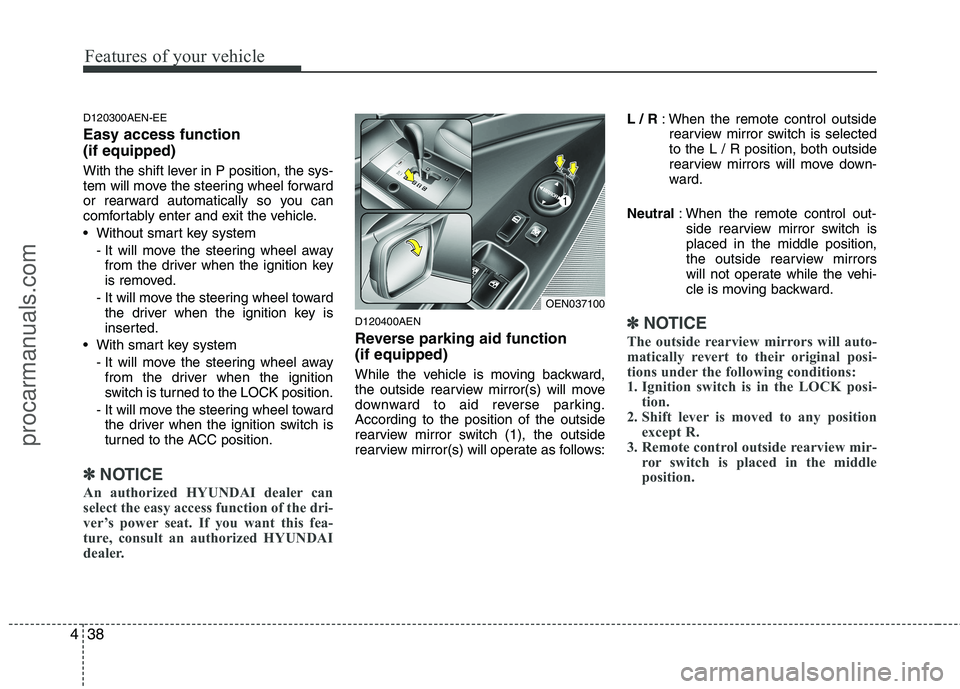
D120300AEN-EE Easy access function (if equipped)
With the shift lever in P position, the sys-
tem will move the steering wheel forward
or rearward automatically so you can
comfortably enter and exit the vehicle.
Without smart key system
- It will move the steering wheel awayfrom the driver when the ignition key
is removed.
- It will move the steering wheel toward the driver when the ignition key is
inserted.
With smart key system - It will move the steering wheel awayfrom the driver when the ignition
switch is turned to the LOCK position.
- It will move the steering wheel toward the driver when the ignition switch is
turned to the ACC position.
✽✽ NOTICE
An authorized HYUNDAI dealer can
select the easy access function of the dri-
ver’s power seat. If you want this fea-
ture, consult an authorized HYUNDAI
dealer.
D120400AEN
Reverse parking aid function (if equipped)
While the vehicle is moving backward,
the outside rearview mirror(s) will move
downward to aid reverse parking.According to the position of the outside
rearview mirror switch (1), the outside
rearview mirror(s) will operate as follows: L / R
: When the remote control outside
rearview mirror switch is selectedto the L / R position, both outside
rearview mirrors will move down-
ward.
Neutral : When the remote control out-
side rearview mirror switch isplaced in the middle position,
the outside rearview mirrors
will not operate while the vehi-
cle is moving backward.✽✽ NOTICE
The outside rearview mirrors will auto-
matically revert to their original posi-
tions under the following conditions:
1. Ignition switch is in the LOCK posi- tion.
2. Shift lever is moved to any position except R.
3. Remote control outside rearview mir- ror switch is placed in the middle
position.
OEN037100
procarmanuals.com
Page 117 of 419
439
Features of your vehicle
D130100AEN
Power steering
Power steering uses energy from the
engine to assist you in steering the vehi-
cle. If the engine is off or if the power
steering system becomes inoperative,
the vehicle may still be steered, but it will
require increased steering effort.
Should you notice any change in the
effort required to steer during normal
vehicle operation, have the power steer-
ing checked by an authorized HYUNDAI
dealer.✽✽NOTICE
If the power steering drive belt breaks
or if the power steering pump malfunc-
tions, the steering effort will greatly
increase.
✽
✽ NOTICE
If the vehicle is parked for extended
periods outside in cold weather (below -
10°C/14°F), the power steering may
require increased effort when the engine
is first started. This is caused by
increased fluid viscosity due to the cold
weather and does not indicate a mal-
function.
When this happens, increase the engine
RPM by depressing accelerator until the
RPM reaches 1,500 rpm then release or
let the engine idle for two or three min-
utes to warm up the fluid.
D130300AEN Tilt steering
Tilt steering allows you to adjust the
steering wheel before you drive. You can
also raise it to give your legs more room
when you exit and enter the vehicle.
The steering wheel should be positioned
so that it is comfortable for you to drive,
while permitting you to see the instru-
ment panel warning lights and gauges.
STEERING WHEEL
CAUTION
Never hold the steering wheel
against a stop (extreme right or leftturn) for more than 5 seconds with
the engine running. Holding the steering wheel for more than 5 sec-onds in either position may causedamage to the power steering
pump.
WARNING
Never adjust the angle of the steering wheel while driving. You
may lose steering control and
cause severe personal injury,death or accidents.
After adjusting, push the steering wheel both up and down to be
certain it is locked in position.
procarmanuals.com
Page 198 of 419
Features of your vehicle
120
4
The power outlet is designed to provide
power for mobile telephones or other
devices designed to operate with vehicle
electrical systems. The devices should
draw less than 10 amps with the engine
running.
D280600AEN
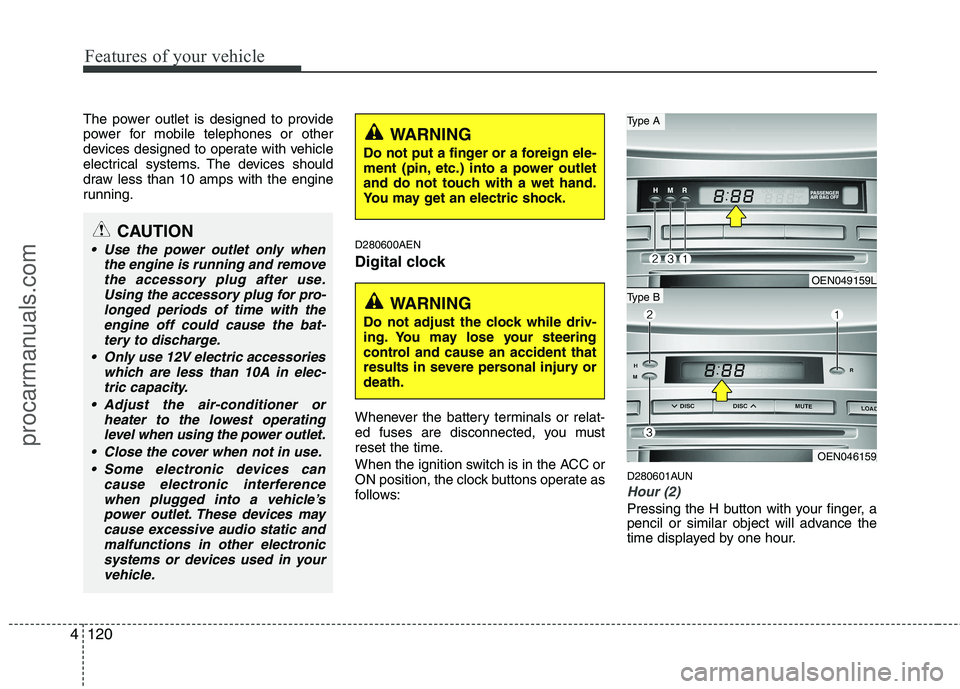
Digital clock
Whenever the battery terminals or relat-
ed fuses are disconnected, you must
reset the time.
When the ignition switch is in the ACC or
ON position, the clock buttons operate as
follows:D280601AUN
Hour (2)
Pressing the H button with your finger, a
pencil or similar object will advance the
time displayed by one hour.
CAUTION
Use the power outlet only when
the engine is running and removethe accessory plug after use.
Using the accessory plug for pro-longed periods of time with theengine off could cause the bat-tery to discharge.
Only use 12V electric accessories which are less than 10A in elec-tric capacity.
Adjust the air-conditioner or heater to the lowest operatinglevel when using the power outlet.
Close the cover when not in use. Some electronic devices can cause electronic interferencewhen plugged into a vehicle’spower outlet. These devices may
cause excessive audio static andmalfunctions in other electronic systems or devices used in your vehicle.
WARNING
Do not adjust the clock while driv-
ing. You may lose your steering
control and cause an accident that
results in severe personal injury ordeath.
WARNING
Do not put a finger or a foreign ele-
ment (pin, etc.) into a power outlet
and do not touch with a wet hand.
You may get an electric shock.
OEN049159L
OEN046159
Type B
Type A
procarmanuals.com
Page 204 of 419
Features of your vehicle
126
4
D300103AEN
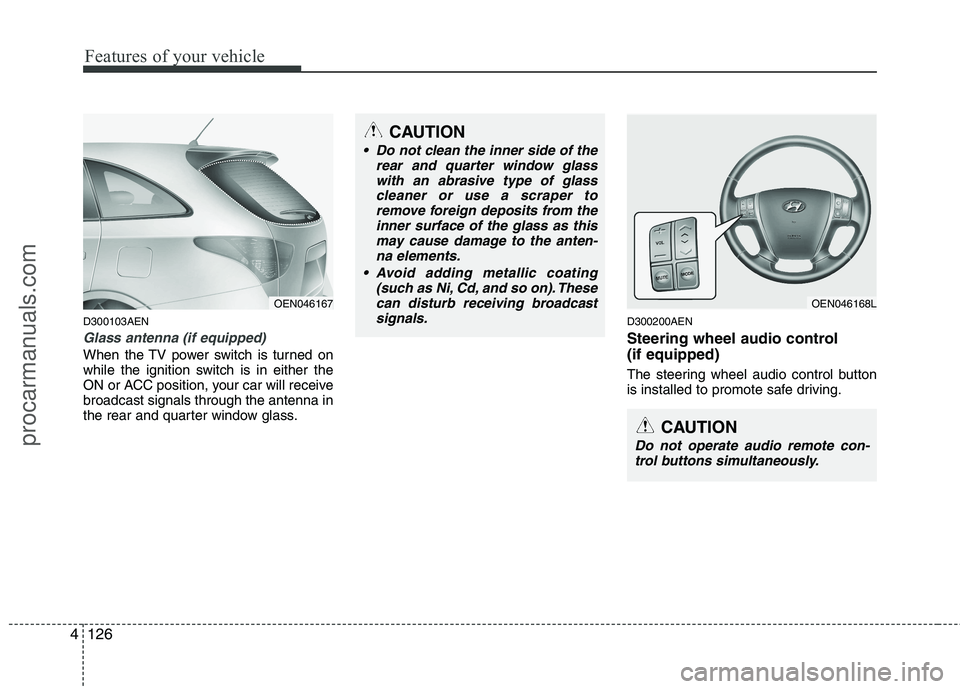
Glass antenna (if equipped)
When the TV power switch is turned on
while the ignition switch is in either the
ON or ACC position, your car will receivebroadcast signals through the antenna in
the rear and quarter window glass. D300200AEN
Steering wheel audio control (if equipped)
The steering wheel audio control button
is installed to promote safe driving.
OEN046168L
CAUTION
Do not operate audio remote con-
trol buttons simultaneously.
CAUTION
Do not clean the inner side of the rear and quarter window glass
with an abrasive type of glasscleaner or use a scraper toremove foreign deposits from the inner surface of the glass as this
may cause damage to the anten-na elements.
(such as Ni, Cd, and so on). These
can disturb receiving broadcastsignals.
OEN046167
procarmanuals.com
Page 258 of 419
521
Driving your vehicle
E070100AUN
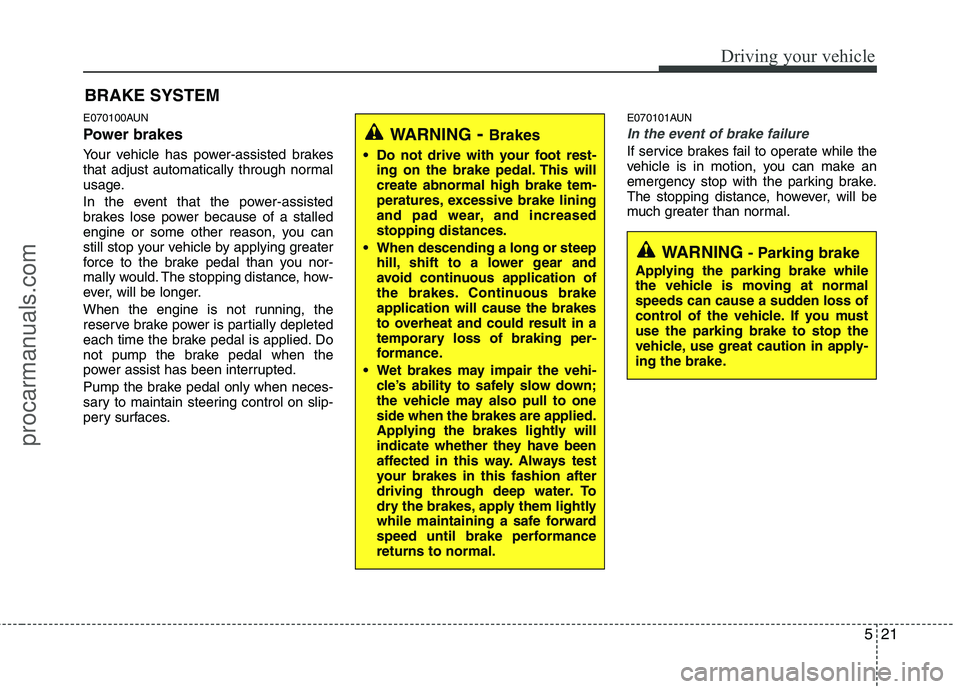
Power brakes
Your vehicle has power-assisted brakes
that adjust automatically through normal
usage.
In the event that the power-assisted
brakes lose power because of a stalled
engine or some other reason, you can
still stop your vehicle by applying greater
force to the brake pedal than you nor-
mally would. The stopping distance, how-
ever, will be longer.
When the engine is not running, the
reserve brake power is partially depleted
each time the brake pedal is applied. Do
not pump the brake pedal when the
power assist has been interrupted.
Pump the brake pedal only when neces-
sary to maintain steering control on slip-
pery surfaces.E070101AUN
In the event of brake failure
If service brakes fail to operate while the
vehicle is in motion, you can make an
emergency stop with the parking brake.
The stopping distance, however, will be
much greater than normal.
BRAKE SYSTEM
WARNING
- Brakes
Do not drive with your foot rest- ing on the brake pedal. This will create abnormal high brake tem-
peratures, excessive brake lining
and pad wear, and increasedstopping distances.
When descending a long or steep hill, shift to a lower gear and
avoid continuous application of
the brakes. Continuous brakeapplication will cause the brakes
to overheat and could result in a
temporary loss of braking per-
formance.
Wet brakes may impair the vehi- cle’s ability to safely slow down;
the vehicle may also pull to oneside when the brakes are applied.
Applying the brakes lightly will
indicate whether they have been
affected in this way. Always test
your brakes in this fashion after
driving through deep water. To
dry the brakes, apply them lightly
while maintaining a safe forward
speed until brake performancereturns to normal.
WARNING - Parking brake
Applying the parking brake while
the vehicle is moving at normal
speeds can cause a sudden loss of
control of the vehicle. If you mustuse the parking brake to stop the
vehicle, use great caution in apply-
ing the brake.
procarmanuals.com
Page 273 of 419
Driving your vehicle
36
5
Remember, your vehicle does not
require extended warm-up. After the
engine has started, allow the engine to
run for 10 to 20 seconds prior to plac-
ing the vehicle in gear. In very cold
weather, however, give your engine a
slightly longer warm-up period.
Don't "lug" or "over-rev" the engine. Lugging is driving too slowly in too high
a gear resulting in the engine bucking.
If this happens, shift to a lower gear.
Over-revving is racing the engine
beyond its safe limit. This can be avoid-
ed by shifting at the recommended
speeds. Use your air conditioning sparingly.
The air conditioning system is operat-
ed by engine power so your fuel econ-
omy is reduced when you use it.
Open windows at high speeds can reduce fuel economy.
Fuel economy is less in crosswinds and headwinds. To help offset some of
this loss, slow down when driving in
these conditions.
Keeping a vehicle in good operating con-
dition is important both for economy and
safety. Therefore, have an authorized
HYUNDAI dealer perform scheduled
inspections and maintenance.
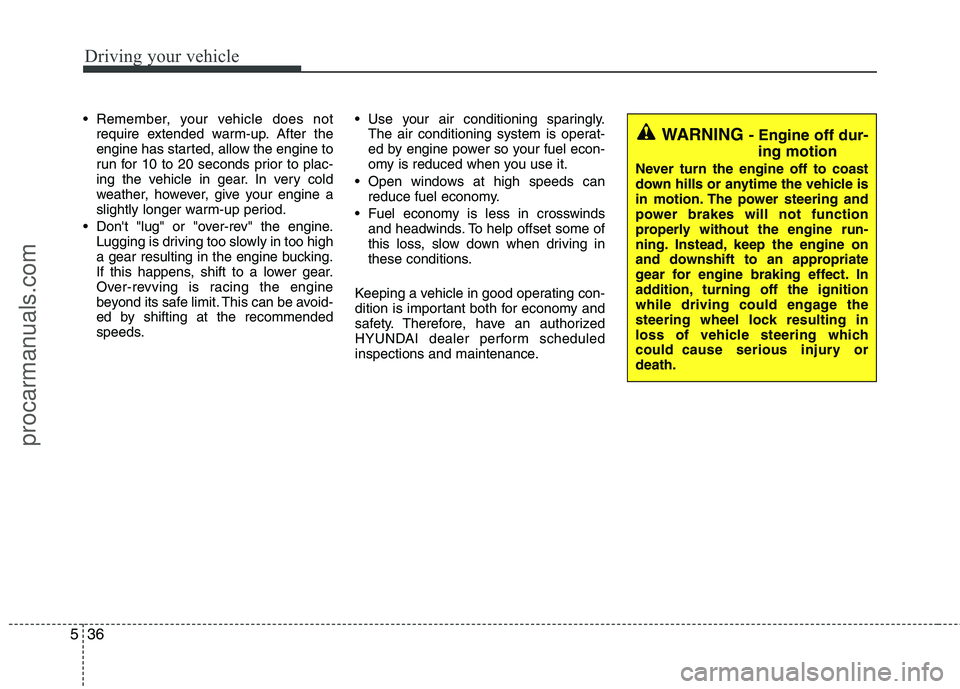
WARNING - Engine off dur-
ing motion
Never turn the engine off to coast
down hills or anytime the vehicle is
in motion. The power steering and
power brakes will not function
properly without the engine run-
ning. Instead, keep the engine on
and downshift to an appropriate
gear for engine braking effect. In
addition, turning off the ignition
while driving could engage the
steering wheel lock resulting in
loss of vehicle steering which
could cause serious injury ordeath.
procarmanuals.com