ignition HYUNDAI VERACRUZ 2012 Owner's Guide
[x] Cancel search | Manufacturer: HYUNDAI, Model Year: 2012, Model line: VERACRUZ, Model: HYUNDAI VERACRUZ 2012Pages: 429, PDF Size: 7.11 MB
Page 120 of 429
Features of your vehicle
36
4
DRIVER POSITION MEMORY SYSTEM (IF EQUIPPED)
D120000AEN
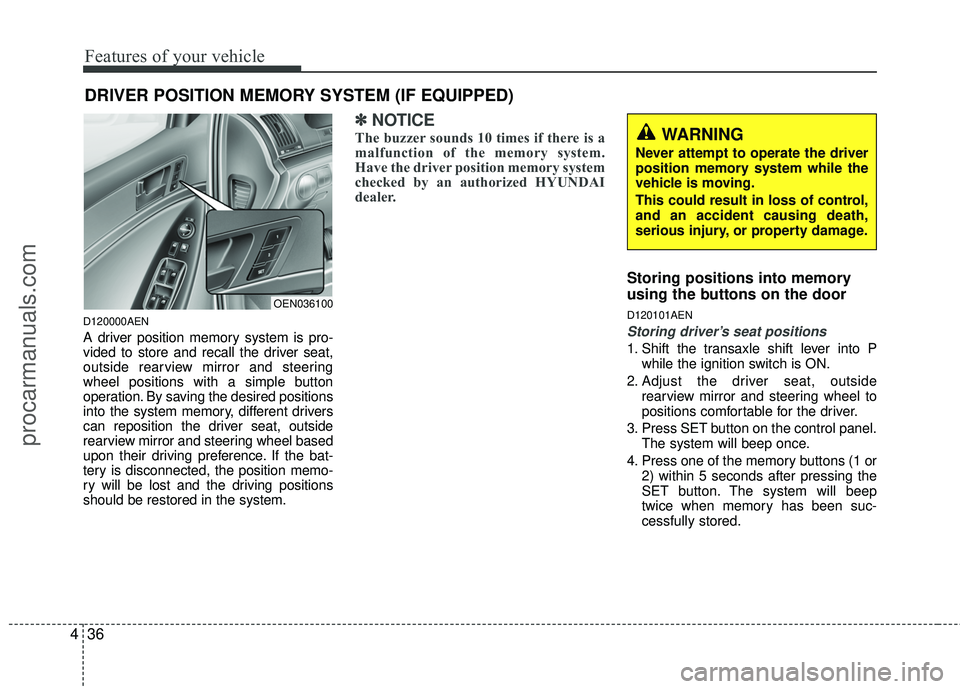
A driver position memory system is pro-
vided to store and recall the driver seat,
outside rearview mirror and steering
wheel positions with a simple button
operation. By saving the desired positions
into the system memory, different drivers
can reposition the driver seat, outside
rearview mirror and steering wheel based
upon their driving preference. If the bat-
tery is disconnected, the position memo-
ry will be lost and the driving positions
should be restored in the system.
✽ ✽
NOTICE
The buzzer sounds 10 times if there is a
malfunction of the memory system.
Have the driver position memory system
checked by an authorized HYUNDAI
dealer.
Storing positions into memory
using the buttons on the door
D120101AEN
Storing driver’s seat positions
1. Shift the transaxle shift lever into P
while the ignition switch is ON.
2. Adjust the driver seat, outside rearview mirror and steering wheel to
positions comfortable for the driver.
3. Press SET button on the control panel. The system will beep once.
4. Press one of the memory buttons (1 or 2) within 5 seconds after pressing the
SET button. The system will beep
twice when memory has been suc-
cessfully stored.
WARNING
Never attempt to operate the driver
position memory system while the
vehicle is moving.
This could result in loss of control,
and an accident causing death,
serious injury, or property damage.
OEN036100
procarmanuals.com
Page 121 of 429
437
Features of your vehicle
D120102AHM-EE
Recalling positions from memory
1. Shift the transmisson shift lever into P(Park) under one of the followings:
The ignition switch is ON.
The driver’s door is opened while the ignition switch is in the LOCK or ACC
position.
Within 30 seconds after the driver’s door is closed while the ignition switch
is in the LOCK or ACC position.
2. To recall the position in memory, press the desired memory button (1 or 2).
The system will beep once, then the
driver seat, outside rearview mirror
and steering wheel will automatically
adjust to the stored positions.
Adjusting one of the control knobs for the
driver seat, outside rearview mirror and
steering wheel while the system is recall-
ing the stored positions will cause the
movement for that component to stop
and move in the direction that the control
knob is moved. Other components will
continue to the recalled position.
D120300AEN-EE
Easy access function
(if equipped)
With the shift lever in P position, the sys-
tem will move the steering wheel forward
or rearward automatically so you can
comfortably enter and exit the vehicle.
Without smart key system
- It will move the steering wheel awayfrom the driver when the ignition key
is removed.
- It will move the steering wheel toward the driver when the ignition key is
inserted.
With smart key system - It will move the steering wheel awayfrom the driver when the ignition
switch is turned to the LOCK position.
- It will move the steering wheel toward the driver when the ignition switch is
turned to the ACC position.
✽ ✽ NOTICE
An authorized HYUNDAI dealer can
select the easy access function of the dri-
ver’s power seat.
If you want this feature, consult an
authorized HYUNDAI dealer.
D120400AEN
Reverse parking aid function
(if equipped)
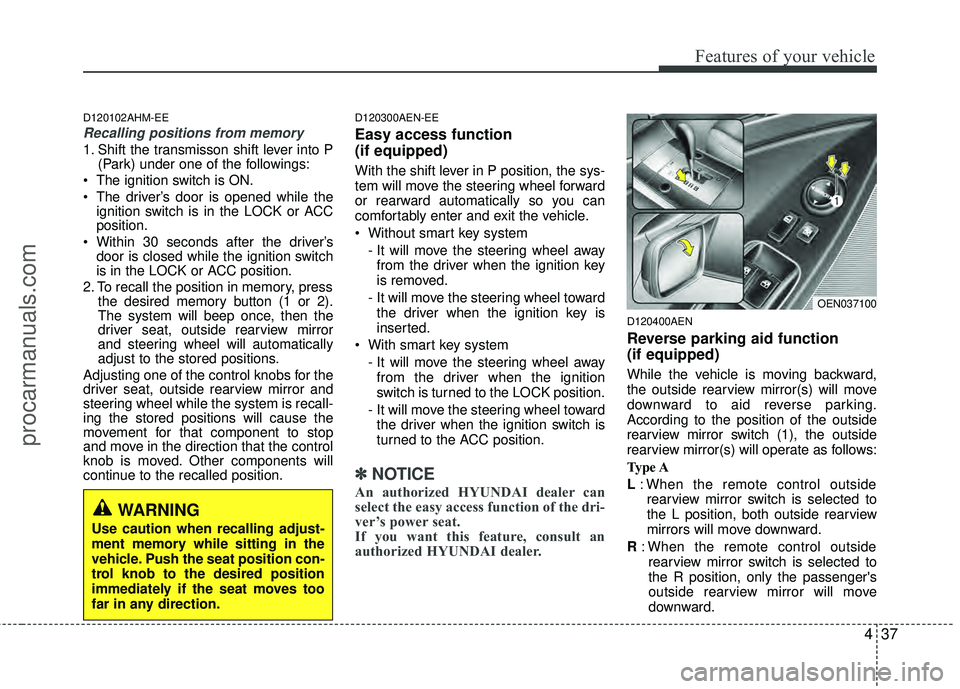
While the vehicle is moving backward,
the outside rearview mirror(s) will move
downward to aid reverse parking.
According to the position of the outside
rearview mirror switch (1), the outside
rearview mirror(s) will operate as follows:
Type A
L: When the remote control outside
rearview mirror switch is selected to
the L position, both outside rearview
mirrors will move downward.
R : When the remote control outside
rearview mirror switch is selected to
the R position, only the passenger's
outside rearview mirror will move
downward.
WARNING
Use caution when recalling adjust-
ment memory while sitting in the
vehicle. Push the seat position con-
trol knob to the desired position
immediately if the seat moves too
far in any direction.
OEN037100
procarmanuals.com
Page 122 of 429
Features of your vehicle
38
4
Neutral : When the remote control out-
side rearview mirror switch is
placed in the middle position,
the outside rearview mirrors
will not operate while the vehi-
cle is moving backward.
Type B
L / R : When the remote control outside
rearview mirror switch is selected
to the L / R position, both outside
rearview mirrors will move down-
ward.
Neutral : When the remote control out-
side rearview mirror switch is
placed in the middle position,
the outside rearview mirrors
will not operate while the vehi-
cle is moving backward.
✽ ✽ NOTICE
The outside rearview mirrors will auto-
matically revert to their original posi-
tions under the following conditions:
1. Ignition switch is in the LOCK posi-
tion.
2. Shift lever is moved to any position except R.
3. Remote control outside rearview mir- ror switch is placed in the middle
position.
D310000AEN
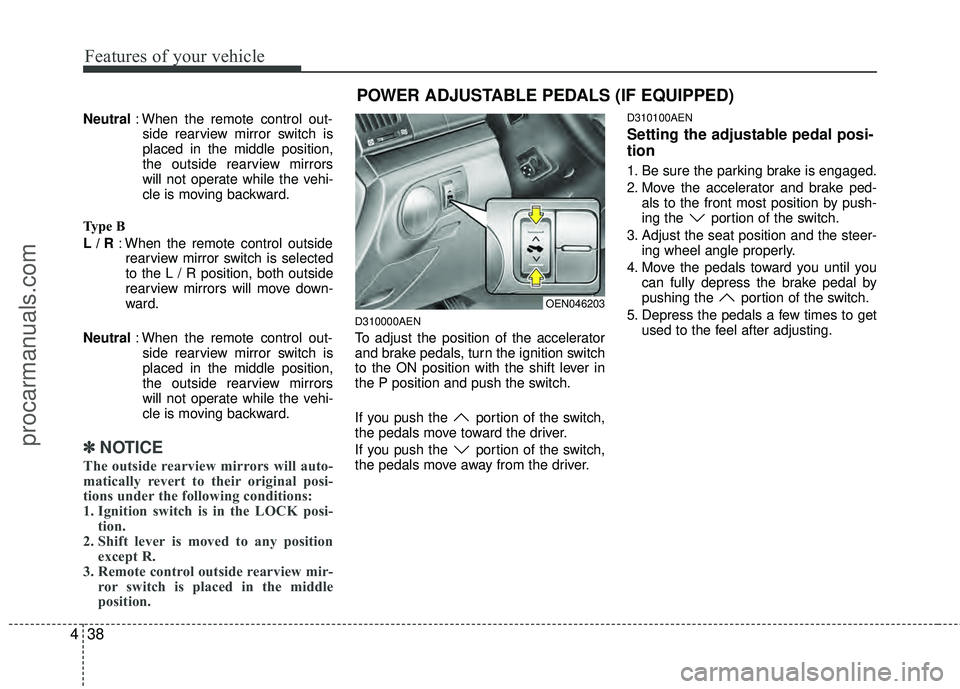
To adjust the position of the accelerator
and brake pedals, turn the ignition switch
to the ON position with the shift lever in
the P position and push the switch.
If you push the portion of the switch,
the pedals move toward the driver.
If you push the portion of the switch,
the pedals move away from the driver.
D310100AEN
Setting the adjustable pedal posi-
tion
1. Be sure the parking brake is engaged.
2. Move the accelerator and brake ped-
als to the front most position by push-
ing the portion of the switch.
3. Adjust the seat position and the steer- ing wheel angle properly.
4. Move the pedals toward you until you can fully depress the brake pedal by
pushing the portion of the switch.
5. Depress the pedals a few times to get used to the feel after adjusting.
OEN046203
POWER ADJUSTABLE PEDALS (IF EQUIPPED)
procarmanuals.com
Page 124 of 429
Features of your vehicle
40
4
D130300AEN
Tilt steering
Tilt steering allows you to adjust the
steering wheel before you drive. You can
also raise it to give your legs more room
when you exit and enter the vehicle.
The steering wheel should be positioned
so that it is comfortable for you to drive,
while permitting you to see the instru-
ment panel warning lights and gauges.
D130301AEN
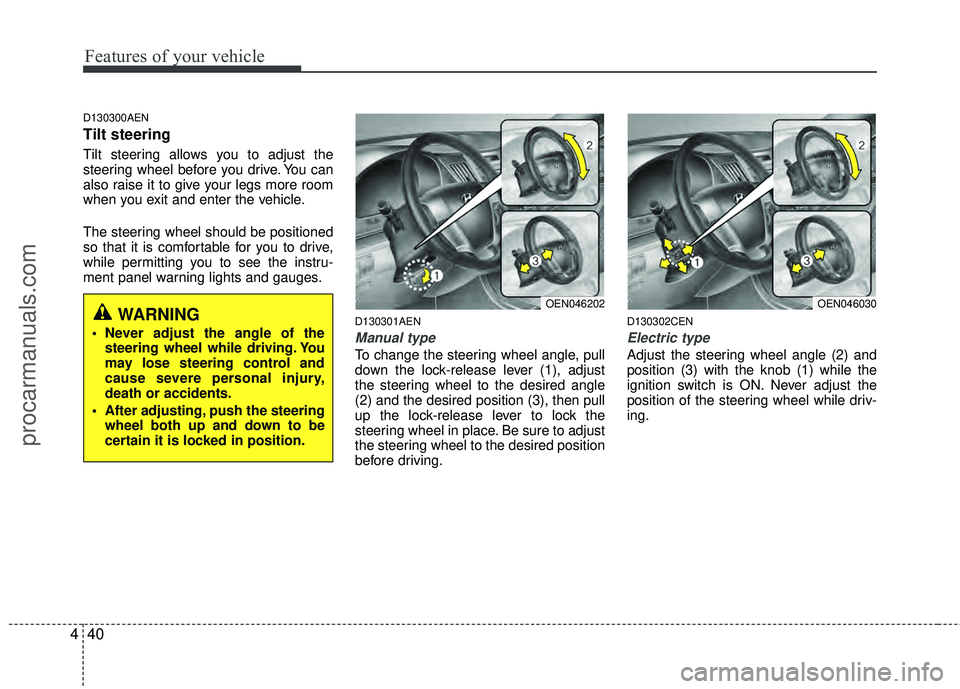
Manual type
To change the steering wheel angle, pull
down the lock-release lever (1), adjust
the steering wheel to the desired angle
(2) and the desired position (3), then pull
up the lock-release lever to lock the
steering wheel in place. Be sure to adjust
the steering wheel to the desired position
before driving.
D130302CEN
Electric type
Adjust the steering wheel angle (2) and
position (3) with the knob (1) while the
ignition switch is ON. Never adjust the
position of the steering wheel while driv-
ing.
OEN046202OEN046030WARNING
Never adjust the angle of the
steering wheel while driving. You
may lose steering control and
cause severe personal injury,
death or accidents.
After adjusting, push the steering wheel both up and down to be
certain it is locked in position.
procarmanuals.com
Page 127 of 429
443
Features of your vehicle
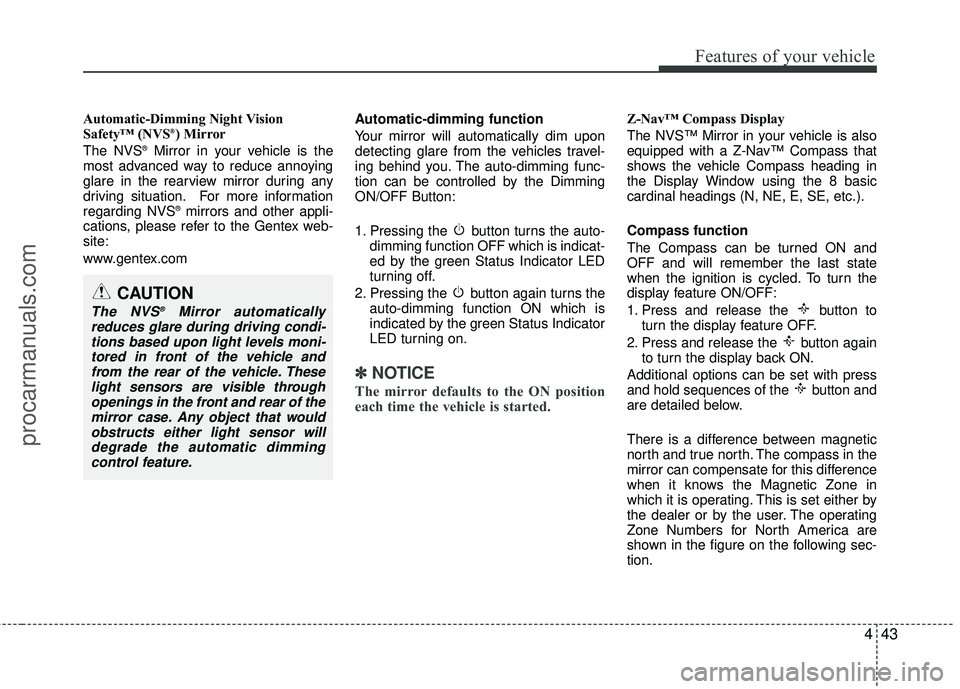
Automatic-Dimming Night Vision
Safety™ (NVS®) Mirror
The NVS®Mirror in your vehicle is the
most advanced way to reduce annoying
glare in the rearview mirror during any
driving situation. For more information
regarding NVS
®mirrors and other appli-
cations, please refer to the Gentex web-
site:
www.gentex.com Automatic-dimming function
Your mirror will automatically dim upon
detecting glare from the vehicles travel-
ing behind you. The auto-dimming func-
tion can be controlled by the Dimming
ON/OFF Button:
1. Pressing the button turns the auto-
dimming function OFF which is indicat-
ed by the green Status Indicator LED
turning off.
2. Pressing the button again turns the auto-dimming function ON which is
indicated by the green Status Indicator
LED turning on.
✽ ✽NOTICE
The mirror defaults to the ON position
each time the vehicle is started.
Z-Nav™ Compass Display
The NVS™ Mirror in your vehicle is also
equipped with a Z-Nav™ Compass that
shows the vehicle Compass heading in
the Display Window using the 8 basic
cardinal headings (N, NE, E, SE, etc.).
Compass function
The Compass can be turned ON and
OFF and will remember the last state
when the ignition is cycled. To turn the
display feature ON/OFF:
1. Press and release the button to
turn the display feature OFF.
2. Press and release the button again to turn the display back ON.
Additional options can be set with press
and hold sequences of the button and
are detailed below.
There is a difference between magnetic
north and true north. The compass in the
mirror can compensate for this difference
when it knows the Magnetic Zone in
which it is operating. This is set either by
the dealer or by the user. The operating
Zone Numbers for North America are
shown in the figure on the following sec-
tion.
CAUTION
The NVS®Mirror automatically
reduces glare during driving condi- tions based upon light levels moni-tored in front of the vehicle andfrom the rear of the vehicle. Theselight sensors are visible throughopenings in the front and rear of themirror case. Any object that would obstructs either light sensor willdegrade the automatic dimmingcontrol feature.
procarmanuals.com
Page 137 of 429
453
Features of your vehicle
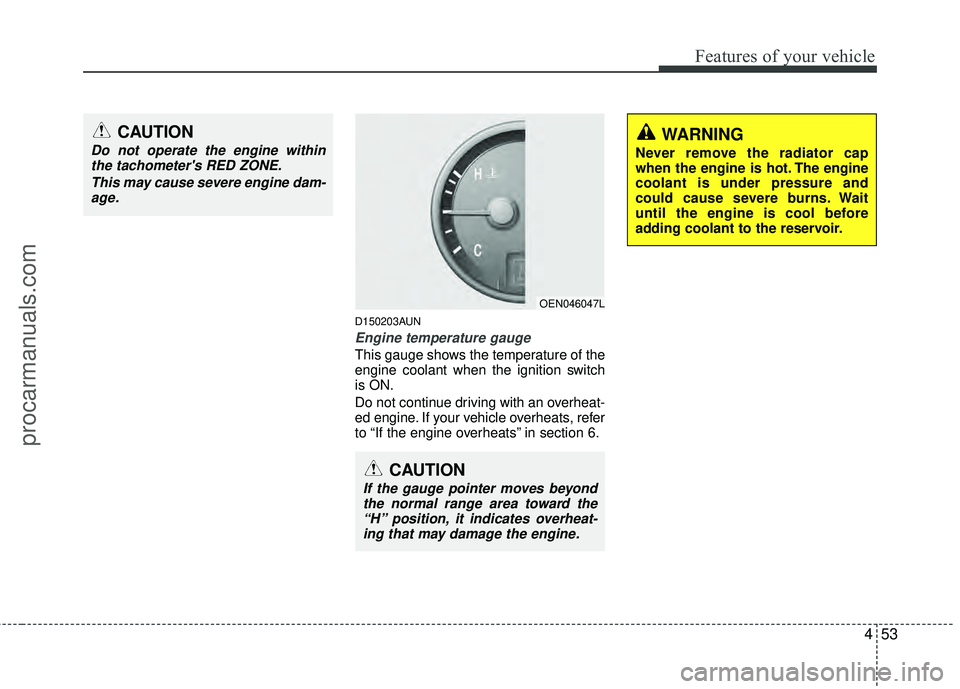
D150203AUN
Engine temperature gauge
This gauge shows the temperature of the
engine coolant when the ignition switch
is ON.
Do not continue driving with an overheat-
ed engine. If your vehicle overheats, refer
to “If the engine overheats” in section 6.
OEN046047L
CAUTION
If the gauge pointer moves beyondthe normal range area toward the“H” position, it indicates overheat-ing that may damage the engine.
CAUTION
Do not operate the engine withinthe tachometer's RED ZONE.
This may cause severe engine dam-age.WARNING
Never remove the radiator cap
when the engine is hot. The engine
coolant is under pressure and
could cause severe burns. Wait
until the engine is cool before
adding coolant to the reservoir.
procarmanuals.com
Page 139 of 429
455
Features of your vehicle
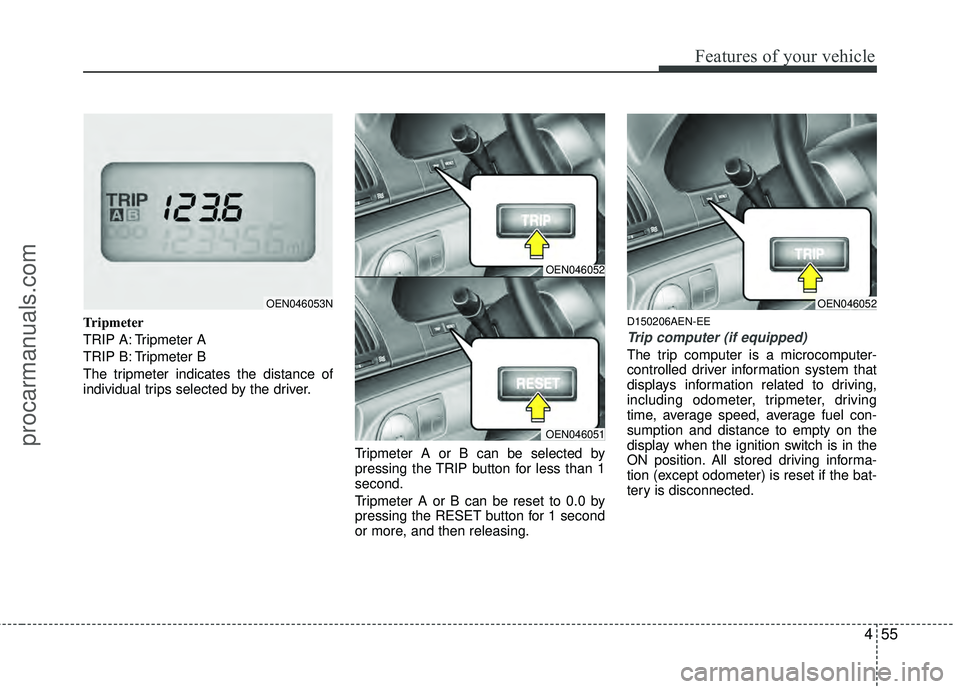
Tripmeter
TRIP A: Tripmeter A
TRIP B: Tripmeter B
The tripmeter indicates the distance of
individual trips selected by the driver.Tripmeter A or B can be selected by
pressing the TRIP button for less than 1
second.
Tripmeter A or B can be reset to 0.0 by
pressing the RESET button for 1 second
or more, and then releasing.D150206AEN-EE
Trip computer (if equipped)
The trip computer is a microcomputer-
controlled driver information system that
displays information related to driving,
including odometer, tripmeter, driving
time, average speed, average fuel con-
sumption and distance to empty on the
display when the ignition switch is in the
ON position. All stored driving informa-
tion (except odometer) is reset if the bat-
tery is disconnected.
OEN046053N
OEN046052
OEN046051
OEN046052
procarmanuals.com
Page 142 of 429
Features of your vehicle
58
4
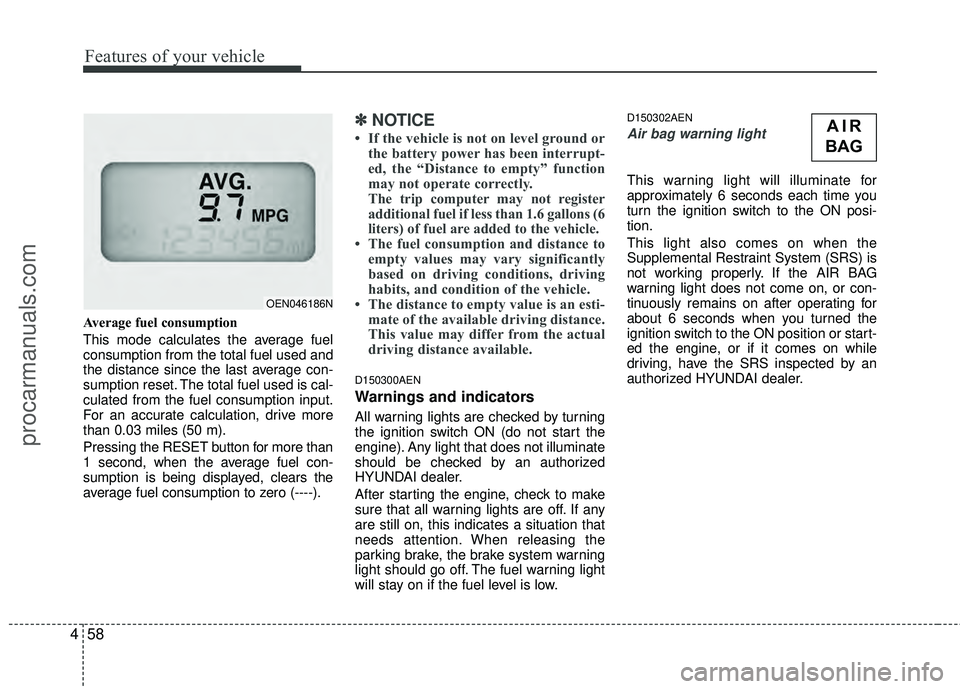
Average fuel consumption
This mode calculates the average fuel
consumption from the total fuel used and
the distance since the last average con-
sumption reset. The total fuel used is cal-
culated from the fuel consumption input.
For an accurate calculation, drive more
than 0.03 miles (50 m).
Pressing the RESET button for more than
1 second, when the average fuel con-
sumption is being displayed, clears the
average fuel consumption to zero (----).
✽ ✽
NOTICE
• If the vehicle is not on level ground or
the battery power has been interrupt-
ed, the “Distance to empty” function
may not operate correctly.
The trip computer may not register
additional fuel if less than 1.6 gallons (6
liters) of fuel are added to the vehicle.
• The fuel consumption and distance to empty values may vary significantly
based on driving conditions, driving
habits, and condition of the vehicle.
• The distance to empty value is an esti- mate of the available driving distance.
This value may differ from the actual
driving distance available.
D150300AEN
Warnings and indicators
All warning lights are checked by turning
the ignition switch ON (do not start the
engine). Any light that does not illuminate
should be checked by an authorized
HYUNDAI dealer.
After starting the engine, check to make
sure that all warning lights are off. If any
are still on, this indicates a situation that
needs attention. When releasing the
parking brake, the brake system warning
light should go off. The fuel warning light
will stay on if the fuel level is low.
D150302AEN
Air bag warning light
This warning light will illuminate for
approximately 6 seconds each time you
turn the ignition switch to the ON posi-
tion.
This light also comes on when the
Supplemental Restraint System (SRS) is
not working properly. If the AIR BAG
warning light does not come on, or con-
tinuously remains on after operating for
about 6 seconds when you turned the
ignition switch to the ON position or start-
ed the engine, or if it comes on while
driving, have the SRS inspected by an
authorized HYUNDAI dealer.
OEN046186N
AIR
BAG
procarmanuals.com
Page 143 of 429
459
Features of your vehicle
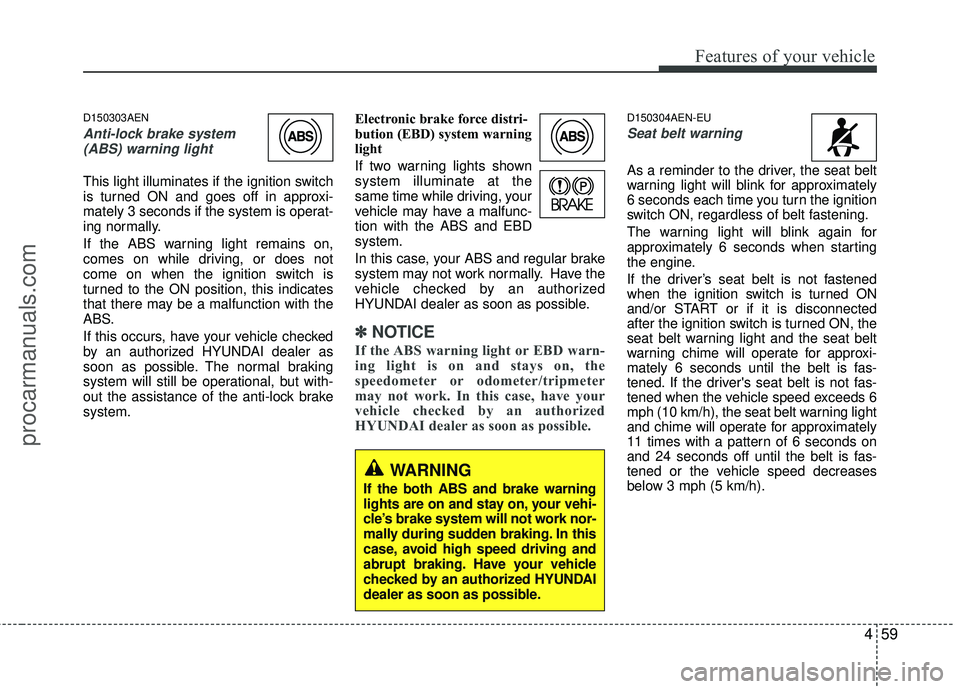
D150303AEN
Anti-lock brake system(ABS) warning light
This light illuminates if the ignition switch
is turned ON and goes off in approxi-
mately 3 seconds if the system is operat-
ing normally.
If the ABS warning light remains on,
comes on while driving, or does not
come on when the ignition switch is
turned to the ON position, this indicates
that there may be a malfunction with the
ABS.
If this occurs, have your vehicle checked
by an authorized HYUNDAI dealer as
soon as possible. The normal braking
system will still be operational, but with-
out the assistance of the anti-lock brake
system. Electronic brake force distri-
bution (EBD) system warning
light
If two warning lights shown
system illuminate at the
same time while driving, your
vehicle may have a malfunc-
tion with the ABS and EBD
system.
In this case, your ABS and regular brake
system may not work normally. Have the
vehicle checked by an authorized
HYUNDAI dealer as soon as possible.
✽ ✽
NOTICE
If the ABS warning light or EBD warn-
ing light is on and stays on, the
speedometer or odometer/tripmeter
may not work. In this case, have your
vehicle checked by an authorized
HYUNDAI dealer as soon as possible.
D150304AEN-EU
Seat belt warning
As a reminder to the driver, the seat belt
warning light will blink for approximately
6 seconds each time you turn the ignition
switch ON, regardless of belt fastening.
The warning light will blink again for
approximately 6 seconds when starting
the engine.
If the driver’s seat belt is not fastened
when the ignition switch is turned ON
and/or START or if it is disconnected
after the ignition switch is turned ON, the
seat belt warning light and the seat belt
warning chime will operate for approxi-
mately 6 seconds until the belt is fas-
tened. If the driver's seat belt is not fas-
tened when the vehicle speed exceeds 6
mph (10 km/h), the seat belt warning light
and chime will operate for approximately
11 times with a pattern of 6 seconds on
and 24 seconds off until the belt is fas-
tened or the vehicle speed decreases
below 3 mph (5 km/h).
WARNING
If the both ABS and brake warning
lights are on and stay on, your vehi-
cle’s brake system will not work nor-
mally during sudden braking. In this
case, avoid high speed driving and
abrupt braking. Have your vehicle
checked by an authorized HYUNDAI
dealer as soon as possible.
procarmanuals.com
Page 144 of 429
Features of your vehicle
60
4
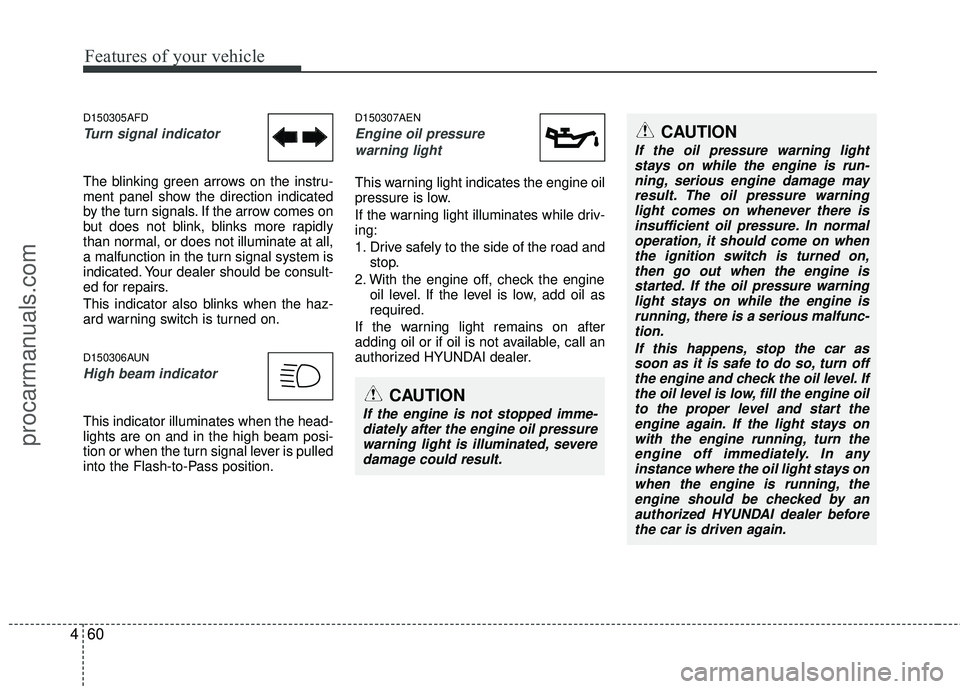
D150305AFD
Turn signal indicator
The blinking green arrows on the instru-
ment panel show the direction indicated
by the turn signals. If the arrow comes on
but does not blink, blinks more rapidly
than normal, or does not illuminate at all,
a malfunction in the turn signal system is
indicated. Your dealer should be consult-
ed for repairs.
This indicator also blinks when the haz-
ard warning switch is turned on.
D150306AUN
High beam indicator
This indicator illuminates when the head-
lights are on and in the high beam posi-
tion or when the turn signal lever is pulled
into the Flash-to-Pass position.
D150307AEN
Engine oil pressure
warning light
This warning light indicates the engine oil
pressure is low.
If the warning light illuminates while driv-
ing:
1. Drive safely to the side of the road and stop.
2. With the engine off, check the engine oil level. If the level is low, add oil as
required.
If the warning light remains on after
adding oil or if oil is not available, call an
authorized HYUNDAI dealer.
CAUTION
If the oil pressure warning light stays on while the engine is run-ning, serious engine damage may result. The oil pressure warninglight comes on whenever there isinsufficient oil pressure. In normal operation, it should come on whenthe ignition switch is turned on, then go out when the engine isstarted. If the oil pressure warning light stays on while the engine isrunning, there is a serious malfunc-tion.
If this happens, stop the car assoon as it is safe to do so, turn offthe engine and check the oil level. If the oil level is low, fill the engine oilto the proper level and start the engine again. If the light stays onwith the engine running, turn theengine off immediately. In any instance where the oil light stays onwhen the engine is running, theengine should be checked by an authorized HYUNDAI dealer beforethe car is driven again.
CAUTION
If the engine is not stopped imme- diately after the engine oil pressurewarning light is illuminated, severe damage could result.
procarmanuals.com