lock HYUNDAI VERACRUZ 2012 Repair Manual
[x] Cancel search | Manufacturer: HYUNDAI, Model Year: 2012, Model line: VERACRUZ, Model: HYUNDAI VERACRUZ 2012Pages: 429, PDF Size: 7.11 MB
Page 154 of 429
Features of your vehicle
70
4
D190100AUN
Battery saver function
The purpose of this feature is to prevent
the battery from being discharged. The
system automatically turns off the park-
ing lights when the driver removes the
ignition key and opens the driver-side
door (in that order).
With this feature, the parking lights will be turned off automatically if the driver
parks on the side of road at night.
If necessary, to keep the lights on
when the ignition key is removed, per-
form the following:
1) Open the driver-side door.
2) Turn the parking lights OFF and ON again using the light switch on the
steering column.
D190200AEN
Headlight escort function
(if equipped)
The headlights (and/or taillights) remain
on for approximately 20 minutes after the
ignition key is removed or turned to the
ACC or LOCK position. However, if the dri-
ver’s door is opened and closed, the
headlights are turned off after 30 seconds.
The headlights can be turned off by
pressing the lock button on the transmit-
ter (or smart key) twice or turning off the
light switch from the headlight or Auto
light position.
D190300AEN
Rescue mode function
(if equipped)
If your vehicle has any problem on the
vehicle network system, the headlights
(low beam) turn on automatically with the
ignition switch in the ON position even
though the headlight switch is not turned
on. At this time, the emergency lighting is
not turned off when the headlight switch
is turned off.
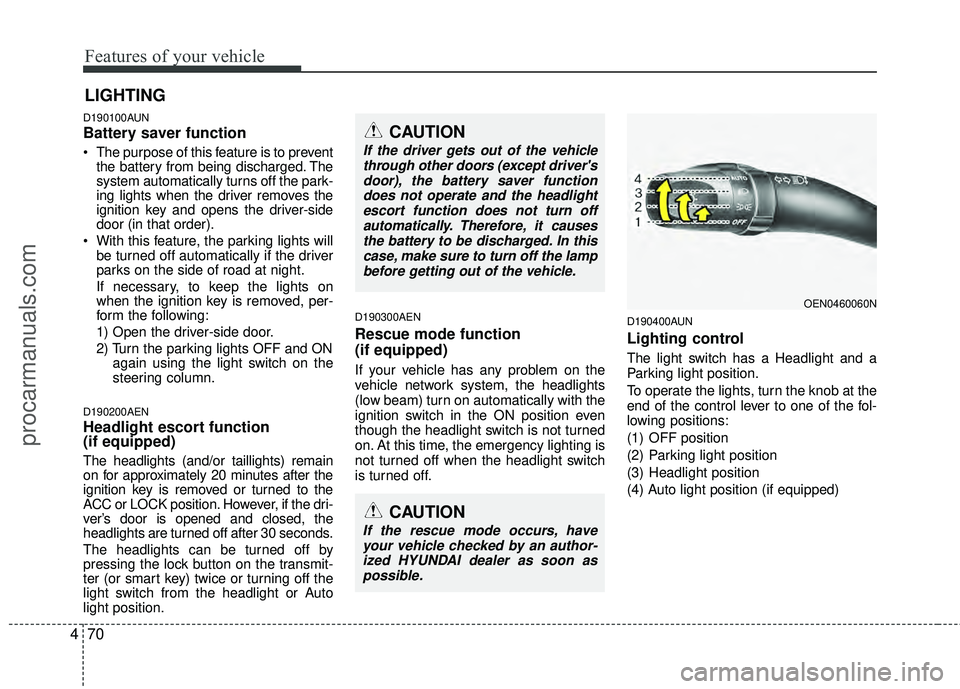
D190400AUN
Lighting control
The light switch has a Headlight and a
Parking light position.
To operate the lights, turn the knob at the
end of the control lever to one of the fol-
lowing positions:
(1) OFF position
(2) Parking light position
(3) Headlight position
(4) Auto light position (if equipped)
LIGHTING
CAUTION
If the rescue mode occurs, have
your vehicle checked by an author-ized HYUNDAI dealer as soon aspossible.
OEN0460060N
CAUTION
If the driver gets out of the vehiclethrough other doors (except driver'sdoor), the battery saver functiondoes not operate and the headlightescort function does not turn off automatically. Therefore, it causesthe battery to be discharged. In thiscase, make sure to turn off the lampbefore getting out of the vehicle.
procarmanuals.com
Page 163 of 429
479
Features of your vehicle
D210100AEN-EU
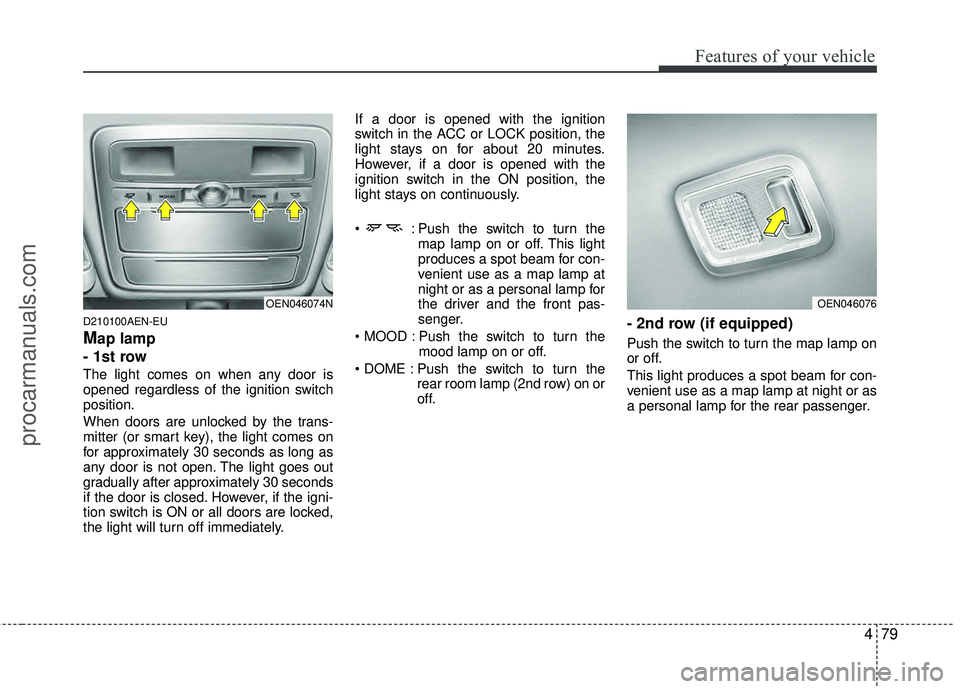
Map lamp
- 1st row
The light comes on when any door is
opened regardless of the ignition switch
position.
When doors are unlocked by the trans-
mitter (or smart key), the light comes on
for approximately 30 seconds as long as
any door is not open. The light goes out
gradually after approximately 30 seconds
if the door is closed. However, if the igni-
tion switch is ON or all doors are locked,
the light will turn off immediately. If a door is opened with the ignition
switch in the ACC or LOCK position, the
light stays on for about 20 minutes.
However, if a door is opened with the
ignition switch in the ON position, the
light stays on continuously.
: Push the switch to turn the
map lamp on or off. This light
produces a spot beam for con-
venient use as a map lamp at
night or as a personal lamp for
the driver and the front pas-
senger.
Push the switch to turn the mood lamp on or off.
Push the switch to turn the rear room lamp (2nd row) on or
off.
- 2nd row (if equipped)
Push the switch to turn the map lamp on
or off.
This light produces a spot beam for con-
venient use as a map lamp at night or as
a personal lamp for the rear passenger.
OEN046076OEN046074N
procarmanuals.com
Page 164 of 429
Features of your vehicle
80
4
D210200AEN
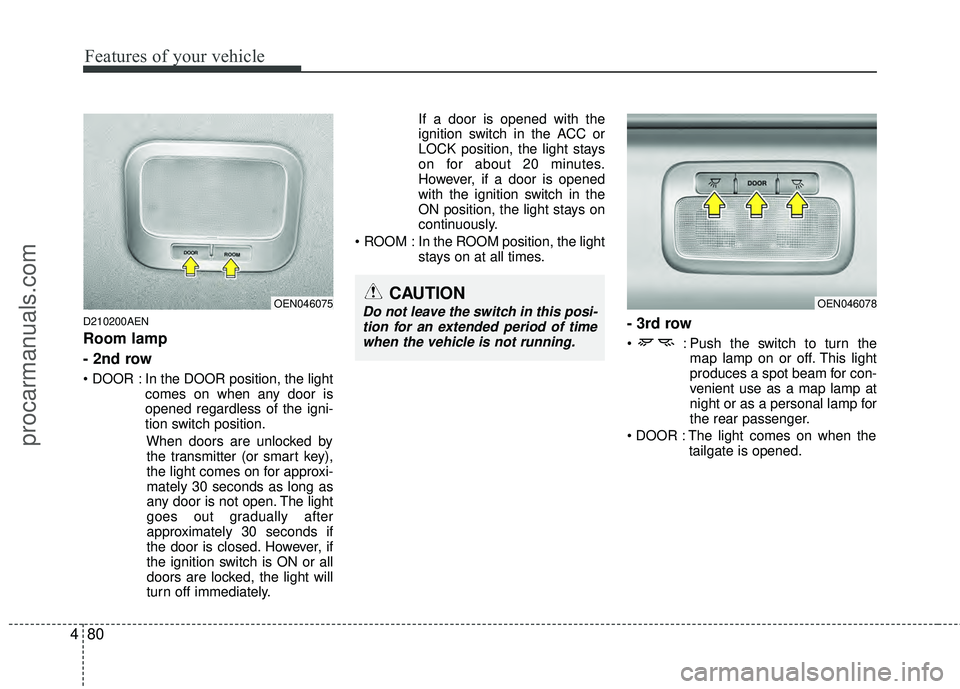
Room lamp
- 2nd row
In the DOOR position, the light
comes on when any door is
opened regardless of the igni-
tion switch position.
When doors are unlocked bythe transmitter (or smart key),
the light comes on for approxi-
mately 30 seconds as long as
any door is not open. The light
goes out gradually after
approximately 30 seconds if
the door is closed. However, if
the ignition switch is ON or all
doors are locked, the light will
turn off immediately. If a door is opened with the
ignition switch in the ACC or
LOCK position, the light stays
on for about 20 minutes.
However, if a door is opened
with the ignition switch in the
ON position, the light stays on
continuously.
ROOM : In the ROOM position, the light stays on at all times.
- 3rd row
: Push the switch to turn themap lamp on or off. This light
produces a spot beam for con-
venient use as a map lamp at
night or as a personal lamp for
the rear passenger.
The light comes on when the tailgate is opened.
OEN046078OEN046075CAUTION
Do not leave the switch in this posi-tion for an extended period of timewhen the vehicle is not running.
procarmanuals.com
Page 165 of 429
481
Features of your vehicle
D210300AEN
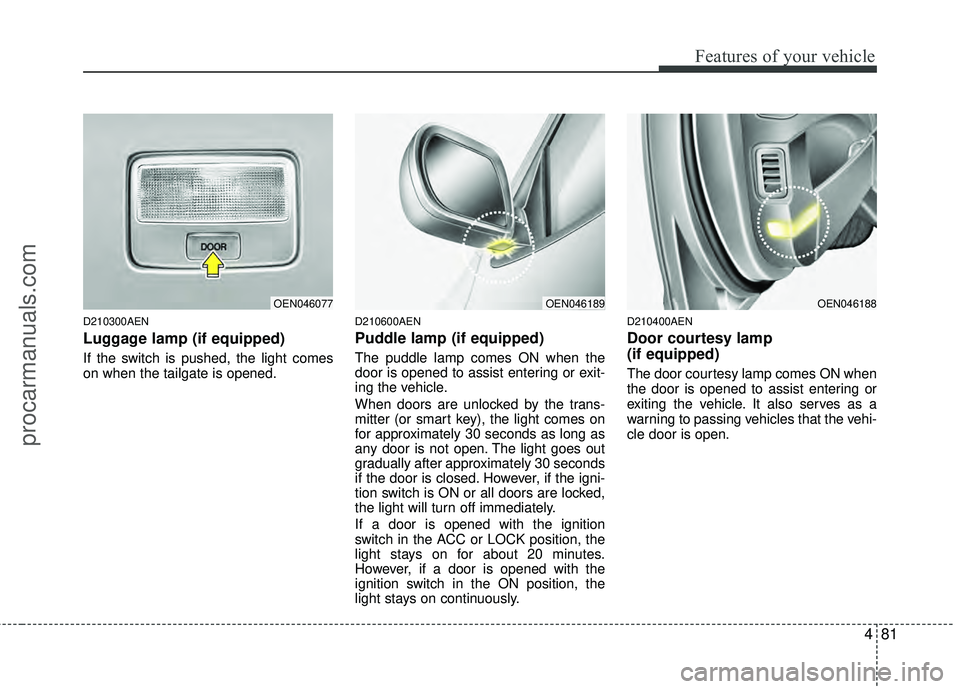
Luggage lamp (if equipped)
If the switch is pushed, the light comes
on when the tailgate is opened.
D210600AEN
Puddle lamp (if equipped)
The puddle lamp comes ON when the
door is opened to assist entering or exit-
ing the vehicle.
When doors are unlocked by the trans-
mitter (or smart key), the light comes on
for approximately 30 seconds as long as
any door is not open. The light goes out
gradually after approximately 30 seconds
if the door is closed. However, if the igni-
tion switch is ON or all doors are locked,
the light will turn off immediately.
If a door is opened with the ignition
switch in the ACC or LOCK position, the
light stays on for about 20 minutes.
However, if a door is opened with the
ignition switch in the ON position, the
light stays on continuously.
D210400AEN
Door courtesy lamp
(if equipped)
The door courtesy lamp comes ON when
the door is opened to assist entering or
exiting the vehicle. It also serves as a
warning to passing vehicles that the vehi-
cle door is open.
OEN046077OEN046189OEN046188
procarmanuals.com
Page 176 of 429
Features of your vehicle
92
4
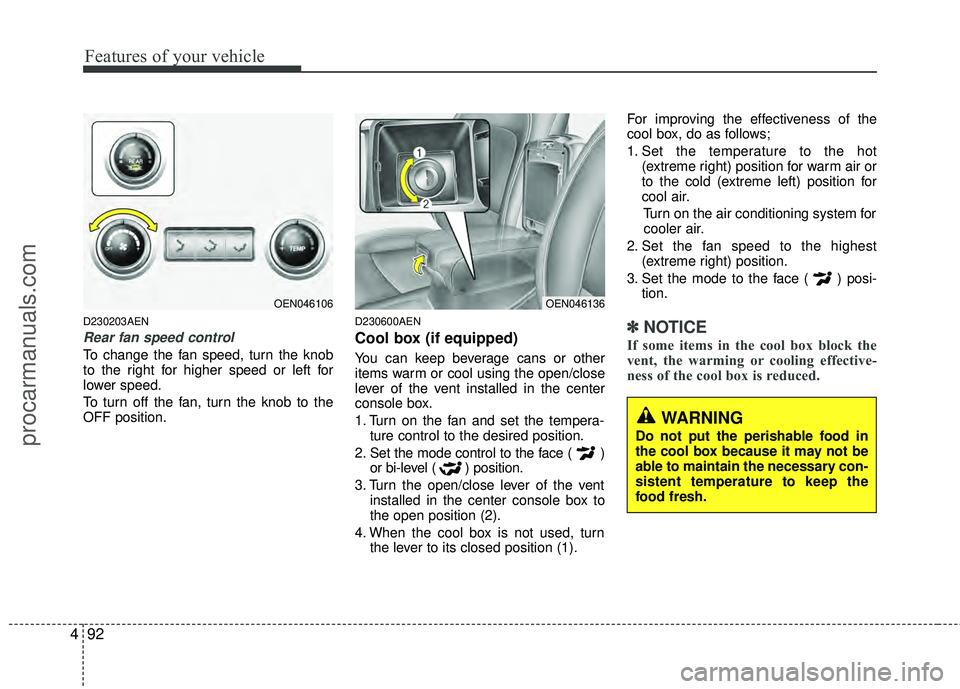
D230203AEN
Rear fan speed control
To change the fan speed, turn the knob
to the right for higher speed or left for
lower speed.
To turn off the fan, turn the knob to the
OFF position.
D230600AEN
Cool box (if equipped)
You can keep beverage cans or other
items warm or cool using the open/close
lever of the vent installed in the center
console box.
1. Turn on the fan and set the tempera-
ture control to the desired position.
2. Set the mode control to the face ( ) or bi-level ( ) position.
3. Turn the open/close lever of the vent installed in the center console box to
the open position (2).
4. When the cool box is not used, turn the lever to its closed position (1). For improving the effectiveness of the
cool box, do as follows;
1. Set the temperature to the hot
(extreme right) position for warm air or
to the cold (extreme left) position for
cool air.
Turn on the air conditioning system forcooler air.
2. Set the fan speed to the highest (extreme right) position.
3. Set the mode to the face ( ) posi- tion.
✽ ✽NOTICE
If some items in the cool box block the
vent, the warming or cooling effective-
ness of the cool box is reduced.
OEN046106OEN046136
WARNING
Do not put the perishable food in
the cool box because it may not be
able to maintain the necessary con-
sistent temperature to keep the
food fresh.
procarmanuals.com
Page 177 of 429
493
Features of your vehicle
System operation
D230501AUN
Ventilation
1. Set the mode to the position.
2. Set the air intake control to the outside(fresh) air position.
3. Set the temperature control to the desired position.
4. Set the fan speed control to the desired speed.
D230502AEN
Heating
1. Set the mode to the position.
2. Set the air intake control to the outside(fresh) air position.
3. Set the temperature control to the desired position.
4. Set the fan speed control to the desired speed.
5. If dehumidified heating is desired, turn the air conditioning system on.
If the windshield fogs up, set the mode to the
orposition. Operation Tips
To keep dust or unpleasant fumes from
entering the car through the ventilation
system, temporarily set the air intake
control to the recirculated air position.
Be sure to return the control to the
fresh air position when the irritation
has passed to keep fresh air in the
vehicle. This will help keep the driver
alert and comfortable.
Air for the heating/cooling system is drawn in through the grilles just ahead
of the windshield. Care should be
taken that these are not blocked by
leaves, snow, ice or other obstructions.
To prevent interior fog on the wind- shield, set the air intake control to the
fresh air position and fan speed to the
desired position, turn on the air condi-
tioning system, and adjust the temper-
ature control to desired temperature.
D230503AEN
Air conditioning
All HYUNDAI Air Conditioning Systems
are filled with environmentally friendly
R-134a refrigerant which does not dam-
age the ozone layer.
1. Start the engine. Push the air condi- tioning button.
2. Set the mode to the position.
3. Set the air intake control to the outside air or recirculated air position.
4. Adjust the fan speed control and tem- perature control to maintain maximum
comfort.
When maximum cooling is desired, set the temperature control to the extreme
left position, set the mode control to
the MAX A/C position, then set the fan
speed control to the highest speed.
procarmanuals.com
Page 193 of 429
4109
Features of your vehicle
D270000AUN
These compartments can be used to
store small items required by the driver
or passengers.
D270100AEN
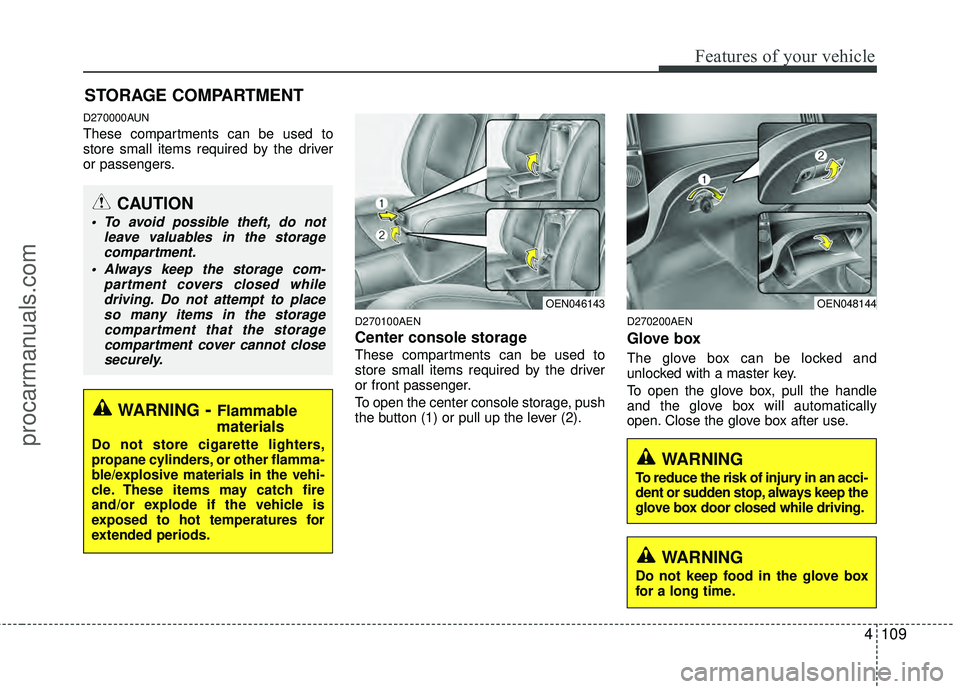
Center console storage
These compartments can be used to
store small items required by the driver
or front passenger.
To open the center console storage, push
the button (1) or pull up the lever (2).
D270200AEN
Glove box
The glove box can be locked and
unlocked with a master key.
To open the glove box, pull the handle
and the glove box will automatically
open. Close the glove box after use.
STORAGE COMPARTMENT
WARNING- Flammable
materials
Do not store cigarette lighters,
propane cylinders, or other flamma-
ble/explosive materials in the vehi-
cle. These items may catch fire
and/or explode if the vehicle is
exposed to hot temperatures for
extended periods.
CAUTION
To avoid possible theft, do not
leave valuables in the storagecompartment.
Always keep the storage com- partment covers closed whiledriving. Do not attempt to placeso many items in the storagecompartment that the storagecompartment cover cannot closesecurely.
OEN048144OEN046143
WARNING
To reduce the risk of injury in an acci-
dent or sudden stop, always keep the
glove box door closed while driving.
WARNING
Do not keep food in the glove box
for a long time.
procarmanuals.com
Page 194 of 429
Features of your vehicle
110
4
D270300AUN
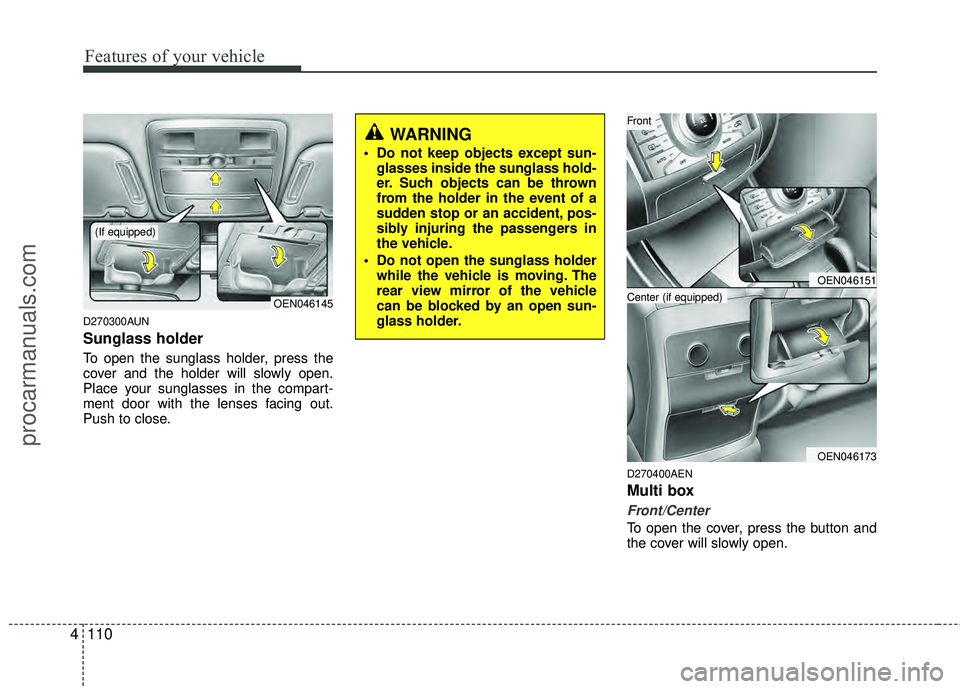
Sunglass holder
To open the sunglass holder, press the
cover and the holder will slowly open.
Place your sunglasses in the compart-
ment door with the lenses facing out.
Push to close.
D270400AEN
Multi box
Front/Center
To open the cover, press the button and
the cover will slowly open.
OEN046145
WARNING
Do not keep objects except sun-
glasses inside the sunglass hold-
er. Such objects can be thrown
from the holder in the event of a
sudden stop or an accident, pos-
sibly injuring the passengers in
the vehicle.
Do not open the sunglass holder while the vehicle is moving. The
rear view mirror of the vehicle
can be blocked by an open sun-
glass holder.
(If equipped)
OEN046151
OEN046173
Center (if equipped)
Front
procarmanuals.com
Page 200 of 429
Features of your vehicle
116
4
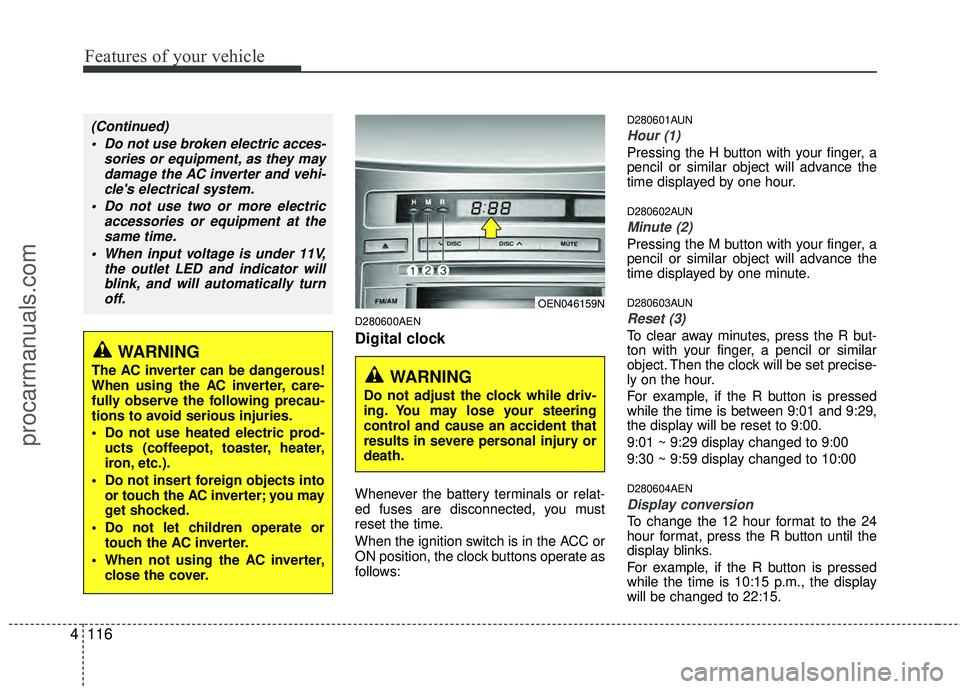
D280600AEN
Digital clock
Whenever the battery terminals or relat-
ed fuses are disconnected, you must
reset the time.
When the ignition switch is in the ACC or
ON position, the clock buttons operate as
follows:
D280601AUN
Hour (1)
Pressing the H button with your finger, a
pencil or similar object will advance the
time displayed by one hour.
D280602AUN
Minute (2)
Pressing the M button with your finger, a
pencil or similar object will advance the
time displayed by one minute.
D280603AUN
Reset (3)
To clear away minutes, press the R but-
ton with your finger, a pencil or similar
object. Then the clock will be set precise-
ly on the hour.
For example, if the R button is pressed
while the time is between 9:01 and 9:29,
the display will be reset to 9:00.
9:01 ~ 9:29 display changed to 9:00
9:30 ~ 9:59 display changed to 10:00
D280604AEN
Display conversion
To change the 12 hour format to the 24
hour format, press the R button until the
display blinks.
For example, if the R button is pressed
while the time is 10:15 p.m., the display
will be changed to 22:15.
WARNING
The AC inverter can be dangerous!
When using the AC inverter, care-
fully observe the following precau-
tions to avoid serious injuries.
Do not use heated electric prod-
ucts (coffeepot, toaster, heater,
iron, etc.).
Do not insert foreign objects into or touch the AC inverter; you may
get shocked.
Do not let children operate or touch the AC inverter.
When not using the AC inverter, close the cover.
(Continued)
Do not use broken electric acces- sories or equipment, as they maydamage the AC inverter and vehi-cle's electrical system.
Do not use two or more electric accessories or equipment at thesame time.
When input voltage is under 11V, the outlet LED and indicator willblink, and will automatically turnoff.
OEN046159N
WARNING
Do not adjust the clock while driv-
ing. You may lose your steering
control and cause an accident that
results in severe personal injury or
death.
procarmanuals.com
Page 204 of 429
Features of your vehicle
120
4
✽
✽
NOTICE
If you install an aftermarket HID head-
lamp, your vehicle's audio and electron-
ic device may malfunction.
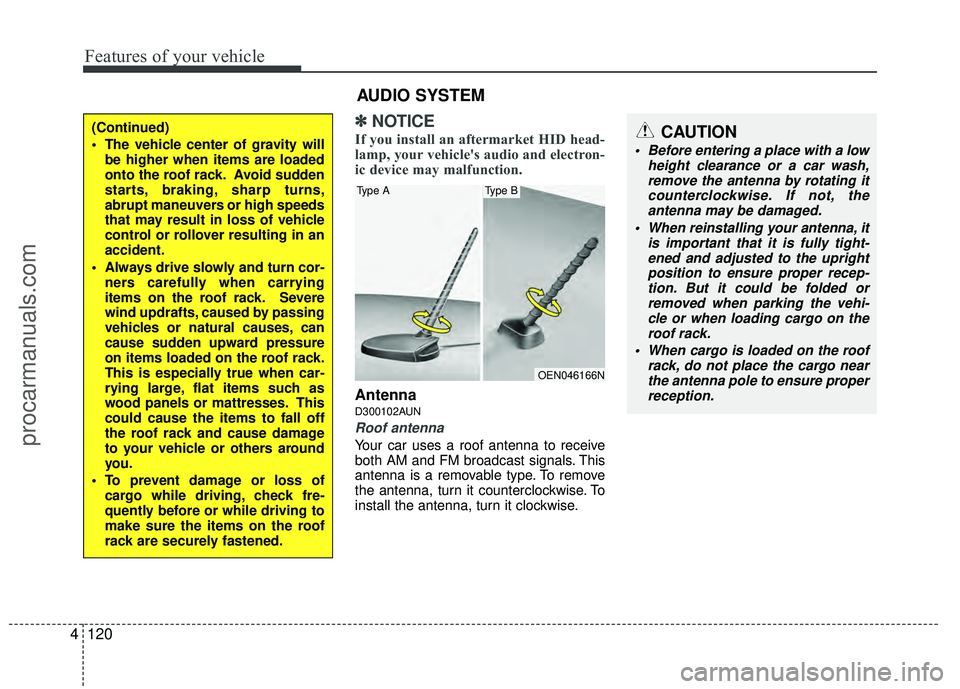
AntennaD300102AUN
Roof antenna
Your car uses a roof antenna to receive
both AM and FM broadcast signals. This
antenna is a removable type. To remove
the antenna, turn it counterclockwise. To
install the antenna, turn it clockwise.
(Continued)
The vehicle center of gravity will
be higher when items are loaded
onto the roof rack. Avoid sudden
starts, braking, sharp turns,
abrupt maneuvers or high speeds
that may result in loss of vehicle
control or rollover resulting in an
accident.
Always drive slowly and turn cor- ners carefully when carrying
items on the roof rack. Severe
wind updrafts, caused by passing
vehicles or natural causes, can
cause sudden upward pressure
on items loaded on the roof rack.
This is especially true when car-
rying large, flat items such as
wood panels or mattresses. This
could cause the items to fall off
the roof rack and cause damage
to your vehicle or others around
you.
To prevent damage or loss of cargo while driving, check fre-
quently before or while driving to
make sure the items on the roof
rack are securely fastened.
AUDIO SYSTEM
OEN046166N
Type AType B
CAUTION
Before entering a place with a low height clearance or a car wash,remove the antenna by rotating it counterclockwise. If not, theantenna may be damaged.
When reinstalling your antenna, it is important that it is fully tight-ened and adjusted to the uprightposition to ensure proper recep- tion. But it could be folded orremoved when parking the vehi- cle or when loading cargo on theroof rack.
When cargo is loaded on the roof rack, do not place the cargo nearthe antenna pole to ensure properreception.
procarmanuals.com