radio HYUNDAI XG350 2005 User Guide
[x] Cancel search | Manufacturer: HYUNDAI, Model Year: 2005, Model line: XG350, Model: HYUNDAI XG350 2005Pages: 247, PDF Size: 7.28 MB
Page 119 of 247
1
FEATURES OF YOUR HYUNDAI
107
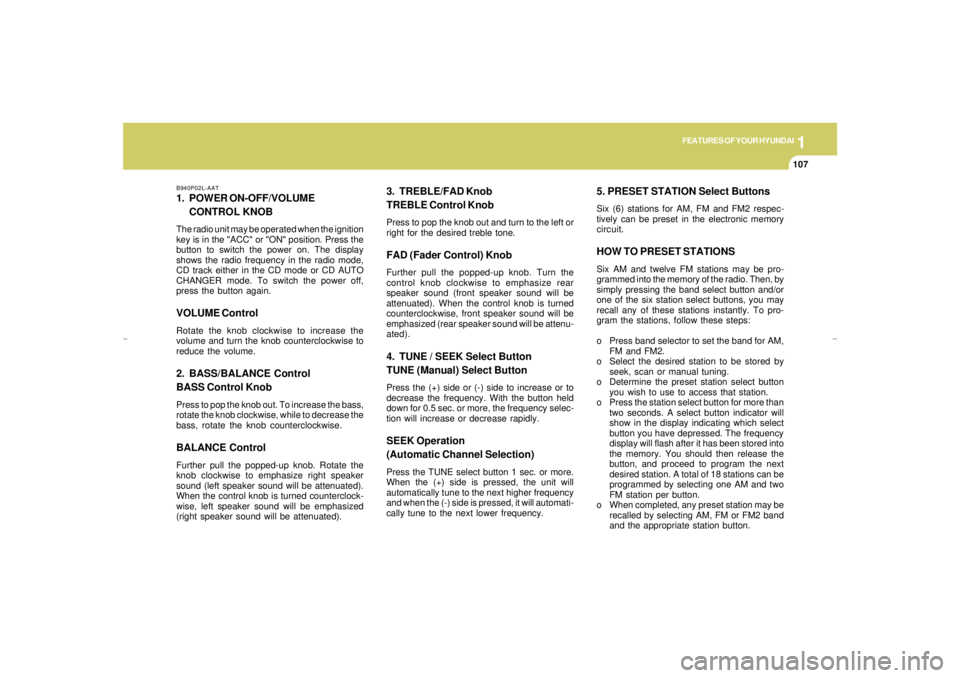
B940P02L-AAT1. POWER ON-OFF/VOLUME
CONTROL KNOBThe radio unit may be operated when the ignition
key is in the "ACC" or "ON" position. Press the
button to switch the power on. The display
shows the radio frequency in the radio mode,
CD track either in the CD mode or CD AUTO
CHANGER mode. To switch the power off,
press the button again.VOLUME ControlRotate the knob clockwise to increase the
volume and turn the knob counterclockwise to
reduce the volume.2. BASS/BALANCE Control
BASS Control KnobPress to pop the knob out. To increase the bass,
rotate the knob clockwise, while to decrease the
bass, rotate the knob counterclockwise.BALANCE ControlFurther pull the popped-up knob. Rotate the
knob clockwise to emphasize right speaker
sound (left speaker sound will be attenuated).
When the control knob is turned counterclock-
wise, left speaker sound will be emphasized
(right speaker sound will be attenuated).
3. TREBLE/FAD Knob
TREBLE Control KnobPress to pop the knob out and turn to the left or
right for the desired treble tone.FAD (Fader Control) KnobFurther pull the popped-up knob. Turn the
control knob clockwise to emphasize rear
speaker sound (front speaker sound will be
attenuated). When the control knob is turned
counterclockwise, front speaker sound will be
emphasized (rear speaker sound will be attenu-
ated).4. TUNE / SEEK Select Button
TUNE (Manual) Select ButtonPress the (+) side or (-) side to increase or to
decrease the frequency. With the button held
down for 0.5 sec. or more, the frequency selec-
tion will increase or decrease rapidly.SEEK Operation
(Automatic Channel Selection)Press the TUNE select button 1 sec. or more.
When the (+) side is pressed, the unit will
automatically tune to the next higher frequency
and when the (-) side is pressed, it will automati-
cally tune to the next lower frequency.
5. PRESET STATION Select ButtonsSix (6) stations for AM, FM and FM2 respec-
tively can be preset in the electronic memory
circuit.HOW TO PRESET STATIONSSix AM and twelve FM stations may be pro-
grammed into the memory of the radio. Then, by
simply pressing the band select button and/or
one of the six station select buttons, you may
recall any of these stations instantly. To pro-
gram the stations, follow these steps:
o Press band selector to set the band for AM,
FM and FM2.
o Select the desired station to be stored by
seek, scan or manual tuning.
o Determine the preset station select button
you wish to use to access that station.
o Press the station select button for more than
two seconds. A select button indicator will
show in the display indicating which select
button you have depressed. The frequency
display will flash after it has been stored into
the memory. You should then release the
button, and proceed to program the next
desired station. A total of 18 stations can be
programmed by selecting one AM and two
FM station per button.
o When completed, any preset station may be
recalled by selecting AM, FM or FM2 band
and the appropriate station button.
xgflhma-1.p656/16/04, 3:05 PM 107
Page 122 of 247
1FEATURES OF YOUR HYUNDAI
110
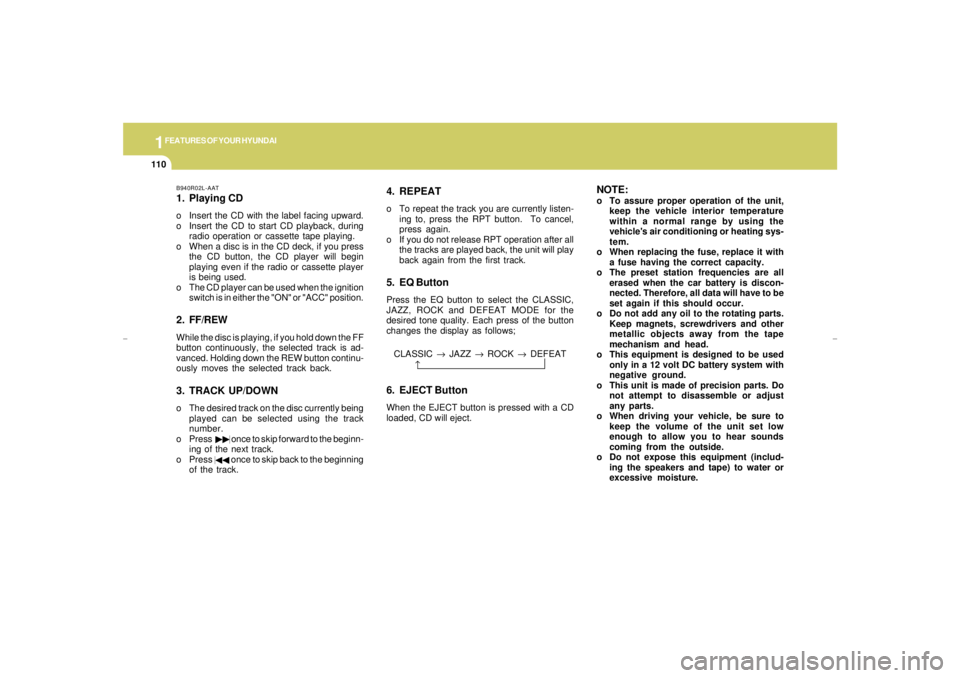
B940R02L-AAT1. Playing CDo Insert the CD with the label facing upward.
o Insert the CD to start CD playback, during
radio operation or cassette tape playing.
o When a disc is in the CD deck, if you press
the CD button, the CD player will begin
playing even if the radio or cassette player
is being used.
o The CD player can be used when the ignition
switch is in either the "ON" or "ACC" position.2. FF/REWWhile the disc is playing, if you hold down the FF
button continuously, the selected track is ad-
vanced. Holding down the REW button continu-
ously moves the selected track back.3. TRACK UP/DOWNo The desired track on the disc currently being
played can be selected using the track
number.
o Press once to skip forward to the beginn-
ing of the next track.
o Press once to skip back to the beginning
of the track.
4. REPEATo To repeat the track you are currently listen-
ing to, press the RPT button. To cancel,
press again.
o If you do not release RPT operation after all
the tracks are played back, the unit will play
back again from the first track.5. EQ ButtonPress the EQ button to select the CLASSIC,
JAZZ, ROCK and DEFEAT MODE for the
desired tone quality. Each press of the button
changes the display as follows;
NOTE:o To assure proper operation of the unit,
keep the vehicle interior temperature
within a normal range by using the
vehicle's air conditioning or heating sys-
tem.
o When replacing the fuse, replace it with
a fuse having the correct capacity.
o The preset station frequencies are all
erased when the car battery is discon-
nected. Therefore, all data will have to be
set again if this should occur.
o Do not add any oil to the rotating parts.
Keep magnets, screwdrivers and other
metallic objects away from the tape
mechanism and head.
o This equipment is designed to be used
only in a 12 volt DC battery system with
negative ground.
o This unit is made of precision parts. Do
not attempt to disassemble or adjust
any parts.
o When driving your vehicle, be sure to
keep the volume of the unit set low
enough to allow you to hear sounds
coming from the outside.
o Do not expose this equipment (includ-
ing the speakers and tape) to water or
excessive moisture. CLASSIC → JAZZ → ROCK → DEFEAT
↑
6. EJECT ButtonWhen the EJECT button is pressed with a CD
loaded, CD will eject.
xgflhma-1.p656/16/04, 3:05 PM 110
Page 125 of 247
1
FEATURES OF YOUR HYUNDAI
113
B940T02L-AATThe CD auto changer is located in the left side
of the trunk.
o To use the CD auto changer
1. Open the sliding lid of the CD auto changer.
2. To eject the compact disc magazine, press
the EJECT button located in the CD auto
changer.
3. Insert the discs into the magazine.
4. Push the magazine into the CD auto changer
and close the sliding lid.
o The CD auto changer can be used when the
ignition switch is in either "ON" or "ACC"
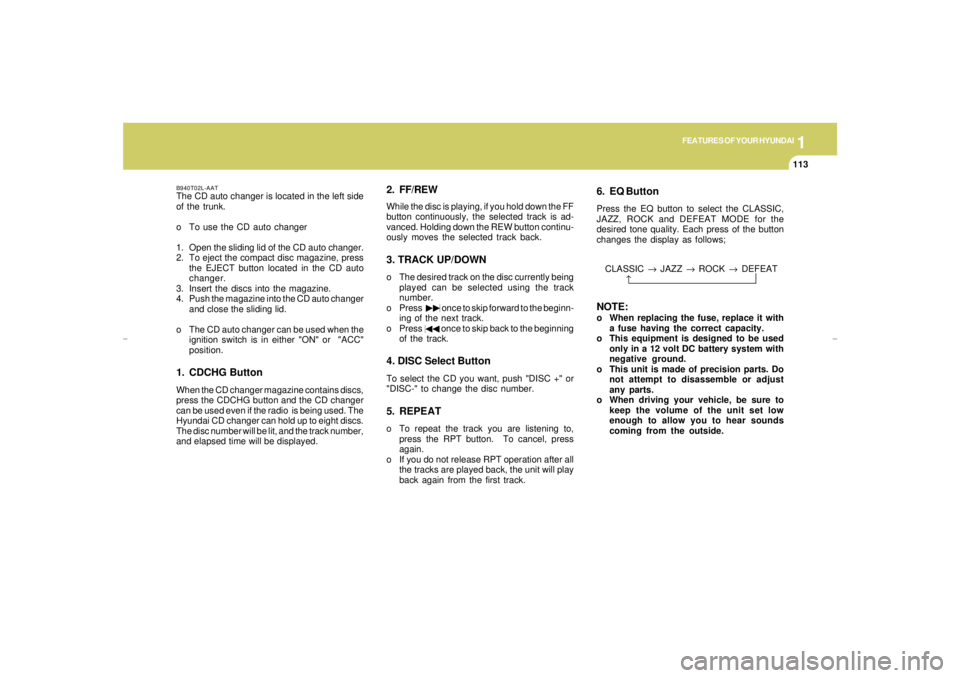
position.1. CDCHG ButtonWhen the CD changer magazine contains discs,
press the CDCHG button and the CD changer
can be used even if the radio is being used. The
Hyundai CD changer can hold up to eight discs.
The disc number will be lit, and the track number,
and elapsed time will be displayed.
2. FF/REWWhile the disc is playing, if you hold down the FF
button continuously, the selected track is ad-
vanced. Holding down the REW button continu-
ously moves the selected track back.3. TRACK UP/DOWNo The desired track on the disc currently being
played can be selected using the track
number.
o Press once to skip forward to the beginn-
ing of the next track.
o Press once to skip back to the beginning
of the track.4. DISC Select ButtonTo select the CD you want, push "DISC +" or
"DISC-" to change the disc number.5. REPEATo To repeat the track you are listening to,
press the RPT button. To cancel, press
again.
o If you do not release RPT operation after all
the tracks are played back, the unit will play
back again from the first track.
6. EQ ButtonPress the EQ button to select the CLASSIC,
JAZZ, ROCK and DEFEAT MODE for the
desired tone quality. Each press of the button
changes the display as follows;NOTE:o When replacing the fuse, replace it with
a fuse having the correct capacity.
o This equipment is designed to be used
only in a 12 volt DC battery system with
negative ground.
o This unit is made of precision parts. Do
not attempt to disassemble or adjust
any parts.
o When driving your vehicle, be sure to
keep the volume of the unit set low
enough to allow you to hear sounds
coming from the outside. CLASSIC → JAZZ → ROCK → DEFEAT
↑
xgflhma-1.p656/16/04, 3:05 PM 113
Page 130 of 247
1FEATURES OF YOUR HYUNDAI
118
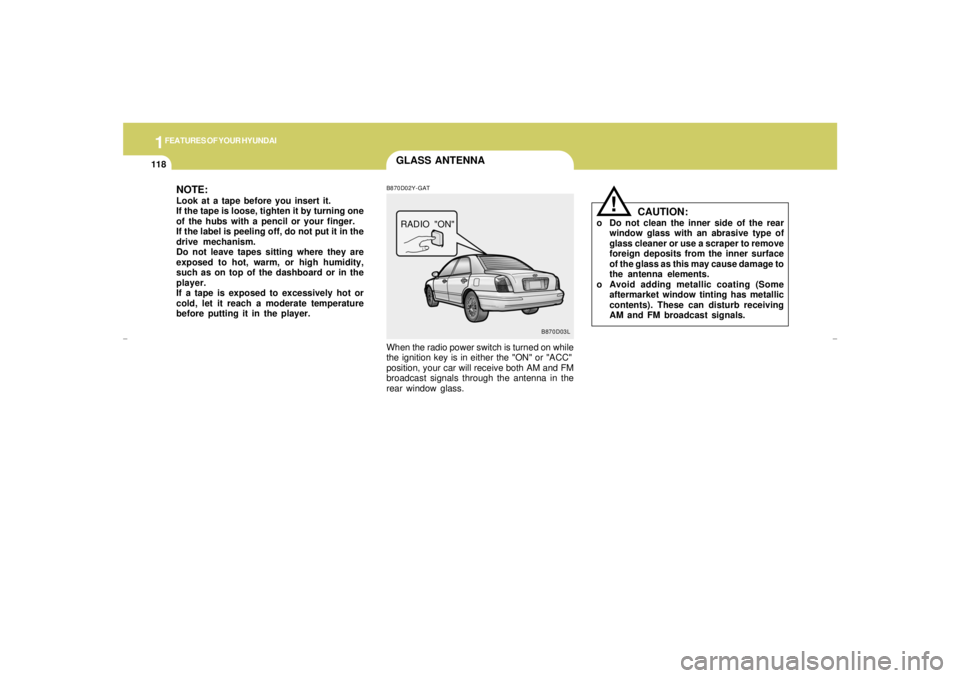
GLASS ANTENNA
B870D03L B870D02Y-GAT
When the radio power switch is turned on while
the ignition key is in either the "ON" or "ACC"
position, your car will receive both AM and FM
broadcast signals through the antenna in the
rear window glass.RADIO "ON"
CAUTION:
o Do not clean the inner side of the rear
window glass with an abrasive type of
glass cleaner or use a scraper to remove
foreign deposits from the inner surface
of the glass as this may cause damage to
the antenna elements.
o Avoid adding metallic coating (Some
aftermarket window tinting has metallic
contents). These can disturb receiving
AM and FM broadcast signals.
!
NOTE:Look at a tape before you insert it.
If the tape is loose, tighten it by turning one
of the hubs with a pencil or your finger.
If the label is peeling off, do not put it in the
drive mechanism.
Do not leave tapes sitting where they are
exposed to hot, warm, or high humidity,
such as on top of the dashboard or in the
player.
If a tape is exposed to excessively hot or
cold, let it reach a moderate temperature
before putting it in the player.
xgflhma-1.p656/16/04, 3:05 PM 118
Page 134 of 247
2
DRIVING YOUR HYUNDAI4
STARTING!
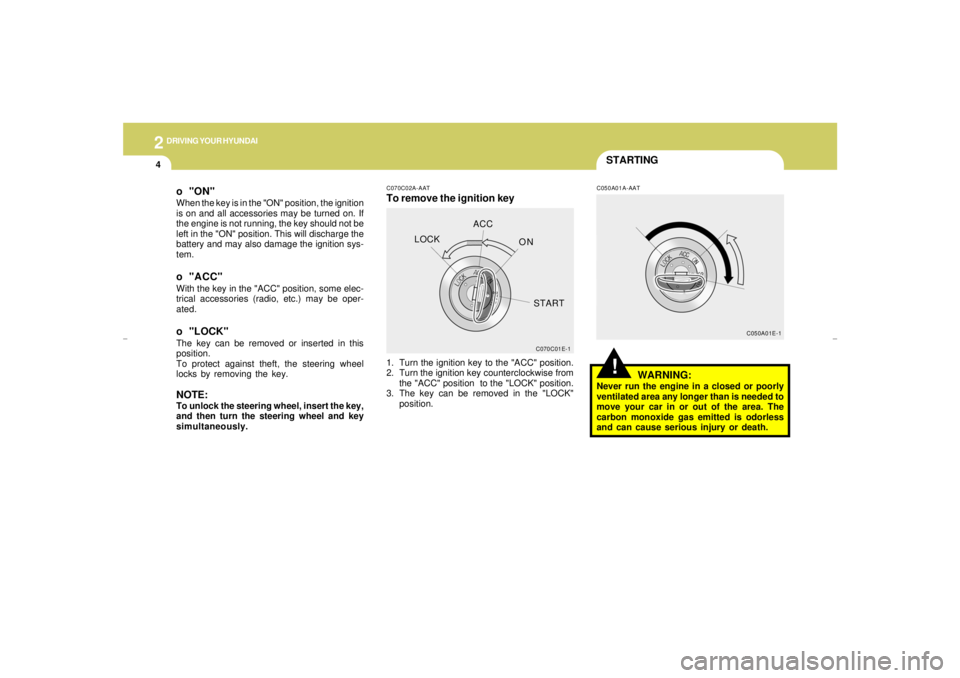
C070C02A-AATTo remove the ignition key
C050A01A-AAT
1. Turn the ignition key to the "ACC" position.
2. Turn the ignition key counterclockwise from
the "ACC" position to the "LOCK" position.
3. The key can be removed in the "LOCK"
position.
WARNING:
Never run the engine in a closed or poorly
ventilated area any longer than is needed to
move your car in or out of the area. The
carbon monoxide gas emitted is odorless
and can cause serious injury or death.
C070C01E-1C050A01E-1
o "ON"When the key is in the "ON" position, the ignition
is on and all accessories may be turned on. If
the engine is not running, the key should not be
left in the "ON" position. This will discharge the
battery and may also damage the ignition sys-
tem.o "ACC"With the key in the "ACC" position, some elec-
trical accessories (radio, etc.) may be oper-
ated.o "LOCK"The key can be removed or inserted in this
position.
To protect against theft, the steering wheel
locks by removing the key.NOTE:To unlock the steering wheel, insert the key,
and then turn the steering wheel and key
simultaneously.LOCKACC
ON
START
xgflhma-2.p656/16/04, 3:00 PM 4
Page 188 of 247
6
DO-IT-YOURSELF MAINTENANCE
8
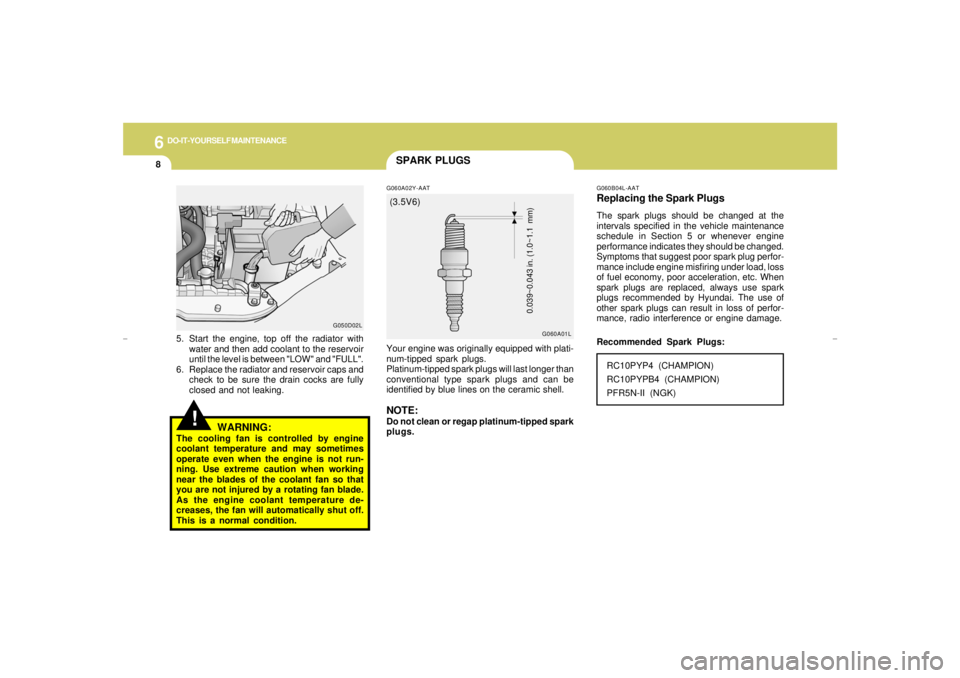
SPARK PLUGSG060A02Y-AATYour engine was originally equipped with plati-
num-tipped spark plugs.
Platinum-tipped spark plugs will last longer than
conventional type spark plugs and can be
identified by blue lines on the ceramic shell.NOTE:Do not clean or regap platinum-tipped spark
plugs.
G060A01LG060B04L-AAT
Replacing the Spark PlugsThe spark plugs should be changed at the
intervals specified in the vehicle maintenance
schedule in Section 5 or whenever engine
performance indicates they should be changed.
Symptoms that suggest poor spark plug perfor-
mance include engine misfiring under load, loss
of fuel economy, poor acceleration, etc. When
spark plugs are replaced, always use spark
plugs recommended by Hyundai. The use of
other spark plugs can result in loss of perfor-
mance, radio interference or engine damage.RC10PYP4 (CHAMPION)
RC10PYPB4 (CHAMPION)
PFR5N-II (NGK)
0.039~0.043 in. (1.0~1.1 mm)
Recommended Spark Plugs:
!
5. Start the engine, top off the radiator with
water and then add coolant to the reservoir
until the level is between "LOW" and "FULL".
6. Replace the radiator and reservoir caps and
check to be sure the drain cocks are fully
closed and not leaking.
G050D02L
WARNING:
The cooling fan is controlled by engine
coolant temperature and may sometimes
operate even when the engine is not run-
ning. Use extreme caution when working
near the blades of the coolant fan so that
you are not injured by a rotating fan blade.
As the engine coolant temperature de-
creases, the fan will automatically shut off.
This is a normal condition.(3.5V6)
xgflhma-6.p656/16/04, 2:58 PM 8
Page 198 of 247
6
DO-IT-YOURSELF MAINTENANCE
18
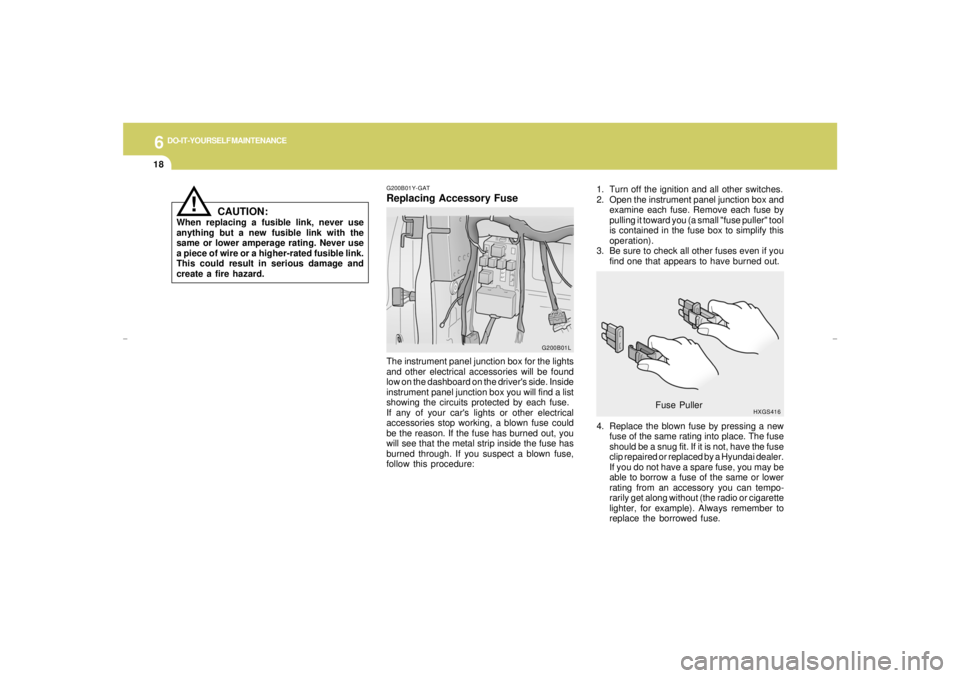
1. Turn off the ignition and all other switches.
2. Open the instrument panel junction box and
examine each fuse. Remove each fuse by
pulling it toward you (a small "fuse puller" tool
is contained in the fuse box to simplify this
operation).
3. Be sure to check all other fuses even if you
find one that appears to have burned out.
4. Replace the blown fuse by pressing a new
fuse of the same rating into place. The fuse
should be a snug fit. If it is not, have the fuse
clip repaired or replaced by a Hyundai dealer.
If you do not have a spare fuse, you may be
able to borrow a fuse of the same or lower
rating from an accessory you can tempo-
rarily get along without (the radio or cigarette
lighter, for example). Always remember to
replace the borrowed fuse.
HXGS416
Fuse Puller
G200B01Y-GATReplacing Accessory Fuse
!
The instrument panel junction box for the lights
and other electrical accessories will be found
low on the dashboard on the driver's side. Inside
instrument panel junction box you will find a list
showing the circuits protected by each fuse.
If any of your car's lights or other electrical
accessories stop working, a blown fuse could
be the reason. If the fuse has burned out, you
will see that the metal strip inside the fuse has
burned through. If you suspect a blown fuse,
follow this procedure:
CAUTION:
When replacing a fusible link, never use
anything but a new fusible link with the
same or lower amperage rating. Never use
a piece of wire or a higher-rated fusible link.
This could result in serious damage and
create a fire hazard.
G200B01L
xgflhma-6.p656/16/04, 2:58 PM 18
Page 245 of 247

10
INDEX
5
P
Parking Brake...................................................................................1-65
Passenger Presence Detection ....................................................... 1-35
Power Outlet .....................................................................................1-53
Power Seat............................................................................ 1-13 ~ 1-14
Adjusting seat forward and rearward...........................................1-13
Adjusting seatbag angle ...............................................................1-14
Seat cushion height adjustment...................................................1-13
Power Steering Fluid Level ...............................................................6-20
R
Rear Window Defroster Switch .........................................................1-50
Replacement of light bulbs ...............................................................6-22
S
Seat
Front.................................................................................. 1-10 ~ 1-14
Seat Warmer .....................................................................................1-16
Seat Belts
3-Point system .................................................................. 1-20 ~ 1-23
Adjustable height.........................................................................1-20
Adjusting your seat belt ...............................................................1-22
Care of seat belts ........................................................................1-19
Precautions..................................................................................1-17
Spark Plugs........................................................................................ 6-8
Spectacle Case .................................................................................1-59
Speedometer.....................................................................................1-44Starting Procedure .............................................................................. 2-4
Steering Wheel Freeplay..................................................................6-16
Steering Wheel Tilt Lever .................................................................1-75
Stereo Radio Operation (H940A, H940C) .... 1-95 ~ 1-97, 1-106 ~ 1-108
Stereo Sound System ............................................................ 1-93 ~ 1-94
Sun Visor..........................................................................................1-73
Sunroof................................................................................... 1-55 ~ 1-57
T
Tachometer.......................................................................................1-44
Theft-Alarm system.................................................................... 1-7 ~ 1-9
Tires
Balancing.....................................................................................8-11
Chains..........................................................................................8-10
If you have a flat tire ...........................................................3-5 ~ 3-11
Information..................................................................................... 8-3
Pressures ....................................................................................... 8-4
Rotation........................................................................................8-10
Snow tires...................................................................................... 8-9
Spare tire ....................................................................................... 3-5
Traction........................................................................................8-11
Towing
A trailer (or vehicle).......................................................... 2-15 ~ 2-18
Emergency...................................................................................3-12
If your car must be towed ...........................................................3-11
Traction Control System.......................................................... 2-9 ~ 2-10
Transaxle
xgflhma-10.p656/16/04, 3:01 PM 5