lights INFINITI EX 2012 User Guide
[x] Cancel search | Manufacturer: INFINITI, Model Year: 2012, Model line: EX, Model: INFINITI EX 2012Pages: 506, PDF Size: 7.27 MB
Page 113 of 506
2-40Instruments and controls
SIC3271
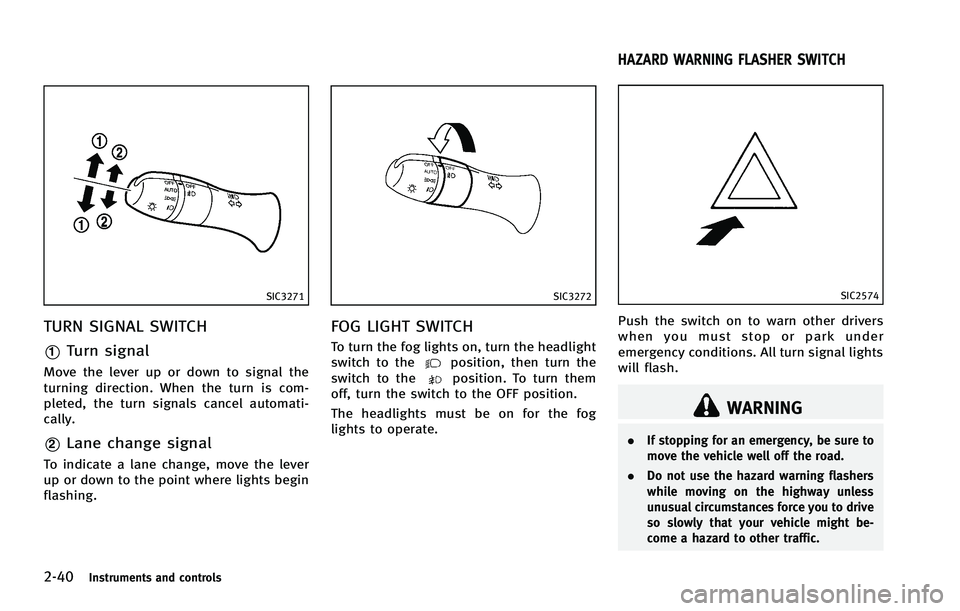
TURN SIGNAL SWITCHGUID-E1C56177-E1D2-4496-9D69-2D8E1B7E7D8C
SIC3272
FOG LIGHT SWITCHGUID-33BDF6EA-9062-427F-9AB6-3D01A86E20DC
position, then turn the
switch to theposition. To turn them
off, turn the switch to the OFF position.
The headlights must be on for the fog
lights to operate.
GUID-ACF6D47C-7AAA-4B7A-B02A-0F1F6CF62D6C
SIC2574
Push the switch on to warn other drivers
when you must stop or park under
emergency conditions. All turn signal lights
will flash.
WARNING
. If stopping for an emergency, be sure to
move the vehicle well off the road.
. Do not use the hazard warning flashers
while moving on the highway unless
unusual circumstances force you to drive
so slowly that your vehicle might be-
come a hazard to other traffic.
HAZARD WARNING FLASHER SWITCH
Page 116 of 506
GUID-3516DC6E-9566-4A0B-B66F-0C326A5AC4A3
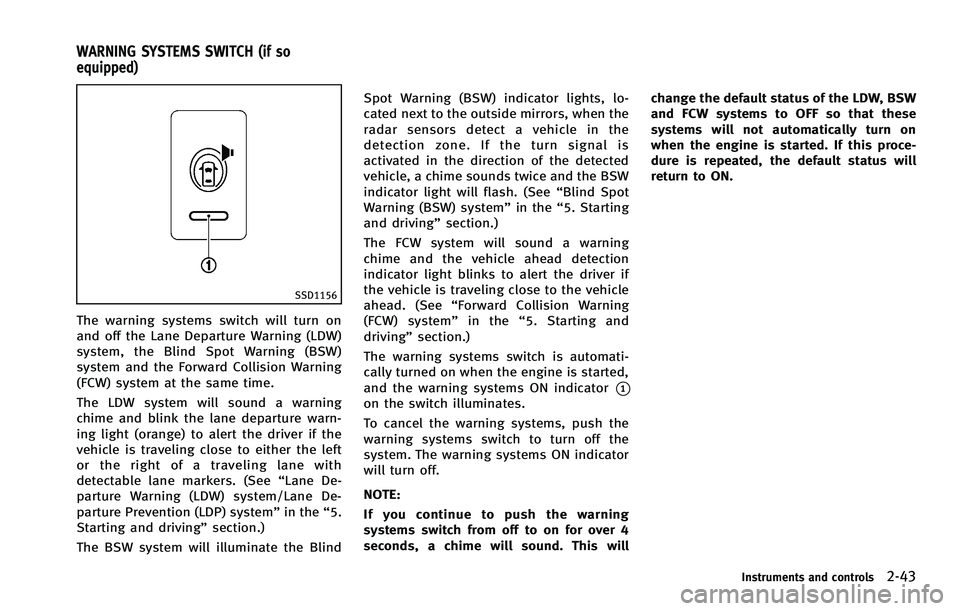
SSD1156
The warning systems switch will turn on
and off the Lane Departure Warning (LDW)
system, the Blind Spot Warning (BSW)
system and the Forward Collision Warning
(FCW) system at the same time.
The LDW system will sound a warning
chime and blink the lane departure warn-
ing light (orange) to alert the driver if the
vehicle is traveling close to either the left
or the right of a traveling lane with
detectable lane markers. (See“Lane De-
parture Warning (LDW) system/Lane De-
parture Prevention (LDP) system” in the“5.
Starting and driving” section.)
The BSW system will illuminate the Blind Spot Warning (BSW) indicator lights, lo-
cated next to the outside mirrors, when the
radar sensors detect a vehicle in the
detection zone. If the turn signal is
activated in the direction of the detected
vehicle, a chime sounds twice and the BSW
indicator light will flash. (See
“Blind Spot
Warning (BSW) system” in the“5. Starting
and driving” section.)
The FCW system will sound a warning
chime and the vehicle ahead detection
indicator light blinks to alert the driver if
the vehicle is traveling close to the vehicle
ahead. (See “Forward Collision Warning
(FCW) system” in the“5. Starting and
driving” section.)
The warning systems switch is automati-
cally turned on when the engine is started,
and the warning systems ON indicator
*1on the switch illuminates.
To cancel the warning systems, push the
warning systems switch to turn off the
system. The warning systems ON indicator
will turn off.
NOTE:
If you continue to push the warning
systems switch from off to on for over 4
seconds, a chime will sound. This will change the default status of the LDW, BSW
and FCW systems to OFF so that these
systems will not automatically turn on
when the engine is started. If this proce-
dure is repeated, the default status will
return to ON.
Instruments and controls2-43
WARNING SYSTEMS SWITCH (if so
equipped)
Page 119 of 506

2-46Instruments and controls
GUID-CA7378E6-B4AD-4D7B-8E72-A03EB7B30A7F
SIC3867
Center console
SIC3631
FrontThe power outlet is used for powering
electrical accessories such as cellular
telephones.
CAUTION
.
The outlet and plug may be hot during or
immediately after use.
. Do not use with accessories that exceed
a 12 volt, 120W (10A) power draw. Do
not use double adapters or more than
one electrical accessory.
. Use power outlet with the engine run-
ning to avoid discharging the vehicle
battery.
. Avoid using power outlet when the air
conditioner, headlights or rear window
defroster is on.
. This power outlet is not designed for use
with a cigarette lighter unit.
. Push the plug in as far as it will go. If
good contact is not made, the plug may
overheat or the internal temperature
fuse may blow.
. Before inserting or disconnecting a plug,
be sure the electrical accessory being
used is turned OFF. .
When not in use, be sure to close the
cap. Do not allow water or any liquid to
contact the outlet.
POWER OUTLET
Page 131 of 506
2-58Instruments and controls
4. A chime sounds when the setting iscompleted.
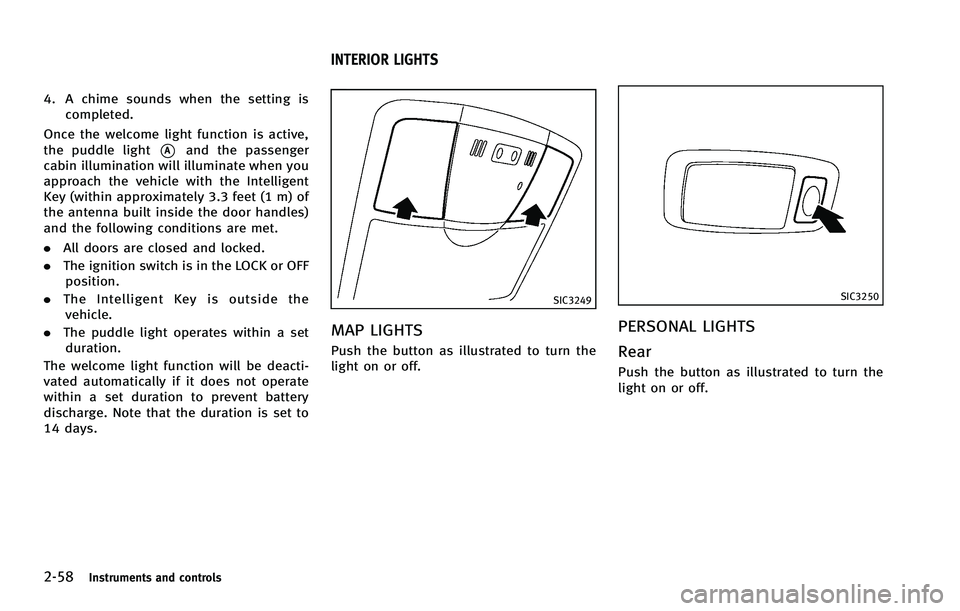
Once the welcome light function is active,
the puddle light
*Aand the passenger
cabin illumination will illuminate when you
approach the vehicle with the Intelligent
Key (within approximately 3.3 feet (1 m) of
the antenna built inside the door handles)
and the following conditions are met.
. All doors are closed and locked.
. The ignition switch is in the LOCK or OFF
position.
. The Intelligent Key is outside the
vehicle.
. The puddle light operates within a set
duration.
The welcome light function will be deacti-
vated automatically if it does not operate
within a set duration to prevent battery
discharge. Note that the duration is set to
14 days.
GUID-830CFA4B-7BC2-4EB5-B729-3DEBD5B2F404
SIC3249
MAP LIGHTSGUID-90C1CDC9-88EE-483F-A6B5-9B7CF87C9FA8
SIC3250
PERSONAL LIGHTSGUID-427C090A-E791-4E67-B530-6B20EBFA79D8
Page 133 of 506
2-60Instruments and controls
GUID-E3368CF8-A3EF-4DAC-9176-8558DF7C9907
SIC3869
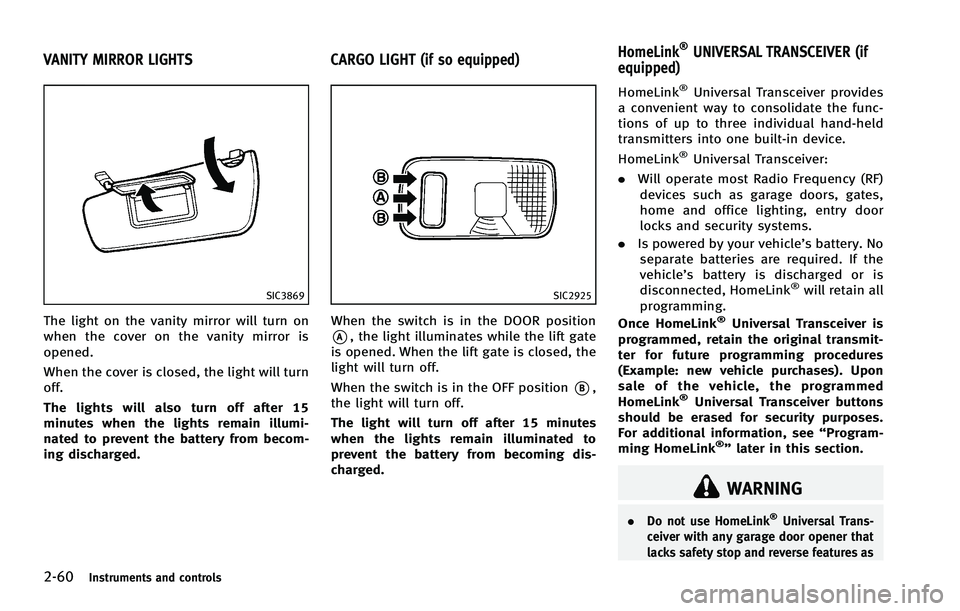
The light on the vanity mirror will turn on
when the cover on the vanity mirror is
opened.
When the cover is closed, the light will turn
off.
The lights will also turn off after 15
minutes when the lights remain illumi-
nated to prevent the battery from becom-
ing discharged.
GUID-65B14C49-101C-46AA-9AC8-BE69E9C5943F
SIC2925
When the switch is in the DOOR position
*A, the light illuminates while the lift gate
is opened. When the lift gate is closed, the
light will turn off.
When the switch is in the OFF position
*B,
the light will turn off.
The light will turn off after 15 minutes
when the lights remain illuminated to
prevent the battery from becoming dis-
charged.
GUID-BBDE6354-59FD-4B7D-831F-DCCDCD8C2E6F
WARNING
. Do not use HomeLink®Universal Trans-
ceiver with any garage door opener that
lacks safety stop and reverse features as
VANITY MIRROR LIGHTS CARGO LIGHT (if so equipped) HomeLink®UNIVERSAL TRANSCEIVER (if
equipped)
Page 151 of 506

3-14Pre-driving checks and adjustments
2. Close all the doors and the lift gate.*2
3. Push the LOCK
button*1on the
Intelligent Key.
4. All the doors, the lift gate and fuel-filler door will lock.
5. The hazard indicator flashes twice and the horn chirps once.
*1: Doors will lock with the Intelligent Key
while the ignition switch is in the ACC or
ON position.
*2: Doors will not lock with the Intelligent
Key while any door is open.
Unlocking doors and fuel-filler doorGUID-CC8A76D2-67AD-47FD-971C-B7968A47AF43button*2on the
Intelligent Key once.
2. The hazard indicator flashes once. The driver’s door and fuel-filler door will
unlock.
3. Push the UNLOCK
button on the
Intelligent Key again within 60 sec-
onds.
4. The hazard indicator flashes once
again. All the doors and the lift gate
will unlock.
All doors will be locked automatically
unless one of the following operations is performed within 1 minute after pushing
the UNLOCK
button on the Intelligent
Key while the doors are locked. If during
this 1-minute time period, the UNLOCK
button on the Intelligent Key is pushed, all
doors will be locked automatically after
another 1 minute.
. Opening any door
. Pushing the ignition switch
Opening windowsGUID-5EC2B4D4-B4E8-45C1-8DE2-0264577A95E7button operation also
allows you to open a window that is
equipped with the automatic open/close
function. (See “Power windows” in the“2.
Instruments and controls” section.)
To open the windows, push the door
UNLOCK
button on the Intelligent Key
for about 3 seconds after the door is
unlocked.
To stop opening, release the UNLOCK
button.
Window cannot be closed using the In-
telligent Key.
The door window can be opened or closed
by turning the mechanical key in a door
lock. (See “Doors”earlier in this section.)
Using panic alarmGUID-FE75BEE6-6D84-4ABA-84F5-F47AE2443FA4
button*3on the
Intelligent key for more than 1 second.
2. The theft warning alarm and headlights will stay on for 25 seconds.
3. The panic alarm stops when:
.It has run for 25 seconds, or.Any of the buttons on the Intelligent key are pushed. (Note: Panic button
should be pushed for more than 1
second.)
Setting hazard indicator and horn
mode
GUID-D73804FB-D84D-4B1E-80B6-E36BCC932468
button*1is pushed, the
hazard indicator flashes twice and the horn
chirps once. When the UNLOCK
button
*2is pushed, the hazard indicator flashes
once.
If horns are not necessary, the system can
be switched to the hazard indicator mode.
Page 164 of 506

holding the SET switch for more than 10
seconds while the ignition switch is in the
ACC position.
The indicator lights on the memory
switches (1 and 2) will blink once when
the function is canceled, and the indicator
lights will blink twice when the function is
activated.
MEMORY STORAGEGUID-1C3A99E4-375E-45E2-BED3-7CC50A6635A6
button
on the Intelligent Key. If the indicator
light blinks, the Intelligent Key is linked
to that memory setting.
Push the ignition switch to the OFF posi-
tion, and then push the UNLOCK
button on the Intelligent Key. The driver’s
seat, steering wheel and outside mirrors will move to the memorized position or to
the exit position when the entry/exit
function is set to active.
Confirming memory storageGUID-A5EE0B0A-D274-443D-BC37-60209121DE87
Page 214 of 506

ger compartment. The indicator light on the
“”side will come on.
Automatic intake air control:
GUID-4D508F5D-FA8E-49D6-A9E2-6F8E76C17033
”. To return to the
automatic control mode, push the intake
air control button “
”for about 2
seconds. The indicator lights (both air
recirculation and outside air circulation
sides) will flash twice, and then the intake
air will be controlled automatically.
To turn system offGUID-61FBE460-44F8-4D10-9E9B-57CDD7C550A6
SAA3568
Type B
AUTOMATIC CLIMATE CONTROL (Type B)GUID-A19F5865-2264-4A39-9D40-7647CF5C3B42
” fan speed increase button
4. “
”front defroster button
5. “MODE” manual air flow control but-
ton
6. “DUAL” zone control ON/OFF button/
Temperature control dial (passenger
side) 7.
“OFF” button for climate control sys-
tem*
8. “
”fan speed decrease button
9. “
”rear window defogger button
(See “Rear window and outside mirror
defroster switch” in the“.”section.)
10. “
”auto-recirculation button/
intake air control button
The AUTO mode may be used year-round
as the system automatically controls con-
stant temperature, air flow distribution and
fan speed after the desired temperature is
set manually.
Monitor, climate, audio, phone and voice recognition systems4-47
Page 221 of 506

4-54Monitor, climate, audio, phone and voice recognition systems
cles exist.
Static: Caused by thunderstorms, electrical
power lines, electric signs and even traffic
lights.
Satellite radio reception:
GUID-4D508F5D-FA8E-49D6-A9E2-6F8E76C17033
SAA0480
Compact Disc (CD) playerGUID-BD6BD44F-C8DA-444D-AE28-82B356B99D86
Page 340 of 506

.When traveling close to the vehicle in
front of you, which obstructs the lane
camera unit detection range.
. When rain, snow or dirt adheres to the
windshield in front of the lane camera
unit.
. When the headlights are not bright due
to dirt on the lens or if the aiming is not
adjusted properly.
. When strong light enters the lane
camera unit. (For example, the light
directly shines on the front of the
vehicle at sunrise or sunset.)
. When a sudden change in brightness
occurs. (For example, when the vehicle
enters or exits a tunnel or under a
bridge.)
SSD0672
Lane departure warning light (orange)
SSD1156
Warning systems switch
LDW system operationGUID-D4624CFA-B7DC-4FE1-85ED-50D6D8D5BDEE