ECU INFINITI EX 2013 Owner's Guide
[x] Cancel search | Manufacturer: INFINITI, Model Year: 2013, Model line: EX, Model: INFINITI EX 2013Pages: 498, PDF Size: 2.5 MB
Page 51 of 498

1-32Safety—Seats, seat belts and supplemental restraint system
SSS0653
Forward-facing —step 6
6. Remove any additional slack from the
seat belt; press downward and rear-
ward firmly in the center of the child
restraint with your knee to compress
the vehicle seat cushion and seatback
while pulling up on the seat belt.
7. Tighten the tether strap according to the manufacturer’s instructions to re-
move any slack.
SSS0641
Forward-facing —step 8
8. After attaching the child restraint, test
it before you place the child in it. Push
it from side to side while holding the
child restraint near the seat belt path.
The child restraint should not move
more than 1 inch (25 mm), from side to
side. Try to tug it forward and check to
see if the belt holds the restraint in
place. If the restraint is not secure,
tighten the seat belt as necessary, or
put the restraint in another seat and
test it again. You may need to try a
different child restraint. Not all child
restraints fit in all types of vehicles. 9. Check to make sure the child restraint
is properly secured prior to each use. If
the seat belt is not locked, repeat steps
2 through 8.
Page 52 of 498
SSS0676
Forward-facing—step 10
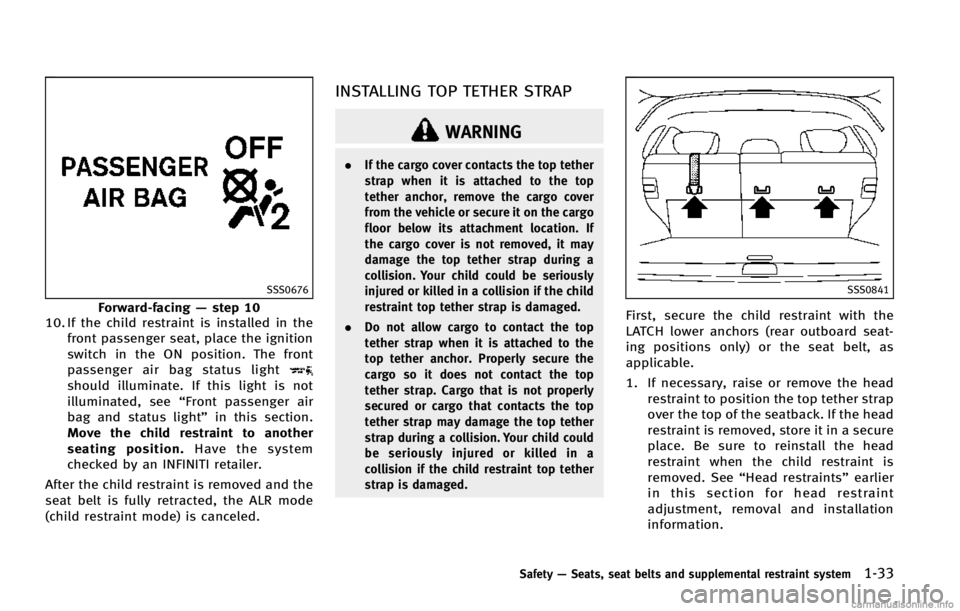
10. If the child restraint is installed in the
front passenger seat, place the ignition
switch in the ON position. The front
passenger air bag status light
should illuminate. If this light is not
illuminated, see “Front passenger air
bag and status light” in this section.
Move the child restraint to another
seating position. Have the system
checked by an INFINITI retailer.
After the child restraint is removed and the
seat belt is fully retracted, the ALR mode
(child restraint mode) is canceled.
INSTALLING TOP TETHER STRAP
WARNING
. If the cargo cover contacts the top tether
strap when it is attached to the top
tether anchor, remove the cargo cover
from the vehicle or secure it on the cargo
floor below its attachment location. If
the cargo cover is not removed, it may
damage the top tether strap during a
collision. Your child could be seriously
injured or killed in a collision if the child
restraint top tether strap is damaged.
. Do not allow cargo to contact the top
tether strap when it is attached to the
top tether anchor. Properly secure the
cargo so it does not contact the top
tether strap. Cargo that is not properly
secured or cargo that contacts the top
tether strap may damage the top tether
strap during a collision. Your child could
be seriously injured or killed in a
collision if the child restraint top tether
strap is damaged.
SSS0841
First, secure the child restraint with the
LATCH lower anchors (rear outboard seat-
ing positions only) or the seat belt, as
applicable.
1. If necessary, raise or remove the head
restraint to position the top tether strap
over the top of the seatback. If the head
restraint is removed, store it in a secure
place. Be sure to reinstall the head
restraint when the child restraint is
removed. See “Head restraints” earlier
in this section for head restraint
adjustment, removal and installation
information.
Safety —Seats, seat belts and supplemental restraint system1-33
Page 53 of 498

1-34Safety—Seats, seat belts and supplemental restraint system
2. Secure the top tether strap to the tether
anchor point on the back of seatback
behind the child restraint.
3. Refer to the appropriate child restraint installation procedure steps in this
section before tightening the tether
strap.
If you have any questions when installing
a top tether strap, consult your INFINITI
retailer for details.
BOOSTER SEATS
Precautions on booster seats
WARNING
If a booster seat and seat belt are not used
properly, the risk of a child being injured in
a sudden stop or collision greatly increases:
. Make sure the shoulder portion of the
belt is away from the child’s face and
neck and the lap portion of the belt does
not cross the stomach.
. Make sure the shoulder belt is not
behind the child or under the child’s
arm.
. A booster seat must only be installed in a seating position that has a lap/
shoulder belt.
LRS0455
Booster seats of various sizes are offered
by several manufacturers. When selecting
any booster seat, keep the following points
in mind:
.
Choose only a booster seat with a label
certifying that it complies with Federal
Motor Vehicle Safety Standard 213 or
Canadian Motor Vehicle Safety Stan-
dard 213.
Page 55 of 498

1-36Safety—Seats, seat belts and supplemental restraint system
SSS0640
1. If you must install a booster seat in the
front seat, move the seat to the rear-
most position.
2. Position the booster seat on the seat. Only place it in a forward-facing direc-
tion. Always follow the booster seat
manufacturer’s instructions.
LRS0454
Front passenger position
3. The booster seat should be positioned
on the vehicle seat so that it is stable.
If necessary, adjust or remove the head
restraint to obtain the correct booster
seat fit. If the head restraint is
removed, store it in a secure place. Be
sure to reinstall the head restraint
when the booster seat is removed.
See “Head restraints” earlier in this
section for head restraint adjustment,
removal and installation information.
If the seating position does not have an
adjustable head restraint and it is
interfering with the proper booster seat fit, try another seating position or a
different booster seat.
4. Position the lap portion of the seat belt low and snug on the child’s hips. Be
sure to follow the booster seat manu-
facturer’s instructions for adjusting the
seat belt routing.
5. Pull the shoulder belt portion of the seat belt toward the retractor to take up
extra slack. Be sure the shoulder belt is
positioned across the top, middle por-
tion of the child’s shoulder. Be sure to
follow the booster seat manufacturer’s
instructions for adjusting the seat belt
routing.
6. Follow the warnings, cautions and instructions for properly fastening a
seat belt shown in the “Seat belts”
earlier in this section.
Page 64 of 498

may be turned OFF, however, if the
occupant does not sit in the seat properly
(for example, by not sitting upright, by
sitting on an edge of the seat, or by
otherwise being out of position), this could
cause the sensor to turn the air bag OFF.
Always be sure to be seated and wearing
the seat belt properly for the most effective
protection by the seat belt and supple-
mental air bag.
INFINITI recommends that pre-teens and
children be properly restrained in a rear
seat. INFINITI also recommends that appro-
priate child restraints and booster seats be
properly installed in a rear seat. If this is
not possible, the occupant classification
sensor is designed to operate as described
above to turn the front passenger air bag
OFF for specified child restraints. Failing to
properly secure child restrains and to use
the ALR mode (child restraint mode) may
allow the restraint to tip or move in an
accident or sudden stop. This can also
result in the passenger air bag inflating in
a crash instead of being OFF. (See“Child
restraints” earlier in this section for proper
use and installation.)
If the front passenger seat is not occupied,
the passenger air bag is designed not to inflate in a crash. However, heavy objects
placed on the seat could result in air bag
inflation, because of the object being
detected by the occupant classification
sensor. Other conditions could also result
in air bag inflation, such as if a child is
standing on the seat, or if two children are
on the seat, contrary to the instructions in
this manual. Always be sure that you and
all vehicle occupants are seated and
restrained properly.
Using the passenger air bag status light,
you can monitor when the front passenger
air bag is automatically turned OFF with the
seat occupied. The light will not illuminate
when the front passenger seat is unoccu-
pied.
If an adult occupant is in the seat but the
passenger air bag status light is illumi-
nated (indicating that the air bag is OFF), it
could be that the person is a small adult,
or is not sitting on the seat properly.
If a child restraint must be used in the front
seat, the passenger air bag status light
may or may not be illuminated, depending
on the size of the child and the type of
child restraint being used. If the passenger
air bag status light is not illuminated
(indicating that the air bag might inflatein a crash), it could be that the child
restraint or seat belt is not being used
properly. Make sure that the child restraint
is installed properly, the seat belt is used
properly and the occupant is positioned
properly. If the passenger air bag status
light is still not illuminated, reposition the
occupant or child restraint in a rear seat.
If the passenger air bag status light will not
illuminate even though you believe that the
child restraint, the seat belts and the
occupant are properly positioned, the
system may be sensing an unoccupied
seat (in which case the air bag is OFF). Your
INFINITI retailer can check that the system
is OFF by using a special tool. However,
until you have confirmed with your retailer
that your air bag is working properly,
reposition the occupant or child restraint
in a rear seat.
The INFINITI Advanced Air Bag System and
passenger air bag status light will take a
few seconds to register a change in the
passenger seat status. However, if the seat
becomes unoccupied, the air bag status
light will remain off.
If a malfunction occurs in the front
passenger air bag system, the supplemen-
tal air bag warning light
, located in the
Safety
—Seats, seat belts and supplemental restraint system1-45
Page 72 of 498

2 Instruments and controls
Cockpit ................................................................ 2-3
Instrument panel ................................................. 2-5
Meters and gauges .............................................. 2-6
Speedometer and odometer ............................ 2-7
Tachometer...................................................... 2-8
Engine coolant temperature gauge .................. 2-8
Fuel gauge ...................................................... 2-9
Warning/indicator lights and
audible reminders ............................................. 2-10 Checking bulbs.............................................. 2-10
Warning lights ............................................... 2-11
Indicator lights .............................................. 2-16
Audible reminders ......................................... 2-19
Dot matrix liquid crystal display ........................ 2-20 Indicators for operation ................................. 2-22
Indicators for maintenance ............................ 2-25
Trip computer ................................................ 2-26
Security systems ............................................... 2-29 Vehicle Security System ................................ 2-29
INFINITI Vehicle Immobilizer System .............. 2-30
Windshield wiper and washer switch ................. 2-32 Windshield wiper and washer operation ........ 2-32
Rear window wiper and washer operation ..... 2-33
Rear window and outside mirror
defroster switch ................................................. 2-34 Headlight and turn signal switch ....................... 2-34
Xenon headlights (if so equipped) ............... 2-34
Headlight switch .......................................... 2-35
Turn signal switch........................................ 2-39
Fog light switch ........................................... 2-39
Horn ................................................................. 2-40
Heated seats (if so equipped) ........................... 2-40
Warning systems switch (if so equipped) .......... 2-41
SNOW mode switch........................................... 2-42
Intelligent Brake Assist (IBA) OFF switch (if
so equipped)..................................................... 2-43
Vehicle Dynamic Control (VDC) OFF switch ......... 2-43
Clock................................................................. 2-44
Adjusting the time ....................................... 2-44
Power outlet ..................................................... 2-44
Storage ............................................................. 2-45
Cup holders ................................................. 2-45
Sunglasses holder ...................................... 2-46
Glove box .................................................... 2-47
Console box................................................. 2-48
Card holder.................................................. 2-48
Seat-mounted jacket hanger (if
so equipped) ............................................... 2-48
Coat hooks .................................................. 2-49>
Page 81 of 498

2-10Instruments and controls
All-Wheel Drive (AWD) warning light (AWD
models)*Intelligent Key warning lightExterior light indicator
Anti-lock Braking System (ABS) warning
lightLane departure warning light (orange)*Front fog light indicator light
Low tire pressure warning lightFront passenger air bag status light
Automatic transmission check warning lightLow washer fluid warning lightHigh beam indicator light
Blind Spot Warning (BSW) system warning
light*Master warning lightIntelligent Brake Assist (IBA) off indicator
light*
Preview Function warning light (orange)*Lane Departure Prevention (LDP) ON indica-
tor light (green)*
Brake warning lightSeat belt warning lightMalfunction Indicator Light (MIL)
Charge warning lightSupplemental air bag warning lightSecurity indicator light
Distance Control Assist (DCA) system warn-
ing light (orange)*Vehicle Dynamic Control (VDC) warning lightTurn signal/hazard indicator lights
Engine oil pressure warning lightAdaptive Front lighting System (AFS) indi-
cator light*Vehicle Dynamic Control (VDC) off indicator
light
Intelligent Cruise Control (ICC) system
warning light (orange)*Automatic transmission position indicator
light*: if so equipped
CHECKING BULBS
With all doors closed, apply the parking
brake and push the ignition switch to the
ON position without starting the engine.
The following lights will come on (if so
equipped):
,or,,,,,,
The following lights come on briefly and
then go off (if so equipped):
,or,,,,,,,,
If any light does not come on, it may
indicate a burned-out bulb or an open
circuit in the electrical system. Have the system checked by an INFINITI retailer.
Some indicators and warnings are also
displayed on the dot matrix crystal display
between the speedometer and tachometer.
(See
“Dot matrix liquid crystal display”
later in this section.)
WARNING/INDICATOR LIGHTS AND
AUDIBLE REMINDERS
Page 86 of 498
possible for tire replacement and/or
system resetting.
. Replacing tires with those not originally
specified by INFINITI could affect the
proper operation of the TPMS.
CAUTION
.The TPMS is not a substitute for the
regular tire pressure check. Be sure to
check the tire pressure regularly.
. If the vehicle is being driven at speeds of
less than 16 MPH (25 km/h), the TPMS
may not operate correctly.
. Be sure to install the specified size of
tires to the four wheels correctly.
Low washer fluid warning light
This light comes on when the washer tank
fluid is at a low level. Add washer fluid as
necessary. (See “Window washer fluid”in
the “8. Maintenance and do-it-yourself”
section.)
Master warning light
When the ignition switch is in the ON
position, the master warning light illumi-
nates if any of the following are displayed
on the dot matrix liquid crystal display:
. No key warning
. Low fuel warning
. Low washer fluid warning
. Parking brake release warning
. Door/lift gate open warning
. Loose fuel cap warning
. Check tire pressure warning
See “Dot matrix liquid crystal display” later
in this section.
Preview Function warning light
(orange; if so equipped)
The light comes on if there is a malfunction
in the Preview Braking system.
If the warning light comes on, park the
vehicle in a safe place. Turn the engine off,
restart the engine, resume driving and set
the ICC system again.
If it is not possible to set the system or the
indicator stays on, it may indicate that the
system is malfunctioning. Although the
vehicle is still driveable under normal
conditions, have the vehicle checked at an INFINITI retailer.
Seat belt warning light and
chime
The light and chime remind you to fasten
seat belts. The light illuminates whenever
the ignition switch is pushed to the ON
position, and will remain illuminated until
the driver’s seat belt is fastened. At the
same time, the chime will sound for about
6 seconds unless the driver’s seat belt is
securely fastened.
The seat belt warning light for the front
passenger will illuminate if the seat belt is
not fastened when the front passenger’s
seat is occupied. For 5 seconds after the
ignition switch is in the ON position, the
system does not activate the warning light
for the front passenger.
See “Seat belts” in the“1. Safety —Seats,
seat belts and supplemental restraint
system” section for precautions on seat
belt usage.
Supplemental air bag warning
light
After pushing the ignition switch to the ON
position, the supplemental air bag warning
light will illuminate. The supplemental air
Instruments and controls2-15
Page 89 of 498

2-18Instruments and controls
running, it may indicate a potential emis-
sion control malfunction.
The malfunction indicator light may also
come on steady if the fuel-filler cap is loose
or missing, or if the vehicle runs out of fuel.
Check to make sure the fuel-filler cap is
installed and closed tightly, and that the
vehicle has at least 3 US gallons (14 liters)
of fuel in the fuel tank.
After a few driving trips, the
light
should turn off if no other potential
emission control system malfunction ex-
ists.
If this indicator light remains on for 20
seconds and then blinks for 10 seconds
when the engine is not running, it indicates
that the vehicle is not ready for an
emission control system inspection/main-
tenance test. (See “Readiness for Inspec-
tion/Maintenance (I/M) test ”in the “9.
Technical and consumer information” sec-
tion.)
Operation:
The malfunction indicator light will come
on in one of two ways:
. Malfunction indicator light on steady —
An emission control system malfunc-
tion has been detected. Check the fuel- filler cap if the LOOSE FUEL CAP
warning appears in the dot matrix
liquid crystal display. If the fuel-filler
cap is loose or missing, tighten or
install the cap and continue to drive the
vehicle. The
light should turn off
after a few driving trips. If thelight
does not turn off after a few driving
trips, have the vehicle inspected by an
INFINITI retailer. You do not need to
have your vehicle towed to the retailer.
. Malfunction indicator light blinking —
An engine misfire has been detected
which may damage the emission con-
trol system.
To reduce or avoid emission control
system damage:
1) Do not drive at speeds above 45
MPH (72 km/h).
2) Avoid hard acceleration or decelera- tion.
3) Avoid steep uphill grades.
4) If possible, reduce the amount of cargo being hauled or towed.
The malfunction indicator light may
stop blinking and remain on.
Have the vehicle inspected by an
INFINITI retailer. You do not need to
have your vehicle towed to the retailer.
CAUTION
Continued vehicle operation without having
the emission control system checked and
repaired as necessary could lead to poor
driveability, reduced fuel economy, and
possible damage to the emission control
system.
Security indicator light
The light blinks when the ignition switch is
in the ACC, OFF and LOCK position. This
function indicates the security system
equipped on the vehicle is operational.
If the security system is malfunctioning,
this light will remain on while the ignition
switch is in the ON position. For additional
information, see “Security systems” later
in this section.
Turn signal/hazard indicator
lights
The light flashes when the turn signal
switch lever or hazard switch is turned on.
Page 94 of 498

8. Parking brake release warning
This warning appears when the vehicle
speed is above 4 MPH (7 km/h) and the
parking brake is applied.
9. Low fuel warning
This warning appears when the fuel level in
the tank is getting low. Refuel as soon as it
is convenient, preferably before the fuel
gauge reaches the empty (E) position.
There is a small reserve of fuel remaining
in the tank when the fuel gauge reaches
the empty (E) position.
10. Low washer fluid warning
This warning appears when the washer
tank fluid is at a low level. Add washer fluid
as necessary. (See“Window washer fluid”
in the “8. Maintenance and do-it-yourself”
section.)
11. Door/lift gate open warning
(ignition switch is in the ON posi-
tion)
This warning appears if any of the doors
and/or the lift gate are open or not closed
securely. The vehicle icon indicates which
door or the lift gate is open on the display.
12. “Time to rest” indicator
This indicator appears when the set “time
to rest” indicator activates. You can set the
time for up to 6 hours. (See “Trip
computer” later in this section.)
13. Loose fuel cap warning
This warning appears when the fuel-filler
cap is not tightened correctly after the
vehicle has been refueled. (See “Fuel-filler
cap ”in the “3. Pre-driving checks and
adjustments” section.)
14. Check tire pressure warning
This warning appears when the low tire
pressure warning light in the meter illumi-
nates and low tire pressure is detected.
The warning appears each time the ignition
switch is placed in the ON position as long
as the low tire pressure warning light
remains illuminated. If this warning ap-
pears, stop the vehicle and adjust the tire
pressure to the recommended COLD tire
pressure shown on the Tire and Loading
Information label. (See “Low tire pressure
warning light” earlier in this section and
“Tire Pressure Monitoring System (TPMS)”
in the “5. Starting and driving” section.)
15. Low outside temperature warn-
ing
This warning appears if the outside tem-
perature is below 378F(3 8C). The warning
can be set not to be displayed. (See “Trip
computer” later in this section.)
16. Cruise indicator
Cruise main switch indicator:
The indicator is displayed when the cruise
control main switch is pushed. When the
main switch is pushed again, the indicator
disappears. When the cruise control main
switch indicator is displayed, the cruise
control system is operational.
Cruise set switch indicator:
The indicator is displayed while the vehicle
speed is controlled by the cruise control
system. If the indicator blinks while the
engine is running, it may indicate that the
cruise control system is not functioning
properly. Have the system checked by an
INFINITI retailer.
See“Cruise control” in the“5. Starting and
driving” section for details.
Instruments and controls2-23