23
Navigation System (if so equipped)
Your Navigation System can calculate a route from the current location to a preferred destination.
The real-time map display and turn-by-turn voice guidance will lead you along the route.
The Navigation System will continually update your vehicle’s position. If you have deviated
from the original route, it will recalculate the route from your current location.
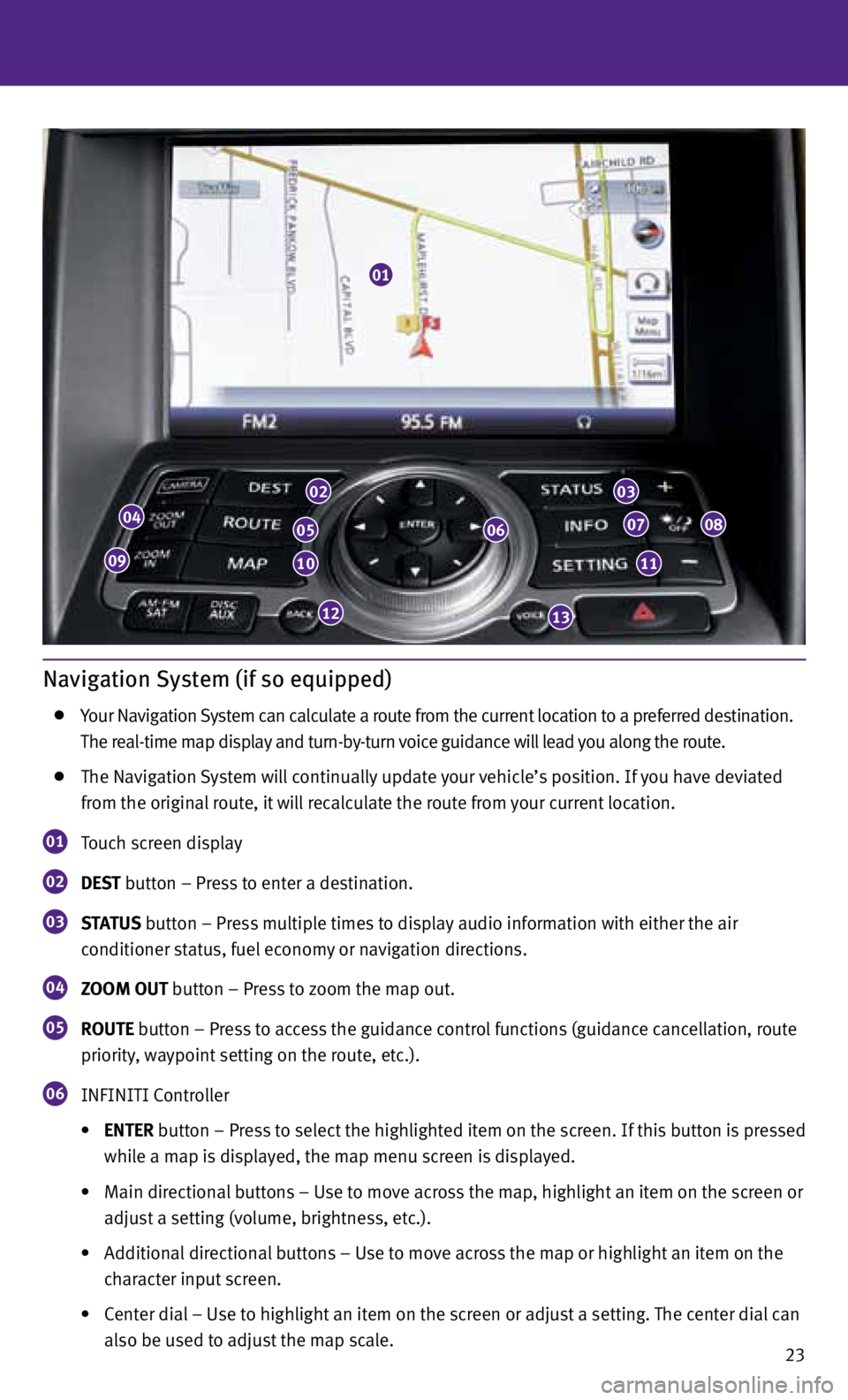
01 Touch screen display
02 DEST
button – Press to enter a destination.
03 STATUS
button – Press multiple times to display audio information with either the air
conditioner status, fuel economy or navigation directions.
04 ZOOM OUT button – Press to zoom the map out.
05 ROUTE button – Press to access the guidance control functions (guidance cancellation, route
priority, waypoint setting on the route, etc.).
06 INFINITI Controller
• ENTER button – Press to select the highlighted item on the screen. If this button is pressed
while a map is displayed, the map menu screen is displayed.
• Main directional buttons – Use to move across the map, highlight an item on the screen or
adjust a setting (volume, brightness, etc.).
• Additional directional buttons – Use to move across the map or highlight an item on the
character input screen.
• Center dial – Use to highlight an item on the screen or adjust a setting. The center dial can
also be used to adjust the map scale.
01
04
09
02
05
10
12
06
03
07
11
08
13
25
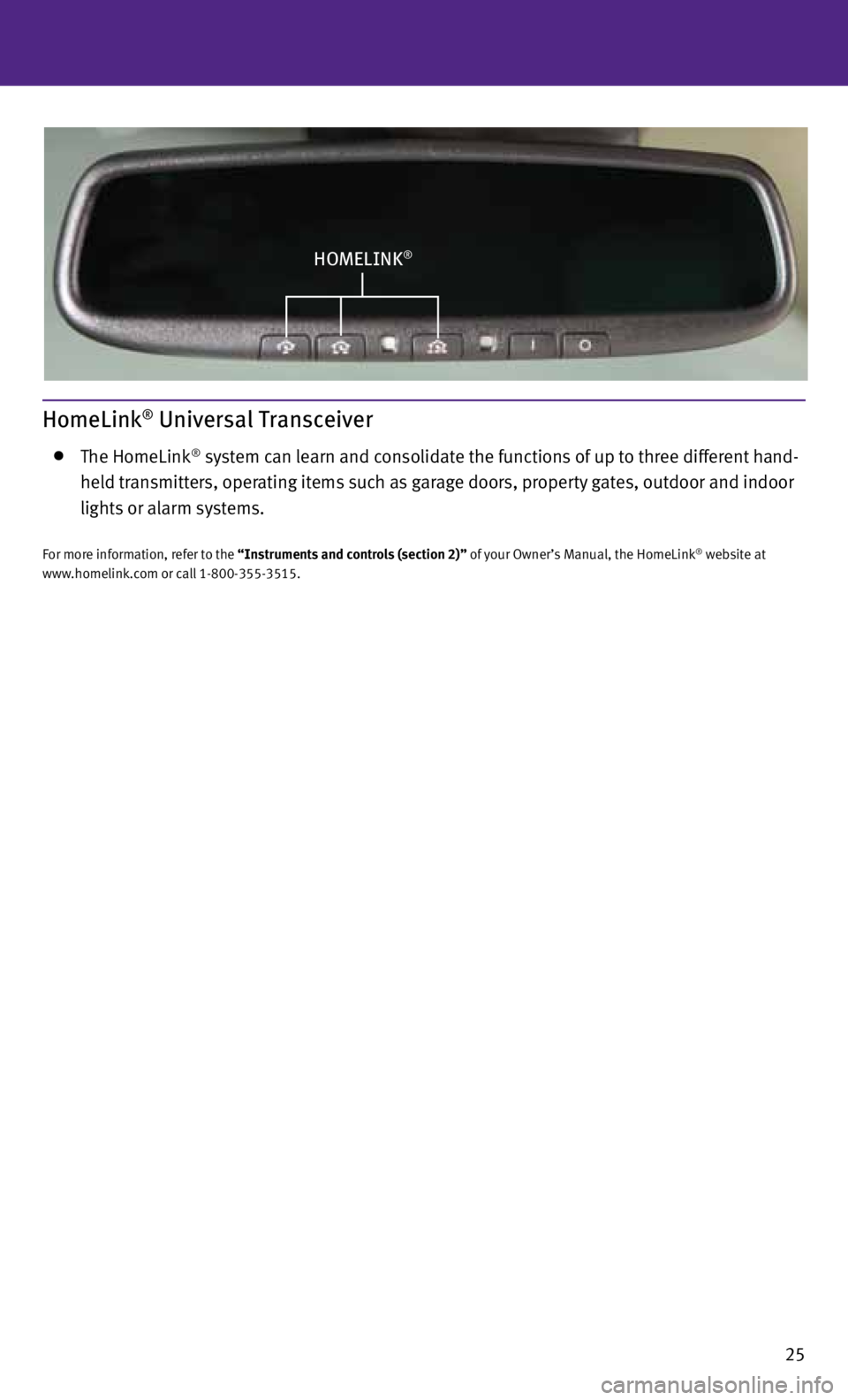
HOMELINK®
HomeLink® Universal Transceiver
The HomeLink® system can learn and consolidate the functions of up to three different hand-
held transmitters, operating items such as garage doors, property gates, outdoor and indoor
lights or alarm systems.
For more information, refer to the “Instruments and controls (section 2)” of your Owner’s Manual, the HomeLink® website at
www.homelink.com or call 1-800-355-3515.