power supply INFINITI FX35 2008 User Guide
[x] Cancel search | Manufacturer: INFINITI, Model Year: 2008, Model line: FX35, Model: INFINITI FX35 2008Pages: 3924, PDF Size: 81.37 MB
Page 54 of 3924
![INFINITI FX35 2008 User Guide
TROUBLE DIAGNOSIS FOR SELF-DIAGNOSTIC ITEMS
ACS-47
< SERVICE INFORMATION > [ICC]
C
D
E
F
G H
I
J
L
M A
B
ACS
N
O P
2. Check continuity between ICC brake hold relay harness connec- tor and ICC brake s](/img/42/57017/w960_57017-53.png "INFINITI FX35 2008 User Guide
TROUBLE DIAGNOSIS FOR SELF-DIAGNOSTIC ITEMS
ACS-47
< SERVICE INFORMATION > [ICC]
C
D
E
F
G H
I
J
L
M A
B
ACS
N
O P
2. Check continuity between ICC brake hold relay harness connec- tor and ICC brake s")
TROUBLE DIAGNOSIS FOR SELF-DIAGNOSTIC ITEMS
ACS-47
< SERVICE INFORMATION > [ICC]
C
D
E
F
G H
I
J
L
M A
B
ACS
N
O P
2. Check continuity between ICC brake hold relay harness connec- tor and ICC brake switch harness connector.
3. Check continuity between ICC brake hold relay harness connec- tor and ground.
OK or NG
OK >> GO TO 7.
NG >> 1. Repair harness between ICC brake hold relay and ICC brake switch. 2. Erase DTC and perform ICC syst em running test. Then perform self-diagnosis of ICC system
again.
7.CHECK HARNESS BETWEEN ICC UNIT AND ICC BRAKE HOLD RELAY
1. Disconnect ECM connector.
2. Check continuity between ICC unit harness connector and ICC brake hold relay harness connector.
3. Check continuity between ICC unit harness connector and ground.
OK or NG
OK >> GO TO 8.
NG >> 1. Repair harness between ICC unit and ICC brake hold relay. 2. Erase DTC and perform ICC syst em running test. Then perform self-diagnosis of ICC system
again.
8.CHECK ICC BRAKE SWITCH POWER SUPPLY CIRCUIT
1. Turn ignition switch ON.
2. Check voltage between ICC brake switch harness connector and ground.
OK or NG
OK >> 1. Replace ICC unit. 2. Erase DTC and perform I CC system running test.
Then perform self-diagnosis of ICC system again.
NG >> 1. Repair or replace harness or fuse. 2. Erase DTC and perform ICC syst em running test. Then perform self-diagnosis of ICC system
again.
9.CHECK STOP LAMP ILLUMINATION
ICC brake hold
relay connector Te r m i n a lICC brake switch
connector Terminal Continuity
E14 3 E209 2 Yes
ICC brake hold
relay connector Te r m i n a l
Ground Continuity
E14 3 No
PKIB4167E
ICC unit connector Terminal ICC brake hold relay
connector Terminal Continuity
M89 29 E14 4 Yes
ICC unit connector Terminal GroundContinuity
M89 29 No
SKIA5980E
ICC brake switch connector Te r m i n a l
Voltage (Approx.)
(+) ( −)
E209 1 Ground Battery voltage
PKIB4168E
3AA93ABC3ACD3AC03ACA3AC03AC63AC53A913A773A893A873A873A8E3A773A983AC73AC93AC03AC3
3A893A873A873A8F3A773A9D3AAF3A8A3A8C3A863A9D3AAF3A8B3A8C
Page 56 of 3924
![INFINITI FX35 2008 User Guide
TROUBLE DIAGNOSIS FOR SELF-DIAGNOSTIC ITEMS
ACS-49
< SERVICE INFORMATION > [ICC]
C
D
E
F
G H
I
J
L
M A
B
ACS
N
O P
Check continuity between ICC brake hold relay harness connector
and ground.
OK or NG](/img/42/57017/w960_57017-55.png "INFINITI FX35 2008 User Guide
TROUBLE DIAGNOSIS FOR SELF-DIAGNOSTIC ITEMS
ACS-49
< SERVICE INFORMATION > [ICC]
C
D
E
F
G H
I
J
L
M A
B
ACS
N
O P
Check continuity between ICC brake hold relay harness connector
and ground.
OK or NG")
TROUBLE DIAGNOSIS FOR SELF-DIAGNOSTIC ITEMS
ACS-49
< SERVICE INFORMATION > [ICC]
C
D
E
F
G H
I
J
L
M A
B
ACS
N
O P
Check continuity between ICC brake hold relay harness connector
and ground.
OK or NG
OK >> GO TO 14.
NG >> 1. Repair harness between ICC brake hold relay and ground.
2. Erase DTC and perform I CC system running test.
Then perform self-diagnosis of ICC system again.
14.CHECK ICC BRAKE HOLD RELAY
Check ICC brake hold relay. Refer to ACS-64, "
ICC Brake Hold Relay".
OK or NG
OK >> GO TO 15.
NG >> 1. Replace ICC brake hold relay. 2. Erase DTC and perform ICC syst em running test. Then perform self-diagnosis of ICC system
again.
15.CHECK ICC UNIT ST ANDARD VOLTAGE
1. Connect ICC unit connector and stop lamp switch connector.
2. Perform “Active Test” (“STOP LAMP”: “STP LMP DRIVE ON”) with CONSULT-III, check vo ltage between ICC unit harness
connector and ground.
OK or NG
OK >> GO TO 16.
NG >> 1. Replace ICC unit. 2. Erase DTC and perform ICC syst em running test. Then perform self-diagnosis of ICC system
again.
16.CHECK ICC BRAKE HOLD RELAY POWER SUPPLY CIRCUIT
Check voltage between ICC brake hold relay harness connector and
ground.
OK or NG
OK >> GO TO 17.
NG >> 1. Repair or replace harness or fuse. 2. Erase DTC and perform I CC system running test.
Then perform self-diagnosis of ICC system again.
17.CHECK HARNESS BETWEEN ICC UNIT AND ICC BRAKE HOLD RELAY
1. Turn ignition switch OFF.
ICC brake hold re- lay connector Te r m i n a l
Ground Continuity
E14 2 Yes
SKIA6661E
ICC unit
connector Te r m i n a l
ConditionVoltage (Ap-
prox.)
(+) ( −)
M89 47 Ground During “Active Test” 12 V
SKIA3075E
ICC brake hold relay con- nector Te r m i n a l
Voltage (Ap-
prox.)
(+) ( −)
E14 6 Ground Battery voltage
SKIA1198E
3AA93ABC3ACD3AC03ACA3AC03AC63AC53A913A773A893A873A873A8E3A773A983AC73AC93AC03AC3
3A893A873A873A8F3A773A9D3AAF3A8A3A8C3A863A9D3AAF3A8B3A8C
Page 63 of 3924
![INFINITI FX35 2008 User Guide
ACS-56
< SERVICE INFORMATION >[ICC]
TROUBLE DIAGNOSIS FOR SYMPTOMS
OK or NG
OK >> GO TO 3.
NG >> Poor connector connection
1. Repair ICC unit connector.
2. Erase DTC and perform ICC system running te](/img/42/57017/w960_57017-62.png "INFINITI FX35 2008 User Guide
ACS-56
< SERVICE INFORMATION >[ICC]
TROUBLE DIAGNOSIS FOR SYMPTOMS
OK or NG
OK >> GO TO 3.
NG >> Poor connector connection
1. Repair ICC unit connector.
2. Erase DTC and perform ICC system running te")
ACS-56
< SERVICE INFORMATION >[ICC]
TROUBLE DIAGNOSIS FOR SYMPTOMS
OK or NG
OK >> GO TO 3.
NG >> Poor connector connection
1. Repair ICC unit connector.
2. Erase DTC and perform ICC system running test. Then perform self-diagnosis of ICC system
again.
3.PERFORM SELF-DIAGNOSIS OF ICC SYSTEM
1. Perform self-diagnosis of ICC system.
2. Check if “DTC 20 CAN COMM CIRCUIT” is indicated.
Is it indicated?
YES >> Refer to ACS-36, "DTC 20 CAN COMM CIRCUIT".
NO >> Refer to ACS-40, "
DTC 46 OPERATION SW CIRC".
Symptom 2 ICC System Cannot Be Set (MAIN Switch Turns ON/OFF)INFOID:0000000001328850
The ICC cannot be set in the following cases.
When the vehicle speed is not in range of approx . 40 km/h (25 MPH) to 144 km/h (90 MPH).
When the A/T selector lever is in gears other than “D” and “M” position.
While the brake is in operation.
1.CHECK CAUSE OF AUTOMATIC CANCELLATION
With “CAUSE OF AUTO-CANCEL” in “Work Support” , check if any cause of cancellation exists.
OK or NG
OK >> Cancel with appropriate cause, and go to specified diagnosis. “OPE SW VOLT CIRC”: Refer to ACS-40, "
DTC 46 OPERATION SW CIRC".
“VHCL SPD UNMATCH”: Refer to ACS-37, "
DTC 41 VHCL SPEED SE CIRC".
“IGN LOW VOLT”: Refer to ACS-37, "
DTC 31 POWER SUPPLY CIR, DTC 34 POWER SUPPLY
CIR 2".
NG >> GO TO 2.
2.PERFORM SELF-DIAGNOSIS OF ICC SYSTEM
Perform self-diagnosis of ICC syste m to check for malfunctioning items.
OK or NG
OK >> GO TO 3.
NG >> 1. Repair or replace applicable item. 2. Erase DTC and perform ICC system running test. Then perform self-diagnosis of ICC system
again.
3.CHECK SWITCHES AND VE HICLE SPEED SIGNAL
With “Data Monitor” of “ICC”, check that s witches and vehicle speed signal operate normally.
VHCL SPEED SE
D RANGE SW
BRAKE SW
SET/COAST SW
OK or NG
OK >> 1. Replace ICC unit. 2. Erase DTC and Perform ICC system running test. Then perform self-diagnosis of ICC systemagain.
NG-1 >> “VHCL SPEED SE” NG: Refer to ACS-37, "
DTC 41 VHCL SPEED SE CIRC".
NG-2 >> “D RANGE SW” NG: Refer to ACS-57, "
Symptom 4 ICC System Is Not Cancelled When the A/T
Selector Lever Is in Other Than "D" and "M" Position".
NG-3 >> “BRAKE SW” NG: Refer to ACS-38, "
DTC 45 BRAKE SW/STOP L SW".
NG-4 >> “SET/COAST SW” NG: Refer to ACS-40, "
DTC 46 OPERATION SW CIRC".
Symptom 3 ICC System Cannot Be Operated by CANCEL Switch, RESUME/ACCEL-
ERATE Switch or DISTANCE Switch
INFOID:0000000001328851
RESUME does not function in the following cases.
3AA93ABC3ACD3AC03ACA3AC03AC63AC53A913A773A893A873A873A8E3A773A983AC73AC93AC03AC3
3A893A873A873A8F3A773A9D3AAF3A8A3A8C3A863A9D3AAF3A8B3A8C
Page 67 of 3924
![INFINITI FX35 2008 User Guide
ACS-60
< SERVICE INFORMATION >[ICC]
TROUBLE DIAGNOSIS FOR SYMPTOMS
Possible Irregular Condition
1.CHECK FUSES
Check that any of the fuses is blown.
OK or NG
OK >> GO TO 2.
NG >> If fuse is blown, be](/img/42/57017/w960_57017-66.png "INFINITI FX35 2008 User Guide
ACS-60
< SERVICE INFORMATION >[ICC]
TROUBLE DIAGNOSIS FOR SYMPTOMS
Possible Irregular Condition
1.CHECK FUSES
Check that any of the fuses is blown.
OK or NG
OK >> GO TO 2.
NG >> If fuse is blown, be")
ACS-60
< SERVICE INFORMATION >[ICC]
TROUBLE DIAGNOSIS FOR SYMPTOMS
Possible Irregular Condition
1.CHECK FUSES
Check that any of the fuses is blown.
OK or NG
OK >> GO TO 2.
NG >> If fuse is blown, be sure to eliminate cause of malfunction before installing new fuse.
2.CHECK ICC SYSTEM DISPLAY
1. Turn ignition switch ON.
2. Check if all displays illuminate.
Do all displays illuminate?
YES >> GO TO 3.
NO >> GO TO 6.
3.CHECK HARNESS BETWEEN ECM AND ICC STEERING SWITCH
1. Turn ignition switch OFF.
2. Disconnect ECM connector, and check terminals for bend and looseness.
3. Check continuity between ECM harness connector terminals.
Open or short lines Symptoms Malfunction causes
ICC unit power supply malfunction No voltage supply from ignition switch Fuse blown Harness open
Harness shorted
Ground cable not connected Harness open Harness shorted
ICC steering switch malfunction No signal transmitted Harness open Harness shorted
Spiral cable open
Spiral cable shorted
Switch or ECM malfunction
CAN communication system malfunction Signal not transmitted Harness open Harness shorted
CAN communication outside the standard.
Combination meter system malfunction Indication not possible Indicator display malfunction ICC system display segments disappear.
ICC unit malfunction ICC unit internal malfunction.
Unit Power source Fuse No.
ICC unit Ignition switch (ON) 12
Battery 35
ECM connector Terminal Condition Resistance
(Approx.)
M90 82 99 When MAIN switch pressed 0
Ω
When MAIN switch released 5.5 k Ω
PKIB4145E
3AA93ABC3ACD3AC03ACA3AC03AC63AC53A913A773A893A873A873A8E3A773A983AC73AC93AC03AC3
3A893A873A873A8F3A773A9D3AAF3A8A3A8C3A863A9D3AAF3A8B3A8C
Page 68 of 3924
![INFINITI FX35 2008 User Guide
TROUBLE DIAGNOSIS FOR SYMPTOMSACS-61
< SERVICE INFORMATION > [ICC]
C
D
E
F
G H
I
J
L
M A
B
ACS
N
O P
4. Check continuity between ECM harness connector and ground.
OK or NG
OK >> GO TO 5.
NG >> GO TO](/img/42/57017/w960_57017-67.png "INFINITI FX35 2008 User Guide
TROUBLE DIAGNOSIS FOR SYMPTOMSACS-61
< SERVICE INFORMATION > [ICC]
C
D
E
F
G H
I
J
L
M A
B
ACS
N
O P
4. Check continuity between ECM harness connector and ground.
OK or NG
OK >> GO TO 5.
NG >> GO TO")
TROUBLE DIAGNOSIS FOR SYMPTOMSACS-61
< SERVICE INFORMATION > [ICC]
C
D
E
F
G H
I
J
L
M A
B
ACS
N
O P
4. Check continuity between ECM harness connector and ground.
OK or NG
OK >> GO TO 5.
NG >> GO TO 4.
4.CHECK ICC STEERING SWITCH
Check ICC steering switch. Refer to ACS-63, "
ICC Steering Switch".
OK or NG
OK >> 1. Repair or replace harness between ECM and ICC steering switch. 2. Perform self-diagnosis mode for ICC system.
NG >> 1. Replace ICC steering switch. 2. Perform self-diagnosis mode for ICC system.
5.CHECK SELF-DIAGNOSIS
1. Connect ECM connector.
2. Turn ignition switch ON.
3. Perform self-diagnosis mode for ICC system.
OK or NG
OK >> INSPECTION END
NG >> GO TO 6.
6.CHECK CONNECTOR FOR ICC UNIT
1. Turn ignition switch OFF.
2. Disconnect ICC unit connector, and c heck terminals for bend and looseness.
3. Connect ICC unit connector.
4. Turn ignition switch ON.
5. Check if all displays illuminate.
Do all displays illuminate?
YES >> Perform self-diagnosis again.
NO >> GO TO 7.
7.CHECK POWER SUPPLY CIRCUIT FOR ICC UNIT
Check voltage between ICC unit harness connector terminals.
OK or NG
OK >> GO TO 8.
NG >> Repair ICC unit power supply harness.
8.CHECK GROUND CIRCUIT FOR ICC UNIT
ECM connector Terminal
GroundContinuity
M90 82
No
99
PKIB4146E
ICC unit connector Te r m i n a l
Voltage (Approx.)
(+) ( −)
M89 33
Ground Battery voltage
42
SKIA1173E
3AA93ABC3ACD3AC03ACA3AC03AC63AC53A913A773A893A873A873A8E3A773A983AC73AC93AC03AC3
3A893A873A873A8F3A773A9D3AAF3A8A3A8C3A863A9D3AAF3A8B3A8C
Page 76 of 3924

AT-3
DE
F
G H
I
J
K L
M A
B
AT
N
O
P
N
DTC P1710 A/T FLUID TEMPERATURE SEN-
SOR CIRCUIT .................................................
..
132
Description .......................................................... ..132
CONSULT-III Reference Value in Data Monitor
Mode ................................................................... ..
132
On Board Diagnosis Logic ....................................132
Possible Cause .....................................................132
DTC Confirmation Procedure ................................132
Wiring Diagram - AT - FTS ....................................133
Diagnosis Procedure .............................................133
Component Inspection ..........................................135
DTC P1721 VEHICLE SPEED SENSOR MTR ..137
Description .......................................................... ..137
CONSULT-III Reference Value in Data Monitor
Mode ................................................................... ..
137
On Board Diagnosis Logic ....................................137
Possible Cause .....................................................137
DTC Confirmation Procedure ................................137
Diagnosis Procedure .............................................137
DTC P1730 A/T INTERLOCK ..........................139
Description .......................................................... ..139
On Board Diagnosis Logic ....................................139
Possible Cause .....................................................139
DTC Confirmation Procedure ................................139
Judgement of A/T Interlock ...................................139
Diagnosis Procedure .............................................139
DTC P1731 A/T 1ST ENGINE BRAKING ........141
Description .......................................................... ..141
CONSULT-III Reference Value in Data Monitor
Mode ................................................................... ..
141
On Board Diagnosis Logic ....................................141
Possible Cause .....................................................141
DTC Confirmation Procedure ................................141
Diagnosis Procedure .............................................141
DTC P1752 INPUT CLUTCH SOLENOID
VALVE ..............................................................
143
Description .......................................................... ..143
CONSULT-III Reference Value in Data Monitor
Mode ................................................................... ..
143
On Board Diagnosis Logic ....................................143
Possible Cause .....................................................143
DTC Confirmation Procedure ................................143
Diagnosis Procedure .............................................143
DTC P1757 FRONT BRAKE SOLENOID
VALVE ..............................................................
145
Description .......................................................... ..145
CONSULT-III Reference Value in Data Monitor
Mode ................................................................... ..
145
On Board Diagnosis Logic ....................................145
Possible Cause .....................................................145
DTC Confirmation Procedure ................................145
Diagnosis Procedure .............................................145
DTC P1762 DIRECT CLUTCH SOLENOID
VALVE ..............................................................
147
Description ........................................................... ..147
CONSULT-III Reference Value in Data Monitor
Mode ......................................................................
147
On Board Diagnosis Logic .....................................147
Possible Cause ......................................................147
DTC Confirmation Procedure ................................147
Diagnosis Procedure .............................................147
DTC P1767 HIGH AND LOW REVERSE
CLUTCH SOLENOID VALVE .........................
149
Description .............................................................149
CONSULT-III Reference Value in Data Monitor
Mode ......................................................................
149
On Board Diagnosis Logic .....................................149
Possible Cause ......................................................149
DTC Confirmation Procedure ................................149
Diagnosis Procedure .............................................149
DTC P1772 LOW COAST BRAKE SOLENOID
VALVE .............................................................
151
Description .............................................................151
CONSULT-III Reference Value in Data Monitor
Mode ......................................................................
151
On Board Diagnosis Logic .....................................151
Possible Cause ......................................................151
DTC Confirmation Procedure ................................151
Diagnosis Procedure .............................................151
DTC P1774 LOW COAST BRAKE SOLENOID
VALVE FUNCTION .........................................
153
Description .............................................................153
CONSULT-III Reference Value in Data Monitor
Mode ......................................................................
153
On Board Diagnosis Logic .....................................153
Possible Cause ......................................................153
DTC Confirmation Procedure ................................153
Diagnosis Procedure .............................................153
DTC P1815 MANUAL MODE SWITCH ..........155
Description .............................................................155
CONSULT-III Reference Value in Data Monitor
Mode ......................................................................
155
On Board Diagnosis Logic .....................................155
Possible Cause ......................................................155
DTC Confirmation Procedure ................................155
Wiring Diagram - AT - MMSW ...............................156
Diagnosis Procedure .............................................158
Component Inspection ...........................................159
MAIN POWER SUPPLY AND GROUND CIR-
CUIT ................................................................
160
Wiring Diagram - AT - MAIN ..................................160
Diagnosis Procedure .............................................161
CLOSED THROTTLE POSITION AND WIDE
OPEN THROTTLE POSITION CIRCUIT .........
164
CONSULT-III Reference Value in Data Monitor
Mode ......................................................................
164
Diagnosis Procedure .............................................164
3AA93ABC3ACD3AC03ACA3AC03AC63AC53A913A773A893A873A873A8E3A773A983AC73AC93AC03AC3
3A893A873A873A8F3A773A9D3AAF3A8A3A8C3A863A9D3AAF3A8B3A8C
Page 157 of 3924

AT-84
< SERVICE INFORMATION >
TROUBLE DIAGNOSIS
Data are reference value and are measured between each terminal and ground.
CONSULT-III Function (TRANSMISSION)INFOID:0000000001327163
CONSULT-III can display each diagnostic item us ing the diagnostic test models shown following.
FUNCTION
CONSULT-III REFERENCE VALUE
NOTICE:
1. The CONSULT-III electrically displays shift timi ng and lock-up timing (that is, operation timing of each
solenoid).
Check for time difference between actual shift timi ng and the CONSULT-III display. If the difference is
noticeable, mechanical parts (except solenoids, sens ors, etc.) may be malfunctioning. Check mechanical
parts using applicable diagnostic procedures.
2. Shift schedule (which implies gear position) display ed on CONSULT-III and that indicated in Service Man-
ual may differ slightly. This occurs because of the following reasons:
- Actual shift schedule has more or less tolerance or allowance,
- Shift schedule indicated in Service Manual refers to the point where shifts start, and
- Gear position displayed on CONSULT-III indicates the point where shifts are completed.
Te r m i n a l Wire
color Item Condition Data (Approx.)
1LG Power supply
(Memory back-up) Always Battery voltage
2LG Power supply
(Memory back-up)
Always Battery voltage
3 L CAN-H – –
4PU K-line (CONSULT-
III signal) The terminal is connected to the data link connector for CONSULT-III. –
5 B Ground – –
6YPower supply – Battery voltage
–0 V
7OR Back-up lamp re-
lay Selector lever in “R” position. 0 V
Selector lever in other positions. Battery voltage
8 P CAN-L – –
9 GY Starter relay Selector lever in “N” and “P
” positions. Battery voltage
Selector lever in other positions. 0 V
10 B Ground – –
Diagnostic test mode Function
Work support This mode enables a technician to adjust some devices faster and more accurately by following the in-
dications on CONSULT-III.
Self-diagnostic results Self-diagnostic results can be read and erased quickly.
Data monitor Input/Output data in the ECU can be read.
CAN diagnostic support mon-
itor The results of transmit/receive diagnosis of CAN communication can be read.
Function test Performed by CONSULT-III instead of a technician to determine whether each system is “OK” or “NG”.
DTC work support Select the operating condition to confirm Diagnosis Trouble Codes.
ECU part number TCM part number can be read.
3AA93ABC3ACD3AC03ACA3AC03AC63AC53A913A773A893A873A873A8E3A773A983AC73AC93AC03AC3
3A893A873A873A8F3A773A9D3AAF3A8A3A8C3A863A9D3AAF3A8B3A8C
Page 174 of 3924
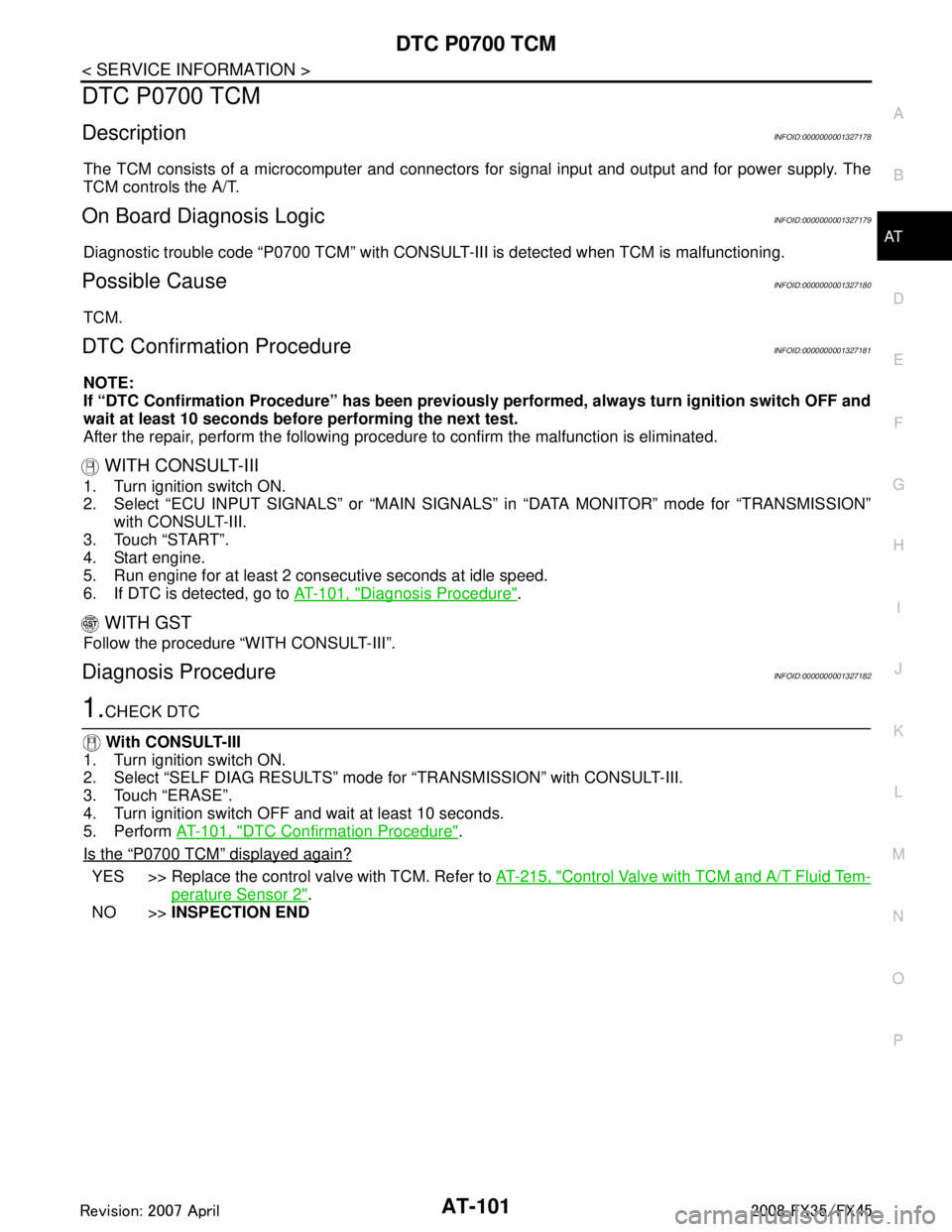
DTC P0700 TCMAT-101
< SERVICE INFORMATION >
DE
F
G H
I
J
K L
M A
B
AT
N
O P
DTC P0700 TCM
DescriptionINFOID:0000000001327178
The TCM consists of a microcomputer and connectors for signal input and output and for power supply. The
TCM controls the A/T.
On Board Diagnosis LogicINFOID:0000000001327179
Diagnostic trouble code “P0700 TCM” with CONSULT-II I is detected when TCM is malfunctioning.
Possible CauseINFOID:0000000001327180
TCM.
DTC Confirmation ProcedureINFOID:0000000001327181
NOTE:
If “DTC Confirmation Procedure” has been previously performed, alw ays turn ignition switch OFF and
wait at least 10 seconds before performing the next test.
After the repair, perform the following procedure to confirm the malfunction is eliminated.
WITH CONSULT-III
1. Turn ignition switch ON.
2. Select “ECU INPUT SIGNALS” or “MAIN SIGNAL S” in “DATA MONITOR” mode for “TRANSMISSION”
with CONSULT-III.
3. Touch “START”.
4. Start engine.
5. Run engine for at least 2 cons ecutive seconds at idle speed.
6. If DTC is detected, go to AT-101, "
Diagnosis Procedure".
WITH GST
Follow the procedure “WITH CONSULT-III”.
Diagnosis ProcedureINFOID:0000000001327182
1.CHECK DTC
With CONSULT-III
1. Turn ignition switch ON.
2. Select “SELF DIAG RESULTS” mode fo r “TRANSMISSION” with CONSULT-III.
3. Touch “ERASE”.
4. Turn ignition switch OFF and wait at least 10 seconds.
5. Perform AT-101, "
DTC Confirmation Procedure".
Is the
“P0700 TCM” displayed again?
YES >> Replace the control valve with TCM. Refer to AT-215, "Control Valve with TCM and A/T Fluid Tem-
perature Sensor 2".
NO >> INSPECTION END
3AA93ABC3ACD3AC03ACA3AC03AC63AC53A913A773A893A873A873A8E3A773A983AC73AC93AC03AC3
3A893A873A873A8F3A773A9D3AAF3A8A3A8C3A863A9D3AAF3A8B3A8C
Page 177 of 3924

AT-104
< SERVICE INFORMATION >
DTC P0705 PARK/NEUTRAL POSITION SWITCH
2. Select “SELECTION FROM MENU” in “DATA MONITOR” mode for “TRANSMISSION” with CONSULT-III.
3. Check if correct selector lever position (N/P, R or D) is displayed as selector lever is moved into each posi-
tion.
OK or NG
OK >> GO TO 5.
NG >> GO TO 2.
2.CHECK TCM POWER SUPPLY AND GROUND CIRCUIT
Check TCM power supply and ground circuit. Refer to AT-160
.
OK or NG
OK >> GO TO 3.
NG >> Repair or replace damaged parts.
3.DETECT MALFUNCTIONING ITEM
Check A/T assembly harness connector pin terminals for damage or loose connection with harness connector.
OK or NG
OK >> GO TO 4.
NG >> Repair or replace damaged parts.
4.CHECK SUB-HARNESS
1. Remove control valve with TCM. Refer to AT-215, "
Control Valve with TCM and A/T Fluid Temperature
Sensor 2".
2. Disconnect park/neutral position switch connector and TCM connector.
3. Check continuity between park/neutral position switch connector terminals and TCM connector terminals.
4. If OK, check harness for short to ground and short to power.
5. Reinstall any part removed.
OK or NG
OK >> Replace the control valve with TCM. Refer to AT-215, "Control Valve with TCM and A/T Fluid Tem-
perature Sensor 2".
NG >> Replace open circuit or short to ground and short to power in harness or connectors.
5.CHECK DTC
Perform AT-102, "
DTC Confirmation Procedure".
OK or NG
Item name Condition Display value
SLCT LVR POSI Selector lever in “N” and “P” positions. N/P
Selector lever in “R” position. R
Selector lever in “D” position. D
Item Connector Terminal Continuity
Park/neutral position switch
connector F505 1
Ye s
TCM connector F503 13
Park/neutral position switch
connector F505 2
Ye s
TCM connector F503 11
Park/neutral position switch
connector F505 3
Ye s
TCM connector F503 12
Park/neutral position switch
connector F505 5
Ye s
TCM connector F503 14
SCIA5457E
3AA93ABC3ACD3AC03ACA3AC03AC63AC53A913A773A893A873A873A8E3A773A983AC73AC93AC03AC3
3A893A873A873A8F3A773A9D3AAF3A8A3A8C3A863A9D3AAF3A8B3A8C
Page 180 of 3924

DTC P0717 TURBINE REVOLUTION SENSORAT-107
< SERVICE INFORMATION >
DE
F
G H
I
J
K L
M A
B
AT
N
O P
3. Vehicle start and read out the value of “TURBINE REV”.
OK or NG
OK >> GO TO 4.
NG >> GO TO 2.
2.CHECK TCM POWER SUPPLY AND GROUND CIRCUIT
Check TCM power supply and ground circuit. Refer to AT-160
.
OK or NG
OK >> GO TO 3.
NG >> Repair or replace damaged parts.
3.DETECT MALFUNCTIONING ITEM
Check A/T assembly harness connector pin terminals for damage or loose connection with harness connector.
OK or NG
OK >> Replace the control valve with TCM. Refer to AT-215, "Control Valve with TCM and A/T Fluid Tem-
perature Sensor 2".
NG >> Repair or replace damaged parts.
4.CHECK DTC
Perform AT-106, "
DTC Confirmation Procedure".
OK or NG
OK >> INSPECTION END
NG >> GO TO 2.
Item name Condition Display value (rpm)
TURBINE REV During driving (lock-up ON) Approximately matches the engine speed.
3AA93ABC3ACD3AC03ACA3AC03AC63AC53A913A773A893A873A873A8E3A773A983AC73AC93AC03AC3
3A893A873A873A8F3A773A9D3AAF3A8A3A8C3A863A9D3AAF3A8B3A8C