climate settings INFINITI G-COUPE 2012 Owner's Manual
[x] Cancel search | Manufacturer: INFINITI, Model Year: 2012, Model line: G-COUPE, Model: INFINITI G-COUPE 2012Pages: 490, PDF Size: 3.73 MB
Page 253 of 490
4-74Monitor, climate, audio, phone and voice recognition systems
following items.
.Shuffle
Choose “Shuffle OFF” ,“Shuffle All
Tracks” and“Shuffle Group”.
. Repeat
Choose from “Repeat OFF”, “Repeat 1
Track”, “Repeat All Tracks” and“Repeat
Group”.
SAA2511
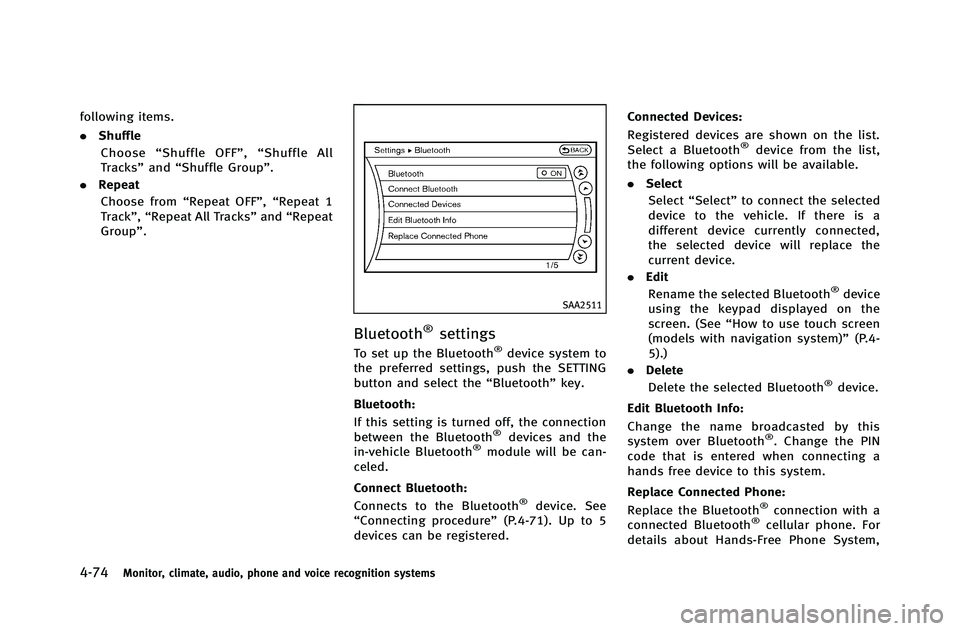
Bluetooth®settings
To set up the Bluetooth®device system to
the preferred settings, push the SETTING
button and select the “Bluetooth”key.
Bluetooth:
If this setting is turned off, the connection
between the Bluetooth
®devices and the
in-vehicle Bluetooth®module will be can-
celed.
Connect Bluetooth:
Connects to the Bluetooth
®device. See
“Connecting procedure” (P.4-71). Up to 5
devices can be registered. Connected Devices:
Registered devices are shown on the list.
Select a Bluetooth
®device from the list,
the following options will be available.
. Select
Select “Select” to connect the selected
device to the vehicle. If there is a
different device currently connected,
the selected device will replace the
current device.
. Edit
Rename the selected Bluetooth
®device
using the keypad displayed on the
screen. (See “How to use touch screen
(models with navigation system)” (P.4-
5).)
. Delete
Delete the selected Bluetooth
®device.
Edit Bluetooth Info:
Change the name broadcasted by this
system over Bluetooth
®. Change the PIN
code that is entered when connecting a
hands free device to this system.
Replace Connected Phone:
Replace the Bluetooth
®connection with a
connected Bluetooth®cellular phone. For
details about Hands-Free Phone System,
Page 255 of 490
4-76Monitor, climate, audio, phone and voice recognition systems
.Second generation iPod touch®(version
1.2.3 or later)
. First generation iPod nano
®(version
1.3.1 or later)
. Second generation iPod nano
®(version
1.1.3 or later)
. Third generation iPod nano
®(version
1.1 or later)
. Fourth generation iPod nano
®(version
1.0.2 or later)
Models without navigation system:
. Fifth generation iPod
®(firmware ver-
sion 1.3)
. First generation iPod Classic
®(firmware
version 1.1.2 PC)
. Second generation iPod Classic
®(firm-
ware version 2.0 PC)
. First generation iPod touch
®(firmware
version 2.1)
. Second generation iPod touch
®(firm-
ware version 2.1.1)
. First generation iPod nano
®(firmware
version 1.3.1)
. Second generation iPod nano
®(firm-
ware version 1.1.3)
. Third generation iPod nano
®(firmware
version 1.1 PC) .
Third generation iPhone
®(firmware
version 2.1)
Make sure that the iPod
®version is
updated.
Audio main operation
Push the ignition switch to the ACC or ON
position. Then, push the DISC·AUX or DISC
button repeatedly to switch to the iPod
®
mode.
If the system has been turned off while the
iPod
®was playing, pushing the ON·OFF
button will start the iPod®.
orPLAY:
When the DISC·AUX or AUX button is
pushed with the system off and the iPod
®
connected, the system will turn on. If
another audio source is playing and the
iPod
®is connected, push the DISC·AUX or
AUX button repeatedly until the center
display changes to the iPod
®mode.
Interface:
The interface for iPod
®operation shown on
the vehicle center display is similar to the
iPod
®interface. Use the INFINITI controller
and the ENTER or BACK button to play the
iPod
®with your favorite settings. The following items can be chosen from the
menu list screen. For further information
about each item, see the iPod
®Owner’s
Manual.
. Now Playing
. Playlists
. Artists
. Albums
. Songs
. Podcasts
. Genres
. Composers
. Audiobooks
. Shuffle Songs
The following touch-panel buttons shown
on the screen are also available:
.
: returns to the previous screen.
.
: plays/pauses the music selected.
Next/Previous Track and Fast
Forward/Rewind:
When the
orbutton is pushed for
more than 1.5 seconds while the iPod®is
playing, the iPod®will play while fast
forwarding or rewinding. When the button
is released, the iPod
®will return to the
normal play speed.
Page 258 of 490
If the title information of the track being
recorded is stored either in the hard drive/
flash memory or in the CD, the title is
automatically displayed on the screen. For
title acquisition from the hard drive/flash
memory, music recognition technology and
related data are provided by Gracenote
®.
If a track is not recorded successfully due
to skipping sounds, the
mark is
displayed behind the track number.
The Music Box
®hard drive/flash memory
cannot perform recording under the follow-
ing conditions.
. There is not enough space on the hard
drive
. The number of albums reaches the
maximum of 500.
. The number of tracks reaches the
maximum of 3,000.
Automatic recording:
If the “Automatic Recording” function is
turned to ON, recording starts when a CD is
inserted. (See “Music Box
®settings”(P.4-
83).)
Stopping recording:
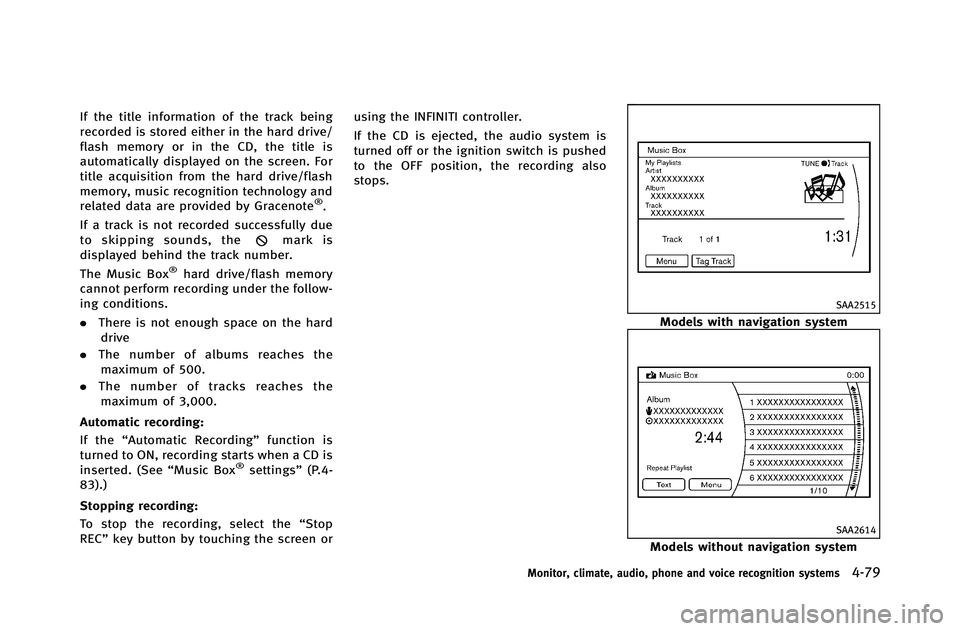
To stop the recording, select the “Stop
REC” key button by touching the screen or using the INFINITI controller.
If the CD is ejected, the audio system is
turned off or the ignition switch is pushed
to the OFF position, the recording also
stops.
SAA2515
Models with navigation system
SAA2614
Models without navigation system
Monitor, climate, audio, phone and voice recognition systems4-79
Page 262 of 490
SAA2517
Models with navigation system
SAA2438
Models without navigation system
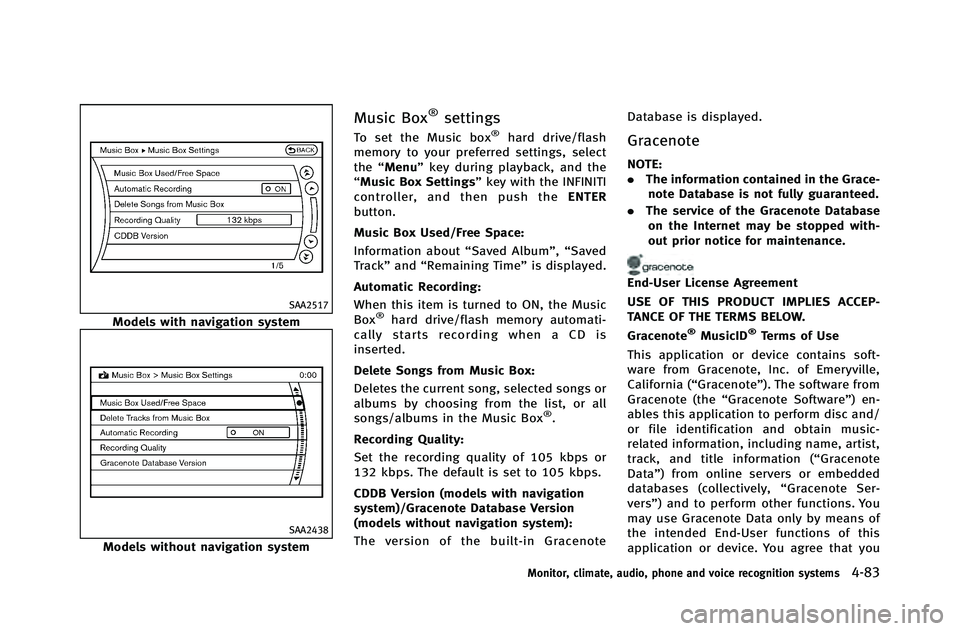
Music Box®settings
To set the Music box®hard drive/flash
memory to your preferred settings, select
the “Menu” key during playback, and the
“Music Box Settings” key with the INFINITI
controller, and then push the ENTER
button.
Music Box Used/Free Space:
Information about “Saved Album”,“Saved
Track” and“Remaining Time” is displayed.
Automatic Recording:
When this item is turned to ON, the Music
Box
®hard drive/flash memory automati-
cally starts recording when a CD is
inserted.
Delete Songs from Music Box:
Deletes the current song, selected songs or
albums by choosing from the list, or all
songs/albums in the Music Box
®.
Recording Quality:
Set the recording quality of 105 kbps or
132 kbps. The default is set to 105 kbps.
CDDB Version (models with navigation
system)/Gracenote Database Version
(models without navigation system):
The version of the built-in Gracenote Database is displayed.
Gracenote
NOTE:
.
The information contained in the Grace-
note Database is not fully guaranteed.
. The service of the Gracenote Database
on the Internet may be stopped with-
out prior notice for maintenance.
End-User License Agreement
USE OF THIS PRODUCT IMPLIES ACCEP-
TANCE OF THE TERMS BELOW.
Gracenote
®MusicID®Terms of Use
This application or device contains soft-
ware from Gracenote, Inc. of Emeryville,
California (“Gracenote”). The software from
Gracenote (the “Gracenote Software”) en-
ables this application to perform disc and/
or file identification and obtain music-
related information, including name, artist,
track, and title information (“ Gracenote
Data”) from online servers or embedded
databases (collectively, “Gracenote Ser-
vers”) and to perform other functions. You
may use Gracenote Data only by means of
the intended End-User functions of this
application or device. You agree that you
Monitor, climate, audio, phone and voice recognition systems4-83
Page 277 of 490
4-98Monitor, climate, audio, phone and voice recognition systems
SAA2527
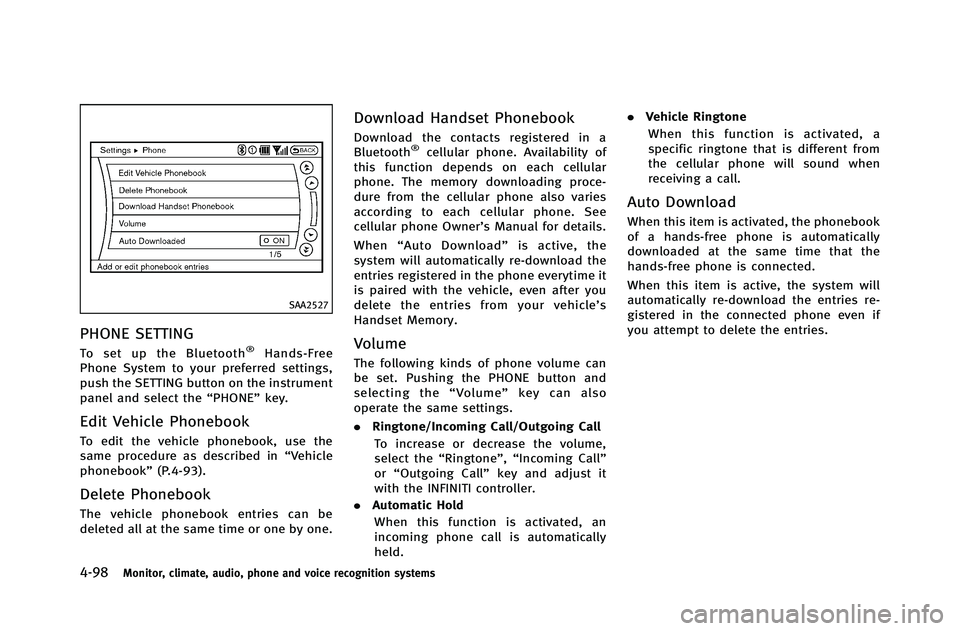
PHONE SETTING
To set up the Bluetooth®Hands-Free
Phone System to your preferred settings,
push the SETTING button on the instrument
panel and select the “PHONE”key.
Edit Vehicle Phonebook
To edit the vehicle phonebook, use the
same procedure as described in “Vehicle
phonebook” (P.4-93).
Delete Phonebook
The vehicle phonebook entries can be
deleted all at the same time or one by one.
Download Handset Phonebook
Download the contacts registered in a
Bluetooth®cellular phone. Availability of
this function depends on each cellular
phone. The memory downloading proce-
dure from the cellular phone also varies
according to each cellular phone. See
cellular phone Owner’s Manual for details.
When “Auto Download” is active, the
system will automatically re-download the
entries registered in the phone everytime it
is paired with the vehicle, even after you
delete the entries from your vehicle’ s
Handset Memory.
Volume
The following kinds of phone volume can
be set. Pushing the PHONE button and
selecting the “Volume” key can also
operate the same settings.
. Ringtone/Incoming Call/Outgoing Call
To increase or decrease the volume,
select the “Ringtone”, “Incoming Call”
or “Outgoing Call” key and adjust it
with the INFINITI controller.
. Automatic Hold
When this function is activated, an
incoming phone call is automatically
held. .
Vehicle Ringtone
When this function is activated, a
specific ringtone that is different from
the cellular phone will sound when
receiving a call.
Auto Download
When this item is activated, the phonebook
of a hands-free phone is automatically
downloaded at the same time that the
hands-free phone is connected.
When this item is active, the system will
automatically re-download the entries re-
gistered in the connected phone even if
you attempt to delete the entries.
Page 289 of 490
4-110Monitor, climate, audio, phone and voice recognition systems
call.
. “Mute on/off”— Use the Mute com-
mand to mute the user’s voice so the
other party cannot hear it.
Use the mute command again to
unmute the user’s voice.
. “Transfer Handset”— Use the Transfer
Handset command to transfer the call
from the Bluetooth
®Hands-Free Phone
System to a cellular phone when
privacy is desired. The system an-
nounces, “Transfer Handset. The call
is transferred to the handset only.” The
system then ends the VR session.
The Transfer Call command can also be
issued again to return to a hands-free
call through the vehicle.
. “Help”— The system announces the
available commands.
NOTE:
If the other party ends the call or the
cellular phone network connection is lost
while the Mute feature is on, the Mute
feature may need to be reset to “off.”
SAA2582
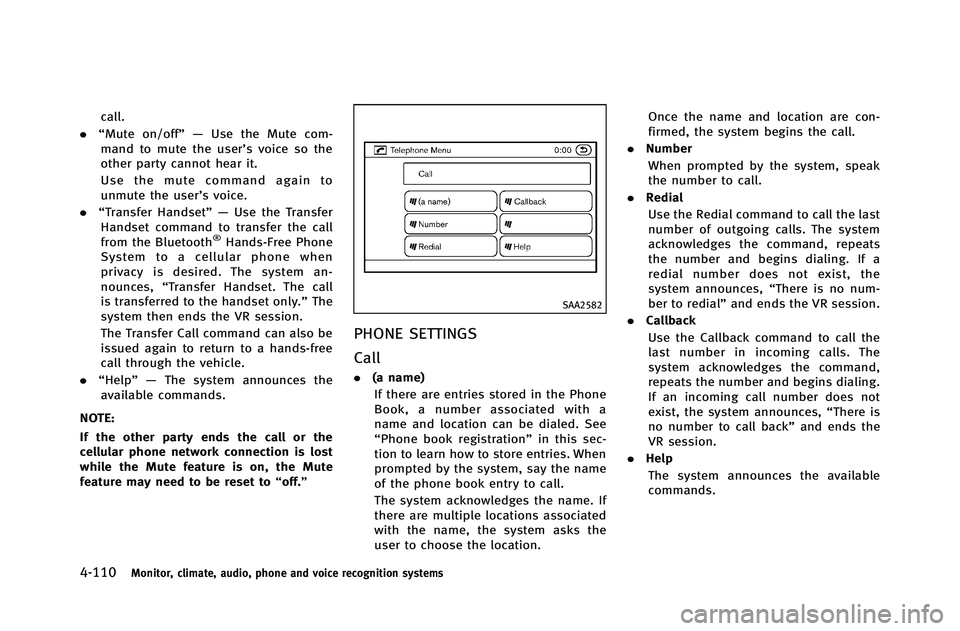
PHONE SETTINGS
Call
.(a name)
If there are entries stored in the Phone
Book, a number associated with a
name and location can be dialed. See
“Phone book registration” in this sec-
tion to learn how to store entries. When
prompted by the system, say the name
of the phone book entry to call.
The system acknowledges the name. If
there are multiple locations associated
with the name, the system asks the
user to choose the location. Once the name and location are con-
firmed, the system begins the call.
. Number
When prompted by the system, speak
the number to call.
. Redial
Use the Redial command to call the last
number of outgoing calls. The system
acknowledges the command, repeats
the number and begins dialing. If a
redial number does not exist, the
system announces, “There is no num-
ber to redial” and ends the VR session.
. Callback
Use the Callback command to call the
last number in incoming calls. The
system acknowledges the command,
repeats the number and begins dialing.
If an incoming call number does not
exist, the system announces, “There is
no number to call back” and ends the
VR session.
. Help
The system announces the available
commands.
Page 315 of 490
4-136Monitor, climate, audio, phone and voice recognition systems
SAA2547
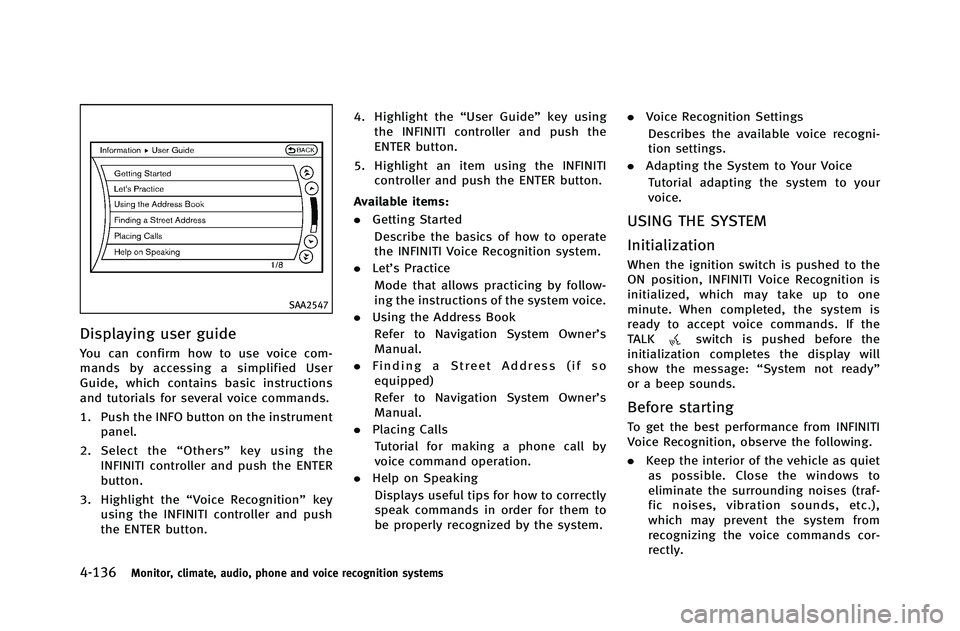
Displaying user guide
You can confirm how to use voice com-
mands by accessing a simplified User
Guide, which contains basic instructions
and tutorials for several voice commands.
1. Push the INFO button on the instrumentpanel.
2. Select the “Others” key using the
INFINITI controller and push the ENTER
button.
3. Highlight the “Voice Recognition” key
using the INFINITI controller and push
the ENTER button. 4. Highlight the
“User Guide”key using
the INFINITI controller and push the
ENTER button.
5. Highlight an item using the INFINITI controller and push the ENTER button.
Available items:
. Getting Started
Describe the basics of how to operate
the INFINITI Voice Recognition system.
. Let’s Practice
Mode that allows practicing by follow-
ing the instructions of the system voice.
. Using the Address Book
Refer to Navigation System Owner’s
Manual.
. Finding a Street Address (if so
equipped)
Refer to Navigation System Owner’s
Manual.
. Placing Calls
Tutorial for making a phone call by
voice command operation.
. Help on Speaking
Displays useful tips for how to correctly
speak commands in order for them to
be properly recognized by the system. .
Voice Recognition Settings
Describes the available voice recogni-
tion settings.
. Adapting the System to Your Voice
Tutorial adapting the system to your
voice.
USING THE SYSTEM
Initialization
When the ignition switch is pushed to the
ON position, INFINITI Voice Recognition is
initialized, which may take up to one
minute. When completed, the system is
ready to accept voice commands. If the
TALK
switch is pushed before the
initialization completes the display will
show the message: “System not ready”
or a beep sounds.
Before starting
To get the best performance from INFINITI
Voice Recognition, observe the following.
. Keep the interior of the vehicle as quiet
as possible. Close the windows to
eliminate the surrounding noises (traf-
fic noises, vibration sounds, etc.),
which may prevent the system from
recognizing the voice commands cor-
rectly.
Page 319 of 490
4-140Monitor, climate, audio, phone and voice recognition systems
SAA2552
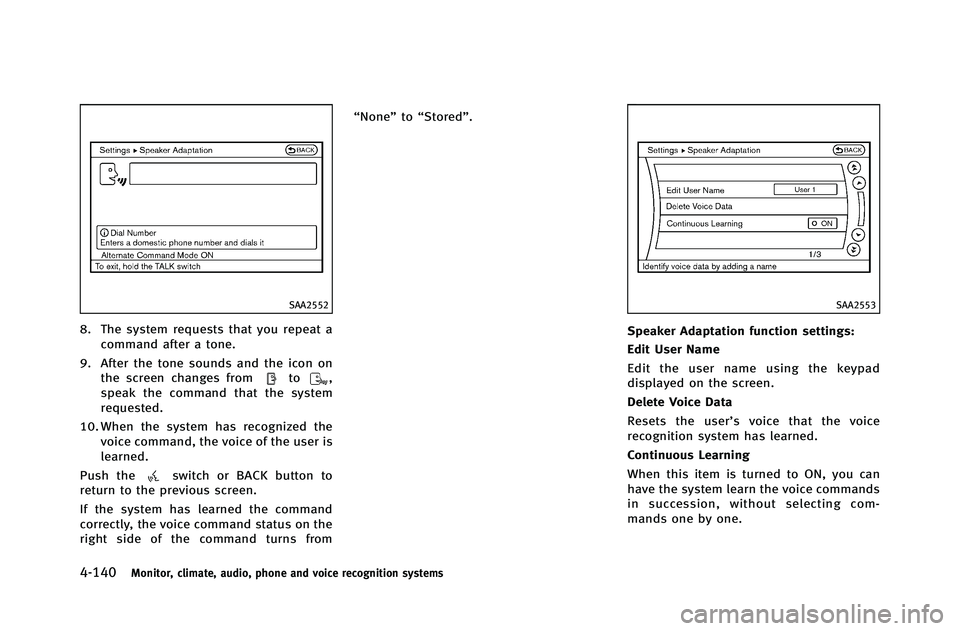
8. The system requests that you repeat acommand after a tone.
9. After the tone sounds and the icon on the screen changes from
to,
speak the command that the system
requested.
10. When the system has recognized the voice command, the voice of the user is
learned.
Push the
switch or BACK button to
return to the previous screen.
If the system has learned the command
correctly, the voice command status on the
right side of the command turns from “None”
to“Stored”.
SAA2553
Speaker Adaptation function settings:
Edit User Name
Edit the user name using the keypad
displayed on the screen.
Delete Voice Data
Resets the user’ s voice that the voice
recognition system has learned.
Continuous Learning
When this item is turned to ON, you can
have the system learn the voice commands
in succession, without selecting com-
mands one by one.