warning INFINITI JX 2013 Owner's Manual
[x] Cancel search | Manufacturer: INFINITI, Model Year: 2013, Model line: JX, Model: INFINITI JX 2013Pages: 554, PDF Size: 5.48 MB
Page 385 of 554
BSI SYSTEM OPERATION
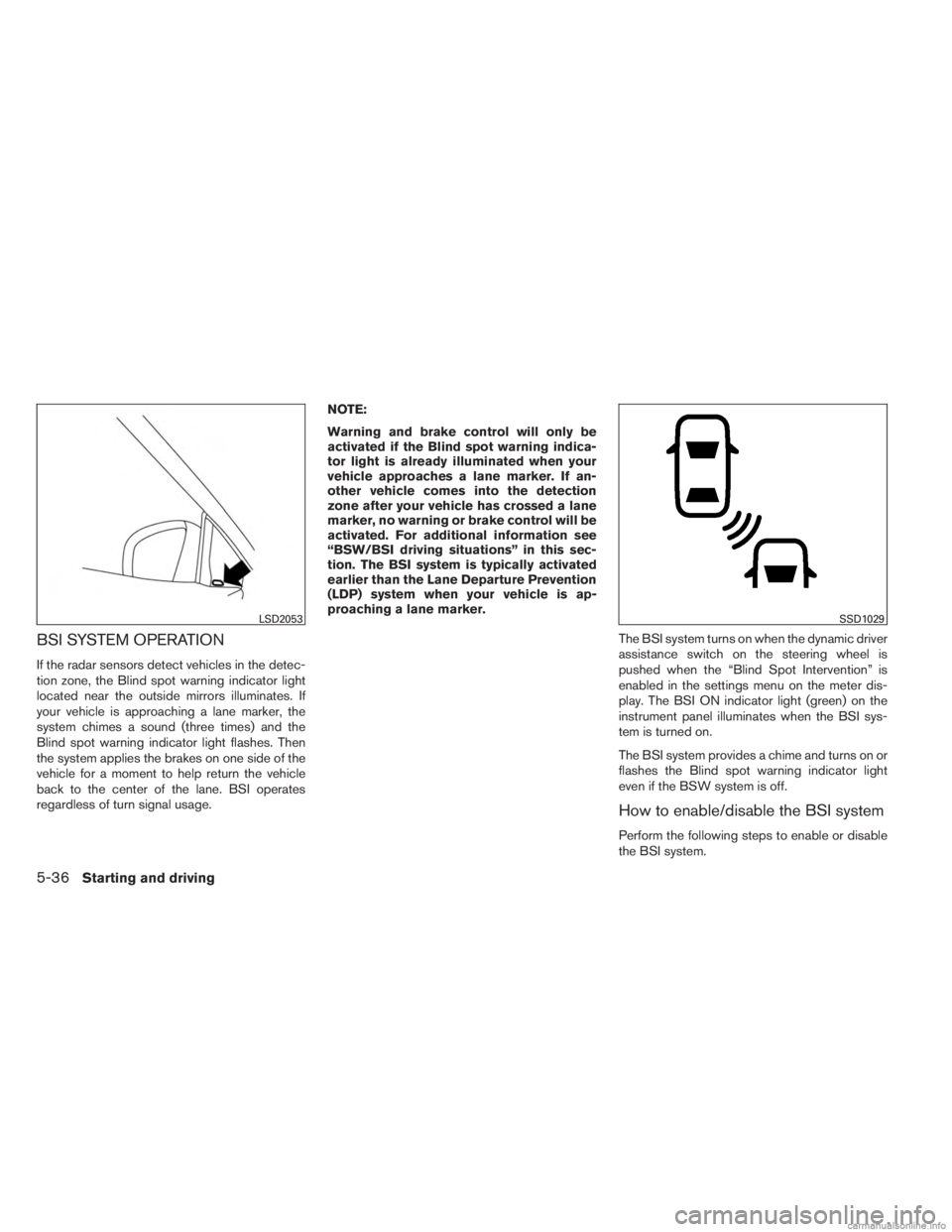
If the radar sensors detect vehicles in the detec-
tion zone, the Blind spot warning indicator light
located near the outside mirrors illuminates. If
your vehicle is approaching a lane marker, the
system chimes a sound (three times) and the
Blind spot warning indicator light flashes. Then
the system applies the brakes on one side of the
vehicle for a moment to help return the vehicle
back to the center of the lane. BSI operates
regardless of turn signal usage.NOTE:
Warning and brake control will only be
activated if the Blind spot warning indica-
tor light is already illuminated when your
vehicle approaches a lane marker. If an-
other vehicle comes into the detection
zone after your vehicle has crossed a lane
marker, no warning or brake control will be
activated. For additional information see
“BSW/BSI driving situations” in this sec-
tion. The BSI system is typically activated
earlier than the Lane Departure Prevention
(LDP) system when your vehicle is ap-
proaching a lane marker.
The BSI system turns on when the dynamic driver
assistance switch on the steering wheel is
pushed when the “Blind Spot Intervention” is
enabled in the settings menu on the meter dis-
play. The BSI ON indicator light (green) on the
instrument panel illuminates when the BSI sys-
tem is turned on.
The BSI system provides a chime and turns on or
flashes the Blind spot warning indicator light
even if the BSW system is off.
How to enable/disable the BSI system
Perform the following steps to enable or disable
the BSI system.
LSD2053SSD1029
5-36Starting and driving
Page 386 of 554
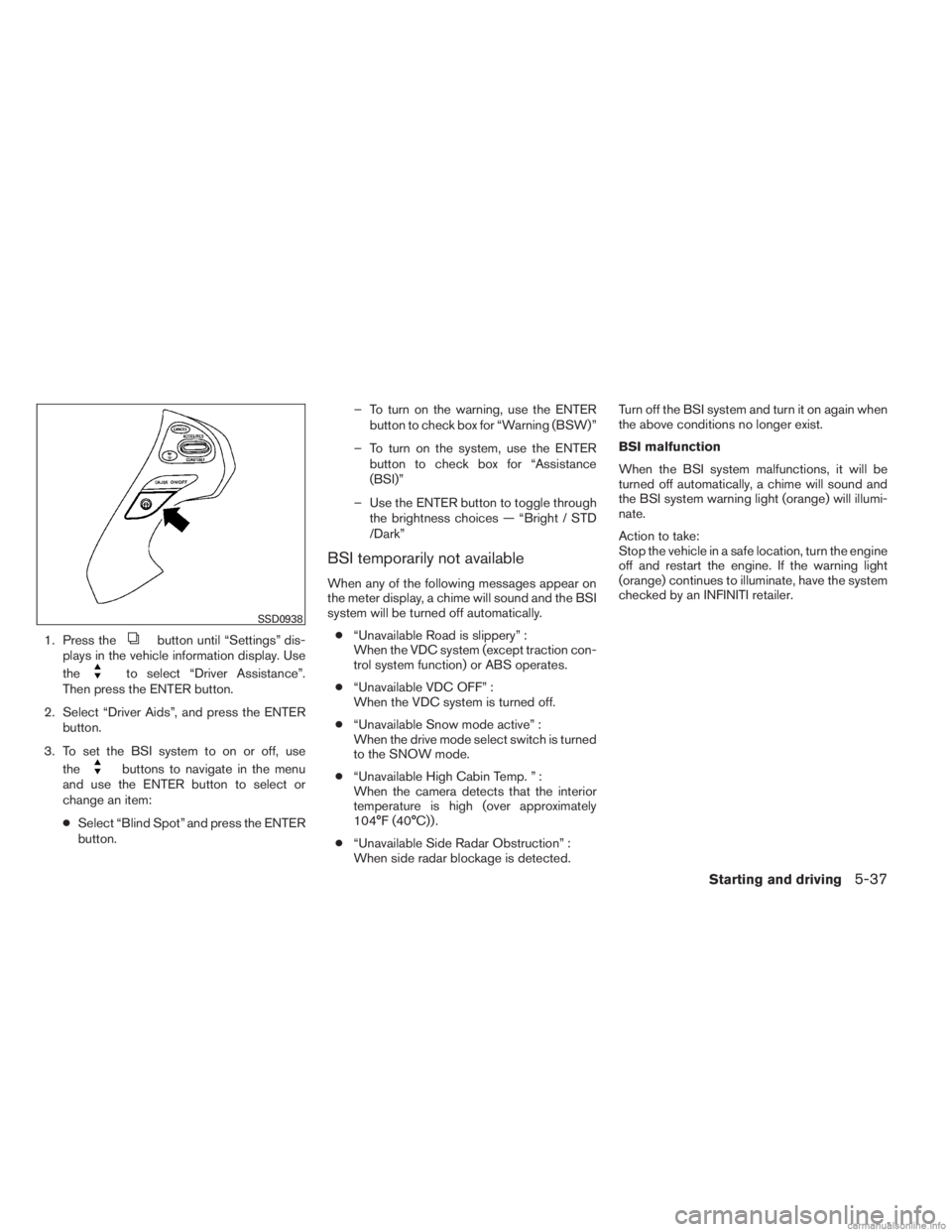
1. Press thebutton until “Settings” dis-
plays in the vehicle information display. Use
the
to select “Driver Assistance”.
Then press the ENTER button.
2. Select “Driver Aids”, and press the ENTER button.
3. To set the BSI system to on or off, use the
buttons to navigate in the menu
and use the ENTER button to select or
change an item:
● Select “Blind Spot” and press the ENTER
button. – To turn on the warning, use the ENTER
button to check box for “Warning (BSW)”
– To turn on the system, use the ENTER button to check box for “Assistance
(BSI)”
– Use the ENTER button to toggle through the brightness choices — “Bright / STD
/Dark”
BSI temporarily not available
When any of the following messages appear on
the meter display, a chime will sound and the BSI
system will be turned off automatically.
● “Unavailable Road is slippery” :
When the VDC system (except traction con-
trol system function) or ABS operates.
● “Unavailable VDC OFF” :
When the VDC system is turned off.
● “Unavailable Snow mode active” :
When the drive mode select switch is turned
to the SNOW mode.
● “Unavailable High Cabin Temp. ” :
When the camera detects that the interior
temperature is high (over approximately
104°F (40°C)) .
● “Unavailable Side Radar Obstruction” :
When side radar blockage is detected. Turn off the BSI system and turn it on again when
the above conditions no longer exist.
BSI malfunction
When the BSI system malfunctions, it will be
turned off automatically, a chime will sound and
the BSI system warning light (orange) will illumi-
nate.
Action to take:
Stop the vehicle in a safe location, turn the engine
off and restart the engine. If the warning light
(orange) continues to illuminate, have the system
checked by an INFINITI retailer.
SSD0938
Starting and driving5-37
Page 387 of 554
BCI SYSTEM OPERATION
WARNING
The radar sensors may not be able to
detect certain objects such as:– Pedestrians, bicycles, animals
– A vehicle that passing at speeds
greater than approximately 15 MPH
(24 km/h) The radar sensors may not detect ap-
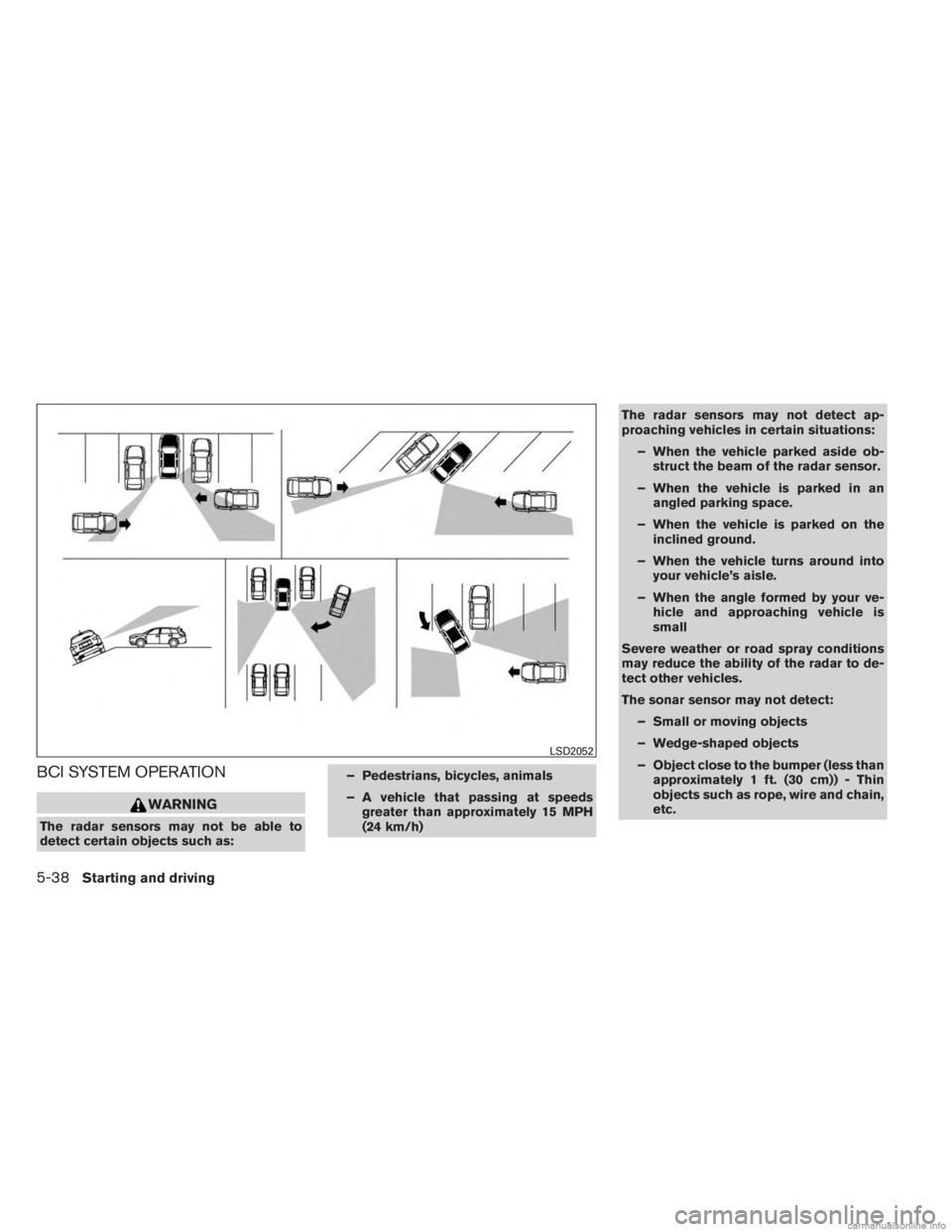
proaching vehicles in certain situations:
– When the vehicle parked aside ob- struct the beam of the radar sensor.
– When the vehicle is parked in an angled parking space.
– When the vehicle is parked on the inclined ground.
– When the vehicle turns around into your vehicle’s aisle.
– When the angle formed by your ve- hicle and approaching vehicle is
small
Severe weather or road spray conditions
may reduce the ability of the radar to de-
tect other vehicles.
The sonar sensor may not detect: – Small or moving objects
– Wedge-shaped objects
– Object close to the bumper (less than approximately 1 ft. (30 cm)) - Thin
objects such as rope, wire and chain,
etc.
LSD2052
5-38Starting and driving
Page 388 of 554
The brake engagement by the BCI system
is not as effective on a slope, as it is on flat
ground. When on a steep slope, the sys-
tem may not function properly.
Do not use the BCI systems under the
following conditions because the system
may not function properly.– When driving with a tire that is not within normal tire conditions (e.g.
tire wear, low tire pressure, installa-
tion of spare tire, tire chains, non-
standard wheels) .
– When the vehicle is equipped with non-original brake parts or suspen-
sion parts.
Do not use the BCI systems when towing a
trailer.
Excessive noise (e.g. audio system vol-
ume, open vehicle window) will interfere
with the chime sound, and it may not be
heard.
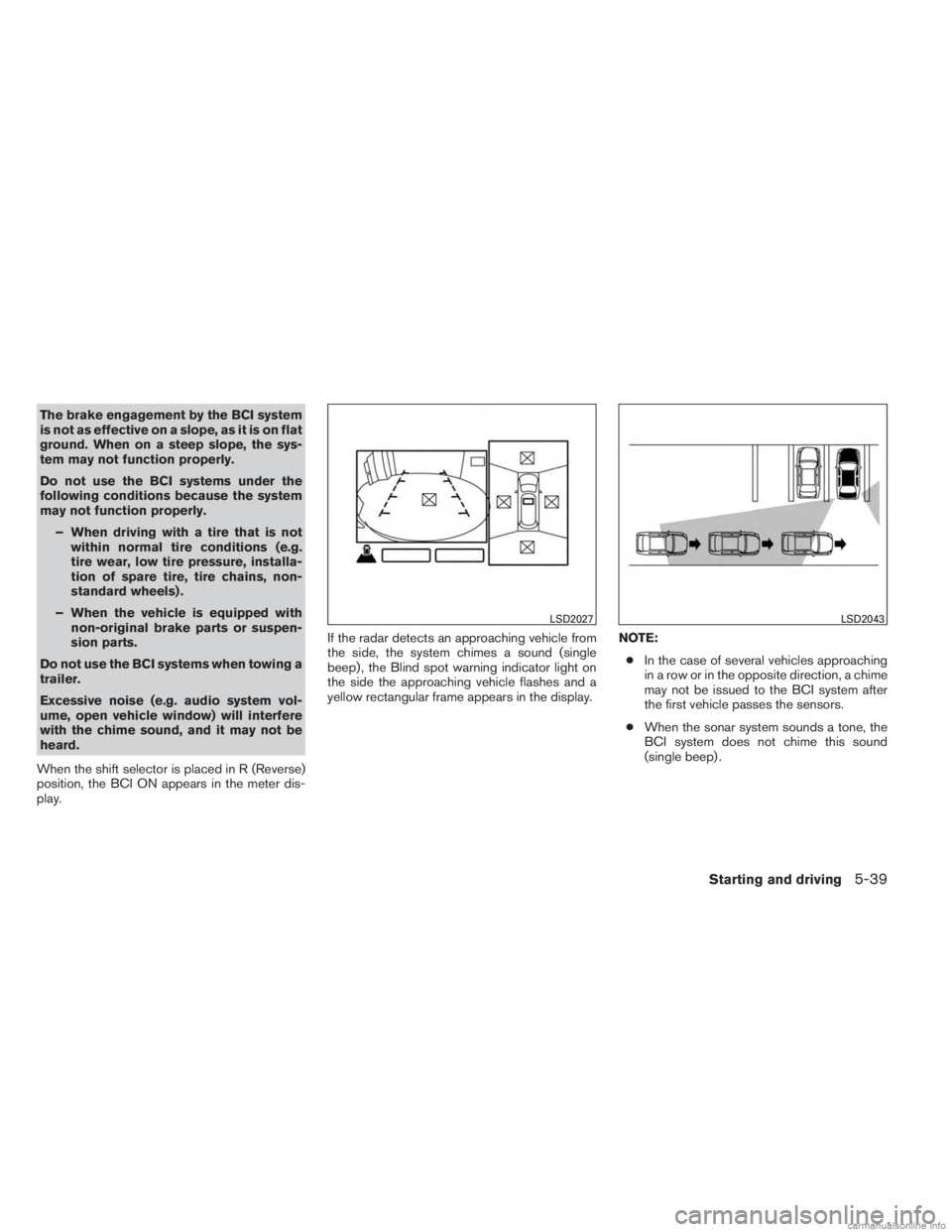
When the shift selector is placed in R (Reverse)
position, the BCI ON appears in the meter dis-
play. If the radar detects an approaching vehicle from
the side, the system chimes a sound (single
beep) , the Blind spot warning indicator light on
the side the approaching vehicle flashes and a
yellow rectangular frame appears in the display.
NOTE:
● In the case of several vehicles approaching
in a row or in the opposite direction, a chime
may not be issued to the BCI system after
the first vehicle passes the sensors.
● When the sonar system sounds a tone, the
BCI system does not chime this sound
(single beep) .
LSD2027LSD2043
Starting and driving5-39
Page 390 of 554
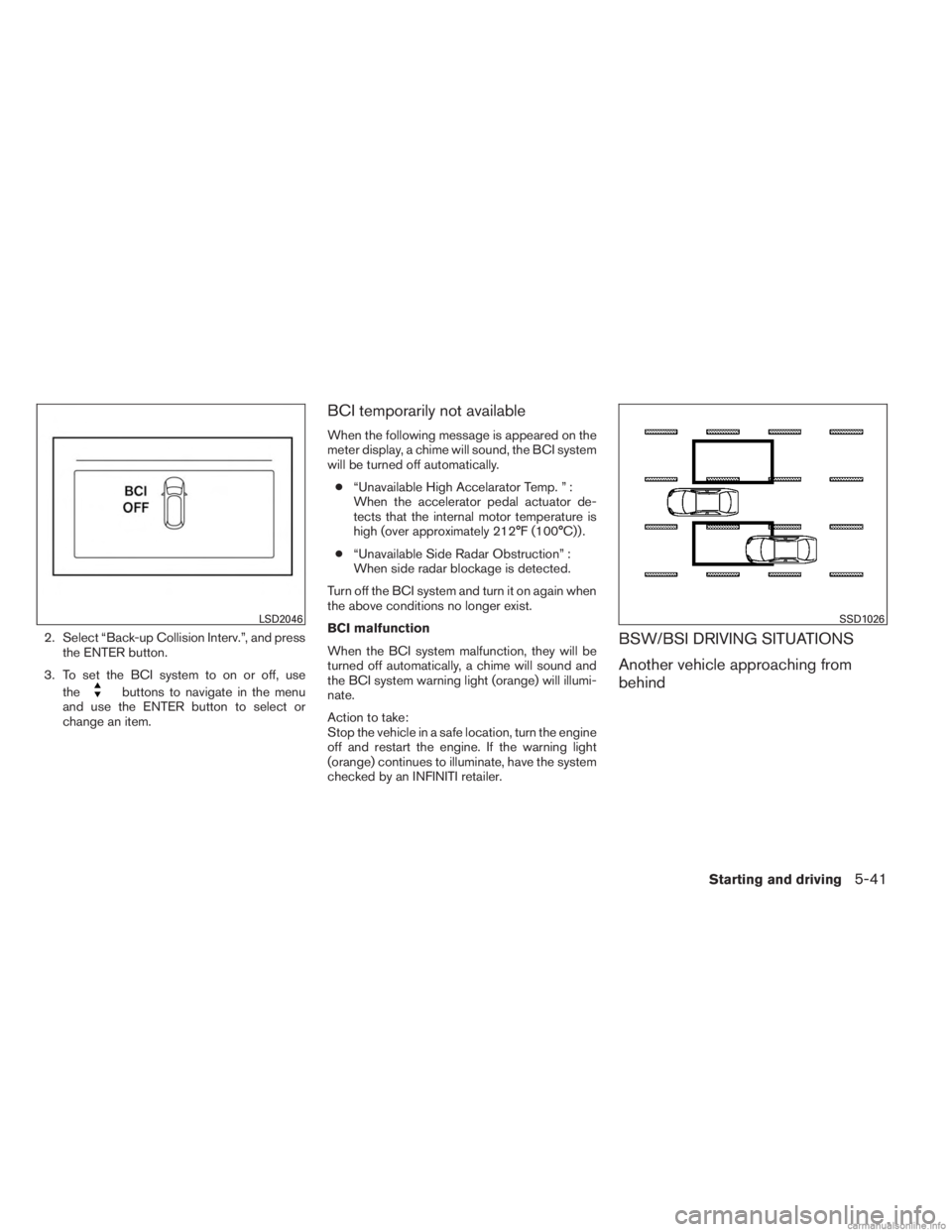
2. Select “Back-up Collision Interv.”, and pressthe ENTER button.
3. To set the BCI system to on or off, use the
buttons to navigate in the menu
and use the ENTER button to select or
change an item.
BCI temporarily not available
When the following message is appeared on the
meter display, a chime will sound, the BCI system
will be turned off automatically.
● “Unavailable High Accelarator Temp. ” :
When the accelerator pedal actuator de-
tects that the internal motor temperature is
high (over approximately 212°F (100°C)) .
● “Unavailable Side Radar Obstruction” :
When side radar blockage is detected.
Turn off the BCI system and turn it on again when
the above conditions no longer exist.
BCI malfunction
When the BCI system malfunction, they will be
turned off automatically, a chime will sound and
the BCI system warning light (orange) will illumi-
nate.
Action to take:
Stop the vehicle in a safe location, turn the engine
off and restart the engine. If the warning light
(orange) continues to illuminate, have the system
checked by an INFINITI retailer.
BSW/BSI DRIVING SITUATIONS
Another vehicle approaching from
behind
LSD2046SSD1026
Starting and driving5-41
Page 391 of 554
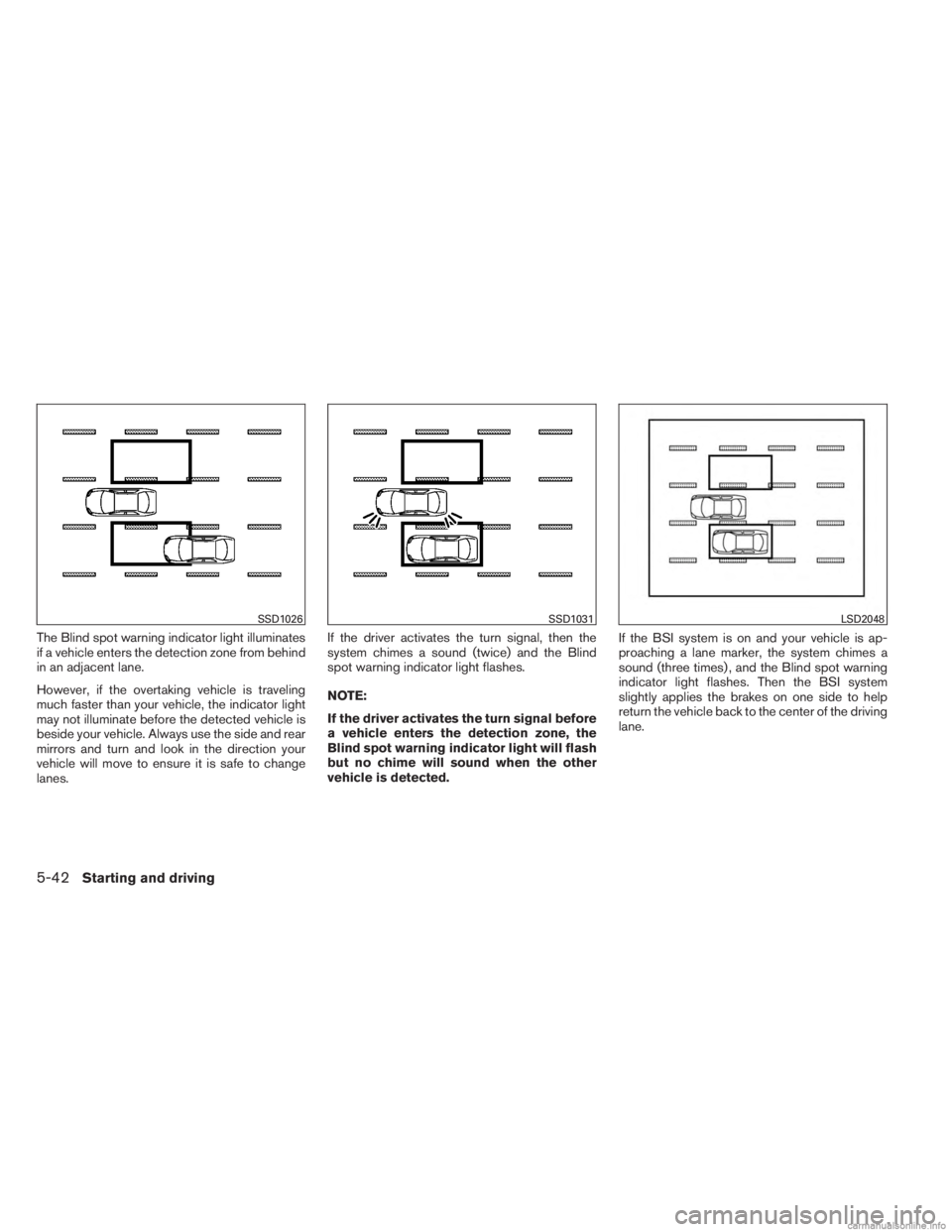
The Blind spot warning indicator light illuminates
if a vehicle enters the detection zone from behind
in an adjacent lane.
However, if the overtaking vehicle is traveling
much faster than your vehicle, the indicator light
may not illuminate before the detected vehicle is
beside your vehicle. Always use the side and rear
mirrors and turn and look in the direction your
vehicle will move to ensure it is safe to change
lanes.If the driver activates the turn signal, then the
system chimes a sound (twice) and the Blind
spot warning indicator light flashes.
NOTE:
If the driver activates the turn signal before
a vehicle enters the detection zone, the
Blind spot warning indicator light will flash
but no chime will sound when the other
vehicle is detected.
If the BSI system is on and your vehicle is ap-
proaching a lane marker, the system chimes a
sound (three times) , and the Blind spot warning
indicator light flashes. Then the BSI system
slightly applies the brakes on one side to help
return the vehicle back to the center of the driving
lane.
SSD1026SSD1031LSD2048
5-42Starting and driving
Page 392 of 554
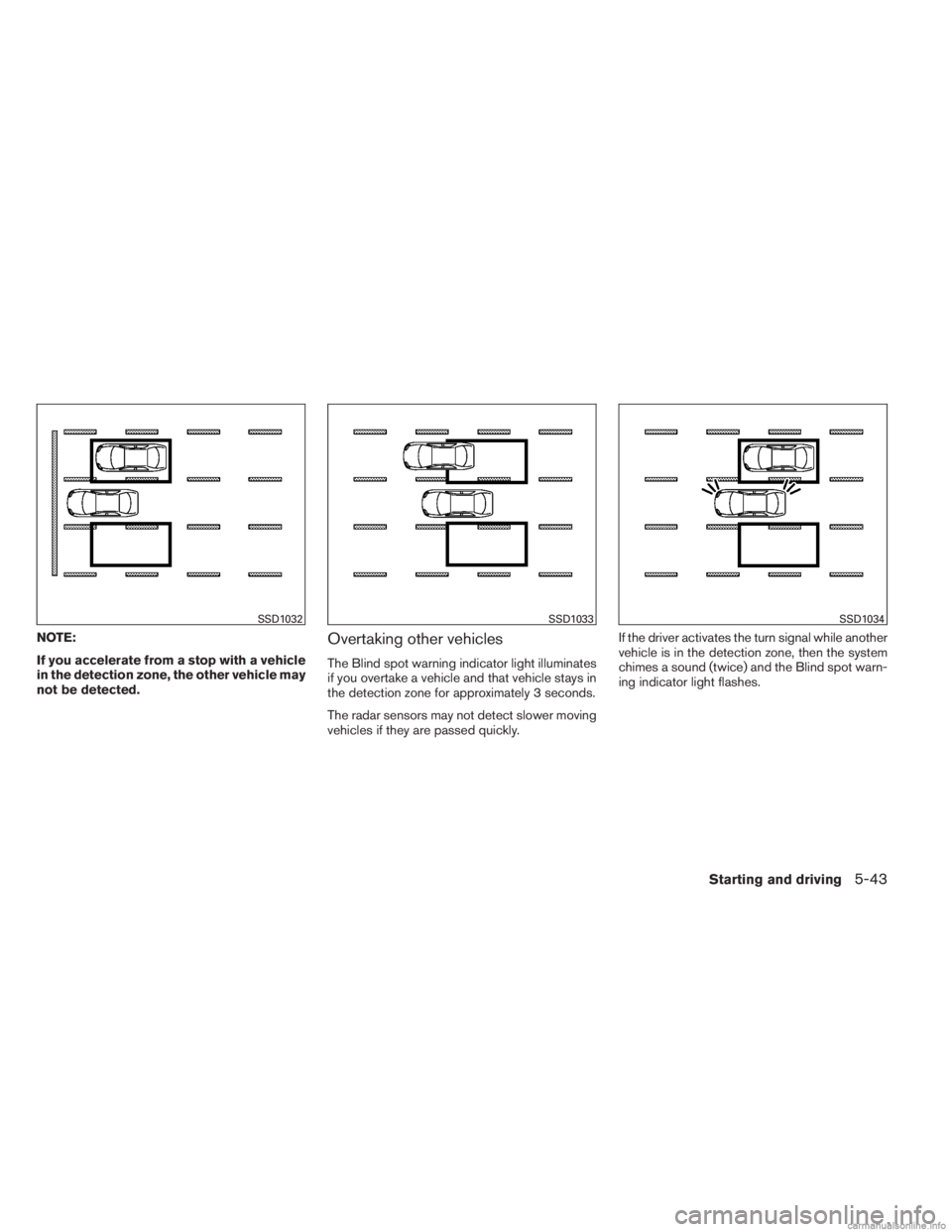
NOTE:
If you accelerate from a stop with a vehicle
in the detection zone, the other vehicle may
not be detected.Overtaking other vehicles
The Blind spot warning indicator light illuminates
if you overtake a vehicle and that vehicle stays in
the detection zone for approximately 3 seconds.
The radar sensors may not detect slower moving
vehicles if they are passed quickly.If the driver activates the turn signal while another
vehicle is in the detection zone, then the system
chimes a sound (twice) and the Blind spot warn-
ing indicator light flashes.
SSD1032SSD1033SSD1034
Starting and driving5-43
Page 393 of 554
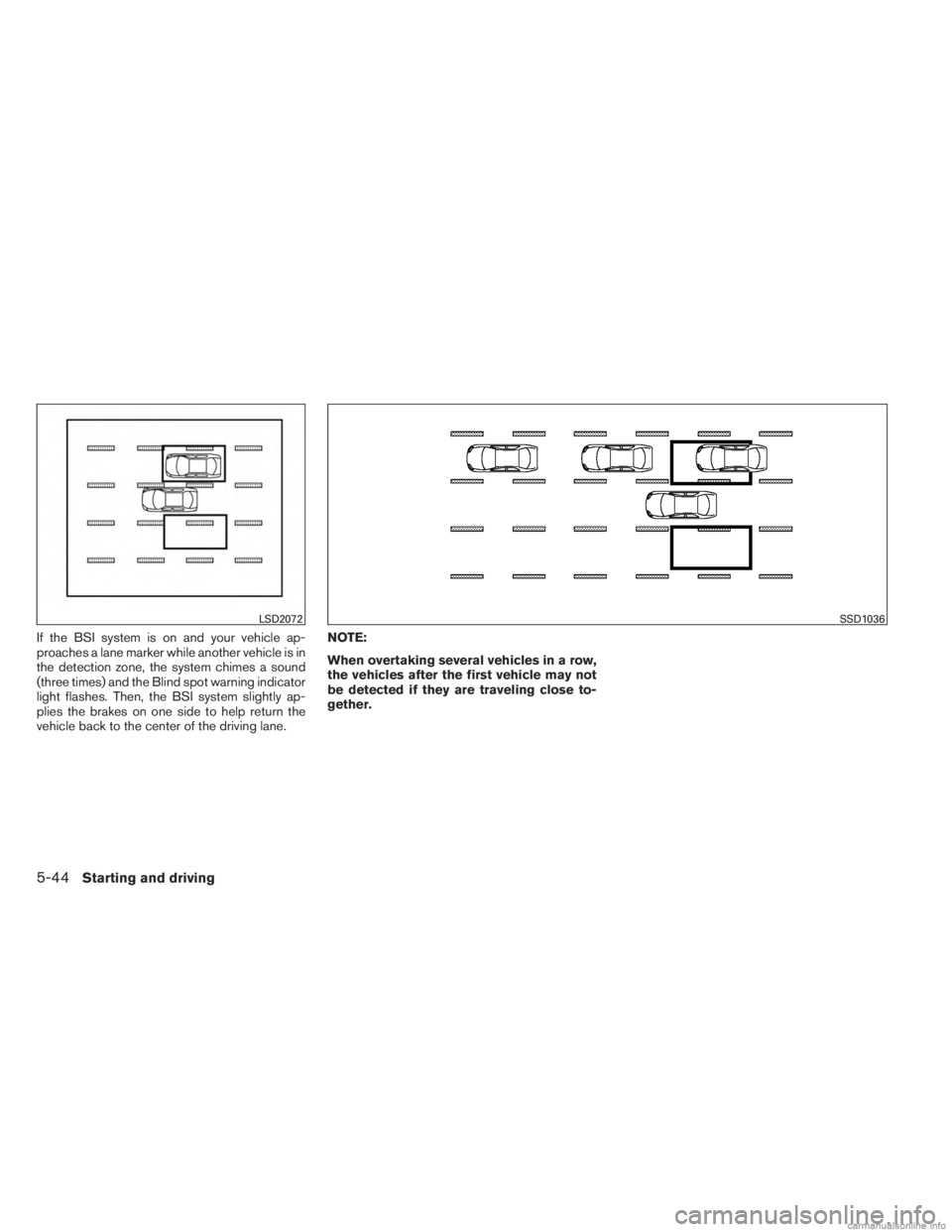
If the BSI system is on and your vehicle ap-
proaches a lane marker while another vehicle is in
the detection zone, the system chimes a sound
(three times) and the Blind spot warning indicator
light flashes. Then, the BSI system slightly ap-
plies the brakes on one side to help return the
vehicle back to the center of the driving lane.NOTE:
When overtaking several vehicles in a row,
the vehicles after the first vehicle may not
be detected if they are traveling close to-
gether.
LSD2072SSD1036
5-44Starting and driving
Page 394 of 554
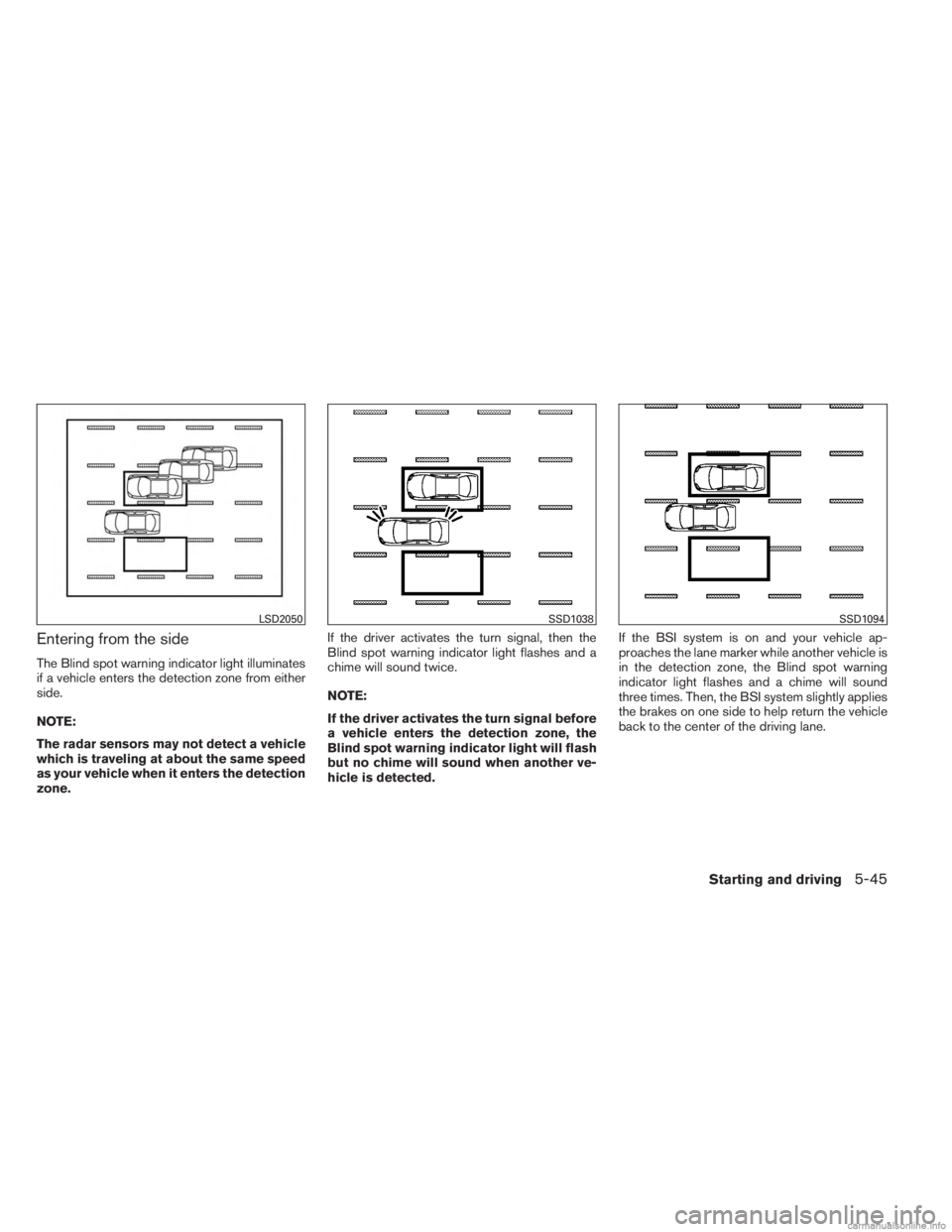
Entering from the side
The Blind spot warning indicator light illuminates
if a vehicle enters the detection zone from either
side.
NOTE:
The radar sensors may not detect a vehicle
which is traveling at about the same speed
as your vehicle when it enters the detection
zone.If the driver activates the turn signal, then the
Blind spot warning indicator light flashes and a
chime will sound twice.
NOTE:
If the driver activates the turn signal before
a vehicle enters the detection zone, the
Blind spot warning indicator light will flash
but no chime will sound when another ve-
hicle is detected.
If the BSI system is on and your vehicle ap-
proaches the lane marker while another vehicle is
in the detection zone, the Blind spot warning
indicator light flashes and a chime will sound
three times. Then, the BSI system slightly applies
the brakes on one side to help return the vehicle
back to the center of the driving lane.
LSD2050SSD1038SSD1094
Starting and driving5-45
Page 395 of 554
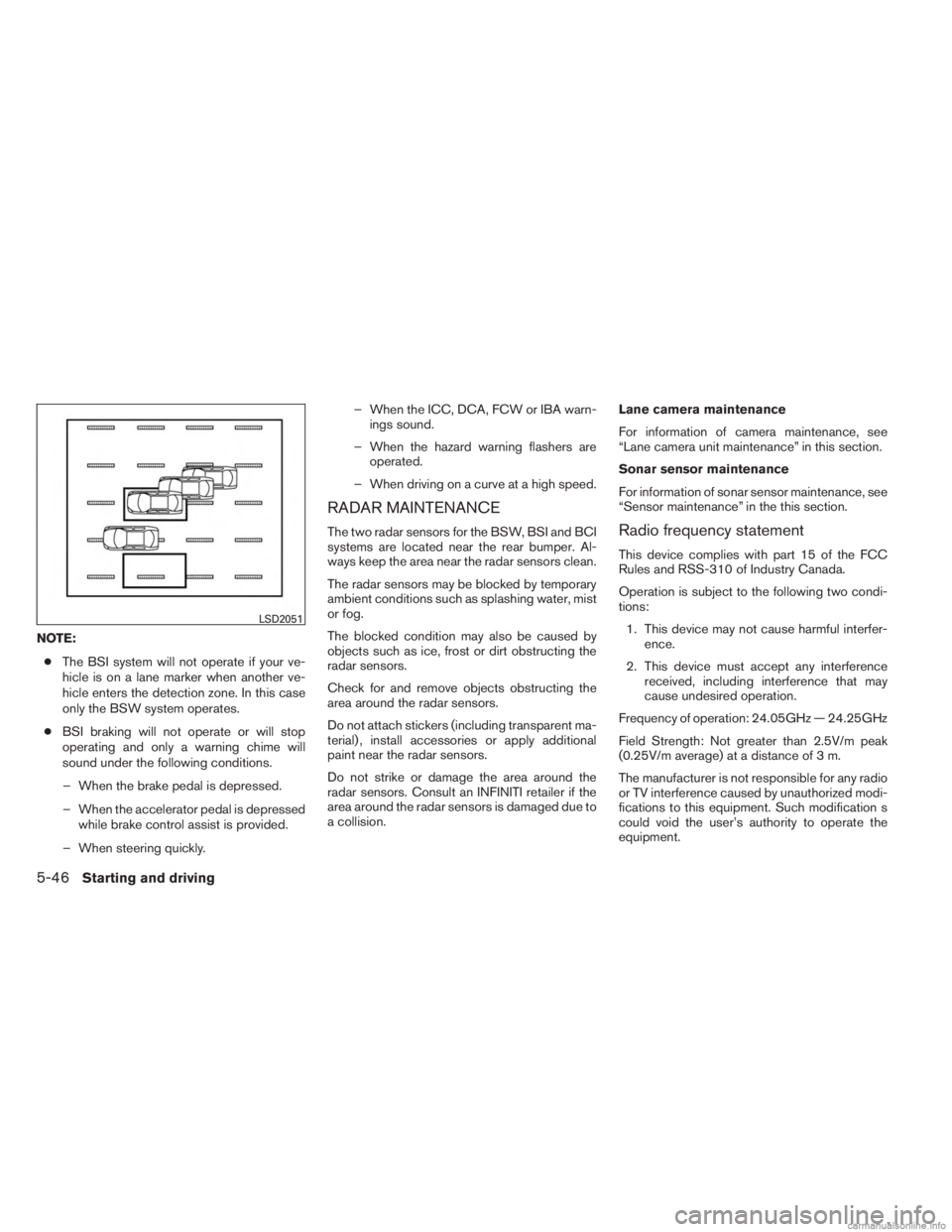
NOTE:● The BSI system will not operate if your ve-
hicle is on a lane marker when another ve-
hicle enters the detection zone. In this case
only the BSW system operates.
● BSI braking will not operate or will stop
operating and only a warning chime will
sound under the following conditions.
– When the brake pedal is depressed.
– When the accelerator pedal is depressed while brake control assist is provided.
– When steering quickly. – When the ICC, DCA, FCW or IBA warn-
ings sound.
– When the hazard warning flashers are operated.
– When driving on a curve at a high speed.
RADAR MAINTENANCE
The two radar sensors for the BSW, BSI and BCI
systems are located near the rear bumper. Al-
ways keep the area near the radar sensors clean.
The radar sensors may be blocked by temporary
ambient conditions such as splashing water, mist
or fog.
The blocked condition may also be caused by
objects such as ice, frost or dirt obstructing the
radar sensors.
Check for and remove objects obstructing the
area around the radar sensors.
Do not attach stickers (including transparent ma-
terial) , install accessories or apply additional
paint near the radar sensors.
Do not strike or damage the area around the
radar sensors. Consult an INFINITI retailer if the
area around the radar sensors is damaged due to
a collision. Lane camera maintenance
For information of camera maintenance, see
“Lane camera unit maintenance” in this section.
Sonar sensor maintenance
For information of sonar sensor maintenance, see
“Sensor maintenance” in the this section.Radio frequency statement
This device complies with part 15 of the FCC
Rules and RSS-310 of Industry Canada.
Operation is subject to the following two condi-
tions:
1. This device may not cause harmful interfer- ence.
2. This device must accept any interference received, including interference that may
cause undesired operation.
Frequency of operation: 24.05GHz — 24.25GHz
Field Strength: Not greater than 2.5V/m peak
(0.25V/m average) at a distance of 3 m.
The manufacturer is not responsible for any radio
or TV interference caused by unauthorized modi-
fications to this equipment. Such modification s
could void the user’s authority to operate the
equipment.
LSD2051
5-46Starting and driving