engine INFINITI JX 2013 User Guide
[x] Cancel search | Manufacturer: INFINITI, Model Year: 2013, Model line: JX, Model: INFINITI JX 2013Pages: 554, PDF Size: 5.48 MB
Page 91 of 554
If an ABS malfunction occurs, the anti-lock func-
tion is turned off. The brake system then operates
normally, but without anti-lock assistance. See
“Brake system” in the “Starting and driving” sec-
tion.
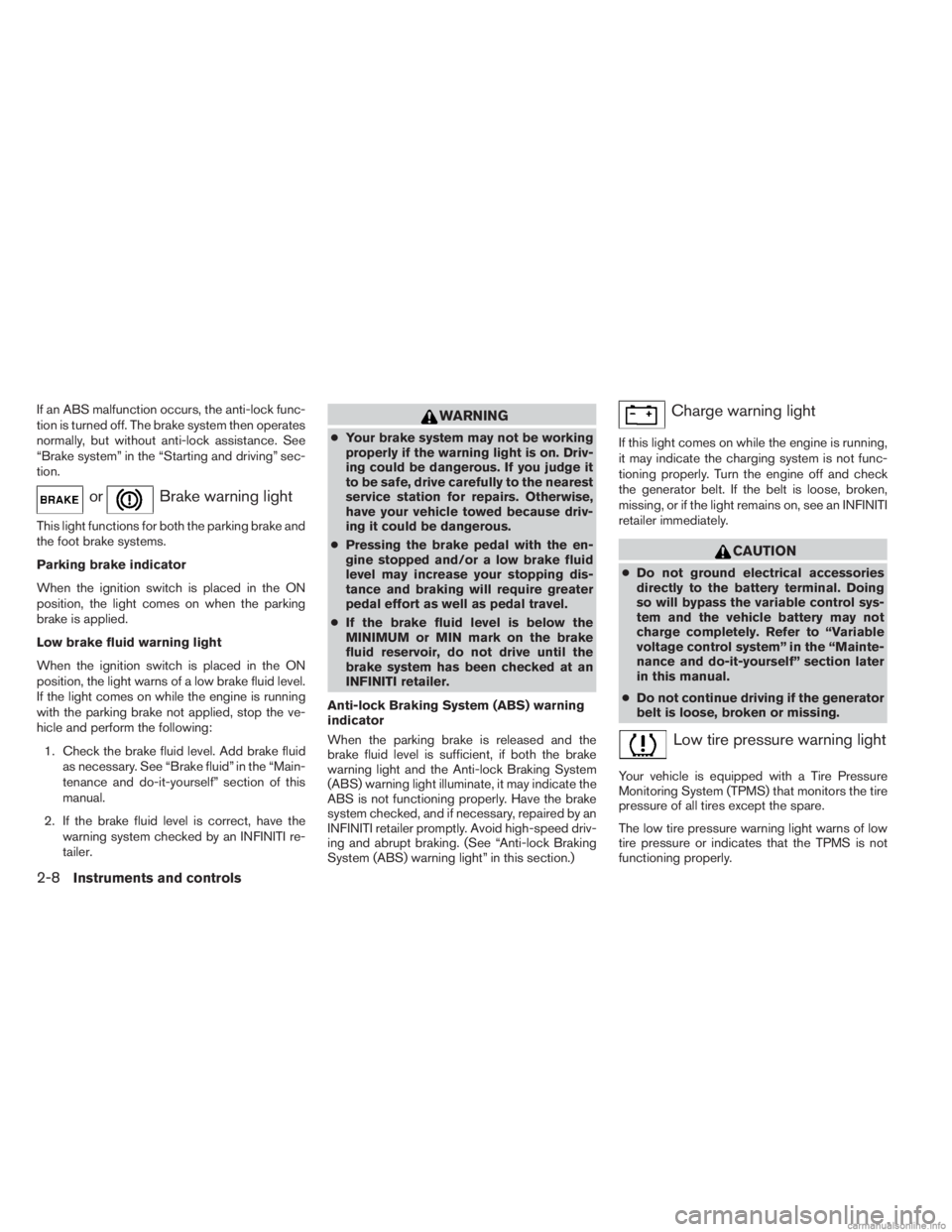
orBrake warning light
This light functions for both the parking brake and
the foot brake systems.
Parking brake indicator
When the ignition switch is placed in the ON
position, the light comes on when the parking
brake is applied.
Low brake fluid warning light
When the ignition switch is placed in the ON
position, the light warns of a low brake fluid level.
If the light comes on while the engine is running
with the parking brake not applied, stop the ve-
hicle and perform the following:1. Check the brake fluid level. Add brake fluid as necessary. See “Brake fluid” in the “Main-
tenance and do-it-yourself” section of this
manual.
2. If the brake fluid level is correct, have the warning system checked by an INFINITI re-
tailer.
WARNING
●Your brake system may not be working
properly if the warning light is on. Driv-
ing could be dangerous. If you judge it
to be safe, drive carefully to the nearest
service station for repairs. Otherwise,
have your vehicle towed because driv-
ing it could be dangerous.
● Pressing the brake pedal with the en-
gine stopped and/or a low brake fluid
level may increase your stopping dis-
tance and braking will require greater
pedal effort as well as pedal travel.
● If the brake fluid level is below the
MINIMUM or MIN mark on the brake
fluid reservoir, do not drive until the
brake system has been checked at an
INFINITI retailer.
Anti-lock Braking System (ABS) warning
indicator
When the parking brake is released and the
brake fluid level is sufficient, if both the brake
warning light and the Anti-lock Braking System
(ABS) warning light illuminate, it may indicate the
ABS is not functioning properly. Have the brake
system checked, and if necessary, repaired by an
INFINITI retailer promptly. Avoid high-speed driv-
ing and abrupt braking. (See “Anti-lock Braking
System (ABS) warning light” in this section.)
Charge warning light
If this light comes on while the engine is running,
it may indicate the charging system is not func-
tioning properly. Turn the engine off and check
the generator belt. If the belt is loose, broken,
missing, or if the light remains on, see an INFINITI
retailer immediately.
CAUTION
● Do not ground electrical accessories
directly to the battery terminal. Doing
so will bypass the variable control sys-
tem and the vehicle battery may not
charge completely. Refer to “Variable
voltage control system” in the “Mainte-
nance and do-it-yourself” section later
in this manual.
● Do not continue driving if the generator
belt is loose, broken or missing.
Low tire pressure warning light
Your vehicle is equipped with a Tire Pressure
Monitoring System (TPMS) that monitors the tire
pressure of all tires except the spare.
The low tire pressure warning light warns of low
tire pressure or indicates that the TPMS is not
functioning properly.
2-8Instruments and controls
Page 93 of 554
●When a spare tire is mounted or a wheel
is replaced tire pressure will not be in-
dicated, the TPMS will not function and
the low tire pressure warning light will
flash for approximately 1 minute. The
light will remain on after 1 minute. Con-
tact your INFINITI retailer as soon as
possible for tire replacement and/or
system resetting.
● Replacing tires with those not originally
specified by INFINITI could affect the
proper operation of the TPMS.
CAUTION
●The TPMS is not a substitute for the
regular tire pressure check. Be sure to
check the tire pressure regularly.
● If the vehicle is being driven at speeds
of less than 16 MPH (25 km/h), the
TPMS may not operate correctly.
● Be sure to install the specified size of
tires to the 4 wheels correctly.
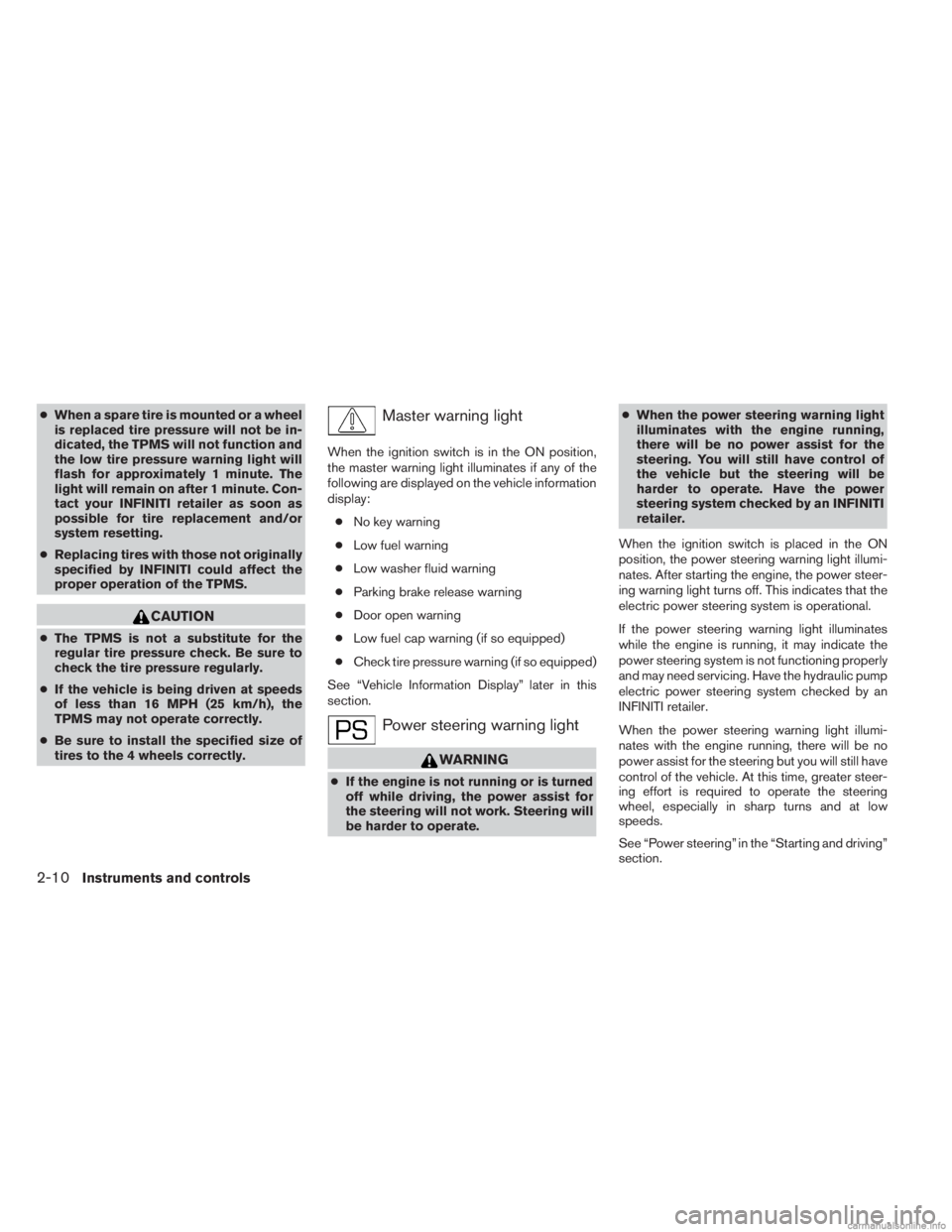
Master warning light
When the ignition switch is in the ON position,
the master warning light illuminates if any of the
following are displayed on the vehicle information
display:
● No key warning
● Low fuel warning
● Low washer fluid warning
● Parking brake release warning
● Door open warning
● Low fuel cap warning (if so equipped)
● Check tire pressure warning (if so equipped)
See “Vehicle Information Display” later in this
section.
Power steering warning light
WARNING
● If the engine is not running or is turned
off while driving, the power assist for
the steering will not work. Steering will
be harder to operate. ●
When the power steering warning light
illuminates with the engine running,
there will be no power assist for the
steering. You will still have control of
the vehicle but the steering will be
harder to operate. Have the power
steering system checked by an INFINITI
retailer.
When the ignition switch is placed in the ON
position, the power steering warning light illumi-
nates. After starting the engine, the power steer-
ing warning light turns off. This indicates that the
electric power steering system is operational.
If the power steering warning light illuminates
while the engine is running, it may indicate the
power steering system is not functioning properly
and may need servicing. Have the hydraulic pump
electric power steering system checked by an
INFINITI retailer.
When the power steering warning light illumi-
nates with the engine running, there will be no
power assist for the steering but you will still have
control of the vehicle. At this time, greater steer-
ing effort is required to operate the steering
wheel, especially in sharp turns and at low
speeds.
See “Power steering” in the “Starting and driving”
section.
2-10Instruments and controls
Page 95 of 554
The high beam indicator light also comes on
when the passing signal is activated.
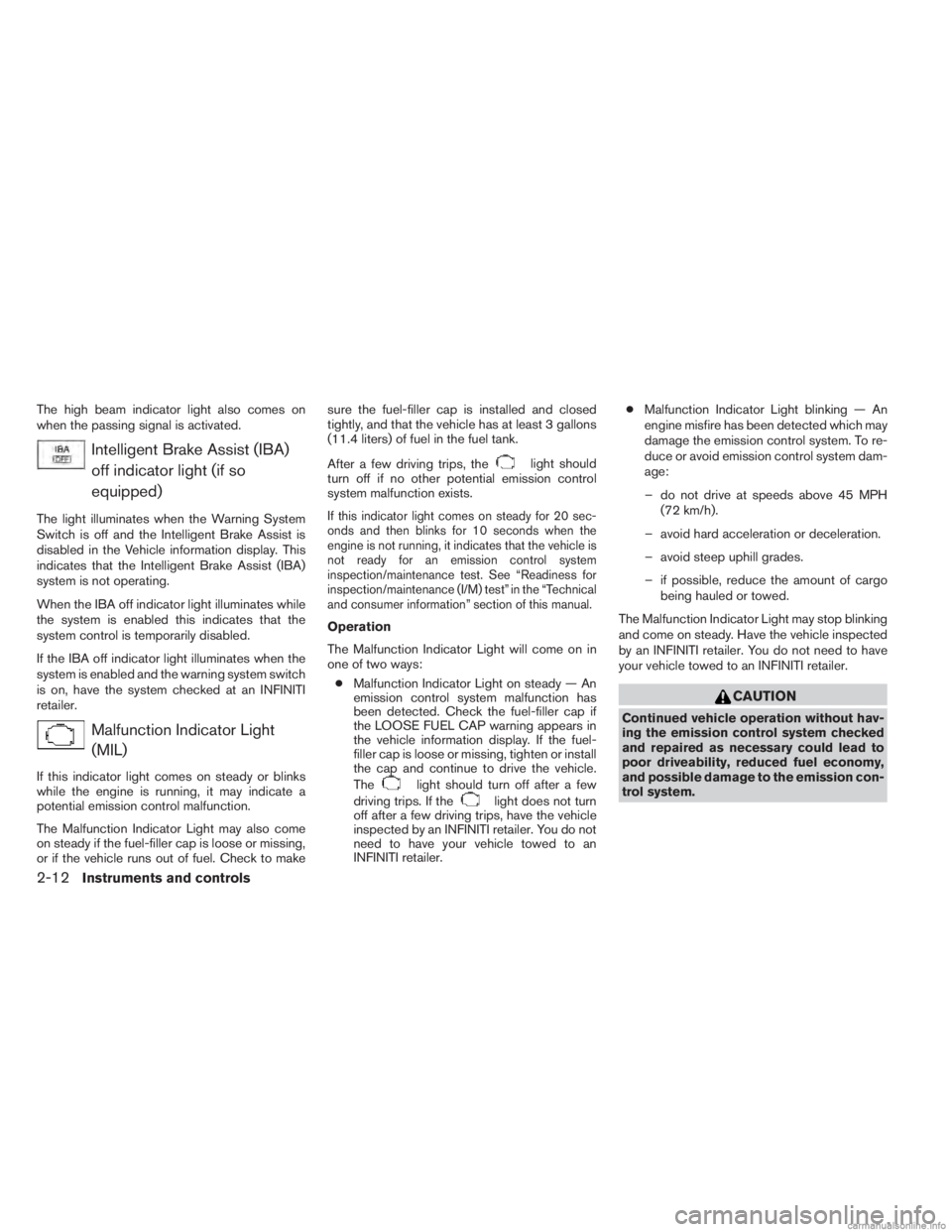
Intelligent Brake Assist (IBA)off indicator light (if so
equipped)
The light illuminates when the Warning System
Switch is off and the Intelligent Brake Assist is
disabled in the Vehicle information display. This
indicates that the Intelligent Brake Assist (IBA)
system is not operating.
When the IBA off indicator light illuminates while
the system is enabled this indicates that the
system control is temporarily disabled.
If the IBA off indicator light illuminates when the
system is enabled and the warning system switch
is on, have the system checked at an INFINITI
retailer.
Malfunction Indicator Light(MIL)
If this indicator light comes on steady or blinks
while the engine is running, it may indicate a
potential emission control malfunction.
The Malfunction Indicator Light may also come
on steady if the fuel-filler cap is loose or missing,
or if the vehicle runs out of fuel. Check to make sure the fuel-filler cap is installed and closed
tightly, and that the vehicle has at least 3 gallons
(11.4 liters) of fuel in the fuel tank.
After a few driving trips, the
light should
turn off if no other potential emission control
system malfunction exists.
If this indicator light comes on steady for 20 sec-
onds and then blinks for 10 seconds when the
engine is not running, it indicates that the vehicle is
not ready for an emission control system
inspection/maintenance test. See “Readiness for
inspection/maintenance (I/M) test” in the “Technical
and consumer information” section of this manual.
Operation
The Malfunction Indicator Light will come on in
one of two ways:
● Malfunction Indicator Light on steady — An
emission control system malfunction has
been detected. Check the fuel-filler cap if
the LOOSE FUEL CAP warning appears in
the vehicle information display. If the fuel-
filler cap is loose or missing, tighten or install
the cap and continue to drive the vehicle.
The
light should turn off after a few
driving trips. If the
light does not turn
off after a few driving trips, have the vehicle
inspected by an INFINITI retailer. You do not
need to have your vehicle towed to an
INFINITI retailer. ●
Malfunction Indicator Light blinking — An
engine misfire has been detected which may
damage the emission control system. To re-
duce or avoid emission control system dam-
age:
– do not drive at speeds above 45 MPH (72 km/h).
– avoid hard acceleration or deceleration.
– avoid steep uphill grades.
– if possible, reduce the amount of cargo being hauled or towed.
The Malfunction Indicator Light may stop blinking
and come on steady. Have the vehicle inspected
by an INFINITI retailer. You do not need to have
your vehicle towed to an INFINITI retailer.
CAUTION
Continued vehicle operation without hav-
ing the emission control system checked
and repaired as necessary could lead to
poor driveability, reduced fuel economy,
and possible damage to the emission con-
trol system.
2-12Instruments and controls
Page 96 of 554
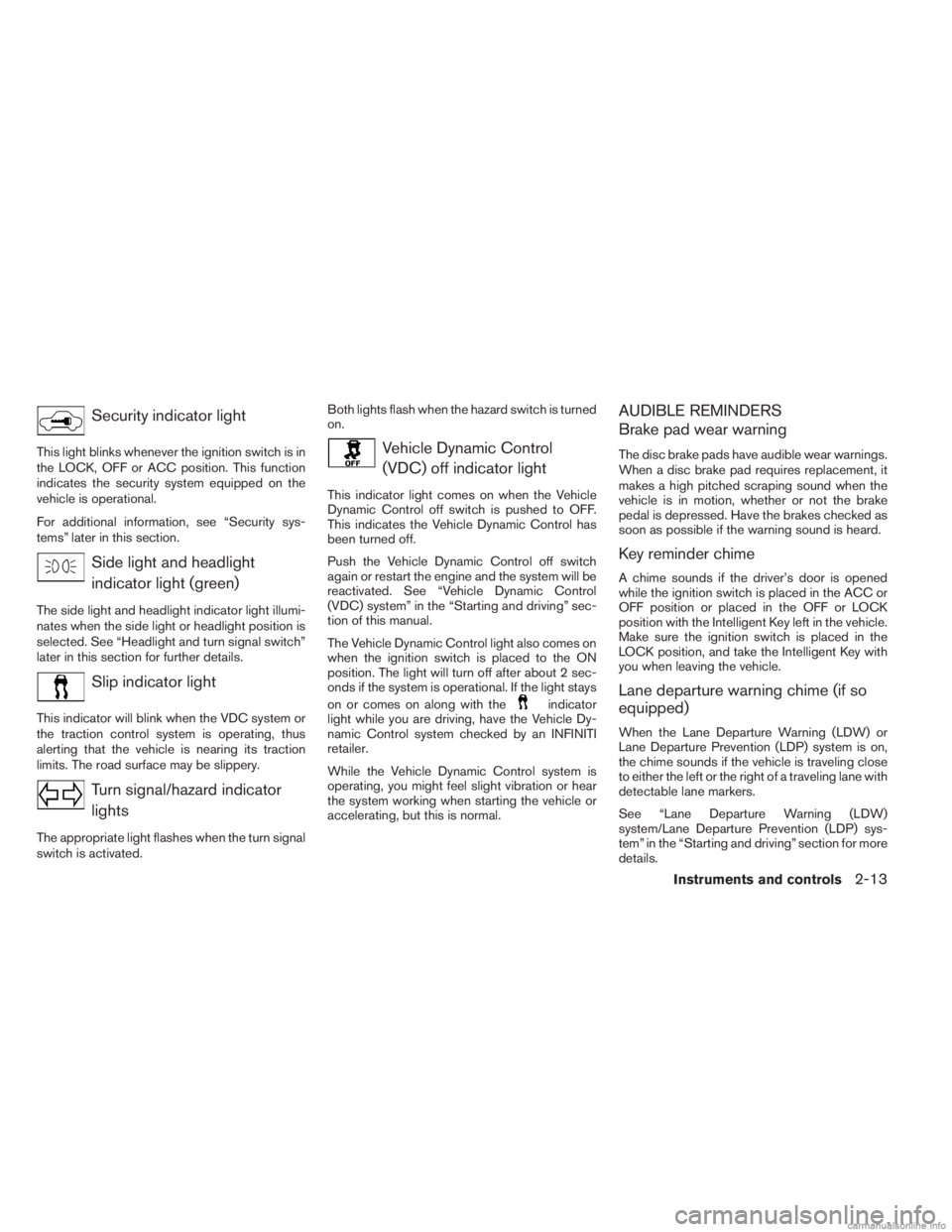
Security indicator light
This light blinks whenever the ignition switch is in
the LOCK, OFF or ACC position. This function
indicates the security system equipped on the
vehicle is operational.
For additional information, see “Security sys-
tems” later in this section.
Side light and headlightindicator light (green)
The side light and headlight indicator light illumi-
nates when the side light or headlight position is
selected. See “Headlight and turn signal switch”
later in this section for further details.
Slip indicator light
This indicator will blink when the VDC system or
the traction control system is operating, thus
alerting that the vehicle is nearing its traction
limits. The road surface may be slippery.
Turn signal/hazard indicatorlights
The appropriate light flashes when the turn signal
switch is activated. Both lights flash when the hazard switch is turned
on.
Vehicle Dynamic Control
(VDC) off indicator light
This indicator light comes on when the Vehicle
Dynamic Control off switch is pushed to OFF.
This indicates the Vehicle Dynamic Control has
been turned off.
Push the Vehicle Dynamic Control off switch
again or restart the engine and the system will be
reactivated. See “Vehicle Dynamic Control
(VDC) system” in the “Starting and driving” sec-
tion of this manual.
The Vehicle Dynamic Control light also comes on
when the ignition switch is placed to the ON
position. The light will turn off after about 2 sec-
onds if the system is operational. If the light stays
on or comes on along with the
indicator
light while you are driving, have the Vehicle Dy-
namic Control system checked by an INFINITI
retailer.
While the Vehicle Dynamic Control system is
operating, you might feel slight vibration or hear
the system working when starting the vehicle or
accelerating, but this is normal.
AUDIBLE REMINDERS
Brake pad wear warning
The disc brake pads have audible wear warnings.
When a disc brake pad requires replacement, it
makes a high pitched scraping sound when the
vehicle is in motion, whether or not the brake
pedal is depressed. Have the brakes checked as
soon as possible if the warning sound is heard.
Key reminder chime
A chime sounds if the driver’s door is opened
while the ignition switch is placed in the ACC or
OFF position or placed in the OFF or LOCK
position with the Intelligent Key left in the vehicle.
Make sure the ignition switch is placed in the
LOCK position, and take the Intelligent Key with
you when leaving the vehicle.
Lane departure warning chime (if so
equipped)
When the Lane Departure Warning (LDW) or
Lane Departure Prevention (LDP) system is on,
the chime sounds if the vehicle is traveling close
to either the left or the right of a traveling lane with
detectable lane markers.
See “Lane Departure Warning (LDW)
system/Lane Departure Prevention (LDP) sys-
tem” in the “Starting and driving” section for more
details.
Instruments and controls2-13
Page 100 of 554
Service
This indicator appears when the customer set
distance comes for checking or replacing main-
tenance items other than the engine oil, oil filter
and tires. Other maintenance items can include
such things as air filter or tire rotation. You can set
or reset the distance for checking or replacing
the items. You can set or reset the distance for
service type items. For scheduled maintenance
items and intervals, see your “INFINITI Service
and Maintenance Guide.”
Tire
This indicator appears when the customer set
distance comes for replacing tires. You can set or
reset the distance for replacing tires.WARNING
The tire replacement indicator is not a
substitute for regular tire checks, includ-
ing tire pressure checks. See “Changing
Wheels and Tires” in “Maintenance & Do-
It-Yourself” section. Many factors includ-
ing tire inflation, alignment, driving habits
and road conditions affect tire wear and
when tires should be replaced. Setting the
tire replacement indicator for a certain
driving distance does not mean your tires
will last that long. Use the tire replace-
ment indicator as a guide only and always
perform regular tire checks. Failure to per-
form regular tire checks, including tire
pressure checks could result in tire fail-
ure. Serious vehicle damage could occur
and may lead to a collision, which could
result in serious personal injury or death.
Other
This indicator appears when the customer set
distance comes for checking or replacing main-
tenance items other than the engine oil, oil filter
and tires. Other maintenance items can include
such things as air filter or tire rotation. You can set
or reset the distance for checking or replacing
the items.
Alarms
This setting allows the customer to set alarms for
outside temperature and a timer alert. 1. Press the
button.
2. Use the
button until “Settings” is se-
lected, and press ENTER.
3. Select “Alarms” using the
buttons and
press ENTER.
Outside Temperature
This setting allows the customer to
enable/disable the alert for low outside tempera-
ture in the vehicle information display.
1. Use the
buttons to select “Outside
Temperature”.
2. Press the ENTER button to turn ON/OFF the outside temperature in the vehicle infor-
mation display.
Timer Alert
This setting allows the customer to set an alert to
notify the driver that the set time has been
reached.
1. Use the
buttons to select “Timer
Alert”.
2. Press the ENTER button.
Instruments and controls2-17
Page 104 of 554
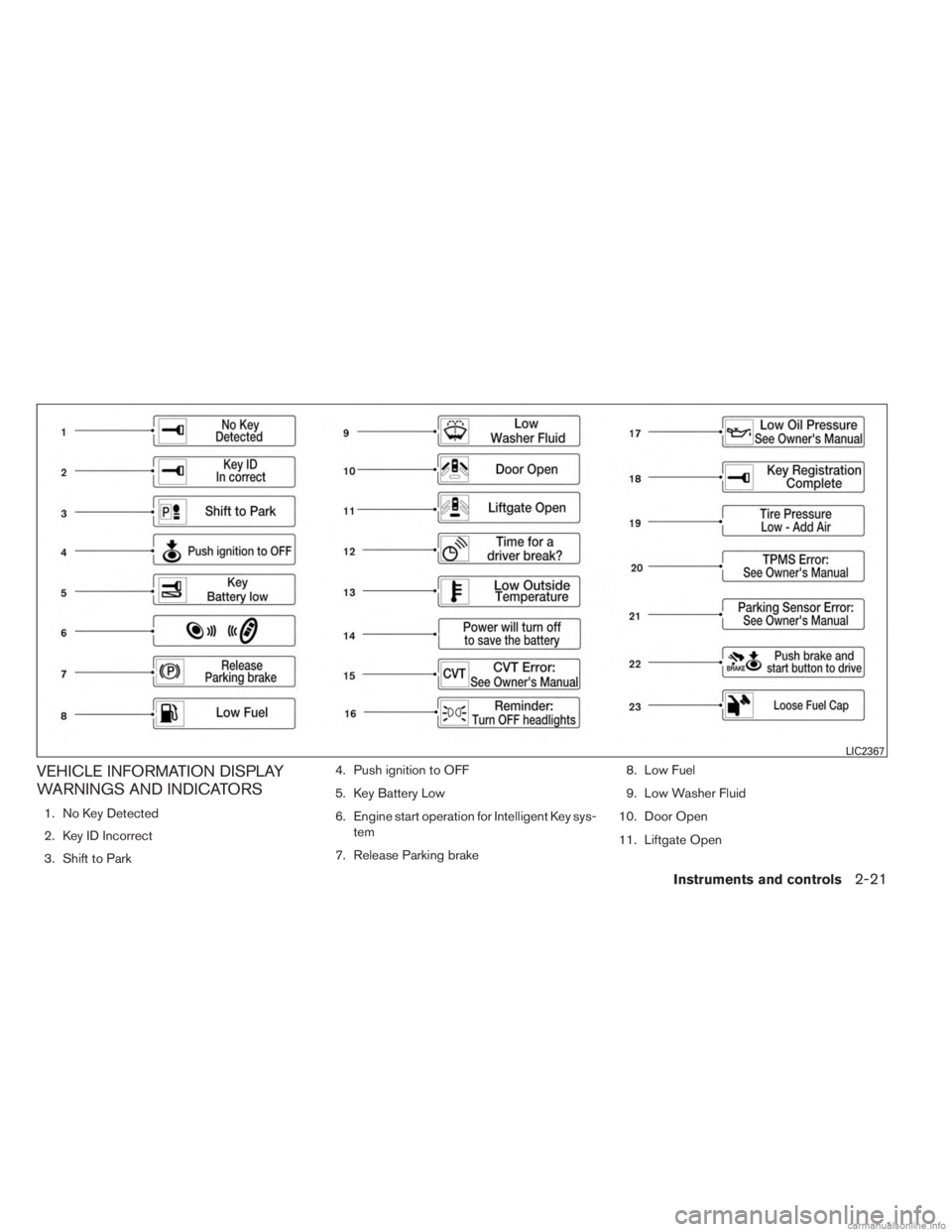
VEHICLE INFORMATION DISPLAY
WARNINGS AND INDICATORS
1. No Key Detected
2. Key ID Incorrect
3. Shift to Park4. Push ignition to OFF
5. Key Battery Low
6. Engine start operation for Intelligent Key sys-
tem
7. Release Parking brake 8. Low Fuel
9. Low Washer Fluid
10. Door Open
11. Liftgate Open
LIC2367
Instruments and controls2-21
Page 105 of 554
12. Timer Alert – Time for a driver break?
13. Low Outside Temperature
14. Power will turn off to save the battery
15. CVT Error
16. Reminder: Turn OFF headlights
17. Low Oil Pressure
18. Key Registration Complete
19. Tire Pressure Low - Add Air
20. TPMS Error
21. Parking Sensor Error
22. Remote Start (if so equipped)
23. Loose Fuel Cap
No Key Detected
This warning appears when the intelligent key is
left outside the vehicle with the ignition switch is
the ON or ACC position. Make sure the Intelli-
gent Key is inside the vehicle.
Key ID Incorrect
The warning appears when the ignition switch is
placed from the OFF position and the intelligent
key is not recognized by the system. You can not
start the engine with an unregistered key.See “INFINITI Intelligent Key System” in “Pre-
driving checks and adjustments” for more infor-
mation.
Shift to Park
This warning illuminates when the ignition switch
is in the ACC or OFF position and the shift
selector is in any position other than P (Park)
position. Also, a chime sounds when the ignition
switch is in the OFF position.
If this warning illuminates, move the shift selector
to the P (Park) position or start the engine.
For additional information about Intelligent Key,
see “INFINITI Intelligent Key” in the “Pre-driving
checks and adjustments” section.
Push ignition to OFF
After the Push ignition to OFF warning illumi-
nates, the warning will illuminate if the ignition
switch is placed in the ACC position when the
shift selector is moved to the P (Park) position.
To turn off the Push warning, place the ignition
switch in the ON position and then in the LOCK
position.
Key Battery Low
This indicator illuminates when the Intelligent Key
battery is running out of power.
If this indicator illuminates, replace the battery
with a new one. See “Battery replacement” in the
“Maintenance and do-it-yourself” section.
Engine start operation for Intelligent Key
system
This indicator appears when the battery of the
Intelligent Key is low and when the Intelligent Key
system and the vehicle are not communicating
normally.
If this appears, touch the ignition switch with the
Intelligent Key while depressing the brake pedal.
For more information see, “INFINITI Intelligent
Key battery discharge” in the “Starting and driv-
ing” section.
Release Parking brake
This warning illuminates in the message area of
the vehicle information display when the parking
brake is set and the vehicle is driven.
Low Fuel
This warning illuminates when the fuel level in the
fuel tank is getting low. Refuel as soon as it is
convenient, preferably before the fuel gauge
reaches 0 (Empty) .
There will be a small re-
serve of fuel in the tank when the fuel
gauge needle reaches 0 (Empty) .
2-22Instruments and controls
Page 106 of 554
Low Washer Fluid
This warning illuminates when the windshield-
washer fluid is at a low level. Add windshield-
washer fluid as necessary. See “Windshield-
washer fluid” in the “Maintenance and do-it-
yourself” section of this manual.
Door Open
This warning illuminates when a door has been
opened when the engine is running.
Liftgate open
This warning illuminates when the liftgate has
been opened when the engine is running.
Timer Alert – Time for a driver break?
This indicator appears when the set time is
reached. The time can be set up to 6 hours. For
setting the timer see, “Timer alert” in this section.
Low Outside Temperature
This warning appears if the outside temperature
is below 37°F (3°C) . The temperature can be
changed to display in Celsius or Fahrenheit, see
“Temperature” earlier in this section.Power will turn off to save the battery
This warning appears in message area of the
vehicle information display after a period of time if
the shift selector has not moved from the P (Park)
position.
CVT Error
This warning illuminates when the there is a prob-
lem with the CVT system. If this warning comes
on, have the system checked by an INFINITI
retailer.
Reminder: Turn OFF headlights
This warning appears when the headlights are
left in the ON position when exiting the vehicle.
Place the headlight switch to OFF or AUTO po-
sition. For additional information, see “Headlight
and turn signal switch” in this section.
Low Oil Pressure
This warning appears in message area of the
vehicle information display if low oil pressure is
detected. This gauge is not designed to indicated
low oil level.
The low oil pressure warning is
not designed to indicate a low oil level. Use
the dipstick to check the oil level. See “Engine oil”
in the “Maintenance and do-it-yourself” section. Intelligent key registration complete
This appears when a new intelligent key is regis-
tered to the vehicle.
Tire Pressure Low - Add Air warning
This warning appears when the low tire pressure
warning light in the meter illuminates and low tire
pressure is detected. If this warning appears,
stop the vehicle and adjust the tire pressures of
all 4 tires to the recommended COLD tire pres-
sure shown on the Tire and Loading Information
label. See “Low tire pressure warning light” ear-
lier in this section and “Tire Pressure Monitoring
System (TPMS)” in the “Starting and driving”
section.
TPMS Error
This warning appears when there is a error with
your TPMS. If this warning comes on, have the
system checked by an INFINITI retailer.
Parking Sensor Error
This warning illuminates when there is an error
with the system.
Instruments and controls2-23
Page 108 of 554
Theindicator light will blink every
three seconds once the security system is
armed.
If during the pre-armed phase one of the
following occurs, the system will not arm:
● Any door is unlocked with the mechanical
key
● A door is opened with the release button
with the intelligent key on your person
● The doors are unlocked using the unlock
button on the intelligent key
● The ignition switch is placed in the ACC
or ON position
● Even when the driver and/or passen-
gers are in the vehicle, the system will
activate with all the doors, hood and
liftgate are locked with the ignition
switch placed in the LOCK position.
When placing the ignition switch in the
ACC or ON position, the system will be
released.Vehicle security system activation
The vehicle security system will give the following
alarm:
● The turn signals blink and the horn sounds
intermittently.
● The alarm automatically turns off after a pe-
riod of time. However, the alarm reactivates if
the vehicle is tampered with again. The alarm
can be shut off by unlocking the driver’s door
or liftgate with the key, or by pressing
the
button on the Intelligent Key.
The alarm is activated by: ● opening the door or liftgate without using the
key or Intelligent Key (even if the door is
unlocked by releasing the door inside lock
switch) .
How to stop an activated alarm
The alarm stops only by unlocking the driver’s
door or the liftgate with the key, pressing
the
button on the Intelligent Key, or press-
ing the request switch on the driver’s or passen-
ger’s door with the Intelligent Key in range of the
door handle.
INFINITI VEHICLE IMMOBILIZER
SYSTEM
The INFINITI Vehicle Immobilizer System will not
allow the engine to start without the use of a
registered INFINITI Vehicle Immobilizer System
key.
If the engine fails to start using a registered
INFINITI Vehicle Immobilizer System key (for ex-
ample, when interference is caused by another
INFINITI Vehicle Immobilizer System key, an au-
tomated toll road device or automatic payment
device on the key ring) , restart the engine using
the following procedures:
1. Leave the ignition switch in the ON position for approximately 5 seconds.
2. Place the ignition switch in the OFF or LOCK position, and wait approximately
10 seconds.
3. Repeat steps 1 and 2.
4. Restart the engine while holding the device (which may have caused the interference)
separate from the registered INFINITI Ve-
hicle Immobilizer System key.
If the no start condition re-occurs, INFINITI rec-
ommends placing the registered INFINITI Vehicle
Immobilizer System key on a separate key ring to
avoid interference from other devices.
Instruments and controls2-25
Page 113 of 554
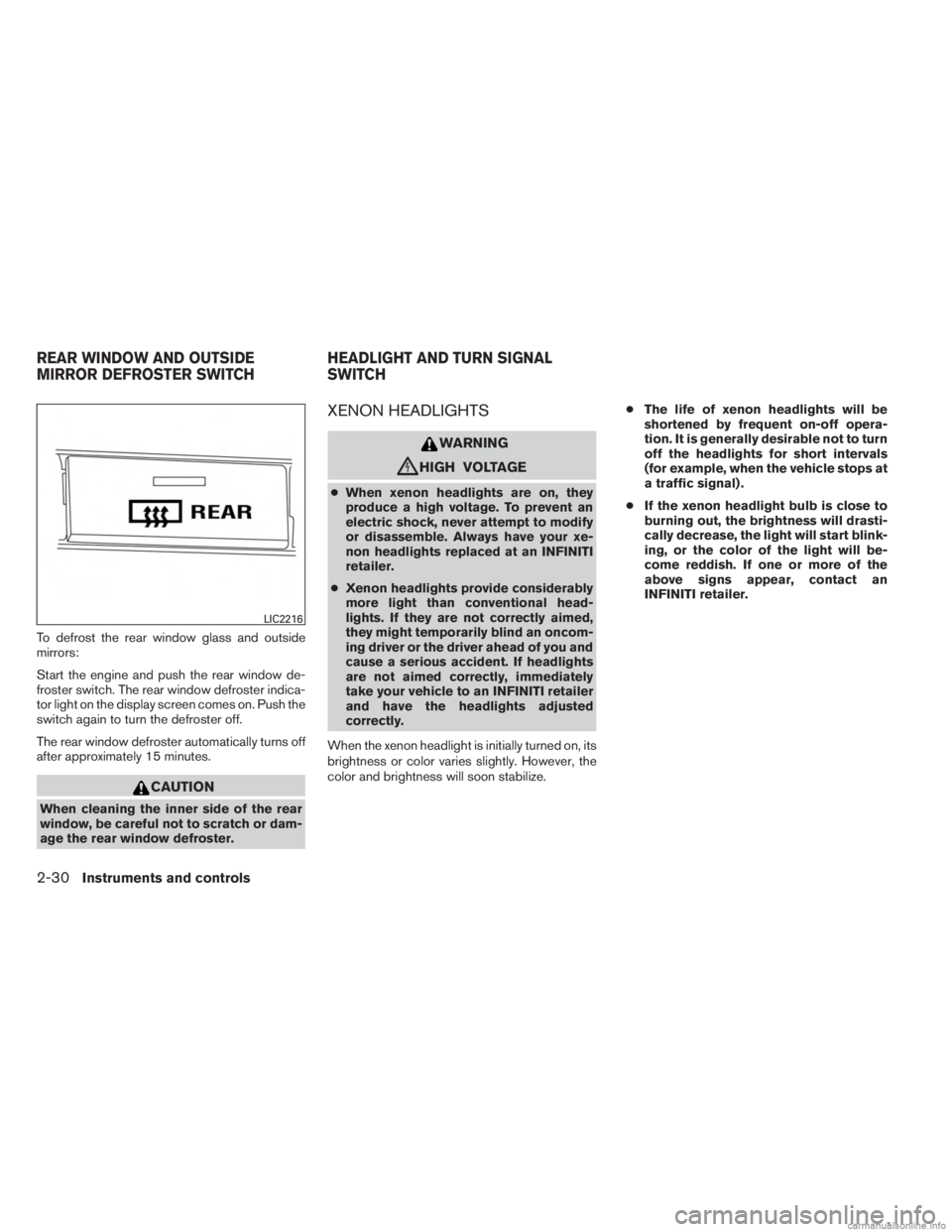
To defrost the rear window glass and outside
mirrors:
Start the engine and push the rear window de-
froster switch. The rear window defroster indica-
tor light on the display screen comes on. Push the
switch again to turn the defroster off.
The rear window defroster automatically turns off
after approximately 15 minutes.
CAUTION
When cleaning the inner side of the rear
window, be careful not to scratch or dam-
age the rear window defroster.
XENON HEADLIGHTS
WARNING
cHIGH VOLTAGE
●When xenon headlights are on, they
produce a high voltage. To prevent an
electric shock, never attempt to modify
or disassemble. Always have your xe-
non headlights replaced at an INFINITI
retailer.
● Xenon headlights provide considerably
more light than conventional head-
lights. If they are not correctly aimed,
they might temporarily blind an oncom-
ing driver or the driver ahead of you and
cause a serious accident. If headlights
are not aimed correctly, immediately
take your vehicle to an INFINITI retailer
and have the headlights adjusted
correctly.
When the xenon headlight is initially turned on, its
brightness or color varies slightly. However, the
color and brightness will soon stabilize. ●
The life of xenon headlights will be
shortened by frequent on-off opera-
tion. It is generally desirable not to turn
off the headlights for short intervals
(for example, when the vehicle stops at
a traffic signal) .
● If the xenon headlight bulb is close to
burning out, the brightness will drasti-
cally decrease, the light will start blink-
ing, or the color of the light will be-
come reddish. If one or more of the
above signs appear, contact an
INFINITI retailer.
LIC2216
REAR WINDOW AND OUTSIDE
MIRROR DEFROSTER SWITCH HEADLIGHT AND TURN SIGNAL
SWITCH
2-30Instruments and controls