park assist INFINITI M 2010 Owners Manual
[x] Cancel search | Manufacturer: INFINITI, Model Year: 2010, Model line: M, Model: INFINITI M 2010Pages: 445, PDF Size: 6.15 MB
Page 94 of 445
cReplacing tires with those not originally
specified by INFINITI could affect the proper
operation of the TPMS.
CAUTION
cThe TPMS is not a substitute for the regular
tire pressure check. Be sure to check the tire
pressure regularly.
c If the vehicle is being driven at speeds of less
than 16 MPH (25 km/h), the TPMS may not
operate correctly.
c Be sure to correctly install the specified size
of tires to the four wheels.
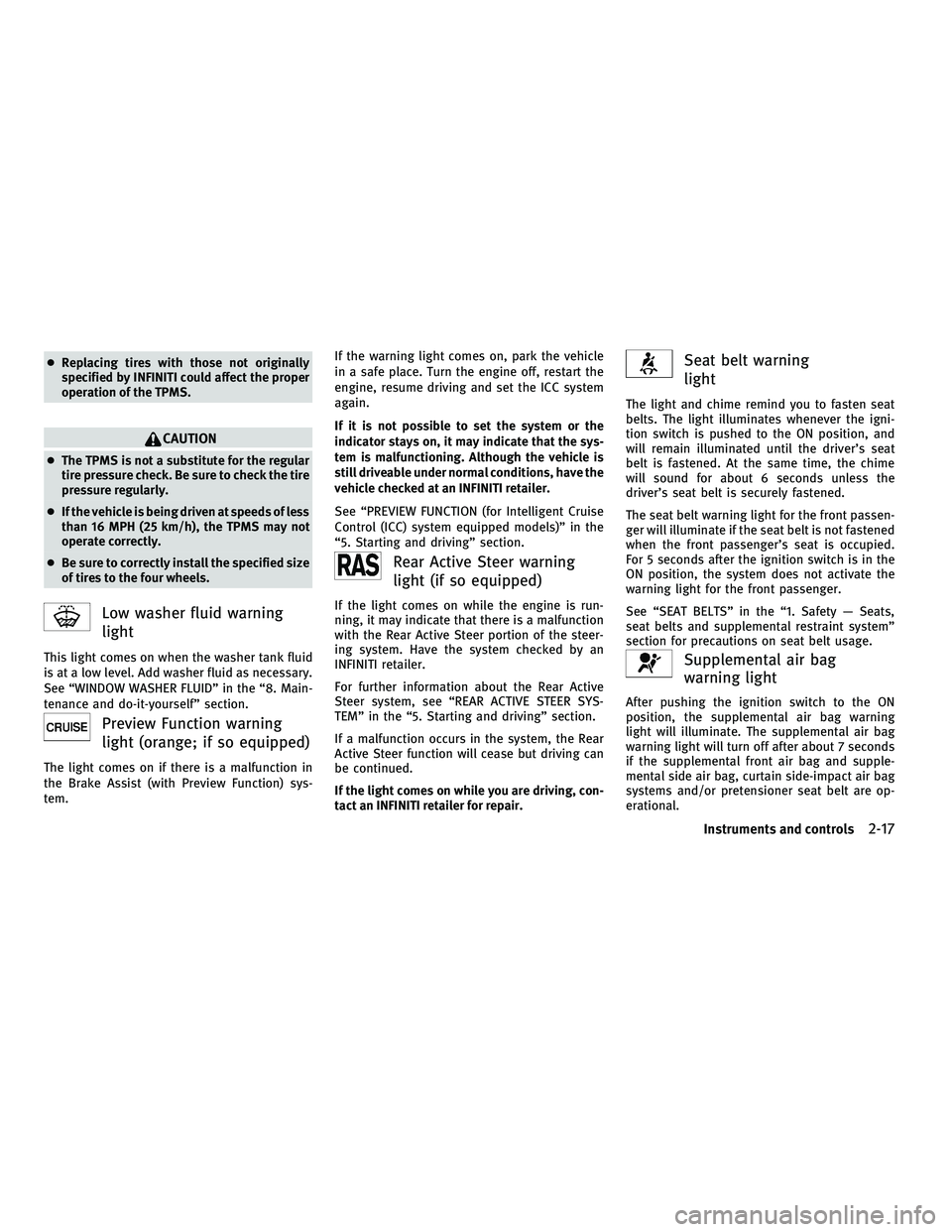
Low washer fluid warning
light
This light comes on when the washer tank fluid
is at a low level. Add washer fluid as necessary.
See ªWINDOW WASHER FLUIDº in the ª8. Main-
tenance and do-it-yourselfº section.
Preview Function warning
light (orange; if so equipped)
The light comes on if there is a malfunction in
the Brake Assist (with Preview Function) sys-
tem. If the warning light comes on, park the vehicle
in a safe place. Turn the engine off, restart the
engine, resume driving and set the ICC system
again.
If it is not possible to set the system or the
indicator stays on, it may indicate that the sys-
tem is malfunctioning. Although the vehicle is
still driveable under normal conditions, have the
vehicle checked at an INFINITI retailer.
See ªPREVIEW FUNCTION (for Intelligent Cruise
Control (ICC) system equipped models)º in the
ª5. Starting and drivingº section.
Rear Active Steer warning
light (if so equipped)
If the light comes on while the engine is run-
ning, it may indicate that there is a malfunction
with the Rear Active Steer portion of the steer-
ing system. Have the system checked by an
INFINITI retailer.
For further information about the Rear Active
Steer system, see ªREAR ACTIVE STEER SYS-
TEMº in the ª5. Starting and drivingº section.
If a malfunction occurs in the system, the Rear
Active Steer function will cease but driving can
be continued.
If the light comes on while you are driving, con-
tact an INFINITI retailer for repair.
Seat belt warning
light
The light and chime remind you to fasten seat
belts. The light illuminates whenever the igni-
tion switch is pushed to the ON position, and
will remain illuminated until the driver's seat
belt is fastened. At the same time, the chime
will sound for about 6 seconds unless the
driver's seat belt is securely fastened.
The seat belt warning light for the front passen-
ger will illuminate if the seat belt is not fastened
when the front passenger's seat is occupied.
For 5 seconds after the ignition switch is in the
ON position, the system does not activate the
warning light for the front passenger.
See ªSEAT BELTSº in the ª1. Safety Ð Seats,
seat belts and supplemental restraint systemº
section for precautions on seat belt usage.
Supplemental air bag
warning light
After pushing the ignition switch to the ON
position, the supplemental air bag warning
light will illuminate. The supplemental air bag
warning light will turn off after about 7 seconds
if the supplemental front air bag and supple-
mental side air bag, curtain side-impact air bag
systems and/or pretensioner seat belt are op-
erational.
Instruments and controls2-17
wÐ
Ð
05/14/09Ðpattie
X
Page 286 of 445
Brake system.................................... 5-49
Braking precautions ........................... 5-49
Parking brake break-in ......................... 5-50
Brake assist ..................................... 5-50
Brake assist .................................. 5-50
Preview function (for Intelligent Cruise
Control (ICC) system equipped models) ..........5-50
Anti-lock Braking System (ABS) .................5-53
Vehicle Dynamic Control (VDC) system .............5-54
Rear active steer system (if so equipped) ...........5-55Cold weather driving
............................. 5-56
Freeing a frozen door lock .....................5-56
Anti-freeze .................................... 5-56
Battery ....................................... 5-56
Draining of coolant water ......................5-56
Tire equipment ................................ 5-56
Special winter equipment ......................5-56
Driving on snow or ice ......................... 5-56
Engine block heater (if so equipped) ............5-57
wÐ
Ð
05/15/09Ðpattie
X
Page 301 of 445

WARNING
cBe sure the parking brake is fully released
before driving. Failure to do so can cause
brake failure and lead to an accident.
c Do not release the parking brake from out-
side the vehicle.
c Do not use the gear shift in place of the
parking brake. When parking, be sure the
parking brake is fully engaged.
c Do not leave children unattended in a ve-
hicle. They could release the parking brake
and cause an accident.
To apply:Fully depress the parking brake pedal
s1.
To release:
1. Firmly apply the foot brakes2.
2. Depress the parking brake pedal
s1and
the parking brake will be released.
3. Before driving, be sure the brake warning light goes out.
The Lane Departure Warning (LDW)
system/Lane Departure Prevention (LDP) sys-
tem will operate when the vehicle is driven at
speeds of approximately 45 MPH (72 km/h) and
above, and when it is traveling close to either
the left or the right of a traveling lane.
Each system functions as follows:
cLane Departure Warning (LDW) system Ð
warns the driver by a warning light and
chime.
c Lane Departure Prevention (LDP) system Ð
warns the driver by a warning light and
chime, and helps assist the driver to return
the vehicle to the center direction of the
traveling lane by applying brake control to
the left or right wheels individually (for a
short period of time).
SPA2331
PARKING BRAKE LANE DEPARTURE WARNING (LDW)
SYSTEM/LANE DEPARTURE PREVENTION
(LDP) SYSTEM (if so equipped)
5-16Starting and driving
wÐ
Ð
05/15/09Ðpattie
X
Page 307 of 445

Automatic deactivation
Condition A :
The warning and assist functions of the LDP
system are not designed to work under the
following conditions:
cWhen you operate the lane change signal
and change the traveling lanes in the direc-
tion of the signal. (The LDP system will be
deactivated for approximately 2 seconds af-
ter the lane change signal is turned off.)
c When the vehicle speed lowers to less than
approximately 45 MPH (72 km/h).
After the above conditions have finished and
the necessary operating conditions are satis-
fied, the warning and assist functions will re-
sume.
Condition B :
The assist function of the LDP system is not
designed to work under the following condi-
tions (warning is still functional):
c When the brake pedal is depressed.
c When the steering wheel is turned as far as
necessary for the vehicle to change lanes.
c When the accelerator pedal is depressed
while the brake control assist is provided. c
When the Intelligent Cruise Control (ICC)
approach warning occurs.
c When the hazard warning flashers are oper-
ated.
c When driving on a curve at high speed.
After the above conditions have finished and
the necessary operating conditions are satis-
fied, the LDP brake control assist function will
resume.
Condition C :
Under the following conditions, a beep will
sound and the LDP system will be canceled
automatically. The LDP ON indicator light will
blink in green, and the LDP system cannot be
activated:
c When the VDC system (except TCS function)
or ABS operates.
c When the VDC system is turned off.
c When the SNOW mode switch is turned on.
Action to take:
When the above conditions no longer exist, turn
off the LDP system by pushing the LDP switch.
Push the LDP switch again to turn the LDP
system back on. Temporary disabled status at high temperature :
If the vehicle is parked in direct sunlight under
high temperature conditions (over approxi-
mately 104ÉF (40ÉC)) and then the LDP system is
turned on, the LDP system may be deactivated
automatically. The LDP ON indicator (green) will
blink.
When the interior temperature is reduced, the
system will resume operating automatically and
the LDP ON indicator will stop blinking.
5-22Starting and driving
wÐ
Ð
05/15/09Ðpattie
X
Page 330 of 445

c) Push, then quickly release the SET/COASTswitch. Each time you do this, the set
speed will decrease by about 1 MPH (1.6
km/h).
To resume the preset speed, push and release
the RESUME/ACCELERATE switch. The vehicle
will resume the last set cruising speed when the
vehicle speed is over 25 MPH (40 km/h).
Automatic cancellation
A chime sounds under the following conditions
and the control is automatically canceled.
c When the vehicle slows down more than 8
MPH (13 km/h) below the set speed
c When the vehicle speed falls below approxi-
mately 20 MPH (32 km/h)
c When the selector lever is not in the D, DS or
Manual mode
c When the VDC (including the traction control
system) operates
c When a wheel slips
Warning light
When the system is not operating properly, the
chime sounds and the system warning light
(orange) will come on.
Action to take :
If the warning light comes on, park the vehicle
in a safe place. Turn the engine off, restart the
engine, resume driving and then perform the
setting again.
If it is not possible to set or the indicator stays
on, it may indicate that the system is malfunc-
tioning. Although the vehicle is still driveable
under normal conditions, have the vehicle
checked at an INFINITI retailer.
PREVIEW FUNCTION (for Intelligent
Cruise Control system equipped
models)
The ICC system with the preview function iden-
tifies the need to apply emergency braking by
sensing the vehicle ahead in the same lane and
the distance to the vehicle ahead and relative
speed from it, it applies the brake pre-pressure
before the driver depresses the brake pedal and
helps improve brake response by reducing
pedal free play.
For more details, see ªBRAKE ASSISTº later in
this section.
SSD0490
Starting and driving5-45
wÐ
Ð
05/15/09Ðpattie
X
Page 334 of 445

3. To help prevent the vehicle from rollinginto the street when parked on a sloping
drive way, it is a good practice to turn the
wheels as illustrated.
cHEADED DOWNHILL WITH CURB:s1
Turn the wheels into the curb and move
the vehicle forward until the curb side
wheel gently touches the curb.
c HEADED UPHILL WITH CURB:
s2
Turn the wheels away from the curb and
move the vehicle back until the curb side
wheel gently touches the curb.
c HEADED UPHILL OR DOWNHILL, NO CURB:
s3
Turn the wheels toward the side of the
road so the vehicle will move away from
the center of the road if it moves.
4. Push the ignition switch to the LOCK
position.
WARNING
If the engine is not running or is turned off while
driving, the power assist for the steering will
not work. Steering will be harder to operate.
The power assisted steering uses a hydraulic
pump, driven by the engine, to assist steering.
If the engine stops or the drive belt breaks, you
will still have control of the vehicle. However,
much greater steering effort is needed, espe-
cially in sharp turns and at low speeds.
BRAKING PRECAUTIONS
The brake system has two separate hydraulic
circuits. If one circuit malfunctions, you will still
have braking at two wheels.
You may feel a small click and hear a sound
when the brake pedal is fully depressed slowly.
This is not a malfunction and indicates that the
brake assist mechanism is operating properly.
Vacuum assisted brakes
The brake booster aids braking by using engine
vacuum. If the engine stops, you can stop the
vehicle by depressing the brake pedal. How-
ever, greater foot pressure on the brake pedal
will be required to stop the vehicle and the
stopping distance will be longer.
Wet brakes
When the vehicle is washed or driven through
water, the brakes may get wet. As a result, your
braking distance will be longer and the vehicle
may pull to one side during braking.
To dry brakes, drive the vehicle at a safe speed
while lightly tapping the brake pedal to heat-up
the brakes. Do this until the brakes return to
normal. Avoid driving the vehicle at high speeds
until the brakes function correctly.
POWER STEERING BRAKE SYSTEM
Starting and driving5-49
wÐ
Ð
05/19/09Ðtbrooks
X
Page 335 of 445

Using the brakes
Avoid resting your foot on the brake pedal while
driving. This will cause overheating of the
brakes, wearing out the brake and pads faster
and reduce gas mileage.
To help reduce brake wear and to prevent the
brakes from overheating, reduce speed and
downshift to a lower gear before going down a
slope or long grade. Overheated brakes may
reduce braking performance and could result in
loss of vehicle control.
WARNING
cWhile driving on a slippery surface, be care-
ful when braking, accelerating or downshift-
ing. Abrupt braking or accelerating could
cause the wheels to skid and result in an
accident.
c If the engine is not running or is turned off
while driving, the power assist for the
brakes will not work. Braking will be harder.
PARKING BRAKE BREAK-IN
Break in the parking brake shoes whenever the
stopping effect of the parking brake is weak-
ened or whenever the parking brake shoes
and/or drums/rotors are replaced, in order to
assure the best braking performance.
This procedure is described in the vehicle ser-
vice manual and can be performed by an
INFINITI retailer.
BRAKE ASSIST
When the force applied to the brake pedal
exceeds a certain level, the Brake Assist is
activated generating greater braking force than
a conventional brake booster even with light
pedal force.
WARNING
The Brake Assist is only an aid to assist braking
operation and is not a collision warning or
avoidance device. It is the driver's responsibil-
ity to stay alert, drive safely and be in control of
the vehicle at all times.
PREVIEW FUNCTION (for Intelligent
Cruise Control (ICC) system equipped
models)
When the Preview Function identifies the need
to apply emergency braking by sensing a ve-
hicle ahead in the same lane and the distance
and relative speed from it, it applies the brake
pre-pressure before the driver depresses the
brake pedal and helps improve brake response
by reducing pedal free play.
c This system will not operate when the ve-
hicle is moving at approximately 20 MPH
(32 km/h) or less.
BRAKE ASSIST
5-50Starting and driving
wÐ
Ð
05/15/09Ðpattie
X
Page 346 of 445

cReplacing tires with those not originally
specified by INFINITI could affect the proper
operation of the TPMS.
c Do not inject any tire liquid or aerosol tire
sealant into the tires, as this may cause a
malfunction of the tire pressure sensors.
CHANGING A FLAT TIRE
If you have a flat tire, follow the instructions
below.
Stopping the vehicle
1. Safely move the vehicle off the road and
away from traffic.
2. Turn on the hazard warning flashers.
3. Park on a level surface and apply the parking brake. Move the selector lever to
the P (Park) position.
4. Turn off the engine.
5. Raise the hood to warn other traffic, and to signal professional road assistance
personnel that you need assistance.
6. Have all passengers get out of the vehicle and stand in a safe place, away from
traffic and clear of the vehicle.
WARNING
cMake sure the parking brake is securely ap-
plied and the transmission is shifted into the
P (Park) position.
c Never change tires when the vehicle is on a
slope, ice or slippery areas. This is
hazardous.
c Never change tires if oncoming traffic is
close to your vehicle. Wait for professional
road assistance.
Blocking wheels
Place suitable blockss1at both the front and
back of the wheel diagonally opposite the flat
tire to prevent the vehicle from moving when it
is jacked up.
WARNING
Be sure to block the wheel as the vehicle may
move and result in personal injury.
MCE0001A
In case of emergency6-3
wÐ
Ð
05/15/09Ðpattie
X
Page 350 of 445

5. Securely store the flat tire and jackingequipment in the vehicle.
6. Place the spare tire cover and the trunk floor carpeting over the damaged tire.
7. Close the trunk.
WARNING
c Always make sure that the spare tire and
jacking equipment are properly secured af-
ter use. Such items can become dangerous
projectiles in an accident or sudden stop. c
The T-type spare tire and small size spare
tire are designed for emergency use. See
specific instructions under the heading
ªWHEELS AND TIRESº in the ª8. Maintenance
and do-it-yourselfº section.
If needed, Roadside Assistance is available.
Please see your Warranty Information Booklet
or Roadside Assistance I.D. Card for the toll-free
number to call (U.S.) or Warranty Information
Booklet (Canada). To start your engine with a booster battery, the
instructions and precautions below must be
followed.
WARNING
c
If done incorrectly, jump starting can lead to
a battery explosion, resulting in severe in-
jury or death. It could also damage your
vehicle.
c Explosive hydrogen gas is always present in
the vicinity of the battery. Keep all sparks
and flames away from the battery.
c Do not allow battery fluid to come into con-
tact with eyes, skin, clothing or painted sur-
faces. Battery fluid is a corrosive sulfuric
acid solution which can cause severe burns.
If the fluid should come into contact with
anything, immediately flush the contacted
area with water.
c Keep the battery out of the reach of children.
c The booster battery must be rated at 12
volts. Use of an improperly rated battery can
damage your vehicle.
SCE0505
JUMP STARTING
In case of emergency6-7
wÐ
Ð
05/15/09Ðpattie
X
Page 353 of 445

CAUTION
Do not keep the starter motor engaged for more
than 10 seconds. If the engine does not start
right away, push the ignition switch to the
LOCK position and wait 10 seconds before try-
ing again.
8. After starting your engine, carefully dis-connect the negative cable and then the
positive cable (
s4!s3!s2!s1).
9. Replace the vent caps (if so equipped). Be sure to dispose of the cloth used to
cover the vent holes as it may be con-
taminated with corrosive acid.
10. Put the battery cover and the engine compartment cover on.
Do not attempt to start the engine by pushing.
CAUTION
Automatic transmission models cannot be
push-started or tow-started. Attempting to do
so may cause transmission damage.
If needed, Roadside Assistance is available.
Please see your Warranty Information Booklet
or Roadside Assistance I.D. Card for the toll-free
number to call (U.S.) or Warranty & Roadside
Assistance Information Booklet (Canada).
CAUTION
c Do not continue to drive if your vehicle over-
heats. Doing so could cause engine damage
or a vehicle fire.
c To avoid the danger of being scalded, never
remove the radiator cap while the engine is
still hot. When the radiator cap is removed,
pressurized hot water will spurt out, possi-
bly causing serious injury.
c Do not open the hood if steam is coming out.
If your vehicle is overheating (indicated by an
extremely high temperature gauge reading), or
if you feel a lack of engine power, detect
abnormal noise, etc., take the following steps:
1. Move the vehicle safely off the road, apply the parking brake and move the selector
lever to the P (Park) position.
Do not stop the engine.
2. Turn off the climate control. Open all the windows, move the heater or air condi-
tioner temperature control to maximum
hot and fan control to high speed.
PUSH STARTING IF YOUR VEHICLE OVERHEATS
6-10In case of emergency
wÐ
Ð
05/19/09Ðtbrooks
X