malfunctions INFINITI Q50 2018 Owner's Manual
[x] Cancel search | Manufacturer: INFINITI, Model Year: 2018, Model line: Q50, Model: INFINITI Q50 2018Pages: 458, PDF Size: 2.13 MB
Page 77 of 458
1-58Safety — Seats, seat belts and supplemental restraint system
SEAT BELTS WITH PRETEN-
SIONERS (front seats)
WARNING
.The pretensioners cannot be reused
after activation. They must be re-
placed together with the retractor
and buckle as a unit.
. If the vehicle becomes involved in a
collision but a pretensioner is not
activated, be sure to have the pre-
tensioner system checked and, if
necessary, replaced. It is recom-
mended you visit an INFINITI retailer
for this service.
. No unauthorized changes should be
made to any components or wiring of
the pretensioners. This is to prevent
damage to or accidental activation of
the pretensioner system. Tampering
with the pretensioner system may
result in serious personal injury.
. It is recommended you visit an
INFINITI retailer for work on and
around the pretensioner system. It is
also recommended you visit an
INFINITI retailer for installation of
electrical equipment. Unauthorized
electrical test equipment and probing devices should not be used on the
pretensioner system.
. If you need to dispose of the preten-
sioner or scrap the vehicle, it is
recommended you visit an INFINITI
retailer for this service. Correct pre-
tensioner disposal procedures are set
forth in the appropriate INFINITI
Service Manual. Incorrect disposal
procedures could cause personal in-
jury.
The pretensioner system may activate with
the supplemental air bag system in certain
types of collisions. Working with the seat
belt retractor, it helps tighten the seat belt
when the vehicle becomes involved in certain
types of collisions, helping to restrain front
seat occupants.
The pretensioner is encased with the seat
belt retractor. These seat belts are used the
same way as conventional seat belts.
When a pretensioner seat belt activates,
smoke is released and a loud noise may be
heard. The smoke is not harmful, and it does
not indicate a fire. Care should be taken not
to inhale it as it may cause irritation and
choking. Those with a history of a breathing
condition should get fresh air promptly.
After pretensioner activation, load limiters
allow the seat belt to release webbing (if necessary) to reduce forces against the
chest.
The supplemental air bag warning light
is used to indicate malfunctions in the
pretensioner system. (See “Supplemental
air bag warning light” (P.1-59) for more
details.) If the operation of the supplemental
air bag warning light indicates there is a
malfunction, have the system checked. It is
recommended you visit an INFINITI retailer
for this service.
When selling your vehicle, we request that
you inform the buyer about the seat belt
pretensioners and guide the buyer to the
appropriate sections in this Owner’s Manual.
Page 126 of 458
(P.5-132).)
WARNING
Do not use or allow occupants to use the
seat heater if you or the occupants
cannot monitor elevated seat tempera-
tures or have an inability to feel pain in
those body parts in contact with the
seat. Use of the seat heater by such
people could result in serious injury.
CAUTION
.The battery could run down if the
seat heater is operated while the
engine is not running.
. Do not use the seat heater for
extended periods or when no one is
using the seat.
. Do not put anything on the seat
which insulates heat, such as a blan-
ket, cushion, seat cover, etc. Other-
wise, the seat may become
overheated.
. Do not place anything hard or heavy
on the seat or pierce it with a pin or
similar object. This may result in
damage to the heater. .
Any liquid spilled on the heated seat
should be removed immediately with
a dry cloth.
. When cleaning the seat, never use
gasoline, thinner, or any similar ma-
terials.
. If any malfunctions are found or the
heated seat does not operate, turn
the switch off and have the system
checked. It is recommended you visit
an INFINITI retailer for this service.
Instruments and controls2-43
HEATED SEATS (if so equipped)
Page 127 of 458
2-44Instruments and controls
JVR0505X
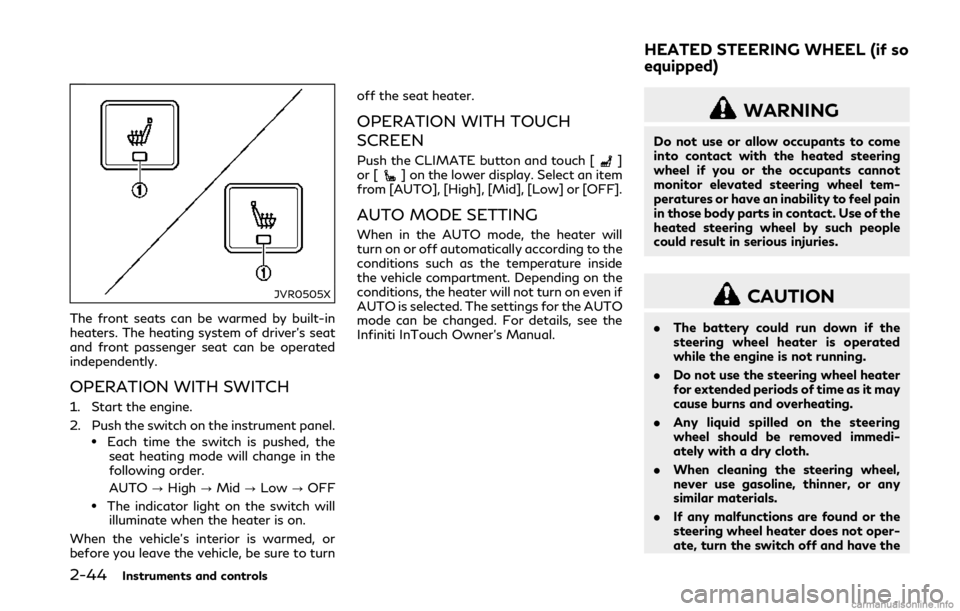
The front seats can be warmed by built-in
heaters. The heating system of driver’s seat
and front passenger seat can be operated
independently.
OPERATION WITH SWITCH
1. Start the engine.
2. Push the switch on the instrument panel.
.Each time the switch is pushed, theseat heating mode will change in the
following order.
AUTO ?High ?Mid ?Low ?OFF
.The indicator light on the switch will
illuminate when the heater is on.
When the vehicle’s interior is warmed, or
before you leave the vehicle, be sure to turn off the seat heater.
OPERATION WITH TOUCH
SCREEN
Push the CLIMATE button and touch []
or [] on the lower display. Select an item
from [AUTO], [High], [Mid], [Low] or [OFF].
AUTO MODE SETTING
When in the AUTO mode, the heater will
turn on or off automatically according to the
conditions such as the temperature inside
the vehicle compartment. Depending on the
conditions, the heater will not turn on even if
AUTO is selected. The settings for the AUTO
mode can be changed. For details, see the
Infiniti InTouch Owner’s Manual.
WARNING
Do not use or allow occupants to come
into contact with the heated steering
wheel if you or the occupants cannot
monitor elevated steering wheel tem-
peratures or have an inability to feel pain
in those body parts in contact. Use of the
heated steering wheel by such people
could result in serious injuries.
CAUTION
. The battery could run down if the
steering wheel heater is operated
while the engine is not running.
. Do not use the steering wheel heater
for extended periods of time as it may
cause burns and overheating.
. Any liquid spilled on the steering
wheel should be removed immedi-
ately with a dry cloth.
. When cleaning the steering wheel,
never use gasoline, thinner, or any
similar materials.
. If any malfunctions are found or the
steering wheel heater does not oper-
ate, turn the switch off and have the
HEATED STEERING WHEEL (if so
equipped)
Page 189 of 458

5-6Starting and driving
Please note that the TPMS is not a sub-
stitute for proper tire maintenance, and it is
the driver’s responsibility to maintain correct
tire pressure, even if under-inflation has not
reached the level to trigger illumination of
the TPMS low tire pressure telltale.
Your vehicle has also been equipped with a
TPMS malfunction indicator to indicate
when the system is not operating properly.
The TPMS malfunction indicator is com-
bined with the low tire pressure telltale.
When the system detects a malfunction, the
telltale will flash for approximately one
minute and then remain continuously illumi-
nated. This sequence will continue upon
subsequent vehicle start-ups as long as the
malfunction exists. When the malfunction
indicator is illuminated, the system may not
be able to detect or signal low tire pressure
as intended. TPMS malfunctions may occur
for a variety of reasons, including the
installation of replacement or alternate tires
or wheels on the vehicle that prevent the
TPMS from functioning properly. Always
check the TPMS malfunction telltale after
replacing one or more tires or wheels on your
vehicle to ensure that the replacement or
alternate tires and wheels allow the TPMS
to continue to function properly.Additional information
.Since the spare tire (if so equipped) is not
equipped with the TPMS, the TPMS
does not monitor the tire pressure of
the spare tire.
. The TPMS will activate only when the
vehicle is driven at speeds above 16
MPH (25 km/h). Also, this system may
not detect a sudden drop in tire pressure
(for example a flat tire while driving).
. The low tire pressure warning light does
not automatically turn off when the tire
pressure is adjusted. After the tire is
inflated to the recommended pressure,
the vehicle must be driven at speeds
above 16 MPH (25 km/h) to activate the
TPMS and turn off the low tire pressure
warning light. Use a tire pressure gauge
to check the tire pressure.
. The “Tire Pressure Low - Add Air”
warning appears in the vehicle informa-
tion display when the low tire pressure
warning light is illuminated and low tire
pressure is detected. The “Tire Pressure
Low - Add Air” warning turns off when
the low tire pressure warning light turns
off.
The “Tire Pressure Low - Add Air”
warning does not appear if the low tire
pressure warning light illuminates to
indicate a TPMS malfunction. .
The “Flat Tire - Visit dealer” warning (if
so equipped) appears in the vehicle
information display when the low tire
pressure warning light is illuminated and
one or more flat tires are detected.
. Tire pressure rises and falls depending on
the heat caused by the vehicle’s opera-
tion and the outside temperature. Do not
reduce the tire pressure after driving
because the tire pressure rises after
driving. Low outside temperature can
lower the temperature of the air inside
the tire which can cause a lower tire
inflation pressure. This may cause the
low tire pressure warning light to illumi-
nate. If the warning light illuminates in
low ambient temperature, check the tire
pressure for all four tires.
. You can also check the pressure of all
tires (except the spare tire) in the vehicle
information display. (See “Vehicle infor-
mation display” (P.2-19).)
. After the ignition switch is placed in the
ON position, it may take a period of time
for the tire pressure to be displayed while
the vehicle is driven. Depending on the
radio wave circumstance, tire pressure
may not correctly be displayed.
For additional information, see “Low tire
pressure warning light” (P.2-12) and “Tire
Pressure Monitoring System (TPMS)” (P.6-
3).
Page 207 of 458

5-24Starting and driving
JVS0934X
When the ECO drive indicator illuminates in
green, the accelerator reaction force is
normal. When the ECO drive indicator light
is blinking or remains off, the ECO pedal
system increases the reaction force of the
accelerator pedal.
The ECO pedal system may not vary accel-
erator reaction force under the following
conditions:
.When the shift lever is in the N (Neutral)
or R (Reverse) position.
. When Intelligent Cruise Control (ICC) is
being operated.
If the ECO pedal system malfunctions, it will
cancel automatically. The ECO pedal system
will not vary the reaction force of the accelerator pedal.
When the INFINITI Drive Mode Selector is
rotated from the ECO mode to another
mode (STANDARD, SPORT+ (if so
equipped), SPORT, SNOW or PERSONAL)
while the ECO pedal system is operating, the
ECO pedal system continues to operate until
the accelerator pedal is released.
If the accelerator pedal is depressed quickly,
the ECO pedal system will not increase the
reaction force of the acceleration pedal. The
ECO pedal system is not designed to prevent
the vehicle from accelerating.
Adjusting the ECO pedal system reaction
force:
The ECO pedal system reaction force can be
adjusted. The reaction force setting will be
maintained until the setting is changed even
if the engine is turned off.
JVS0246X
Setting ECO pedal reaction force:
1. Push the MENU button
and touch
[Settings] on the lower display.
2. Touch [Drive Mode Enhancement].
3. Touch [ECO Pedal].
4. To set the reaction force of the ECO pedal system, touch [Standard] or [Soft].
5. To turn off the ECO pedal system, touch [OFF].
When the ECO pedal system is turned off,
the accelerator will operate normally.
Page 215 of 458

5-32Starting and driving
— When the vehicle’s traveling di-rection does not align with the
lane marker.
— When traveling close to the ve- hicle in front of you, which ob-
structs the lane camera unit
detection range.
— When rain, snow, dirt or object adheres to the windshield in front
of the lane camera unit.
— When the headlights are not bright due to dirt on the lens or
if the aiming is not adjusted
properly.
— When strong light enters the lane camera unit. (For example, the
light directly shines on the front
of the vehicle at sunrise or sun-
set.)
— When a sudden change in bright- ness occurs. (For example, when
the vehicle enters or exits a tunnel
or under a bridge.)
— When entering or exiting toll- gates.
— When driving on roads with a widening or narrowing lane width.
JVS0824X
Vehicle information display
SYSTEM TEMPORARILY UNA-
VAILABLE
Automatic deactivation
Active Lane Control is not designed to
operate under the following conditions:
. When the Vehicle Dynamic Control
(VDC) system (except TCS function) or
ABS operates.
. When you operate the lane change signal
and change the traveling lanes in the
direction of the signal. (Active Lane
Control is deactivated for approximately
2 seconds after the lane change signal is turned off.)
. When the vehicle speed lowers to less
than approximately 45 MPH (70 km/h).
. When the hazard warning flashers are
operated.
After the above conditions have finished and
the operating conditions are satisfied again,
Active Lane Control will resume operation.
Temporary disabled status at high
temperature
If the vehicle is parked in direct sunlight
under high temperature conditions (over
approximately 104°F (40°C)) and then Ac-
tive Lane Control is turned on, Active Lane
Control may be deactivated automatically.
The high cabin temperature message will
appear in the vehicle information display
.
Action to take:
When the interior temperature is reduced,
push the dynamic driver assistance switch
again to turn Active Lane Control back on.
SYSTEM MALFUNCTION
If Active Lane Control malfunctions, it will
cancel automatically. The chassis control
warning will appear in the vehicle informa-
tion display.
Page 230 of 458

JVS0742X
Illustration 6 – Entering from the side
Illustration 6: If the driver activates the turn
signal, then the system chimes (twice) and
the side indicator light flashes.
NOTE:
. The radar sensors may not detect a
vehicle which is traveling at about the
same speed as your vehicle when it
enters the detection zone.
. If the driver activates the turn signal
before a vehicle enters the detection
zone, the side indicator light will flash
but no chime will sound when the other
vehicle is detected.
JVS0824X
Vehicle information display
SYSTEM TEMPORARILY UNA-
VAILABLE
When radar blockage is detected, the BSW
system will be turned off automatically, a
chime will sound and the “side radar ob-
struction” warning message will appear in
the vehicle information display
.
The system is not available until the condi-
tions no longer exist.
The radar sensors may be blocked by
temporary ambient conditions such as
splashing water, mist or fog. The blocked
condition may also be caused by objects
such as ice, frost or dirt obstructing the radar sensors.
Action to take:
When the above conditions no longer exist,
the system will resume automatically.
If the “side radar obstruction” warning
message continues to appear, have the
system checked. It is recommended you visit
an INFINITI retailer for this service.
SYSTEM MALFUNCTION
When the BSW system malfunctions, it will
be turned off automatically, a chime will
sound, and the system “malfunction” warn-
ing message with the driver assist system
blind spot indicator (orange) will appear in
the vehicle information display.
Action to take:
Stop the vehicle in a safe location and place
the shift lever in the P (Park) position. Turn
the engine off and restart the engine. If the
system “malfunction” warning message with
the driver assist system blind spot indicator
(orange) continues to be displayed, have the
BSW system checked. It is recommended
you visit an INFINITI retailer for this service.
Starting and driving5-47
Page 243 of 458

5-60Starting and driving
appear in the vehicle information display.
Action to take:
When the interior temperature is reduced,
push the dynamic driver assistance switch
again to turn the BSI system back on.
SYSTEM MALFUNCTION
When the BSI system malfunctions, it will be
turned off automatically, a chime will sound,
and the system “malfunction” warning mes-
sage with the driver assist system blind spot
indicator (orange) will appear in the vehicle
information display.
Action to take:
Stop the vehicle in a safe location and place
the shift lever in the P (Park) position. Turn
the engine off and restart the engine. If the
system “malfunction” warning message with
the driver assist system blind spot indicator
(orange) continues to be displayed, have the
BSI system checked. It is recommended you
visit an INFINITI retailer for this service.
JVS1125X
SYSTEM MAINTENANCE
The two radar sensorsfor the BSI system
are located near the rear bumper. Always
keep the area near the radar sensors clean.
The radar sensors may be blocked by
temporary ambient conditions such as
splashing water, mist or fog.
The blocked condition may also be caused by
objects such as ice, frost or dirt obstructing
the radar sensors.
Check for and remove objects obstructing
the area around the radar sensors.
Do not attach stickers (including transparent
material), install accessories or apply addi-
tional paint near the radar sensors. Do not strike or damage the area around the
radar sensors.
It is recommended you visit an INFINITI
retailer if the area around the radar sensors
is damaged due to a collision.
The lane camera unit
for BSI system is
located above the inside mirror. To keep the
proper operation of BSI and prevent a
system malfunction, be sure to observe the
following:
. Always keep the windshield clean.
. Do not attach a sticker (including trans-
parent material) or install an accessory
near the camera unit.
. Do not place reflective materials, such as
white paper or a mirror, on the instru-
ment panel. The reflection of sunlight
may adversely affect the camera unit’s
capability of detecting the lane markers.
. Do not strike or damage the areas around
the camera unit. Do not touch the
camera lens or remove the screw located
on the camera unit. It is recommended
you contact an INFINITI retailer if the
camera unit is damaged due to an
accident.
Page 253 of 458

5-70Starting and driving
duced, turn off the BCI system and turn
it on again.
. “Unavailable Side Radar Obstruction”:
When side radar blockage is detected.
Action to take:
When the blockage is removed, turn off
the BCI system and turn it on again.
SYSTEM MALFUNCTION
If the BCI system malfunctions, it will turn
off automatically, a chime will sound and BCI
system “malfunction” warning message will
appear in the vehicle information display
.
Action to take:
Stop the vehicle in a safe location and place
the shift lever in the P (Park) position. Turn
the engine off and restart the engine. If the
warning message continues to appear, have
the system checked. It is recommended you
visit an INFINITI retailer for this service.JVS1122X
SYSTEM MAINTENANCE
The two radar sensorsfor the BCI system
is located near the rear bumper. Always keep
the area near the radar sensors clean.
The radar sensors may be blocked by
temporary ambient conditions such as
splashing water, mist or fog.
The blocked condition may also be caused by
objects such as ice, frost or dirt obstructing
the radar sensors.
Check for and remove objects obstructing
the area around the radar sensors.
Do not attach stickers (including transparent
material), install accessories or apply addi-
tional paint near the radar sensors. Do not strike or damage the area around the
radar sensors.
It is recommended you visit an INFINITI
retailer if the area around the radar sensors
is damaged due to a collision.
Radio frequency statement
For USA
This device complies with part 15 of the
FCC Rules.
Operation is subject to the following two
conditions: (1) This device may not cause
harmful interference, and (2) this device
must accept any interference received, in-
cluding interference that may cause unde-
sired operation.
NOTE:
The manufacturer is not responsible for any
radio or TV interference caused by un-
authorized modifications to this equipment.
Such modifications could void the user’s
authority to operate the equipment.
For Canada
This device complies with Industry Canada
Standard RSS-310.
Operation is subject to the following two
conditions: (1) This device may not cause
harmful interference, and (2) this device
must accept any interference received, in-
cluding interference that may cause unde-
Page 254 of 458

sired operation.
Frequency of operation: 24.05GHz —
24.25GHz
Field Strength: Not greater than 2.5V/m
peak (0.25V/m average) at a distance of 3
mPRECAUTIONS ON CRUISE
CONTROL
.If the cruise control system malfunctions,
it will cancel automatically. The cruise
indicator (green) in the vehicle informa-
tion display will then blink to warn the
driver.
. If the engine coolant temperature be-
comes excessively high, the cruise con-
trol system will be canceled
automatically.
. If the cruise indicator (green) blinks, turn
the cruise control MAIN switch off and
have the system checked. It is recom-
mended you visit an INFINITI retailer for
this service.
. The cruise indicator (green) may some-
times blink when the cruise control MAIN
switch is turned ON while pushing the
SET/COAST (-), RESUME/ACCELER-
ATE (+) or CANCEL switch. To properly
set the cruise control system, perform
the steps below in the order indicated.
WARNING
Do not use the cruise control when
driving under the following conditions:
. when it is not possible to keep the
vehicle at a set speed .
in heavy traffic or in traffic that
varies in speed
. on winding or hilly roads
. on slippery roads (rain, snow, ice,
etc.)
. in very windy areas
Doing so could cause a loss of vehicle
control and result in an accident.
Starting and driving5-71
CRUISE CONTROL (if so equipped)