Hazard lights INFINITI Q50 2021 Owner's Manual
[x] Cancel search | Manufacturer: INFINITI, Model Year: 2021, Model line: Q50, Model: INFINITI Q50 2021Pages: 484, PDF Size: 1.86 MB
Page 19 of 484

Red lightNamePage
Brake warning light 2-11
Charge warning light 2-11
Master warning light 2-12
Seat belt warning light and
chime2-12
Security indicator light 2-12
Supplemental air bag warn-
ing light2-12Yellow
light Name Page
Anti-lock Braking System
(ABS) warning light 2-13
Forward Emergency Braking
(FEB) system warning light
2-13
Front passenger air bag sta-
tus light2-13
Low fuel warning light 2-13
Low tire pressure warning
light
2-13
Malfunction Indicator Light
(MIL)2-15
Master warning light 2-16
Power steering warning light 2-16
Vehicle Dynamic Control
(VDC) off indicator light
2-16
Vehicle Dynamic Control
(VDC) warning light 2-17Other
light Name Page
ECO drive indicator light 2-17
Exterior light indicator 2-17
Front fog light indicator light 2-17
High beam assist indicator
light (if so equipped) 2-17
High beam indicator light 2-17
Turn signal/hazard indicator
lights2-17
Illustrated table of contents0-11
WARNING AND INDICATOR LIGHTS
Page 92 of 484

2-10Instruments and controls
Warning/indicator lights (red)Warning/indicator lights (yellow) Warning/indicator lights (other)
Brake warning lightAnti-lock Braking System (ABS) warning
lightECO drive indicator light
Charge warning lightForward Emergency Braking (FEB) sys-
tem warning lightExterior light indicator
Master warning lightFront passenger air bag status lightFront fog light indicator light
Seat belt warning light and chimeLow fuel warning lightHigh beam assist indicator light (if so
equipped)
Security indicator lightLow tire pressure warning lightHigh beam indicator light
Supplemental air bag warning lightMalfunction Indicator Light (MIL)Turn signal/hazard indicator lights
Master warning light
Power steering warning light
Vehicle Dynamic Control (VDC) off in-
dicator light
Vehicle Dynamic Control (VDC) warning
light
WARNING LIGHTS, INDICATOR
LIGHTS AND AUDIBLE REMINDERS
Page 99 of 484

Vehicle Dynamic Control
(VDC) warning light
When the ignition switch is in the ON
position, the Vehicle Dynamic Control
(VDC) warning light illuminates and then
turns off.
The light will blink when the VDC system or
the traction control system is operating, thus
alerting the driver that the vehicle is nearing
its traction limits. The road surface may be
slippery.
When the VDC warning light illuminates
when the VDC system is turned on, this light
alerts the driver to the fact that the VDC
system’s fail-safe mode is operating, for
example the VDC, active trace control func-
tion, Brake Force Distribution or hill start
assist system may not be functioning prop-
erly. Have the system checked. It is recom-
mended you visit an INFINITI retailer for this
service. If a malfunction occurs in the
system, the VDC system function will be
canceled but the vehicle is still driveable. For
additional information, see “Vehicle Dynamic
Control (VDC) system” (P.5-128).
WARNING/INDICATOR LIGHTS
(other)
See “Vehicle information display” (P.2-18).
ECO drive indicator light
When the ignition switch is placed in the ON
position, the light will come on and then turn
off.
When the INFINITI Drive Mode Selector is
turned to the ECO mode, the ECO drive
indicator light will illuminate, blink or remain
off depending on the accelerator pedal
operation to help assist the driver to drive
economically. For more details, see “ECO
mode” (P.5-22).
Exterior light indicator
This indicator illuminates when the headlight
switch is turned to the AUTO,orposition and the front parking lights, instru-
ment panel lights, rear combination lights,
license plate lights or headlights are on. The
indicator turns off when these lights are
turned off.
Front fog light indicator light
The front fog light indicator light illuminates
when the front fog lights are on. (See “Fog
light switch” (P.2-42).)
High beam assist indicator
light (if so equipped)
The indicator light illuminates when the
headlights come on while the headlight
switch is in the AUTO position with the high
beam selected. This indicates that the high
beam assist system is operational. (See
“High beam assist” (P.2-37).)
High beam indicator light
This light comes on when the headlight high
beam is on and goes out when the low beam
is selected.
Turn signal/hazard indicator
lights
The light flashes when the turn signal switch
lever or hazard switch is turned on.
AUDIBLE REMINDERS
Door lock warning chime
When the chime sounds, be sure to check
both the vehicle and the Intelligent Key. (See
“Troubleshooting guide” (P.3-14).)
Instruments and controls2-17
Page 156 of 484

3-10Pre-driving checks and adjustments
JVP0233X
When you carry the Intelligent Key with you,
you can lock all doors by pushing the door
handle request switch
(driver’s or front
passenger’s) within the range of operation.
WAD0066X
You can also unlock the corresponding door
by touching the one touch unlock sensor
(driver’s or front passenger’s) within the
range of operation, and can unlock the other
doors using the door handle request switch
.
When you lock or unlock the doors or the
trunk lid, the hazard indicator will flash and
the horn (or the outside chime) will sound as
a confirmation. For details, see “Setting
hazard indicator and horn mode” (P.3-18).
CAUTION
. After locking the doors using the
request switch, make sure that the
doors have been securely locked by
operating the door handles.
. When locking the doors using the
request switch, make sure to have the
Intelligent Key in your possession
before operating the request switch
to prevent the Intelligent Key from
being left in the vehicle.
. The request switch and one touch
unlock sensor are operational only
when the Intelligent Key has been
detected by the Intelligent Key sys-
tem.
Welcome light and farewell light
function
When you lock or unlock the doors and fuel-
filler door, front and rear side marker lights,
parking lights, tail lights and the license plate
light will illuminate for a period of time. The
welcome light and farewell light function can
be disabled. For information about disabling
the welcome light and farewell light func-
tion, see the INFINITI InTouch
TMOwner’s
Manual.
Page 163 of 484

Unlocking doors, trunk lid and fuel-
filler door
1. Push the UNLOCKbuttonon the
Intelligent Key once.
2. The hazard indicator flashes once. The driver’s door will unlock.
3. Push the UNLOCK
buttonon the
Intelligent Key again within 1 minute.
4. The hazard indicator flashes once again. All the doors, trunk lid and the fuel-filler
door will unlock.
All doors, trunk lid and the fuel-filler door
will be locked automatically unless one of
the following operations is performed within
1 minute after pushing the UNLOCK
button on the Intelligent Key while the doors
are locked. If during this 1-minute time
period, the UNLOCK
button on the
Intelligent Key is pushed, all doors will be
locked automatically after another 1 minute.
. Opening any door
. Pushing the ignition switch
Opening windows (if so equipped)
The UNLOCKbuttonoperation also
allows you to open the window that is
equipped with the automatic open/close
function. (See “Power windows” (P.2-52).)
To open the window, push the door UN- LOCK
button on the Intelligent Key
for about 3 seconds after the door is
unlocked.
To stop opening, release the UNLOCK
button.
If the window open operation is stopped in
mid-operation while pushing the UNLOCK
button, release and push the
UNLOCKbuttonagain until the
window opens completely.
Window cannot be closed using the Intelli-
gent Key.
Opening moonroof (if so equipped)
The moonroof can be opened by pushing the
UNLOCKbuttonon the Intelligent
Key. This function will not operate while the
moonroof timer is activated or when the
moonroof needs to be initialized.
To open the moonroof, push the UNLOCK
buttonon the Intelligent Key for
about 3 seconds after the door is unlocked.
To stop opening, release the UNLOCK
button.
Opening trunk lid
1. Push the TRUNKbuttonon the
Intelligent Key for more than 1 second.
2. The trunk will unlatch. 3. Raise the trunk lid to open the trunk.
Using panic alarm
If you are near your vehicle and feel
threatened, you may activate the alarm to
call attention as follows:
1. Push the PANIC
buttonon the key
for more than 1 second.
2. The theft warning alarm and headlights will stay on for 25 seconds.
3. The panic alarm stops when:
.It has run for 25 seconds, or.Any of the buttons on the Intelligent Key are pushed. (Note: PANIC
buttonor TRUNKbuttonshould be pushed for more than 1
second.)
Remote engine start (if so equipped)
The remote engine startbuttonis on
the Intelligent Key if the vehicle has remote
engine start function. This function allows
the engine to start from outside the vehicle.
See “Remote engine start” (P.3-19) for more
details.
Pre-driving checks and adjustments3-17
Page 167 of 484

CANCELING A REMOTE ENGINE
START
To cancel a remote engine start, perform one
of the following:
.Aim the Intelligent Key at the vehicle and
push and hold the remote engine start
button until the parking lights turn
off.
. Turn on the hazard warning flashers.
. Cycle the ignition switch ON and then
OFF.
. The extended engine run time has ex-
pired.
. The first 10 minute timer has expired.
. The engine hood has been opened.
. The shift lever is moved out of P (Park).
. The alarm sounds due to illegal entry into
the vehicle.
. The ignition switch is pushed without an
Intelligent Key in the vehicle.
. The ignition switch is pushed with an
Intelligent Key in the vehicle but the
brake pedal is not depressed.
CONDITIONS THE REMOTE EN-
GINE START WILL NOT WORK
The remote engine start will not operate if
any of the following conditions are present:
. The ignition switch is placed in the ON
position.
. The hood is not securely closed.
. The hazard warning lights are on.
. The engine is still running. The engine
must be completely stopped. Wait at
least 6 seconds if the engine goes from
running to off. This is not applicable
when extending engine run time.
. The remote engine start
button is
not pushed and held for at least 2
seconds.
. The remote engine start
button is
not pushed and held within 5 seconds of
pushing the LOCK button.
. The brake pedal is depressed.
. The doors are not closed and locked.
. The trunk is open.
. The Intelligent Key warning message is
displayed in the vehicle information dis-
play.
. The alarm sounds due to illegal entry into
the vehicle.
. Two remote engine starts, or a single
remote engine start with an extension,
have already been used. .
The vehicle is not in P (Park).
. The remote engine start function has
been switched to OFF in the settings
menu on the lower display. For additional
information, see the INFINITI InTouch
TM
Owner’s Manual.
The remote engine start may display a
warning or indicator in the vehicle informa-
tion display. For an explanation of the
warning or indicator, see “Indicators for
operation” (P.2-21).
Pre-driving checks and adjustments3-21
Page 255 of 484
of the lane camera unit.
— When the headlights are not bright due to dirt on the lens or
if the aiming is not adjusted
properly.
— When strong light enters the lane camera unit. (For example, the
light directly shines on the front
of the vehicle at sunrise or sun-
set.)
— When a sudden change in bright- ness occurs. (For example, when
the vehicle enters or exits a tunnel
or under a bridge.)
— When entering or exiting toll- gates.
— When driving on roads with a widening or narrowing lane width.
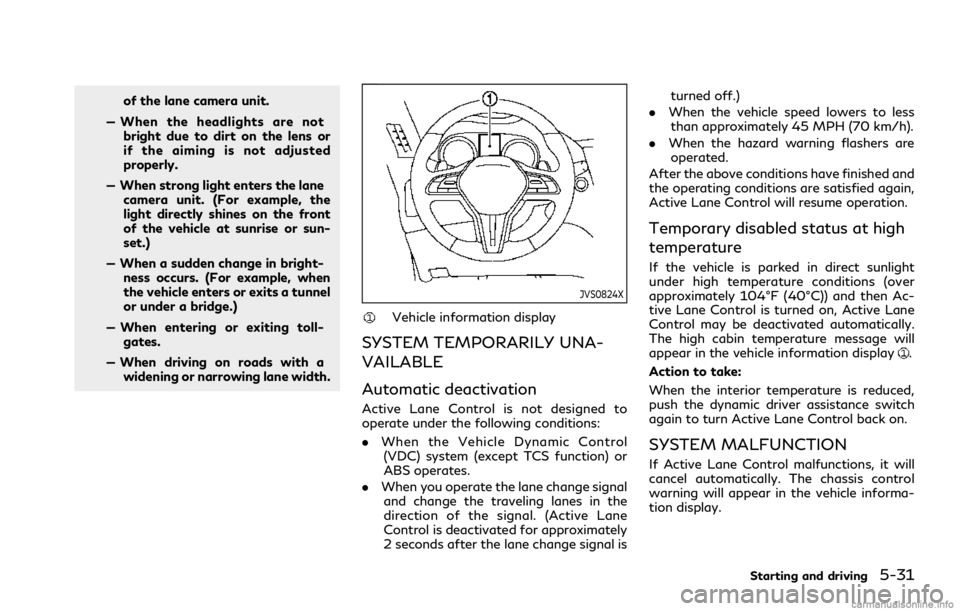
JVS0824X
Vehicle information display
SYSTEM TEMPORARILY UNA-
VAILABLE
Automatic deactivation
Active Lane Control is not designed to
operate under the following conditions:
. When the Vehicle Dynamic Control
(VDC) system (except TCS function) or
ABS operates.
. When you operate the lane change signal
and change the traveling lanes in the
direction of the signal. (Active Lane
Control is deactivated for approximately
2 seconds after the lane change signal is turned off.)
. When the vehicle speed lowers to less
than approximately 45 MPH (70 km/h).
. When the hazard warning flashers are
operated.
After the above conditions have finished and
the operating conditions are satisfied again,
Active Lane Control will resume operation.
Temporary disabled status at high
temperature
If the vehicle is parked in direct sunlight
under high temperature conditions (over
approximately 104°F (40°C)) and then Ac-
tive Lane Control is turned on, Active Lane
Control may be deactivated automatically.
The high cabin temperature message will
appear in the vehicle information display
.
Action to take:
When the interior temperature is reduced,
push the dynamic driver assistance switch
again to turn Active Lane Control back on.
SYSTEM MALFUNCTION
If Active Lane Control malfunctions, it will
cancel automatically. The chassis control
warning will appear in the vehicle informa-
tion display.
Starting and driving5-31
Page 364 of 484
6-2In case of emergency
SIC2574
Push the switch on to warn other drivers
when you must stop or park under emer-
gency conditions. All turn signal lights will
flash.
WARNING
.If stopping for an emergency, be sure
to move the vehicle well off the road.
. Do not use the hazard warning
flashers while moving on the highway
unless unusual circumstances force
you to drive so slowly that your
vehicle might become a hazard to
other traffic. .
Turn signals do not work when the
hazard warning flasher lights are on.
The flasher can be actuated with the ignition
switch in any position.
When an impact that could activate the
supplemental air bags is detected, the
hazard warning flasher lights blink automa-
tically. If the hazard warning flasher switch is
pushed, the hazard warning flashers will turn
off.
WARNING
Do not turn the hazard warning flasher
switch to off until you can make sure
that it is safe to do so. Also, the hazard
flasher warning may not blink automa-
tically depending on the force of impact.
Some state laws may prohibit the use of the
hazard warning flasher switch while driving. In the event of a roadside emergency,
Roadside Assistance Service is available to
you. Please refer to your Warranty Informa-
tion Booklet (U.S.) or Warranty & Roadside
Assistance Information Booklet (Canada) for
details.
HAZARD WARNING FLASHER SWITCHROADSIDE ASSISTANCE PROGRAM
Page 471 of 484

Entry/exit functionMemory seat ................................................... 3-33
Event Data Recorders (EDR) ........................ 10-24
Exhaust gas (carbon monoxide) ........................ 5-4
Explanation of scheduled
maintenance items ................................................. 9-5
F
F.M.V.S.S./C.M.V.S.S. certification label .... 10-12
Filter Air cleaner housing filter ............................. 8-15
Changing engine oil and filter ...................... 8-7
Flashers (See hazard warning
flasher switch) ......................................................... 6-2
Flat tire ...................................................................... 6-3
Flat Tire - Visit dealer warning ....................... 2-22
Flat towing ......................................................... 10-20
Floor mat cleaning ................................................. 7-5
Floor mat installation ............................................ 7-6
Fluid Automatic Transmission Fluid (ATF) ......... 8-9
Brake fluid ...................................................... 8-10
Capacities and
recommended fluids/lubricants ................. 10-2
Engine coolant .................................................. 8-3
Engine oil ........................................................... 8-7
Window washer fluid .................................. 8-10
Fog light switch ................................................... 2-42
Forward Emergency Braking (FEB) ............ 5-102
Forward Emergency Braking (FEB) system
warning light ......................................................... 2-13 Front passenger air bag and status light ..... 1-50
Front power seat adjustment ............................. 1-3
Front seat
Front seat adjustment .................................... 1-3
Fuel Capacities and
recommended fluids/lubricants ................. 10-2
Fuel economy ............................................... 5-119
Fuel information ........................................... 10-4
Fuel octane rating ........................................ 10-4
Fuel-filler cap .................................................. 3-25
Fuel-filler door ............................................... 3-25
Gauge .................................................................. 2-9
Fuel Efficient Driving Tips .............................. 5-118
Fuses ....................................................................... 8-17
Fusible links ........................................................... 8-18
G
Garage door opener HomeLink®Universal Transceiver ............ 2-59
Gas cap ................................................................... 3-25
Gauge ........................................................................\
. 2-6 Engine coolant temperature gauge ............ 2-8
Fuel gauge ......................................................... 2-9
Odometer ............................................................ 2-7
Speedometer ...................................................... 2-7
Tachometer ....................................................... 2-8
Trip computer ................................................. 2-27
General maintenance ............................................. 9-2 Glove box ............................................................... 2-50
H
Hazard warning flasher switch ........................... 6-2
Head restraints/headrests .................................. 1-8
Headlights
Aiming control (See Adaptive Front
lighting System (AFS)) ................................ 2-40
Headlight switch ............................................ 2-35
Heated seats ......................................................... 2-43
Heated steering wheel ....................................... 2-44
Heater Engine block heater .................................... 5-135
Heater and air conditioner ................................ 4-36
High beam assist ................................................. 2-37
Hill start assist system ..................................... 5-131
HomeLink
®Universal Transceiver .................. 2-59
Hood release ......................................................... 3-22
Hook Coat hooks ...................................................... 2-51
Trunk hooks .................................................... 2-51
Horn ........................................................................\
. 2-42
I
Ignition switch (Push-button) ................................................. 5-11
Automatic transmission models ................ 5-16
Immobilizer system .............................................. 2-31
Indicator
Vehicle information display ........................ 2-18
11-3
Page 476 of 484

11-8
V
Vanity mirror ......................................................... 3-32
Vanity mirror lights ............................................. 2-58
Variable voltage control system ..................... 8-13
VehicleDimensions ................................................... 10-10
Recovery (freeing a stuck vehicle) ............ 6-10
Vehicle Dynamic Control (VDC)
off switch ......................................................... 2-42
Vehicle dynamic control
(VDC) system ............................................... 5-128
Vehicle Dynamic Control (VDC)
warning light ................................................... 2-17
Vehicle identification number (VIN) ............. 10-11
Vehicle information display .............................. 2-18
Vehicle loading information ............................ 10-17
Vehicle security system ...................................... 2-30
Vehicle speedAverage speed ............................ 2-27
Ventilators ............................................................. 4-35
W
Warning Flat Tire - Visit dealer warning ................. 2-22
Hazard warning flasher switch .................... 6-2
Indicators for operation (vehicle
information display) ...................................... 2-21
Power steering warning light ..................... 2-16
Predictive Forward Collision
Warning (PFCW) ........................................ 5-109 Tire Pressure Monitoring
System (TPMS) ........................... 5-5, 6-3, 8-25
Vehicle information display ........................ 2-18
Warning lights, indicator lights and
audible reminders .......................................... 2-10
Warning labels
Air bag warning labels ................................. 1-60
Warning light Air bag warning light ........................ 1-60, 2-12
Anti-lock braking system (ABS)
warning light ................................................... 2-13
Brake warning light ....................................... 2-11
Forward Emergency Braking (FEB)
system warning light .................................... 2-13
Low fuel warning light ................................. 2-13
Low tire pressure warning light ................ 2-13
Seat belt warning light
and chime ............................................. 1-14, 2-12
Warranty
Emission control system warranty ........ 10-21
Washer switch
Wiper and washer switch ........................... 2-32
Washing .................................................................... 7-2
Waxing ....................................................................... 7-2
Welcome light and farewell light function .... 3-10
Wheel/tire size ..................................................... 10-9
Wheels and tires .................................................. 8-25 Care of wheels .................................................. 7-3
Cleaning aluminum alloy wheels .................. 7-3
Cleaning bright wheels .................................. 7-4
Window washer fluid ......................................... 8-10 Window(s)
Cleaning ............................................................... 7-3
Power windows ............................................. 2-52
Wiper
Rain-sensing auto wiper system ............... 2-34
Wiper and washer switch ........................... 2-32
Wiper blades ................................................... 8-15
Wiper and washer switch ................................. 2-32