trunk INFINITI Q50 2023 User Guide
[x] Cancel search | Manufacturer: INFINITI, Model Year: 2023, Model line: Q50, Model: INFINITI Q50 2023Pages: 494, PDF Size: 2.19 MB
Page 106 of 494

2-22Instruments and controls
10. Low fuel warning
This warning appears when the fuel level in
the tank is getting low. Refuel as soon as it is
convenient, preferably before the fuel gauge
reaches the empty (0) position.
There is a small reserve of fuel remaining in
the tank when the fuel gauge reaches the
empty (0) position.
11. Low washer fluid warning
This warning appears when the washer tank
fluid is at a low level. Add washer fluid as
necessary. (See “Window washer fluid” (P.8-
10).)
12. Door/trunk open warning
This warning appears if any of the doors
and/or the trunk lid are open or not closed
securely. The vehicle icon indicates which
door or the trunk lid is open on the display.
13. Intelligent Key system warning
This warning appears if there is a malfunc-
tion in the Intelligent Key system.
If this warning appears while the engine is
stopped, the engine cannot be started. If this
warning appears while the engine is running,
the vehicle can be driven. However, in these
cases, have the system checked as soon as
possible. It is recommended you visit an
INFINITI retailer for this service.
14. Loose Fuel Cap warning
This warning appears when the fuel-filler
cap is not tightened correctly after the
vehicle has been refueled. (See “Fuel-filler
cap” (P.3-25).)
15. Tire Pressure Low - Add Air
warning
This warning appears when the low tire
pressure warning light in the meter illumi-
nates and low tire pressure is detected. The
warning appears each time the ignition
switch is placed in the ON position as long
as the low tire pressure warning light
remains illuminated. If this warning appears,
stop the vehicle and adjust the pressure to
the recommended COLD tire pressure
shown on the Tire and Loading Information
label. (See “Low tire pressure warning light”
(P.2-14) and “Tire Pressure Monitoring
System (TPMS)” (P.5-5).)
16. Flat Tire - Visit dealer warning
(if so equipped)
This warning appears when the low tire
pressure warning light in the meter illumi-
nates and one or more flat tires are detected
while driving. A chime also sounds for
approximately 10 seconds. (See “Low tire
pressure warning light” (P.2-14) and “Tire
Pressure Monitoring System (TPMS)” (P.5-5).)
17. Low oil pressure warning
This warning appears if low engine oil
pressure is detected. If the warning appears
during normal driving, pull off the road in a
safe area, stop the engine immediately and
call an INFINITI retailer or other authorized
repair shop.
The low oil pressure warning is not designed
to indicate a low oil level. Use the dipstick to
check the oil level. (See “Engine oil” (P.8-7).)
18. All-Wheel Drive (AWD) warning
(if so equipped)
This warning appears when the Intelligent
All-Wheel Drive (AWD) system is not func-
tioning properly while the engine is running.
The displayed message will vary depending
on the condition of the AWD system mal-
function. (See “Intelligent All-Wheel Drive
(AWD)” (P.5-123).)
19. Extended storage fuse warning
(if so equipped)
This warning may appear if the extended
storage fuse switch is not pushed in
(switched on). When this warning appears,
push in (switch on) the extended storage
fuse switch to turn off the warning. For
more information, see “Extended storage
Page 114 of 494

2-30Instruments and controls
SIC2132
Your vehicle has two types of security
systems, as follows:
.Vehicle security system
. INFINITI Vehicle Immobilizer System
The security condition will be shown by the
security indicator light.
VEHICLE SECURITY SYSTEM
The vehicle security system provides visual
and audio alarm signals if someone opens
the doors, hood, or trunk lid when the
system is armed. It is not, however, a motion
detection type system that activates when a
vehicle is moved or when a vibration occurs.
The system helps deter vehicle theft but
cannot prevent it, nor can it prevent the
theft of interior or exterior vehicle compo-
nents in all situations. Always secure your
vehicle even if parking for a brief period.
Never leave your Intelligent Key(s) in the
vehicle, and always lock it when unattended.
Be aware of your surroundings, and park in
secure, well-lit areas whenever possible.
Many devices offering additional protection,
such as component locks, identification
markers, and tracking systems, are available
at auto supply stores and specialty shops.
Your INFINITI retailer may also offer such
equipment. Check with your insurance com-
pany to see if you may be eligible for
discounts for various theft protection fea-
tures.
SIC2045
How to arm the vehicle security
system
1. Close all windows.
The system can be armed even if the
windows are open.
2. Push the ignition switch to the OFF position.
3. Remove the Intelligent Key from the vehicle.
4. Close all doors, hood and trunk. Lock all doors. The doors can be locked with the
Intelligent Key, door handle request
switch or power door lock switch.
SECURITY SYSTEMS
Page 115 of 494

5. Confirm that the security indicator lightcomes on. The security indicator light
stays on for about 30 seconds. The
vehicle security system is now pre-
armed. After about 30 seconds the
vehicle security system automatically
shifts into the armed phase. The security
light begins to flash once every approxi-
mately 3 seconds. If, during this 30-
second pre-arm time period, the door is
unlocked, or the ignition switch is pushed
to ACC or ON, the system will not arm.
Even when the driver and/or passengers
are in the vehicle, the system will activate
with all doors, hood, and trunk lid locked
with the ignition switch in the LOCK
position. When pushing the ignition switch
to the ACC or ON position, the system will
be released.
Vehicle security system activation
The vehicle security system will give the
following alarm:
. The headlights blink and the horn sounds
intermittently.
. The alarm automatically turns off after
approximately 1 minute. However, the
alarm reactivates if the vehicle is tam-
pered with again. The alarm is activated by:
.
Unlocking the door or opening the trunk
lid without using the UNLOCK button on
the Intelligent Key, the door handle
request switch or one touch unlock
sensor. (Even if the door is opened by
releasing the door inside lock knob or
using the mechanical key, the alarm will
activate.)
. Opening the hood.
How to stop an activated alarm
The alarm will stop by unlocking a door by
pushing the UNLOCK button on the Intelli-
gent Key, the door handle request switch or
touching the one touch unlock sensor. The
alarm will not stop if the ignition switch is
placed in the ACC or ON position.
If the Intelligent Key battery is discharged:
If the Intelligent Key battery is discharged,
the alarm will not stop by pushing the
UNLOCK button on the Intelligent Key, the
door handle request switch or one touch
unlock sensor. In such a case, unlock the
driver’s door using the mechanical key and
touch the ignition switch with the Intelligent
Key to stop the alarm. See “Intelligent Key
battery discharge” (P.5-14) for details.
If the system does not operate as described
above, it is recommended you have it
checked by an INFINITI retailer.
INFINITI VEHICLE IMMOBILIZER
SYSTEM
The INFINITI Vehicle Immobilizer System
will not allow the engine to start without
the use of the registered Intelligent Key.
Never leave these keys in the vehicle.
FCC Notice:
For USA:
This device complies with Part 15 of the
FCC Rules. Operation is subject to the
following two conditions: (1) This device
may not cause harmful interference, and (2)
this device must accept any interference
received, including interference that may
cause undesired operation.
NOTE:
Changes or modifications not expressly
approved by the party responsible for
compliance could void the user’s authority
to operate the equipment.
For Canada:
This device complies with Industry Canada
licence-exempt RSS standard(s). Operation
is subject to the following two conditions:
(1) this device may not cause interference,
and (2) this device must accept any inter-
ference, including interference that may
cause undesired operation of the device.
Instruments and controls2-31
Page 137 of 494
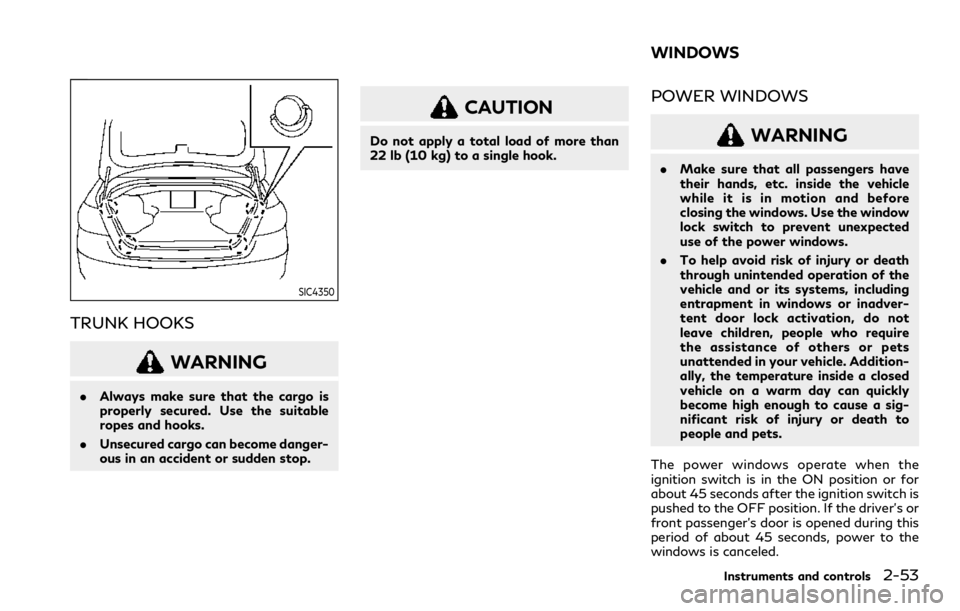
SIC4350
TRUNK HOOKS
WARNING
.Always make sure that the cargo is
properly secured. Use the suitable
ropes and hooks.
. Unsecured cargo can become danger-
ous in an accident or sudden stop.
CAUTION
Do not apply a total load of more than
22 lb (10 kg) to a single hook.
POWER WINDOWS
WARNING
.Make sure that all passengers have
their hands, etc. inside the vehicle
while it is in motion and before
closing the windows. Use the window
lock switch to prevent unexpected
use of the power windows.
. To help avoid risk of injury or death
through unintended operation of the
vehicle and or its systems, including
entrapment in windows or inadver-
tent door lock activation, do not
leave children, people who require
the assistance of others or pets
unattended in your vehicle. Addition-
ally, the temperature inside a closed
vehicle on a warm day can quickly
become high enough to cause a sig-
nificant risk of injury or death to
people and pets.
The power windows operate when the
ignition switch is in the ON position or for
about 45 seconds after the ignition switch is
pushed to the OFF position. If the driver’s or
front passenger’s door is opened during this
period of about 45 seconds, power to the
windows is canceled.
Instruments and controls2-53
WINDOWS
Page 144 of 494

2-60Instruments and controls
SIC3869
The light on the vanity mirror will turn on
when the cover on the vanity mirror is
opened.
When the cover is closed, the light will turn
off.
The lights will also turn off after a period of
time when the lights remain illuminated to
prevent the battery from becoming dis-
charged.The light illuminates when the trunk lid is
opened. When the trunk lid is closed, the
light will turn off.
The light will also turn off after a period of
time when the light remains illuminated
after the ignition switch has been pushed
to the OFF or LOCK position to prevent the
battery from becoming discharged.
SIC4328
When the doors are unlocked by pushing the
UNLOCK button on the Intelligent Key or
touching the one touch unlock sensor with
the ignition switch in the LOCK position, the
courtesy light
will illuminate.
To activate or deactivate the courtesy light,
set [Lamp ON when Door Unlocks] on the
lower display. See the INFINITI InTouch
TM
Owner’s Manual.
VANITY MIRROR LIGHTS TRUNK LIGHTCOURTESY LIGHT
Page 149 of 494

3 Pre-driving checks and adjustments
Keys ........................................................................\
.............. 3-2Intelligent Key .............................................................. 3-2
Valet hand-off ............................................................. 3-4
Doors ........................................................................\
............ 3-4 Locking with mechanical key ................................... 3-4
Locking with inside lock knob ................................. 3-5
Locking with power door lock switch ................... 3-5
Automatic door locks ................................................. 3-5
Child safety rear door lock ....................................... 3-6
Intelligent Key system ..................................................... 3-6
Intelligent Key operating range ............................... 3-8
Door locks/unlocks precaution .............................. 3-9
Intelligent Key operation ........................................... 3-9
Battery saver system ............................................... 3-13
Warning signals ......................................................... 3-13
Troubleshooting guide ............................................. 3-14
Log-in function .......................................................... 3-15
Remote keyless entry system ...................................... 3-15 How to use remote keyless entry system .......... 3-16
Remote engine start (if so equipped) ........................ 3-19
Remote engine start operating range ................ 3-20
Remote starting the engine .................................. 3-20
Extending engine run time ..................................... 3-20
Canceling a remote engine start ........................... 3-21 Conditions the remote engine start will
not work .................................................................... 3-21
Hood ........................................................................\
.......... 3-22
Trunk lid ........................................................................\
.... 3-22 Trunk lid release switch ......................................... 3-23
Trunk open request switch ................................... 3-23
TRUNK button ......................................................... 3-23
Trunk release power cancel switch .................... 3-24
Interior trunk lid release ........................................ 3-24
Fuel-filler door ................................................................ 3-25
Opening the fuel-filler door ................................. 3-25
Fuel-filler cap ........................................................... 3-25
Tilt/telescopic steering ................................................. 3-27
Manual operation (if so equipped) ..................... 3-28
Electric operation (if so equipped) ..................... 3-28
Sun visors ........................................................................\
. 3-29
Mirrors ........................................................................\
...... 3-29 Inside mirror .............................................................. 3-29
Outside mirrors ....................................................... 3-30
Vanity mirror ............................................................ 3-32
Memory seat (if so equipped) ..................................... 3-33 Entry/exit function ................................................. 3-33
Memory storage ...................................................... 3-33
System operation .................................................... 3-34
Page 151 of 494

— The Intelligent Key is water re-sistant; however, wetting may
damage the Intelligent Key. If the
Intelligent Key gets wet, immedi-
ately wipe until it is completely
dry.
— Do not bend, drop or strike it against another object.
— If the outside temperature is below 14°F (−10°C), the battery
of the Intelligent Key may not
function properly.
— Do not place the Intelligent Key for an extended period in a place
where temperatures exceed
140°F (60°C).
— Do not change or modify the Intelligent Key.
— Do not use a magnet key holder.
— Do not place the Intelligent Key near an electric appliance such as
a television set or personal com-
puter.
— Do not allow the Intelligent Key to come into contact with water
or salt water, and do not wash it
in a washing machine. This could
affect the system function. .
If an Intelligent Key is lost or stolen,
INFINITI recommends erasing the ID
code of that Intelligent Key. This will
prevent the Intelligent Key from un-
authorized use to unlock the vehicle.
For information regarding the eras-
ing procedure, it is recommended you
visit an INFINITI retailer.
WAD0069X
Mechanical key
To remove the mechanical key, release the
lock knob at the back of the Intelligent Key.
To install the mechanical key, firmly insert it
into the Intelligent Key until the lock knob
returns to the lock position.
Use the mechanical key to lock or unlock the
driver’s door, glove box and trunk pass-
through lid if equipped with a key cylinder.
See “Doors” (P.3-4), “Glove box” (P.2-51)
and “Trunk pass-through” (P.1-7).
Pre-driving checks and adjustments3-3
Page 152 of 494

3-4Pre-driving checks and adjustments
CAUTION
Always carry the mechanical key in-
stalled in the key.
VALET HAND-OFF
When you have to leave a key with a valet,
give them the Intelligent Key itself and keep
the mechanical key with you to protect your
belongings.
To prevent the glove box and the trunk from
being opened during valet hand-off, follow
the procedures below.
1. Push the trunk release power cancelswitch to the OFF (cancel) side.
2. Remove the mechanical key from the Intelligent Key.
3. Lock the glove box and the trunk pass- through with the mechanical key.
4. Hand the Intelligent Key to the valet, keeping the mechanical key in your
pocket or bag for insertion into the
Intelligent Key when you retrieve your
vehicle.
See “Trunk lid” (P.3-22), “Glove box” (P.2-
51) and “Trunk pass-through” (P.1-7).
WARNING
. Always have the doors locked while
driving. Along with the use of seat
belts, this provides greater safety in
the event of an accident by helping to
prevent persons from being thrown
from the vehicle. This also helps keep
children and others from unintention-
ally opening the doors, and will help
keep out intruders.
. Before opening any door, always look
for and avoid oncoming traffic.
. To help avoid risk of injury or death
through unintended operation of the
vehicle and or its systems, including
entrapment in windows or inadver-
tent door lock activation, do not
leave children, people who require
the assistance of others or pets
unattended in your vehicle. Addition-
ally, the temperature inside a closed
vehicle on a warm day can quickly
become high enough to cause a sig-
nificant risk of injury or death to
people and pets.
SPA2457
LOCKING WITH MECHANICAL
KEY
To lock the driver’s door, turn the driver’s
door key cylinder to the front of the vehicle
.
To unlock the driver’s door, turn the driver’s
door key cylinder to the rear of the vehicle
.
To lock or unlock the other doors and the
trunk lid, use the Intelligent Key function
(one touch unlock sensor, request switch or
UNLOCK button). (See “Intelligent Key sys-
tem” (P.3-6).)
DOORS
Page 153 of 494

SPA2726
LOCKING WITH INSIDE LOCK
KNOB
To lock the door individually, move the inside
lock knob to the lock positionthen close
the door.
To unlock, move the inside lock knob to the
unlock position
.
When locking the door without an Intelli-
gent Key, be sure not to leave the Intelligent
Key inside the vehicle.
JVP0319X
LOCKING WITH POWER DOOR
LOCK SWITCH
Operating the power door lock switch will
lock or unlock all the doors and trunk lid. The
switches are located on the driver’s and
front passenger’s door armrests.
To lock the doors and trunk lid, push the
power door lock switch to the lock position
with the driver’s or front passenger’s door
open, then close the door.
When locking the door this way, be certain
not to leave the Intelligent Key inside the
vehicle.
To unlock the doors including the fuel-filler
door and trunk lid, push the power door lock switch to the unlock position
.
Lockout protection
When the power door lock switch is moved
to the lock position and any door open, all
doors will lock and unlock automatically.
With the Intelligent Key left in the vehicle
and any door open, all doors will unlock
automatically and a chime will sound after
the door is closed.
These functions help to prevent the Intelli-
gent Key from being accidentally locked
inside the vehicle.
AUTOMATIC DOOR LOCKS
.
All doors and trunk lid lock automatically
when the vehicle speed reaches 15 MPH
(24 km/h).
. All doors and trunk lid unlock automati-
cally when the ignition switch is placed in
the OFF position or when the shift lever
is moved to the P (Park) position, if
selected.
The automatic unlock function can be
deactivated or activated. To deactivate or
activate the automatic door unlock system,
perform the following procedure:
1. Close all doors.
2. Place the ignition switch in the ON position.
Pre-driving checks and adjustments3-5
Page 154 of 494

3-6Pre-driving checks and adjustments
3. Within 20 seconds of performing Step 2,push and hold the power door lock
switch to the
position (UNLOCK)
for more than 5 seconds.
4. When activated, the hazard indicator will flash twice. When deactivated, the ha-
zard indicator will flash once.
5. The ignition switch must be placed in the OFF and ON position again between
each setting change.
When the automatic door unlock system is
deactivated, the doors do not unlock when
the ignition switch is placed in the OFF
position. To unlock the door manually, use
the inside lock knob or the power door lock
switch (driver’s or front passenger’s side).
The automatic door unlock function can be
changed on the lower display. (See the
INFINITI InTouch
TMOwner’s Manual.)
SPA2536
CHILD SAFETY REAR DOOR
LOCK
The child safety rear door lock helps prevent
doors from being opened accidentally, espe-
cially when small children are in the vehicle.
When the levers are in the lock position
,
the rear doors can be opened only from the
outside.
To disengage, move the levers to the unlock
position
.
WARNING
. Radio waves could adversely affect
electric medical equipment. Those
who use a pacemaker should contact
the electric medical equipment man-
ufacturer for the possible influences
before use.
. The Intelligent Key transmits radio
waves when the buttons are pushed.
The FAA advises that the radio
waves may affect aircraft navigation
and communication systems. Do not
operate the Intelligent Key while on
an airplane. Make sure the buttons
are not operated unintentionally
when the unit is stored during a
flight.
The Intelligent Key system can operate all
the doors and the trunk lid using the remote
controller function, using one touch unlock
function or pushing the request switch on
the vehicle without taking the key out from a
pocket or purse. The operating environment
and/or conditions may affect the Intelligent
Key system operation.
Be sure to read the following before using
the Intelligent Key system.
INTELLIGENT KEY SYSTEM