radio INFINITI Q50 HYBRID 2018 User Guide
[x] Cancel search | Manufacturer: INFINITI, Model Year: 2018, Model line: Q50 HYBRID, Model: INFINITI Q50 HYBRID 2018Pages: 440, PDF Size: 2.8 MB
Page 169 of 440

WARNING
To avoid risk of injury or death, do not
use the remote engine start function
when the vehicle is in an enclosed area
such as a garage.
JVP0437X
The remote engine startbutton is on the
Intelligent Key if the vehicle has remote
engine start function. This function allows
the engine to start from outside the vehicle.
Automatic climate control system will auto-
matically adjust the passenger compartment
to be the set appropriate temperature when
the remote engine start function is used.
Laws in some local communities may restrict
the use of remote starters. For example,
some laws require a person using remote
start to have the vehicle in view. Check local
regulations for any requirements.
Other conditions may affect the remote
engine start function. See “Conditions the
remote start will not work” (P.3-20). Other conditions can affect the performance
of the Intelligent Key transmitter. See “In-
telligent Key system” (P.3-6).
REMOTE ENGINE START OPER-
ATING RANGE
The remote engine start function can only be
used when the Intelligent Key is within the
specified operating range from the vehicle.
When the Intelligent Key battery is dis-
charged or strong radio waves are present
near the operating location, the Intelligent
Key operating range becomes narrower, and
the Intelligent Key may not function prop-
erly.
The remote engine start operating range is
approximately 197 ft (60 m) from the
vehicle.
REMOTE STARTING THE ENGINE
To use the remote start function to start the
engine, perform the following:
1. Aim the Intelligent Key at the vehicle.
2. Push the LOCK
button to lock all
doors.
3. Within 5 seconds push and hold the remote engine start
button until
the turn signal lights illuminate. If the
vehicle is not within view, push and hold
the remote engine start
button for
Pre-driving checks and adjustments3-19
REMOTE ENGINE START
Page 183 of 440

4 Monitor, climate, audio, phone and voice re-cognition systems
Infiniti InTouch Owner’s Manual .................................. 4-2
Ventilators ........................................................................\
... 4-2
Antenna ........................................................................\
........ 4-3
Window antenna .......................................................... 4-3 Satellite antenna ........................................................ 4-3
Car phone or CB radio .................................................... 4-3
Page 185 of 440
WINDOW ANTENNA
The antenna pattern is printed inside the
rear window.
CAUTION
.Do not place metalized film near the
rear window glass or attach any
metal parts to it. This may cause poor
reception or noise.
. When cleaning the inside of the rear
window, be careful not to scratch or
damage the rear window antenna.
Lightly wipe along the antenna with
a dampened soft cloth.
JVH0641X
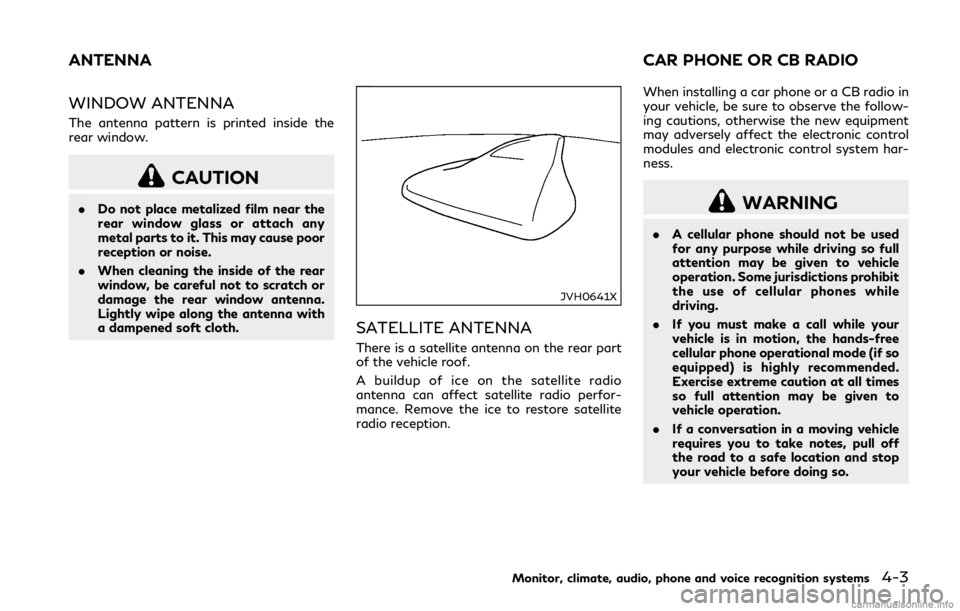
SATELLITE ANTENNA
There is a satellite antenna on the rear part
of the vehicle roof.
A buildup of ice on the satellite radio
antenna can affect satellite radio perfor-
mance. Remove the ice to restore satellite
radio reception. When installing a car phone or a CB radio in
your vehicle, be sure to observe the follow-
ing cautions, otherwise the new equipment
may adversely affect the electronic control
modules and electronic control system har-
ness.
WARNING
.
A cellular phone should not be used
for any purpose while driving so full
attention may be given to vehicle
operation. Some jurisdictions prohibit
the use of cellular phones while
driving.
. If you must make a call while your
vehicle is in motion, the hands-free
cellular phone operational mode (if so
equipped) is highly recommended.
Exercise extreme caution at all times
so full attention may be given to
vehicle operation.
. If a conversation in a moving vehicle
requires you to take notes, pull off
the road to a safe location and stop
your vehicle before doing so.
Monitor, climate, audio, phone and voice recognition systems4-3
ANTENNA CAR PHONE OR CB RADIO
Page 186 of 440

4-4Monitor, climate, audio, phone and voice recognition systems
CAUTION
.Keep the antenna as far away as
possible from the electronic control
modules.
. Keep the antenna wire more than 8 in
(20 cm) away from the electronic
control system harness. Do not route
the antenna wire next to any harness.
. Adjust the antenna standing-wave
ratio as recommended by the manu-
facturer.
. Connect the ground wire from the CB
radio chassis to the body.
. For details, it is recommended you
visit an INFINITI retailer.
Page 192 of 440

5-6Starting and driving
Please note that the TPMS is not a sub-
stitute for proper tire maintenance, and it is
the driver’s responsibility to maintain correct
tire pressure, even if under-inflation has not
reached the level to trigger illumination of
the TPMS low tire pressure telltale.
Your vehicle has also been equipped with a
TPMS malfunction indicator to indicate
when the system is not operating properly.
The TPMS malfunction indicator is com-
bined with the low tire pressure telltale.
When the system detects a malfunction, the
telltale will flash for approximately one
minute and then remain continuously illumi-
nated. This sequence will continue upon
subsequent vehicle start-ups as long as the
malfunction exists. When the malfunction
indicator is illuminated, the system may not
be able to detect or signal low tire pressure
as intended. TPMS malfunctions may occur
for a variety of reasons, including the
installation of replacement or alternate tires
or wheels on the vehicle that prevent the
TPMS from functioning properly. Always
check the TPMS malfunction telltale after
replacing one or more tires or wheels on your
vehicle to ensure that the replacement or
alternate tires and wheels allow the TPMS
to continue to function properly.Additional information
.The TPMS will activate only when the
vehicle is driven at speeds above 16
MPH (25 km/h). Also, this system may
not detect a sudden drop in tire pressure
(for example a flat tire while driving).
. The low tire pressure warning light does
not automatically turn off when the tire
pressure is adjusted. After the tire is
inflated to the recommended pressure,
the vehicle must be driven at speeds
above 16 MPH (25 km/h) to activate the
TPMS and turn off the low tire pressure
warning light. Use a tire pressure gauge
to check the tire pressure.
. The “Tire Pressure Low - Add Air”
warning appears in the vehicle informa-
tion display when the low tire pressure
warning light is illuminated and low tire
pressure is detected. The “Tire Pressure
Low - Add Air” warning turns off when
the low tire pressure warning light turns
off.
The “Tire Pressure Low - Add Air”
warning does not appear if the low tire
pressure warning light illuminates to
indicate a TPMS malfunction.
. The “Flat Tire - Visit dealer” warning
appears in the vehicle information dis-
play when the low tire pressure warning
light is illuminated and one or more flat tires are detected.
. Tire pressure rises and falls depending on
the heat caused by the vehicle’s opera-
tion and the outside temperature. Do not
reduce the tire pressure after driving
because the tire pressure rises after
driving. Low outside temperature can
lower the temperature of the air inside
the tire which can cause a lower tire
inflation pressure. This may cause the
low tire pressure warning light to illumi-
nate. If the warning light illuminates in
low ambient temperature, check the tire
pressure for all four tires.
. You can also check the pressure of all
tires in the vehicle information display.
(See “Vehicle information display” (P.2-
18).)
. After the ignition switch is placed in the
ON position, it may take a period of time
for the tire pressure to be displayed while
the vehicle is driven. Depending on the
radio wave circumstance, tire pressure
may not correctly be displayed.
For additional information, see “Low tire
pressure warning light” (P.2-12) and “Tire
Pressure Monitoring System (TPMS)” (P.6-
3).
Page 193 of 440
WARNING
.Radio waves could adversely affect
electric medical equipment. Those
who use a pacemaker should contact
the electric medical equipment man-
ufacturer for the possible influences
before use.
. If the low tire pressure warning light
illuminates while driving, avoid sud-
den steering maneuvers or abrupt
braking, reduce vehicle speed, pull
off the road to a safe location and
stop the vehicle as soon as possible.
Driving with under-inflated tires may
permanently damage the tires and
increase the likelihood of tire failure.
Serious vehicle damage could occur
and may lead to an accident and
could result in serious personal injury.
Check the tire pressure for all four
tires. Adjust the tire pressure to the
recommended COLD tire pressure
shown on the Tire and Loading
Information label to turn the low tire
pressure warning light OFF. If the
light still illuminates while driving
after adjusting the tire pressure, a
tire may be flat or the TPMS may be
malfunctioning. If no tire is flat and
all tires are properly inflated, it is recommended you consult an
INFINITI retailer.
. Although you can continue driving
with a punctured run-flat tire, re-
member that vehicle handling stabi-
lity is reduced, which could lead to an
accident and personal injury. Also,
driving a long distance at high speeds
may damage the tires.
. Do not drive at speeds above 50
MPH (80 km/h) and do not drive
more than approximately 93 miles
(150 km) with a punctured run-flat
tire. The actual distance the vehicle
can be driven on a flat tire depends on
outside temperature, vehicle load,
road conditions and other factors.
. If you detect any unusual sounds or
vibrations while driving with a punc-
tured run-flat tire, pull off the road
to a safe location and stop the vehicle
as soon as possible. The tire may be
seriously damaged and need to be
replaced.
. When a wheel is replaced, the TPMS
will not function and the low tire
pressure warning light will flash for
approximately 1 minute. The light will
remain on after 1 minute. Have your
tires replaced and/or TPMS system
reset as soon as possible. It is recom- mended you visit an INFINITI retailer
for these services.
. Replacing tires with those not origin-
ally specified by INFINITI could affect
the proper operation of the TPMS.
. Do not inject any tire liquid or aerosol
tire sealant into the tires, as this may
cause a malfunction of the tire pres-
sure sensors.
CAUTION
.The TPMS may not function properly
when the wheels are equipped with
tire chains or the wheels are buried in
snow.
. Do not place metalized film or any
metal parts (antenna, etc.) on the
windows. This may cause poor recep-
tion of the signals from the tire
pressure sensors, and the TPMS will
not function properly.
Some devices and transmitters may tem-
porarily interfere with the operation of the
TPMS and cause the low tire pressure
warning light to illuminate. Some examples
are:
Starting and driving5-7
Page 194 of 440

5-8Starting and driving
.Facilities or electric devices using similar
radio frequencies are near the vehicle.
. If a transmitter set to similar frequencies
is being used in or near the vehicle.
. If a computer (or similar equipment) or a
DC/AC converter is being used in or near
the vehicle.
Low tire pressure warning light may illumi-
nate in the following cases.
. If the vehicle is equipped with a wheel
and tire without TPMS.
. If the TPMS has been replaced and the ID
has not been registered.
. If the wheel is not originally specified by
INFINITI.
FCC Notice:
For USA:
This device complies with Part 15 of the
FCC Rules. Operation is subject to the
following two conditions: (1) This device
may not cause harmful interference, and (2)
this device must accept any interference
received, including interference that may
cause undesired operation.
NOTE:
Changes or modifications not expressly
approved by the party responsible for
compliance could void the user’s authority
to operate the equipment. For Canada:
This device complies with Industry Canada
licence-exempt RSS standard(s). Operation
is subject to the following two conditions:
1.
This device may not cause interference,
and
2. This device must accept any interfer-
ence, include interference that may
cause undesired operation of the device.
TPMS with Tire Inflation Indicator
When adding air to an under-inflated tire,
the TPMS with Tire Inflation Indicator
provides visual and audible signals outside
the vehicle to help you inflate the tires to the
recommended COLD tire pressure.
Vehicle set-up:
1. Park the vehicle in a safe and level place.
2. Apply the parking brake and place the
shift lever in the P (Park) position.
3. Place the ignition switch in the ON position. Do not start the hybrid system.
Operation:
1. Add air to the tire.
2. After a few seconds, the hazard indica- tors will start flashing.
3. When the designated pressure is reached, the horn beeps once and the
hazard indicators stop flashing. 4. Perform the above steps for each tire.
.
If the tire is over-inflated more than
approximately 4 psi (30 kPa), the horn
beeps and the hazard indicators flash 3
times. To correct the pressure, push the
core of the valve stem on the tire briefly
to release pressure. When the pressure
reaches the designated pressure, the
horn beeps once.
. If the hazard indicator does not flash
within approximately 15 seconds after
starting to inflate the tire, it indicates
that the Tire Inflation Indicator is not
operating.
. The TPMS will not activate the Tire
Inflation Indicator under the following
conditions:
— If there is interference from an ex-
ternal device or transmitter
— The air pressure from the inflation device such as those using a power
socket is not sufficient to inflate the
tire
— If an electrical equipment is being used in or near the vehicle
— There is a malfunction in the TPMS system
— There is a malfunction in the horn or hazard indicators
. If the Tire Inflation Indicator does not
operate due to TPMS interference, move
Page 197 of 440
.For AWD equipped vehicles, do not
attempt to raise two wheels off the
ground and shift the transmission to
any D (Drive) or R (Reverse) position
with the hybrid system running.
Doing so may result in drivetrain
damage or unexpected vehicle move-
ment which could result in serious
vehicle damage or personal injury.
. Do not attempt to test an AWD
equipped vehicle on a 2-wheel dy-
namometer (such as the dynam-
ometers used by some states for
emissions testing), or similar equip-
ment even if the other two wheels are
raised off the ground. Make sure you
inform test facility personnel that
your vehicle is equipped with AWD
before it is placed on a dynamometer.
Using the wrong test equipment may
result in drivetrain damage or unex-
pected vehicle movement which could
result in serious vehicle damage or
personal injury.
. When a wheel is off the ground due
to an unlevel surface, do not spin the
wheel excessively.WARNING
Do not operate the push-button ignition
switch while driving the vehicle except in
an emergency. (The INFINITI Direct
Response Hybrid
®System will stop
when the ignition switch is pushed 3
consecutive times or the ignition switch
is pushed and held for more than 2
seconds.) If the hybrid system turns off
while the vehicle is being driven, this
could lead to a crash and serious injury.
Before operating the push-button ignition
switch, be sure to move the shift lever to the
P (Park) position.
SSD0659
OPERATING RANGE FOR HYBRID
SYSTEM START FUNCTION
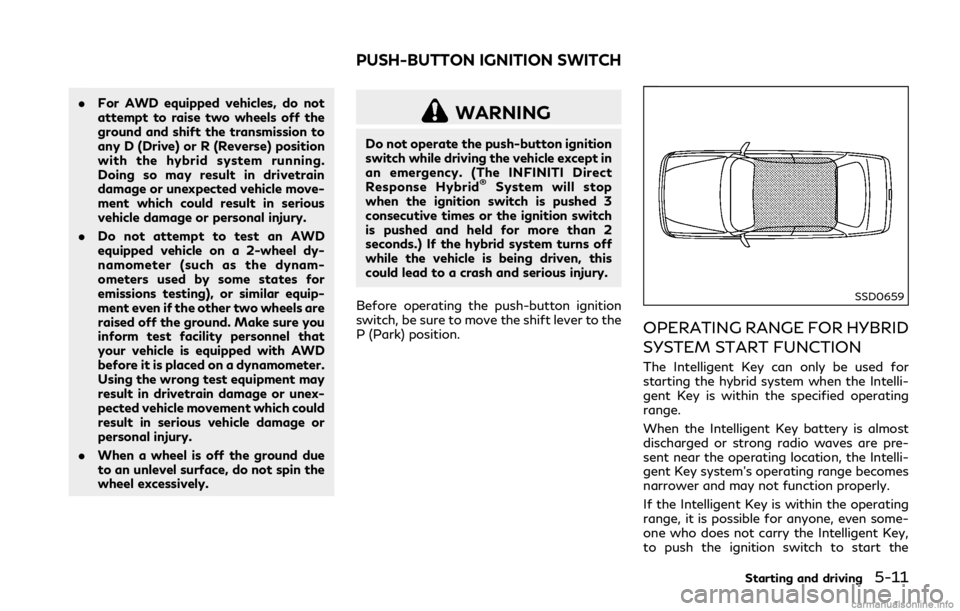
The Intelligent Key can only be used for
starting the hybrid system when the Intelli-
gent Key is within the specified operating
range.
When the Intelligent Key battery is almost
discharged or strong radio waves are pre-
sent near the operating location, the Intelli-
gent Key system’s operating range becomes
narrower and may not function properly.
If the Intelligent Key is within the operating
range, it is possible for anyone, even some-
one who does not carry the Intelligent Key,
to push the ignition switch to start the
Starting and driving5-11
PUSH-BUTTON IGNITION SWITCH
Page 198 of 440

5-12Starting and driving
hybrid system.
.The trunk area is not included in the
operating range but the Intelligent Key
may function.
. If the Intelligent Key is placed on the
instrument panel, rear parcel shelf, inside
the glove box or door pocket, the
Intelligent Key may not function.
. If the Intelligent Key is placed near the
door or window outside the vehicle, the
Intelligent Key may function.
CAUTION
When pressing the ignition to the OFF
position, make sure the button is not
pressed twice. This may unintentionally
leave the vehicle in ACC or ON mode.
This may discharge the 12-volt battery.
JVS0266X
PUSH-BUTTON IGNITION
SWITCH OPERATION
When the ignition switch is pushed without
depressing the brake pedal, the ignition
switch position will change as follows:
. Push center once to change to ACC.
. Push center two times to change to ON.
. Push center three times to change to
OFF. (No position illuminates.)
. Push center four times to return to ACC.
. Open or close any door to return to
LOCK during the OFF position.
If the ignition switch is pushed quickly or is
rapidly pushed twice, the hybrid system may
not start. If this occurs, put the shift lever in the “P” (Park) position, and leave the ignition
switch in the “OFF” position for one minute.
Then depress the brake pedal and push the
ignition switch to “ON”. When the READY to
drive indicator light
illuminates, the
vehicle can be driven.
The ignition lock is designed so that the
ignition switch position cannot be switched
to LOCK until the shift lever is moved to the
P (Park) positon.
When the ignition switch cannot be
switched toward the LOCK position, move
the shift lever into the P (Park) position.
PUSH-BUTTON IGNITION
SWITCH POSITIONS
LOCK (Normal parking position)
The ignition switch can only be locked in this
position.
The ignition switch will be unlocked when it
is pushed to the ACC position while carrying
the Intelligent Key.
ACC (Accessories)
This position activates electrical accessories
such as the radio, when the hybrid system is
not running.
Page 232 of 440

5-46Starting and driving
JVS1122X
SYSTEM MAINTENANCE
The two radar sensorsfor the BSW
system are located near the rear bumper.
Always keep the area near the radar sensors
clean.
The radar sensors may be blocked by
temporary ambient conditions such as
splashing water, mist or fog.
The blocked condition may also be caused by
objects such as ice, frost or dirt obstructing
the radar sensors.
Check for and remove objects obstructing
the area around the radar sensors.
Do not attach stickers (including transparent
material), install accessories or apply addi- tional paint near the radar sensors.
Do not strike or damage the area around the
radar sensors.
It is recommended you visit an INFINITI
retailer if the area around the radar sensors
is damaged due to a collision.
Radio frequency statement
For USA
This device complies with part 15 of the
FCC Rules.
Operation is subject to the following two
conditions: (1) This device may not cause
harmful interference, and (2) this device
must accept any interference received, in-
cluding interference that may cause unde-
sired operation.
NOTE:
The manufacturer is not responsible for any
radio or TV interference caused by un-
authorized modifications to this equipment.
Such modifications could void the user’s
authority to operate the equipment.
For Canada
This device complies with Industry Canada
Standard RSS-310.
Operation is subject to the following two
conditions: (1) This device may not cause
harmful interference, and (2) this device
must accept any interference received, in-
cluding interference that may cause unde-
sired operation.
Frequency of operation: 24.05GHz —
24.25GHz
Field Strength: Not greater than 2.5V/m
peak (0.25V/m average) at a distance of 3
m