light INFINITI Q60 2014 Owners Manual
[x] Cancel search | Manufacturer: INFINITI, Model Year: 2014, Model line: Q60, Model: INFINITI Q60 2014Pages: 466, PDF Size: 3.2 MB
Page 331 of 466

5-32Starting and driving
4. Indicates your vehicle
5. Set vehicle speed indicator:Indicates the set vehicle speed.
For Canadian models, the speed is
displayed in km/h.
6. Intelligent Cruise Control system warn- ing light (orange):
The light comes on if there is a
malfunction in the ICC system.
SSD0607
When the ignition switch is pushed to the
ON position, the indicators come on as
illustrated to check for a burned-out bulb,
and it turns off when the engine is started.
SSD0608
Operating vehicle-to-vehicle dis-
tance control mode
To turn on the cruise control, quickly push
and release the MAIN switch
*Aon. The
cruise indicator light, set distance indicator
and set vehicle speed indicator come on
and in a standby state for setting.
Page 333 of 466
5-34Starting and driving
SSD0614
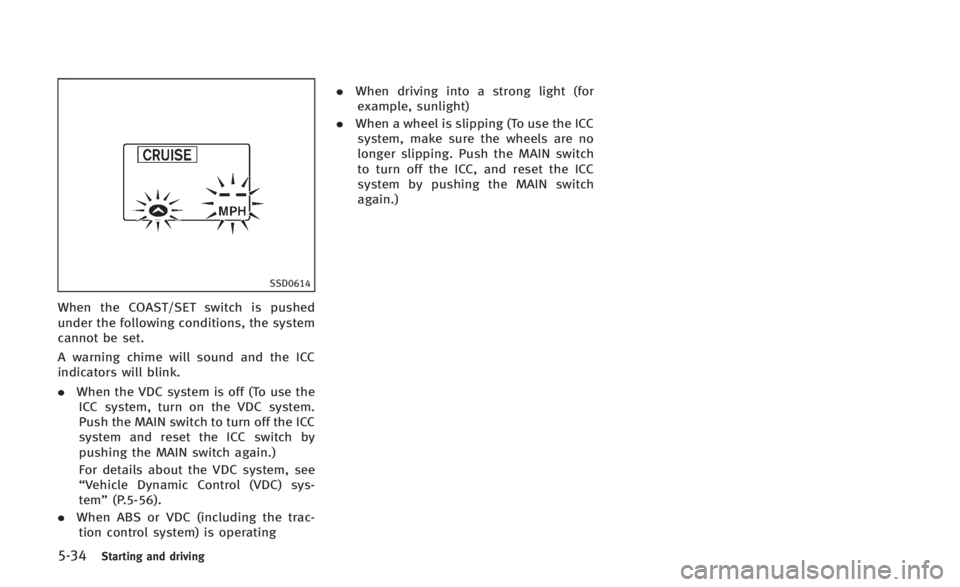
When the COAST/SET switch is pushed
under the following conditions, the system
cannot be set.
A warning chime will sound and the ICC
indicators will blink.
.When the VDC system is off (To use the
ICC system, turn on the VDC system.
Push the MAIN switch to turn off the ICC
system and reset the ICC switch by
pushing the MAIN switch again.)
For details about the VDC system, see
“Vehicle Dynamic Control (VDC) sys-
tem” (P.5-56).
. When ABS or VDC (including the trac-
tion control system) is operating .
When driving into a strong light (for
example, sunlight)
. When a wheel is slipping (To use the ICC
system, make sure the wheels are no
longer slipping. Push the MAIN switch
to turn off the ICC, and reset the ICC
system by pushing the MAIN switch
again.)
Page 334 of 466
SSD0610
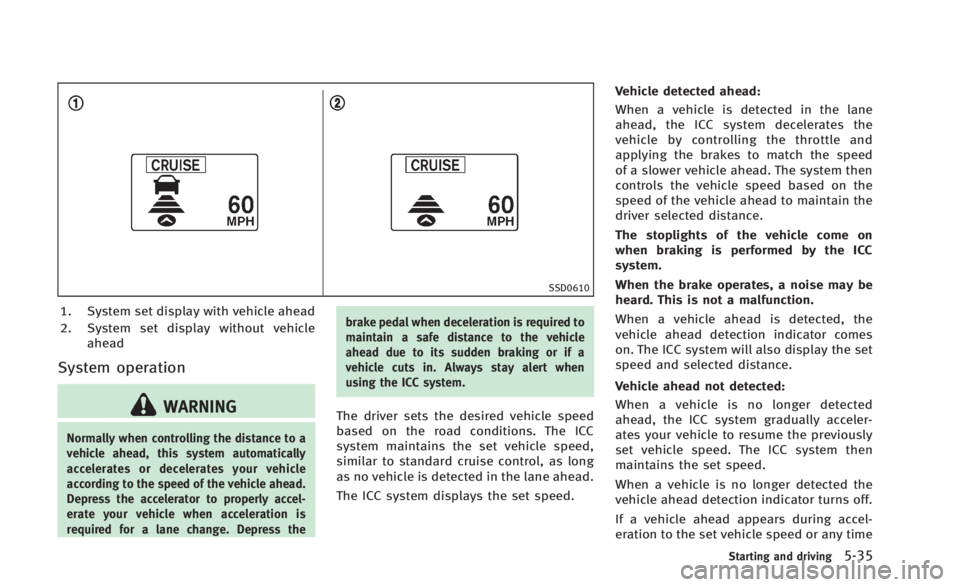
1. System set display with vehicle ahead
2. System set display without vehicleahead
System operation
WARNING
Normally when controlling the distance to a
vehicle ahead, this system automatically
accelerates or decelerates your vehicle
according to the speed of the vehicle ahead.
Depress the accelerator to properly accel-
erate your vehicle when acceleration is
required for a lane change. Depress the brake pedal when deceleration is required to
maintain a safe distance to the vehicle
ahead due to its sudden braking or if a
vehicle cuts in. Always stay alert when
using the ICC system.
The driver sets the desired vehicle speed
based on the road conditions. The ICC
system maintains the set vehicle speed,
similar to standard cruise control, as long
as no vehicle is detected in the lane ahead.
The ICC system displays the set speed.Vehicle detected ahead:
When a vehicle is detected in the lane
ahead, the ICC system decelerates the
vehicle by controlling the throttle and
applying the brakes to match the speed
of a slower vehicle ahead. The system then
controls the vehicle speed based on the
speed of the vehicle ahead to maintain the
driver selected distance.
The stoplights of the vehicle come on
when braking is performed by the ICC
system.
When the brake operates, a noise may be
heard. This is not a malfunction.
When a vehicle ahead is detected, the
vehicle ahead detection indicator comes
on. The ICC system will also display the set
speed and selected distance.
Vehicle ahead not detected:
When a vehicle is no longer detected
ahead, the ICC system gradually acceler-
ates your vehicle to resume the previously
set vehicle speed. The ICC system then
maintains the set speed.
When a vehicle is no longer detected the
vehicle ahead detection indicator turns off.
If a vehicle ahead appears during accel-
eration to the set vehicle speed or any time
Starting and driving5-35
Page 336 of 466
To reset at a slower cruising speed,use
one of the following methods:
. Lightly tap the brake pedal. When the
vehicle attains the desired speed, push
the COAST/SET switch and release it.
. Push and hold the COAST/SET switch.
The set vehicle speed will decrease by
approximately 5 MPH (5 km/h for
Canada).
. Push, then quickly release the COAST/
SET switch. Each time you do this, the
set speed will decrease by approxi-
mately 1 MPH (1 km/h for Canada).
To resume the preset speed, push and
release the ACCELERATE/RESUME switch.
The vehicle will resume the last set
cruising speed when the vehicle speed is
over 25 MPH (40 km/h).
SSD0612
How to change the set distance to
the vehicle ahead
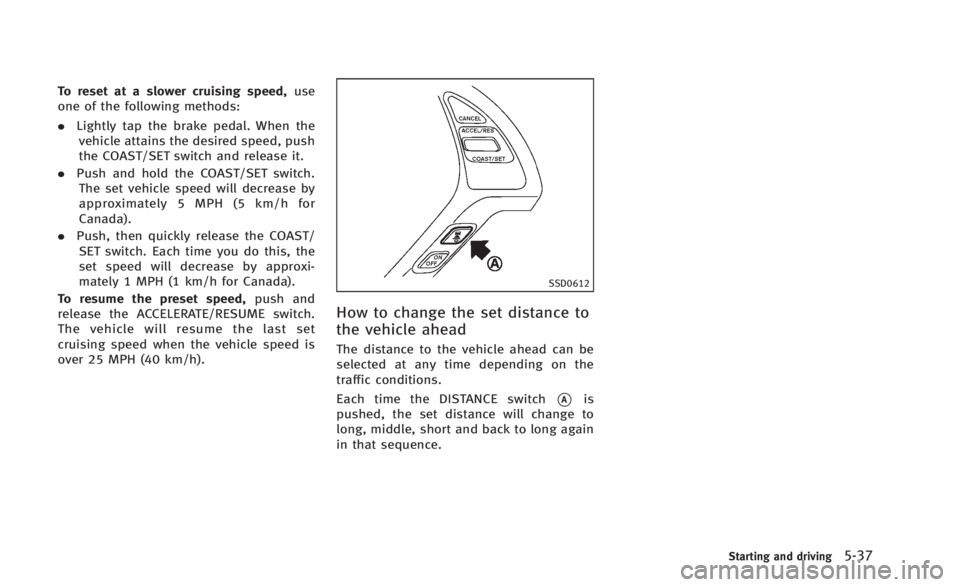
The distance to the vehicle ahead can be
selected at any time depending on the
traffic conditions.
Each time the DISTANCE switch
*Ais
pushed, the set distance will change to
long, middle, short and back to long again
in that sequence.
Starting and driving5-37
Page 338 of 466
SSD0284A
NOTE:
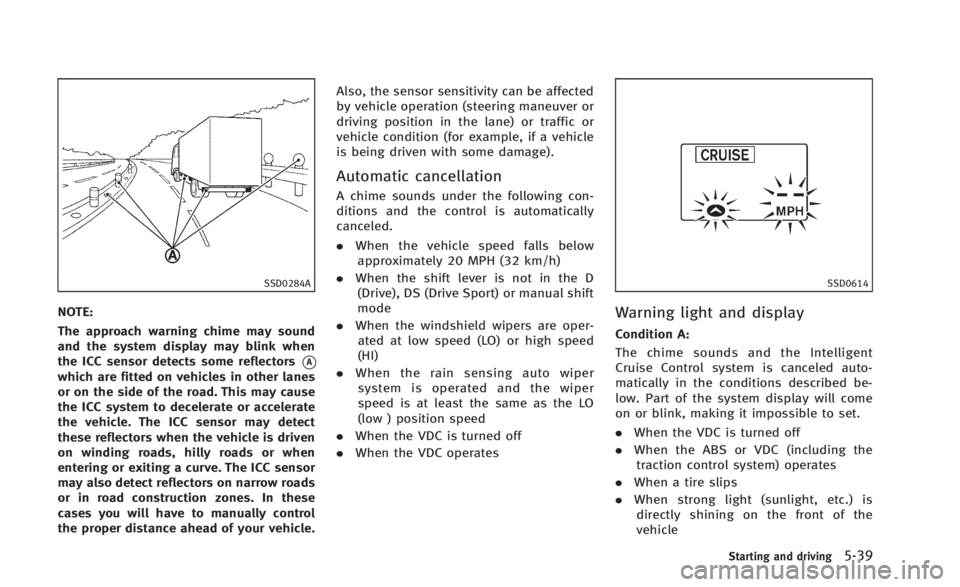
The approach warning chime may sound
and the system display may blink when
the ICC sensor detects some reflectors
*Awhich are fitted on vehicles in other lanes
or on the side of the road. This may cause
the ICC system to decelerate or accelerate
the vehicle. The ICC sensor may detect
these reflectors when the vehicle is driven
on winding roads, hilly roads or when
entering or exiting a curve. The ICC sensor
may also detect reflectors on narrow roads
or in road construction zones. In these
cases you will have to manually control
the proper distance ahead of your vehicle.Also, the sensor sensitivity can be affected
by vehicle operation (steering maneuver or
driving position in the lane) or traffic or
vehicle condition (for example, if a vehicle
is being driven with some damage).
Automatic cancellation
A chime sounds under the following con-
ditions and the control is automatically
canceled.
.
When the vehicle speed falls below
approximately 20 MPH (32 km/h)
. When the shift lever is not in the D
(Drive), DS (Drive Sport) or manual shift
mode
. When the windshield wipers are oper-
ated at low speed (LO) or high speed
(HI)
. When the rain sensing auto wiper
system is operated and the wiper
speed is at least the same as the LO
(low ) position speed
. When the VDC is turned off
. When the VDC operates
SSD0614
Warning light and display
Condition A:
The chime sounds and the Intelligent
Cruise Control system is canceled auto-
matically in the conditions described be-
low. Part of the system display will come
on or blink, making it impossible to set.
.When the VDC is turned off
. When the ABS or VDC (including the
traction control system) operates
. When a tire slips
. When strong light (sunlight, etc.) is
directly shining on the front of the
vehicle
Starting and driving5-39
Page 339 of 466
5-40Starting and driving
Action to take:
When the conditions listed above are no
longer present, turn the system off using
the Intelligent Cruise Control MAIN Switch.
Turn the ICC system back on to use the
system.
SSD0615
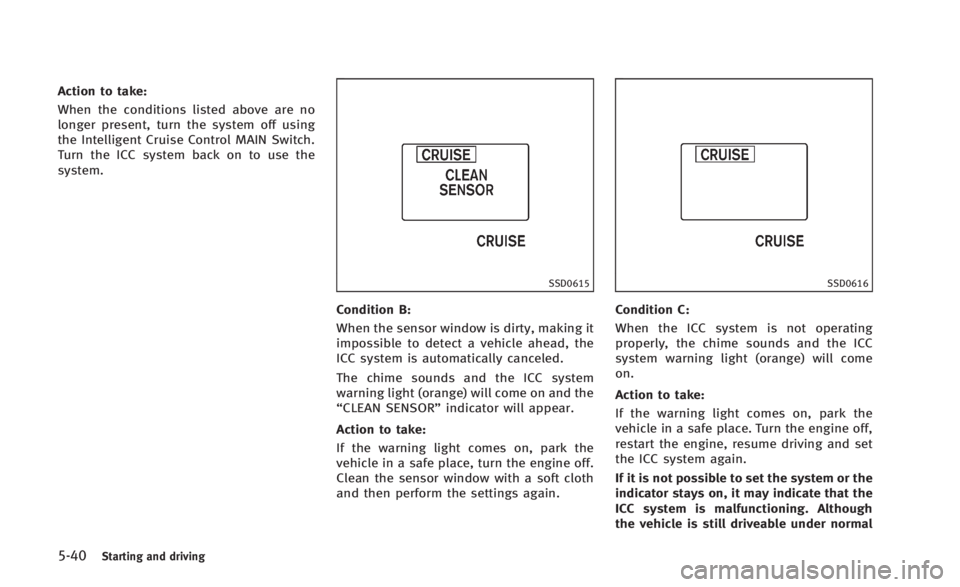
Condition B:
When the sensor window is dirty, making it
impossible to detect a vehicle ahead, the
ICC system is automatically canceled.
The chime sounds and the ICC system
warning light (orange) will come on and the
“CLEAN SENSOR”indicator will appear.
Action to take:
If the warning light comes on, park the
vehicle in a safe place, turn the engine off.
Clean the sensor window with a soft cloth
and then perform the settings again.
SSD0616
Condition C:
When the ICC system is not operating
properly, the chime sounds and the ICC
system warning light (orange) will come
on.
Action to take:
If the warning light comes on, park the
vehicle in a safe place. Turn the engine off,
restart the engine, resume driving and set
the ICC system again.
If it is not possible to set the system or the
indicator stays on, it may indicate that the
ICC system is malfunctioning. Although
the vehicle is still driveable under normal
Page 342 of 466
SSD0618
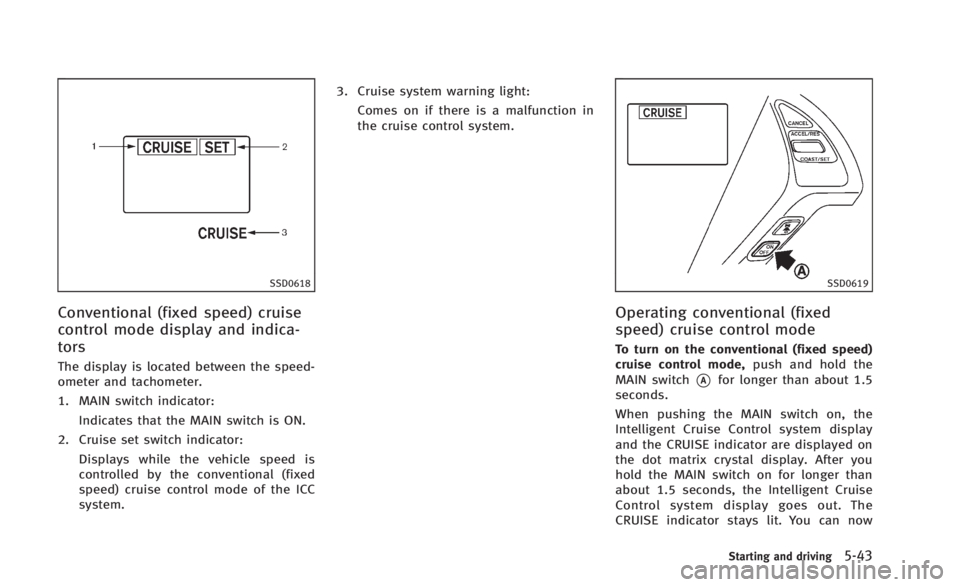
Conventional (fixed speed) cruise
control mode display and indica-
tors
The display is located between the speed-
ometer and tachometer.
1. MAIN switch indicator:Indicates that the MAIN switch is ON.
2. Cruise set switch indicator: Displays while the vehicle speed is
controlled by the conventional (fixed
speed) cruise control mode of the ICC
system. 3. Cruise system warning light:
Comes on if there is a malfunction in
the cruise control system.
SSD0619
Operating conventional (fixed
speed) cruise control mode
To turn on the conventional (fixed speed)
cruise control mode, push and hold the
MAIN switch
*Afor longer than about 1.5
seconds.
When pushing the MAIN switch on, the
Intelligent Cruise Control system display
and the CRUISE indicator are displayed on
the dot matrix crystal display. After you
hold the MAIN switch on for longer than
about 1.5 seconds, the Intelligent Cruise
Control system display goes out. The
CRUISE indicator stays lit. You can now
Starting and driving5-43
Page 343 of 466
5-44Starting and driving
set your desired cruising speed. Pushing
the MAIN switch again will turn the system
completely off.
When the ignition switch is pushed to the
OFF position, the system is also automati-
cally turned off. To use the Intelligent
Cruise Control again, quickly push and
release the MAIN switch (vehicle-to-vehicle
distance control mode) or push and hold it
(conventional cruise control mode) again to
turn it on.
CAUTION
To avoid accidentally engaging cruise con-
trol, make sure to turn the MAIN switch off
when not using the Intelligent Cruise Con-
trol system.
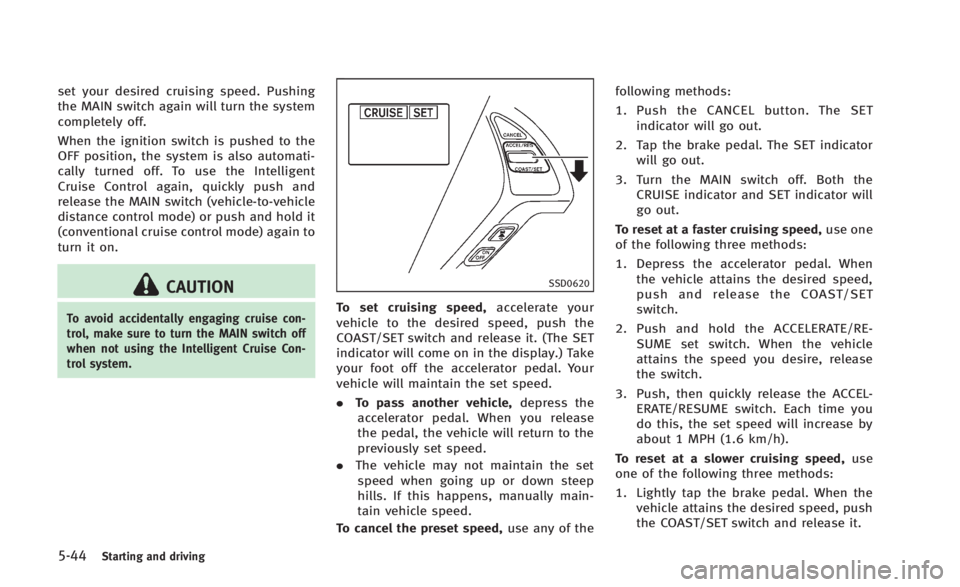
SSD0620
To set cruising speed,accelerate your
vehicle to the desired speed, push the
COAST/SET switch and release it. (The SET
indicator will come on in the display.) Take
your foot off the accelerator pedal. Your
vehicle will maintain the set speed.
. To pass another vehicle, depress the
accelerator pedal. When you release
the pedal, the vehicle will return to the
previously set speed.
. The vehicle may not maintain the set
speed when going up or down steep
hills. If this happens, manually main-
tain vehicle speed.
To cancel the preset speed, use any of thefollowing methods:
1. Push the CANCEL button. The SET
indicator will go out.
2. Tap the brake pedal. The SET indicator will go out.
3. Turn the MAIN switch off. Both the CRUISE indicator and SET indicator will
go out.
To reset at a faster cruising speed, use one
of the following three methods:
1. Depress the accelerator pedal. When the vehicle attains the desired speed,
push and release the COAST/SET
switch.
2. Push and hold the ACCELERATE/RE- SUME set switch. When the vehicle
attains the speed you desire, release
the switch.
3. Push, then quickly release the ACCEL- ERATE/RESUME switch. Each time you
do this, the set speed will increase by
about 1 MPH (1.6 km/h).
To reset at a slower cruising speed, use
one of the following three methods:
1. Lightly tap the brake pedal. When the vehicle attains the desired speed, push
the COAST/SET switch and release it.
Page 344 of 466

2. Push and hold the COAST/SET switch.Release the switch when the vehicle
slows down to the desired speed.
3. Push, then quickly release the COAST/ SET switch. Each time you do this, the
set speed will decrease by about 1 MPH
(1.6 km/h).
To resume the preset speed, push and
release the ACCELERATE/RESUME switch.
The vehicle will resume the last set
cruising speed when the vehicle speed is
over 25 MPH (40 km/h).
Automatic cancellation
A chime sounds under the following con-
ditions and the control is automatically
canceled.
. When the vehicle slows down more
than 8 MPH (13 km/h) below the set
speed
. When the vehicle speed falls below
approximately 20 MPH (32 km/h)
. When the shift lever is not in the D
(Drive), DS (Drive Sport) or manual shift
mode
. When the VDC operates (including the
traction control system)
. When a tire slips
SSD0621
Warning light
When the system is not operating properly,
the chime sounds and the system warning
light (orange) will come on.
Action to take:
If the warning light comes on, park the
vehicle in a safe place. Turn the engine off,
restart the engine, resume driving and then
perform the setting again.
If it is not possible to set or the indicator
stays on, it may indicate that the system is
malfunctioning. Although the vehicle is
still driveable under normal conditions,
have the vehicle checked at an INFINITI retailer.
PREVIEW FUNCTION (for Intelligent
Cruise Control system equipped
models)
The ICC system with the preview function
identifies the need to apply emergency
braking by sensing the vehicle ahead in
the same lane and the distance to the
vehicle ahead and relative speed from it, it
applies the brake pre-pressure before the
driver depresses the brake pedal and helps
improve brake response by reducing pedal
free play.
For more details, see
“Brake assist”(P.5-
53).
Starting and driving5-45
Page 345 of 466

5-46Starting and driving
CAUTION
During the first 1,200 miles (2,000 km),
follow these recommendations to obtain
maximum engine performance and ensure
the future reliability and economy of your
new vehicle.
Failure to follow these recommendations
may result in shortened engine life and
reduced engine performance.
.Avoid driving for long periods at con-
stant speed, either fast or slow. Do not
run the engine over 4,000 rpm.
. Do not accelerate at full throttle in any
gear.
. Avoid quick starts.
. Avoid hard braking as much as possi-
ble. Follow these easy-to-use Fuel Efficient
Driving Tips to help you achieve the most
fuel economy from your vehicle.
1. Use smooth accelerator and brake
pedal application.
.Avoid rapid starts and stops..Use smooth, gentle accelerator andbrake application whenever possi-
ble.
.Maintain constant speed while com-muting and coast whenever possi-
ble.
2. Maintain constant speed.
.Look ahead to try and anticipate and minimize stops.
.Synchronizing your speed with traf-fic lights allows you to reduce your
number of stops.
.Maintaining a steady speed can
minimize red light stops and im-
prove fuel efficiency.
3. Use air conditioning (A/C) at higher vehicle speeds.
.Below 40 MPH (64 km/h), it is moreefficient to open windows to cool the
vehicle due to reduced engine load.
.Above 40 MPH (64 km/h), it is moreefficient to use A/C to cool the
vehicle due to increased aerody- namic drag.
.Recirculating the cool air in the cabin
when the A/C is on reduces cooling
load.
4. Drive at economical speeds and dis- tances.
.Observing the speed limit and not
exceeding 60 MPH (97 km/h) (where
legally allowed) can improve fuel
efficiency due to reduced aerody-
namic drag.
.Maintaining a safe following dis-tance behind other vehicles reduces
unnecessary braking.
.Safely monitoring traffic to antici- pate changes in speed permits
reduced braking and smooth accel-
eration changes.
.Select a gear range suitable to road
conditions.
5. Use cruise control.
.Using cruise control during highway driving helps maintain a steady
speed.
.Cruise control is particularly effec-tive in providing fuel savings when
driving on flat terrains.
BREAK-IN SCHEDULE FUEL EFFICIENT DRIVING TIPS