ignition INFINITI Q60 2018 Owner's Manual
[x] Cancel search | Manufacturer: INFINITI, Model Year: 2018, Model line: Q60, Model: INFINITI Q60 2018Pages: 466, PDF Size: 2.47 MB
Page 95 of 466
2-18Instruments and controls
alerts the driver to the fact that the VDC
system’s fail-safe mode is operating, for
example the VDC, active trace control func-
tion, Brake Force Distribution or hill start
assist system may not be functioning prop-
erly. Have the system checked. It is recom-
mended you visit an INFINITI retailer for this
service. If a malfunction occurs in the
system, the VDC system function will be
canceled but the vehicle is still driveable. For
additional information, see “Vehicle Dynamic
Control (VDC) system” (P.5-134).
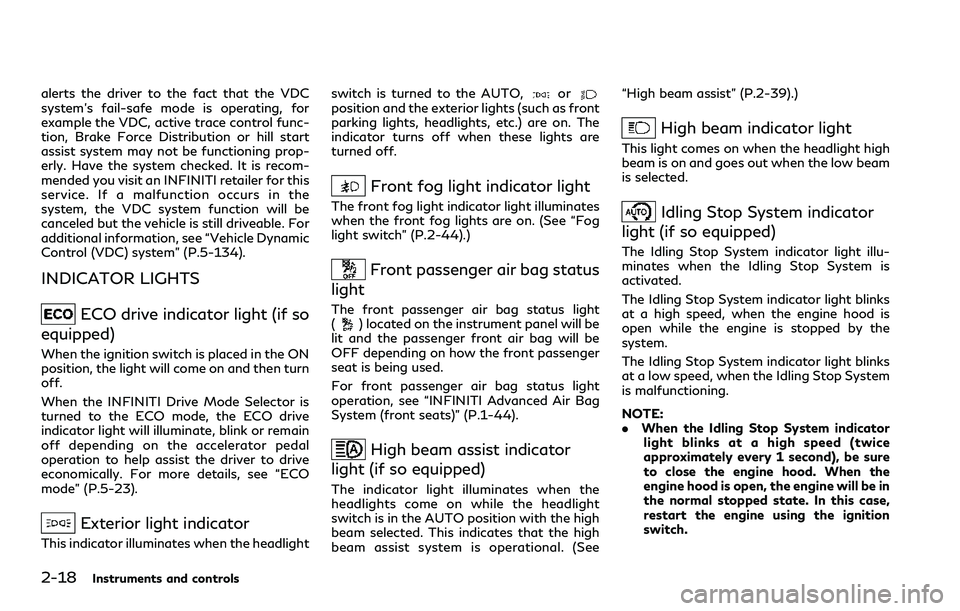
INDICATOR LIGHTS
ECO drive indicator light (if so
equipped)
When the ignition switch is placed in the ON
position, the light will come on and then turn
off.
When the INFINITI Drive Mode Selector is
turned to the ECO mode, the ECO drive
indicator light will illuminate, blink or remain
off depending on the accelerator pedal
operation to help assist the driver to drive
economically. For more details, see “ECO
mode” (P.5-23).
Exterior light indicator
This indicator illuminates when the headlightswitch is turned to the AUTO,
orposition and the exterior lights (such as front
parking lights, headlights, etc.) are on. The
indicator turns off when these lights are
turned off.
Front fog light indicator light
The front fog light indicator light illuminates
when the front fog lights are on. (See “Fog
light switch” (P.2-44).)
Front passenger air bag status
light
The front passenger air bag status light
() located on the instrument panel will be
lit and the passenger front air bag will be
OFF depending on how the front passenger
seat is being used.
For front passenger air bag status light
operation, see “INFINITI Advanced Air Bag
System (front seats)” (P.1-44).
High beam assist indicator
light (if so equipped)
The indicator light illuminates when the
headlights come on while the headlight
switch is in the AUTO position with the high
beam selected. This indicates that the high
beam assist system is operational. (See“High beam assist” (P.2-39).)
High beam indicator light
This light comes on when the headlight high
beam is on and goes out when the low beam
is selected.
Idling Stop System indicator
light (if so equipped)
The Idling Stop System indicator light illu-
minates when the Idling Stop System is
activated.
The Idling Stop System indicator light blinks
at a high speed, when the engine hood is
open while the engine is stopped by the
system.
The Idling Stop System indicator light blinks
at a low speed, when the Idling Stop System
is malfunctioning.
NOTE:
.When the Idling Stop System indicator
light blinks at a high speed (twice
approximately every 1 second), be sure
to close the engine hood. When the
engine hood is open, the engine will be in
the normal stopped state. In this case,
restart the engine using the ignition
switch.
Page 96 of 466
.When the Idling Stop System indicator
light blinks at a low speed (once ap-
proximately every 1 second), it is re-
commended you have the system
checked, and if necessary repaired, by
an INFINITI retailer promptly.
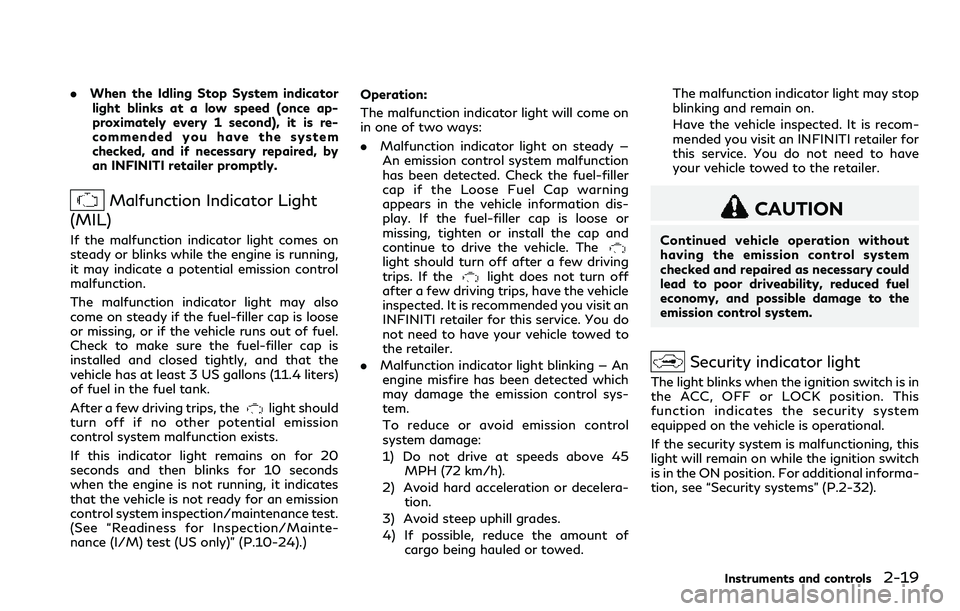
Malfunction Indicator Light
(MIL)
If the malfunction indicator light comes on
steady or blinks while the engine is running,
it may indicate a potential emission control
malfunction.
The malfunction indicator light may also
come on steady if the fuel-filler cap is loose
or missing, or if the vehicle runs out of fuel.
Check to make sure the fuel-filler cap is
installed and closed tightly, and that the
vehicle has at least 3 US gallons (11.4 liters)
of fuel in the fuel tank.
After a few driving trips, the
light should
turn off if no other potential emission
control system malfunction exists.
If this indicator light remains on for 20
seconds and then blinks for 10 seconds
when the engine is not running, it indicates
that the vehicle is not ready for an emission
control system inspection/maintenance test.
(See “Readiness for Inspection/Mainte-
nance (I/M) test (US only)” (P.10-24).)Operation:
The malfunction indicator light will come on
in one of two ways:
.Malfunction indicator light on steady —
An emission control system malfunction
has been detected. Check the fuel-filler
cap if the Loose Fuel Cap warning
appears in the vehicle information dis-
play. If the fuel-filler cap is loose or
missing, tighten or install the cap and
continue to drive the vehicle. The
light should turn off after a few driving
trips. If thelight does not turn off
after a few driving trips, have the vehicle
inspected. It is recommended you visit an
INFINITI retailer for this service. You do
not need to have your vehicle towed to
the retailer.
.Malfunction indicator light blinking — An
engine misfire has been detected which
may damage the emission control sys-
tem.
To reduce or avoid emission control
system damage:
1) Do not drive at speeds above 45
MPH (72 km/h).
2) Avoid hard acceleration or decelera-
tion.
3) Avoid steep uphill grades.
4) If possible, reduce the amount of
cargo being hauled or towed.The malfunction indicator light may stop
blinking and remain on.
Have the vehicle inspected. It is recom-
mended you visit an INFINITI retailer for
this service. You do not need to have
your vehicle towed to the retailer.
CAUTION
Continued vehicle operation without
having the emission control system
checked and repaired as necessary could
lead to poor driveability, reduced fuel
economy, and possible damage to the
emission control system.
Security indicator light
The light blinks when the ignition switch is in
the ACC, OFF or LOCK position. This
function indicates the security system
equipped on the vehicle is operational.
If the security system is malfunctioning, this
light will remain on while the ignition switch
is in the ON position. For additional informa-
tion, see “Security systems” (P.2-32).
Instruments and controls2-19
Page 97 of 466

2-20Instruments and controls
Turn signal/hazard indicator
lights
The light flashes when the turn signal switch
lever or hazard switch is turned on.
Vehicle Dynamic Control
(VDC) off indicator light
When the ignition switch is placed in the ON
position, the light will come on and then turn
off.
The light comes on when the VDC off switch
is pushed to OFF. This indicates that the
VDC system and traction control system are
not operating.
AUDIBLE REMINDERS
Key reminder chime
A chime will sound if the driver side door is
opened while the ignition switch is pushed to
the ACC position. Make sure the ignition
switch is pushed to the OFF position, and
take the Intelligent Key with you when
leaving the vehicle.
Light reminder chime
A chime will sound when the driver side door
is opened with the light switch in theorposition and the ignition switch in theACC, OFF or LOCK position.
Turn the light switch off when you leave the
vehicle.
Parking brake reminder chime
The parking brake reminder chime will sound
if the vehicle is driven at more than 4 MPH (7
km/h) with the parking brake applied. Stop
the vehicle and release the parking brake.
Brake pad wear warning
The disc brake pads have audible wear
warnings. When a brake pad requires repla-
cement, it will make a high pitched scraping
sound when the vehicle is in motion. This
scraping sound will first occur only when the
brake pedal is depressed. After more wear of
the brake pad, the sound will always be
heard even if the brake pedal is not
depressed. Have the brakes checked as soon
as possible if the warning sound is heard.
Idling Stop System reminder buzzer
(if so equipped)
The Idling Stop System reminder buzzer will
sound if the engine hood is opened while the
Idling Stop System is activated.
NOTE:
Be sure to close the engine hood. When the
engine hood is open, the engine will be in thenormal stopped state. In this case, restart
the engine with the ignition switch.
Page 100 of 466
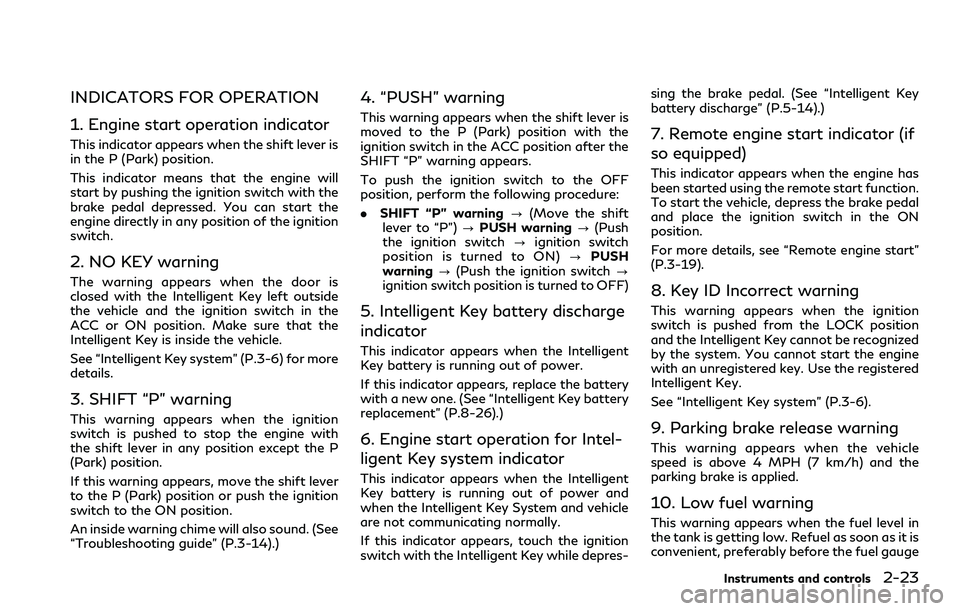
INDICATORS FOR OPERATION
1. Engine start operation indicator
This indicator appears when the shift lever is
in the P (Park) position.
This indicator means that the engine will
start by pushing the ignition switch with the
brake pedal depressed. You can start the
engine directly in any position of the ignition
switch.
2. NO KEY warning
The warning appears when the door is
closed with the Intelligent Key left outside
the vehicle and the ignition switch in the
ACC or ON position. Make sure that the
Intelligent Key is inside the vehicle.
See “Intelligent Key system” (P.3-6) for more
details.
3. SHIFT “P” warning
This warning appears when the ignition
switch is pushed to stop the engine with
the shift lever in any position except the P
(Park) position.
If this warning appears, move the shift lever
to the P (Park) position or push the ignition
switch to the ON position.
An inside warning chime will also sound. (See
“Troubleshooting guide” (P.3-14).)
4. “PUSH” warning
This warning appears when the shift lever is
moved to the P (Park) position with the
ignition switch in the ACC position after the
SHIFT “P” warning appears.
To push the ignition switch to the OFF
position, perform the following procedure:
.SHIFT “P” warning?(Move the shift
lever to “P”)?PUSH warning?(Push
the ignition switch?ignition switch
position is turned to ON)?PUSH
warning?(Push the ignition switch?
ignition switch position is turned to OFF)
5. Intelligent Key battery discharge
indicator
This indicator appears when the Intelligent
Key battery is running out of power.
If this indicator appears, replace the battery
with a new one. (See “Intelligent Key battery
replacement” (P.8-26).)
6. Engine start operation for Intel-
ligent Key system indicator
This indicator appears when the Intelligent
Key battery is running out of power and
when the Intelligent Key System and vehicle
are not communicating normally.
If this indicator appears, touch the ignition
switch with the Intelligent Key while depres-sing the brake pedal. (See “Intelligent Key
battery discharge” (P.5-14).)
7. Remote engine start indicator (if
so equipped)
This indicator appears when the engine has
been started using the remote start function.
To start the vehicle, depress the brake pedal
and place the ignition switch in the ON
position.
For more details, see “Remote engine start”
(P.3-19).
8. Key ID Incorrect warning
This warning appears when the ignition
switch is pushed from the LOCK position
and the Intelligent Key cannot be recognized
by the system. You cannot start the engine
with an unregistered key. Use the registered
Intelligent Key.
See “Intelligent Key system” (P.3-6).
9. Parking brake release warning
This warning appears when the vehicle
speed is above 4 MPH (7 km/h) and the
parking brake is applied.
10. Low fuel warning
This warning appears when the fuel level in
the tank is getting low. Refuel as soon as it is
convenient, preferably before the fuel gauge
Instruments and controls2-23
Page 101 of 466
2-24Instruments and controls
reaches the empty (0) position.
There is a small reserve of fuel remaining in
the tank when the fuel gauge reaches the
empty (0) position.
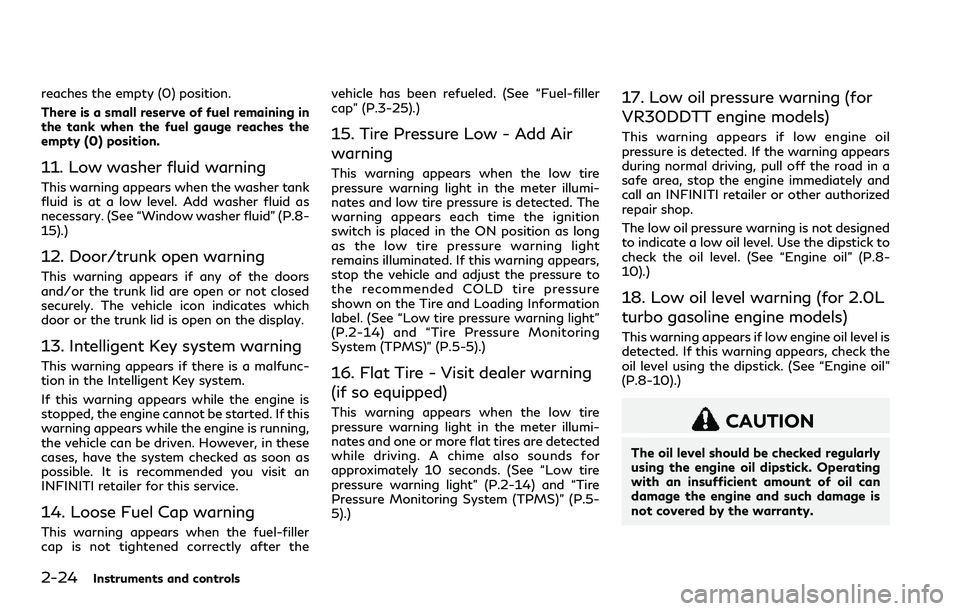
11. Low washer fluid warning
This warning appears when the washer tank
fluid is at a low level. Add washer fluid as
necessary. (See “Window washer fluid” (P.8-
15).)
12. Door/trunk open warning
This warning appears if any of the doors
and/or the trunk lid are open or not closed
securely. The vehicle icon indicates which
door or the trunk lid is open on the display.
13. Intelligent Key system warning
This warning appears if there is a malfunc-
tion in the Intelligent Key system.
If this warning appears while the engine is
stopped, the engine cannot be started. If this
warning appears while the engine is running,
the vehicle can be driven. However, in these
cases, have the system checked as soon as
possible. It is recommended you visit an
INFINITI retailer for this service.
14. Loose Fuel Cap warning
This warning appears when the fuel-filler
cap is not tightened correctly after thevehicle has been refueled. (See “Fuel-filler
cap” (P.3-25).)
15. Tire Pressure Low - Add Air
warning
This warning appears when the low tire
pressure warning light in the meter illumi-
nates and low tire pressure is detected. The
warning appears each time the ignition
switch is placed in the ON position as long
as the low tire pressure warning light
remains illuminated. If this warning appears,
stop the vehicle and adjust the pressure to
the recommended COLD tire pressure
shown on the Tire and Loading Information
label. (See “Low tire pressure warning light”
(P.2-14) and “Tire Pressure Monitoring
System (TPMS)” (P.5-5).)
16. Flat Tire - Visit dealer warning
(if so equipped)
This warning appears when the low tire
pressure warning light in the meter illumi-
nates and one or more flat tires are detected
while driving. A chime also sounds for
approximately 10 seconds. (See “Low tire
pressure warning light” (P.2-14) and “Tire
Pressure Monitoring System (TPMS)” (P.5-
5).)
17. Low oil pressure warning (for
VR30DDTT engine models)
This warning appears if low engine oil
pressure is detected. If the warning appears
during normal driving, pull off the road in a
safe area, stop the engine immediately and
call an INFINITI retailer or other authorized
repair shop.
The low oil pressure warning is not designed
to indicate a low oil level. Use the dipstick to
check the oil level. (See “Engine oil” (P.8-
10).)
18. Low oil level warning (for 2.0L
turbo gasoline engine models)
This warning appears if low engine oil level is
detected. If this warning appears, check the
oil level using the dipstick. (See “Engine oil”
(P.8-10).)
CAUTION
The oil level should be checked regularly
using the engine oil dipstick. Operating
with an insufficient amount of oil can
damage the engine and such damage is
not covered by the warranty.
Page 102 of 466

19. All-Wheel Drive (AWD) warning
(if so equipped)
This warning appears when the Intelligent
All-Wheel Drive (AWD) system is not func-
tioning properly while the engine is running.
The displayed message will vary depending
on the condition of the AWD system mal-
function. (See “Intelligent All-Wheel Drive
(AWD)” (P.5-126).)
20. Extended storage fuse warning
This warning may appear if the extended
storage fuse switch is not pushed in
(switched on). When this warning appears,
push in (switch on) the extended storage
fuse switch to turn off the warning. For
more information, see “Extended storage
fuse switch” (P.8-26).
21. Adaptive Front lighting System
(AFS) warning (if so equipped)
This warning appears when the Adaptive
Front lighting System (AFS) is not function-
ing properly. It is recommended you have the
system checked by an INFINITI retailer.
(See “Adaptive Front lighting System (AFS)”
(P.2-42).)
22. Power will turn off to save the
battery warning
This warning appears after a period of time
if the shift lever has not moved from the “P”
(Park) position with the ignition switch in the
ACC or ON position.
23. Power turned off to save the
battery warning
This warning appears after the ignition
switch is automatically turned OFF to save
the battery.
24. Light reminder warning
This warning appears when the driver side
door is opened with the headlight switch is
left ON and the ignition switch is placed in
the ACC, OFF or LOCK position. Place the
headlight switch to “OFF” or “AUTO” posi-
tion. For additional information, see “Head-
light and turn signal switch” (P.2-38).
25. “TIMER” indicator
This indicator appears when the set “TIMER”
indicator activates. You can set the time for
up to 6 hours. (See the Infiniti InTouch
Owner’s Manual.)
26. Low outside temperature
warning
This warning appears if the outside tem-
perature is below 37°F (3°C). The warning
can be set not to be displayed. (See the
Infiniti InTouch Owner’s Manual.)
27. Chassis control warning
This warning appears if Active Lane Control
(if so equipped), the active trace control
system and/or chassis control are not
functioning properly. It is recommended
you have the system checked by an INFINITI
retailer. (See “Active Lane Control” (P.5-26),
“Active trace control” (P.5-136) and “Chassis
control” (P.5-138).)
28. Cruise indicator
Models without Intelligent Cruise Control
(ICC) system:
This indicator shows the cruise control
system status. The status is shown by the
color.
See “Cruise control” (P.5-71) for details.
Models with Intelligent Cruise Control (ICC)
system:
This indicator shows the conventional (fixed
speed) cruise control mode status. The
status is shown by the color.
Instruments and controls2-25
Page 106 of 466

JVI1484X
TRIP COMPUTER
Switches for the trip computer are located
on the right side of the steering wheel. To
operate the trip computer, push the
switches.
Each time the
orswitch is pushed,
the display will change.
The display items for trip computer are
changed on the lower display. For details,
see the Infiniti InTouch Owner’s Manual.
1. Distance to empty (dte — mile or
km)
The distance to empty (dte) mode provides
you with an estimation of the distance thatcan be driven before refueling. The dte is
constantly being calculated, based on the
amount of fuel in the fuel tank and the actual
fuel consumption.
The display is updated every 30 seconds.
The dte mode includes a low range warning
feature. If the fuel level is low, the warning is
displayed on the screen.
When the fuel level drops even lower, the
dte display will change to “——”.
.If the amount of fuel added is small, the
display just before the ignition switch is
placed in the OFF position may continue
to be displayed.
.When driving uphill or rounding curves,
the fuel in the tank shifts, which may
momentarily change the display.
2. Average speed (MPH or km/h)
The average speed mode shows the average
vehicle speed since the last reset. Resetting
is done by pushing the
orswitch for
longer than 1 second.
The display is updated every 30 seconds.
The first 30 seconds after a reset, the
display shows “——”.
3. Elapsed time and trip odometer
(mile or km)
Elapsed time:
The elapsed time mode shows the time since
the last reset. Resetting is done by pushing
the
orswitch for longer than 1
second. (The trip odometer is also reset at
the same time.)
Trip odometer:
The trip odometer mode shows the total
distance the vehicle has been driven since
the last reset. Resetting is done by pushing
the
orswitch for longer than 1
second. (The elapsed time is also reset at the
same time.)
4. Trip fuel saved and engine stop
time (if so equipped)
The trip fuel saved and engine stop time
(Idling Stop System) mode shows amount of
fuel saved and the engine stop time since the
time the ignition switch was placed in the
ON position.
.The estimated quantity of saved fuel
.The time that the engine has been
stopped for by the Idling Stop System
The fuel saved and engine stop time can be
reset by pushing the
orswitch for
longer than 1 second.
Instruments and controls2-29
Page 107 of 466

2-30Instruments and controls
See “Idling Stop System” (P.5-139) for more
details.
5. Total fuel saved and engine stop
time (if so equipped)
The total fuel saved and engine stop time
(Idling Stop System) mode shows amount of
fuel saved and the engine stop time since the
last reset.
.The estimated quantity of saved fuel
.The time that the engine has been
stopped for by the Idling Stop System
The fuel saved and engine stop time can be
reset by pushing the
orswitch for
longer than 1 second.
See “Idling Stop System” (P.5-139) for more
details.
6. Current fuel consumption and
average fuel consumption (MPG, l
(liter)/100 km or km/l)
Current fuel consumption:
The current fuel consumption mode shows
the current fuel consumption.
Average fuel consumption:
The average fuel consumption mode shows
the average fuel consumption since the last
reset. Resetting is done by pushing the
orswitch for longer than 1 second.The average fuel consumption is also reset
on the lower display. See the Infiniti InTouch
Owner’s Manual.
The display is updated every 30 seconds. At
about the first 1/3 mile (500 m) after a
reset, the display shows “——”.
7. Navigation (if so equipped)
When the route guidance is set in the
navigation system, this item shows the
navigation route information.
For more details, see the Infiniti InTouch
Owner’s Manual.
8. Audio
The audio mode shows the status of audio
information.
For more details, see the Infiniti InTouch
Owner’s Manual.
9. Driving aids (if so equipped)
The driving aids mode shows the operating
condition for the following systems.
.Lane Departure Warning (LDW)
.Lane Departure Prevention (LDP)
.Blind Spot Warning (BSW)
.Blind Spot Intervention
®(BSI)
.Distance Control Assist (DCA)
.Forward Emergency Braking (FEB) with
pedestrian detection system.Predictive Forward Collision Warning
(PFCW)
For more details, see “Lane Departure
Warning (LDW) system/Lane Departure
Prevention (LDP)” (P.5-34), “Blind Spot
Warning (BSW)” (P.5-41), “Blind Spot Inter-
vention
®(BSI)” (P.5-49), “Distance Control
Assist (DCA)” (P.5-94), “Forward Emer-
gency Braking (FEB) with pedestrian detec-
tion system” (P.5-105) and “Predictive
Forward Collision Warning (PFCW)” (P.5-
115).
10. Tire pressure
The tire pressure mode shows the pressure
of all four tires while the vehicle is driven.
When the “Tire Pressure Low - Add Air” or
“Flat Tire - Visit dealer” (if so equipped)
warning appears, the display can be
switched to the tire pressure mode by
pushing the
orswitch.
The tire pressure unit can be changed in the
[TPMS setting] under the [Settings] menu
on the lower display. (See the Infiniti InTouch
Owner’s Manual.)
NOTE:
After the ignition switch is placed in the ON
position, it may take a period of time for the
tire pressure to be displayed while the
vehicle is driven. Depending on the radio
wave circumstance, tire pressure may not
Page 110 of 466

SIC2045
How to arm the vehicle security
system
1. Close all windows.
The system can be armed even if the
windows are open.
2. Push the ignition switch to the OFF
position.
3. Remove the Intelligent Key from the
vehicle.
4. Close all doors, hood and trunk. Lock all
doors. The doors can be locked with the
Intelligent Key, door handle request
switch, power door lock switch or me-
chanical key.5. Confirm that the security indicator light
comes on. The security indicator light
stays on for about 30 seconds. The
vehicle security system is now pre-
armed. After about 30 seconds the
vehicle security system automatically
shifts into the armed phase. The security
light begins to flash once every approxi-
mately 3 seconds. If, during this 30-
second pre-arm time period, the door is
unlocked, or the ignition switch is pushed
to ACC or ON, the system will not arm.
Even when the driver and/or passengers
are in the vehicle, the system will activate
with all doors, hood, and trunk lid locked
with the ignition switch in the LOCK
position. When pushing the ignition switch
to the ACC or ON position, the system will
be released.
Vehicle security system activation
The vehicle security system will give the
following alarm:
.The headlights blink and the horn sounds
intermittently.
.The alarm automatically turns off after
approximately 1 minute. However, the
alarm reactivates if the vehicle is tam-
pered with again.The alarm is activated by:
.Unlocking the door or opening the trunk
lid without using the button on the
Intelligent Key, the door handle request
switch, one touch unlock sensor or the
mechanical key. (Even if the door is
opened by releasing the door inside lock
knob, the alarm will activate.)
.Opening the hood.
How to stop an activated alarm
The alarm will stop by unlocking a door by
pushing the UNLOCK button on the Intelli-
gent Key, the door handle request switch,
touching the one touch unlock sensor or
using the mechanical key. The alarm will not
stop if the ignition switch is placed in the
ACC or ON position.
If the system does not operate as described
above, it is recommended you have it
checked by an INFINITI retailer.
INFINITI VEHICLE IMMOBILIZER
SYSTEM
The INFINITI Vehicle Immobilizer System
will not allow the engine to start without
the use of the registered Intelligent Key.
Never leave these keys in the vehicle.
Instruments and controls2-33
Page 111 of 466
2-34Instruments and controls
FCC Notice:
For USA:
This device complies with Part 15 of the
FCC Rules. Operation is subject to the
following two conditions: (1) This device
may not cause harmful interference, and (2)
this device must accept any interference
received, including interference that may
cause undesired operation.
NOTE:
Changes or modifications not expressly
approved by the party responsible for
compliance could void the user’s authority
to operate the equipment.
For Canada:
This device complies with Industry Canada
licence-exempt RSS standard(s). Operation
is subject to the following two conditions:
(1) this device may not cause interference,
and (2) this device must accept any inter-
ference, including interference that may
cause undesired operation of the device.
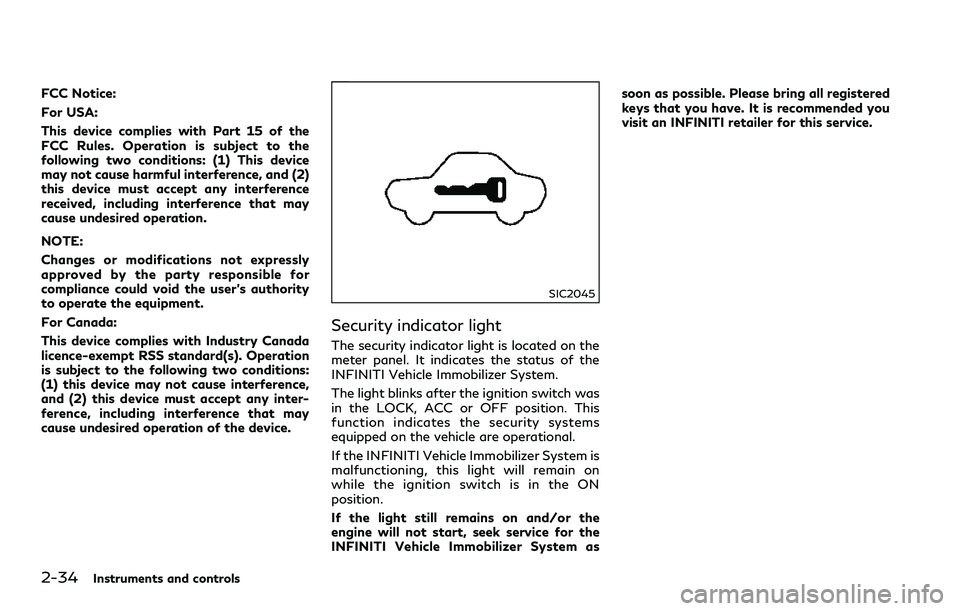
SIC2045
Security indicator light
The security indicator light is located on the
meter panel. It indicates the status of the
INFINITI Vehicle Immobilizer System.
The light blinks after the ignition switch was
in the LOCK, ACC or OFF position. This
function indicates the security systems
equipped on the vehicle are operational.
If the INFINITI Vehicle Immobilizer System is
malfunctioning, this light will remain on
while the ignition switch is in the ON
position.
If the light still remains on and/or the
engine will not start, seek service for the
INFINITI Vehicle Immobilizer System assoon as possible. Please bring all registered
keys that you have. It is recommended you
visit an INFINITI retailer for this service.