display INFINITI Q60 2018 Repair Manual
[x] Cancel search | Manufacturer: INFINITI, Model Year: 2018, Model line: Q60, Model: INFINITI Q60 2018Pages: 466, PDF Size: 2.47 MB
Page 226 of 466
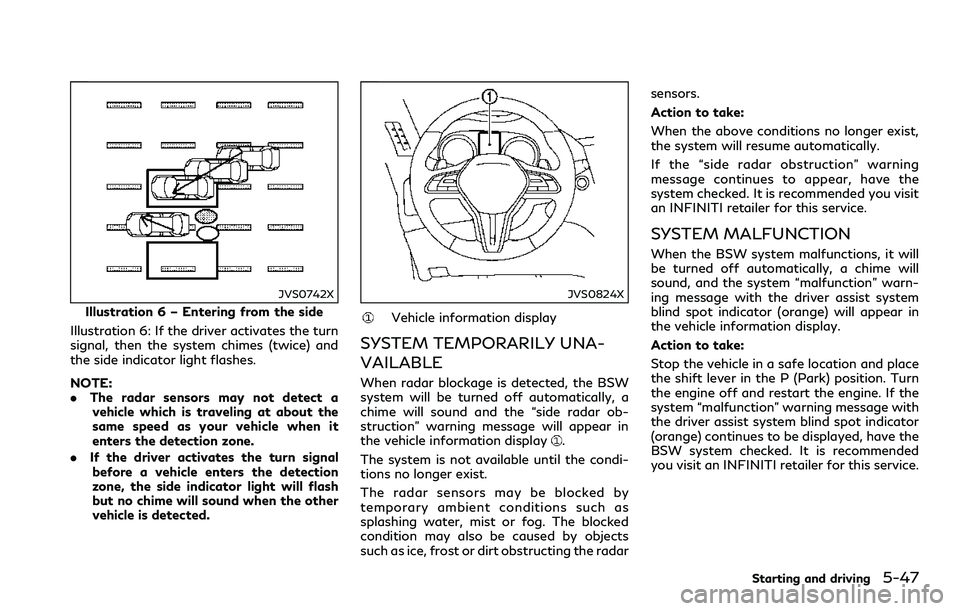
JVS0742X
Illustration 6 – Entering from the side
Illustration 6: If the driver activates the turn
signal, then the system chimes (twice) and
the side indicator light flashes.
NOTE:
.The radar sensors may not detect a
vehicle which is traveling at about the
same speed as your vehicle when it
enters the detection zone.
.If the driver activates the turn signal
before a vehicle enters the detection
zone, the side indicator light will flash
but no chime will sound when the other
vehicle is detected.
JVS0824X
Vehicle information display
SYSTEM TEMPORARILY UNA-
VAILABLE
When radar blockage is detected, the BSW
system will be turned off automatically, a
chime will sound and the “side radar ob-
struction” warning message will appear in
the vehicle information display
.
The system is not available until the condi-
tions no longer exist.
The radar sensors may be blocked by
temporary ambient conditions such as
splashing water, mist or fog. The blocked
condition may also be caused by objects
such as ice, frost or dirt obstructing the radarsensors.
Action to take:
When the above conditions no longer exist,
the system will resume automatically.
If the “side radar obstruction” warning
message continues to appear, have the
system checked. It is recommended you visit
an INFINITI retailer for this service.
SYSTEM MALFUNCTION
When the BSW system malfunctions, it will
be turned off automatically, a chime will
sound, and the system “malfunction” warn-
ing message with the driver assist system
blind spot indicator (orange) will appear in
the vehicle information display.
Action to take:
Stop the vehicle in a safe location and place
the shift lever in the P (Park) position. Turn
the engine off and restart the engine. If the
system “malfunction” warning message with
the driver assist system blind spot indicator
(orange) continues to be displayed, have the
BSW system checked. It is recommended
you visit an INFINITI retailer for this service.
Starting and driving5-47
Page 229 of 466
5-50Starting and driving
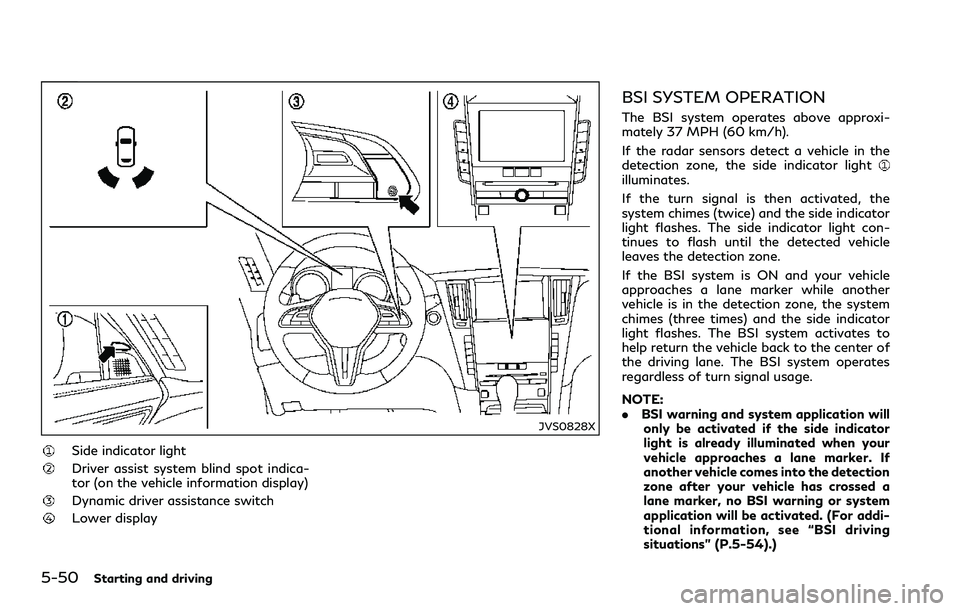
JVS0828X
Side indicator light
Driver assist system blind spot indica-
tor (on the vehicle information display)
Dynamic driver assistance switch
Lower display
BSI SYSTEM OPERATION
The BSI system operates above approxi-
mately 37 MPH (60 km/h).
If the radar sensors detect a vehicle in the
detection zone, the side indicator light
illuminates.
If the turn signal is then activated, the
system chimes (twice) and the side indicator
light flashes. The side indicator light con-
tinues to flash until the detected vehicle
leaves the detection zone.
If the BSI system is ON and your vehicle
approaches a lane marker while another
vehicle is in the detection zone, the system
chimes (three times) and the side indicator
light flashes. The BSI system activates to
help return the vehicle back to the center of
the driving lane. The BSI system operates
regardless of turn signal usage.
NOTE:
.BSI warning and system application will
only be activated if the side indicator
light is already illuminated when your
vehicle approaches a lane marker. If
another vehicle comes into the detection
zone after your vehicle has crossed a
lane marker, no BSI warning or system
application will be activated. (For addi-
tional information, see “BSI driving
situations” (P.5-54).)
Page 230 of 466
.The BSI system is typically activated
earlier than the Lane Departure Preven-
tion (LDP) system when your vehicle is
approaching a lane marker.
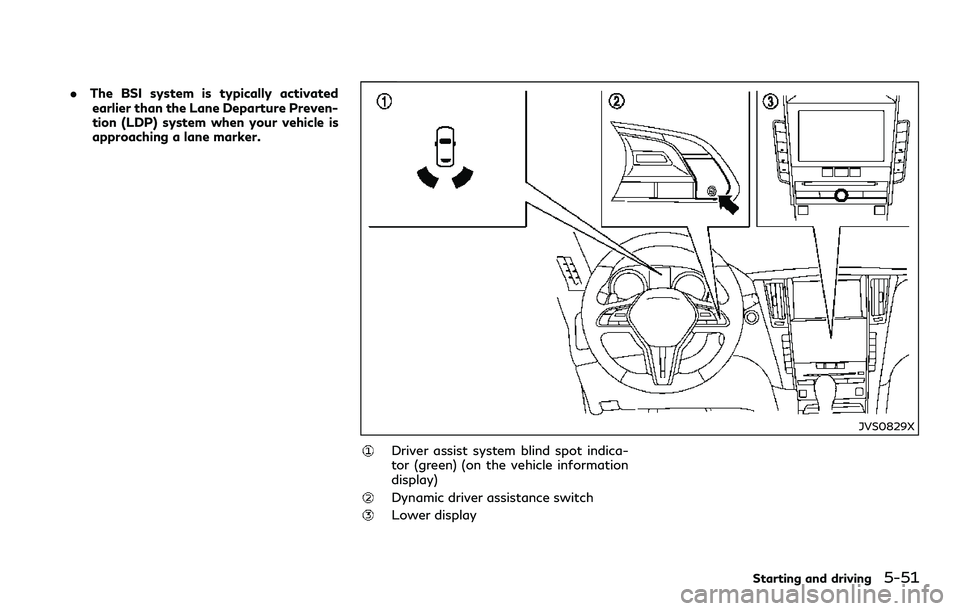
JVS0829X
Driver assist system blind spot indica-
tor (green) (on the vehicle information
display)
Dynamic driver assistance switch
Lower display
Starting and driving5-51
Page 231 of 466
5-52Starting and driving
TURNING THE BSI SYSTEM ON/
OFF
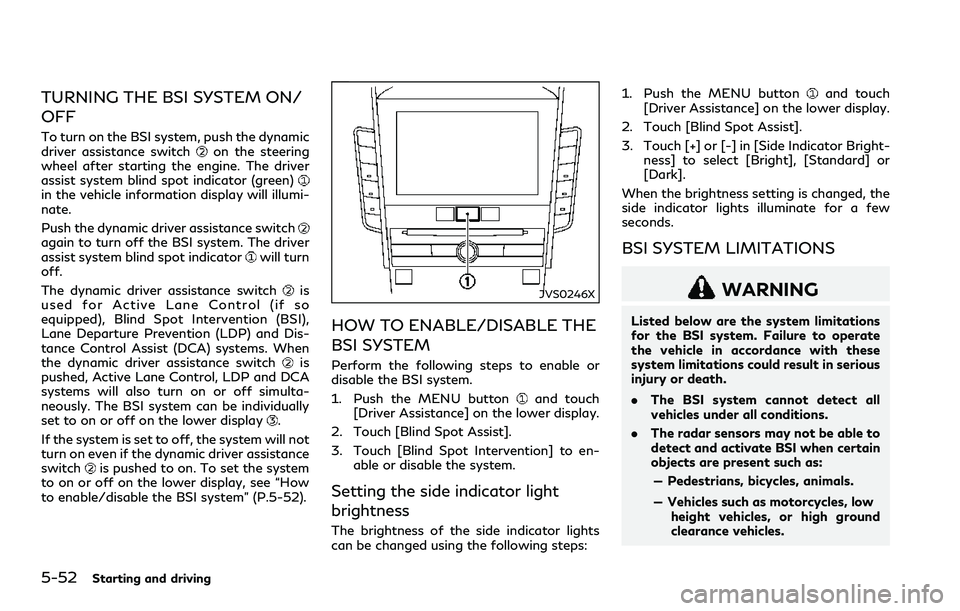
To turn on the BSI system, push the dynamic
driver assistance switchon the steering
wheel after starting the engine. The driver
assist system blind spot indicator (green)
in the vehicle information display will illumi-
nate.
Push the dynamic driver assistance switch
again to turn off the BSI system. The driver
assist system blind spot indicatorwill turn
off.
The dynamic driver assistance switch
is
used for Active Lane Control (if so
equipped), Blind Spot Intervention (BSI),
Lane Departure Prevention (LDP) and Dis-
tance Control Assist (DCA) systems. When
the dynamic driver assistance switch
is
pushed, Active Lane Control, LDP and DCA
systems will also turn on or off simulta-
neously. The BSI system can be individually
set to on or off on the lower display
.
If the system is set to off, the system will not
turn on even if the dynamic driver assistance
switch
is pushed to on. To set the system
to on or off on the lower display, see “How
to enable/disable the BSI system” (P.5-52).
JVS0246X
HOW TO ENABLE/DISABLE THE
BSI SYSTEM
Perform the following steps to enable or
disable the BSI system.
1. Push the MENU button
and touch
[Driver Assistance] on the lower display.
2. Touch [Blind Spot Assist].
3. Touch [Blind Spot Intervention] to en-
able or disable the system.
Setting the side indicator light
brightness
The brightness of the side indicator lights
can be changed using the following steps:1. Push the MENU button
and touch
[Driver Assistance] on the lower display.
2. Touch [Blind Spot Assist].
3. Touch [+] or [-] in [Side Indicator Bright-
ness] to select [Bright], [Standard] or
[Dark].
When the brightness setting is changed, the
side indicator lights illuminate for a few
seconds.
BSI SYSTEM LIMITATIONS
WARNING
Listed below are the system limitations
for the BSI system. Failure to operate
the vehicle in accordance with these
system limitations could result in serious
injury or death.
.The BSI system cannot detect all
vehicles under all conditions.
.The radar sensors may not be able to
detect and activate BSI when certain
objects are present such as:
— Pedestrians, bicycles, animals.
— Vehicles such as motorcycles, low
height vehicles, or high ground
clearance vehicles.
Page 238 of 466
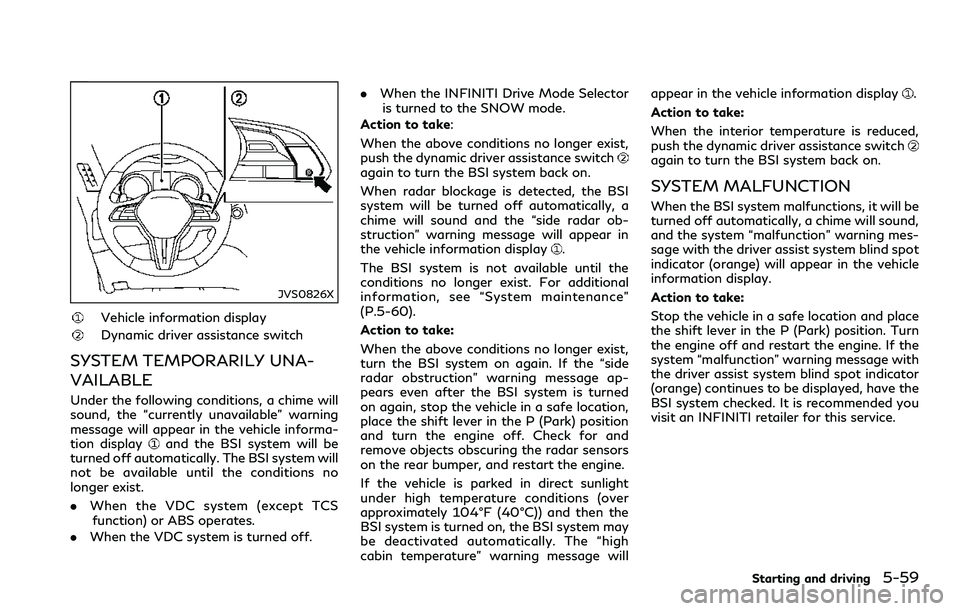
JVS0826X
Vehicle information display
Dynamic driver assistance switch
SYSTEM TEMPORARILY UNA-
VAILABLE
Under the following conditions, a chime will
sound, the “currently unavailable” warning
message will appear in the vehicle informa-
tion display
and the BSI system will be
turned off automatically. The BSI system will
not be available until the conditions no
longer exist.
.When the VDC system (except TCS
function) or ABS operates.
.When the VDC system is turned off..When the INFINITI Drive Mode Selector
is turned to the SNOW mode.
Action to take:
When the above conditions no longer exist,
push the dynamic driver assistance switch
again to turn the BSI system back on.
When radar blockage is detected, the BSI
system will be turned off automatically, a
chime will sound and the “side radar ob-
struction” warning message will appear in
the vehicle information display
.
The BSI system is not available until the
conditions no longer exist. For additional
information, see “System maintenance”
(P.5-60).
Action to take:
When the above conditions no longer exist,
turn the BSI system on again. If the “side
radar obstruction” warning message ap-
pears even after the BSI system is turned
on again, stop the vehicle in a safe location,
place the shift lever in the P (Park) position
and turn the engine off. Check for and
remove objects obscuring the radar sensors
on the rear bumper, and restart the engine.
If the vehicle is parked in direct sunlight
under high temperature conditions (over
approximately 104°F (40°C)) and then the
BSI system is turned on, the BSI system may
be deactivated automatically. The “high
cabin temperature” warning message willappear in the vehicle information display
.
Action to take:
When the interior temperature is reduced,
push the dynamic driver assistance switch
again to turn the BSI system back on.
SYSTEM MALFUNCTION
When the BSI system malfunctions, it will be
turned off automatically, a chime will sound,
and the system “malfunction” warning mes-
sage with the driver assist system blind spot
indicator (orange) will appear in the vehicle
information display.
Action to take:
Stop the vehicle in a safe location and place
the shift lever in the P (Park) position. Turn
the engine off and restart the engine. If the
system “malfunction” warning message with
the driver assist system blind spot indicator
(orange) continues to be displayed, have the
BSI system checked. It is recommended you
visit an INFINITI retailer for this service.
Starting and driving5-59
Page 241 of 466
5-62Starting and driving
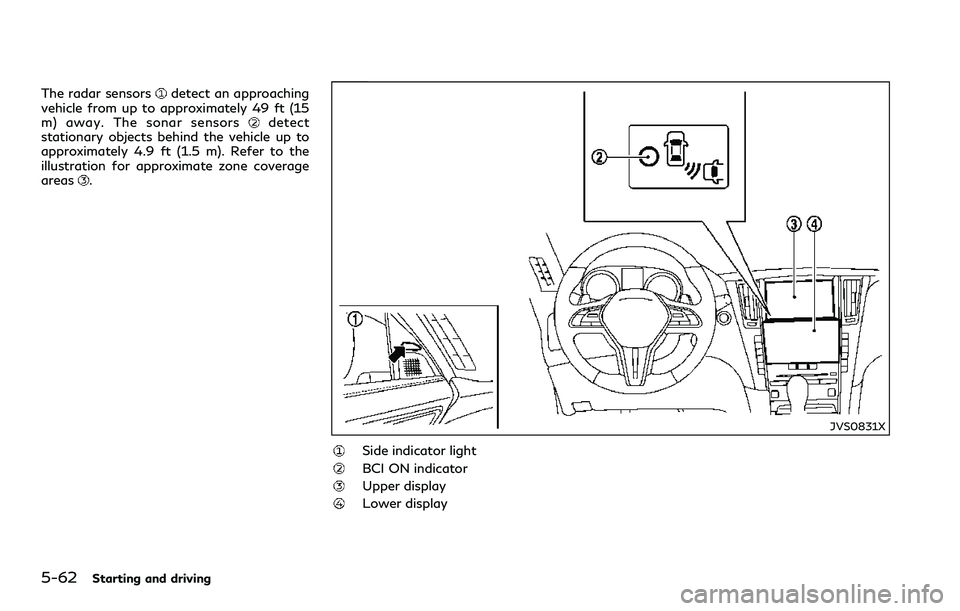
The radar sensorsdetect an approaching
vehicle from up to approximately 49 ft (15
m) away. The sonar sensors
detect
stationary objects behind the vehicle up to
approximately 4.9 ft (1.5 m). Refer to the
illustration for approximate zone coverage
areas
.
JVS0831X
Side indicator light
BCI ON indicator
Upper display
Lower display
Page 242 of 466
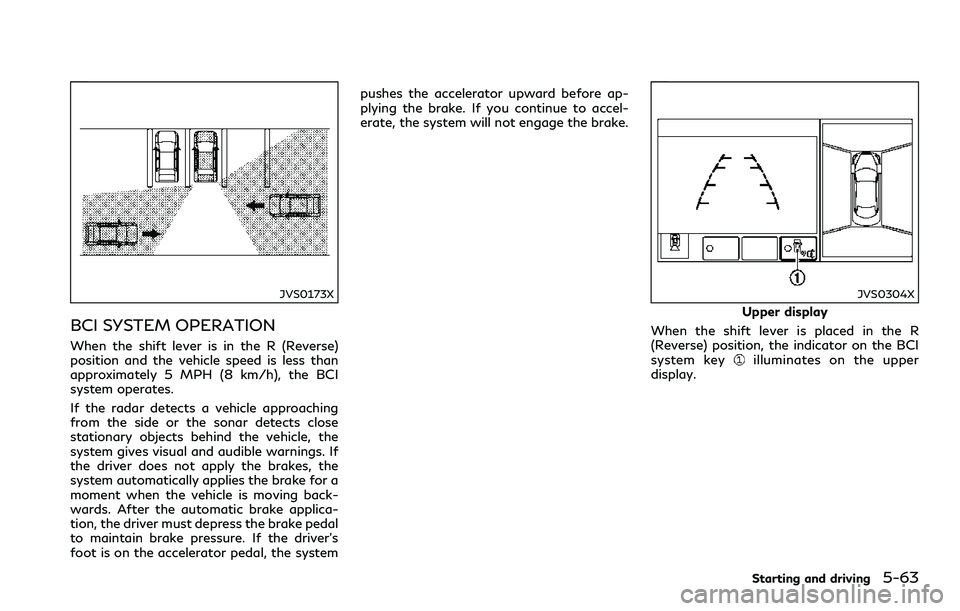
JVS0173X
BCI SYSTEM OPERATION
When the shift lever is in the R (Reverse)
position and the vehicle speed is less than
approximately 5 MPH (8 km/h), the BCI
system operates.
If the radar detects a vehicle approaching
from the side or the sonar detects close
stationary objects behind the vehicle, the
system gives visual and audible warnings. If
the driver does not apply the brakes, the
system automatically applies the brake for a
moment when the vehicle is moving back-
wards. After the automatic brake applica-
tion, the driver must depress the brake pedal
to maintain brake pressure. If the driver’s
foot is on the accelerator pedal, the systempushes the accelerator upward before ap-
plying the brake. If you continue to accel-
erate, the system will not engage the brake.
JVS0304X
Upper display
When the shift lever is placed in the R
(Reverse) position, the indicator on the BCI
system key
illuminates on the upper
display.
Starting and driving5-63
Page 243 of 466
5-64Starting and driving
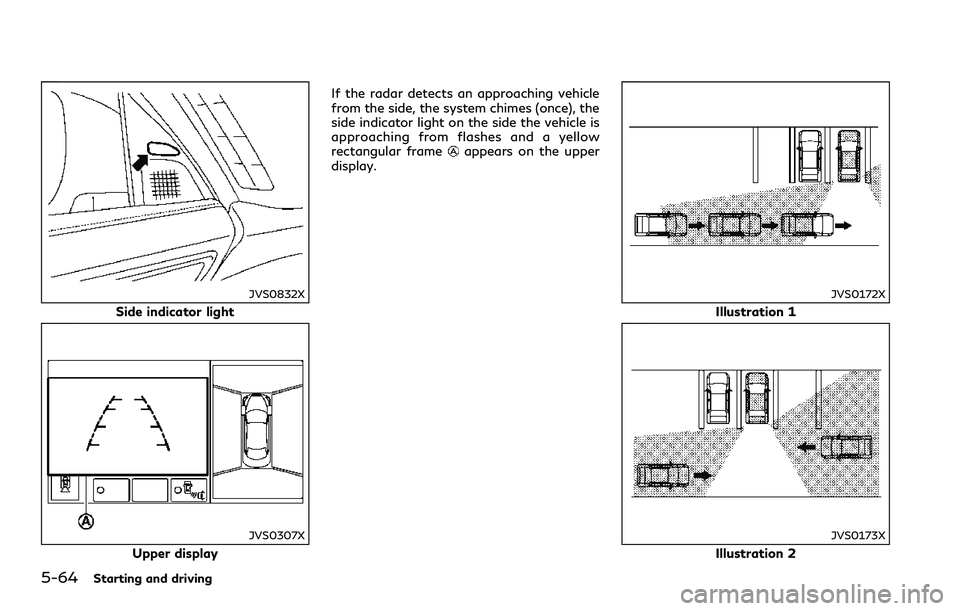
JVS0832X
Side indicator light
JVS0307X
Upper displayIf the radar detects an approaching vehicle
from the side, the system chimes (once), the
side indicator light on the side the vehicle is
approaching from flashes and a yellow
rectangular frame
appears on the upper
display.
JVS0172X
Illustration 1
JVS0173X
Illustration 2
Page 244 of 466
NOTE:
.In the case of several vehicles approach-
ing in a row (Illustration 1) or in the
opposite direction (Illustration 2), a
chime may not be sounded by the BCI
system after the first vehicle passes the
sensors.
.The sonar system chime indicating there
is an object behind the vehicle has a
higher priority than the BCI chime
(single beep) indicating an approaching
vehicle. If the sonar system detects an
object behind the vehicle and the BCI
system detects an approaching vehicle
at the same time, the following indica-
tions are provided:
—The sonar system chime sounds
—The side indicator light on the side of
the approaching vehicle flashes, and
—A yellow rectangular frame appears
in the display.
JVS0307X
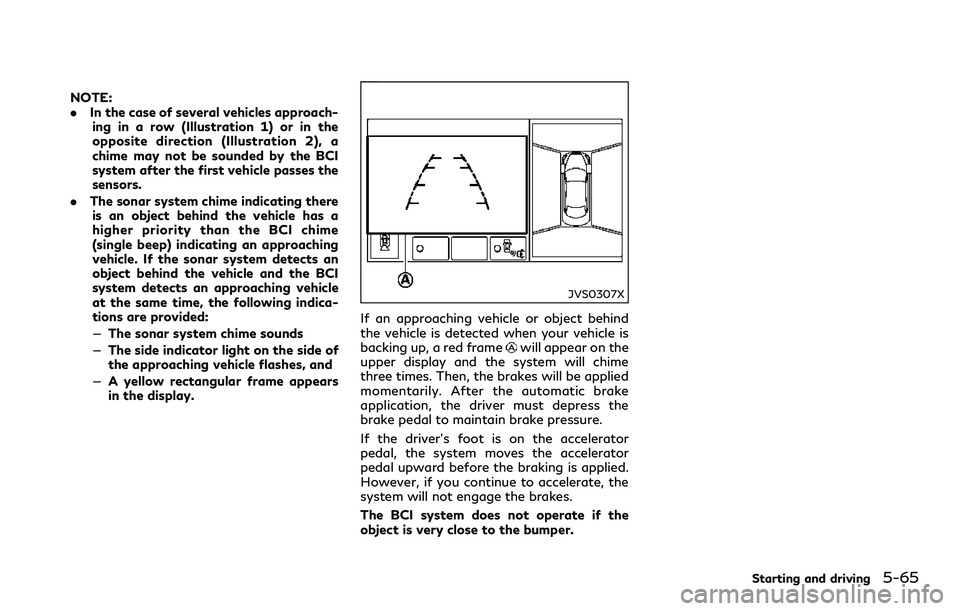
If an approaching vehicle or object behind
the vehicle is detected when your vehicle is
backing up, a red frame
will appear on the
upper display and the system will chime
three times. Then, the brakes will be applied
momentarily. After the automatic brake
application, the driver must depress the
brake pedal to maintain brake pressure.
If the driver’s foot is on the accelerator
pedal, the system moves the accelerator
pedal upward before the braking is applied.
However, if you continue to accelerate, the
system will not engage the brakes.
The BCI system does not operate if the
object is very close to the bumper.
Starting and driving5-65
Page 245 of 466
5-66Starting and driving
JVS0833X
Upper display
Lower display
JVS0304X
Upper display
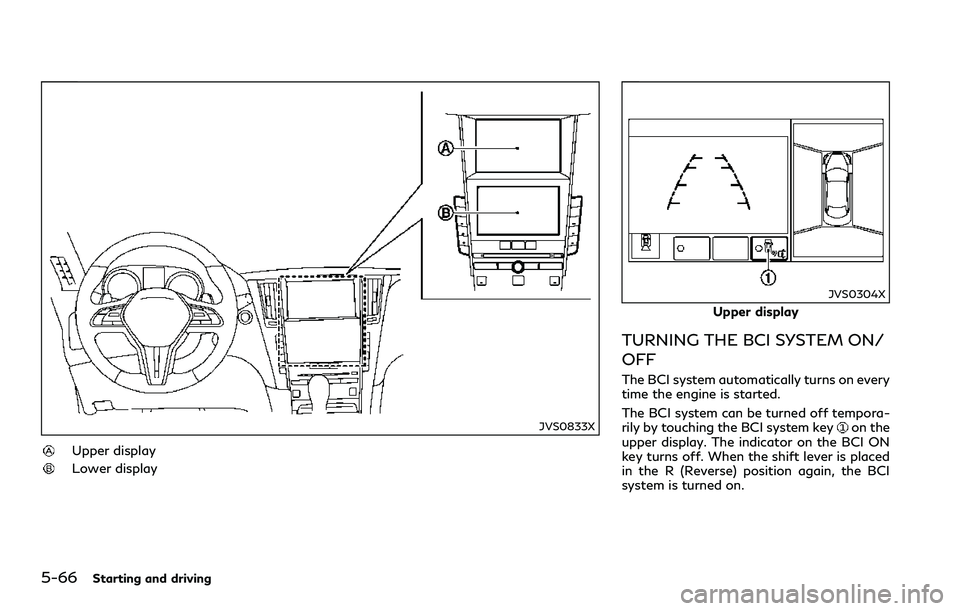
TURNING THE BCI SYSTEM ON/
OFF
The BCI system automatically turns on every
time the engine is started.
The BCI system can be turned off tempora-
rily by touching the BCI system key
on the
upper display. The indicator on the BCI ON
key turns off. When the shift lever is placed
in the R (Reverse) position again, the BCI
system is turned on.