warning lights INFINITI Q60 COUPE 2014 User Guide
[x] Cancel search | Manufacturer: INFINITI, Model Year: 2014, Model line: Q60 COUPE, Model: INFINITI Q60 COUPE 2014Pages: 458, PDF Size: 4.27 MB
Page 105 of 458
2-34Instruments and controls
SIC3239
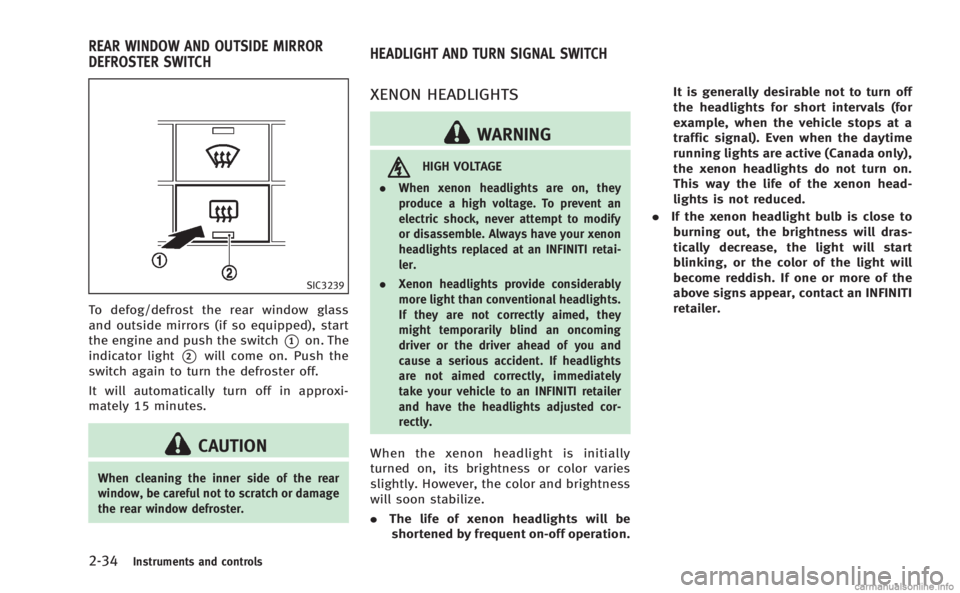
To defog/defrost the rear window glass
and outside mirrors (if so equipped), start
the engine and push the switch
*1on. The
indicator light
*2will come on. Push the
switch again to turn the defroster off.
It will automatically turn off in approxi-
mately 15 minutes.
CAUTION
When cleaning the inner side of the rear
window, be careful not to scratch or damage
the rear window defroster.
XENON HEADLIGHTS
WARNING
HIGH VOLTAGE
. When xenon headlights are on, they
produce a high voltage. To prevent an
electric shock, never attempt to modify
or disassemble. Always have your xenon
headlights replaced at an INFINITI retai-
ler.
. Xenon headlights provide considerably
more light than conventional headlights.
If they are not correctly aimed, they
might temporarily blind an oncoming
driver or the driver ahead of you and
cause a serious accident. If headlights
are not aimed correctly, immediately
take your vehicle to an INFINITI retailer
and have the headlights adjusted cor-
rectly.
When the xenon headlight is initially
turned on, its brightness or color varies
slightly. However, the color and brightness
will soon stabilize.
.The life of xenon headlights will be
shortened by frequent on-off operation. It is generally desirable not to turn off
the headlights for short intervals (for
example, when the vehicle stops at a
traffic signal). Even when the daytime
running lights are active (Canada only),
the xenon headlights do not turn on.
This way the life of the xenon head-
lights is not reduced.
. If the xenon headlight bulb is close to
burning out, the brightness will dras-
tically decrease, the light will start
blinking, or the color of the light will
become reddish. If one or more of the
above signs appear, contact an INFINITI
retailer.
REAR WINDOW AND OUTSIDE MIRROR
DEFROSTER SWITCH HEADLIGHT AND TURN SIGNAL SWITCH
Page 110 of 458

SIC3272
FOG LIGHT SWITCH
To turn the fog lights on, turn the headlight
switch to theposition, then turn the
switch to theposition. To turn them
off, turn the switch to the OFF position.
The headlights must be on for the fog
lights to operate.
SIC3312
To sound the horn, push the center pad
area of the steering wheel.
WARNING
Do not disassemble the horn. Doing so
could affect proper operation of the supple-
mental front air bag system. Tampering with
the supplemental front air bag system may
result in serious personal injury.
WARNING
Do not use or allow occupants to use the
seat heater if you or the occupants cannot
monitor elevated seat temperatures or have
an inability to feel pain in body parts that
contact the seat. Use of the seat heater by
such people could result in serious injury.
CAUTION
. The battery could run down if the seat
heater is operated while the engine is
not running.
. Do not use the seat heater for extended
periods or when no one is using the
seat.
. Do not put anything on the seat which
insulates heat, such as a blanket,
cushion, seat cover, etc. Otherwise, the
seat may become overheated.
. Do not place anything hard or heavy on
the seat or pierce it with a pin or similar
object. This may result in damage to the
heater.
Instruments and controls2-39
HORN HEATED SEATS
Page 146 of 458
Locking doors and fuel-filler door
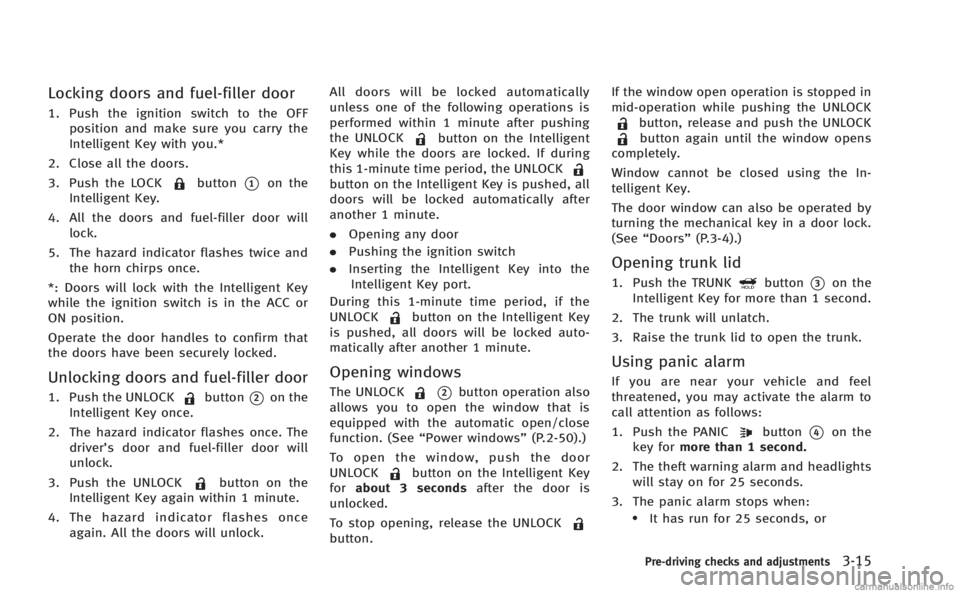
1. Push the ignition switch to the OFFposition and make sure you carry the
Intelligent Key with you.*
2. Close all the doors.
3. Push the LOCK
button*1on the
Intelligent Key.
4. All the doors and fuel-filler door will lock.
5. The hazard indicator flashes twice and the horn chirps once.
*: Doors will lock with the Intelligent Key
while the ignition switch is in the ACC or
ON position.
Operate the door handles to confirm that
the doors have been securely locked.
Unlocking doors and fuel-filler door
1. Push the UNLOCKbutton*2on the
Intelligent Key once.
2. The hazard indicator flashes once. The driver’s door and fuel-filler door will
unlock.
3. Push the UNLOCK
button on the
Intelligent Key again within 1 minute.
4. The hazard indicator flashes once again. All the doors will unlock. All doors will be locked automatically
unless one of the following operations is
performed within 1 minute after pushing
the UNLOCK
button on the Intelligent
Key while the doors are locked. If during
this 1-minute time period, the UNLOCK
button on the Intelligent Key is pushed, all
doors will be locked automatically after
another 1 minute.
. Opening any door
. Pushing the ignition switch
. Inserting the Intelligent Key into the
Intelligent Key port.
During this 1-minute time period, if the
UNLOCK
button on the Intelligent Key
is pushed, all doors will be locked auto-
matically after another 1 minute.
Opening windows
The UNLOCK*2button operation also
allows you to open the window that is
equipped with the automatic open/close
function. (See “Power windows” (P.2-50).)
To open the window, push the door
UNLOCK
button on the Intelligent Key
for about 3 seconds after the door is
unlocked.
To stop opening, release the UNLOCK
button. If the window open operation is stopped in
mid-operation while pushing the UNLOCK
button, release and push the UNLOCKbutton again until the window opens
completely.
Window cannot be closed using the In-
telligent Key.
The door window can also be operated by
turning the mechanical key in a door lock.
(See “Doors” (P.3-4).)
Opening trunk lid
1. Push the TRUNKbutton*3on the
Intelligent Key for more than 1 second.
2. The trunk will unlatch.
3. Raise the trunk lid to open the trunk.
Using panic alarm
If you are near your vehicle and feel
threatened, you may activate the alarm to
call attention as follows:
1. Push the PANIC
button*4on the
key for more than 1 second.
2. The theft warning alarm and headlights will stay on for 25 seconds.
3. The panic alarm stops when:
.It has run for 25 seconds, or
Pre-driving checks and adjustments3-15
Page 157 of 458

3-26Pre-driving checks and adjustments
Automatic anti-glare type
The inside mirror is designed so that it
automatically changes reflection according
to the intensity of the headlights of the
following vehicle.
The anti-glare system will be automatically
turned on when the ignition switch is
pushed to the ON position.
When the anti-glare system is turned on,
the indicator light
*Awill illuminate and
excessive glare from the headlights of the
vehicle behind you will be reduced.
Type A: Push the
switch*Bto make the
inside rearview mirror operate normally
and the indicator light will turn off. Push
the
switch again to turn the system on.
Type B: Push the “*”switch
*Cto make
the inside rearview mirror operate nor-
mally. The indicator light will turn off. Push
the “I”switch
*Dto turn the system on.
Do not allow any object to cover the
sensors
*Eor apply glass cleaner on
them. Doing so will reduce the sensitivity
of the sensor, resulting in improper
operation.
For the compass (if so equipped) opera- tion, see
“Compass” (P.2-9).
For the HomeLink
®Universal Transceiver
operation, see “HomeLink®Universal
Transceiver” (P.2-56).
SPA2319
OUTSIDE MIRRORS
WARNING
Objects viewed in the outside mirror on the
passenger side are closer than they appear.
Be careful when moving to the right. Using
only this mirror could cause an accident.
Use the inside mirror or glance over your
shoulder to properly judge distances to
other objects.
Page 305 of 458
5-12Starting and driving
SSD0768
INTELLIGENT KEY BATTERY DIS-
CHARGE
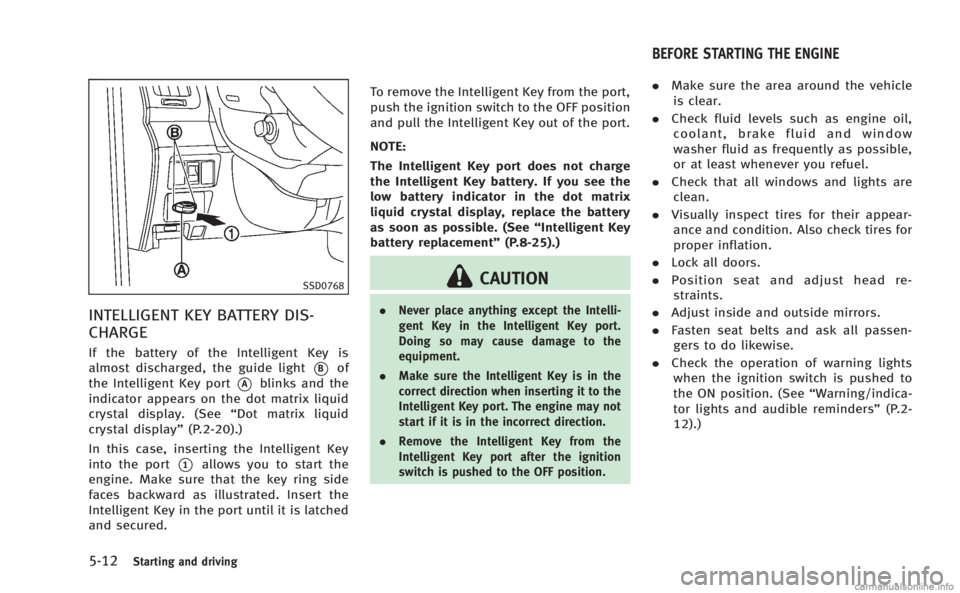
If the battery of the Intelligent Key is
almost discharged, the guide light
*Bof
the Intelligent Key port
*Ablinks and the
indicator appears on the dot matrix liquid
crystal display. (See “Dot matrix liquid
crystal display” (P.2-20).)
In this case, inserting the Intelligent Key
into the port
*1allows you to start the
engine. Make sure that the key ring side
faces backward as illustrated. Insert the
Intelligent Key in the port until it is latched
and secured. To remove the Intelligent Key from the port,
push the ignition switch to the OFF position
and pull the Intelligent Key out of the port.
NOTE:
The Intelligent Key port does not charge
the Intelligent Key battery. If you see the
low battery indicator in the dot matrix
liquid crystal display, replace the battery
as soon as possible. (See
“Intelligent Key
battery replacement” (P.8-25).)
CAUTION
.Never place anything except the Intelli-
gent Key in the Intelligent Key port.
Doing so may cause damage to the
equipment.
. Make sure the Intelligent Key is in the
correct direction when inserting it to the
Intelligent Key port. The engine may not
start if it is in the incorrect direction.
. Remove the Intelligent Key from the
Intelligent Key port after the ignition
switch is pushed to the OFF position.
.Make sure the area around the vehicle
is clear.
. Check fluid levels such as engine oil,
coolant, brake fluid and window
washer fluid as frequently as possible,
or at least whenever you refuel.
. Check that all windows and lights are
clean.
. Visually inspect tires for their appear-
ance and condition. Also check tires for
proper inflation.
. Lock all doors.
. Position seat and adjust head re-
straints.
. Adjust inside and outside mirrors.
. Fasten seat belts and ask all passen-
gers to do likewise.
. Check the operation of warning lights
when the ignition switch is pushed to
the ON position. (See “Warning/indica-
tor lights and audible reminders” (P.2-
12).)
BEFORE STARTING THE ENGINE
Page 357 of 458
6-2In case of emergency
SIC2574
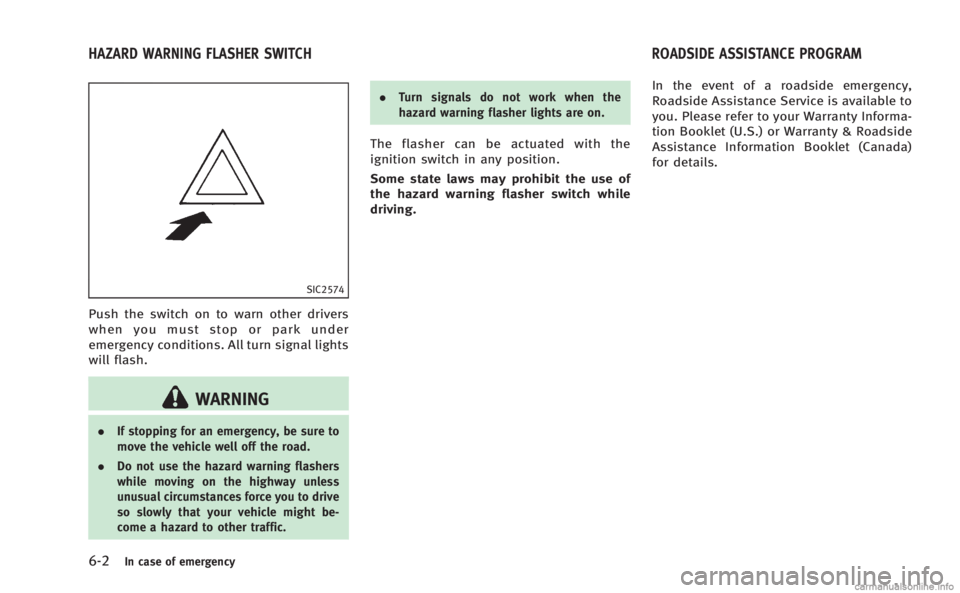
Push the switch on to warn other drivers
when you must stop or park under
emergency conditions. All turn signal lights
will flash.
WARNING
.If stopping for an emergency, be sure to
move the vehicle well off the road.
. Do not use the hazard warning flashers
while moving on the highway unless
unusual circumstances force you to drive
so slowly that your vehicle might be-
come a hazard to other traffic. .
Turn signals do not work when the
hazard warning flasher lights are on.
The flasher can be actuated with the
ignition switch in any position.
Some state laws may prohibit the use of
the hazard warning flasher switch while
driving. In the event of a roadside emergency,
Roadside Assistance Service is available to
you. Please refer to your Warranty Informa-
tion Booklet (U.S.) or Warranty & Roadside
Assistance Information Booklet (Canada)
for details.
HAZARD WARNING FLASHER SWITCH
ROADSIDE ASSISTANCE PROGRAM
Page 358 of 458
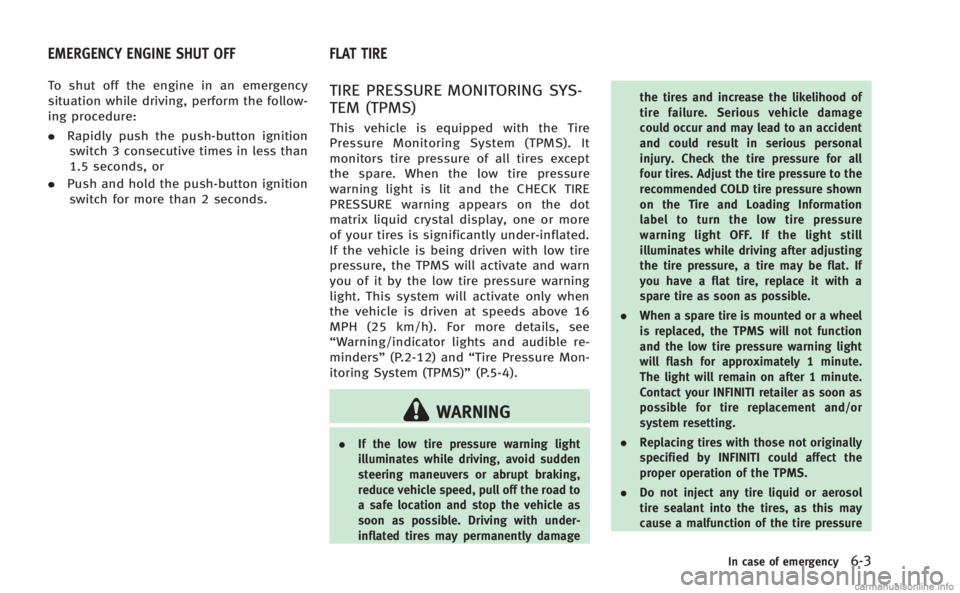
To shut off the engine in an emergency
situation while driving, perform the follow-
ing procedure:
.Rapidly push the push-button ignition
switch 3 consecutive times in less than
1.5 seconds, or
. Push and hold the push-button ignition
switch for more than 2 seconds.TIRE PRESSURE MONITORING SYS-
TEM (TPMS)
This vehicle is equipped with the Tire
Pressure Monitoring System (TPMS). It
monitors tire pressure of all tires except
the spare. When the low tire pressure
warning light is lit and the CHECK TIRE
PRESSURE warning appears on the dot
matrix liquid crystal display, one or more
of your tires is significantly under-inflated.
If the vehicle is being driven with low tire
pressure, the TPMS will activate and warn
you of it by the low tire pressure warning
light. This system will activate only when
the vehicle is driven at speeds above 16
MPH (25 km/h). For more details, see
“Warning/indicator lights and audible re-
minders” (P.2-12) and “Tire Pressure Mon-
itoring System (TPMS)” (P.5-4).
WARNING
.If the low tire pressure warning light
illuminates while driving, avoid sudden
steering maneuvers or abrupt braking,
reduce vehicle speed, pull off the road to
a safe location and stop the vehicle as
soon as possible. Driving with under-
inflated tires may permanently damage the tires and increase the likelihood of
tire failure. Serious vehicle damage
could occur and may lead to an accident
and could result in serious personal
injury. Check the tire pressure for all
four tires. Adjust the tire pressure to the
recommended COLD tire pressure shown
on the Tire and Loading Information
label to turn the low tire pressure
warning light OFF. If the light still
illuminates while driving after adjusting
the tire pressure, a tire may be flat. If
you have a flat tire, replace it with a
spare tire as soon as possible.
. When a spare tire is mounted or a wheel
is replaced, the TPMS will not function
and the low tire pressure warning light
will flash for approximately 1 minute.
The light will remain on after 1 minute.
Contact your INFINITI retailer as soon as
possible for tire replacement and/or
system resetting.
. Replacing tires with those not originally
specified by INFINITI could affect the
proper operation of the TPMS.
. Do not inject any tire liquid or aerosol
tire sealant into the tires, as this may
cause a malfunction of the tire pressure
In case of emergency6-3
EMERGENCY ENGINE SHUT OFF FLAT TIRE
Page 382 of 458
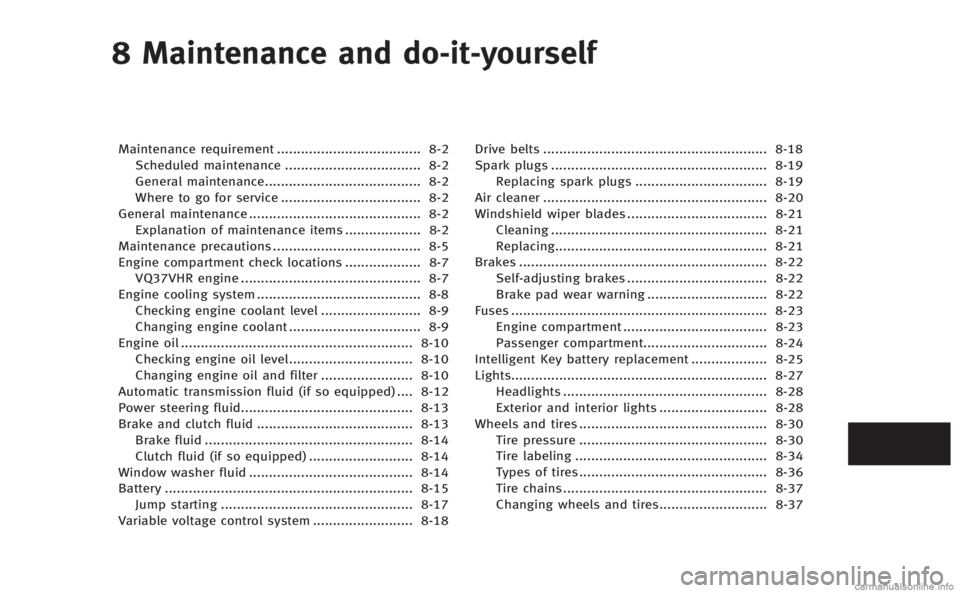
8 Maintenance and do-it-yourself
Maintenance requirement.................................... 8-2
Scheduled maintenance .................................. 8-2
General maintenance....................................... 8-2
Where to go for service ................................... 8-2
General maintenance ........................................... 8-2 Explanation of maintenance items ................... 8-2
Maintenance precautions ..................................... 8-5
Engine compartment check locations ................... 8-7 VQ37VHR engine ............................................. 8-7
Engine cooling system ......................................... 8-8
Checking engine coolant level ......................... 8-9
Changing engine coolant ................................. 8-9
Engine oil .......................................................... 8-10
Checking engine oil level............................... 8-10
Changing engine oil and filter ....................... 8-10
Automatic transmission fluid (if so equipped) .... 8-12
Power steering fluid........................................... 8-13
Brake and clutch fluid ....................................... 8-13 Brake fluid .................................................... 8-14
Clutch fluid (if so equipped) .......................... 8-14
Window washer fluid ......................................... 8-14
Battery .............................................................. 8-15 Jump starting ................................................ 8-17
Variable voltage control system ......................... 8-18 Drive belts ........................................................ 8-18
Spark plugs ...................................................... 8-19 Replacing spark plugs ................................. 8-19
Air cleaner ........................................................ 8-20
Windshield wiper blades ................................... 8-21 Cleaning ...................................................... 8-21
Replacing..................................................... 8-21
Brakes .............................................................. 8-22 Self-adjusting brakes ................................... 8-22
Brake pad wear warning .............................. 8-22
Fuses ................................................................ 8-23 Engine compartment .................................... 8-23
Passenger compartment............................... 8-24
Intelligent Key battery replacement ................... 8-25
Lights................................................................ 8-27 Headlights ................................................... 8-28
Exterior and interior lights ........................... 8-28
Wheels and tires ............................................... 8-30 Tire pressure ............................................... 8-30
Tire labeling ................................................ 8-34
Types of tires............................................... 8-36
Tire chains ................................................... 8-37
Changing wheels and tires........................... 8-37
Page 385 of 458
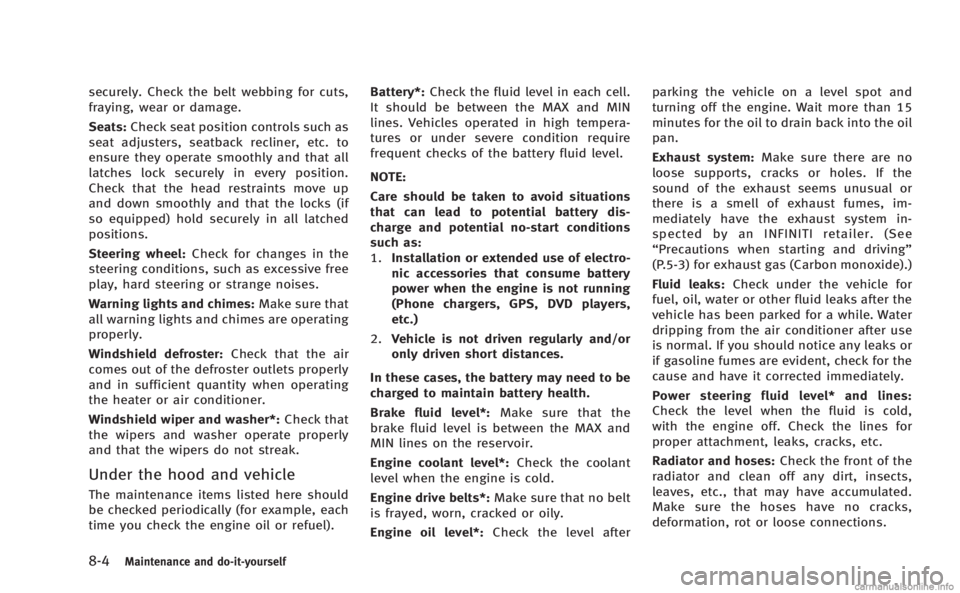
8-4Maintenance and do-it-yourself
securely. Check the belt webbing for cuts,
fraying, wear or damage.
Seats:Check seat position controls such as
seat adjusters, seatback recliner, etc. to
ensure they operate smoothly and that all
latches lock securely in every position.
Check that the head restraints move up
and down smoothly and that the locks (if
so equipped) hold securely in all latched
positions.
Steering wheel: Check for changes in the
steering conditions, such as excessive free
play, hard steering or strange noises.
Warning lights and chimes: Make sure that
all warning lights and chimes are operating
properly.
Windshield defroster: Check that the air
comes out of the defroster outlets properly
and in sufficient quantity when operating
the heater or air conditioner.
Windshield wiper and washer*: Check that
the wipers and washer operate properly
and that the wipers do not streak.
Under the hood and vehicle
The maintenance items listed here should
be checked periodically (for example, each
time you check the engine oil or refuel). Battery*:
Check the fluid level in each cell.
It should be between the MAX and MIN
lines. Vehicles operated in high tempera-
tures or under severe condition require
frequent checks of the battery fluid level.
NOTE:
Care should be taken to avoid situations
that can lead to potential battery dis-
charge and potential no-start conditions
such as:
1. Installation or extended use of electro-
nic accessories that consume battery
power when the engine is not running
(Phone chargers, GPS, DVD players,
etc.)
2. Vehicle is not driven regularly and/or
only driven short distances.
In these cases, the battery may need to be
charged to maintain battery health.
Brake fluid level*: Make sure that the
brake fluid level is between the MAX and
MIN lines on the reservoir.
Engine coolant level*: Check the coolant
level when the engine is cold.
Engine drive belts*: Make sure that no belt
is frayed, worn, cracked or oily.
Engine oil level*: Check the level after parking the vehicle on a level spot and
turning off the engine. Wait more than 15
minutes for the oil to drain back into the oil
pan.
Exhaust system:
Make sure there are no
loose supports, cracks or holes. If the
sound of the exhaust seems unusual or
there is a smell of exhaust fumes, im-
mediately have the exhaust system in-
spected by an INFINITI retailer. (See
“Precautions when starting and driving”
(P.5-3) for exhaust gas (Carbon monoxide).)
Fluid leaks: Check under the vehicle for
fuel, oil, water or other fluid leaks after the
vehicle has been parked for a while. Water
dripping from the air conditioner after use
is normal. If you should notice any leaks or
if gasoline fumes are evident, check for the
cause and have it corrected immediately.
Power steering fluid level* and lines:
Check the level when the fluid is cold,
with the engine off. Check the lines for
proper attachment, leaks, cracks, etc.
Radiator and hoses: Check the front of the
radiator and clean off any dirt, insects,
leaves, etc., that may have accumulated.
Make sure the hoses have no cracks,
deformation, rot or loose connections.
Page 409 of 458
8-28Maintenance and do-it-yourself
HEADLIGHTS
Replacing
Xenon headlight bulb:
WARNING
HIGH VOLTAGE
When xenon headlights are on, they pro-
duce a high voltage. To prevent an electric
shock, never attempt to modify or disas-
semble. Always have your xenon headlights
replaced at an INFINITI retailer. For addi-
tional information, see “Headlight and turn
signal switch” (P.2-34).
Use the same number and wattage shown
in the following chart as originally in-
stalled.
If replacement is required, see an INFINITI
retailer.
Fog may temporarily form inside the lens of
the exterior lights in the rain or in a car
wash. A temperature difference between
the inside and the outside of the lens
causes the fog. This is not a malfunction. If
large drops of water collect inside the lens,
contact an INFINITI retailer.
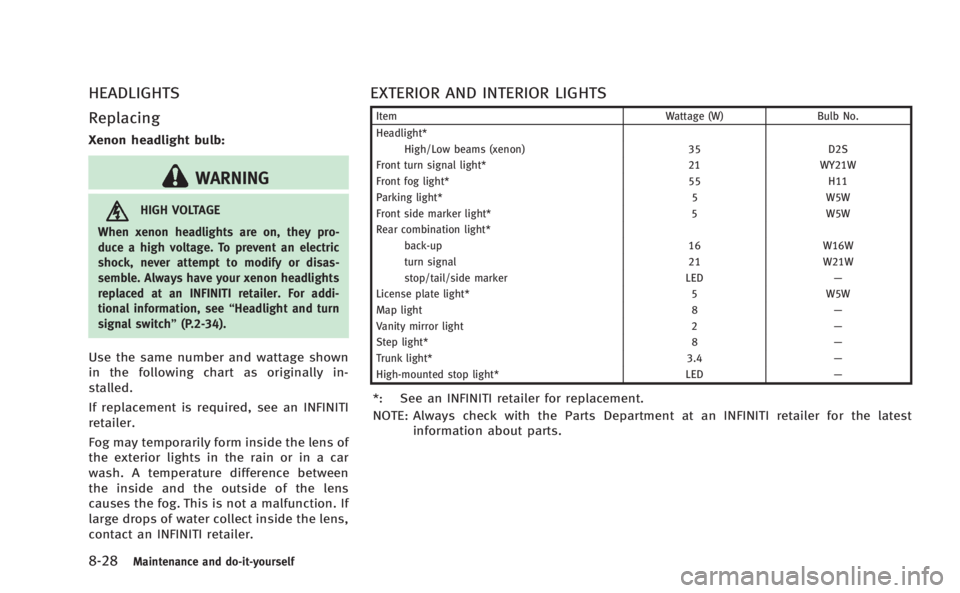
EXTERIOR AND INTERIOR LIGHTS
Item Wattage (W)Bulb No.
Headlight* High/Low beams (xenon) 35D2S
Front turn signal light* 21WY21W
Front fog light* 55H11
Parking light* 5W5W
Front side marker light* 5W5W
Rear combination light*
back-up 16W16W
turn signal 21W21W
stop/tail/side marker LED—
License plate light* 5W5W
Map light 8—
Vanity mirror light 2—
Step light* 8—
Trunk light* 3.4—
High-mounted stop light* LED—
*: See an INFINITI retailer for replacement.
NOTE: Always check with the Parts Department at an INFINITI retailer for the latest
information about parts.