power steering INFINITI Q60 COUPE 2021 Owner's Manual
[x] Cancel search | Manufacturer: INFINITI, Model Year: 2021, Model line: Q60 COUPE, Model: INFINITI Q60 COUPE 2021Pages: 492, PDF Size: 2.44 MB
Page 14 of 492

0-6Illustrated table of contents
WAA0093X
1. Side ventilator (P.4-34)
2. Headlight, fog light and turn signal
switch (P.2-37)
3. Steering wheel
— Horn (P.2-44)
— Driver supplemental air bag (P.1-38)— Heated steering wheel (if so
equipped) (P.2-46)
— Power steering (P.5-127)
4. Windshield wiper and washer switch
(P.2-34)
5. Hazard warning flasher switch (P.6-2)6. Shift lever (P.5-16)
7. INFINITI controller*
8. Vehicle Dynamic Control (VDC) OFF
switch (P.2-44, P.5-132)
9. Trunk lid release switch (P.3-23)
10. Instrument brightness control switch
(P.2-43)
11. TRIP/RESET switch for twin trip od-
ometer (P.2-7)
12. Electric tilting/telescopic steering
wheel switch (if so equipped) (P.3-27)
13. Manual tilting/telescopic steering
wheel lever (if so equipped) (P.3-27)
14. Steering-wheel-mounted controls (left
side)
— Audio control steering switch*
— Hands-Free Phone System switch*
— Voice recognition system switch*
15. Steering-wheel-mounted controls
(right side)
— Trip computer switches (P.2-29)
— Cruise control switches (if so
equipped) (P.5-70)
— Intelligent Cruise Control (ICC)
switches (if so equipped) (P.5-72)
— Dynamic driver assistance switch (if
so equipped) (P. 5-25, P.5-33, P.5-48,
P.5-92)
COCKPIT
Page 19 of 492

Red light Name Page
Brake warning light 2-13
Charge warning light 2-13
Master warning light 2-14
Seat belt warning light and
chime2-14
Security indicator light 2-14
Supplemental air bag warn-
ing light2-14Yellow
lightName Page
Anti-lock Braking System
(ABS) warning light2-15
Forward Emergency Braking
(FEB) system warning light (if
so equipped)2-15
Front passenger air bag sta-
tus light2-15
Low fuel warning light 2-15
Low tire pressure warning
light2-15
Malfunction Indicator Light
(MIL)2-17
Master warning light 2-18
Power steering warning light 2-18
Vehicle Dynamic Control
(VDC) off indicator light2-19
Vehicle Dynamic Control
(VDC) warning light2-19Other
lightName Page
ECO drive indicator light 2-19
Exterior light indicator 2-19
Front fog light indicator light 2-19
High beam assist indicator
light (if so equipped)2-19
High beam indicator light 2-19
Turn signal/hazard indicator
lights2-19
Illustrated table of contents0-11
WARNING AND INDICATOR LIGHTS
Page 79 of 492

2 Instruments and controls
Cockpit ................................................................................. 2-3
Instrument panel ............................................................... 2-5
Meters and gauges .......................................................... 2-6
Speedometer and odometer ..................................... 2-7
Tachometer ................................................................... 2-8
Engine coolant temperature gauge ....................... 2-8
Fuel gauge ..................................................................... 2-9
Compass (if so equipped) ............................................... 2-9
Zone variation change procedure ......................... 2-11
Warning lights, indicator lights and
audible reminders ............................................................ 2-12
Checking lights ........................................................... 2-13
Warning/indicator lights (red) ............................... 2-13
Warning/indicator lights (yellow) ......................... 2-15
Warning/indicator lights (other) ........................... 2-19
Audible reminders ..................................................... 2-20
Vehicle information display .......................................... 2-20
Indicators for operation .......................................... 2-23
Indicators for maintenance .................................... 2-26
Trip computer ............................................................. 2-29
Clock and outside air temperature ....................... 2-31
Security systems ............................................................. 2-32
Vehicle Security System .......................................... 2-32
INFINITI Vehicle Immobilizer System .................. 2-33Wiper and washer switch ............................................ 2-34
Rain-sensing auto wiper system ........................ 2-36
Rear window and outside mirror
defroster switch ............................................................. 2-37
Headlight and turn signal switch ............................... 2-37
Headlight switch ..................................................... 2-37
Turn signal switch ................................................... 2-43
Fog light switch ...................................................... 2-44
Horn .................................................................................. 2-44
Vehicle Dynamic Control (VDC) OFF switch ........ 2-44
Heated seats (if so equipped) ..................................... 2-45
Operation with switch ........................................... 2-46
Operation with touch screen ............................... 2-46
AUTO mode setting ............................................... 2-46
Heated steering wheel (if so equipped) ................... 2-46
Power outlets .................................................................. 2-47
Emergency Call (SOS) button (if so equipped) ..... 2-48
Emergency support ............................................... 2-48
Storage ............................................................................ 2-50
Cup holders .............................................................. 2-50
Soft bottle holder ................................................... 2-50
Sunglasses holder .................................................... 2-51
Glove box ................................................................... 2-51
Console box .............................................................. 2-52
Page 81 of 492

WAA0093X
1. Side ventilator (P.4-34)
2. Headlight, fog light and turn signal
switch (P.2-37)
3. Steering wheel
— Horn (P.2-44)
— Driver supplemental air bag (P.1-38)— Heated steering wheel (if so
equipped) (P.2-46)
— Power steering (P.5-127)
4. Windshield wiper and washer switch
(P.2-34)
5. Hazard warning flasher switch (P.6-2)6. Shift lever (P.5-16)
7. INFINITI controller*
8. Vehicle Dynamic Control (VDC) OFF
switch (P.2-44, P.5-132)
9. Trunk lid release switch (P.3-23)
10. Instrument brightness control switch
(P.2-43)
11. TRIP/RESET switch for twin trip od-
ometer (P.2-7)
12. Electric tilting/telescopic steering
wheel switch (P.3-27)
13. Manual tilting/telescopic steering
wheel lever (P.3-27)
14. Steering-wheel-mounted controls (left
side)
— Audio control steering switch*
— Hands-Free Phone System switch*
— Voice recognition system switch*
15. Steering-wheel-mounted controls
(right side)
— Trip computer switch (P.2-29)
— Cruise control switches (if so
equipped) (P.5-70)
— Intelligent Cruise Control (ICC)
switches (if so equipped) (P.5-72)
— Dynamic driver assistance switch (if
so equipped) (P. 5-25, P.5-33, P.5-48,
P.5-92)
Instruments and controls2-3
COCKPIT
Page 90 of 492

2-12Instruments and controls
Warning/indicator lights (red) Warning/indicator lights (yellow) Warning/indicator lights (other)
Brake warning lightAnti-lock Braking System (ABS) warning
lightECO drive indicator light
Charge warning lightForward Emergency Braking (FEB) sys-
tem warning light (if so equipped)Exterior light indicator
Master warning lightFront passenger air bag status lightFront fog light indicator light
Seat belt warning light and chimeLow fuel warning lightHigh beam assist indicator light (if so
equipped)
Security indicator lightLow tire pressure warning lightHigh beam indicator light
Supplemental air bag warning lightMalfunction Indicator Light (MIL)Turn signal/hazard indicator lights
Master warning light
Power steering warning light
Vehicle Dynamic Control (VDC) off in-
dicator light
Vehicle Dynamic Control (VDC) warning
light
WARNING LIGHTS, INDICATOR
LIGHTS AND AUDIBLE REMINDERS
Page 96 of 492
2-18Instruments and controls
after a few driving trips, have the vehicle
inspected. It is recommended you visit an
INFINITI retailer for this service. You do
not need to have your vehicle towed to
the retailer.
.Malfunction indicator light blinking — An
engine misfire has been detected which
may damage the emission control sys-
tem.
To reduce or avoid emission control
system damage:
1) Do not drive at speeds above 45
MPH (72 km/h).
2) Avoid hard acceleration or decelera-
tion.
3) Avoid steep uphill grades.
4) If possible, reduce the amount of
cargo being hauled or towed.
The malfunction indicator light may stop
blinking and remain on.
Have the vehicle inspected. It is recom-
mended you visit an INFINITI retailer for
this service. You do not need to have
your vehicle towed to the retailer.
CAUTION
Continued vehicle operation without
having the emission control system
checked and repaired as necessary couldlead to poor driveability, reduced fuel
economy, and possible damage to the
emission control system.
Master warning light
When the ignition switch is in the ON
position, the master warning light illumi-
nates when a warning message appears in
the vehicle information display.
See “Vehicle information display” (P.2-20).
Power steering warning light
Models with Direct Adaptive Steering :
When the ignition switch is in the ON
position, the power steering warning light
illuminates. After starting the engine, the
power steering warning light stays on for a
few seconds and turns off. This indicates
that Direct Adaptive Steering is operational.
Drive the vehicle after the power steering
warning light turns off.
If the power steering warning light illumi-
nates while driving, pull off the road to a
safe location and stop the vehicle. If the
power steering warning light turns off, you
can drive again. If the power steering
warning light continues to illuminate, it is
recommended you have Direct AdaptiveSteering checked by an INFINITI retailer.
(See “Direct Adaptive Steering type” (P.5-
127).)
Models with electric power steering :
When the ignition switch is in the ON
position, the power steering warning light
illuminates. After starting the engine, the
power steering warning light turns off. This
indicates the electric power steering is
operational.
If the power steering warning light illumi-
nates while the engine is running, it may
indicate the electric power steering is not
functioning properly and may need servicing.
It is recommended you have the electric
power steering checked by an INFINITI
retailer.
When the power steering warning light
illuminates with the engine running, the
power assist to the steering will cease
operation but you will still have control of
the vehicle. At this time, greater steering
efforts are required to operate the steering
wheel, especially in sharp turns and at low
speeds.
See “Electric power steering type” (P.5-127).
Page 122 of 492
2-44Instruments and controls
JVI1490X
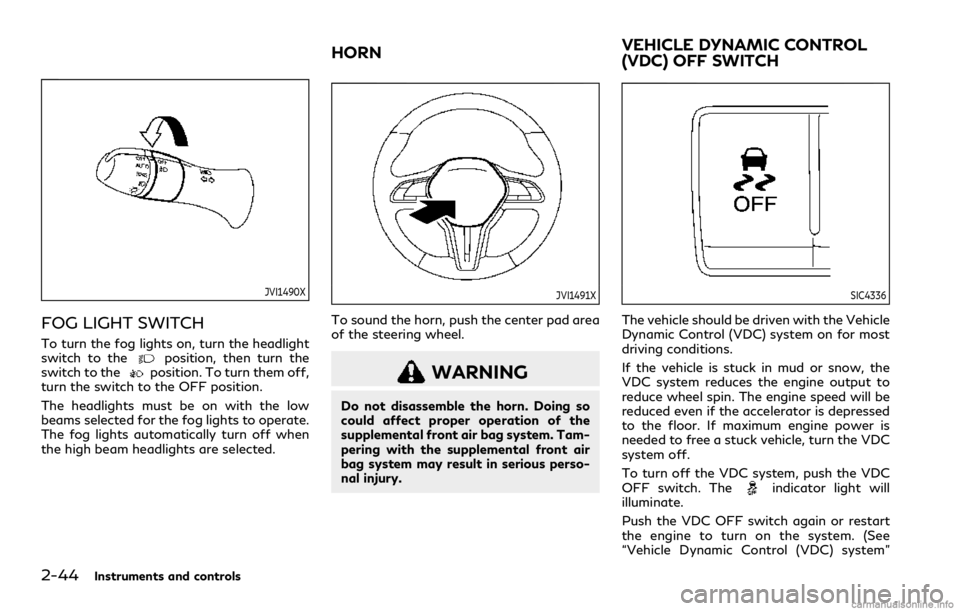
FOG LIGHT SWITCH
To turn the fog lights on, turn the headlight
switch to theposition, then turn the
switch to theposition. To turn them off,
turn the switch to the OFF position.
The headlights must be on with the low
beams selected for the fog lights to operate.
The fog lights automatically turn off when
the high beam headlights are selected.
JVI1491X
To sound the horn, push the center pad area
of the steering wheel.
WARNING
Do not disassemble the horn. Doing so
could affect proper operation of the
supplemental front air bag system. Tam-
pering with the supplemental front air
bag system may result in serious perso-
nal injury.
SIC4336
The vehicle should be driven with the Vehicle
Dynamic Control (VDC) system on for most
driving conditions.
If the vehicle is stuck in mud or snow, the
VDC system reduces the engine output to
reduce wheel spin. The engine speed will be
reduced even if the accelerator is depressed
to the floor. If maximum engine power is
needed to free a stuck vehicle, turn the VDC
system off.
To turn off the VDC system, push the VDC
OFF switch. The
indicator light will
illuminate.
Push the VDC OFF switch again or restart
the engine to turn on the system. (See
“Vehicle Dynamic Control (VDC) system”
HORNVEHICLE DYNAMIC CONTROL
(VDC) OFF SWITCH
Page 125 of 492
![INFINITI Q60 COUPE 2021 Owners Manual system checked. It is recommended
that you visit an INFINITI retailer for
this service.
Push the CLIMATE button and touch
[Steering Heater] on the lower display to
turn on or off the steering wheel he](/img/42/35059/w960_35059-124.png "INFINITI Q60 COUPE 2021 Owners Manual system checked. It is recommended
that you visit an INFINITI retailer for
this service.
Push the CLIMATE button and touch
[Steering Heater] on the lower display to
turn on or off the steering wheel he")
system checked. It is recommended
that you visit an INFINITI retailer for
this service.
Push the CLIMATE button and touch
[Steering Heater] on the lower display to
turn on or off the steering wheel heating
manually. The steering wheel heating will
turn off automatically 30 minutes after it
has been turned on. When the steering
wheel heating is turned on, the indicator
above [Steering Heater] will turn on.
If the surface temperature of the steering
wheel is above the temperature within which
the system is designed to operate, the
system will not heat the steering wheel. This
is not a malfunction.
Automatic steering wheel heating can be
turned on or off from the climate control
settings screen. For details, see “Climate
settings” (P.4-40).
SIC4316
In the storage box
WAC0146X
In the console box
The power outlets are located in the storage
box and in the console box.
CAUTION
.The outlet and plug may be hot
during or immediately after use.
.Do not use with accessories that
exceed a 12 volt, 120W (10A) power
draw. Do not use double adapters or
more than one electrical accessory.
.Use power outlet with the engine
running to avoid discharging the
vehicle battery.
Instruments and controls2-47
POWER OUTLETS
Page 143 of 492

3 Pre-driving checks and adjustments
Keys ...................................................................................... 3-2
Intelligent Key .............................................................. 3-2
Valet hand-off ............................................................. 3-4
Doors .................................................................................... 3-4
Locking with mechanical key ................................... 3-4
Locking with inside lock knob ................................. 3-5
Locking with power door lock switch ................... 3-5
Automatic door locks ................................................. 3-5
Intelligent Key system ..................................................... 3-6
Intelligent Key operating range ............................... 3-8
Door locks/unlocks precaution .............................. 3-8
Intelligent Key operation ........................................... 3-9
Battery saver system ............................................... 3-13
Warning signals ......................................................... 3-13
Troubleshooting guide ............................................. 3-14
Log-in function .......................................................... 3-15
Remote keyless entry system ...................................... 3-15
How to use remote keyless entry system .......... 3-16
Remote engine start (if so equipped) ........................ 3-19
Remote engine start operating range ................ 3-20
Remote starting the engine .................................. 3-20
Extending engine run time ..................................... 3-20
Canceling a remote engine start ........................... 3-21Conditions the remote engine start will
not work .................................................................... 3-21
Hood .................................................................................. 3-22
Trunk lid ............................................................................ 3-22
Trunk lid release switch ......................................... 3-23
Trunk open request switch ................................... 3-23
TRUNK button ......................................................... 3-23
Trunk release power cancel switch .................... 3-24
Interior trunk lid release ........................................ 3-24
Fuel-filler door ................................................................ 3-25
Opening the fuel-filler door ................................. 3-25
Fuel-filler cap ........................................................... 3-25
Tilt/telescopic steering ................................................. 3-27
Manual operation (if so equipped) ..................... 3-28
Electric operation (if so equipped) ..................... 3-28
Sun visors ......................................................................... 3-29
Mirrors .............................................................................. 3-29
Inside mirror .............................................................. 3-29
Outside mirrors ........................................................ 3-31
Vanity mirror ............................................................ 3-33
Memory seat (if so equipped) ..................................... 3-33
Entry/exit function ................................................. 3-33
Memory storage ...................................................... 3-34
System operation .................................................... 3-35
Page 176 of 492

3-34Pre-driving checks and adjustments
— Power seat switches
— Electric tilting/telescopic steering
wheel switch
The entry/exit function can be activated or
canceled by pushing and holding the SET
switch for more than 10 seconds.
The entry/exit function can also be acti-
vated or canceled if the [Lift Steering Wheel
on Exit] key is turned to ON or OFF in the
[Settings] menu on the lower display. (See
the INFINITI InTouch
TMOwner’s Manual.
The displayed keys on the lower display may
vary depending on models, specifications
and software versions.)
Initialize entry/exit function
If the battery cable is disconnected, or if the
fuse opens, the entry/exit function will not
work though this function was set on before.
In such a case, after connecting the battery
or replacing with a new fuse, open and close
the driver’s door more than two times after
the ignition switch is switched from the ON
position to the LOCK position. The entry/
exit function will be activated.
JVP0462X
MEMORY STORAGE
Two positions for the driver’s seat, steering
column and outside mirrors can be stored in
the memory switch. Follow these procedures
to use the memory system.
1. Adjust the driver’s seat, steering column
and outside mirrors to the desired posi-
tions by manually operating each adjust-
ing switch. For additional information,
see “Seats” (P.1-2), “Tilt/telescopic
steering” (P.3-27) and “Outside mirrors”
(P.3-31).
2. Push the SET switch and, within 5
seconds, push the memory switch (1 or
2) fully for at least 1 second.The indicator light for the pushed mem-
ory switch will stay on for approximately
5 seconds after pushing the switch.
When the memory is stored in the
memory switch (1 or 2), a buzzer will
sound.
If memory is stored in the same memory
switch, the previous memory will be
deleted.
Confirming memory storage
Push the SET switch. If the main memory
has not been stored, the indicator light will
come on for approximately 0.5 seconds.
When the memory has stored in position,
the indicator light will stay on for approxi-
mately 5 seconds.
Selecting the memorized position
1. Move the shift lever to the P (Park)
position.
2. Push the memory switch (1 or 2) fully for
at least 1 second.
The driver’s seat, steering column and
outside mirrors will move to the memor-
ized position with the indicator light
flashing, and then the light will stay on
for approximately 5 seconds.