ABS INFINITI Q70-HYBRID 2018 Owners Manual
[x] Cancel search | Manufacturer: INFINITI, Model Year: 2018, Model line: Q70-HYBRID, Model: INFINITI Q70-HYBRID 2018Pages: 458, PDF Size: 2.22 MB
Page 32 of 458

Warninglight Name
Page
12-volt battery charge
warning light 2-11
Anti-lock Braking System
(ABS) warning light2-11
Automatic Transmission
check warning light
2-11
Blind Spot Warning (BSW)/
Blind Spot Intervention (BSI)
system warning light (or-
ange) (if so equipped)2-11
Brake system warning light
(yellow)
2-12
Brake warning light (red) 2-12
Direct Response Hybrid®
System warning light2-13
Distance Control Assist
(DCA) system warning light
(orange) (if so equipped)2-13
Engine oil pressure warning
light
2-13
Forward Emergency Braking
(FEB) system warning light (if
so equipped) 5-
101
High temperature warning
light 2-14Warning
light Name
Page
Hybrid EPS (Electrical Power
Steering) warning light 2-14
Intelligent Cruise Control
(ICC) system warning light
(orange) (if so equipped) 2-15
Lane Departure Warning
(LDW) indicator light (or-
ange) (if so equipped)2-15
Low tire pressure warning
light
2-15
Master warning light 2-16
Seat belt warning light and
chime 2-17
Supplemental air bag warn-
ing light
2-17
Vehicle Dynamic Control
(VDC) warning light2-17Indicator
light Name
Page
Adaptive Front lighting Sys-
tem (AFS) off indicator light
(if so equipped) 2-18
Approaching Vehicle Sound
for Pedestrians (VSP) OFF
indicator light2-18
Automatic Transmission (AT)
position indicator light
2-18
Blind Spot Intervention (BSI)
ON indicator light
(green) (if so equipped)2-18
ECO drive indicator light 2-18
EV indicator light
2-18
Exterior light indicator 2-18
Front fog light indicator light 2-19
Front passenger air bag sta-
tus light 2-19
High beam indicator light 2-19
Lane Departure Prevention
(LDP) ON indicator light
(green) (if so equipped)2-19
Malfunction Indicator Light
(MIL)
2-19
READY to drive indicator
light2-20
Illustrated table of contents0-11
WARNING AND INDICATOR LIGHTS
Page 41 of 458

1-8Safety — Seats, seat belts and supplemental restraint system
SSS1035
Raise
To raise the head restraint/headrest, pull it
up.
Make sure the head restraint/headrest is
positioned so the lock knob is engaged in the
notch before riding in that designated seat-
ing position.
SSS1036
Lower
To lower, push and hold the lock knob and
push the head restraint/headrest down.
Make sure the head restraint/headrest is
positioned so the lock knob is engaged in the
notch before riding in that designated seat-
ing position.
SSS0508
FRONT-SEAT ACTIVE HEAD RE-
STRAINTS
The Active Head Restraint moves forward
utilizing the force that the seatback receives
from the occupant in a rear-end collision.
The movement of the head restraint helps
support the occupant’s head by reducing its
backward movement and helping absorb
some of the forces that may lead to
whiplash-type injuries.
Active Head Restraints are effective for
collisions at low to medium speeds in which
it is said that whiplash-type injury occurs
most.
Active Head Restraints operate only in
Page 97 of 458

2-10Instruments and controls
12-volt battery charge warning lightLane Departure Warning (LDW) indicator
light (orange) (if so equipped)High beam indicator light
Anti-lock Braking System (ABS) warning
lightLow tire pressure warning lightLane Departure Prevention (LDP) ON
indicator light (green) (if so equipped)
Master warning lightMalfunction Indicator Light (MIL)
Automatic transmission check warning
lightSeat belt warning light and chimeREADY to drive indicator light
Blind Spot Warning (BSW)/Blind Spot
Intervention (BSI) system warning light
(orange) (if so equipped)Supplemental air bag warning lightSecurity indicator light
Brake system warning light (yellow)Vehicle Dynamic Control (VDC) warning
lightTurn signal/hazard indicator lights
Brake warning light (red)
Adaptive Front lighting System (AFS) off
indicator light (if so equipped)Vehicle Dynamic Control (VDC) off indi-
cator light
Approaching Vehicle Sound for Pedes-
trians (VSP) OFF indicator light
Direct Response Hybrid®System warning
lightAutomatic transmission (AT) position in-
dicator light
Distance Control Assist (DCA) system
warning light (orange) (if so equipped)Blind Spot Intervention (BSI) ON indicator
light (green) (if so equipped)
Engine oil pressure warning lightECO drive indicator light
Forward Emergency Braking (FEB) sys-
tem warning light (if so equipped)EV indicator light
High temperature warning lightExterior light indicator
Hybrid EPS (Electrical Power Steering)
warning lightFront fog light indicator light
Intelligent Cruise Control (ICC) system
warning light (orange) (if so equipped)Front passenger air bag status light
WARNING LIGHTS, INDICATOR
LIGHTS AND AUDIBLE REMINDERS
Page 98 of 458

CHECKING LIGHTS
With all doors closed, apply the parking
brake, fasten the seat belts and place the
ignition switch in the ON position without
starting the INFINITI Direct Response Hy-
brid
®System. The following lights (if so
equipped) will come on:
,or(red),,,,,,
The following lights (if so equipped) come on
briefly and then go off:
,,or,,,,,,,,,(yellow)
If any light does not come on or operates in a
way other than described, it may indicate a
burned-out bulb and/or a system malfunc-
tion. It is recommended you have the system
checked by an INFINITI retailer.
Some indicators and warnings are also
displayed on the vehicle information display
between the speedometer and tachometer.
(See “Vehicle information display” (P.2-21).)
WARNING LIGHTS
12-volt battery charge warn-
ing light
If the light comes on when the ignition
switch is in the ON position, it may indicate
the charging system is not functioning
properly. It is recommended you visit an
INFINITI retailer for this service.
CAUTION
The charging system may not be func-
tioning properly if the 12-volt battery
charge warning light comes on while the
hybrid system is running. The hybrid
system will stop operating when the
12-volt battery becomes discharged.
Immediately stop the vehicle in a safe
place and it is recommended you contact
your INFINITI retailer.
orAnti-lock Braking
System (ABS) warning light
When the ignition switch is in the ON
position, the Anti-lock Braking System
(ABS) warning light illuminates and then
turns off. This indicates the ABS is opera- tional.
If the ABS warning light illuminates while the
hybrid system is running, or while driving, it
may indicate the ABS is not functioning
properly. Have the system checked. It is
recommended you visit an INFINITI retailer
for this service.
If an ABS malfunction occurs, the anti-lock
function is turned off. The brake system then
operates normally, but without anti-lock
assistance. (See “Brake system” (P.5-120).)
Automatic transmission check
warning light
When the ignition switch is pushed to the
ON position, the light comes on for 2
seconds. If the light comes on at any other
time, it may indicate the transmission is not
functioning properly. It is recommended you
visit an INFINITI retailer to check and repair
the transmission.
Blind Spot Warning (BSW)/
Blind Spot Intervention®(BSI) sys-
tem warning light (orange; if so
equipped)
When the ignition switch is placed in the ON
position, the indicator light will first illumi-
nate in orange and turn green before turning
Instruments and controls2-11
Page 100 of 458

in an accident. Immediately stop the
vehicle in a safe location and it is
recommended you contact an INFINITI
retailer.
A chime sounds if a malfunction occurs in the
brake system power supply.
. Anti-lock Braking System (ABS) warning
light
— Avoid driving at high speed and sud-
den braking, and see an INFINITI
retailer as soon as possible for an
inspection.
WARNING
.Your brake system may not be work-
ing properly if the brake warning
light (red) is on. Driving could be
dangerous. If you judge it to be safe,
drive carefully to the nearest service
station for repairs. Otherwise, have
your vehicle towed because driving it
could be dangerous.
. Pressing the brake pedal with the
hybrid system stopped and/or low
brake fluid level may increase your
stopping distance and braking will
require greater pedal effort as well as
pedal travel. .
If the brake fluid level is below the
minimum or MIN mark on the brake
fluid reservoir, do not drive until the
brake system has been checked. It is
recommended you visit an INFINITI
retailer for this service.
Direct Response Hybrid®Sys-
tem warning light
When the ignition switch is in the ON
position, the Direct Response Hybrid®Sys-
tem (hybrid system) warning light illumi-
nates. After starting the hybrid system, the
hybrid system warning light turns off.
If the hybrid system warning light illuminates
while driving, it may indicate that there is a
malfunction in the electric motor and/or
other hybrid system components.
Stop your vehicle immediately and it is
recommended that you contact your
INFINITI retailer.
If the hybrid system warning light blinks
while driving, it may indicate that the Li-ion
battery charge is low and you cannot
continue to drive.
Do not allow the vehicle to coast when the
Li-ion battery is low or when the hybrid
system warning light blinks while driving.
The engine will not automatically start to charge the Li-ion battery while the vehicle is
coasting.
Distance Control Assist (DCA)
system warning light (orange; if so
equipped)
This light comes on if there is a malfunction
in the Distance Control Assist (DCA) system.
If the warning light illuminates, park the
vehicle in a safe place. Stop the hybrid
system, restart the hybrid system, resume
driving and turn on the DCA system again.
If it is not possible to turn on the system or
the warning light stays on, it may indicate
that the system is malfunctioning. Although
the vehicle is still driveable under normal
conditions, have the vehicle checked. It is
recommended you visit an INFINITI retailer
for this service.
Engine oil pressure warning
light
This light warns of low engine oil pressure. If
the light flickers or comes on during normal
driving, pull off the road in a safe area, stop
the engine immediately and it is recom-
mended that you call an INFINITI retailer or
other authorized repair shop.
The engine oil pressure warning light is not
Instruments and controls2-13
Page 224 of 458

Brake assist...................................................................... 5-121Brake assist................................................................ 5-121
Anti-lock Braking System (ABS) .......................... 5-121
Vehicle Dynamic Control (VDC) system.................. 5-122
Active trace control (if so equipped)................... 5-123
Rise-up and build-up............................................... 5-123
Brake force distribution.......................................... 5-123
Hill Start Assist system ............................................... 5-124 Cold weather driving.................................................... 5-125
Freeing a frozen door lock................................... 5-125
Antifreeze ................................................................. 5-125
12-volt battery........................................................ 5-125
Draining of coolant water.................................... 5-125
Tire equipment ........................................................ 5-125
Special winter equipment..................................... 5-125
Driving on snow or ice .......................................... 5-125
Engine block heater (if so equipped)................. 5-126
Active noise cancellation............................................. 5-127
Page 250 of 458
JVS0693X
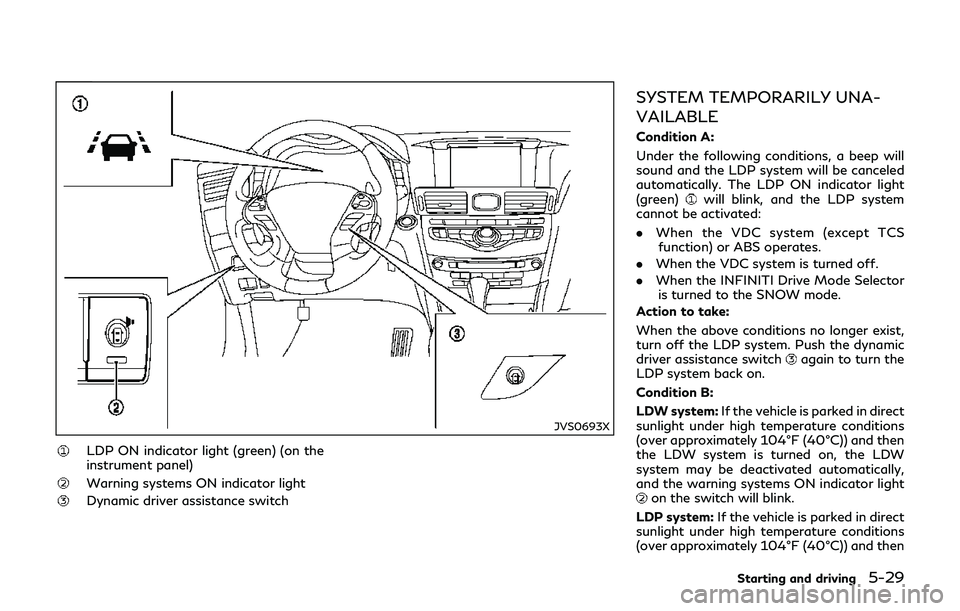
LDP ON indicator light (green) (on the
instrument panel)
Warning systems ON indicator light
Dynamic driver assistance switch
SYSTEM TEMPORARILY UNA-
VAILABLE
Condition A:
Under the following conditions, a beep will
sound and the LDP system will be canceled
automatically. The LDP ON indicator light
(green)
will blink, and the LDP system
cannot be activated:
. When the VDC system (except TCS
function) or ABS operates.
. When the VDC system is turned off.
. When the INFINITI Drive Mode Selector
is turned to the SNOW mode.
Action to take:
When the above conditions no longer exist,
turn off the LDP system. Push the dynamic
driver assistance switch
again to turn the
LDP system back on.
Condition B:
LDW system: If the vehicle is parked in direct
sunlight under high temperature conditions
(over approximately 104°F (40°C)) and then
the LDW system is turned on, the LDW
system may be deactivated automatically,
and the warning systems ON indicator light
on the switch will blink.
LDP system: If the vehicle is parked in direct
sunlight under high temperature conditions
(over approximately 104°F (40°C)) and then
Starting and driving5-29
Page 272 of 458

JVS0710X
BSI ON indicator light (green)/BSI
system warning light (orange)
SYSTEM TEMPORARILY UNA-
VAILABLE
.Under the following conditions, a chime
will sound, the BSI ON indicator light
(green)
will blink and the BSI system
will be turned off automatically. The BSI
system will not be available until the
conditions no longer exist.
— When the VDC system (except TCS function) or ABS operates.
— When the VDC system is turned off.
— When the INFINITI Drive Mode Se- lector is turned to the SNOW mode.
Action to take:
Turn off the BSI system and turn it on again
when the above conditions no longer exist.
. Under the following conditions, the BSI
system will be turned off automatically, a
chime will sound and the BSI system
warning light (orange)
will blink. The
BSI system is not available until the
conditions no longer exist.
— When the camera detects that the interior temperature is high (over
approximately 104°F (40°C)).
— When radar blockage is detected.
The radar sensors may be blocked by
temporary ambient conditions such as
splashing water, mist or fog. The blocked
condition may also be caused by objects
Starting and driving5-51
Page 294 of 458
SSD0983
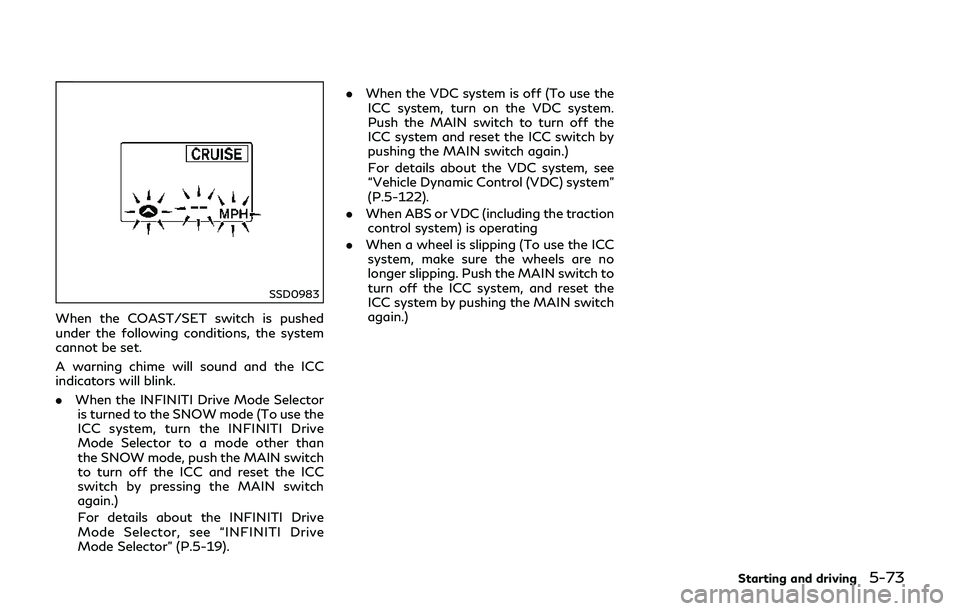
When the COAST/SET switch is pushed
under the following conditions, the system
cannot be set.
A warning chime will sound and the ICC
indicators will blink.
.When the INFINITI Drive Mode Selector
is turned to the SNOW mode (To use the
ICC system, turn the INFINITI Drive
Mode Selector to a mode other than
the SNOW mode, push the MAIN switch
to turn off the ICC and reset the ICC
switch by pressing the MAIN switch
again.)
For details about the INFINITI Drive
Mode Selector, see “INFINITI Drive
Mode Selector” (P.5-19). .
When the VDC system is off (To use the
ICC system, turn on the VDC system.
Push the MAIN switch to turn off the
ICC system and reset the ICC switch by
pushing the MAIN switch again.)
For details about the VDC system, see
“Vehicle Dynamic Control (VDC) system”
(P.5-122).
. When ABS or VDC (including the traction
control system) is operating
. When a wheel is slipping (To use the ICC
system, make sure the wheels are no
longer slipping. Push the MAIN switch to
turn off the ICC system, and reset the
ICC system by pushing the MAIN switch
again.)
Starting and driving5-73
Page 298 of 458

Approach warning
If your vehicle comes closer to the vehicle
ahead due to rapid deceleration of that
vehicle or if another vehicle cuts in, the
system warns the driver with the chime and
ICC system display. Decelerate by depres-
sing the brake pedal to maintain a safe
vehicle distance if:
.The chime sounds.
. The vehicle ahead detection and set
distance indicator blink.
The warning chime may not sound in some
cases when there is a short distance be-
tween vehicles. Some examples are:
. When the vehicles are traveling at the
same speed and the distance between
vehicles is not changing
. When the vehicle ahead is traveling
faster and the distance between vehicles
is increasing
. When a vehicle cuts in near your vehicle
The warning chime will not sound when:
. Your vehicle approaches other vehicles
that are parked or moving slowly.
. The accelerator pedal is depressed, over-
riding the system. NOTE:
The approach warning chime may sound
and the system display may blink when the
radar sensor detects objects on the side of
the vehicle or on the side of the road. This
may cause the ICC system to decelerate or
accelerate the vehicle. The radar sensor may
detect these objects when the vehicle is
driven on winding roads, narrow roads, hilly
roads or when entering or exiting a curve. In
these cases you will have to manually
control the proper distance ahead of your
vehicle.
Also, the sensor sensitivity can be affected
by vehicle operation (steering maneuver or
driving position in the lane) or traffic or
vehicle condition (for example, if a vehicle is
being driven with some damage).
Automatic cancellation
A chime sounds under the following condi-
tions and the control is automatically can-
celed.
.
When the vehicle ahead is not detected
and your vehicle is traveling below the
speed of 15 MPH (24 km/h)
. When the system judges the vehicle is at
standstill
. When the shift lever is not in the D (Drive)
or manual shift mode .
When the parking brake is applied
. When the INFINITI Drive Mode Selector
is turned to the SNOW mode
. When the VDC system is turned off
. When ABS or VDC (including the traction
control system) operates
. When distance measurement becomes
impaired due to adhesion of dirt or
obstruction to the sensor
. When a wheel slips
. When the radar signal is temporarily
interrupted
Vehicle-to-vehicle distance control
mode limitations
WARNING
Listed below are the system limitations
for the ICC system. Failure to operate
the vehicle in accordance with these
system limitations could result in serious
injury or death.
. The system is primarily intended for
use on straight, dry, open roads with
light traffic. It is not advisable to use
the system in city traffic or con-
gested areas.
. This system will not adapt automati-
cally to road conditions. This system
Starting and driving5-77