towing INFINITI QX 2013 User Guide
[x] Cancel search | Manufacturer: INFINITI, Model Year: 2013, Model line: QX, Model: INFINITI QX 2013Pages: 578, PDF Size: 3.92 MB
Page 393 of 578

5-52Starting and driving
.The brake engagement by the BCI
system is not as effective on a slope as
it is on flat ground. When on a steep
slope the system may not function
properly.
. Do not use the BCI systems under the
following conditions because the system
may not function properly.
—When driving with a tire that is not
within normal tire conditions (for
example, tire wear, low tire pressure,
installation of spare tire, tire chains,
non-standard wheels).
—When the vehicle is equipped with
non-original brake parts or suspen-
sion parts.
—When towing a trailer.
. Excessive noise (for example, audio
system volume, open vehicle window)
will interfere with the chime sound, and
it may not be heard.
JVS0183X
BCI temporarily not available
Under the following conditions, the BCI
system will be turned off automatically, a
beep will sound and “BCI NOT AVAILABLE”
warning will appear in the vehicle informa-
tion display.
. When the accelerator pedal actuator
detects that the internal motor tem-
perature is high (over approximately
(2128F) 1008C).
. When side radar blockage is detected.
The BCI system is not available until the
conditions no longer exist.
Turn off the BCI system and turn it on again when the above conditions no longer exist.
Page 400 of 578

under the following conditions. To avoid
accidents, never use the ICC system
under the following conditions:
—On roads where the traffic is heavyor there are sharp curves
—On slippery road surfaces such as
on ice or snow, etc.
—On off-road surfaces such as onsand or rock, etc.
—During bad weather (rain, fog, snow,
etc.)
—When the windshield wipers areoperating at high speed. The system
may cancel when the wipers are set
to the AUTO position.
—When strong light (for example, at sunrise or sunset) is directly shining
on the front of the vehicle
—When rain, snow or dirt adhere tothe system sensor
—On steep downhill roads (the vehi-cle may go beyond the set vehicle
speed and frequent braking may
result in overheating the brakes)
—On repeated uphill and downhillroads
—When traffic conditions make itdifficult to keep a proper distance
between vehicles because of fre-
quent acceleration or deceleration
—When towing a trailer or othervehicle
. In some road or traffic conditions, a
vehicle or object can unexpectedly come
into the sensor detection zone and cause
automatic braking. You may need to
control the distance from other vehicles
using the accelerator pedal. Always stay
alert and avoid using the ICC system
when it is not recommended in this
section.
JVS0227X
VEHICLE-TO-VEHICLE DISTANCE
CONTROL MODE OPERATION
Always pay attention to the operation of
the vehicle and be ready to manually
control the proper following distance. The
vehicle-to-vehicle distance control mode of
the Intelligent Cruise Control (ICC) system
may not be able to maintain the selected
distance between vehicles (following dis-
tance) or selected vehicle speed under
some circumstances.
The vehicle-to-vehicle distance control
mode uses a sensor
*Alocated on the
front of the vehicle to detect vehicles
Starting and driving5-59
Page 401 of 578

5-60Starting and driving
traveling ahead. The sensor generally
detects the signals returned from the
reflectors on a vehicle ahead. Therefore, if
the sensor cannot detect the reflector on
the vehicle ahead, the ICC system may not
maintain the selected distance.
The following are some conditions in which
the sensor cannot detect the signals:
.When the reflector of the vehicle ahead
is positioned high on the vehicle
(trailer, etc.)
. When the reflector on the vehicle ahead
is missing, damaged or covered
. When the reflector of the vehicle ahead
is covered with dirt, snow and road
spray
. When the snow or road spray from
traveling vehicles reduces the sensor’s
visibility
. When dense exhaust or other smoke
(black smoke) from vehicles reduces
the sensor’s visibility
. When excessively heavy baggage is
loaded in the rear seat or the luggage
area of your vehicle
. When your vehicle is towing a trailer,
etc.
The ICC system is designed to automati- cally check the sensor’s operation within
the limitation of the system. When the
sensor is covered with dirt or obstructs, the
system will automatically be canceled. If
the sensor is covered with ice, a transpar-
ent or translucent vinyl bag, etc., the ICC
system may not detect them. In these
instances, the vehicle-to-vehicle distance
control mode may not cancel and may not
be able to maintain the selected following
distance from the vehicle ahead. Be sure to
check and clean the sensor regularly.
The vehicle-to-vehicle distance control
mode is designed to maintain a selected
distance and reduce the speed to match
the slower vehicle ahead; the system will
decelerate the vehicle as necessary, and if
the vehicle ahead comes to a stop, the
vehicle decelerates to a standstill. How-
ever, the ICC system can only apply up to
25% of the vehicles total braking power.
This system should only be used when
traffic conditions allow vehicle speeds to
remain fairly constant or when vehicle
speeds change gradually. If a vehicle
moves into the traveling lane ahead or if
a vehicle traveling ahead rapidly decele-
rates, the distance between vehicles may
become closer because the ICC system
cannot decelerate the vehicle quickly en-
ough. If this occurs, the ICC system will
sound a warning chime and blink the
system display to notify the driver to take
necessary action.
The system will cancel and a warning
chime will sound if the speed falls below
approximately 15 MPH (24 km/h) and a
vehicle is not detected ahead. The system
will also disengage when the vehicle goes
above the maximum set speed.
See
“Approach warning” later in this
section.
The following items are controlled in the
vehicle-to-vehicle distance control mode:
. When there are no vehicles traveling
ahead, the vehicle-to-vehicle distance
control mode maintains the speed set
by the driver. The set speed range is
between approximately 20 and 90 MPH
(32 and 144 km/h).
. When there is a vehicle traveling ahead,
the vehicle-to-vehicle distance control
mode adjusts the speed to maintain the
distance, selected by driver, from the
vehicle ahead. The adjusting speed
range is up to the set speed. If the
vehicle ahead comes to a stop, the
vehicle decelerates to a standstill with-
Page 420 of 578

The detection range of the sensor is
approximately 390 ft (120 m) ahead.
WARNING
.This system is only an aid to assist the
driver and is not a collision warning or
avoidance device. It is the driver’ s
responsibility to stay alert, drive safely
and be in control of the vehicle at all
times.
. This system will not adapt automatically
to road conditions. Do not use the
system on roads with sharp curves, or
on icy roads, in heavy rain or in fog.
The distance sensor will not detect the
following objects:
.Stationary and slow moving vehicles
. Pedestrians or objects in the roadway
. Oncoming vehicles in the same lane
. Motorcycles traveling offset in the travel
lane
WARNING
. As there is a performance limit to the
distance control function, never rely
solely on the Distance Control Assist
system. This system does not correct
careless, inattentive or absent-minded
driving, or overcome poor visibility in
rain, fog, or other bad weather. Decele-
rate the vehicle speed by depressing the
brake pedal, depending on the distance
to the vehicle ahead and the surround-
ing circumstances in order to maintain a
safe distance between vehicles.
. The system may not function properly
under the following conditions. To avoid
accidents, never use the Distance Con-
trol Assist system under the following
conditions:
—On roads with sharp curves
—On slippery road surfaces such as
on ice or snow, etc.
—On off-road surfaces such as onsand or rock, etc.
—During bad weather (rain, fog, snow,etc.)
—When strong light (for example, atsunrise or sunset) is directly shining
on the front of the vehicle
—When rain, snow or dirt adhere tothe system sensor
—On steep downhill roads (frequent
braking may result in overheating
the brakes)
—On repeated uphill and downhillroads
—When towing a trailer or othervehicle
. In some road or traffic conditions, a
vehicle or object can unexpectedly come
into the sensor detection zone and cause
automatic braking. You may need to
control the distance from other vehicles
using the accelerator pedal. Always stay
alert and avoid using the DCA system
when it is not recommended in this
section.
Starting and driving5-79
Page 432 of 578

The FCW system uses the distance sensor
*Alocated below the front bumper to
measure the distance to the vehicle ahead.
When the system judges that your vehicle
is getting close to the vehicle ahead in the
travel lane, the vehicle ahead detection
indicator blinks and a warning chime
sounds.
PRECAUTIONS ON FCW SYSTEM
WARNING
. The FCW system is intended to warn you
before a collision but will not avoid a
collision. It is the driver’s responsibility
to stay alert, drive safely and be in
control of the vehicle at all times.
. As there is a performance limit, the
system may not provide a warning in
certain conditions.
. The system will not detect the following
objects:
—Pedestrians, animals or obstacles in
the roadway
—Oncoming vehicles in the same lane
. The system will not detect another
vehicle under the following conditions:
—When the sensor gets dirty and it is
impossible to detect the distance
from the vehicle ahead.
—When driving into a strong light (forexample, sunlight)
. The sensor generally detects the signals
returned from the reflectors on a vehicle
ahead. Therefore, the system may not
function properly under the following
conditions:
—When the reflectors of the vehicle
ahead are positioned high or close to
each other (including a small vehicle
such as motorcycles).
—When the sensor gets dirty or it isimpossible to detect the distance
from the vehicle ahead.
—When the reflectors on the vehicle
ahead are missing, damaged or
covered.
—When the reflectors of the vehicleahead are covered with dirt, snow or
road spray.
—When visibility is low (such as rain,fog, snow, etc.).
—When snow or road spray fromtraveling vehicles is splashed.
—When dense exhaust or other smoke (black smoke) from vehicles reduces
the visibility of the sensor.
—When excessively heavy baggage is
loaded in the rear seat or the
luggage room of your vehicle.
—When abruptly accelerating or de-celerating.
—On a steep downhill slope or onroads with sharp curves.
—When there is a highly reflectiveobject near the vehicle ahead (for
example, being very close to another
vehicle, signboard, etc.).
—When you are towing a trailer.
. Depending on certain road conditions
(curved or beginning of a curve), vehicle
conditions (steering position or vehicle
position), or the preceding vehicle’ s
conditions (position in lane, etc.), the
system may not function properly. The
system may detect highly reflective
objects such as reflectors, signs, white
markers, and other stationary objects on
the road or near the traveling lane and
Starting and driving5-91
Page 437 of 578

5-96Starting and driving
—When the reflectors of the vehicleahead are covered with dirt, snow or
road spray.
—When visibility is low (such as rain,fog, snow, etc.).
—When snow or road spray from
traveling vehicles is splashed.
—When dense exhaust or other smoke (black smoke) from vehicles reduces
the visibility of the sensor.
—When excessively heavy baggage isloaded in the rear seat or the
luggage room of your vehicle.
—When abruptly accelerating or de-
celerating.
—On a steep downhill slope or onroads with sharp curves.
—When there is a highly reflective
object near the vehicle ahead (for
example, being very close to another
vehicle, signboard, etc.).
—When towing a trailer or othervehicle.
. Depending on certain road conditions
(curved or beginning of a curve), vehicle
conditions (steering position or vehicle position), or the preceding vehicle’
s
conditions (position in lane, etc.), the
system may not function properly.
. The system may not function in offset
conditions.
. The system may not function when the
distance to the vehicle ahead is extre-
mely close.
SSD0782
Reflectors on the road
WARNING
.The system may detect highly reflective
objects such as reflectors, signs, white
markers and other stationary objects on
the road or near the traveling lane.
In extreme conditions, detection of these
objects may cause the system to func-
tion.
. The system is designed to automatically
check the sensor’s functionality. If the
sensor is covered with ice, a transparent
or translucent plastic bag, etc., the
Page 462 of 578
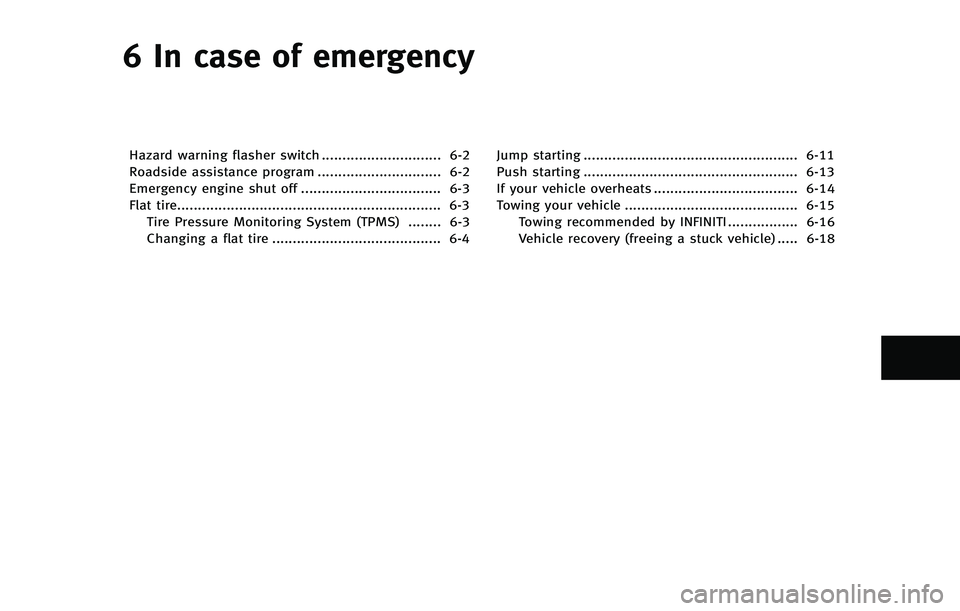
6 In case of emergency
Hazard warning flasher switch ............................. 6-2
Roadside assistance program .............................. 6-2
Emergency engine shut off .................................. 6-3
Flat tire................................................................ 6-3Tire Pressure Monitoring System (TPMS) ........ 6-3
Changing a flat tire ......................................... 6-4 Jump starting .................................................... 6-11
Push starting .................................................... 6-13
If your vehicle overheats ................................... 6-14
Towing your vehicle .......................................... 6-15
Towing recommended by INFINITI ................. 6-16
Vehicle recovery (freeing a stuck vehicle) ..... 6-18
Page 472 of 578

is recommended that wheel nuts be
tightened to specifications at each
lubrication interval.
.Adjust tire pressure to the COLDpressure.
COLD pressure:
After the vehicle has been parked
for three hours or more or driven
less than 1 mile (1.6 km).
COLD tire pressures are shown on
the Tire and Loading Information
label affixed to the driver side center
pillar.
After adjusting tire pressure to the COLD
tire pressure, the display of the tire
pressure information may show higher
pressure than the COLD tire pressure after
the vehicle has been driven more than 1
mile (1.6 km). This is because the tire
pressurizes as the tire temperature rises.
This does not indicate a system malfunc-
tion.
Stowing the damaged tire and tools
1. Securely store the damaged tire, jack and tools in the storage area.
2. Close the cargo floor cover.
3. Replace the cargo floor board.
4. Close the lift gate.
WARNING
. Always make sure that the spare tire and
jacking equipment are properly secured
after use. Such items can become
dangerous projectiles in an accident or
sudden stop.
. The full-size temporary use only spare
tire (if so equipped) is designed for
emergency use. (See specific instruc-
tions under the heading “Wheels and
tires” in the “8. Maintenance and do-it-
yourself” section.)
To start your engine with a booster battery,
the instructions and precautions below
must be followed.
WARNING
.If done incorrectly, jump starting can
lead to a battery explosion, resulting in
severe injury or death. It could also
damage your vehicle.
. Explosive hydrogen gas is always pre-
sent in the vicinity of the battery. Keep
all sparks and flames away from the
battery.
. Do not allow battery fluid to come into
contact with eyes, skin, clothing or
painted surfaces. Battery fluid is a
corrosive sulphuric acid solution which
can cause severe burns. If the fluid
should come into contact with anything,
immediately flush the contacted area
with water.
. Keep the battery out of the reach of
children.
. The booster battery must be rated at 12
volts. Use of an improperly rated battery
can damage your vehicle.
In case of emergency6-11
JUMP STARTING
Page 474 of 578

CAUTION
.Always connect positive (+) to positive
(+) and negative (−) to body ground (as
illustrated) —not to the battery.
. Make sure the jumper cables do not
touch moving parts in the engine com-
partment and that clamps do not contact
any other metal.
6. Start the engine of the booster vehicle
*Aand let it run for a few minutes.
7. Keep the engine speed of the booster vehicle
*Aat about 2,000 rpm, and
start the engine of the vehicle being
jump started
*B.
CAUTION
Do not keep the starter motor engaged for
more than 10 seconds. If the engine does
not start right away, push the ignition
switch to the OFF position and wait 10
seconds before trying again.
8. After starting your engine, carefully disconnect the negative cable and then the positive cable (
*4?*3?*2?
*1).
9. Replace the vent caps (if so equipped). Be sure to dispose of the cloth used to
cover the vent holes as it may be
contaminated with corrosive acid.
10. Put the battery cover on. Do not attempt to start the engine by
pushing.
CAUTION
.
Automatic transmission models cannot
be push-started or tow-started. Attempt-
ing to do so may cause transmission
damage.
. Three way catalyst equipped models
should not be started by pushing since
the three way catalyst may be damaged.
. Never try to start the vehicle by towing
it; when the engine starts, the forward
surge could cause the vehicle to collide
with the tow vehicle.
In case of emergency6-13
PUSH STARTING
Page 476 of 578

When towing your vehicle, all State (Pro-
vincial in Canada) and local regulations for
towing must be followed. Incorrect towing
equipment could damage your vehicle.
Towing instructions are available from an
INFINITI retailer. Local service operators are
familiar with the applicable laws and
procedures for towing. To assure proper
towing and to prevent accidental damage
to your vehicle, INFINITI recommends that
you have a service operator tow your
vehicle. It is advisable to have the service
operator carefully read the following pre-
cautions.
WARNING
.Never ride in a vehicle that is being
towed.
. Never get under your vehicle after it has
been lifted by a tow truck.
CAUTION
.When towing, make sure that the trans-
mission, axles, steering system and
powertrain are in working condition. If
any of these conditions apply, dollies or a flatbed tow truck must be used.
. Always attach safety chains before tow-
ing.
For information about towing your vehicle
behind a recreational vehicle (RV), see
“Flat towing” in the“9. Technical and
consumer information” section of this
manual.
In case of emergency6-15
TOWING YOUR VEHICLE