lights INFINITI QX50 2014 Owner's Guide
[x] Cancel search | Manufacturer: INFINITI, Model Year: 2014, Model line: QX50, Model: INFINITI QX50 2014Pages: 498, PDF Size: 2.47 MB
Page 112 of 498

SSD1156
The warning systems switch will turn on
and off the Lane Departure Warning (LDW)
system, the Blind Spot Warning (BSW)
system and the Forward Collision Warning
(FCW) system at the same time.
The LDW system will sound a warning
chime and blink the lane departure warn-
ing light (orange) to alert the driver if the
vehicle is traveling close to either the left
or the right of a traveling lane with
detectable lane markers. (See“Lane De-
parture Warning (LDW) system/Lane De-
parture Prevention (LDP) system” (P.5-19).)
The BSW system will illuminate the Blind
Spot Warning (BSW) indicator lights, lo- cated next to the outside mirrors, when the
radar sensors detect a vehicle in the
detection zone. If the turn signal is
activated in the direction of the detected
vehicle, a chime sounds twice and the BSW
indicator light will flash. (See
“Blind Spot
Warning (BSW) system” (P.5-27).)
The FCW system will sound a warning
chime and the vehicle ahead detection
indicator light blinks to alert the driver if
the vehicle is traveling close to the vehicle
ahead. (See “Forward Collision Warning
(FCW) system” (P.5-71).)
The warning systems switch is automati-
cally turned on when the engine is started,
and the warning systems ON indicator
*1
on the switch illuminates.
To cancel the warning systems, push the
warning systems switch to turn off the
system. The warning systems ON indicator
will turn off.
NOTE:
If you continue to push the warning
systems switch from off to on for over 4
seconds, a chime will sound. This will
change the default status of the LDW, BSW
and FCW systems to OFF so that these
systems will not automatically turn on when the engine is started. If this proce-
dure is repeated, the default status will
return to ON.
Instruments and controls2-41
WARNING SYSTEMS SWITCH (if so
equipped)
Page 115 of 498
2-44Instruments and controls
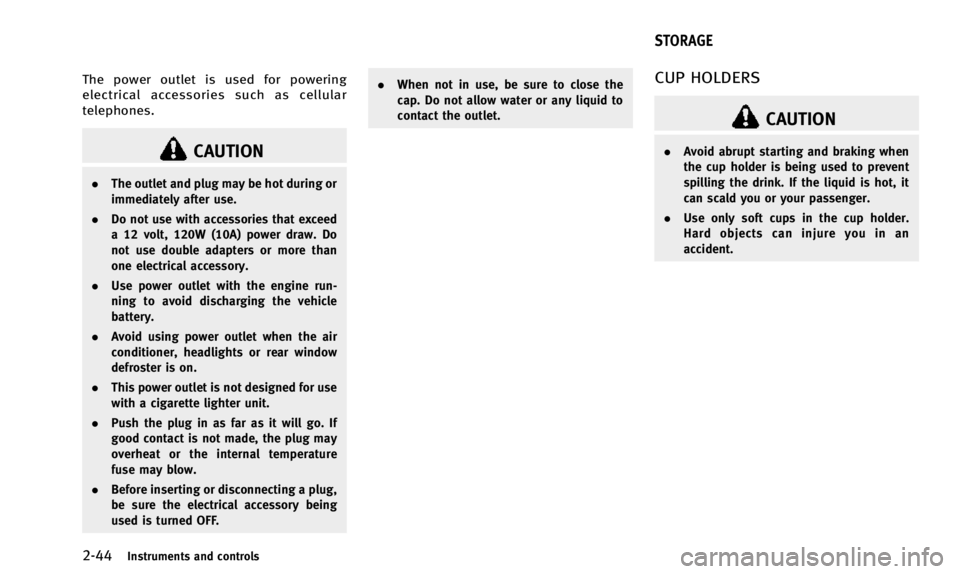
The power outlet is used for powering
electrical accessories such as cellular
telephones.
CAUTION
.The outlet and plug may be hot during or
immediately after use.
. Do not use with accessories that exceed
a 12 volt, 120W (10A) power draw. Do
not use double adapters or more than
one electrical accessory.
. Use power outlet with the engine run-
ning to avoid discharging the vehicle
battery.
. Avoid using power outlet when the air
conditioner, headlights or rear window
defroster is on.
. This power outlet is not designed for use
with a cigarette lighter unit.
. Push the plug in as far as it will go. If
good contact is not made, the plug may
overheat or the internal temperature
fuse may blow.
. Before inserting or disconnecting a plug,
be sure the electrical accessory being
used is turned OFF. .
When not in use, be sure to close the
cap. Do not allow water or any liquid to
contact the outlet.
CUP HOLDERS
CAUTION
.Avoid abrupt starting and braking when
the cup holder is being used to prevent
spilling the drink. If the liquid is hot, it
can scald you or your passenger.
. Use only soft cups in the cup holder.
Hard objects can injure you in an
accident.
STORAGE
Page 118 of 498

SIC3663
CARD HOLDER
Pull the sun visor down*1and slide a card
in the card holder
*A.
SSS0831
SEAT-MOUNTED JACKET HANGER (if
so equipped)
The driver’s side head restraint is equipped
with a retractable jacket hanger. Pull the
hanger out as illustrated until it locks. Be
sure to return the hanger after use.
This hanger is designed to be used only for
clothes (maximum load limit: 7.7 lb (3.5
kg)).
To help avoid staining clothes or affecting
the comfort of the passenger behind, do
not use the seat-mounted jacket hanger
while the seat behind is occupied by a
passenger or a child restraint.
SIC3248
COAT HOOKS
The coat hooks are equipped beside the
rear personal lights.
CAUTION
Do not place items which are more than 2 lb
(1 kg) on the hook.
Instruments and controls2-47
Page 126 of 498

SIC3642
To activate or deactivate the welcome light
function, perform the following procedure.
Note that the function is set to disabled as
the factory default setting.
1. Push the ignition switch to the ONposition.
2. Open the driver’s side door.
3. Within 20 seconds after the ignition switch is pushed to the ON position,
push the door open request switch on
the driver’s side door handle for more
than 5 seconds with the driver’s door
open. 4. A chime sounds when the setting is
completed.
Once the welcome light function is active,
the puddle light
*Aand the passenger
cabin illumination will illuminate when you
approach the vehicle with the Intelligent
Key (within approximately 3.3 feet (1 m) of
the antenna built inside the door handles)
and the following conditions are met.
. All doors are closed and locked.
. The ignition switch is in the LOCK or OFF
position.
. The Intelligent Key is outside the
vehicle.
. The puddle light operates within a set
duration.
The welcome light function will be deacti-
vated automatically if it does not operate
within a set duration to prevent battery
discharge. Note that the duration is set to
14 days.
SIC3249
MAP LIGHTS
Push the button as illustrated to turn the
light on or off.
Instruments and controls2-55
WELCOME LIGHT INTERIOR LIGHTS
Page 127 of 498

2-56Instruments and controls
SIC3250
PERSONAL LIGHTS
Rear
Push the button as illustrated to turn the
light on or off.
SIC3251
INTERIOR LIGHT CONTROL SWITCH
The interior light control switch has three
positions: ON, DOOR and OFF.
ON position
When the switch is in the ON position*1
the map lights and rear personal lights will
illuminate.
DOOR position
When the switch is in the DOOR position
*2, the map lights and rear personal lights
will illuminate under the following condi-
tions: .
ignition switch is switched to the LOCK
position
— remain on for about 15 seconds.
. doors are unlocked by pushing the
UNLOCK button on the Intelligent Key
or door handle request switch with the
ignition switch in the LOCK position
— remain on for about 15 seconds.
. any door is opened and then closed
with the ignition switch in the LOCK
position
— remain on for about 15 seconds.
. any door is opened with the ignition
switch in the ACC or ON position
— remain on while the door is opened.
When the door is closed, the lights
go off.
The lights will also turn off after a period
of time when the lights remain illuminated
after the ignition switch has been pushed
to the OFF or LOCK position to prevent the
battery from becoming discharged.
Page 128 of 498

When the auto interior illumination is set
to the OFF position (see“Vehicle informa-
tion and settings” (P.4-10)), the lights will
illuminate under the following condition:
. any door is opened with the ignition
switch in any position
— remain on while the door is opened.
When the door is closed, the lights
go off.
OFF position
When the switch is in the OFF position*3,
the lights will not illuminate, regardless of
the condition.
CAUTION
Do not use for extended periods of time with
the engine stopped. This could result in a
discharged battery.
SIC3869
The light on the vanity mirror will turn on
when the cover on the vanity mirror is
opened.
When the cover is closed, the light will turn
off.
The lights will also turn off after a period
of time when the lights remain illuminated
to prevent the battery from becoming
discharged.
SIC2925
When the switch is in the DOOR position
*A, the light illuminates while the lift gate
is opened. When the lift gate is closed, the
light will turn off.
When the switch is in the OFF position
*B,
the light will turn off.
The light will turn off after a period of time
when the lights remain illuminated to
prevent the battery from becoming dis-
charged.
Instruments and controls2-57
VANITY MIRROR LIGHTS CARGO LIGHT
Page 148 of 498

3. Push the LOCKbutton*1on the
Intelligent Key.
4. All the doors, the lift gate and fuel-filler door will lock.
5. The hazard indicator flashes twice and the horn chirps once.
*: Doors will lock with the Intelligent Key
while the ignition switch is in the ACC or
ON position.
Unlocking doors and fuel-filler door
1. Push the UNLOCKbutton*2on the
Intelligent Key once.
2. The hazard indicator flashes once. The driver’s door and fuel-filler door will
unlock.
3. Push the UNLOCK
button on the
Intelligent Key again within 60 sec-
onds.
4. The hazard indicator flashes once again. All the doors and the lift gate
will unlock.
All doors will be locked automatically
unless one of the following operations is
performed within 1 minute after pushing
the UNLOCK
button on the Intelligent
Key while the doors are locked. If during
this 1-minute time period, the UNLOCK
button on the Intelligent Key is pushed, all
doors will be locked automatically after
another 1 minute.
. Opening any door
. Pushing the ignition switch
Opening windows
The UNLOCKbutton operation also
allows you to open a window that is
equipped with the automatic open/close
function. (See “Power windows” (P.2-51).)
To open the windows, push the door
UNLOCK
button on the Intelligent Key
for about 3 seconds after the door is
unlocked.
To stop opening, release the UNLOCK
button.
Window cannot be closed using the In-
telligent Key.
The door window can be opened or closed
by turning the mechanical key in a door
lock. (See “Doors”(P.3-4).)
Using panic alarm
If you are near your vehicle and feel
threatened, you may activate the alarm to
call attention as follows: 1. Push the PANIC
button*3on the
Intelligent Key for more than 1 second.
2. The theft warning alarm and headlights will stay on for 25 seconds.
3. The panic alarm stops when:
.It has run for 25 seconds, or.Any of the buttons on the Intelligent key are pushed. (Note: Panic button
should be pushed for more than 1
second.)
Setting hazard indicator and horn
mode
This vehicle is set in hazard indicator and
horn mode when you first receive the
vehicle.
In hazard indicator and horn mode, when
the LOCK
button*1is pushed, the
hazard indicator flashes twice and the horn
chirps once. When the UNLOCK
button
*2is pushed, the hazard indicator flashes
once.
If horns are not necessary, the system can
be switched to the hazard indicator mode.
In hazard indicator mode, when the LOCK
button is pushed, the hazard indicator
flashes twice. When the UNLOCK
button is pushed, neither the hazard
Pre-driving checks and adjustments3-15
Page 156 of 498

2. To block glare from the side, removethe main sun visor from the center
mount and swing the visor to the side
*2.
3. Slide the sun visor
*3in or out as
needed.
SPA2447
INSIDE MIRROR
Adjust the height and the angle of the
inside mirror to the desired position.
SPA2143
Manual anti-glare type
The night position*1will reduce glare
from the headlights of vehicles behind you
at night.
Use the day position
*2when driving in
daylight hours.
WARNING
Use the night position only when necessary,
because it reduces rearview clarity.
Pre-driving checks and adjustments3-23
MIRRORS
Page 157 of 498

3-24Pre-driving checks and adjustments
SPA2450
Automatic anti-glare type
The inside mirror is designed so that it
automatically changes reflection according
to the intensity of the headlights of the
following vehicle.
The anti-glare system will be automatically
turned on when the ignition switch is
pushed to the ON position.
When the anti-glare system is turned on,
the indicator light
*Awill illuminate and
excessive glare from the headlights of the
vehicle behind you will be reduced.
Push the “*”switch
*Cto make the
inside rearview mirror operate normally. The indicator light will turn off. Push the
“I”
switch
*Dto turn the system on.
Do not allow any object to cover the
sensors
*Eor apply glass cleaner on
them. Doing so will reduce the sensitivity
of the sensor, resulting in improper
operation.
For the HomeLink
®Universal Transceiver
operation, see “HomeLink®Universal
Transceiver” (P.2-58).
SPA2319
OUTSIDE MIRRORS
WARNING
Objects viewed in the outside mirror on the
passenger side are closer than they appear.
Be careful when moving to the right. Using
only this mirror could cause an accident.
Use the inside mirror or glance over your
shoulder to properly judge distances to
other objects.
Page 159 of 498

3-26Pre-driving checks and adjustments
SIC3869
VANITY MIRROR
To use the front vanity mirror, pull down
the sun visor and pull up the cover.The automatic drive positioner system has
three features:
.
Entry/exit function
. Seat synchronization function
. Memory storage
ENTRY/EXIT FUNCTION
This system is designed so that the driver’s
seat and steering column will automati-
cally move when the automatic transmis-
sion shift lever is in the P (Park) position.
This allows the driver to get into and out of
the driver’s seat more easily.
The driver’s seat will slide backward and
the steering wheel will move up when the
driver’s door is opened with the ignition
switch in the OFF position.
The driver’s seat and steering wheel will
return to the previous positions when one
of the following is operated:
. When the ignition switch is pushed to
the ACC position after the driver’s door
is closed.
. When the ignition switch is pushed to
the ON position.
. When the Intelligent Key is inserted into
the port after the driver’ s door is
closed. The driver’s seat will not return to the
previous positions if the seat or steering
adjusting switch is operated when the seat
is at the exit position.
Cancel or activate entry/exit func-
tion
The shift lever must be in the P (Park)
position with the ignition switch in the OFF
position.
The entry/exit function can be activated or
canceled by pressing and holding the SET
switch for more than 10 seconds.
The indicator lights on the memory
switches (1 and 2) will blink once when
the function is canceled, and the indicator
lights will blink twice when the function is
activated.
The entry/exit function can also be acti-
vated or canceled if the “Lift Steering
Wheel on Exit” key or“Slide Driver Seat
Back on Exit” key is turned to ON or OFF in
the “Comfort” settings. (See “Vehicle
information and settings” (P.4-10).)
AUTOMATIC DRIVE POSITIONER (if so
equipped)