air condition INFINITI QX50 2014 Owner's Manual
[x] Cancel search | Manufacturer: INFINITI, Model Year: 2014, Model line: QX50, Model: INFINITI QX50 2014Pages: 498, PDF Size: 2.47 MB
Page 212 of 498

To turn off the heater and air conditioner,
push the“OFF”button.
Cooling and dehumidified heating:
1. Push the “AUTO”button.
(The AUTO indicator light will illuminate
and “AUTO” will appear on the display.)
2. If the A/C indicator light does not illuminate, push the “A/C”button.
(The A/C indicator light will illuminate.)
3. Turn the temperature control dial (dri- ver’s side) to set the desired tempera-
ture.
.The temperature can be set withinthe following range.
— For U.S.: 60 to 908F
— For Canada: 18 to 328C
.When the DUAL indicator light is
turned off:
— Pushing the driver’s side “AUTO”
button changes both the driver’s
and front passenger’s side tem-
perature.
— Pushing the passenger’ s side
“DUAL” button changes only the
front passenger’s side tempera-
ture. (The DUAL indicator light
will illuminate and “DUAL”will appear on the display.)
.To set separate desired tempera-
tures for the driver and front pas-
senger, push the “DUAL”button, the
indicator light illuminates, and then
turn the corresponding temperature
control dial.
.To cancel the separate temperature setting, push the “DUAL”button, the
indicator light turns off, and the
driver’s side temperature setting will
be applied to both the driver’s and
front passenger’s sides.
A visible mist may be seen coming from the
ventilators in hot, humid conditions as the
air is cooled rapidly. This does not indicate
a malfunction.
Heating (A/C off):
1. Push the “AUTO”button.
(The AUTO indicator light will illuminate
and “AUTO” will appear on the display.)
2. If the A/C indicator light illuminates, push the “A/C”button.
(The A/C indicator light will turn off.)
3. Turn the temperature control dial to set the desired temperature.
.When the DUAL indicator light isturned off:
— Pushing the driver’s side “AUTO”
button changes both the driver’s
and front passenger’s side tem-
perature.
— Pushing the passenger’ s side
“DUAL” button changes only the
front passenger’s side tempera-
ture. (The DUAL indicator light
will illuminate and “DUAL”will
appear on the display.)
.To set separate desired tempera- tures for the driver and front pas-
senger, push the “DUAL”button, the
indicator light illuminates, and then
turn the corresponding temperature
control dial.
.To cancel the separate temperature setting, push the “DUAL”button, the
indicator light turns off, and the
driver’s side temperature setting will
be applied to both the driver’s and
front passenger’s sides.
.Do not set the temperature lower than the outside air temperature.
Doing so may cause the temperature
not to be controlled properly.
Monitor, climate, audio, phone and voice recognition systems4-49
Page 213 of 498
4-50Monitor, climate, audio, phone and voice recognition systems
.If the windows fog up, use dehumi-dified heating instead of the A/C off
heating.
Dehumidified defrosting/defogging:
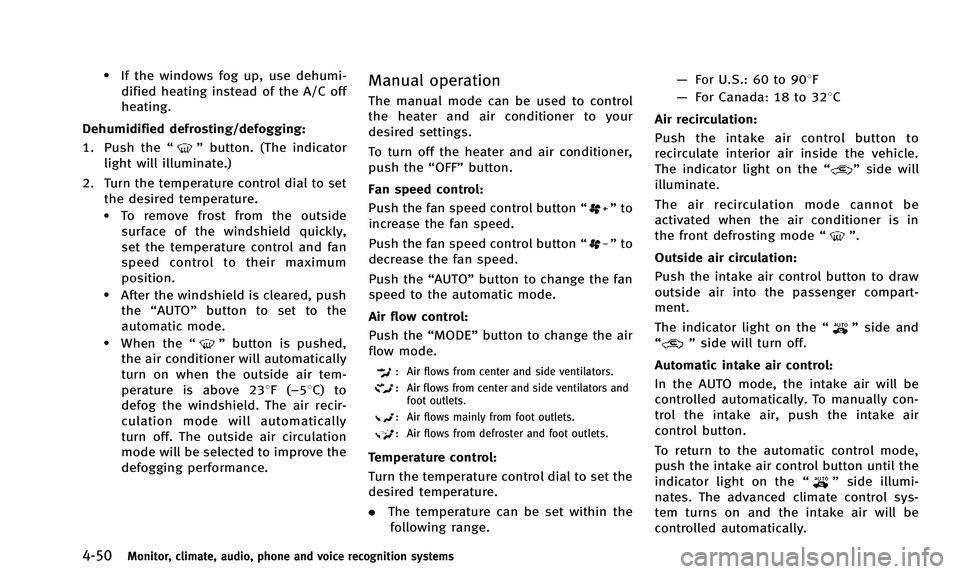
1. Push the “
”button. (The indicator
light will illuminate.)
2. Turn the temperature control dial to set the desired temperature.
.To remove frost from the outsidesurface of the windshield quickly,
set the temperature control and fan
speed control to their maximum
position.
.After the windshield is cleared, pushthe “AUTO” button to set to the
automatic mode.
.When the “”button is pushed,
the air conditioner will automatically
turn on when the outside air tem-
perature is above 238F( −58C) to
defog the windshield. The air recir-
culation mode will automatically
turn off. The outside air circulation
mode will be selected to improve the
defogging performance.
Manual operation
The manual mode can be used to control
the heater and air conditioner to your
desired settings.
To turn off the heater and air conditioner,
push the “OFF”button.
Fan speed control:
Push the fan speed control button “
”to
increase the fan speed.
Push the fan speed control button “
”to
decrease the fan speed.
Push the “AUTO”button to change the fan
speed to the automatic mode.
Air flow control:
Push the “MODE”button to change the air
flow mode.
: Air flows from center and side ventilators.
: Air flows from center and side ventilators and foot outlets.
: Air flows mainly from foot outlets.
: Air flows from defroster and foot outlets.
Temperature control:
Turn the temperature control dial to set the
desired temperature.
. The temperature can be set within the
following range. —
For U.S.: 60 to 908F
— For Canada: 18 to 328C
Air recirculation:
Push the intake air control button to
recirculate interior air inside the vehicle.
The indicator light on the “
”side will
illuminate.
The air recirculation mode cannot be
activated when the air conditioner is in
the front defrosting mode “
”.
Outside air circulation:
Push the intake air control button to draw
outside air into the passenger compart-
ment.
The indicator light on the “
”side and
“” side will turn off.
Automatic intake air control:
In the AUTO mode, the intake air will be
controlled automatically. To manually con-
trol the intake air, push the intake air
control button.
To return to the automatic control mode,
push the intake air control button until the
indicator light on the “
”side illumi-
nates. The advanced climate control sys-
tem turns on and the intake air will be
controlled automatically.
Page 214 of 498

To turn system off
Push the OFF button.
Advanced climate control system
The advanced climate control system keeps
the air inside of the vehicle clean, using
the ion control and the automatic air intake
control with exhaust gas/outside odor
detecting sensor.
SAA2734
Models with navigation system
SAA2735
Models without navigation systemIon control:
This unit generates highly concentrated
Plasmacluster
®ions into the air blown
from the ventilators and reduces odor
absorbed into the interior trim.
The high-density Plasmacluster
®ions gen-
erated in the air conditioner’s air stream
not only suppress airborne bacteria and
reduce the adherence of odors to the
interior trim, but also have a proven skin
moisture preserving effect.
When the air conditioner is turned on, the
system generates Plasmacluster
®ions
automatically.
The amount of Plasmacluster
®ions in-
creases according to the amount of air
flow. When the air flow is high, “
”is
displayed on the screen and when the air
flow is low, the indication in the screen
changes to “
”.
Plasmacluster®and Plasmacluster®ion
are trademarks of Sharp Corporation.
Exhaust gas/outside odor detecting sen-
sor:
This vehicle is equipped with an exhaust
gas/outside odor detecting sensor. When
the automatic intake air control is ON, the
sensor detects odors and exhaust gas and
Monitor, climate, audio, phone and voice recognition systems4-51
Page 215 of 498

4-52Monitor, climate, audio, phone and voice recognition systems
the system then automatically changes
from the outside air circulation mode to
the recirculation mode.
When the intake air control button is
pushed under the following conditions,
the indicator light on the“
”side will
illuminate and the exhaust gas/outside
odor detecting sensor will turn on.
. The air flow control is not in the front
defroster mode (the indicator light on
the “
”front defroster button is
turned off).
. The outside temperature is about 328F
(08C) or more.
. The exhaust gas/outside odor detecting
sensor detects industrial odors such as
pulp or chemicals and exhaust gas
such as gasoline or diesel.
When the automatic intake air control is
ON, for the first 5 minutes, the recircula-
tion mode is selected to prevent dust, dirt
and pollen from entering the vehicle and
cleans the air inside of the vehicle with
Plasmacluster
®ions that are emitted from
the ventilator.
After 5 minutes, the sensor detects outside
odor and exhaust gas and automatically
alternates between the recirculation mode
and outside air circulation mode.
OPERATING TIPS
When the engine coolant temperature and
outside air temperature are low, the air
flow from the foot outlets may not operate.
This is not a malfunction. After the coolant
temperature warms up, air will flow nor-
mally from the foot outlets.
SAA1983
The sunload sensor*Aon the instrument
panel helps maintain a constant tempera-
ture. Do not put anything on or around this
sensor.
IN-CABIN MICROFILTER
To make sure that the air conditioner
heats, defogs/defrosts and ventilates effi-
ciently, replace the filter according the
specified maintenance intervals listed in
the INFINITI Service and Maintenance
Guide. To replace the filter, contact an
INFINITI retailer.
The filter should be replaced if the air flow
decreases significantly or if windows fog
Page 216 of 498

up easily when operating the heater or air
conditioner. A natural grape seed polyphe-
nol filter (if so equipped) collects and
neutralizes dirt, pollen, dust, etc.
SERVICING CLIMATE CONTROL
The climate control system in your INFINITI
is charged with a refrigerant designed with
the environment in mind.This refrigerant
will not harm the earth’s ozone layer.
However, special charging equipment and
lubricant are required when servicing your
INFINITI air conditioner. Using improper
refrigerants or lubricants will cause severe
damage to your climate control system.
(See “Capacities and recommended fuel/
lubricants” (P.9-2) for climate control sys-
tem refrigerant and lubricant recommenda-
tions.)
Your INFINITI retailer will be able to service
your environmentally friendly climate con-
trol system.
WARNING
The system contains refrigerant under high
pressure. To avoid personal injury, any air
conditioner service should be done only by
an experienced technician with the proper equipment.
AUDIO OPERATION PRECAUTIONS
Radio
Push the ignition switch to the ACC or ON
position and push the radio band select
button to turn on the radio. If you listen to
the radio with the engine not running, the
ignition switch should be pushed to the
ACC position.
Radio reception is affected by station
signal strength, distance from radio trans-
mitter, buildings, bridges, mountains and
other external influences. Intermittent
changes in reception quality normally are
caused by these external influences.
Using a cellular phone in or near the
vehicle may influence radio reception
quality.
Radio reception:
Your INFINITI radio system is equipped with
state-of-the-art electronic circuits to en-
hance radio reception. These circuits are
designed to extend reception range, and to
enhance the quality of that reception.
However there are some general character-
istics of both FM and AM radio signals that
can affect radio reception quality in a
moving vehicle, even when the finest
Monitor, climate, audio, phone and voice recognition systems4-53
AUDIO SYSTEM
Page 232 of 498
If another audio source is playing when the
radio band select button is turned to ON,
the audio source will automatically be
turned off and the last radio channel
played will come on.
When the stereo broadcast signal is weak,
the radio will automatically change from
stereo to monaural reception.
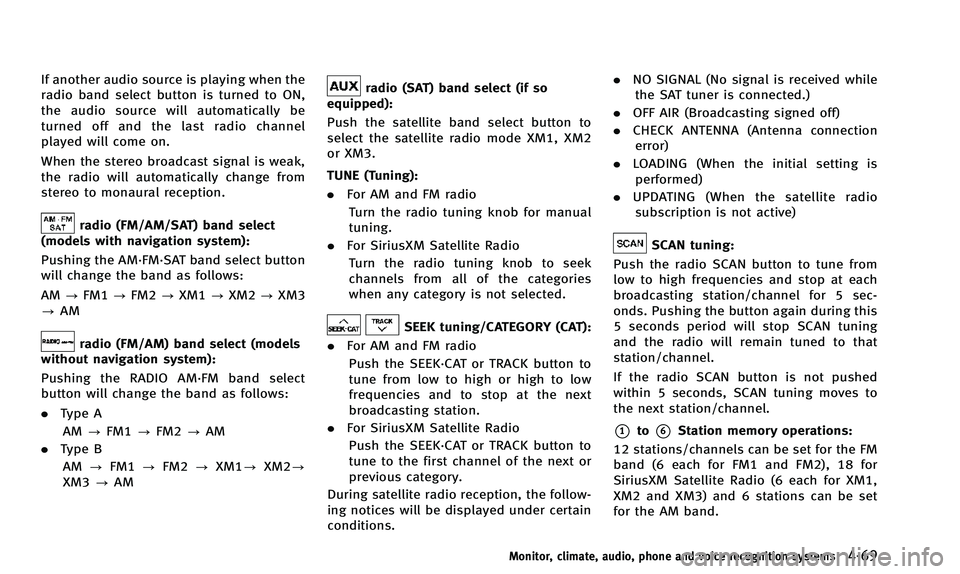
radio (FM/AM/SAT) band select
(models with navigation system):
Pushing the AM·FM·SAT band select button
will change the band as follows:
AM ?FM1 ?FM2 ?XM1 ?XM2 ?XM3
? AM
radio (FM/AM) band select (models
without navigation system):
Pushing the RADIO AM·FM band select
button will change the band as follows:
. Type A
AM ?FM1 ?FM2 ?AM
. Type B
AM ?FM1 ?FM2 ?XM1? XM2?
XM3 ?AM
radio (SAT) band select (if so
equipped):
Push the satellite band select button to
select the satellite radio mode XM1, XM2
or XM3.
TUNE (Tuning):
. For AM and FM radio
Turn the radio tuning knob for manual
tuning.
. For SiriusXM Satellite Radio
Turn the radio tuning knob to seek
channels from all of the categories
when any category is not selected.
SEEK tuning/CATEGORY (CAT):
. For AM and FM radio
Push the SEEK·CAT or TRACK button to
tune from low to high or high to low
frequencies and to stop at the next
broadcasting station.
. For SiriusXM Satellite Radio
Push the SEEK·CAT or TRACK button to
tune to the first channel of the next or
previous category.
During satellite radio reception, the follow-
ing notices will be displayed under certain
conditions. .
NO SIGNAL (No signal is received while
the SAT tuner is connected.)
. OFF AIR (Broadcasting signed off)
. CHECK ANTENNA (Antenna connection
error)
. LOADING (When the initial setting is
performed)
. UPDATING (When the satellite radio
subscription is not active)
SCAN tuning:
Push the radio SCAN button to tune from
low to high frequencies and stop at each
broadcasting station/channel for 5 sec-
onds. Pushing the button again during this
5 seconds period will stop SCAN tuning
and the radio will remain tuned to that
station/channel.
If the radio SCAN button is not pushed
within 5 seconds, SCAN tuning moves to
the next station/channel.
*1to*6Station memory operations:
12 stations/channels can be set for the FM
band (6 each for FM1 and FM2), 18 for
SiriusXM Satellite Radio (6 each for XM1,
XM2 and XM3) and 6 stations can be set
for the AM band.
Monitor, climate, audio, phone and voice recognition systems4-69
Page 255 of 498
4-92Monitor, climate, audio, phone and voice recognition systems
tions.
. Set up the wireless connection between
a compatible cellular phone and the in-
vehicle phone module before using the
Bluetooth
®Hands-Free Phone System.
. Some Bluetooth®enabled cellular
phones may not be recognized by the
in-vehicle phone module. Please visit
www.InfinitiUSA.com/bluetooth for a
recommended phone list.
. You will not be able to use a hands-free
phone under the following conditions:
— Your vehicle is outside of the tele-
phone service area.
— Your vehicle is in an area where it is
difficult to receive radio waves; such
as in a tunnel, in an underground
parking garage, behind a tall build-
ing or in a mountainous area.
— Your cellular phone is locked in
order not to be dialed.
. When the radio wave condition is not
ideal or ambient sound is too loud, it
may be difficult to hear the other
person’s voice during a call.
. Immediately after the ignition switch is
pushed to the ON position, it may be
impossible to receive a call for a short
period of time. .
Do not place the cellular phone in an
area surrounded by metal or far away
from the in-vehicle phone module to
prevent tone quality degradation and
wireless connection disruption.
. While a cellular phone is connected
through the Bluetooth®wireless con-
nection, the battery power of the
cellular phone may discharge quicker
than usual.
. If the Bluetooth
®Hands-Free Phone
System seems to be malfunctioning,
please visit www.InfinitiUSA.com/blue-
tooth for troubleshooting help.
. Some cellular phones or other devices
may cause interference or a buzzing
noise to come from the audio system
speakers. Storing the device in a
different location may reduce or elim-
inate the noise.
. Refer to the cellular phone Owner’s
Manual regarding the telephone pairing
procedure specific to your phone,
battery charging, cellular phone anten-
na, etc.
. The antenna display on the monitor will
not coincide with the antenna display
of some cellular phones. .
Keep the interior of the vehicle as quiet
as possible to hear the caller ’s voice
clearly as well as to minimize its
echoes.
. If reception between callers is unclear,
adjusting the incoming or outgoing call
volume may improve the clarity.
REGULATORY INFORMATION
FCC Regulatory information
. CAUTION: To maintain compliance with
FCC’s RF exposure guidelines, use only
the supplied antenna. Unauthorized
antenna, modification, or attachments
could damage the transmitter and may
violate FCC regulations.
. Operation is subject to the following
two conditions:
1. this device may not cause interference and
2. this device must accept any interfer- ence, including interference that may
cause undesired operation of the de-
vice
IC Regulatory information
.Operation is subject to the following
two conditions: (1) this device may not
cause interference, and (2) this device
Page 265 of 498

4-102Monitor, climate, audio, phone and voice recognition systems
WARNING
.Use a phone after stopping your vehicle
in a safe location. If you have to use a
phone while driving, exercise extreme
caution at all times so full attention may
be given to vehicle operation.
. If you find yourself unable to devote full
attention to vehicle operation while
talking on the phone, pull off the road
to a safe location and stop your vehicle
before doing so.
CAUTION
To avoid draining the vehicle battery, use a
phone after starting the engine.
Your vehicle is equipped with Bluetooth®
Hands-Free Phone System. If you are an
owner of a Bluetooth®enabled cellular
phone, you can set up the wireless
connection between your cellular phone
and the in-vehicle phone module. With
Bluetooth
®wireless technology, you can
make or receive a telephone call with your
cellular phone in your pocket. Once your cellular phone is paired to the
in-vehicle phone module, no phone con-
necting procedure is required. Your phone
is automatically connected with the in-
vehicle phone module when the ignition
switch is pushed to the
“ON”position with
the registered cellular phone turned on
and carried in the vehicle.
You can register up to 5 different Blue-
tooth
®cellular phones in the in-vehicle
phone module. However, you can talk on
only one cellular phone at a time.
When a call is active, the audio system and
microphone (located in the ceiling in front
of the rearview mirror) are used for the
handsfree communications.
If the audio system is being used at the
time, the audio mode will mute and will
stay muted until the active call is ended.
The INFINITI Voice Recognition system
supports the phone commands, so dialing
a phone number using your voice is
possible.
Before using the Bluetooth
®Hands-Free
Phone System, refer to the following notes.
. Wireless LAN (Wi-Fi) and the Bluetooth
®
functions share the same frequency
band (2.4 GHz). Using the Bluetooth®
and the wireless LAN functions at the
same time may slow down or discon-
nect the communication and cause
undesired noise. It is recommended
that you turn off the wireless LAN (Wi-
Fi) when using the Bluetooth
®func-
tions.
. Set up the wireless connection between
a cellular phone and the in-vehicle
phone module before using the Blue-
tooth
®Hands-Free Phone System.
. Some Bluetooth®enabled cellular
phones may not be recognized by the
in-vehicle phone module.
. You will not be able to use a hands-free
phone under the following conditions:
— Your vehicle is outside of the tele-
phone service area.
— Your vehicle is in an area where it is
difficult to receive radio waves; such
as in a tunnel, in an underground
parking garage, behind a tall build-
ing or in a mountainous area.
— Your cellular phone is locked in
order not to be dialed.
. When the radio wave condition is not
ideal or ambient sound is too loud, it
may be difficult to hear the other
person’s voice during a call.
Bluetooth®HANDS-FREE PHONE SYSTEM
(models without navigation system) (if so
equipped)
Page 266 of 498

.Immediately after the ignition switch is
pushed to the “ON”position, it may be
impossible to receive a call for a short
period of time.
. Do not place the cellular phone in an
area surrounded by metal or far away
from the in-vehicle phone module to
prevent tone quality degradation and
wireless connection disruption.
. While a cellular phone is connected
through the Bluetooth
®wireless con-
nection, the battery power of the
cellular phone may discharge quicker
than usual.
. If the Bluetooth
®Hands-Free Phone
System seems to be malfunctioning,
please contact an INFINITI retailer.
. Some cellular phones or other devices
may cause interference or a buzzing
noise to come from the audio system
speakers. Storing the device in a
different location may reduce or elim-
inate the noise.
. Refer to the cellular phone Owner’s
Manual regarding the telephone pairing
procedure specific to your phone,
battery charging, cellular phone anten-
na, etc. .
The antenna display on the monitor will
not coincide with the antenna display
of some cellular phones.
. Keep the interior of the vehicle as quiet
as possible to hear the caller ’s voice
clearly as well as to minimize its
echoes.
. If reception between callers is unclear,
adjusting the incoming or outgoing call
volume may improve the clarity.
. This wireless hands free car kit is based
on Bluetooth
®technology,
— Frequency: 2402 MHz - 2480 MHz
— Output Power: 4.14 dBm E.I.R.P
— Modulation: FHSS GFSK 8DPSK, p/
4DQPSK
— Number of Channels: 79
— This wireless equipment cannot be
used for any services related to
safety because there is the possibi-
lity of radio interference.
REGULATORY INFORMATION
FCC Regulatory information
. CAUTION: To maintain compliance with
FCC’s RF exposure guidelines, use only
the supplied antenna. Unauthorized
antenna, modification, or attachments
could damage the transmitter and may
violate FCC regulations.
. Operation is subject to the following
two conditions:
1) this device may not cause interfer- ence and
2) this device must accept any inter- ference, including interference that
may cause undesired operation of
the device
IC Regulatory information
.Operation is subject to the following
two conditions: (1) this device may not
cause interference, and (2) this device
must accept any interference, including
interference that may cause undesired
operation of the device.
. This Class B digital apparatus meets all
requirements of the Canadian Interfer-
ence-Causing Equipment Regulations.
Monitor, climate, audio, phone and voice recognition systems4-103
Page 283 of 498
4-120Monitor, climate, audio, phone and voice recognition systems
USING THE SYSTEM
Initialization
When the ignition switch is pushed to the
ON position, INFINITI Voice Recognition is
initialized, which may take up to one
minute. When completed, the system is
ready to accept voice commands. If the
TALK
switch is pushed before the
initialization completes, the display will
show the message: “System not ready.” or
a beep sounds.
Before starting
To get the best recognition performance
from INFINITI Voice Recognition, observe
the following:
. The interior of the vehicle should be as
quiet as possible. Close the windows to
eliminate the surrounding noises (traf-
fic noise and vibration sounds, etc.),
which may prevent the system from
correctly recognizing the voice com-
mands.
. Wait until the tone sounds before
speaking a command.
. Speak in a natural conversational voice
without pausing between words. .
If the air conditioner is set to “Auto”,
the fan speed is automatically lowered
so that your commands can be recog-
nized more easily.
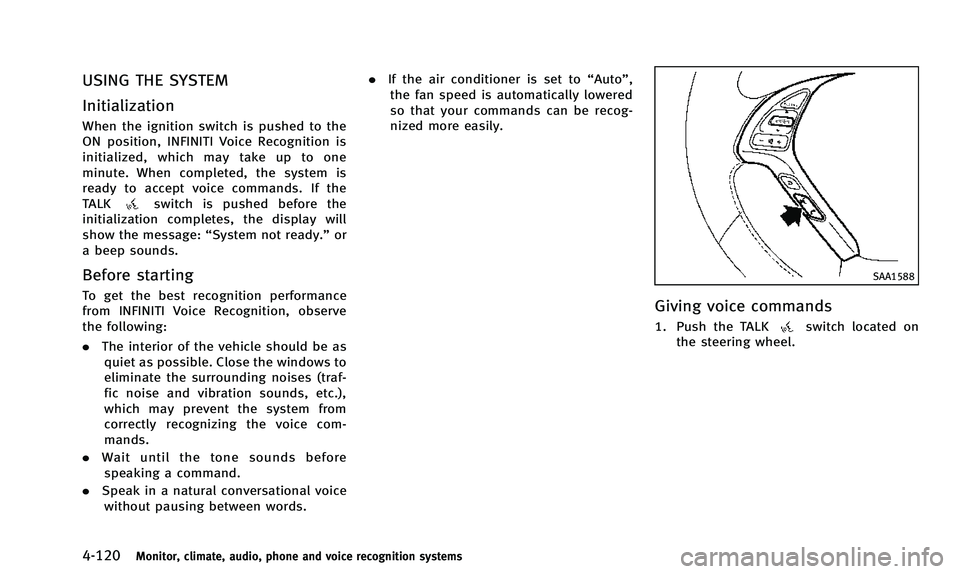
SAA1588
Giving voice commands
1. Push the TALKswitch located on
the steering wheel.